
Android网络编程1
最近在自学Android开发,从这篇开始作为我学习android开发的笔记,来记录学习过程中遇到的问题点和其解决的方法;
Ui界面代码
 <?xml version="1.0" encoding="utf-8"?>

 <LinearLayout xmlns:android="http://schemas.android.com/apk/res/android"

     xmlns:tools="http://schemas.android.com/tools"

     android:layout_width="match_parent"

     android:layout_height="match_parent"

     android:paddingBottom="@dimen/activity_vertical_margin"

     android:paddingLeft="@dimen/activity_horizontal_margin"

     android:paddingRight="@dimen/activity_horizontal_margin"

     android:paddingTop="@dimen/activity_vertical_margin"

     tools:context="com.example.lidezhen.myapplication.MainActivity"

     android:orientation="vertical">

 <EditText

     android:layout_width="match_parent"

     android:layout_height="wrap_content"

     android:id="@+id/text1"

     android:hint="请是输入网址"/>

     <Button

         android:layout_width="wrap_content"

         android:layout_height="wrap_content"

         android:text="打开"

             android:onClick="Onclick"/>

     <TextView

         android:layout_width="match_parent"

         android:layout_height="match_parent"

         android:id="@+id/tv1"

         android:hint="这是源码"/>

 </LinearLayout>
界面后台代码
package com.example.lidezhen.myapplication;

import android.os.Bundle;

import android.support.v7.app.AppCompatActivity;

import android.util.Log;

import android.view.View;

import android.widget.EditText;

import android.widget.TextView;

import java.io.ByteArrayOutputStream;

import java.io.InputStream;

import java.net.HttpURLConnection;

import java.net.URL;

public class MainActivity extends AppCompatActivity {

    EditText et;

    TextView tv;

    @Override

    protected void onCreate(Bundle savedInstanceState) {

        super.onCreate(savedInstanceState);

        setContentView(R.layout.activity_main);

         et= (EditText) findViewById(R.id.text1);

         tv= (TextView) findViewById(R.id.tv1);

//        if (android.os.Build.VERSION.SDK_INT > 9) {

//            StrictMode.ThreadPolicy policy = new StrictMode.ThreadPolicy.Builder().permitAll().build();

//            StrictMode.setThreadPolicy(policy);

//        }

    }

    public void Onclick(View v)

    {

        try {

            String path=et.getText().toString();

            URL url = new URL(path);

             HttpURLConnection con = (HttpURLConnection) url.openConnection();

            int code=con.getResponseCode();

            if (code==200)

            {

                InputStream stream = con.getInputStream();

                ByteArrayOutputStream os=new ByteArrayOutputStream();

                int len=-1;

                byte[] buff=new byte[1024];

                while ( (len=stream.read(buff))!=-1)

                {

                   os.write(buff,0,len);

                }

                tv.setText(os.toString());

            }

        } catch (Exception e) {

            Log.e("错误",e.toString());

        }

    }

}编译并执行程序
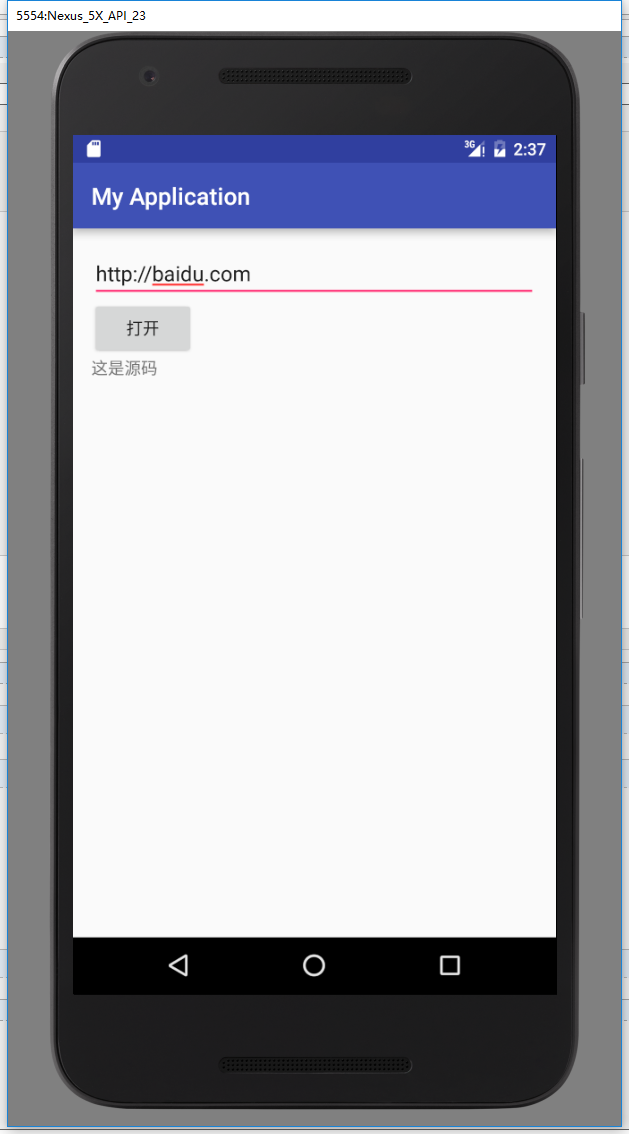
程序报错
07-20 02:30:00.361 15820-15820/com.example.lidezhen.myapplication E/错误: android.os.NetworkOnMainThreadException
错误原因:Android在4.0之前的版本 支持在主线程中访问网络,但是在4.0以后对这部分程序进行了优化,也就是说访问网络的代码不能写在主线程中了(我的虚拟机是android6.0的)
错误解决方法1:
在onCreate方法中添加如下代码
 if (android.os.Build.VERSION.SDK_INT > 9) {

            StrictMode.ThreadPolicy policy = new StrictMode.ThreadPolicy.Builder().permitAll().build();

           StrictMode.setThreadPolicy(policy);

        }
方法2:在点击事件里面添加多线程
public void Onclick(View v)

    {

        new Thread() {

            @Override

            public void run() {

                try {

                    String path=et.getText().toString();

                    URL url = new URL(path);

                    HttpURLConnection con = (HttpURLConnection) url.openConnection();

                    int code=con.getResponseCode();

                    if (code==200)

                    {

                        InputStream stream = con.getInputStream();

                        ByteArrayOutputStream os=new ByteArrayOutputStream();

                        int len=-1;

                        byte[] buff=new byte[1024];

                        while ( (len=stream.read(buff))!=-1)

                        {

                            os.write(buff,0,len);

                        }

                        tv.setText(os.toString());

                    }

                } catch (Exception e) {

                    Log.e("错误",e.toString());

                }

            }

        }.start();
程序执行成功
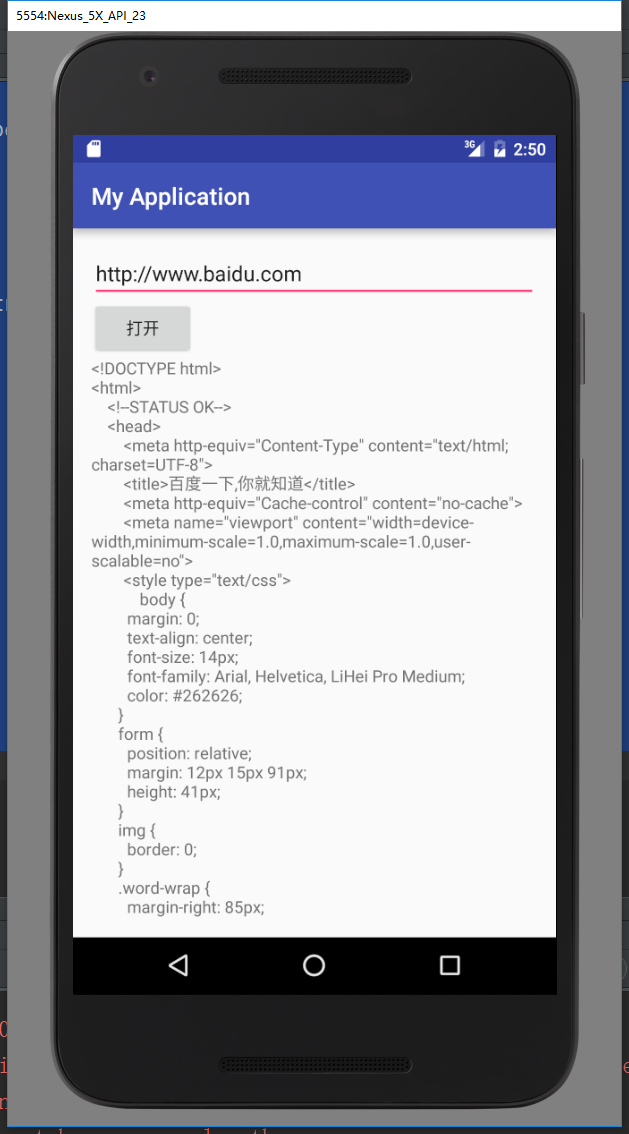
这样开新线程后程序还是报错
07-20 02:49:12.203 32712-707/com.example.lidezhen.myapplication E/错误: android.view.ViewRootImpl$CalledFromWrongThreadException: Only the original thread that created a view hierarchy can touch its views.
意思就是新的线程不能操作界面控件
解决方法:添加handeler
package com.example.lidezhen.myapplication;

import android.os.Bundle;

import android.os.Handler;

import android.os.Message;

import android.support.v7.app.AppCompatActivity;

import android.util.Log;

import android.view.View;

import android.widget.EditText;

import android.widget.TextView;

import java.io.ByteArrayOutputStream;

import java.io.InputStream;

import java.net.HttpURLConnection;

import java.net.URL;

public class MainActivity extends AppCompatActivity {

    EditText et;

    TextView tv;

    @Override

            protected void onCreate(Bundle savedInstanceState) {

        super.onCreate(savedInstanceState);

        setContentView(R.layout.activity_main);

         et= (EditText) findViewById(R.id.text1);

         tv= (TextView) findViewById(R.id.tv1);

//       if (android.os.Build.VERSION.SDK_INT > 9) {

//            StrictMode.ThreadPolicy policy = new StrictMode.ThreadPolicy.Builder().permitAll().build();

//           StrictMode.setThreadPolicy(policy);

//        }

    }

    public void Onclick(View v)

    {

        new Thread() {

            @Override

            public void run() {

                try {

                    String path=et.getText().toString();

                    URL url = new URL(path);

                    HttpURLConnection con = (HttpURLConnection) url.openConnection();

                    int code=con.getResponseCode();

                    if (code==200)

                    {

                        InputStream stream = con.getInputStream();

                        ByteArrayOutputStream os=new ByteArrayOutputStream();

                        int len=-1;

                        byte[] buff=new byte[1024];

                        while ( (len=stream.read(buff))!=-1)

                        {

                            os.write(buff,0,len);

                        }

//                        tv.setText(os.toString());

                        Message msg=new Message();

                        msg.obj=os.toString();

                        handler.sendMessage(msg);

                    }

                } catch (Exception e) {

                    Log.e("错误",e.toString());

                }

            }

        }.start();

    }

   Handler handler=new Handler(){

       public void handleMessage(Message msg) {

           String s=(String)msg.obj;

         tv.setText(s);

       }

   };

}
这样就不会再报异常
Android网络编程1的更多相关文章
- Android网络编程只局域网传输文件
Android网络编程之局域网传输文件: 首先创建一个socket管理类,该类是传输文件的核心类,主要用来发送文件和接收文件 具体代码如下: package com.jiao.filesend; im ...
- Android网络编程基础
Android网络编程只TCP通信 TCP 服务器端工作的主要步骤如下.步骤1 调用ServerSocket(int port)创建一个ServerSocket,并绑定到指定端口上.步骤2 调用acc ...
- Android网络编程系列 一 TCP/IP协议族
在学习和使用Android网路编程时,我们接触的仅仅是上层协议和接口如Apache的httpclient或者Android自带的httpURlconnection等等.对于这些接口的底层实现我们也有必 ...
- Android网络编程系列 一 Socket抽象层
在<Android网络编程>系列文章中,前面已经将Java的通信底层大致的描述了,在我们了解了TCP/IP通信族架构及其原理,接下来我们就开始来了解基于tcp/ip协议层的Socket抽 ...
- Android 网络编程 Socket
1.服务端开发 创建一个Java程序 public class MyServer { // 定义保存所有的Socket,与客户端建立连接得到一个Socket public static List< ...
- Android网络编程概述
Android网络编程概述 首先,应该了解的几个问题: 1)Android平台网络相关API接口 a) java.net.*(标准Java接口) java.net.*提供与联网有关的类,包括流.数据包 ...
- Android网络编程http派/申请服务
最近的研究Android网络编程知识,这里有一些想法,今晚学习.与您分享. 在实际的应用程序的开发非常需要时间appserver请求数据,那么app怎样发送请求呢?以下的代码就是当中的一种情况.使用H ...
- 转 Android网络编程之使用HttpClient批量上传文件 MultipartEntityBuilder
请尊重他人的劳动成果,转载请注明出处:Android网络编程之使用HttpClient批量上传文件 http://www.tuicool.com/articles/Y7reYb 我曾在<Andr ...
- Android网络编程要学的东西与Http协议学习
本节引言: 本节开始我们来学习Android网络编程相关的一些东西:Android端网络编程是要干嘛?http协议的学习,使用自带扣脚Json解析类解析Json,XML解析常用的几种方式,HttpUr ...
- 【Android 应用开发】Android 网络编程 API笔记 - java.net 包 权限 地址 套接字 相关类 简介
Android 网络编程相关的包 : 9 包, 20 接口, 103 类, 6 枚举, 14异常; -- Java包 : java.net 包 (6接口, 34类, 2枚举, 12异常); -- An ...
随机推荐
- CYQ.Data V5 数据库读写分离功能介绍
前言 好多年没写关于此框架的新功能的介绍了,这些年一直在默默地更新,从Nuget上的记录就可以看出来: 这几天在看Java的一些东西,除了觉的Java和.NET的相似度实在太高之外,就是Java太原始 ...
- RBAC模型速记
RBAC Model core concept: user,role,permission,operation,resource user has many roles, assign role to ...
- 给你的应用“一只”智慧的眼睛 —— Barcode常识普及以及识别信息处理
在“如何用MediaCapture解决二维码扫描问题”这篇文章中,我们通过“成像”.“截图”与“识别”三个步骤介绍了使用MediaCapture扫码的主要过程及注意事项.本文主要针对“识别”的过程,对 ...
- sqlalchemy(一)基本操作
sqlalchemy(一)基本操作 sqlalchemy采用简单的Python语言,为高效和高性能的数据库访问设计,实现了完整的企业级持久模型. 安装 需要安装MySQLdb pip install ...
- 小型文件数据库 (a file database for small apps) SharpFileDB
小型文件数据库 (a file database for small apps) SharpFileDB For english version of this article, please cli ...
- Module-Zero之组织单元(OU)管理【新增】
返回<Module Zero学习目录> 概览介绍 OrganizationUnit实体 OrganizationUnit管理者 公共用例 设置 概览介绍 组织单元(Organization ...
- Spark算子选择策略
摘要 1.使用reduceByKey/aggregateByKey替代groupByKey 2.使用mapPartitions替代普通map 3.使用foreachPartitions替代forea ...
- .Net批量插入数据到SQLServer数据库,System.Data.SqlClient.SqlBulkCopy类批量插入大数据到数据库
批量的的数据导入数据库中,尽量少的访问数据库,高性能的对数据库进行存储. 采用SqlBulkCopy来处理存储数据.SqlBulkCopy存储大批量的数据非常的高效,将内存中的数据表直接的一次性的存储 ...
- Javascript刷题 》 查找数组元素位置
找出元素 item 在给定数组 arr 中的位置 输出描述: function indexOf(arr, item) { ..... } 如果数组中存在 item,则返回元素在数组中的位置,否则返回 ...
- Sql Server系列:Transact-SQL概述
结构化查询语言(Structure Query Language,SQL)是对数据库进行查询和修改的语言.Transact-SQL是SQL的一种实现形式,它包含了标准的SQL语言部分. 根据完成的具体 ...