
SpringBoot Admin应用监控搭建
简介
Spring Boot Admin 用于监控基于 Spring Boot 的应用,它是在 Spring Boot Actuator 的基础上提供简洁的可视化 WEB UI。
参考手册地址:http://codecentric.github.io/spring-boot-admin/2.1.1/
Spring Boot Admin 是由服务端Server和客户端Client组成
- 服务端
- 1.创建一个springboot工程并添加以下依赖
 1 <dependencies>

 2      <dependency>

 3          <groupId>org.springframework.boot</groupId>

 4          <artifactId>spring-boot-starter-web</artifactId>

 5      </dependency>

 6

 7      <dependency>

 8          <groupId>de.codecentric</groupId>

 9          <artifactId>spring-boot-admin-server</artifactId>

10          <version>2.1.1</version>

11      </dependency>

12

13      <dependency>

14          <groupId>de.codecentric</groupId>

15          <artifactId>spring-boot-admin-server-ui</artifactId>

16          <version>2.1.1</version>

17      </dependency>

18

19      <dependency>

20          <groupId>org.springframework.boot</groupId>

21          <artifactId>spring-boot-starter-security</artifactId>

22       </dependency>

23 </dependencies> - 2.重写权限控制类(非必要)
 1 @Configuration

 2 public class SecuritySecureConfig extends WebSecurityConfigurerAdapter {

 3     private final String adminContextPath;

 4

 5     public SecuritySecureConfig(AdminServerProperties adminServerProperties) {

 6         this.adminContextPath = adminServerProperties.getContextPath();

 7     }

 8

 9     @Override

10     protected void configure(HttpSecurity http) throws Exception {

11         SavedRequestAwareAuthenticationSuccessHandler successHandler = new SavedRequestAwareAuthenticationSuccessHandler();

12         successHandler.setTargetUrlParameter("redirectTo");

13         successHandler.setDefaultTargetUrl(adminContextPath + "/monitor");

14

15         http.authorizeRequests()

16                 .antMatchers(adminContextPath + "/assets/**").permitAll()

17                 .antMatchers(adminContextPath + "/login").permitAll()

18                 .anyRequest().authenticated()

19                 .and()

20                 .formLogin().loginPage(adminContextPath + "/login").successHandler(successHandler).and()

21                 .logout().logoutUrl(adminContextPath + "/logout").and()

22                 .httpBasic().and()

23                 .csrf()

24                 .csrfTokenRepository(CookieCsrfTokenRepository.withHttpOnlyFalse())

25                 .ignoringAntMatchers(

26                         adminContextPath + "/instances",

27                         adminContextPath + "/actuator/**"

28                 );

29     }

30 }
1 @EnableWebSecurity
2 public class WebSecurityConfig implements WebMvcConfigurer {
3
4 @Bean
5 public UserDetailsService userDetailsService() throws Exception {
6 InMemoryUserDetailsManager manager = new InMemoryUserDetailsManager();
7 manager.createUser(User.withDefaultPasswordEncoder().username("root").password("root").roles("administrator").build());
8 return manager;
9 }
10 } - 3.启动类添加注解@EnableAdminServer
1 @SpringBootApplication

2 @EnableAdminServer

3 public class AdminServerApplication{

4

5     public static void main(String[] args) {

6         SpringApplication.run(AdminServerApplication.class, args);

7     }

8 } - 4.配置application.yml
1 server:

2   port: 8081

3

4 spring:

5   boot:

6     admin:

7 context-path: monitor - 5.浏览器访问该项目
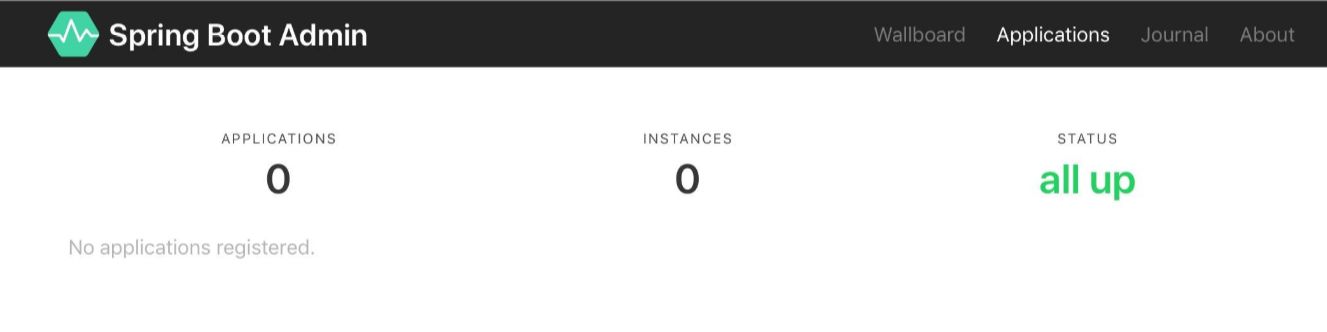
- 客户端
- 1.在需要被监控的应用里面添加如下依赖(注意版本号要与server端相同)
1 <dependency>

2       <groupId>de.codecentric</groupId>

3       <artifactId>spring-boot-admin-starter-client</artifactId>

4       <version>2.1.1</version>

5 </dependency> - 2.编辑配置文件(详细属性配置参考手册)
1 spring.boot.admin.client.url = http://localhost:8081/admin-server/monitor

2 spring.boot.admin.client.username = root

3 spring.boot.admin.client.password = root

4 spring.boot.admin.client.instance.service-base-url=http://localhost:8080

5 spring.boot.admin.client.instance.name = dida

6

7 management.endpoints.web.exposure.include = *

8 management.endpoint.health.show-details = ALWAYS
- 1.在需要被监控的应用里面添加如下依赖(注意版本号要与server端相同)
- 刷新服务端
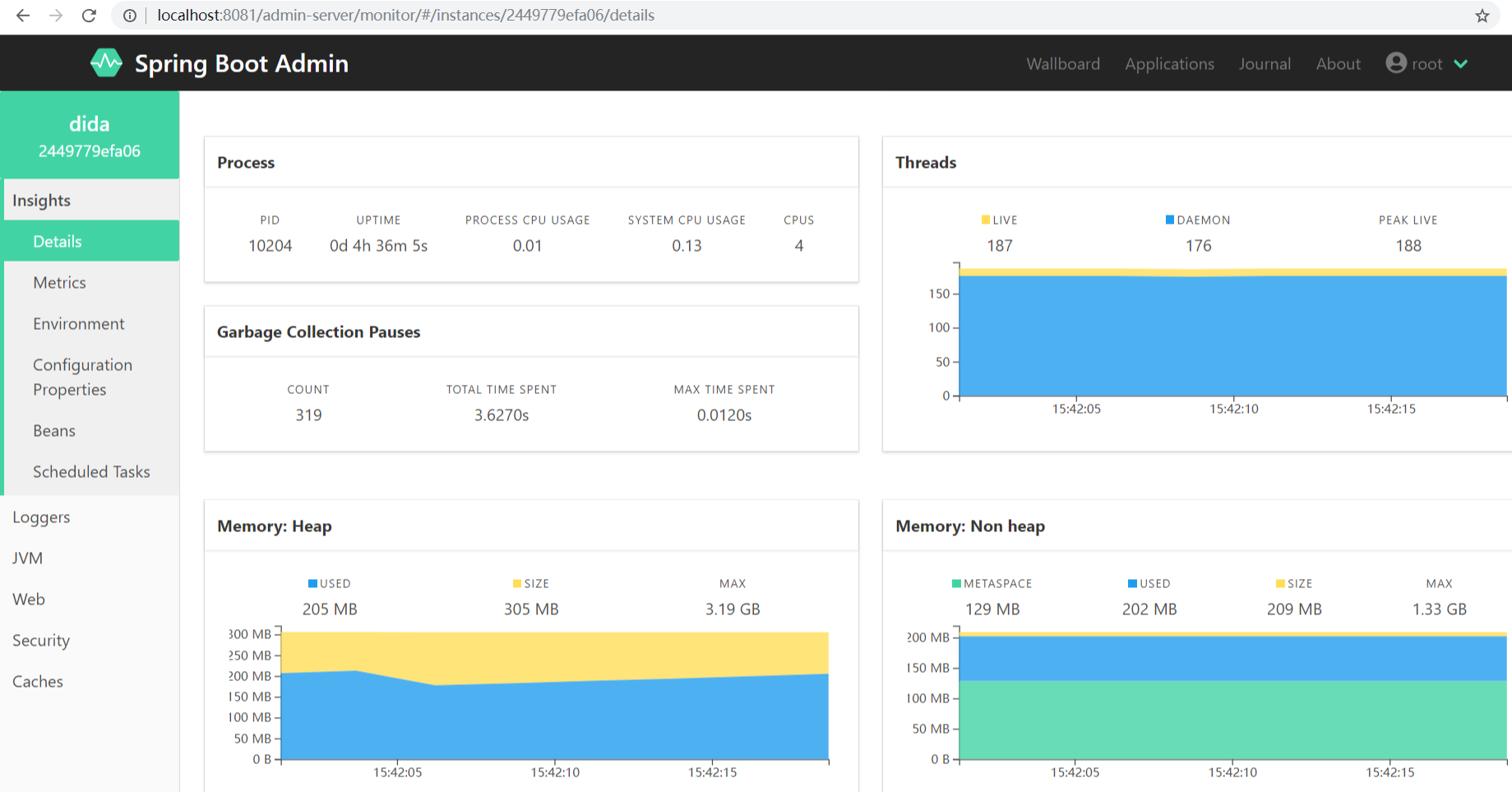
问题记录
按照上面的操作,我把公司的一个项目配置成了客户端。在我的win10系统电脑上面运行这两个程序是没有问题的。但是当实际部署在linux服务器上面的时候就遇到了问题:我把springbootAdmin的server端部署到了linux服务器(服务器1),把要监控的项目部署到了另一台Linux服务器(服务器2),这两台服务器处于同一个局域网内。运行这两个项目,发现程序server端能够发现这个我的client项目,但是client项目一直处于断开状态。
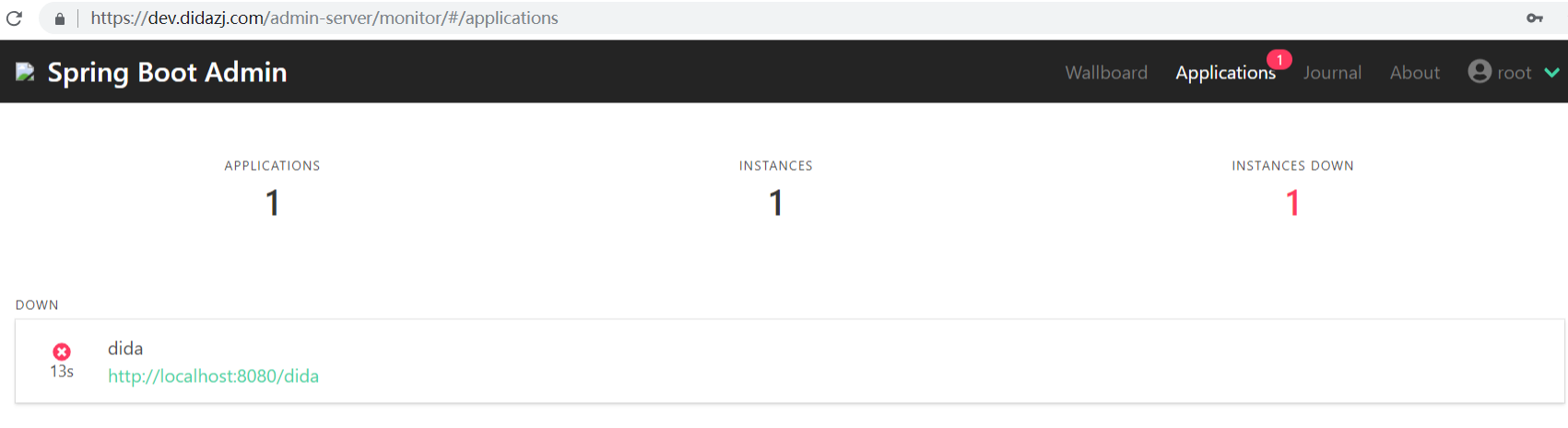
错误日志
WARN  de.codecentric.boot.admin.client.registration.ApplicationRegistrator.register Line:115 - Failed to register application as Application
(name=dida, managementUrl=http://www.xxx.com:8081/dida/actuator, healthUrl=http://www.xxx.com:8081/dida/actuator/health,serviceUrl=http://www.xxx.com:8081/dida)
 at spring-boot-admin ([http://admin.xxx.com:8080/monitor/instances]): 404 null. Further attempts are logged on DEBUG level
经过多次尝试,发现spring.boot.admin.client.url 该项目配置应该配置ip地址 http://172.18.0.188:8080/monitor,而不是域名。
INFO de.codecentric.boot.admin.client.registration.ApplicationRegistrator.register Line:98 - Application registered itself as 2449779efa06
日志显示注册成功。
待补充 ... ...
SpringBoot Admin应用监控搭建的更多相关文章
- 关于SpringBoot Admin server 监控注意事项
当你导入了依赖 <dependency> <groupId>de.codecentric</groupId> <artifactId>spring-bo ...
- 使用SpringBoot Admin监控SpringCloud微服务
spring-boot admin的github地址:https://github.com/codecentric/spring-boot-admin 本文基于SpringCloud的环境和配置上增加 ...
- Springboot监控之二:Spring Boot Admin对Springboot服务进行监控
概述 Spring Boot 监控核心是 spring-boot-starter-actuator 依赖,增加依赖后, Spring Boot 会默认配置一些通用的监控,比如 jvm 监控.类加载.健 ...
- 【Springboot】用Springboot Admin监控你的微服务应用
1 简介 目前,微服务大行其道,各大小公司争相学习模仿,把单体应用拆得七零八落.服务多了,运行的实例多了,给运维人员的压力就更大了.如果有十几个应用,单单做Health Check就已经够费时间的了. ...
- Spring-Boot之Admin服务监控-9
一.Spring Boot Admin用于管理和监控一个或者多个Spring Boot程序.Spring Boot Admin分为Server端和Client 端,Client端可以通过向Http S ...
- SpringBoot系列——admin服务监控
前言 springboot项目部署起来后,如何实时监控项目的运行状况呢?本文记录使用springboot-admin对服务进行监控. springboot-admin介绍:https://codece ...
- Spring Cloud第十三篇 | Spring Boot Admin服务监控
本文是Spring Cloud专栏的第十三篇文章,了解前十二篇文章内容有助于更好的理解本文: Spring Cloud第一篇 | Spring Cloud前言及其常用组件介绍概览 Spring Clo ...
- 实战SpringBoot Admin
长话短说哦,直接查看下文吧 目录 声明 先锋 前提 SpringBoot Admin 介绍 服务端的搭建 客户端的搭建 参数的指南 尾声 声明 见名知意,实战SpringBoot Admin,实战!实 ...
- LNMP+zabbix分布式监控搭建及版本升级
LNMP+zabbix分布式监控搭建需要组件:gcc gcc-c++ openssl* pcre pcre-devel gd gd-devel libjpeg-devel libpng-devel l ...
随机推荐
- SpringBoot - 实现文件上传2(多文件上传、常用上传参数配置)
在前文中我介绍了 Spring Boot 项目如何实现单文件上传,而多文件上传逻辑和单文件上传基本一致,下面通过样例进行演示. 多文件上传 1,代码编写 1)首先在 static 目录中创建一个 up ...
- docker(2)CentOS 7安装docker环境
前言 前面一篇学了mac安装docker,这篇来学习在linux上安装docker 环境准备 Docker支持以下的CentOS版本,目前,CentOS 仅发行版本中的内核支持 Docker. Doc ...
- 解析一下C++的异常处理
作者:良知犹存 转载授权以及围观:欢迎添加微信:Allen-Iverson-me-LYN 总述 在程序运行过程中经常会碰到一些问题,例如数组下标越界,除数为零等,这些错误不过能被发现处理, ...
- 力扣643.子数组最大平均数I-C语言实现
题目 给定 n 个整数,找出平均数最大且长度为 k 的连续子数组,并输出该最大平均数. 示例: 输入:[1,12,-5,-6,50,3], k = 4 输出:12.75 解释:最大平均数 (12-5- ...
- 阿里新晋 CNCF TOC 委员张磊:“云原生”为什么对云计算生态充满吸引力?
简介: 美国当地时间 2021 年 2 月 2 日,全球顶级开源社区云原生计算基金会(Cloud Native Computing Foundation,简称 CNCF)正式宣布其新一届技术监督委员会 ...
- Educational Codeforces Round 102 (Rated for Div. 2) D. Program (思维,前缀和)
题意:给你一个只含\(+\)和\(-\)的字符串,给你一个数\(x\),\(x\)初始为\(0\),随着字符串的遍历会加一减一,现在有\(m\)个询问,每个询问给出一个区间\([l,r]\)表示将这个 ...
- Warm up HDU - 4612 树的直径
题意:给出n个点和m条边的无向图,存在重边,问加一条边以后,剩下的桥的数量最少为多少. 题解: 你把这个无向图缩点后会得到一个只由桥来连接的图(可以说这个图中的所有边都是桥,相当于一棵树),然后我们只 ...
- 六、Python集合定义和基本操作方法
一.集合的定义方法及特点 1.特点: (1)由不同元素组成 #集合由不同元素构成 s={1,2,3,3,4,3,3,} print(s)#运行结果:{1, 2, 3, 4} (2)集合无序 #集合无序 ...
- CF1462-E2. Close Tuples (hard version)
本题为hard版,还有一个easy版,区别在于k和m的取值不同. 题意: 给出一个由n个数字组成的数组 \(a\).现在定义一种子集为\(\{A_1, A_2, A_3, ..., A_m\}\),使 ...
- 力扣119.杨辉三角II-C语言实现
题目 给定一个非负索引 k,其中 k ≤ 33,返回杨辉三角的第 k 行. 在杨辉三角中,每个数是它左上方和右上方的数的和. 示例: 输入: 3 输出: [1,3,3,1] 来源:力扣(LeetCod ...