
IntelliJ IDEA 2017版 SpringBoot的Json字符串返回
一、说明
SpringBoot框架已经自动封装好json字符串解析,所以我们只需要用它的注解来返回操作就可以了.
二、实战
1、书写一个实体类User,设置属性id和name
 package com.json;

 /**

  * Created by liuya on 2018-01-17.

  */

 public class UserPoJo

 {

     private int userId;

     private String userName;

     public int getUserId() {

         return userId;

     }

     public void setUserId(int userId) {

         this.userId = userId;

     }

     public String getUserName() {

         return userName;

     }

     public void setUserName(String userName) {

         this.userName = userName;

     }

     @Override

     public String toString() {

         return "UserPoJo{" +

                 "userId=" + userId +

                 ", userName='" + userName + '\'' +

                 '}';

     }

 }
2、书写开启服务器的代码(SpringBoot框架自带一个测试服务器)
 package com.json;

 import org.springframework.boot.SpringApplication;

 import org.springframework.boot.autoconfigure.SpringBootApplication;

 @SpringBootApplication

 public class SpringboothelloApplication {

     public static void main(String[] args) {

         SpringApplication.run(SpringboothelloApplication.class, args);

     }

 }
3、书写controller返回json的代码
 package com.json;

 import org.springframework.web.bind.annotation.RequestMapping;

 import org.springframework.web.bind.annotation.RestController;

 /**

  * Created by liuya on 2018-01-16.

  *

  *  测试用的一个例子

  */

 @RestController

 public class ControllerJson {

     @RequestMapping("user")

     public UserPoJo hello(){

         //实体类赋值

         UserPoJo userPoJo  = new UserPoJo();

         userPoJo.setUserId(111);

         userPoJo.setUserName("王小二");

         //返回实体类

         return userPoJo;

     }

 }
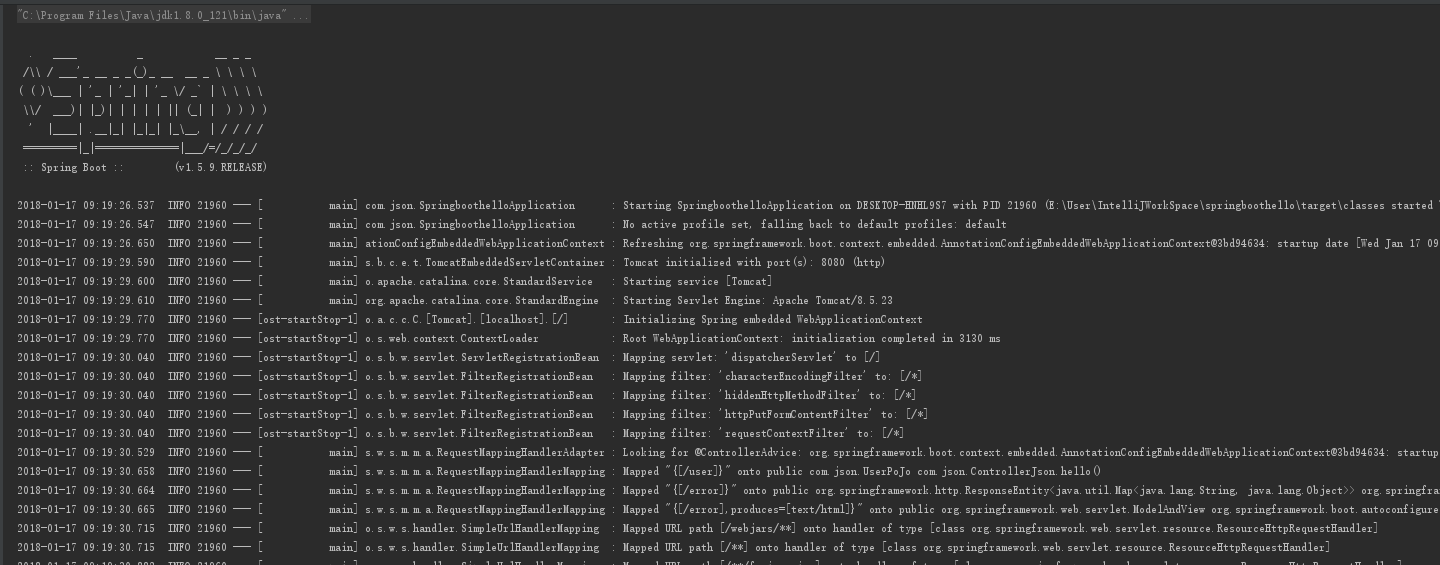
4、启动服务器的代码,生成如图
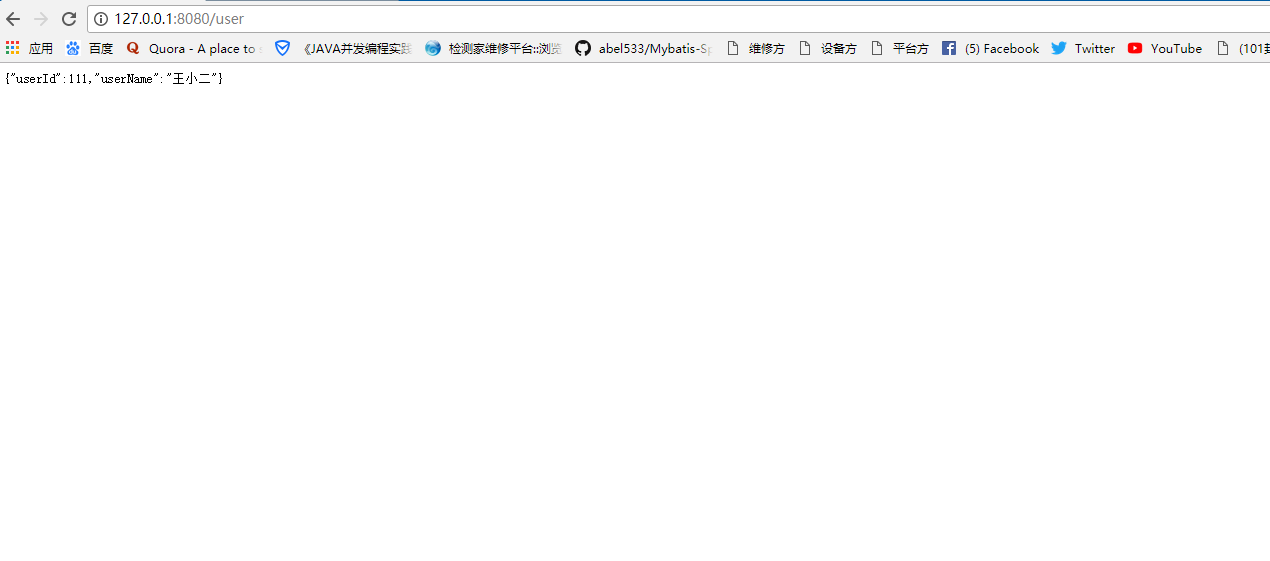
5、浏览器测试
IntelliJ IDEA 2017版 SpringBoot的Json字符串返回的更多相关文章
- IntelliJ IDEA 2017版 spring-boot 2.0.3 部署war包项目和jar包项目
1.建立项目 Java Controller package com.springboot.jsp.controller; import org.springframework.stereotype. ...
- IntelliJ IDEA 2017版 spring-boot与Mybatis简单整合
一.编译器建立项目 参考:http://www.cnblogs.com/liuyangfirst/p/8372291.html 二.代码编辑 1.建立数据库 /* Navicat MySQL Data ...
- IntelliJ IDEA 2017版 spring-boot加载jsp配置详解(详细图文实例)
一.创建项目 (File--->New-->Project) 2.项目配置内容 3.选择配置项目的Group包名,Artifact项目名称 4.选择项目类型为web类型 5.创建成功,点击 ...
- IntelliJ IDEA 2017版 spring-boot 2.0.5 邮件发送简单实例 (三)
一.搭建SpringBoot项目 详见此文:https://www.cnblogs.com/liuyangfirst/p/8298588.html 注意: 需要添加mail依赖的包,同时还添加了lom ...
- IntelliJ IDEA 2017版 spring-boot 2.0.3 邮件发送搭建,概念梳理 (二)
第二部分 邮件发送历史 一.第一封邮件 1.1969年10月,世界上的第一封电子邮件 1969年10月世界上的第一封电子邮件是由计算机科学家Leonard K.教授发给他的同事的一条简短 ...
- IntelliJ IDEA 2017版 spring-boot 2.03 去除控制台logo;去除springboot 图标;去除springboot 图
1.控制台出现logo图标 2.如果不喜欢,如何去除这个logo 在其Application中进行设置 package com.springboot.logo; import org.springfr ...
- IntelliJ IDEA 2017版 SpringBoot测试类编写
SpringBoot的测试类编写Demo 源码见 https://github.com/liushaoye/baseone.git
- IntelliJ IDEA 2017版 SpringBoot的关闭自动配置和自定义Banner
一.关闭自动配置 在jar包下找下边的名字 设置关闭自动配置jar 多个的时候配置 二.自定义Banner (1)网站搜索一个图案.网址:http://patorjk.co ...
- IntelliJ IDEA 2017版 SpringBoot的web项目补充
一.注解 @SpringBootApplication:Spring Boot项目的核心注解,主要目的是开启自动配置. @Configuration:这是一个配置Sprin ...
随机推荐
- linux之 CentOS/RHEL/Scientific Linux 6 & 7上安装Telnet
声明: 在安装和使用Telnet之前,需要记住以下几点. 在公网(WAN)中使用Telnet是非常不好的想法.它会以明文的格式传输登入数据.每个人都可以看到明文.如果你还是需要Telnet,强烈建议你 ...
- 在Linux中安装Oracle(较详细图解)
原创 http://www.cnblogs.com/nucdy/p/5603998.html 参考视屏:链接: https://pan.baidu.com/s/1kViEZQZ 密码: z7ha ( ...
- thinkpad t420安装debian需要注意的细节
关闭双显卡,使用集成显卡,32位可以用独显跑起来,但是64位的wheezy只能兼容集成显卡,不知道为啥,否则会在某些usb插入/或者拔出来以后,重启提示 failed to execute /lib/ ...
- 众安尊享e生·新全保通2017成人精选版60岁以后续保的保费清单
尊享e生·新全保通2017成人精选版--有社保的费用 https://www.zhongan.com/p/83881372?channelEnName=health 61-65男性 13028女性 8 ...
- 5月25日-js操作DOM遍历子节点
一.遍历节点 遍历子节点 children();//获取节点的所有直接子类 遍历同辈节点 next(); prev(); siblings();//所有同辈元素 *find(); 从后代元素中查找匹配 ...
- [saiku] 通过管理台配置用户、schema和数据源
上一篇讲到了如何下载和安装saiku [http://www.cnblogs.com/avivaye/p/4877680.html] 本文简介下saiku用户的配置操作和需要注意的点 一.添加用户 S ...
- 深入浅出 Java Concurrency (6): 锁机制 part 1 Lock与ReentrantLock
前面的章节主要谈谈原子操作,至于与原子操作一些相关的问题或者说陷阱就放到最后的总结篇来整体说明.从这一章开始花少量的篇幅谈谈锁机制. 上一个章节中谈到了锁机制,并且针对于原子操作谈了一些相关的概念 ...
- MySQL GTID (一)
MySQL GTID 系列之一 一.GTID相关概念 GTID:全局事务标识符,MySQL5.6版本开始在主从复制中推出的重量级特性. 每提交一个事务,当前执行线程都会拿到一个给定复制环境中唯一的GT ...
- 一行代码让App运行时iPhone不会进入锁屏待机状态
转自:http://www.cocoachina.com/iphonedev/sdk/2010/1028/2260.html 如果你不希望应用运行时 iPhone 进入锁屏待机状态,加入下面这行代码即 ...
- tomcat8 安全加固
本文基于tomcat8.0.24 1.删除文档和示例程序 [操作目的]删除示例文档 [加固方法]删除webapps/docs.examples.manager.ROOT.host-manager [是 ...