
iOS- Swift:如何使用iOS8中的UIAlertController
1.前言

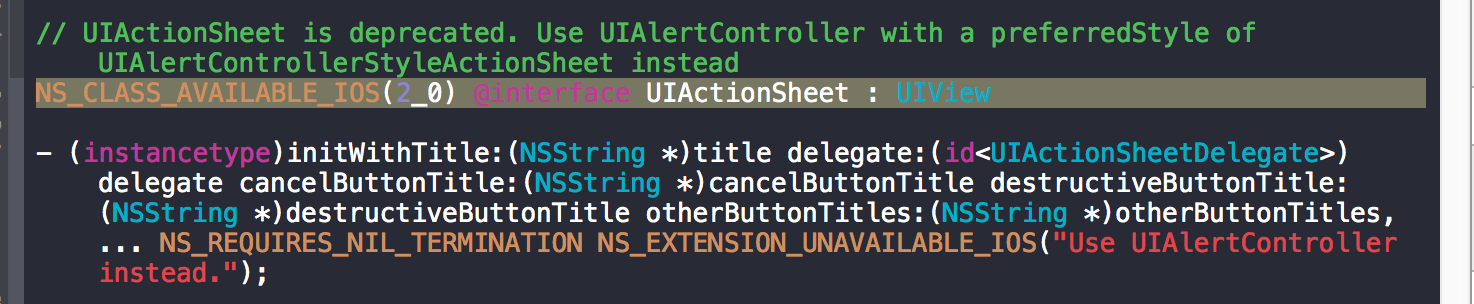
2.如何使用UIAlertController
2.2.第一种创建方式——默认提示框
最原始的init一般不用这种,默认是上拉菜单样式
import UIKit

class ViewController: UIViewController {

    override func viewDidLoad() {

        super.viewDidLoad()

        // Do any additional setup after loading the view, typically from a nib.

    }

    override func didReceiveMemoryWarning() {

        super.didReceiveMemoryWarning()

        // Dispose of any resources that can be recreated.

    }

    override func touchesBegan(touches: Set<NSObject>, withEvent event: UIEvent) {

        // 单击屏幕触发

        //方式一

        var alertVC = UIAlertController()

        alertVC.title = "Title"

        alertVC.message = "Hello,My name Saup"

        //因为UIAlertController是控制器,所以我们现在得改用控制器弹出

        self.presentViewController(alertVC, animated: true, completion: nil)

    }
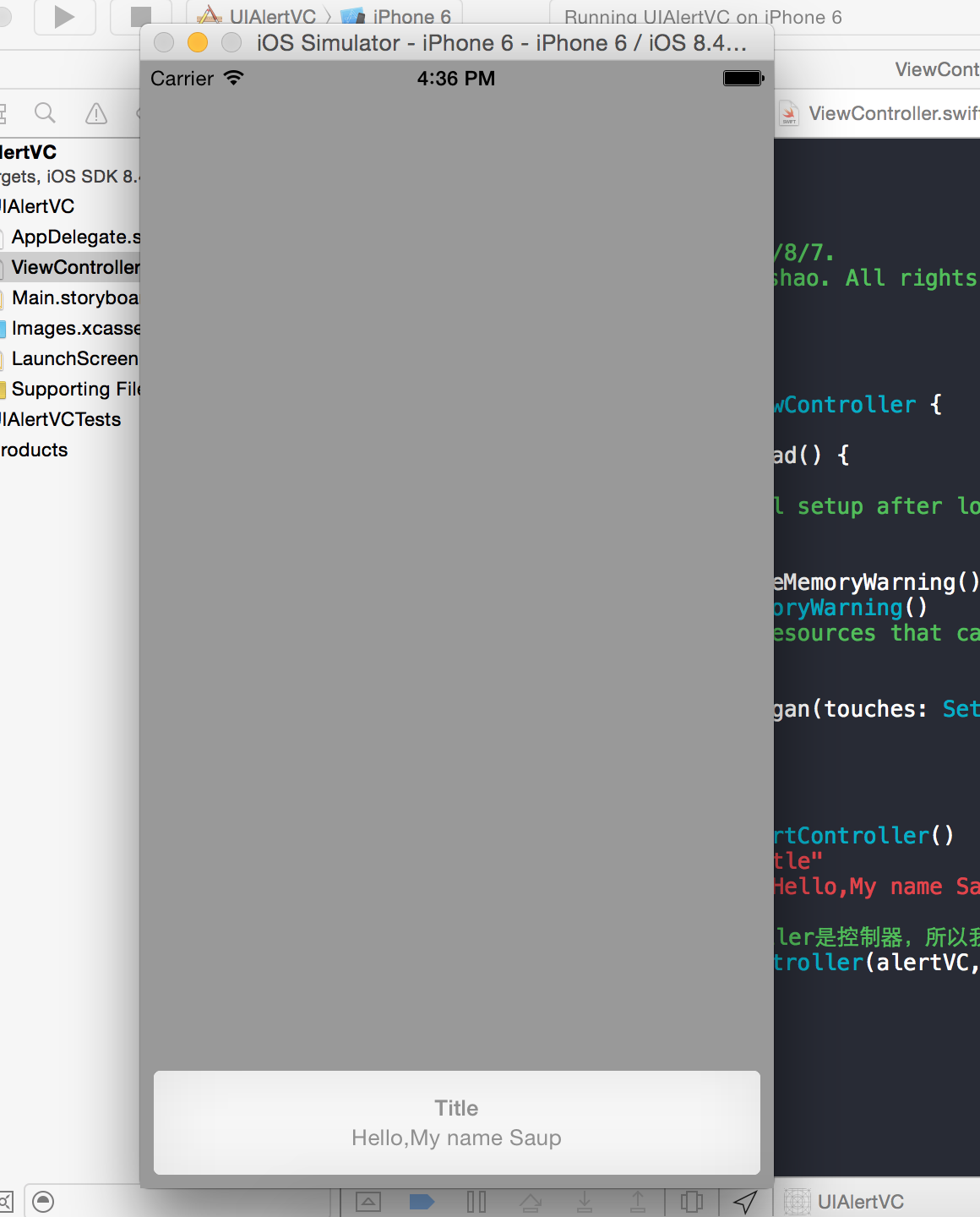
效果图1:
2.2.第二种创建方式——自定义提示框
    override func touchesBegan(touches: Set<NSObject>, withEvent event: UIEvent) {

        // 单击屏幕触发

        //方式二

        //创建控制器

        var alertVC = UIAlertController(title: "Title", message: "Please choose!", preferredStyle: UIAlertControllerStyle.ActionSheet)

        //创建按钮

        var acSure = UIAlertAction(title: "Sure", style: UIAlertActionStyle.Default) { (UIAlertAction) -> Void in

            print("click Sure")

        }

        var acCancel = UIAlertAction(title: "Cancel", style: UIAlertActionStyle.Cancel) { (UIAlertAction) -> Void in

            print("click Cancel")

        }

//        var acDestuctive = UIAlertAction(title: "Destuctive", style: //UIAlertActionStyle.Destuctive) { (UIAlertAction) -> Void in

//            print("click Destuctive")

//        }

        alertVC.addAction(acSure)

        alertVC.addAction(acCancel)

//      alertVC.addAction(acDestuctive)

        //因为UIAlertController是控制器,所以我们现在得改用控制器弹出

        self.presentViewController(alertVC, animated: true, completion: nil)

    }
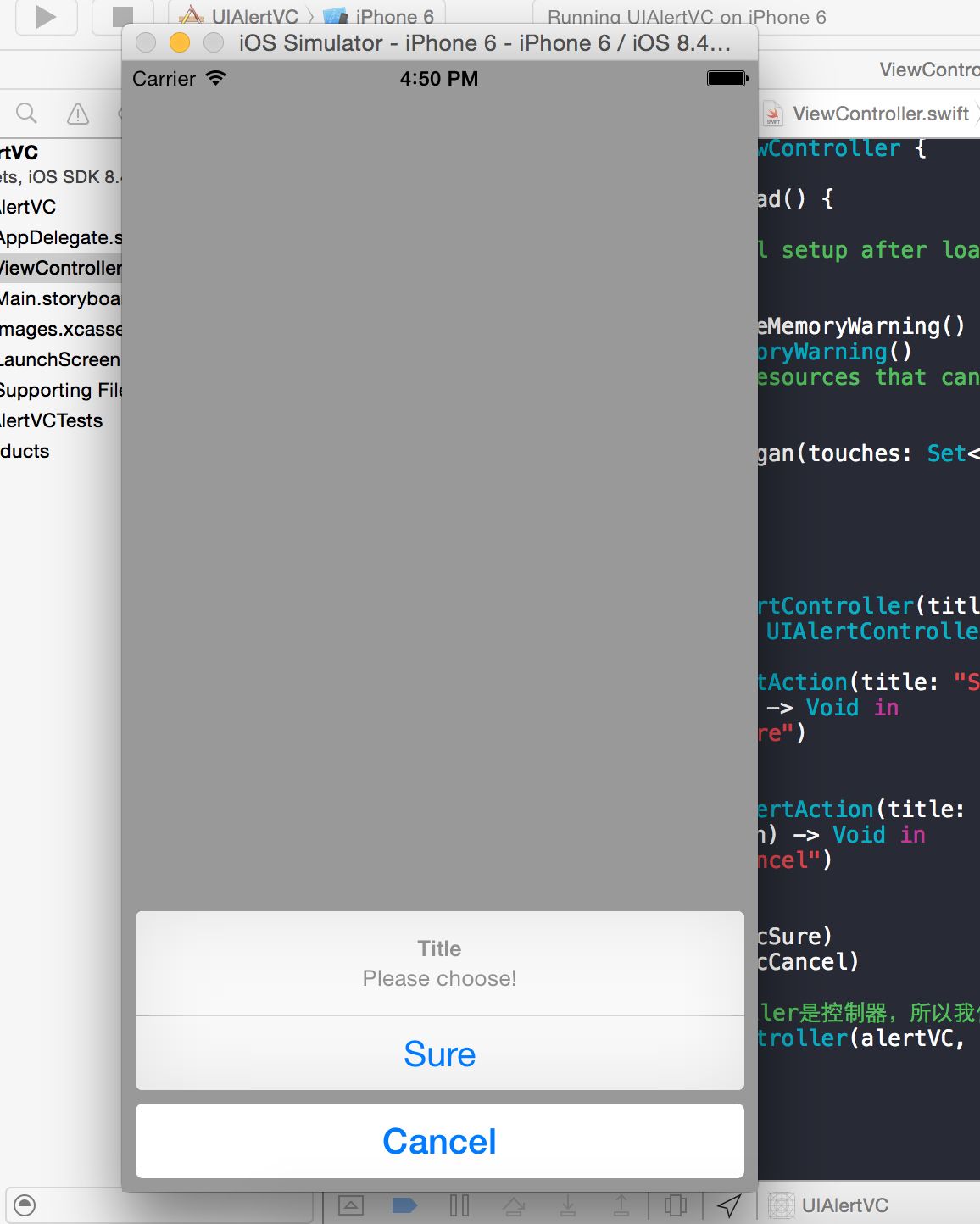
效果图2:

2.3.第三种创建方式——文本对话框
    override func touchesBegan(touches: Set<NSObject>, withEvent event: UIEvent) {

        // 单击屏幕触发

        //方式三

        //创建控制器

        var alertVC = UIAlertController(title: "TextFiled", message: "Please input!", preferredStyle: UIAlertControllerStyle.Alert)

        alertVC.addTextFieldWithConfigurationHandler { (tField:UITextField!) -> Void in

            tField.placeholder = "Account"

        }

        alertVC.addTextFieldWithConfigurationHandler {(textField:UITextField!) -> Void in

            textField.placeholder = "Password"

            textField.secureTextEntry = true;

        }

        var acOK = UIAlertAction(title: "OK", style: UIAlertActionStyle.Default) { (alertAction:UIAlertAction!) -> Void in

        }

        var acCancel = UIAlertAction(title: "Cancel", style: UIAlertActionStyle.Cancel) { (alertAction:UIAlertAction!) -> Void in

        }

        acOK.enabled = false

        alertVC.addAction(acOK)

        alertVC.addAction(acCancel)

        //因为UIAlertController是控制器,所以我们现在得改用控制器弹出

        self.presentViewController(alertVC, animated: true, completion: nil)

    }
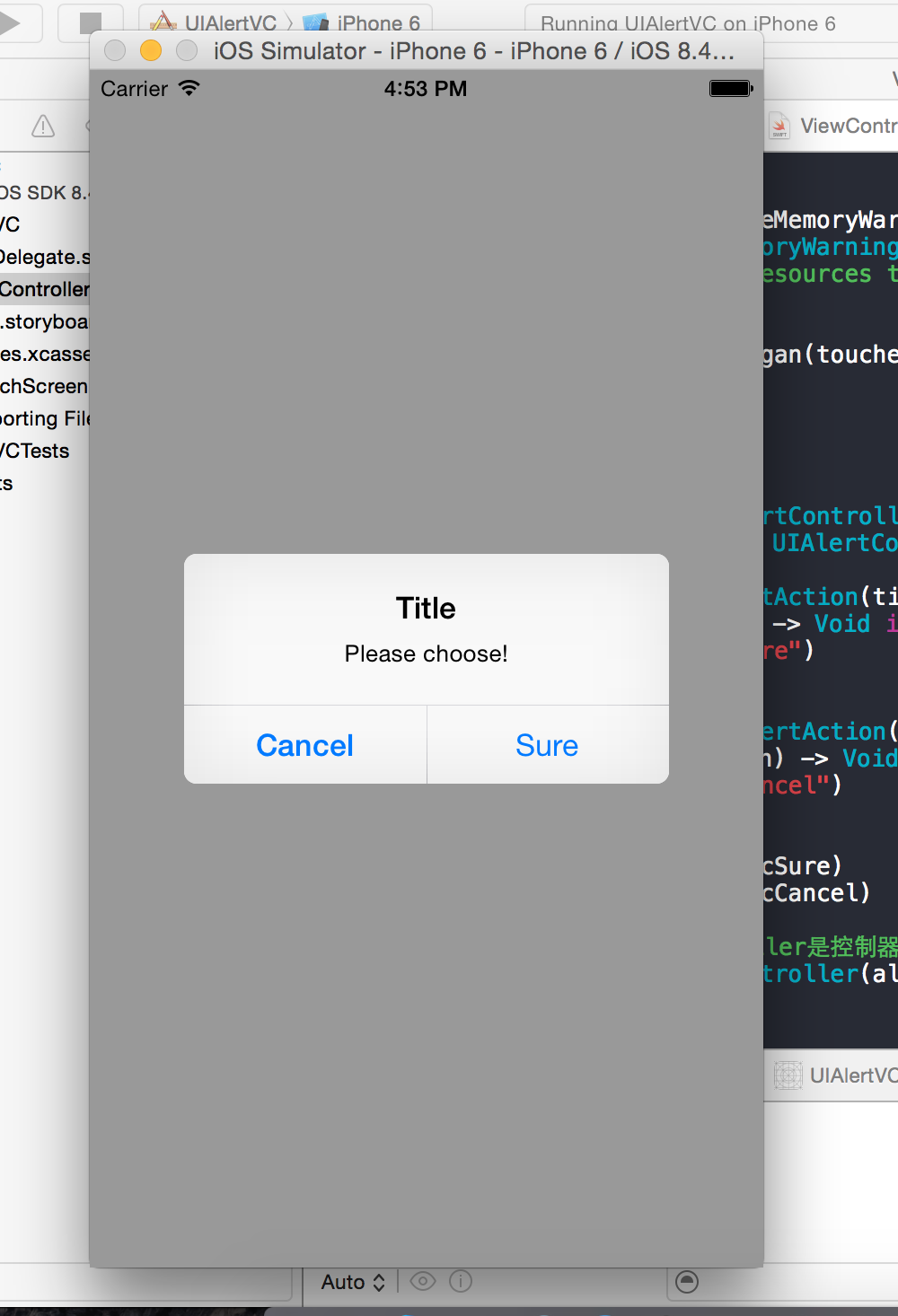
效果图3:
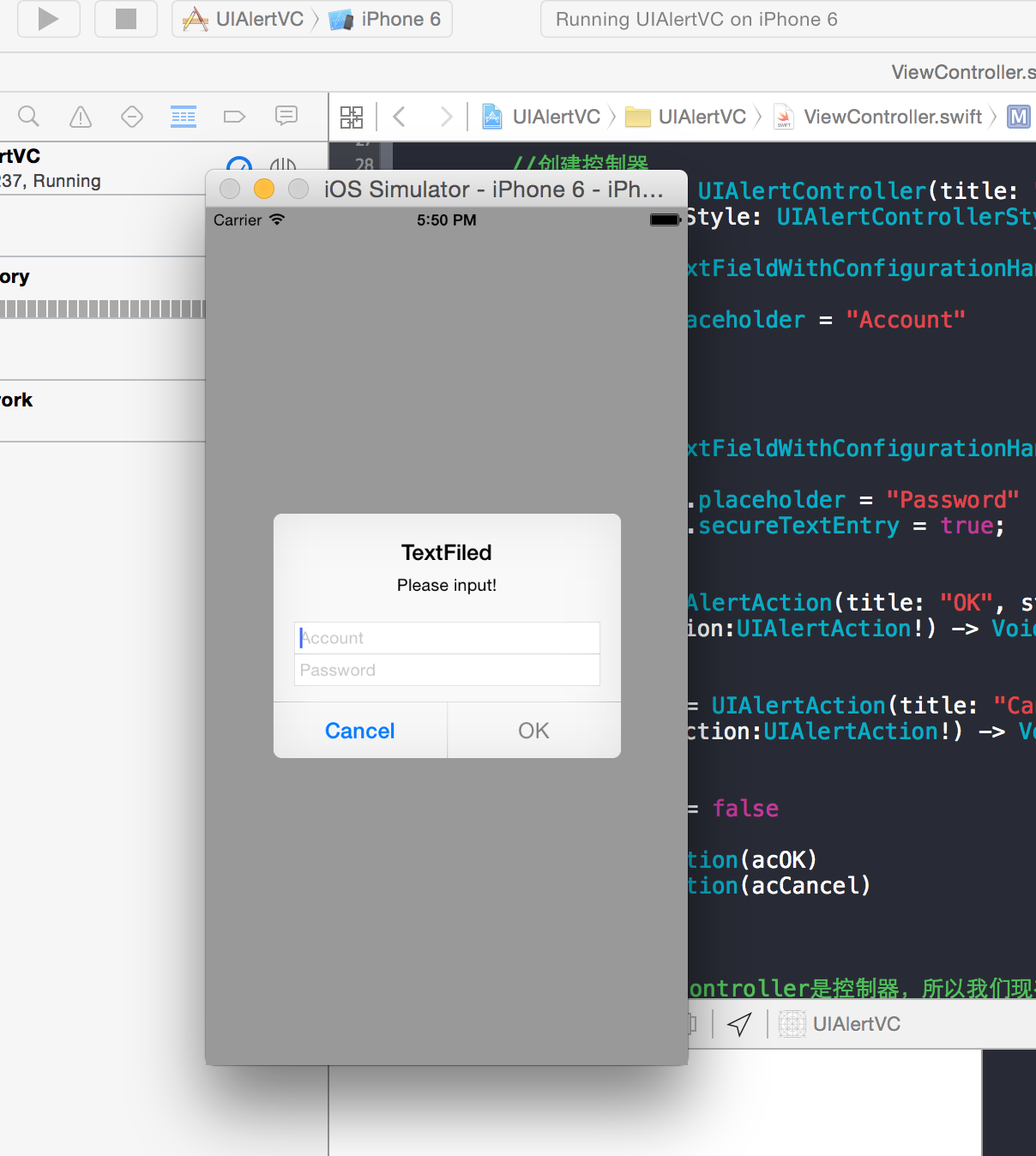
作者: 清澈Saup
出处:http://www.cnblogs.com/qingche/
本文版权归作者和博客园共有,欢迎转载,但必须保留此段声明,且在文章页面明显位置给出原文连接。
iOS- Swift:如何使用iOS8中的UIAlertController的更多相关文章
- iOS 学习笔记 九 (2015.04.02)IOS8中使用UIAlertController创建警告窗口
1.IOS8中使用UIAlertController创建警告窗口 #pragma mark - 只能在IOS8中使用的,警告窗口- (void)showOkayCancelAlert{ NSSt ...
- iOS8中的UIAlertController
转: iOS8推出了几个新的“controller”,主要是把类似之前的UIAlertView变成了UIAlertController,这不经意的改变,貌似把我之前理解的“controlle ...
- iOS开发手记-iOS8中使用定位服务解决方案
问题描述: 在iOS8之前,app第一次开始定位服务时,系统会弹出一个提示框来让用户选择是否允许使用定位信息.但iOS8后,app将不会出现这个弹窗.第一次运行之后,在设置->隐私->定位 ...
- 在iOS 8中使用UIAlertController
iOS 8的新特性之一就是让接口更有适应性.更灵活,因此许多视图控制器的实现方式发生了巨大的变化.全新的UIPresentationController在实现视图控制器间的过渡动画效果和自适应设备尺寸 ...
- 【iOS】swift-ObjectC 在iOS 8中使用UIAlertController
iOS 8的新特性之一就是让接口更有适应性.更灵活,因此许多视图控制器的实现方式发生了巨大的变化.全新的UIPresentationController在实现视图控制器间的过渡动画效果和自适应设备尺寸 ...
- [iOS] 初探 iOS8 中的 Size Class
本文转载至 http://www.itnose.net/detail/6112176.html 以前和安卓的同学聊天的时候,谈到适配一直是一个非常开心的话题,看到他们被各种屏幕适配折磨的欲仙欲死 ...
- iOS开发--Swift 如何完成工程中Swift和OC的混编桥接(Cocoapods同样适用)
由于SDK现在大部分都是OC版本, 所以假如你是一名主要以Swift语言进行开发的开发者, 就要面临如何让OC和Swift兼容在一个工程中, 如果你没有进行过这样的操作, 会感觉异常的茫然, 不用担心 ...
- iOS8中的动态文本
原文链接 : Swift Programming 101: Mastering Dynamic Type in iOS 8 原文作者 : Kevin McNeish Apple声称鼓励第三方App能够 ...
- [Swift]UIKit学习之警告框:UIAlertController和UIAlertView
Important: UIAlertView is deprecated in iOS 8. (Note that UIAlertViewDelegate is also deprecated.) T ...
随机推荐
- Delphi获取Android下GPS的NMEA 0183数据
下面的程序,可以实现Android下获取GNSS的NMEA0183数据: unit utAndroidNmea; interface uses Androidapi.JNIBridge, Androi ...
- 一种比使用协程更方便的方法:Invoke(),同样达到等待执行的效果
1.Invoke(string methodName,float time) 在一定时间调用methodName函数 using UnityEngine; using System.Collectio ...
- 一图看懂Kafka On Zookeeper
Kafka On Zookeeper,点击看大图
- 一图看懂hadoop Yarn工作原理
Hadoop 资源调度框架Yarn运行流程
- aiohttp爬虫的模板,类的形式
import asyncio import aiohttp import async_timeout from lxml import html from timeit import default_ ...
- leetcode记录-两数之和
给定一个整数数组和一个目标值,找出数组中和为目标值的两个数. 你可以假设每个输入只对应一种答案,且同样的元素不能被重复利用. 示例: 给定 nums = [2, 7, 11, 15], target ...
- 《信息安全技术》实验2——Windows口令破解
实验2 Windows口令破解 在网络界,攻击事件发生的频率越来越高,其中相当多的都是由于网站密码泄露的缘故,或是人为因素导致,或是口令遭到破解,所以从某种角度而言,密码的安全问题不仅仅是技术上的问题 ...
- .NET core 项目部署在windows 服务器方法以及iis 访问报 500.19错误的解决办法
将本地发布的服务本地运行没问题,发布上云windows 服务器就报 500.19 0x8007000d 是因为云服务器没有安装.net core相关的插件,比如.NET CORE sdk等,请按照该文 ...
- mybatis mapper空指针异常的问题
发现是因为mysql表名不能为 x_x_x 这样的形式,最多只能有一个下划线,不能有多个,否则会找不到数据,进而导致空指针异常 上面的被推翻了,发现原来是因为没有注入mapper才导致空指针异常! ...
- 【JUC源码解析】Semaphore
简介 Semaphore(信号量),概念上讲,一个信号量持有一组许可(permits). 概述 线程可调用它的acquire()方法获取一个许可,不成功则阻塞:调用release()方法来归还一个许可 ...