
如何实现将拖动物体限制在某个圆形内--实现方式vue3.0
如何实现蓝色小圆可拖动,并且边界限制在灰色大圆内?如下所示
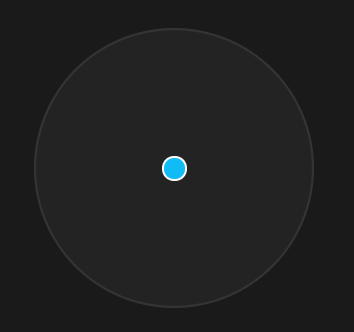
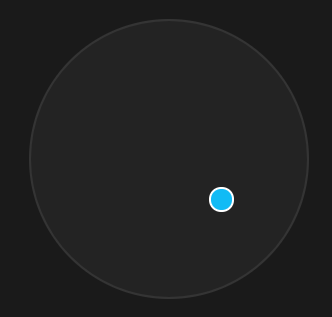
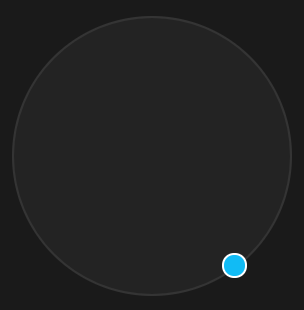
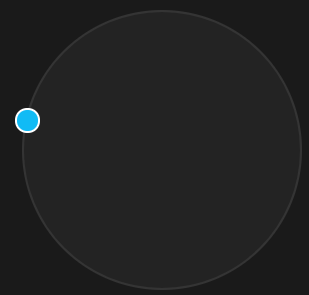
需求源自 业务上遇到一个组件需求,设计师设计了一个“脸型整合器”根据可拖动小圆的位置与其它脸型的位置关系计算融合比例
如图
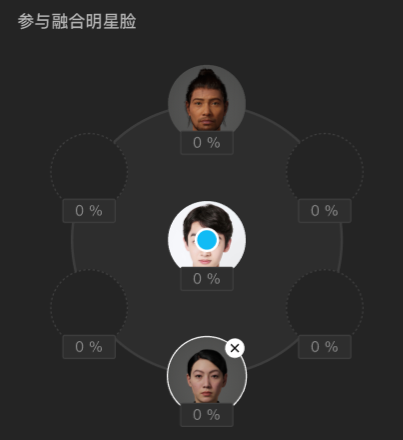
我们先把具体的人脸功能去掉再分析
中间的蓝色小圆可由鼠标拖动,但拖动需要限制在大的圆形内
以下代码全部为 vue3.0版本,如果你是vue2.0, react,或者原生js ,实现原理都一样
第一步 先画出UI
我们的蓝色可拖动小圆点 pointer = ref(null) 为 小圆点dom的 引用
<template>

  <div class="face-blender-container">

    <div class="blender-circle">

      <div

        class="blend-pointer"

        ref="pointer"

        :style="{

          left: `${pointerPosition.x}px`,

          top: `${pointerPosition.y}px`,

        }"

      ></div>

    </div>

  </div>

</template>

<script>

import { onMounted, reactive, ref, toRefs } from "vue";

export default {

  setup() {

    const BLENDER_BORDER_WIDTH = 2; // 圆形混合器边宽

    const BLENDER_RADIUS = 224 * 0.5 - BLENDER_BORDER_WIDTH; // 圆形混合器半径

    // 圆形混合器中心点

    const center = {

      x: BLENDER_RADIUS,

      y: BLENDER_RADIUS,

    };

    const state = reactive({

      pointerPosition: { x: center.x, y: center.y },

    });

    const pointer = ref(null);

    return {

      ...toRefs(state),

      pointer,

    };

  },

};

</script>

<style lang="less" scoped>

@stageDiameter: 360px;

@blenderCircleDiameter: 224px;

@PointerDiameter: 20px;

.face-blender-container {

  position: relative;

  width: @stageDiameter;

  height: @stageDiameter;

}

.blender-circle {

  position: absolute;

  left: 50%;

  top: 50%;

  margin-left: @blenderCircleDiameter * -0.5;

  margin-top: @blenderCircleDiameter * -0.5;

  width: @blenderCircleDiameter;

  height: @blenderCircleDiameter;

  border-radius: @blenderCircleDiameter;

  background: rgba(255, 255, 255, 0.04);

  border: 2px solid rgba(255, 255, 255, 0.08);

}

.blend-pointer {

  position: absolute;

  left: 50%;

  top: 50%;

  width: @PointerDiameter;

  height: @PointerDiameter;

  margin-left: @PointerDiameter * -0.5;

  margin-top: @PointerDiameter * -0.5;

  border-radius: @PointerDiameter;

  background: #11bbf5;

  border: 2px solid #ffffff;

  z-index: 10;

}

</style>
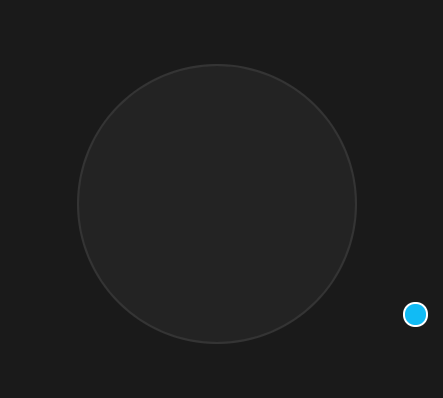
ui 如图(整体背景为黑色)
第二步 实现小圆点的无限制拖动
此时小圆点是可以拖到圆外的如图
// 可拖动圆型指示器

    const initPointer = () => {

      const pointerDom = pointer.value;

      pointerDom.onmousedown = (e) => {

        // 鼠标按下,计算当前元素距离可视区的距离

        const originX = e.clientX - pointerDom.offsetLeft - POINTER_RADIUS;

        const originY = e.clientY - pointerDom.offsetTop - POINTER_RADIUS;

        document.onmousemove = function (e) {

          // 通过事件委托,计算移动的距离

          const left = e.clientX - originX;

          const top = e.clientY - originY;

          state.pointerPosition.x = left

          state.pointerPosition.y = top

        };

        document.onmouseup = function (e) {

          document.onmousemove = null;

          document.onmouseup = null;

        };

      };

    };

    onMounted(() => {

      initPointer();

    });
注意是在onMouted 勾子内初始化的可拖动代码
第三步 实现小圆点的限制在大圆内拖动
由于是要限制在圆形内,与限制在方形内的通常计算方法不一样
关键点是计算鼠标 mousemove 时与大圆中心点的弧度 radian 与 距离 dist
弧度公式
dx = x2 - x1
dy = y2 - y1
radian = Math.atan2(dy, dx)
距离公式
dist = Math.sqrt(dx * dx + dy * dy)
当计算出了弧度与距离后,则要计算具体位置了
圆形位置公式
x = 半径 * Math.cos(弧度) + 中心点x
y = 半径 * Math.sin(弧度) + 中心点y
可以看出在圆形公式内控制或限制半径,就限制了小圆的可拖动最大半径范围,所以需要判断,当dist距离大于等于半径时,计算圆形公式内的半径设置为大圆半径即可
具体代码
// 计算 x y

    const getPositionByRadian = (radian, radius) => {

      const x = radius * Math.cos(radian) + center.x;

      const y = radius * Math.sin(radian) + center.y;

      return { x, y };

    };

    // 可拖动圆形指示器

    const initPointer = () => {

      const pointerDom = pointer.value;

      pointerDom.onmousedown = (e) => {

        // 鼠标按下,计算当前元素距离可视区的距离

        const originX = e.clientX - pointerDom.offsetLeft - POINTER_RADIUS;

        const originY = e.clientY - pointerDom.offsetTop - POINTER_RADIUS;

        document.onmousemove = function (e) {

          // 通过事件委托,计算移动的距离

          const left = e.clientX - originX;

          const top = e.clientY - originY;

          const dx = left - center.x;

          const dy = top - center.y;

          // 计算当前鼠标与中心点的弧度

          const radian = Math.atan2(dy, dx);

          // 计算当前鼠标与中心点距离

          const dist = Math.sqrt(dx * dx + dy * dy);

          const radius = dist >= BLENDER_RADIUS ? BLENDER_RADIUS : dist;

          // 根据半径与弧度计算 x, y

          const { x, y } = getPositionByRadian(radian, radius);

          state.pointerPosition.x = x

          state.pointerPosition.y = y

        };

        document.onmouseup = function (e) {

          document.onmousemove = null;

          document.onmouseup = null;

        };

      };

    };
这样就实现了最大可拖动范围限制在大圆边界
整体代码
<template>

  <div class="face-blender-container">

    <div class="blender-circle">

      <div

        class="blend-pointer"

        ref="pointer"

        :style="{

          left: `${pointerPosition.x}px`,

          top: `${pointerPosition.y}px`,

        }"

      ></div>

    </div>

  </div>

</template>

<script>

import { onMounted, reactive, ref, toRefs } from "vue";

export default {

  setup() {

    const BLENDER_BORDER_WIDTH = 2; // 圆形混合器边宽

    const BLENDER_RADIUS = 224 * 0.5 - BLENDER_BORDER_WIDTH; // 圆形混合器半径

    const POINTER_RADIUS = 20 * 0.5; // 可拖动指示器半径

    // 圆形混合器中心点

    const center = {

      x: BLENDER_RADIUS,

      y: BLENDER_RADIUS,

    };

    const state = reactive({

      pointerPosition: { x: center.x, y: center.y },

    });

    const pointer = ref(null);

    // 计算 x y

    const getPositionByRadian = (radian, radius) => {

      const x = radius * Math.cos(radian) + center.x;

      const y = radius * Math.sin(radian) + center.y;

      return { x, y };

    };

    // 可拖动圆型指示器

    const initPointer = () => {

      const pointerDom = pointer.value;

      pointerDom.onmousedown = (e) => {

        // 鼠标按下,计算当前元素距离可视区的距离

        const originX = e.clientX - pointerDom.offsetLeft - POINTER_RADIUS;

        const originY = e.clientY - pointerDom.offsetTop - POINTER_RADIUS;

        document.onmousemove = function (e) {

          // 通过事件委托,计算移动的距离

          const left = e.clientX - originX;

          const top = e.clientY - originY;

          const dx = left - center.x;

          const dy = top - center.y;

          // 计算当前鼠标与中心点的弧度

          const radian = Math.atan2(dy, dx);

          // 计算当前鼠标与中心点距离

          const dist = Math.sqrt(dx * dx + dy * dy);

          const radius = dist >= BLENDER_RADIUS ? BLENDER_RADIUS : dist;

          // 根据半径与弧度计算 x, y

          const { x, y } = getPositionByRadian(radian, radius);

          state.pointerPosition.x = x

          state.pointerPosition.y = y

        };

        document.onmouseup = function (e) {

          document.onmousemove = null;

          document.onmouseup = null;

        };

      };

    };

    onMounted(() => {

      initPointer();

    });

    return {

      ...toRefs(state),

      pointer,

    };

  },

};

</script>

<style lang="less" scoped>

@stageDiameter: 360px;

@blenderCircleDiameter: 224px;

@faceCircleDiameter: 64px;

@PointerDiameter: 20px;

.face-blender-container {

  position: relative;

  width: @stageDiameter;

  height: @stageDiameter;

}

.blender-circle {

  position: absolute;

  left: 50%;

  top: 50%;

  margin-left: @blenderCircleDiameter * -0.5;

  margin-top: @blenderCircleDiameter * -0.5;

  width: @blenderCircleDiameter;

  height: @blenderCircleDiameter;

  border-radius: @blenderCircleDiameter;

  background: rgba(255, 255, 255, 0.04);

  border: 2px solid rgba(255, 255, 255, 0.08);

}

.blend-pointer {

  position: absolute;

  left: 50%;

  top: 50%;

  width: @PointerDiameter;

  height: @PointerDiameter;

  margin-left: @PointerDiameter * -0.5;

  margin-top: @PointerDiameter * -0.5;

  border-radius: @PointerDiameter;

  background: #11bbf5;

  border: 2px solid #ffffff;

  z-index: 10;

}

</style>
至于其它计算距离,计算反比例的脸形整合业务代码,就不放了
脸形容器的位置还是用圆形公式算出来
各个脸形容器与小圆点距离,距离还是用距离公式得出
知道各个距离了就可以根据业务需要算比例了
转载入注明博客园池中物 willian12345@126.com sheldon.wang
github: https://github.com/willian12345
如何实现将拖动物体限制在某个圆形内--实现方式vue3.0的更多相关文章
- unity3d用鼠标拖动物体的一段代码
1 2 3 4 5 6 7 8 9 10 11 12 13 14 15 16 17 18 19 20 21 22 23 24 25 26 27 28 这是一段拖动物体的代码,比较简洁明了,对了解uni ...
- 在unity中用鼠标实现在场景中拖动物体,用鼠标滚轮实现缩放
在场景中添加一个Plan,Camera,Directional Light,Cube.添加两个脚本scrollerScirpt(挂在Camera),CubeDragScript(挂在Cube上). 1 ...
- unity鼠标拖动物体旋转
using System.Collections; using System.Collections.Generic; using UnityEngine; /// <summary> / ...
- Unity 检测物体是否在相机视野范围内
需求: 类似NPC血条,当NPC处于摄像机视野内,血条绘制,且一直保持在NPC头顶. 开始: 网上查找资料,然后编写代码: public RectTransform rectBloodPos; voi ...
- Unity3d 判断物体是否在可见范围内
unity中自带两个回调函数: void OnBecameVisible()//当物体可见时,回调一次. void OnBecameInvisible()//当物体不可见时,回调一次. 在untiy编 ...
- unity中实现物体在一定角度范围内来回旋转
using System.Collections; using System.Collections.Generic; using UnityEngine; public class Rotate : ...
- unity3d中检测一个物体是否在摄像机视野范围内
这个脚本最好是把模型对象的锚点设置在最低点.好了直接上脚本.可以直接复制代码,把CS文件拖到一个Camera上,然后把目标拖到targetTran中去就行了. using UnityEngine; u ...
- Unity3D 几个基本动画(控制物体移动、旋转、缩放)
Transform基本移动函数: 1.指定方向移动: //移动速度 float TranslateSpeed = 10f; //Vector3.forward 表示"向前" tra ...
- TriggerPrefab 拖拽物体
模拟经营类游戏 有一个特点,就是 拖拽物体.常见的有<帝国><红警><部落战争><凯撒大帝>等等 2d 拖拽 大部分都是 用 OnDrag 方法来 拖动 ...
随机推荐
- _CrtCheckMemory
参考: _CrtCheckMemory MSDN 堆异常检查-MS vs stdio 编写程序经常会涉及到堆的申请,但是如果你向所申请堆里写数据,超过了你最开始申请的空间是,运行中就会发生中断. _C ...
- dll反编译(修改引用文件、修改代码)再生成dll
问题描述 我们在日常开发中经常会遇到,想要对dll文件做修改的操作,但苦于没有源代码,只能想想其他办法 解决问题 办法就是通过几个工具来反编译.正向编译.修改属性 反编译.正编译 参考https:// ...
- 【译】客户端存储(Client-Side Storage)
本文转载自:众成翻译译者:文蔺链接:http://www.zcfy.cc/article/660原文:http://www.html5rocks.com/en/tutorials/offline/st ...
- 移动端城市定位,城市区域代码adcode
使用高德定位API : AMap.Map('iCenter') AMap.CitySearch() 先在高德开放平台注册申请定位权限的key. 网站:高德开放平台 在需要定位的页面引入有定位key的s ...
- ES6-11学习笔记--代理Proxy
Proxy代理 常用拦截方法 ES5拦截: let obj = {} let newVal = '' Object.defineProperty(obj, 'name', { get() { cons ...
- 使用 ssm 实现登录日志记录
使用 ssm 实现登录日志记录 学习总结 一.基础准备 1. 实现效果 2. 数据表 2.1 登陆日志信息表 2.3 员工表 二.代码实现 1. SysLogLogin 实体类 2. LogAspec ...
- jdbc连接数据库以及简单实现(普通JDBC方法实现和连接池方式实现)
@ 目录 总结内容 1. 基本概念 jdbc的概念 2. 数据库连接 数据库的连接 DAO层思想 重构设计 3. 事务 概念 事务的ACID属性 事务的操作 4. 连接池 为什么要使用连接池 连接池分 ...
- rem,px,em最大的区别;
px:px像素(Pixel).相对长度单位.像素px是相对于显示器屏幕分辨率而言的.移动端的分辨率很多.所以px不适用移动端em:em的值不固定:其长度继承父级元素的字体大小rem:相对于根元素htm ...
- 底部footer挡住上面内容的bug
当设置底部footer的样式为: .footer{ position: fixed; height: 49px; bottom: 0; background: #fff; } 这样会挡住上面的内容,修 ...
- numpy教程01---ndarray的创建
欢迎关注公众号[Python开发实战], 获取更多内容! 工具-numpy numpy是使用Python进行数据科学的基础库.numpy以一个强大的N维数组对象为中心,它还包含有用的线性代数,傅里叶变 ...