
SpringBoot学习笔记(四)
本文主要介绍:SpringBoot开发中如何自定义starter
1.什么是starter
Starter可以理解为一个可拔插式的插件,提供一系列便利的依赖描述符,您可以获得所需的所有Spring和相关技术的一站式服务。应用程序只需要在maven中引入starter依赖,SpringBoot就能自动扫描到要加载的信息并启动相应的默认配置。用一句话描述,就是springboot的场景启动器。
下面是Spring官方提供的部分starter,全部的请参考官网:starter文档
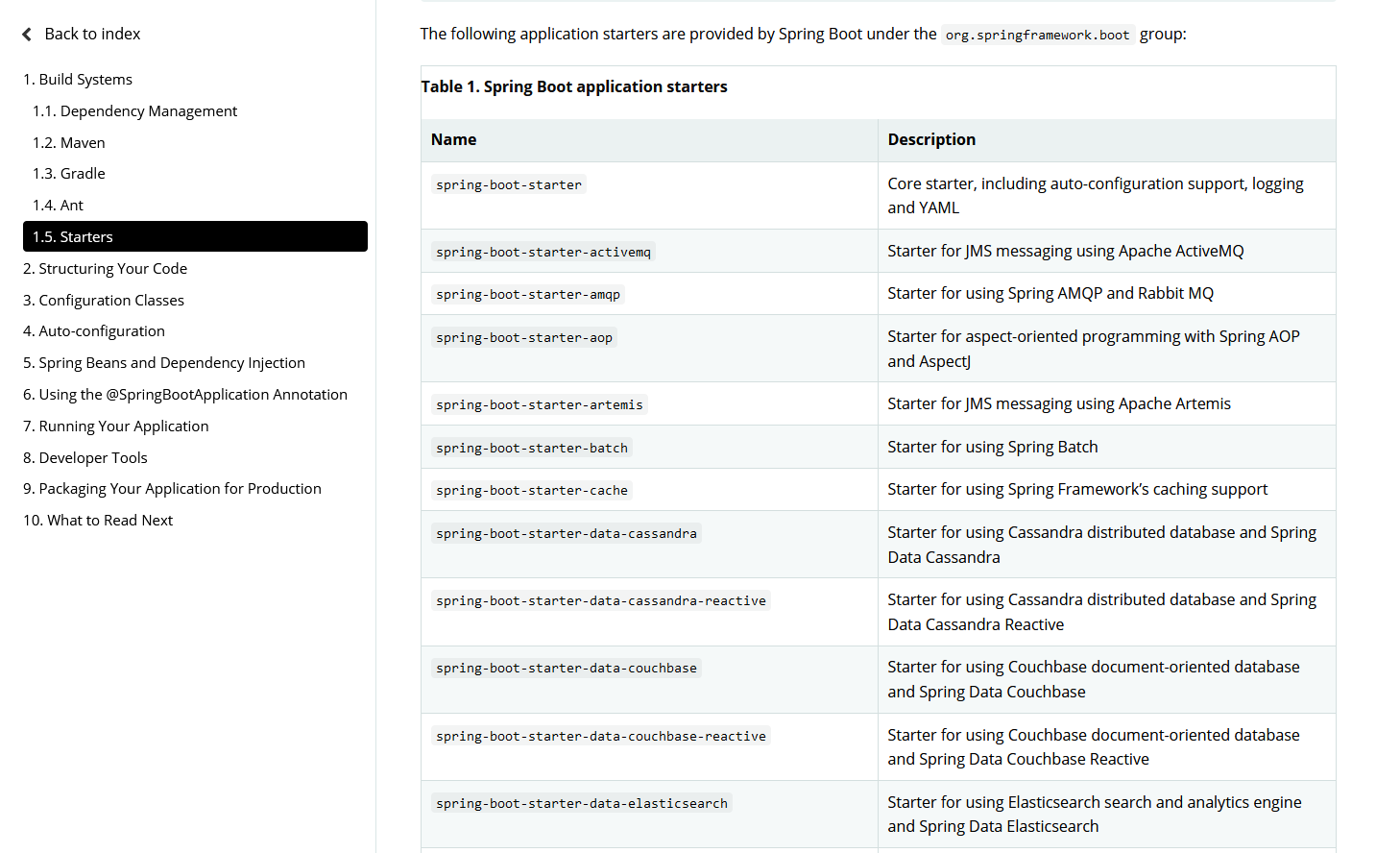
开始自定义starter前看看Springboot的AutoConfiguration机制。
2.Spring boot的AutoConfiguration机制
标记一个应用为Springboot应用,需要一个SpringBootApplication注解,下面是一个标准的spring boot启动程序。
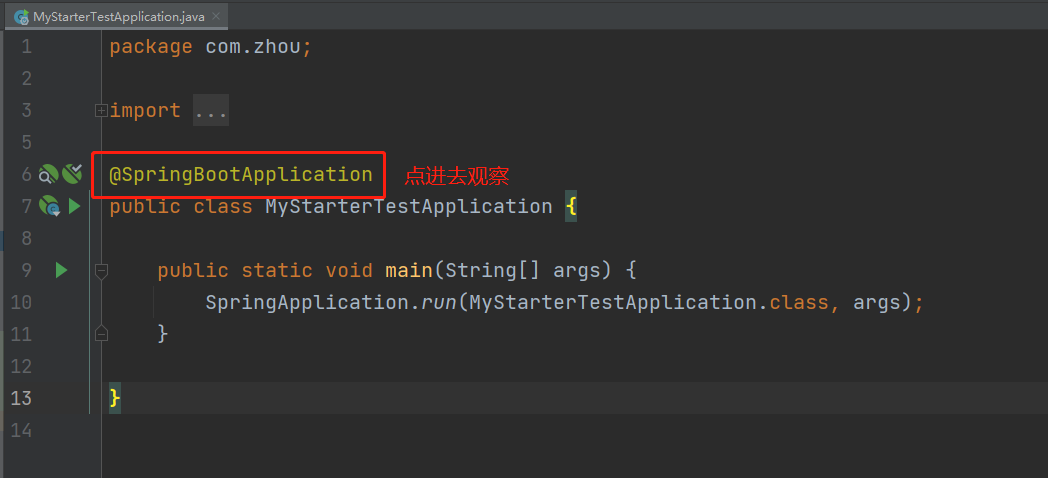
点进去看源码发现,SpringBootApplication注解又被一个EnableAutoConfiguration注解。EnableAutoConfiguration注解就是自动加载配置的关键。

EnableAutoConfiguration是一个组合注解,用Import把AutoConfigurationImportSelector导入容器中,springboot启动的时候会加载所有的selector并执行selectImports方法,这个方法会加载META-INF/spring.factories中配置的EnableAutoConfiguration,从而加载自动配置。

3.自定义starter
首先:编写启动器
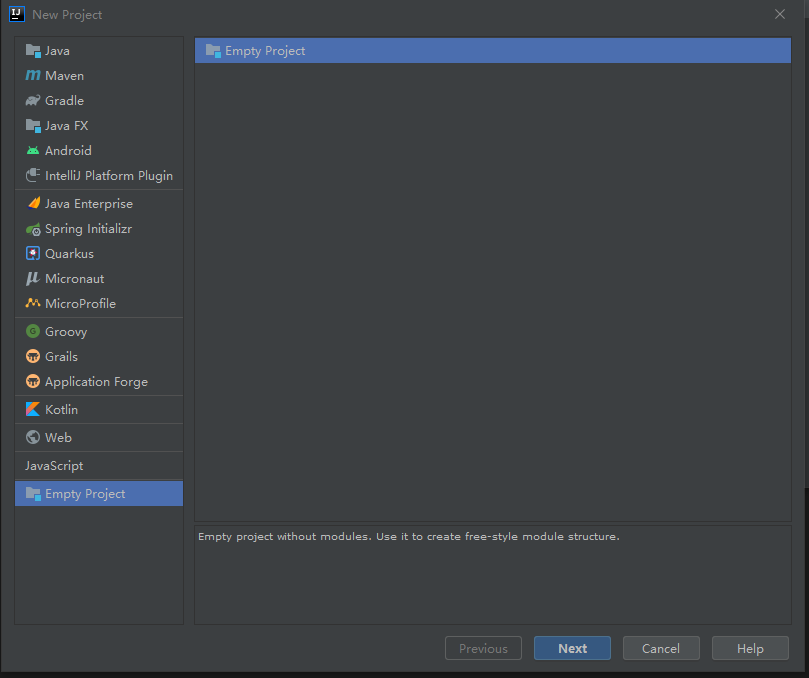
1.在IDEA中新建一个空项目:mystarter
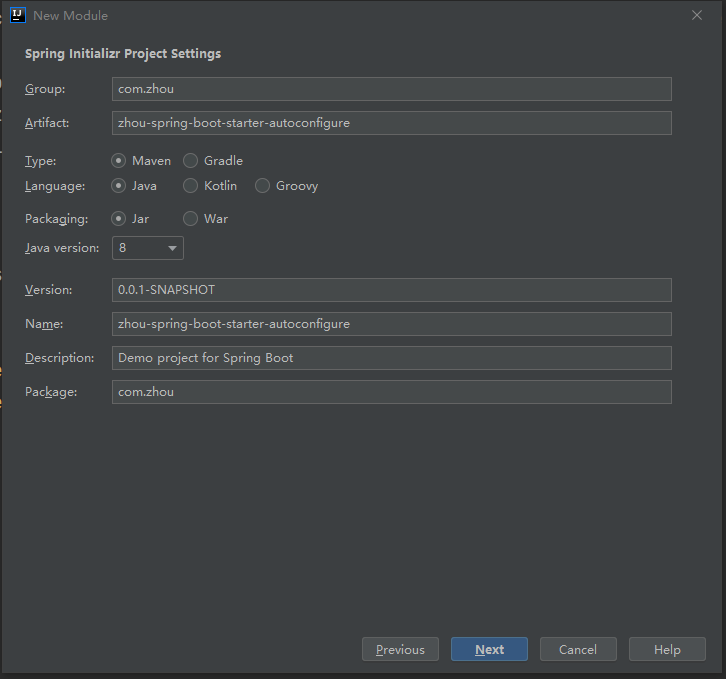
2、新建一个Springboot模块:zhou-spring-boot-starter-autoconfigure
3.新建一个Springboot模块:my-starter-test
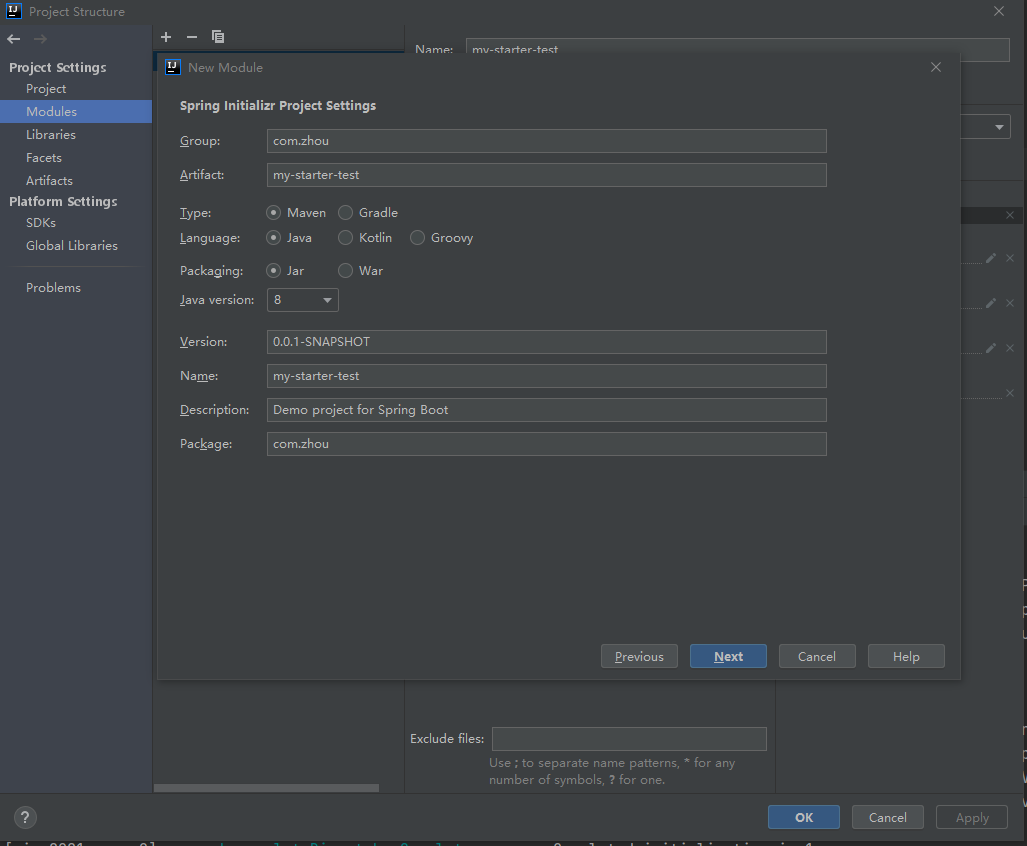
4.基本结构如下:
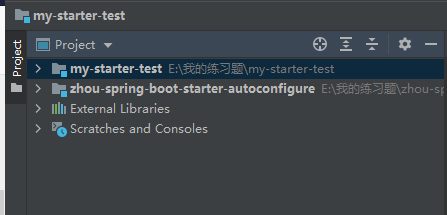
第二步:编写模块:zhou-spring-boot-starter-autoconfigure
1.导入pom依赖
<dependencies>

        <dependency>

            <groupId>org.springframework.boot</groupId>

            <artifactId>spring-boot-starter</artifactId>

            <version>2.4.3</version>

        </dependency>

        <dependency>

            <groupId>org.springframework.boot</groupId>

            <artifactId>spring-boot-configuration-processor</artifactId>

            <optional>true</optional>

        </dependency>

        <dependency>

            <groupId>org.springframework.boot</groupId>

            <artifactId>spring-boot-starter-web</artifactId>

        </dependency>

        <dependency>

            <groupId>org.junit.jupiter</groupId>

            <artifactId>junit-jupiter-api</artifactId>

            <version>5.5.0</version>

            <scope>test</scope>

        </dependency>

        <dependency>

            <groupId>org.springframework.boot</groupId>

            <artifactId>spring-boot-test</artifactId>

            <version>2.4.3</version>

        </dependency>

    </dependencies>
2.定义配置类:HelloProperties类,添加注解@ConfigurationProperties(prefix = "zhou.hello")

package com.zhou;

import org.springframework.boot.context.properties.ConfigurationProperties;

//编写HelloProperties 配置类

//前缀 zhou.hello

@ConfigurationProperties(prefix = "zhou.hello")

public class HelloProperties {

    private String prefix;

    private String suffix;

    public String getPrefix() {

        return prefix;

    }

    public void setPrefix(String prefix) {

        this.prefix = prefix;

    }

    public String getSuffix() {

        return suffix;

    }

    public void setSuffix(String suffix) {

        this.suffix = suffix;

    }

}
3.创建一个自己的服务类:HelloService类
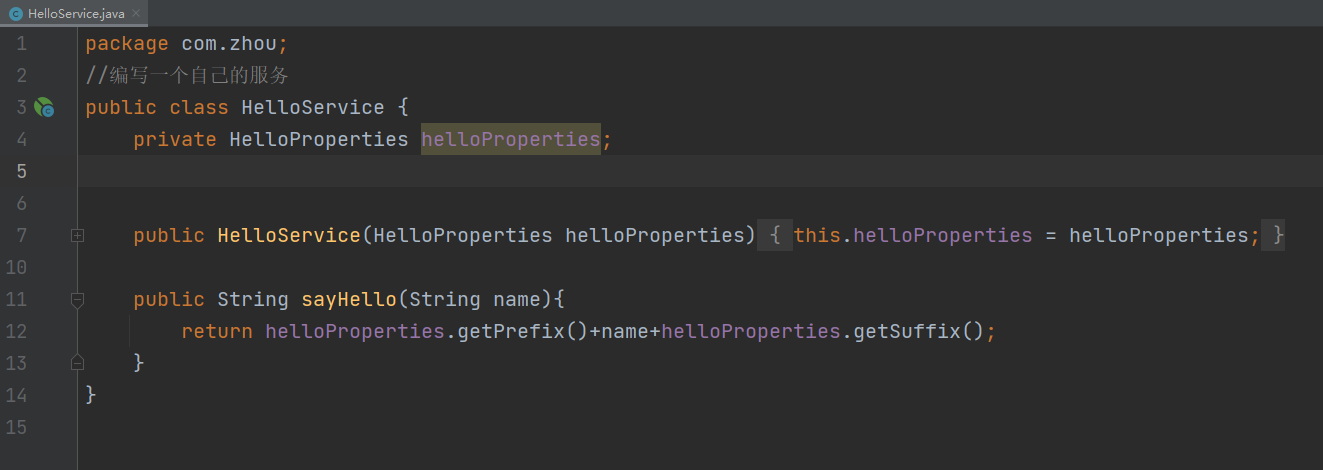
package com.zhou;

//编写一个自己的服务

public class HelloService {

    private HelloProperties helloProperties;

    public HelloService(HelloProperties helloProperties) {

        this.helloProperties = helloProperties;

    }

    public String sayHello(String name){

        return helloProperties.getPrefix()+name+helloProperties.getSuffix();

    }

}
4.创建Configuration类:HelloServiceAutoConfiguration类,添加注解@Configuration和@EnableConfigurationProperties,把当前类设置成配置类,并且注入HelloProperties。
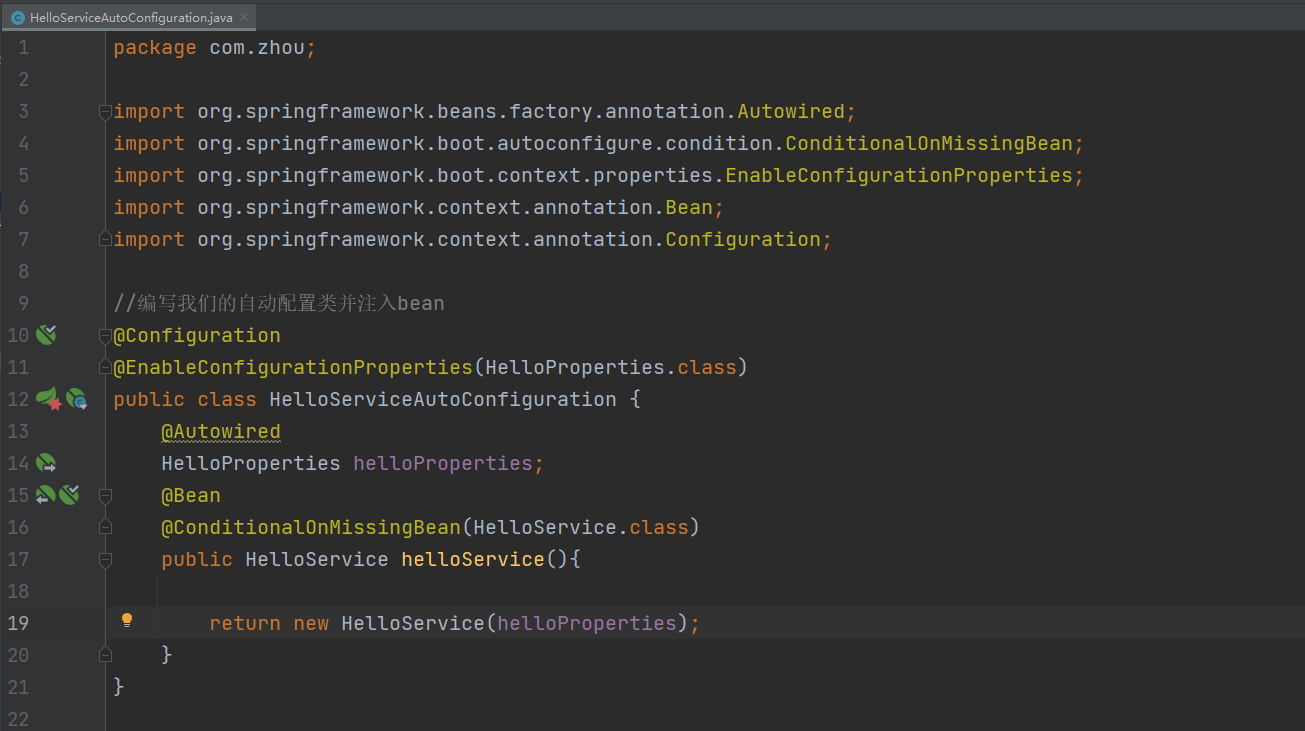
package com.zhou;

import org.springframework.beans.factory.annotation.Autowired;

import org.springframework.boot.autoconfigure.condition.ConditionalOnMissingBean;

import org.springframework.boot.context.properties.EnableConfigurationProperties;

import org.springframework.context.annotation.Bean;

import org.springframework.context.annotation.Configuration;

//编写我们的自动配置类并注入bean

@Configuration

@EnableConfigurationProperties(HelloProperties.class)

public class HelloServiceAutoConfiguration {

    @Autowired

    HelloProperties helloProperties;

    @Bean

    @ConditionalOnMissingBean(HelloService.class)

    public HelloService helloService(){

        return new HelloService(helloProperties);

    }

}
5.重要的一步,在resources目录下创建META-INF目录,并添加文件spring.factories。在这个文件中配置EnableAutoConfiguration,具体如下:
org.springframework.boot.autoconfigure.EnableAutoConfiguration=\

com.zhou.HelloServiceAutoConfiguration
6.避免端口冲突(不想干掉Tomcat端口号)

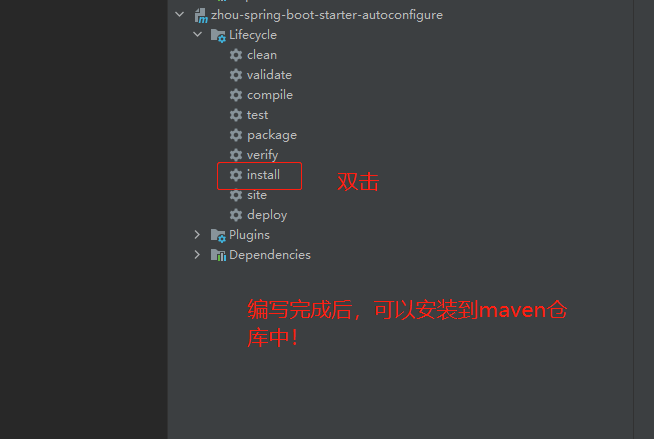
7.编写完成后,可以安装到maven仓库中!
模块:zhou-spring-boot-starter-autoconfigu的整体结构如下:

第三步:模块:my-starter-test(测试自定义的Starter)
1.pom文件添加刚刚创建好的依赖:
<dependency>

	<groupId>com.zhou</groupId>

		<artifactId>zhou-spring-boot-starter-autoconfigure</artifactId>

		<version>0.0.1-SNAPSHOT</version>

</dependency>
2.在application.properties文件中添加自定义前缀/后缀:
zhou.hello.prefix="你好呀,"

zhou.hello.suffix="成了~"
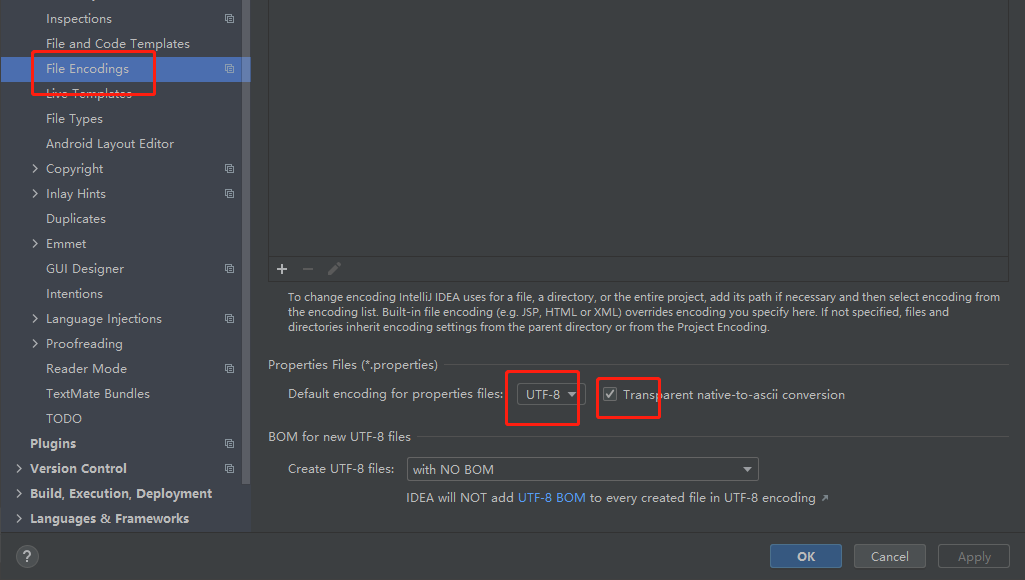
【注意】.properties文件会出现中文会乱码问题。
第一种解决办法:
第二种解决办法:将application.properties文件替换成application.yaml
zhou.hello.prefix: 你好呀,

zhou.hello.suffix: 成了~

3.创建一个Controller,把HelloService注入进来
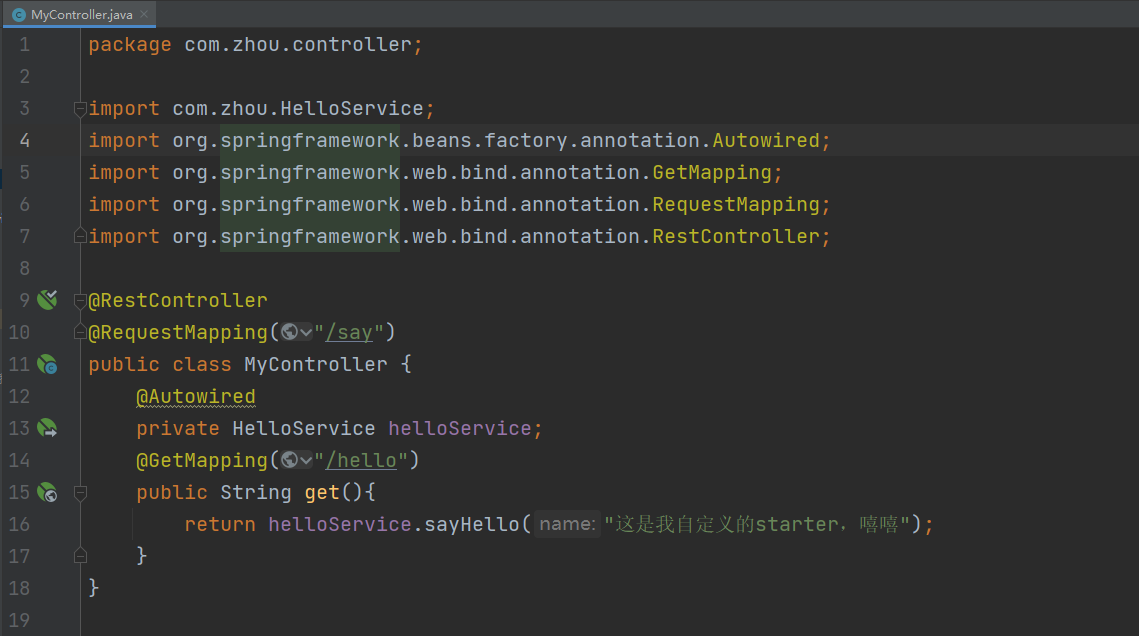
package com.zhou.controller;

import com.zhou.HelloService;

import org.springframework.beans.factory.annotation.Autowired;

import org.springframework.web.bind.annotation.GetMapping;

import org.springframework.web.bind.annotation.RequestMapping;

import org.springframework.web.bind.annotation.RestController;

@RestController

@RequestMapping("/say")

public class MyController {

    @Autowired

    private HelloService helloService;

    @GetMapping("/hello")

    public String get(){

        return helloService.sayHello("这是我自定义的starter,嘻嘻");

    }

}
4.启动,测试
Run:

访问:http://localhost:8081/say/hello

SpringBoot学习笔记(四)的更多相关文章
- SpringBoot学习笔记四之后台登录页面的实现
注:图片如果损坏,点击文章链接: https://www.toutiao.com/i6803542216150090252/ 继续之前完成的内容,首先创建一个常量类 常量类的内容 服务器端渲染 前后端 ...
- SpringBoot学习笔记(2):引入Spring Security
SpringBoot学习笔记(2):用Spring Security来保护你的应用 快速开始 本指南将引导您完成使用受Spring Security保护的资源创建简单Web应用程序的过程. 参考资料: ...
- C#可扩展编程之MEF学习笔记(四):见证奇迹的时刻
前面三篇讲了MEF的基础和基本到导入导出方法,下面就是见证MEF真正魅力所在的时刻.如果没有看过前面的文章,请到我的博客首页查看. 前面我们都是在一个项目中写了一个类来测试的,但实际开发中,我们往往要 ...
- IOS学习笔记(四)之UITextField和UITextView控件学习
IOS学习笔记(四)之UITextField和UITextView控件学习(博客地址:http://blog.csdn.net/developer_jiangqq) Author:hmjiangqq ...
- java之jvm学习笔记四(安全管理器)
java之jvm学习笔记四(安全管理器) 前面已经简述了java的安全模型的两个组成部分(类装载器,class文件校验器),接下来学习的是java安全模型的另外一个重要组成部分安全管理器. 安全管理器 ...
- SpringBoot学习笔记
SpringBoot个人感觉比SpringMVC还要好用的一个框架,很多注解配置可以非常灵活的在代码中运用起来: springBoot学习笔记: .一.aop: 新建一个类HttpAspect,类上添 ...
- Learning ROS for Robotics Programming Second Edition学习笔记(四) indigo devices
中文译著已经出版,详情请参考:http://blog.csdn.net/ZhangRelay/article/category/6506865 Learning ROS for Robotics Pr ...
- Typescript 学习笔记四:回忆ES5 中的类
中文网:https://www.tslang.cn/ 官网:http://www.typescriptlang.org/ 目录: Typescript 学习笔记一:介绍.安装.编译 Typescrip ...
- Springboot学习笔记(六)-配置化注入
前言 前面写过一个Springboot学习笔记(一)-线程池的简化及使用,发现有个缺陷,打个比方,我这个线程池写在一个公用服务中,各项参数都定死了,现在有两个服务要调用它,一个服务的线程数通常很多,而 ...
- ES6学习笔记<四> default、rest、Multi-line Strings
default 参数默认值 在实际开发 有时需要给一些参数默认值. 在ES6之前一般都这么处理参数默认值 function add(val_1,val_2){ val_1 = val_1 || 10; ...
随机推荐
- Java | 在 Java 中执行动态表达式语句: 前中后缀、Ognl、SpEL、Groovy、Jexl3
在一些规则集或者工作流项目中,经常会遇到动态解析表达式并执行得出结果的功能. 规则引擎是一种嵌入在应用程序中的组件,它可以将业务规则从业务代码中剥离出来,使用预先定义好的语义规范来实现这些剥离出来的业 ...
- LVS之DR模式部署
一.LVS-DR数据包流向分析 为方便进行原理分析,将Client与群集机器放在同一网络中,数据包流经的路线为1-2-3-41.Client 向目标 VIP 发出请求,Director(负载均衡器)接 ...
- 免费在线 Linux Desktop 环境
免费在线 Linux Desktop 环境 Run Linux OS Distributions online https://www.onworks.net/os-distributions 免费测 ...
- How to implement an accurate countdown timer with js
How to implement an accurate countdown timer with js 如何用 js 实现一个精确的倒计时器 原理剖析 web worker js custom ti ...
- node.js & create file
node.js & create file node js create file if not exists https://nodejs.org/api/fs.html#fs_fs_ope ...
- HTTP/3 protocol
HTTP/3 protocol https://caniuse.com/#feat=http3 HTTP/3 H3 https://en.wikipedia.org/wiki/HTTP/3 QUIC ...
- 听说USDN最近很火,它究竟是什么?
最近USDN在各大社区沸沸扬扬,甚至很多人都说USDN将会打破稳定币市场的格局,那么USDN究竟是怎样的一种稳定币呢?小编今天就帮助大家了解一下,新一代算法型稳定币USDN. USDN是基于公链NGK ...
- linux DRM 之 GEM 笔记
原文链接:https://www.cnblogs.com/yaongtime/p/14418357.html 在GPU上的各类操作中涉及到多种.多个buffer的使用. 通常我们GPU是通过图像API ...
- ES6 声明变量的六种方法
ES5 只有两种声明变量的方法: var 命令和 function 命令. ES6 除了添加 let 和 const 命令, 后面章节还会提到, 另外两种声明变量的方法: import 命令和 cla ...
- 【原创】Linux虚拟化KVM-Qemu分析(十)之virtio驱动
背景 Read the fucking source code! --By 鲁迅 A picture is worth a thousand words. --By 高尔基 说明: KVM版本:5.9 ...