
python——numpy_1图像基本操作
1.图像的数组表示:
from PIL import Image

from pylab import *

from numpy import *

im = array(Image.open('E:\Python\meinv.jpg'))

print(im.shape,im.dtype)

im = array(Image.open('E:\Python\meinv.jpg').convert('L'),'f')

print(im.shape,im.dtype)
运行结果:
(272, 480, 3) uint8        #第一个元组中数据表示图像的行,列,颜色通道数 紧接着的字符

                                     #串表示元素的数据类型

(272, 480) float32
2.灰度变换
from PIL import Image

from pylab import *

from numpy import *

im = array(Image.open('E:\Python\meinv.jpg'))

print(im.shape,im.dtype)

im = array(Image.open('E:\Python\meinv.jpg').convert('L'),'f')

print(im.shape,im.dtype)

im2 = 255 - im       #对图像进行反相处理

figure()

imshow(im2)

im3 = (100.0/255)*im +100      #将图像像素值变换到100——200区间

figure()

imshow(im3)

im4 = 255.0*(im/255.0)**2         #对图像的像素值求平方后得到的图像

figure()

imshow(im4)

print(int(im4.min()),int(im4.max()))    #输出像素的最大和最小值

show()
图1:图像的反相
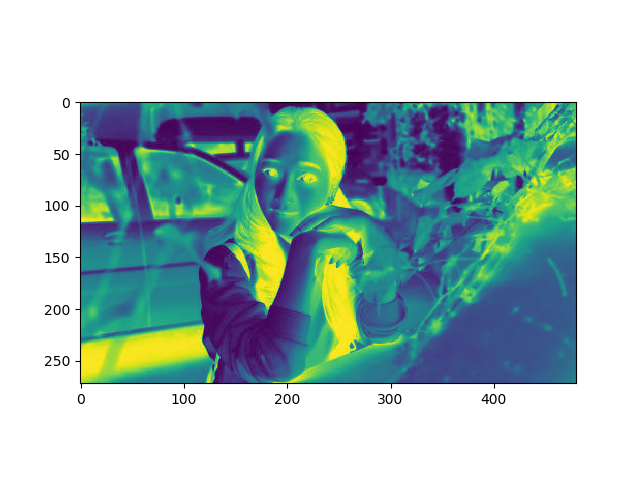
图2:像素值变到100——200
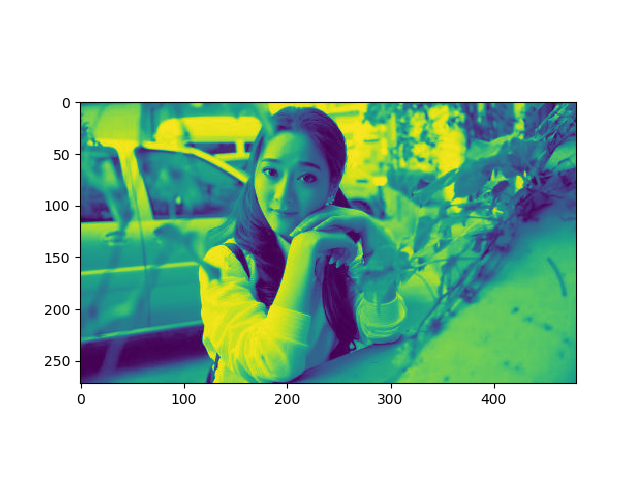
图3:像素值的平方

python——numpy_1图像基本操作的更多相关文章
- Python: scikit-image 图像的基本操作
这个用例说明Python 的图像基本运算 import numpy as np from skimage import data import matplotlib.pyplot as plt cam ...
- opencv-python教程学习系列7-opencv图像基本操作
前言 opencv-python教程学习系列记录学习python-opencv过程的点滴,本文主要介绍图像的基本操作,坚持学习,共同进步. 系列教程参照OpenCV-Python中文教程: 系统环境 ...
- opencv学习(六)——图像基本操作
图像基本操作 一.访问和修改像素值 先来理解一下,图像与一般的矩阵或张量有何不同(不考虑图像的格式,元数据等信息).首先,一张图像有自己的属性,宽,高,通道数.其中宽和高是我们肉眼可见的属性,而通道数 ...
- Python实现图像直方图均衡化算法
title: "Python实现图像直方图均衡化算法" date: 2018-06-12T17:10:48+08:00 tags: [""] categorie ...
- Python实现图像边缘检测算法
title: "Python实现图像边缘检测算法" date: 2018-06-12T17:06:53+08:00 tags: ["图形学"] categori ...
- Python 调用图像融合API
Python 调用图像融合API 本文记录使用Python,调用腾讯AI开放平台的图像融合API.官网给出的Demo用的是PHP,博主作为Python的粉丝,自然想用它来和『最好的』的语言一较高下,顺 ...
- Python中图像的缩放 resize()函数的应用
cv2.resize(src, dsize[, dst[, fx[, fy[, interpolation]]]]) -> dst 参数说明: src - 原图 dst - 目标图像.当参数ds ...
- python 在图像上写中文字体 (python write Chinese in image)
本人处理图像的时候经常使用opencv的包,但是 cv2.putText 显示不了中文,所以查找了如何在python在图像上写中文的方法,在伟大的Stack Overflow上面找到一个方法,分享给大 ...
- python 处理图像出现The lower bounary is neither an array of the same size and same type as src, nor a scalar in function inRange
在用python处理图像过程中出现如下错误 导致这个错误的原因是im是二维,而lower_green和upper_green是三维,所以无法用inRange处理. 由上图可以看出image本来是具有高 ...
随机推荐
- The eleventh day
What's the damage? Thanks so much for fixing the break on my car . What's the damage for the work yo ...
- HCNA配置RIPv1
1.拓扑图 2.配置 R1 The device is running! ###### <Huawei>sys Enter system view, return user view wi ...
- input-file类型accept 属性对性能的影响
上传图片的时候,有时会加一些限制,如下,进行上传类型的过滤,如 <input type="file" name="pic" id="pic&qu ...
- 2017.10.28 QB模拟赛 —— 上午
题目链接 T1 1e18 内的立方数有 1e6个 直接枚举可过 二分最优 考场用set 死慢.. #include <cstdio> int t; long long p; int ma ...
- C++ Eigen库和Matlab对比
// A simple quickref for Eigen. Add anything that's missing. // Main author: Keir Mierle #include &l ...
- Unable to launch the Java Virtual Machine
看看国内的回答,http://zhidao.baidu.com/question/119993351.html 再看看国外的,http://www.mkyong.com/oracle/oracle-s ...
- kubernetes-身份与权限认证(十四)
Kubernetes的安全框架 https://kubernetes.io/docs/reference/access-authn-authz/rbac/ •访问K8S集群的资源需要过三关:认证.鉴权 ...
- LIS的string用法
题目链接 使用的是string里的find函数 stl大法好 #include<iostream> #include<cstdio> #include<cstring&g ...
- CentOS中配置php环境
1.安装apache: yum install httpd httpd-devel 2.安装mysql: yum install mysql mysql-server 3.安装php: yum ...
- 旧文备份:对象字典0x1005和0x1006的理解
SYNC不一定由主站产生,因此,产生SYNC的节点,0x1005对象的值一般是0x40000080,第30位为1表示本节点产生 SYNC,而本节点的0x1006对象就是产生同步周期值了;而接收SYNC ...