
iOS 动画篇 (三) CADisplayLink与CoreGraphics实现动画
本文主要介绍利用CoreGraphics和CADisplayLink来实现一个注水动画。来一个效果图先:
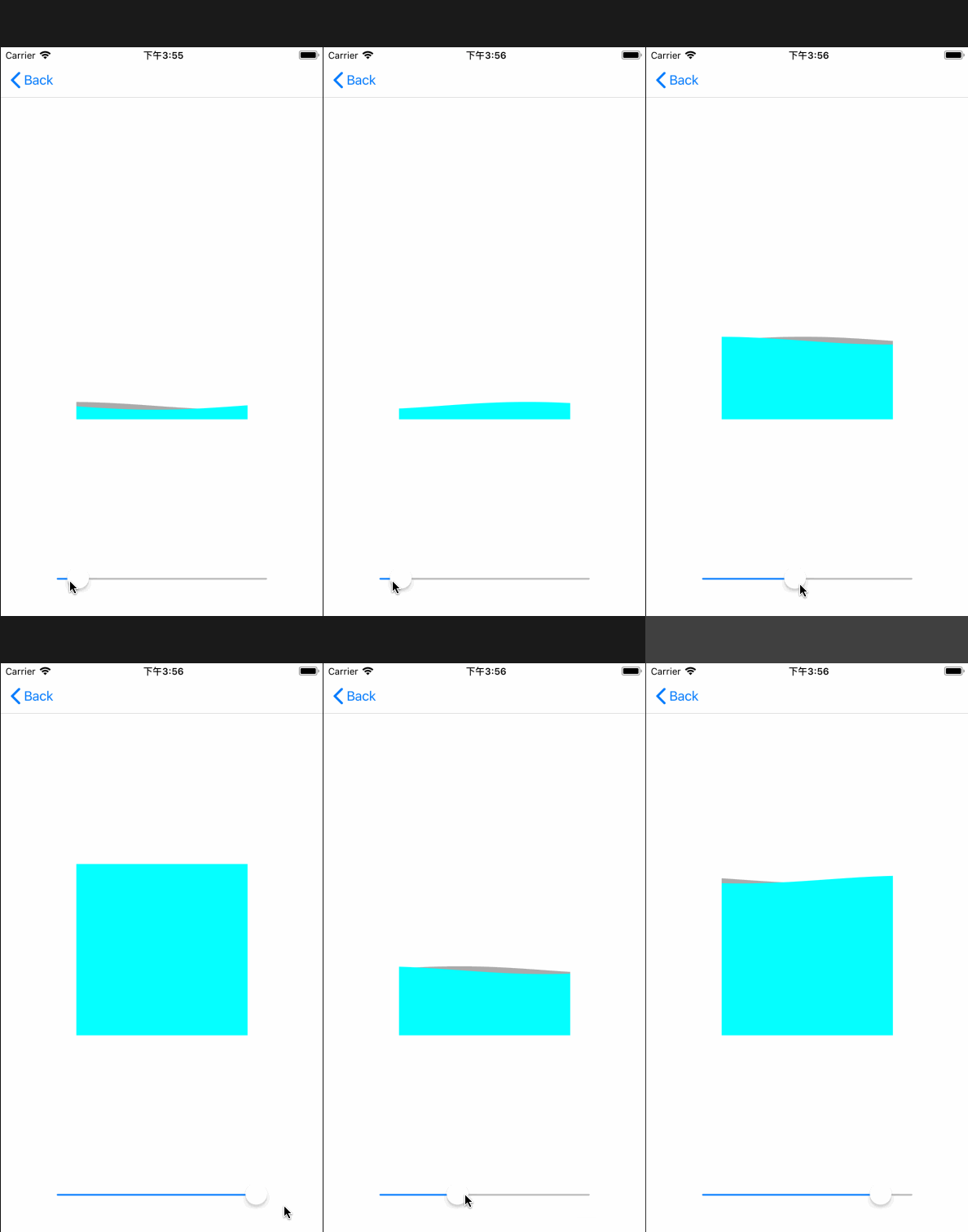
在介绍注水动画前,先介绍利用CoreGraphics实现进度条的绘制。
一、扇形进度绘制
效果: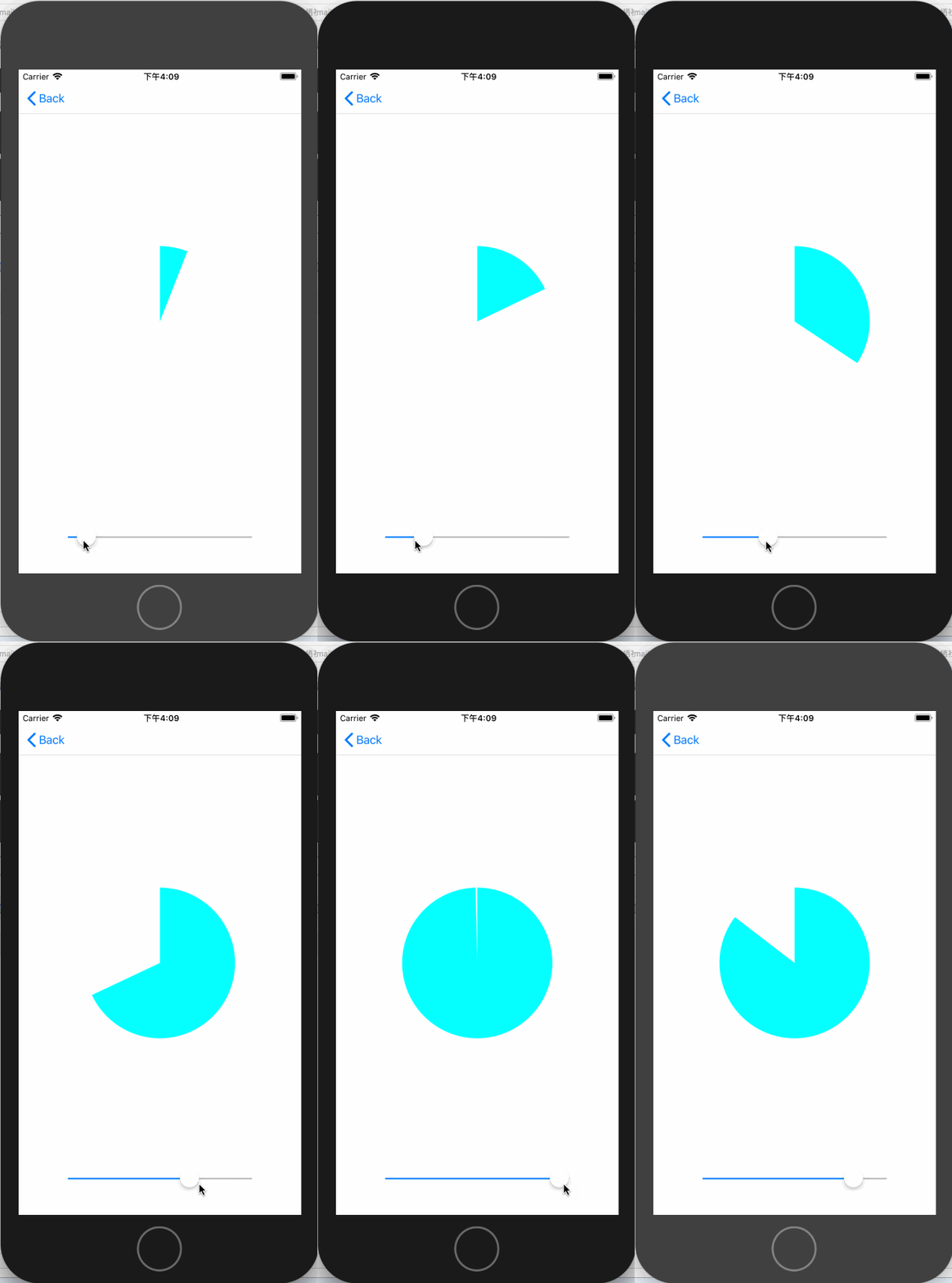
代码如下:
- (instancetype)initWithCoder:(NSCoder *)coder

{

    self = [super initWithCoder:coder];

    if (self) {

        self.arcColor = [UIColor cyanColor];

    }

    return self;

}

- (void)drawRect:(CGRect)rect {

    [super drawRect:rect];

    CGContextRef context = UIGraphicsGetCurrentContext();

    [self.arcColor setFill];

    CGFloat startAngle = -M_PI_2;

    CGFloat endAngle  = self.progress * M_PI *  + startAngle;

    CGPoint center = CGPointMake(rect.size.width / , rect.size.height / );

    UIBezierPath *path = [UIBezierPath bezierPathWithArcCenter:center radius:rect.size.width /  startAngle:startAngle endAngle:endAngle clockwise:YES];

    CGContextAddPath(context, path.CGPath);

    CGContextAddLineToPoint(context, center.x, center.y);

    CGContextDrawPath(context, kCGPathFill);

}

- (void)setProgress:(CGFloat)progress

{

    NSLog(@"%g", progress);

    if (progress > ) {

        progress = ;

    }else if (progress < ){

        progress = ;

    }

    _progress = progress;

    dispatch_async(dispatch_get_main_queue(), ^{

        [self setNeedsDisplay];

    });

}
原理就是根据不同的进度值不停的重新绘制扇形。
二、绘制带边缘的扇形进度图
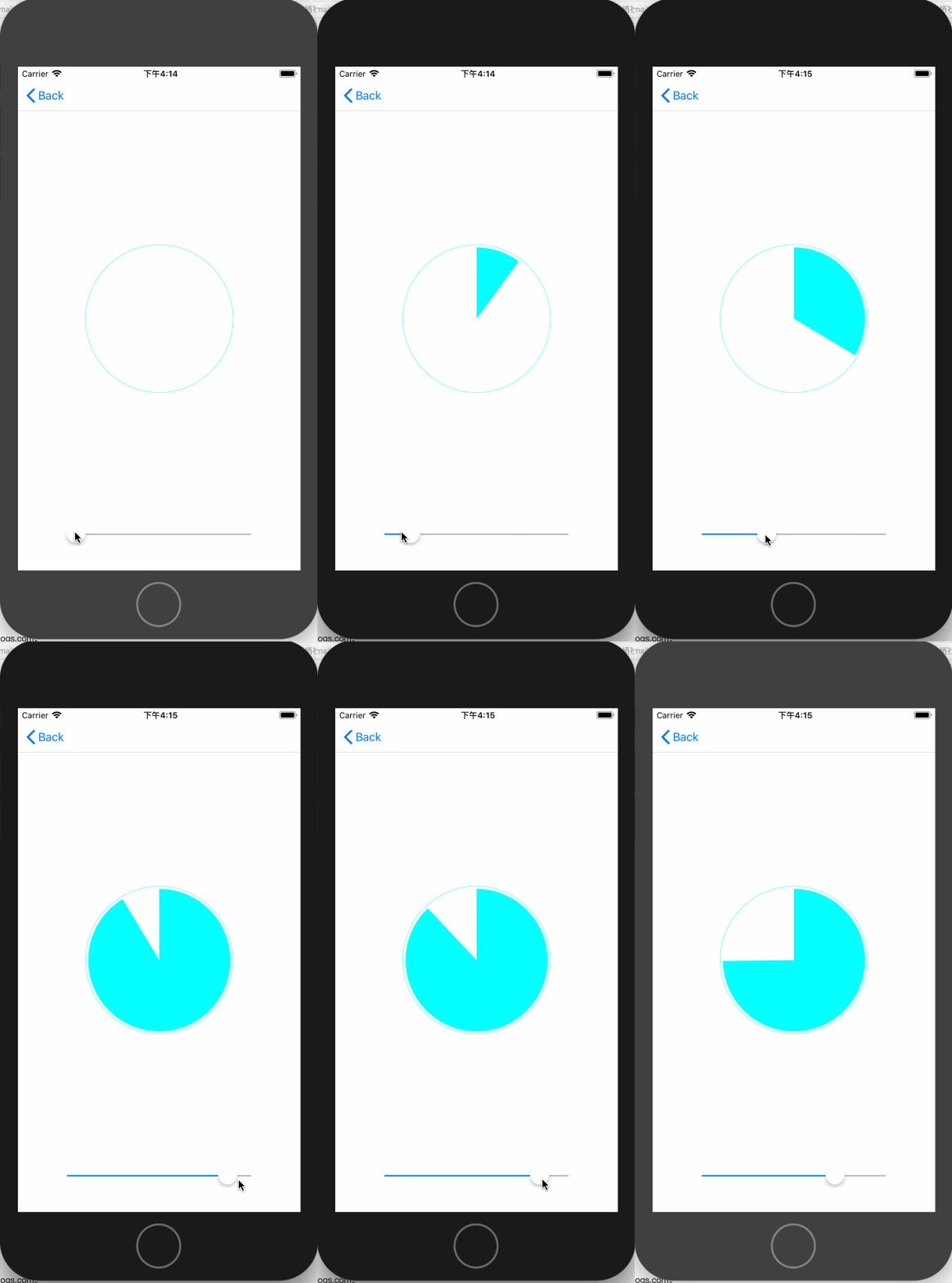
代码如下:
@implementation ArcWithTrackProgressView

- (instancetype)initWithCoder:(NSCoder *)coder

{

    self = [super initWithCoder:coder];

    if (self) {

        self.backgroundColor = [UIColor clearColor];

        self.trackColor = [UIColor cyanColor];

        self.progressColor = [UIColor cyanColor];

    }

    return self;

}

- (void)drawRect:(CGRect)rect

{

    //绘制圈

    UIBezierPath *trackPath = [UIBezierPath bezierPathWithOvalInRect:CGRectInset(rect, , )];

    CGContextRef context = UIGraphicsGetCurrentContext();

    CGContextSetLineWidth(context, 0.5);

    CGContextAddPath(context, trackPath.CGPath);

    [self.trackColor setStroke];

    CGContextDrawPath(context, kCGPathStroke);//绘制进度

    [self.progressColor setFill];

    CGFloat startAngle = - M_PI_2;

    CGFloat endAngle = self.progress *  * M_PI + startAngle;

    CGPoint center = CGPointMake(CGRectGetWidth(rect) / , CGRectGetHeight(rect) / );

    CGFloat radius = CGRectGetHeight(rect) /  - ;//设置半径

    UIBezierPath *progressPath = [UIBezierPath bezierPathWithArcCenter:center radius:radius startAngle:startAngle endAngle:endAngle clockwise:YES];

    CGContextAddPath(context, progressPath.CGPath);

    CGContextAddLineToPoint(context, center.x, center.y);

    CGContextDrawPath(context, kCGPathFill);

}

- (void)setProgress:(CGFloat)progress

{

    NSLog(@"%g", progress);

    if (progress > ) {

        progress = ;

    }else if (progress < ){

        progress = ;

    }

    _progress = progress;

    dispatch_async(dispatch_get_main_queue(), ^{

        [self setNeedsDisplay];

    });

}

@end
三、绘制一个圆环进度
效果图如下:
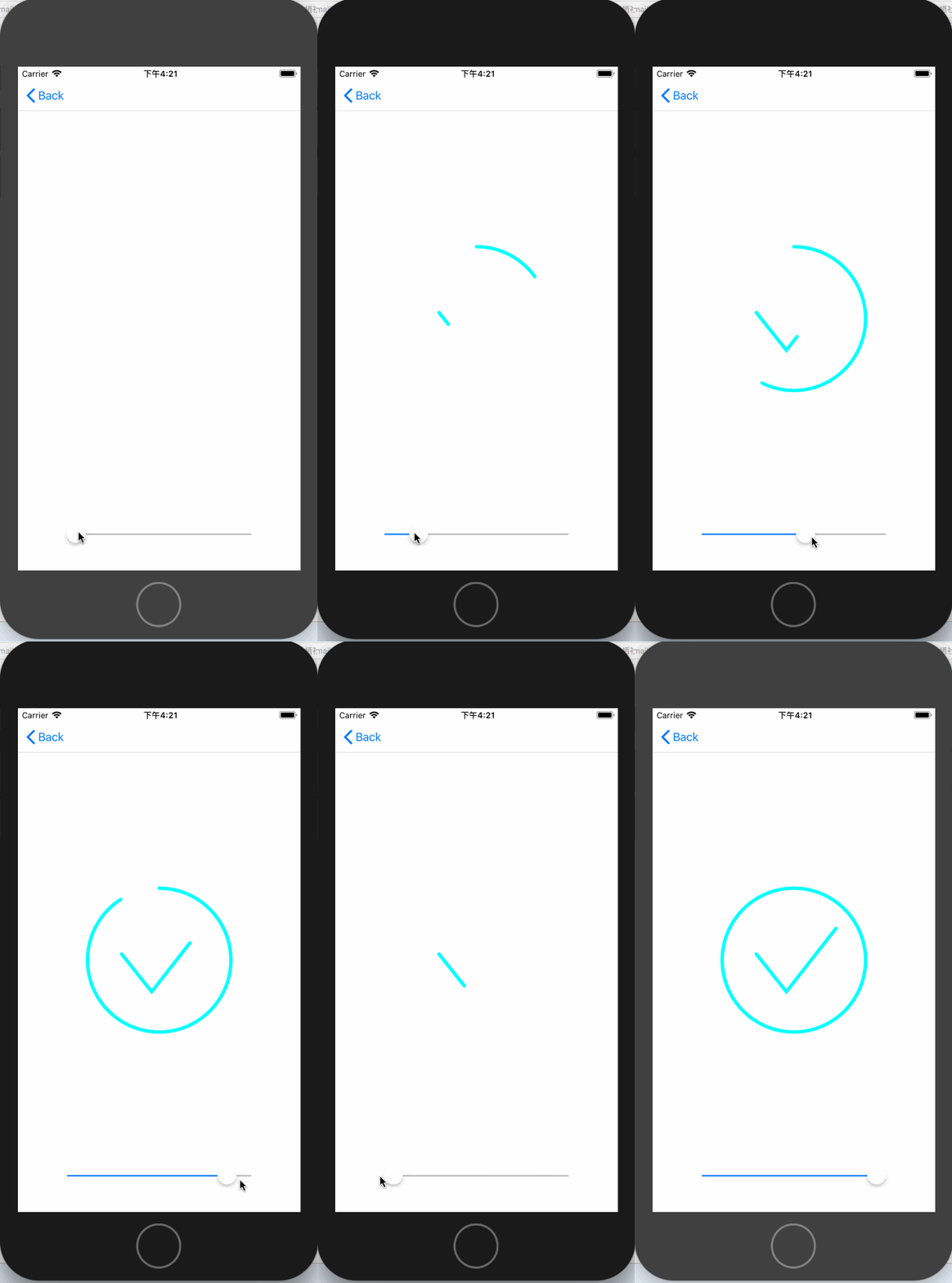
此效果分为两步实现,一部分是绘制圆环,一部分是绘制勾。我在这里使用的CoreGraphics来绘制环,勾的话是利用CAShapeLayer来实现的。代码如下:
@implementation AnnularProgressView

- (instancetype)initWithFrame:(CGRect)frame

{

    self = [super initWithFrame:frame];

    if (self) {

        [self commonSetup];

    }

    return self;

}

- (instancetype)initWithCoder:(NSCoder *)coder

{

    self = [super initWithCoder:coder];

    if (self) {

        [self commonSetup];

    }

    return self;

}

- (void)commonSetup

{

    self.arcColor = [UIColor cyanColor];

    self.lineWidth = .f;

    //设置shapeLayer

    CAShapeLayer *tick = [[CAShapeLayer alloc] init];

    tick.bounds = self.bounds;

    tick.position = CGPointMake(CGRectGetWidth(self.bounds) / , CGRectGetHeight(self.bounds) / );

    CGFloat width = CGRectGetWidth(self.bounds);

    CGFloat height = CGRectGetHeight(self.bounds);

    UIBezierPath *bezierPath = [[UIBezierPath alloc] init];

    [bezierPath moveToPoint:CGPointMake(width * 0.25, height * 0.46)];

    [bezierPath addLineToPoint:CGPointMake(width * 0.45, height * 0.71)];

    [bezierPath addLineToPoint:CGPointMake(width * 0.78, height * 0.29)];

    tick.path = bezierPath.CGPath;

    tick.fillColor = [UIColor clearColor].CGColor;

    tick.strokeColor = [UIColor cyanColor].CGColor;

    tick.strokeStart = ;

    tick.strokeEnd = ;

    tick.lineWidth = self.lineWidth;

    tick.lineCap = kCALineJoinRound;

    [self.layer addSublayer:tick];

    self.tick = tick;

}

- (void)drawRect:(CGRect)rect {

    CGContextRef context = UIGraphicsGetCurrentContext();

    CGContextSetLineCap(context, kCGLineCapRound);

    CGContextSetLineWidth(context, self.lineWidth);

    [self.arcColor setStroke];

    //绘制圆环

    CGFloat startAngle = -M_PI_2;

    CGFloat endAngle  = self.progress * M_PI *  + startAngle;

    CGPoint center = CGPointMake(rect.size.width / , rect.size.height / );

    UIBezierPath *path = [UIBezierPath bezierPathWithArcCenter:center radius:rect.size.width /  - self.lineWidth startAngle:startAngle endAngle:endAngle clockwise:YES];

    CGContextAddPath(context, path.CGPath);

    CGContextDrawPath(context, kCGPathStroke);

    self.tick.strokeEnd = self.progress;//设置勾的进度

}

- (void)setProgress:(CGFloat)progress

{

    NSLog(@"%g", progress);

    if (progress > ) {

        progress = ;

    }else if (progress < ){

        progress = ;

    }

    _progress = progress;

    dispatch_async(dispatch_get_main_queue(), ^{

        [self setNeedsDisplay];

    });

}
四、注水动画
效果:
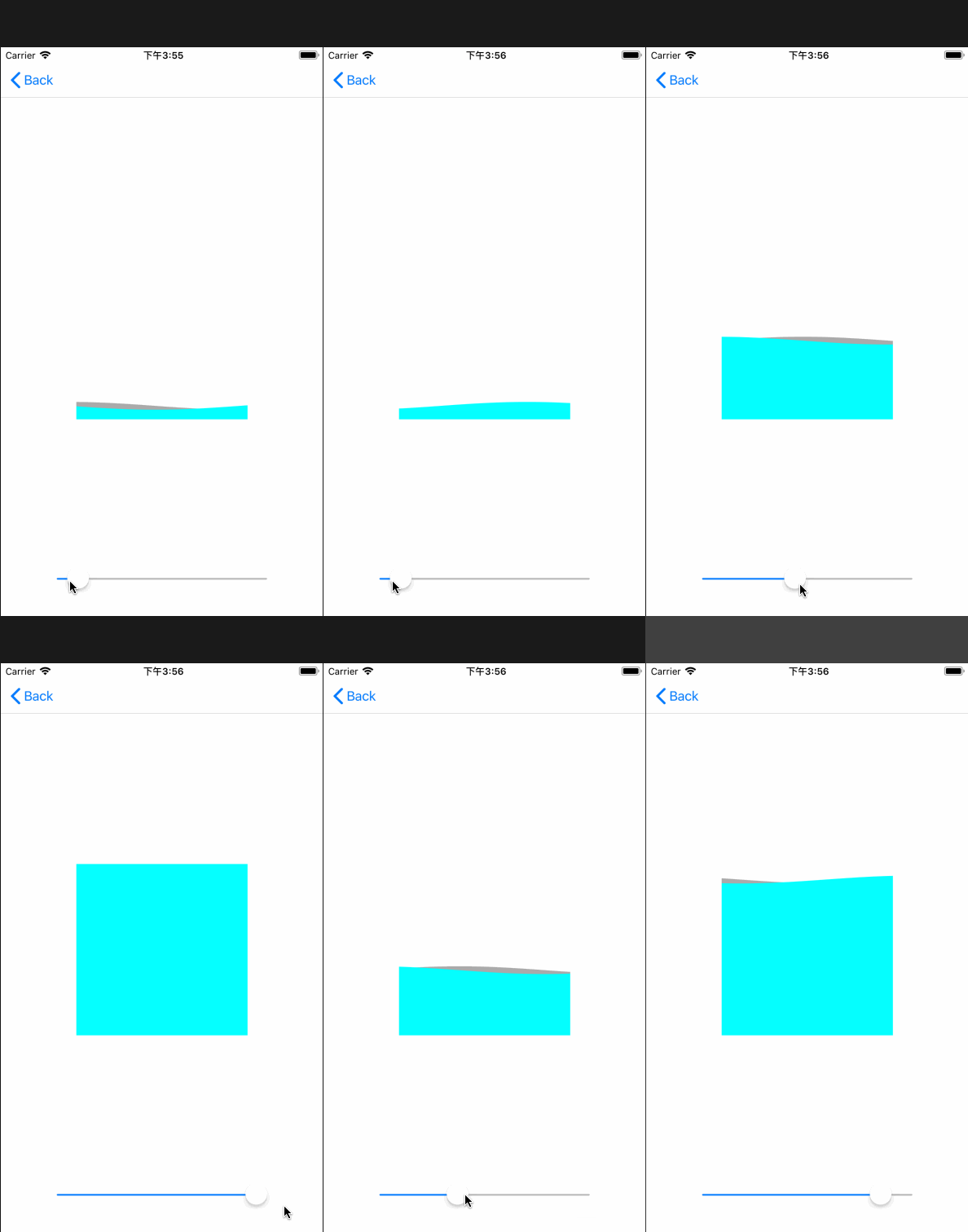
注水动画的实现主要是通过正余弦函数绘制来实现的。正余弦曲线公式如下:
正弦函数
y=Asin(ωx+φ)+k //正弦函数

y=Acos(ωx+φ)+k //余弦函数
其中
@interface WaveProgressView ()

@property (nonatomic, assign) CGFloat initialPhase;//初相

@property (nonatomic, strong) CADisplayLink *timer;

@end

//y=Asin(ωx+φ)+k

@implementation WaveProgressView

- (instancetype)initWithCoder:(NSCoder *)coder

{

    self = [super initWithCoder:coder];

    if (self) {

        [self commonSetup];

    }

    return self;

}

- (instancetype)initWithFrame:(CGRect)frame

{

    self = [super initWithFrame:frame];

    if (self) {

       [self commonSetup];

    }

    return self;

}

- (void)commonSetup

{

    CADisplayLink *timer = [CADisplayLink displayLinkWithTarget:self selector:@selector(moveWave:)];

    [timer addToRunLoop:[NSRunLoop mainRunLoop] forMode:NSRunLoopCommonModes];

    self.backgroundColor = [UIColor clearColor];

}

- (void)drawRect:(CGRect)rect

{

    CGContextRef context = UIGraphicsGetCurrentContext();

    UIBezierPath *sinPath = [UIBezierPath bezierPath];

    UIBezierPath *cosPath = [UIBezierPath bezierPath];

    CGFloat y;

    CGFloat amplitude = ;//振幅

    CGFloat palstance = M_PI / self.bounds.size.width;//角速度

    CGPoint startPoint = CGPointMake(, CGRectGetHeight(rect));

    [sinPath moveToPoint:startPoint];

    [cosPath moveToPoint:startPoint];

    //正弦曲线

    for (CGFloat x = 0.0 ; x <= rect.size.width; x++) {

        y = amplitude * sin(palstance * x + self.initialPhase);

        CGPoint point = CGPointMake(x, y + CGRectGetHeight(rect) * ( - self.progress) - amplitude);

        [sinPath addLineToPoint:point];

    }

    //余弦曲线

    for (int x =  ; x <= rect.size.width; x++) {

        y = amplitude * cos(palstance * x + self.initialPhase);

        CGPoint point = CGPointMake(x, y + CGRectGetHeight(rect) * ( - self.progress) - amplitude);

        [cosPath addLineToPoint:point];

    }

    CGPoint endPoint = CGPointMake(CGRectGetWidth(rect), CGRectGetHeight(rect));

    [sinPath addLineToPoint:endPoint];

    [cosPath addLineToPoint:endPoint];

    [[UIColor lightGrayColor] setFill];

    CGContextAddPath(context, sinPath.CGPath);

    CGContextDrawPath(context, kCGPathFill);

    [[UIColor cyanColor] setFill];

    CGContextAddPath(context, cosPath.CGPath);

    CGContextDrawPath(context, kCGPathFill);

}

- (void)moveWave:(CADisplayLink *)timer

{

    self.initialPhase += 0.1;

    dispatch_async(dispatch_get_main_queue(), ^{

        [self setNeedsDisplay];

    });

}

- (void)setProgress:(CGFloat)progress

{

    NSLog(@"%g", progress);

    if (progress > ) {

        progress = ;

    }else if (progress < ){

        progress = ;

    }

    _progress = progress;

}

- (void)dealloc

{

    [self.timer invalidate];

}
实现原理:设定好曲线的振幅、角速度,然后根据progress来设置正余弦曲线的绘制路径。利用CADisplayLink来不断的改变曲线的初相来达到曲线移动的效果。
你可以从这里下载demo
iOS 动画篇 (三) CADisplayLink与CoreGraphics实现动画的更多相关文章
- 自己定义控件三部曲之动画篇(十三)——实现ListView Item进入动画
前言:宝剑锋从磨砺出,梅花香自苦寒来 相关文章: <Android自己定义控件三部曲文章索引>: http://blog.csdn.net/harvic880925/article/det ...
- iOS开发UI篇—iOS开发中三种简单的动画设置
iOS开发UI篇—iOS开发中三种简单的动画设置 [在ios开发中,动画是廉价的] 一.首尾式动画 代码示例: // beginAnimations表示此后的代码要“参与到”动画中 [UIView b ...
- iOS 动画篇 (二) CAShapeLayer与CoreAnimation结合使用
接上一篇博客 iOS 动画篇(一) Core Animation CAShapeLayer是CALayer的一个子类,使用这个类能够很轻易实现曲线的动画. 先来一个折线动画效果: 示例代码: //1. ...
- iOS 开发之动画篇 - 从 UIView 动画说起
毋庸置疑的:在iOS开发中,制作动画效果是最让开发者享受的环节之一.一个设计严谨.精细的动画效果能给用户耳目一新的效果,吸引他们的眼光 —— 这对于app而言是非常重要的. 本文作为动画文集的第一篇, ...
- iOS开发--动画篇之layout动画深入
"不得不说,单单是文章的标题,可能不足以说明本文的内容.因此,在继续讲述约束动画之前,我先放上本文要实现的动画效果." 编辑:Bison投稿:Sindri的小巢 约束动画并不是非常 ...
- iOS动画篇:UIView动画
iOS的动画效果一直都很棒很,给人的感觉就是很炫酷很流畅,起到增强用户体验的作用.在APP开发中实现动画效果有很多种方式,对于简单的应用场景,我们可以使用UIKit提供的动画来实现. UIView动画 ...
- iOS开发——动画篇Swift篇&动画效果的实现
Swift - 动画效果的实现 在iOS中,实现动画有两种方法.一个是统一的animateWithDuration,另一个是组合出现的beginAnimations和commitAnimation ...
- iOS 动画篇 之 Core Animation (一)
iOS中实现动画有两种方式,一种是自己不断的通过drawRect:方法来绘制,另外一种就是使用核心动画(Core Animation). 导语: 核心动画提供高帧速率和流畅的动画,而不会增加CPU的负 ...
- iOS动画篇:核心动画
转:http://www.cocoachina.com/ios/20160517/16290.html 基本概念 1.什么是核心动画 Core Animation(核心动画)是一组功能强大.效果华丽的 ...
随机推荐
- 用js把图片做的富有动态感,并对以后需要用着的属性进行封装
首先我们先要导入几张图片(我已导入完毕): : 好,我们先写一个 <div ></div>, 定义一个 class="contair", 在这<div ...
- BMC手册 — 第一模块 BMC介绍
BMC的监控 其实是BPPM与 Patrol 产品的结合.早期它们二个是单独监控产品,后来BPPM被BMC收购.拿来与patrol产口集成产品整合后,BPPM主要用来做展示与告警处理,底层采集采用pa ...
- redis的sorted set类型
1.简单描述 和set类型一样,sorted set也是string类型元素的集合,不同的是每个元素都会关联一个double类型的score.sorted set的实现是skip list和hash ...
- 安装cocoa pods时出现Operation not permitted - /usr/bin/xcodeproj的问题
安装cocoa pods时, 在命令行中输入: 安装:sudo gem install cocoapods报Operation not permitted - /usr/bin/xcodeproj这个 ...
- Ubuntu14.04下安装 boost (boost_1.54 最简单的方法)
直接执行命令: sudo apt-get install libboost-dev 测试: 创建一个 boost_test.cpp 文件,写入 #include<iostream> #i ...
- ArcGIS API for JavaScript 4.2学习笔记[7] 鹰眼(缩略图的实现及异步处理、Promise、回调函数、监听的笔记)
文前说明:关于style就是页面的css暂时不做评论,因为官方给的例子的样式实在太简单了,照抄阅读即可. 这篇文章有着大量AJS 4.x版本添加的内容,如监听watch.Promise对象.回调函数. ...
- 【WebGL】《WebGL编程指南》读书笔记——第2章
一.前言 最近看了<WebGL编程指南>这本书,发现还是很有意思的,故每章阅读后做个笔记. 二.正文 Example1:在canvas中绘制矩形 <!DOCTYPE html> ...
- Linux第七节随笔-中 /date / ln /
4.date link 作用:显示或设定系统的日期与时间 参数: -d<字符串> 显示字符串所指的日期与时间.字符串前后必须加上双引号. -s<字符串> 根据字符串来设置日期与 ...
- java实现发送邮件服务器,SMTP协议发送邮件
1.采用SMTP的邮件发送协议.准备:在网易注册一个邮箱,进入设置开启SMTP/pop3协议 2.接下来就是java代码实现了,下面都有注释,就不多做解释了. public class mail { ...
- Webpack 2 视频教程 013 - 自动分离 CSS 到独立文件
原文发表于我的技术博客 这是我免费发布的高质量超清「Webpack 2 视频教程」. Webpack 作为目前前端开发必备的框架,Webpack 发布了 2.0 版本,此视频就是基于 2.0 的版本讲 ...