
Ethical Hacking - NETWORK PENETRATION TESTING(12)
Post Connection Attacks
Sophisticated attacks that can be used after connecting to the target AP.
Gathering Information
Now that we are connected to a specific AP, we can gather more detailed info about the clients connected to this AP. There is a number of programs that can be used to do this, we shall talk about 3 programs starting with the simplest and quickest one.
· Netdiscover
Netdiscover is a program that can be used to discover the connected clients to our current network, it's very quick but it does not show detailed information about the clients: IP, MAC address and some times the hardware manufacturer for the client's wireless card.
netdiscover -i [INTERFACE] -r [RANGE]
Netdiscover 0.5.1 [Active/passive ARP reconnaissance tool]
Written by: Jaime Penalba <jpenalbae@gmail.com>
Usage: netdiscover [-i device] [-r range | -l file | -p] [-m file] [-F filter] [-s time] [-c count] [-n node] [-dfPLNS]
-i device: your network device
-r range: scan a given range instead of auto scan. 192.168.6.0/24,/16,/8
-l file: scan the list of ranges contained into the given file
-p passive mode: do not send anything, only sniff
-m file: scan a list of known MACs and host names
-F filter: customize pcap filter expression (default: "arp")
-s time: time to sleep between each ARP request (milliseconds)
-c count: number of times to send each ARP request (for nets with packet loss)
-n node: last source IP octet used for scanning (from 2 to 253)
-d ignore home config files for autoscan and fast mode
-f enable fastmode scan, saves a lot of time, recommended for auto
-P print results in a format suitable for parsing by another program and stop after active scan
-L similar to -P but continue listening after the active scan is completed
-N Do not print header. Only valid when -P or -L is enabled.
-S enable sleep time suppression between each request (hardcore mode)
If -r, -l or -p are not enabled, netdiscover will scan for common LAN addresses.
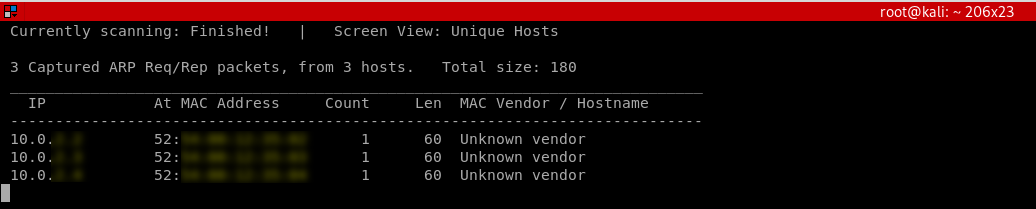
· Autoscan
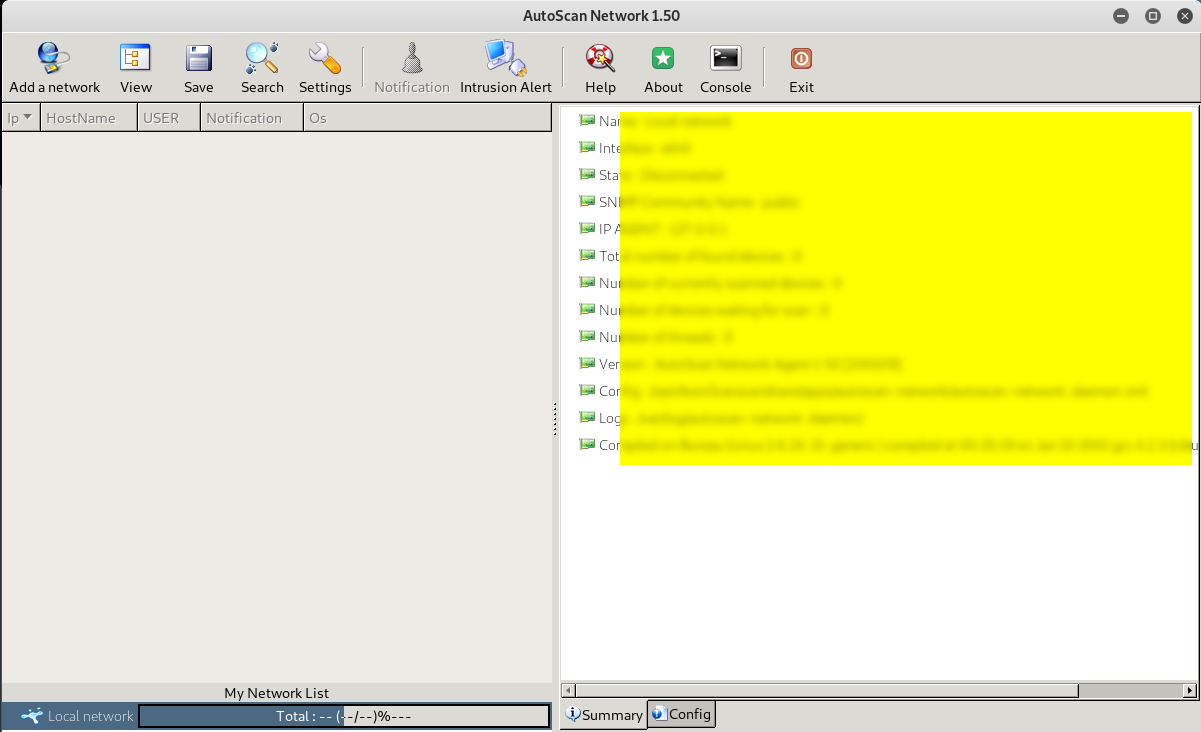
Autoscan is another program that can be used to discover the connected clients to our current network, it's not as quick as netdiscover, but it shows more detailed information about the connected devices and it has a graphical user interface.
Download autoscan from: https://sourceforge.net/projects/autoscan/files/AutoScan/autoscan-network%201.50/AutoScan-Network-1.50.pkg.zip/download
-> Install autoscan

->Chose the installation directory
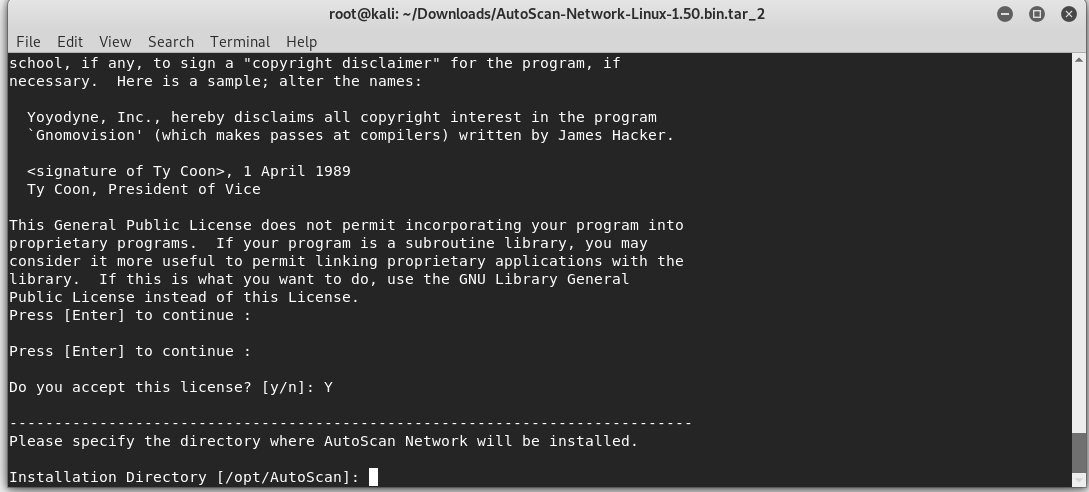
->Complete the installation and set the Network Wizard.
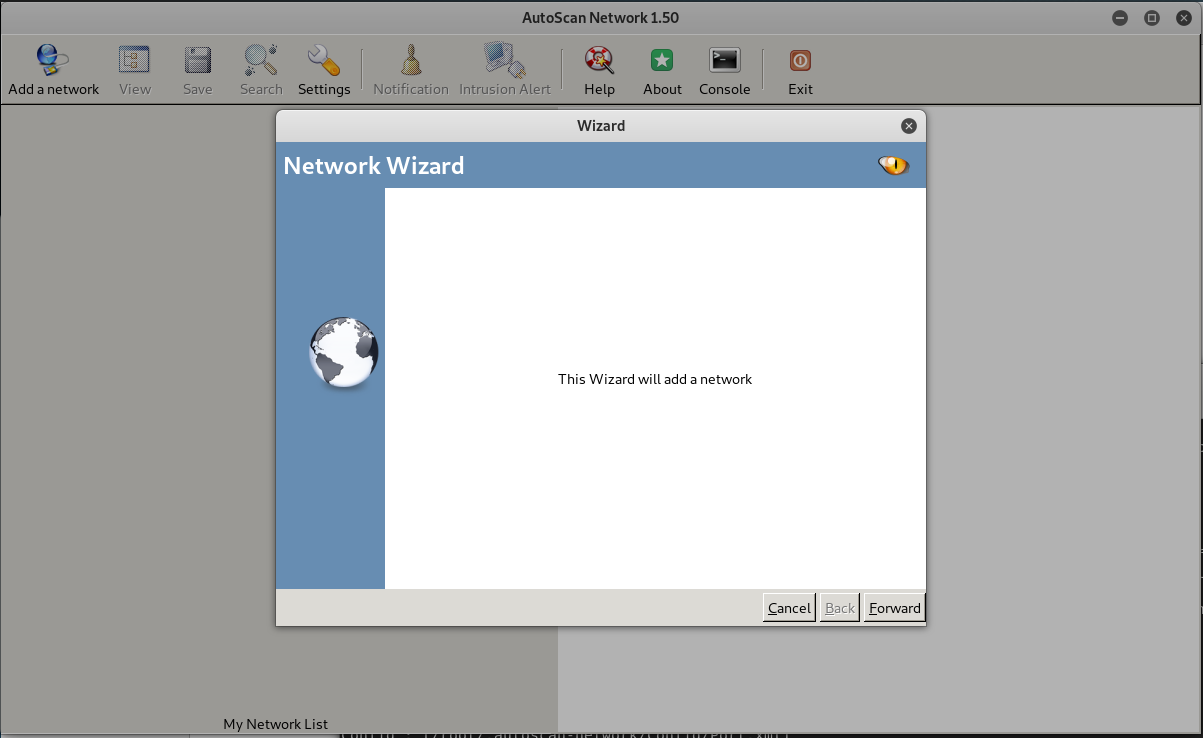
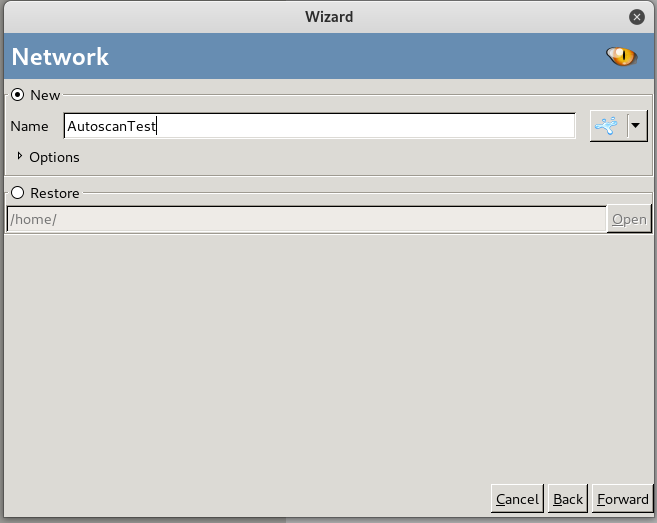

Ethical Hacking - NETWORK PENETRATION TESTING(12)的更多相关文章
- Ethical Hacking - NETWORK PENETRATION TESTING(15)
ARP Poisoning - arpspoof Arpspoof is a tool part of a suit called dsniff, which contains a number of ...
- Ethical Hacking - NETWORK PENETRATION TESTING(22)
MITM - Wireshark WIreshark is a network protocol analyser that is designed to help network administa ...
- Ethical Hacking - NETWORK PENETRATION TESTING(14)
MITM - ARP Poisoning Theory Man In The Middle Attacks - ARP Poisoning This is one of the most danger ...
- Ethical Hacking - NETWORK PENETRATION TESTING(13)
Nmap Nmap is a network discovery tool that can be used to gather detailed information about any clie ...
- Ethical Hacking - NETWORK PENETRATION TESTING(11)
Securing your Network From the Above Attacks. Now that we know how to test the security of all known ...
- Ethical Hacking - NETWORK PENETRATION TESTING(10)
WPA Craking WPA was designed to address the issues in WEP and provide better encryption. The main is ...
- Ethical Hacking - NETWORK PENETRATION TESTING(8)
WEP Cracking Basic case Run airdump-ng to log all traffic from the target network. airodump-ng --cha ...
- Ethical Hacking - NETWORK PENETRATION TESTING(7)
Gaining Access to encrypted networks Three main encryption types: 1. WEP 2.WPA 3.WPA2 WEP Cracking W ...
- Ethical Hacking - NETWORK PENETRATION TESTING(5)
Deauthentication Attacks Theory This attack is used to disconnect any device from any network within ...
随机推荐
- IntelliJ IDEA中项目import与open的区别
场景: 从原来公司离职来到新的公司,接手公司项目,先将项目从git或svn项目版本管理上clone下来,如果项目原先是用Eclipse开发的,而你更习惯于使用IntelliJ IDEA,下面是针对使用 ...
- leetcode27之移除元素
题目描述: 给你一个数组 nums 和一个值 val,你需要 原地 移除所有数值等于 val 的元素,并返回移除后数组的新长度. 不要使用额外的数组空间,你必须仅使用 O(1) 额外空间并 原地 修改 ...
- Java WebService _CXF、Xfire、AXIS2、AXIS1_四种发布方式(优缺点对比)
xis,axis2,Xfire以及cxf对比 http://ws.apache.org/axis/ http://axis.apache.org/axis2/java/core/ http://xfi ...
- 如果人生也能存档——C#中的备忘录模式
大家好,老胡又和大家见面了.首先承认今天的博客有点标题党了,人生是没有存档,也没有后悔药的.有存档和后悔药的,那是游戏,不知道这是不是游戏让人格外放松的原因之一. 今天恰逢端午放假,就让我们来试着做一 ...
- Linux系统如何使用Fuser命令
本文不再更新,可能存在内容过时的情况,实时更新请访问原地址:Linux系统如何使用Fuser命令: 什么是Fuser命令? fuser命令是一个非常聪明的unix实用程序,用于查找正在使用某个文件.目 ...
- Java使用IO流读取TXT文件
通过BufferedReader读取TXT文件window系统默认的编码是GBK,而IDE的编码多数为UTF-8,如果没有规定new InputStreamReader(new FileInputSt ...
- Java工具类——数学相关的类
Java工具类--数学相关的类 在上一篇文章中,我们系统学习了 Java 里面的包装类,那么这篇文章,我们就来学习一下Java提供好的类--数学相关的类. 一.数学类介绍 在最早期学习 Java 基础 ...
- windows7 添加tomcat(解压缩版或者免安装版)自启动服务
https://blog.csdn.net/piggachen/article/details/69943223 :(service.bat方式安装服务或者windows任务方式添加) https:/ ...
- abp重构登录
a.Core层 Authorization.Users.UserStore.cs public class UserStore : AbpUserStore<Role, User> { p ...
- asp.net mvc企业实战技能汇总