
【C#Windows 服务】 《二》INI配置文件
一、工具:
VS2015+NET Framework4.5。
二、操作:
1、创建INIHelp帮助类
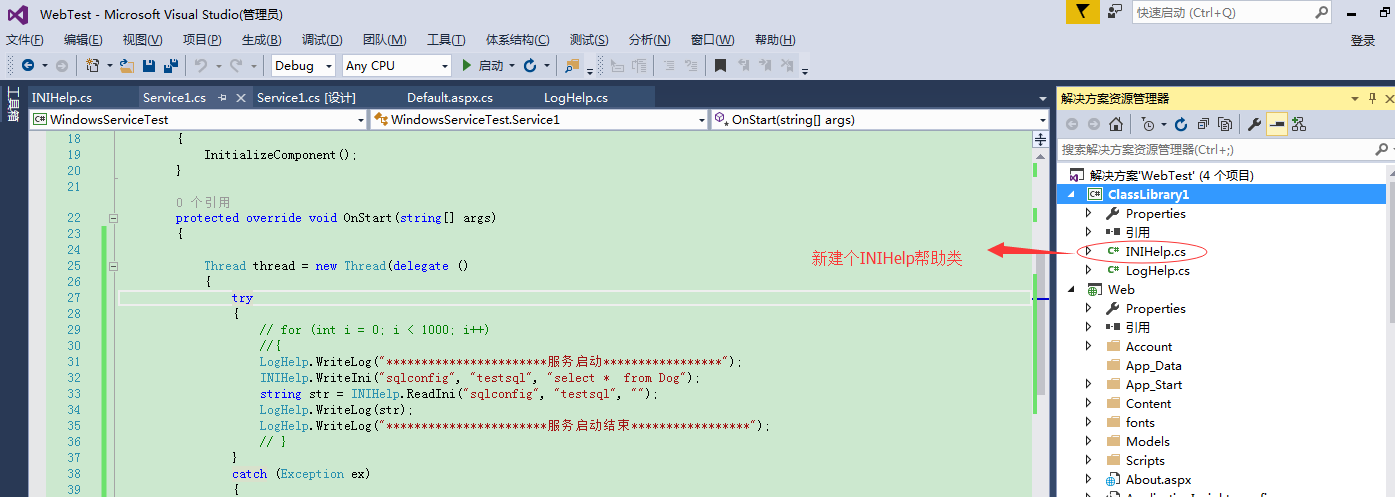
2、丰富帮助类操作
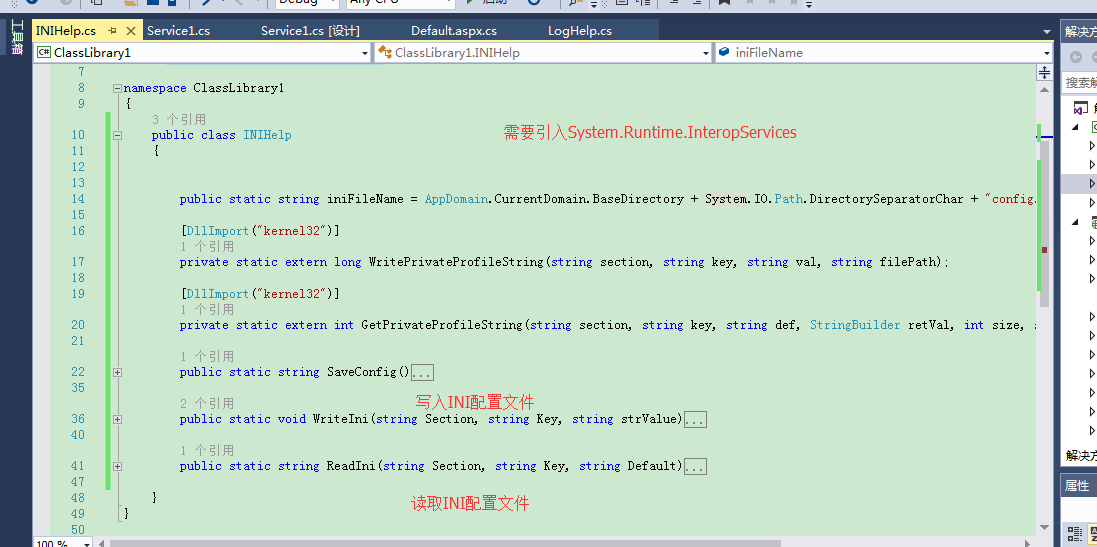
3、windows实例调用
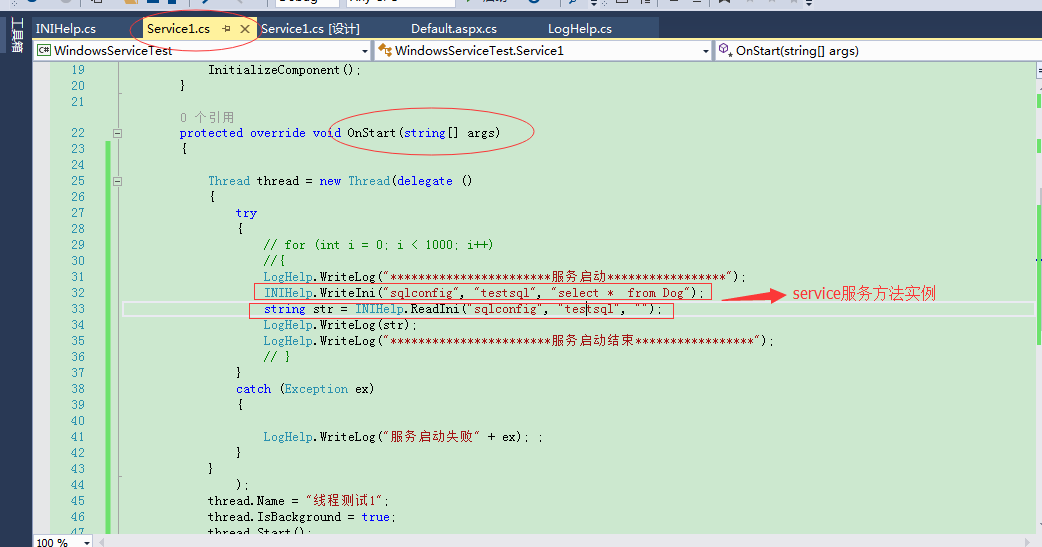
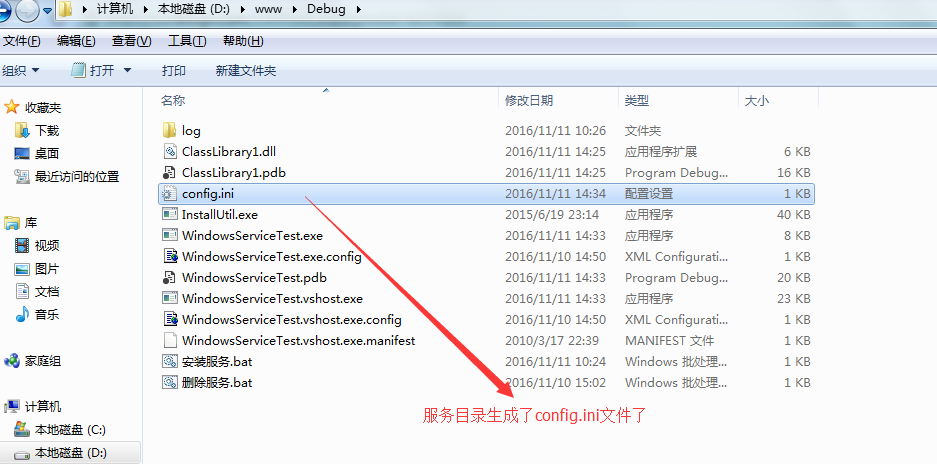
三、代码:
1、INI帮助类:
|
1
2
3
4
5
6
7
8
9
10
11
12
13
14
15
16
17
18
19
20
21
22
23
24
25
26
27
28
29
30
31
32
33
34
35
36
37
38
39
40
41
42
43
44
45
46
47
48
49
|
using System;using System.Collections.Generic;using System.Linq;using System.Text;using System.Threading.Tasks;using System.Runtime.InteropServices;namespace ClassLibrary1{ public class INIHelp { public static string iniFileName = AppDomain.CurrentDomain.BaseDirectory + System.IO.Path.DirectorySeparatorChar + "config.ini"; [DllImport("kernel32")] private static extern long WritePrivateProfileString(string section, string key, string val, string filePath); [DllImport("kernel32")] private static extern int GetPrivateProfileString(string section, string key, string def, StringBuilder retVal, int size, string filePath); public static string SaveConfig() { try { WriteIni("sqlconfig", "testsql", "select * from Dog"); } catch (Exception ex) { LogHelp.WriteLog(ex.ToString()); } return "0"; } public static void WriteIni(string Section, string Key, string strValue) { WritePrivateProfileString(Section, Key, strValue, iniFileName); } public static string ReadIni(string Section, string Key, string Default) { StringBuilder temp = new StringBuilder(1024); int rec = GetPrivateProfileString(Section, Key, Default, temp, 1024, iniFileName); return temp.ToString(); } }} |
2、windows服务中调用代码:
|
1
2
3
4
5
6
7
8
9
10
11
12
13
14
15
16
17
18
19
20
21
22
23
24
25
26
27
28
29
30
31
32
33
34
35
36
37
38
39
40
41
42
43
44
45
46
47
48
49
50
51
52
53
54
55
|
using ClassLibrary1;using System;using System.Collections.Generic;using System.ComponentModel;using System.Data;using System.Diagnostics;using System.Linq;using System.ServiceProcess;using System.Text;using System.Threading;using System.Threading.Tasks;namespace WindowsServiceTest{ public partial class Service1 : ServiceBase { public Service1() { InitializeComponent(); } protected override void OnStart(string[] args) { Thread thread = new Thread(delegate () { try { // for (int i = 0; i < 1000; i++) //{ LogHelp.WriteLog("***********************服务启动*****************"); INIHelp.WriteIni("sqlconfig", "testsql", "select * from Dog"); string str = INIHelp.ReadIni("sqlconfig", "testsql", ""); LogHelp.WriteLog(str); LogHelp.WriteLog("***********************服务启动结束*****************"); // } } catch (Exception ex) { LogHelp.WriteLog("服务启动失败" + ex); ; } } ); thread.Name = "线程测试1"; thread.IsBackground = true; thread.Start(); } protected override void OnStop() { } }} |
四、总结:
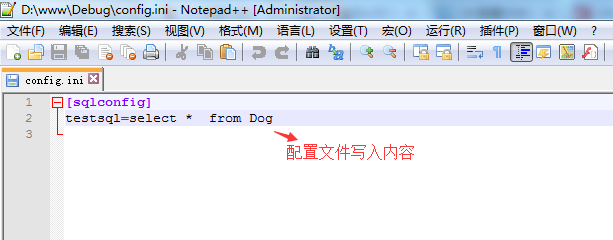
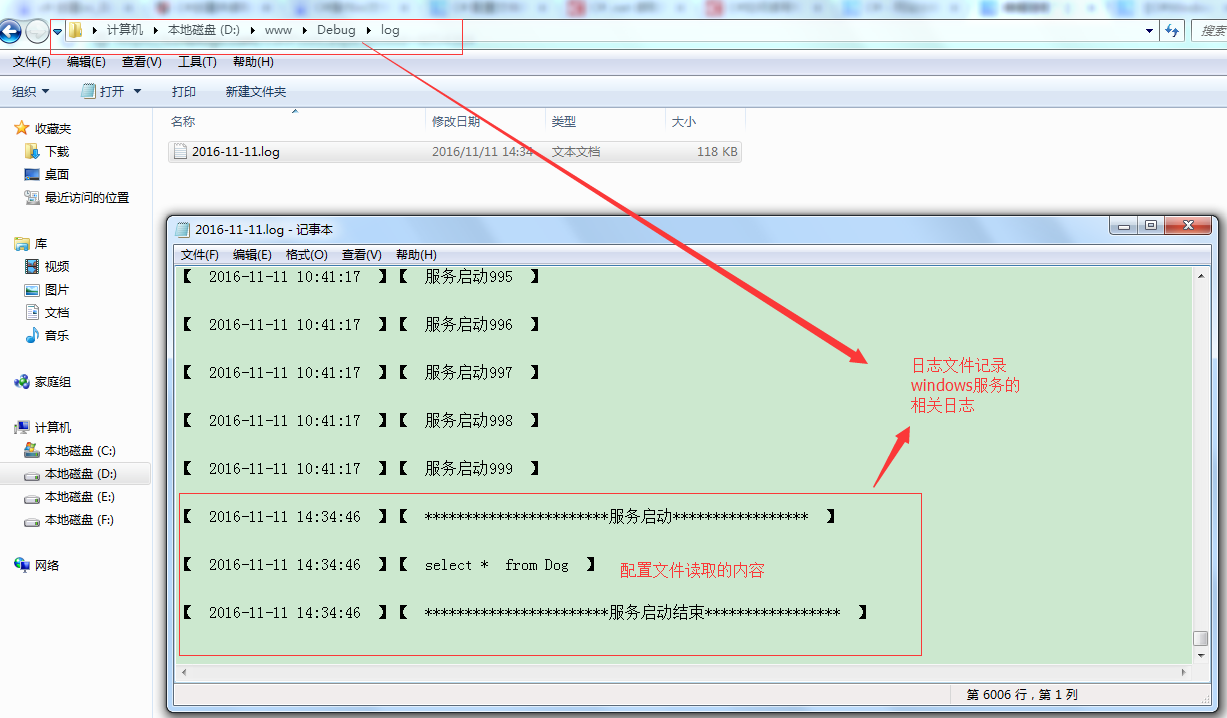
记录每一天的点滴,码好每一行的代码
【C#Windows 服务】 《二》INI配置文件的更多相关文章
- Windows服务二:测试新建的服务、调试Windows服务
一.测试Windows服务 为了使Windows服务程序能够正常运行,我们需要像创建一般应用程序那样为它创建一个程序的入口点.像其他应用程序一样,Windows服务也是在Program.cs的Main ...
- WCF寄宿windows服务二
如果有很多WCF服务需要寄宿,需要额外做一些工作:总体思路是:先把这些WCF服务的程序集打包,然后利用反射加载各个WCF服务的程序集,按顺序一个一个寄宿.先来看看我们需要寄宿的WCF服务: 实现步骤: ...
- C#创建windows服务(二:创建和卸载windows服务)
引用地址: https://docs.microsoft.com/zh-cn/dotnet/framework/windows-services/how-to-create-windows-servi ...
- 将控制台程序做成windows服务
一:添加windows服务 二:修改XXXInstaller1的StartType=Automatic,修改ProcessInstaller1的Account=LocalSystem 三:在progr ...
- Python读取ini配置文件的方式
python configparser模块 ConfigParser模块在python中用来读取配置文件,配置文件的格式跟windows下的ini配置文件相似,可以包含一个或多个节(section ...
- C#开发windows服务如何调试——资料整理
原文标题:C# Windows服务程序如何进行调试 原文地址:https://jingyan.baidu.com/article/456c463b18e1b00a583144b3.html 第一种: ...
- vs2019+windows服务+nancy+打包
一.创建windows服务 二.nuget包添加nancy 1.nancy 2.0.0和Nancy.Hosting.Self 2.0.0插件 2.项目添加文件夹Modules,在Modules文件夹 ...
- C#制作Windows service服务系列二:演示一个定期执行的windows服务及调试(windows service)
系列一: 制作一个可安装.可启动.可停止.可卸载的Windows service(downmoon原创) 系列二:演示一个定期执行的windows服务及调试(windows service)(down ...
- 常量,字段,构造方法 调试 ms 源代码 一个C#二维码图片识别的Demo 近期ASP.NET问题汇总及对应的解决办法 c# chart控件柱状图,改变柱子宽度 使用C#创建Windows服务 C#服务端判断客户端socket是否已断开的方法 线程 线程池 Task .NET 单元测试的利剑——模拟框架Moq
常量,字段,构造方法 常量 1.什么是常量 常量是值从不变化的符号,在编译之前值就必须确定.编译后,常量值会保存到程序集元数据中.所以,常量必须是编译器识别的基元类型的常量,如:Boolean ...
随机推荐
- 使用wpa_supplicant连接WIFI
让树莓派可以开机就连接制定的wifi, 可以通过wpa_supplicant来实现. 在 /etc/wpa_supplicant 下写一个配置文件: wpa_supplicant.conf 内容如下: ...
- mysql裸文件备份XtraBackup (innobackupex)
结构如下: 热备分为逻辑备份和裸文件备份. 裸文件备份比逻辑备份在速度上更快一些,因为它在底层复制数据文件.世界上唯一一款开源的,能够对INNODB和XtrDB数据库进行热备的开源工具. 他的优点是备 ...
- MyBatis数据持久化(二)建立数据库会话
上篇文章中介绍了我们使用mybatis前的准备工作,并在程序中通过jdbc与mysql数据库成功建立连接,接下来介绍如何使用mybatis与数据库建立会话.我们需要以下几个步骤: 1.在build p ...
- C# AES 加解密处理
引言 这是一个有关AES加解密的方法类 一.设置AES加解密密钥:下面列出自己分配的三类密钥 private const string UserKey = "roshan-2015-user ...
- 永远不要在MySQL中使用“utf8”
最近我遇到了一个 bug,我试着通过 Rails 在以“utf8”编码的 MariaDB 中保存一个 UTF-8 字符串,然后出现了一个离奇的错误: Incorrect string value: ‘ ...
- mybatis中 #跟$的区别
#相当于对数据 加上 双引号,$相当于直接显示数据 1. #将传入的数据都当成一个字符串,会对自动传入的数据加一个双引号.如:order by #user_id#,如果传入的值是111,那么解析成sq ...
- Python排序 插入排序
插入排序从前往后遍历数组的每一个元素,对每一位元素都将其插入到已经有序的部分数组中,所以插入排序的要点就是找出要插入元素在已经有序的部分中的位置,同时,由于插入排序采用原地排序(in-place)算法 ...
- P1064 金明的预算方案 (依赖性背包问题)
这道题可以用分组背包来做. 但是分组有两种方式 一种是把主件,主件+附件1,主件+附件2分成一组 组内只能选一个物品 一种是建一颗树,用树形dp的方式去做 第二种更通用,就算物品的依赖关系是森林都可以 ...
- win7休眠的开启与关闭方法命令行操作和图文结合的鼠标操作
win7休眠的开启与关闭方法 从開始菜单中找到"附件→命令提示符",手工输入例如以下命令:powercfg -a.从这里能够清楚的看到,计算机是支持休眠的.显示"尚未启用 ...
- 使用java源代码生成Kettle 4.4
kettle作为ETL工具.其功能日趋完好,已得到广大数据挖掘爱好者的青睐.又由于他是java开源项目.为适应项目需求.有必要研究其源代码,最好可以集成到Java项目中.作为项目执行流程的一个重要环节 ...