
Spring boot Sample 001之spring-boot-begin-hello
一、环境
1.1、Idea 2020.1
1.2、JDK 1.8
二、目的
三、步骤
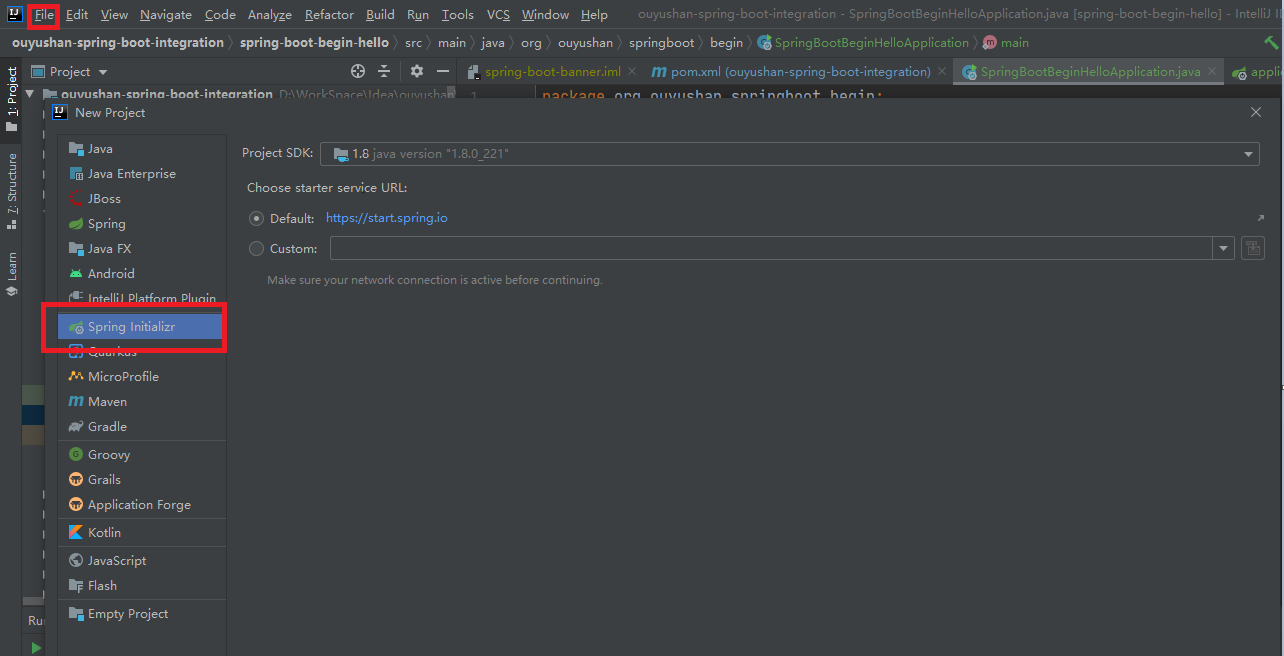
3.1、点击File -> New Project -> Spring Initializer,点击next
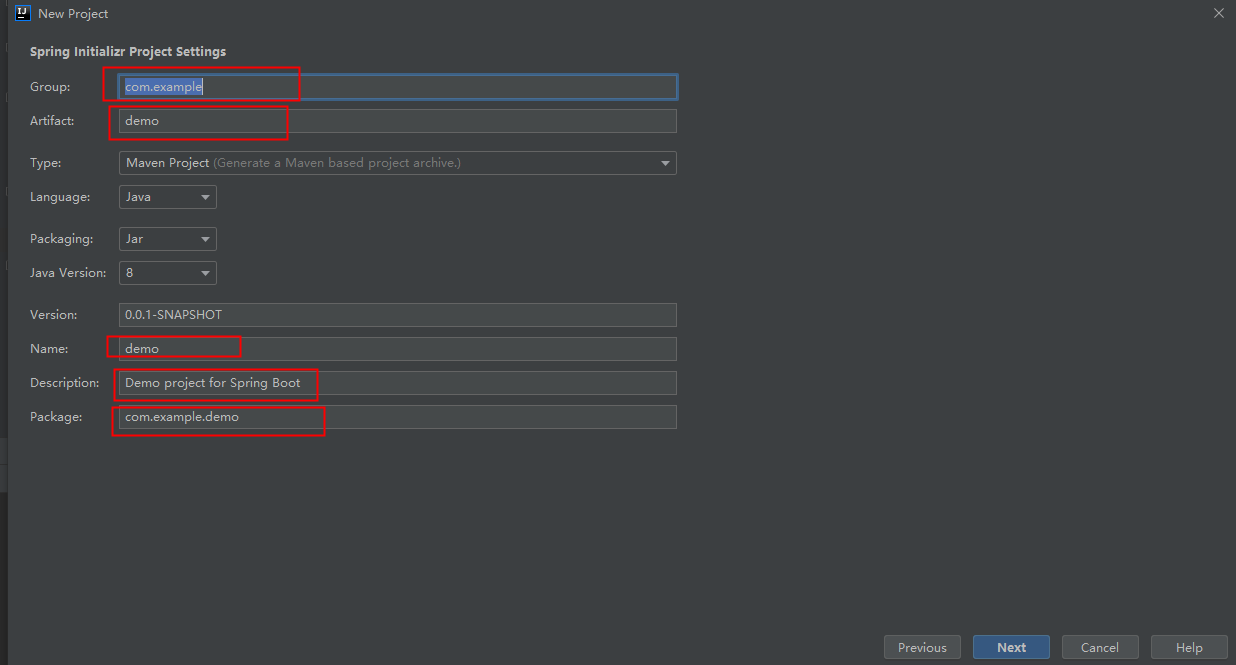
3.2、在对应地方修改自己的项目信息
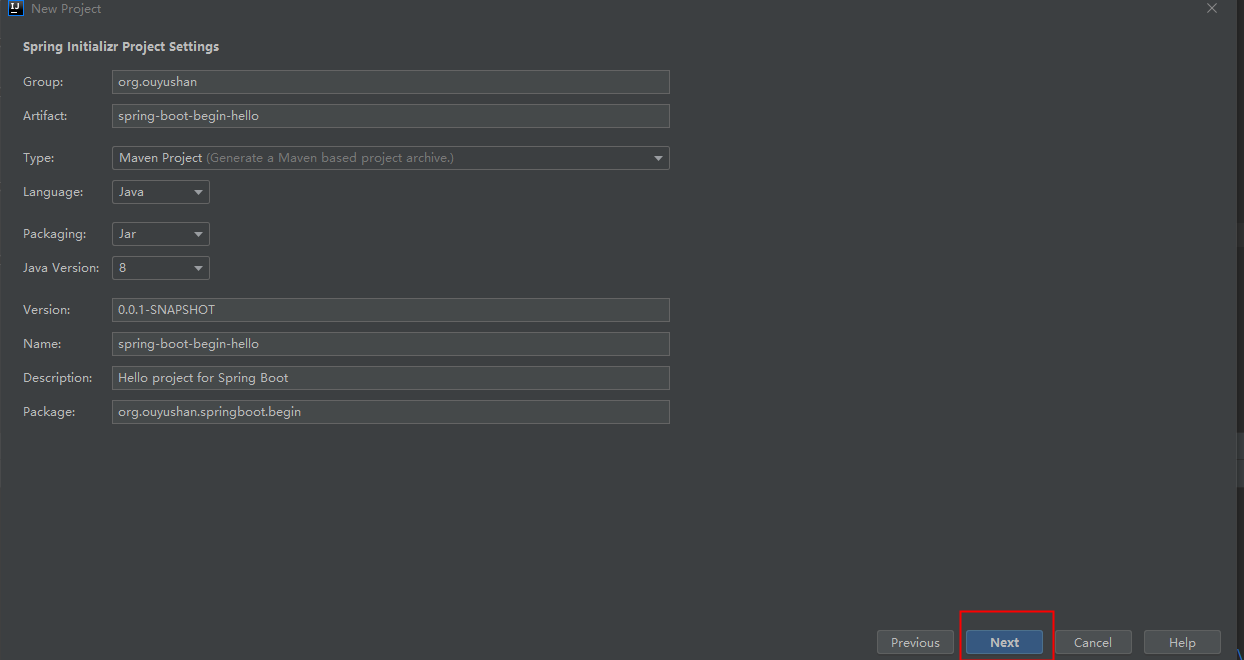
3.3、修改后如下,点击next
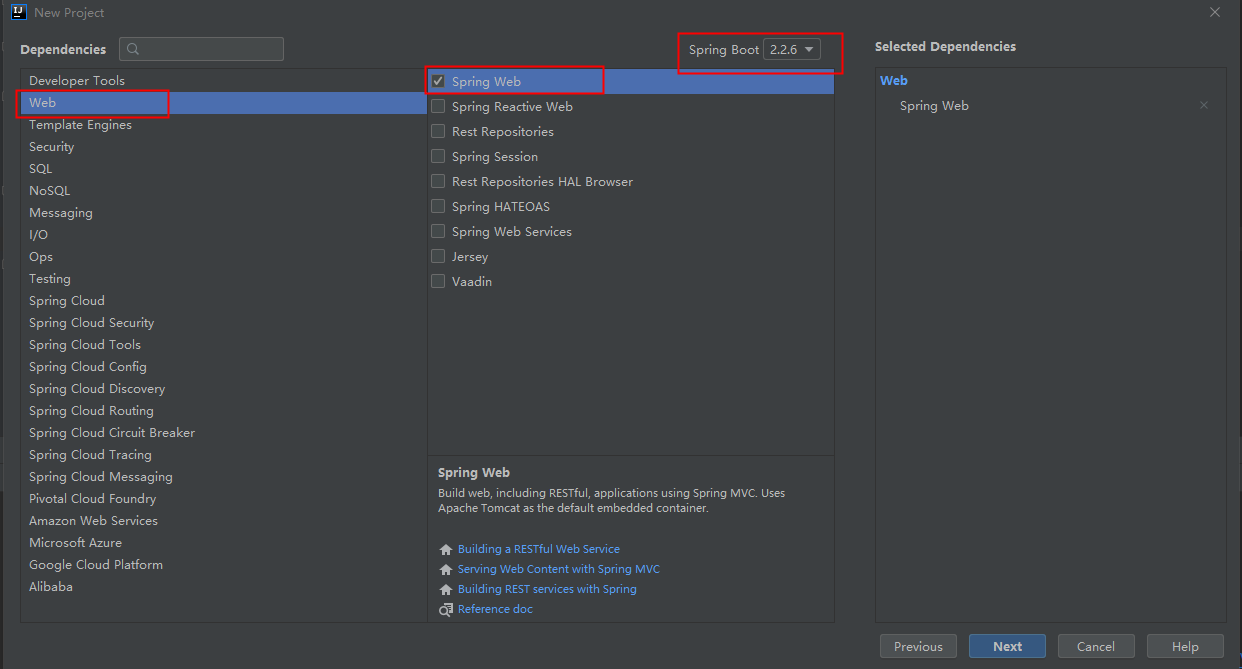
3.4、选择Web依赖,选中Spring Web。可以选择Spring Boot版本,本次默认为2.2.6,点击Next
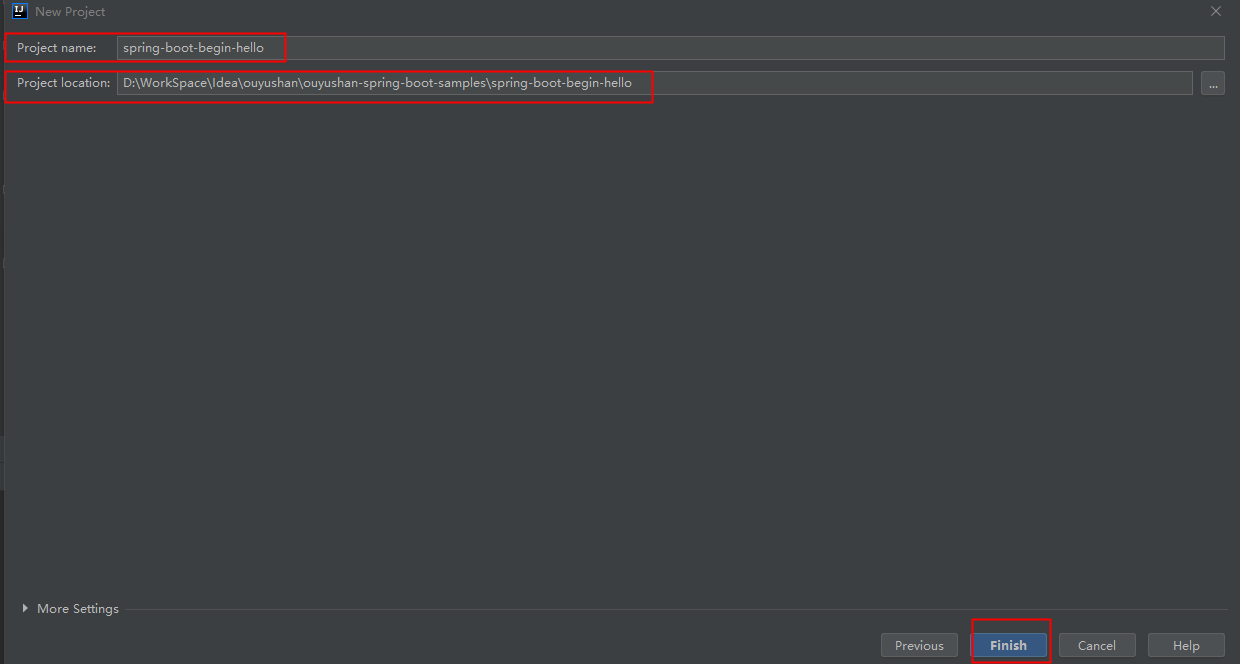
3.5、编辑工程名和项目路径,确定后点击Finish完成
3.6、完成新建工程
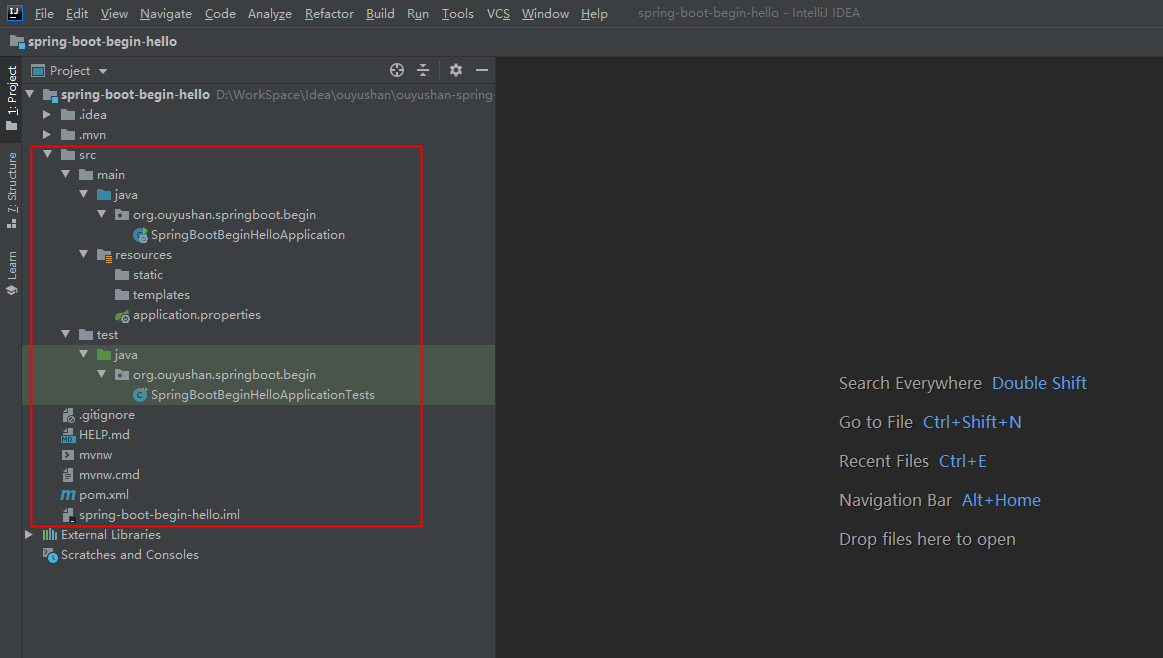
四、代码分析
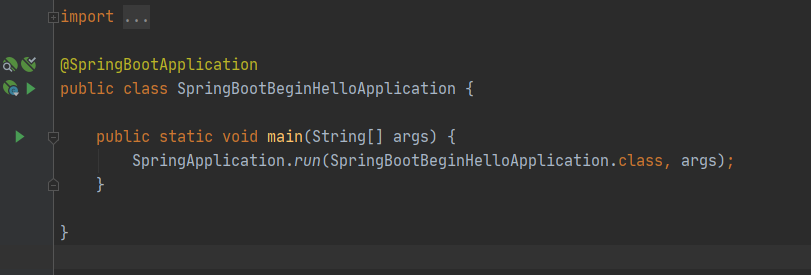
4.1、运行项目 执行SpringBootBeginHelloApplication下的main方法
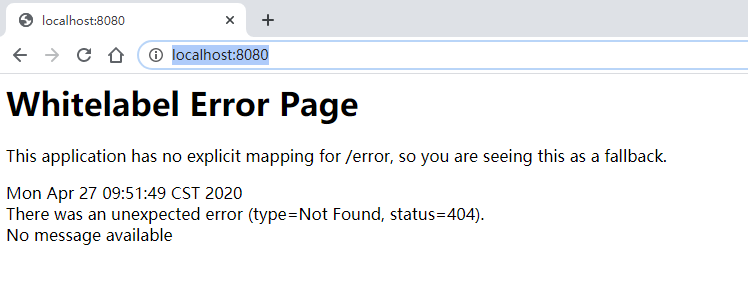
4.2、测试运行
4.3、新增测试接口
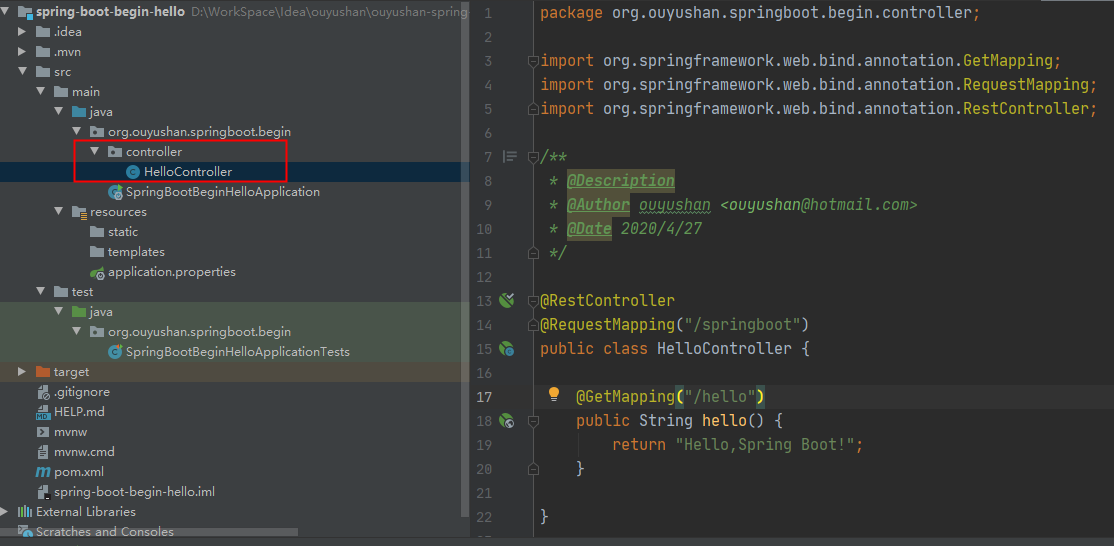
 package org.ouyushan.springboot.begin.controller;

 import org.springframework.web.bind.annotation.GetMapping;

 import org.springframework.web.bind.annotation.RequestMapping;

 import org.springframework.web.bind.annotation.RestController;

 /**

  * @Description

  * @Author ouyushan

 * @Email ouyushan@hotmail.com

 * @Date 2020/4/27

 */

 @RestController

 @RequestMapping("/springboot")

 public class HelloController {

     @GetMapping("/hello")

     public String hello() {

         return "Hello,Spring Boot!";

     }

 }
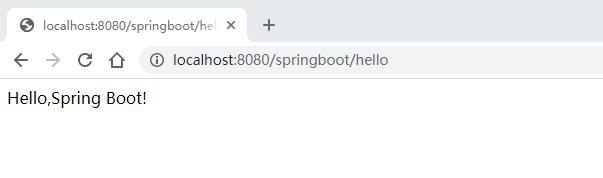
4.4、新接口测试
 <?xml version="1.0" encoding="UTF-8"?>

 <project xmlns="http://maven.apache.org/POM/4.0.0" xmlns:xsi="http://www.w3.org/2001/XMLSchema-instance"

          xsi:schemaLocation="http://maven.apache.org/POM/4.0.0 https://maven.apache.org/xsd/maven-4.0.0.xsd">

     <modelVersion>4.0.0</modelVersion>

     <parent>

         <groupId>org.springframework.boot</groupId>

         <artifactId>spring-boot-starter-parent</artifactId>

         <version>2.2.6.RELEASE</version>

         <relativePath/> <!-- lookup parent from repository -->

     </parent>

     <groupId>org.ouyushan</groupId>

     <artifactId>spring-boot-begin-hello</artifactId>

     <version>0.0.1-SNAPSHOT</version>

     <name>spring-boot-begin-hello</name>

     <description>Hello project for Spring Boot</description>

     <!--指定jdk版本-->

     <properties>

         <java.version>1.8</java.version>

     </properties>

     <dependencies>

         <!--指定spring boot web依赖-->

         <dependency>

             <groupId>org.springframework.boot</groupId>

             <artifactId>spring-boot-starter-web</artifactId>

         </dependency>

         <dependency>

             <groupId>org.springframework.boot</groupId>

             <artifactId>spring-boot-starter-test</artifactId>

             <scope>test</scope>

             <exclusions>

                 <exclusion>

                     <groupId>org.junit.vintage</groupId>

                     <artifactId>junit-vintage-engine</artifactId>

                 </exclusion>

             </exclusions>

         </dependency>

     </dependencies>

     <build>

         <plugins>

             <plugin>

                 <groupId>org.springframework.boot</groupId>

                 <artifactId>spring-boot-maven-plugin</artifactId>

             </plugin>

         </plugins>

     </build>

 </project>
五、知识点
5.1、spring boot 项目可通过以下方式指定jdk版本
     <!--指定jdk版本-->

     <properties>

         <java.version>1.8</java.version>

     </properties>
5.2、spring boot 端口默认是8080
Spring boot Sample 001之spring-boot-begin-hello的更多相关文章
- Spring boot Sample 012之spring-boot-web-upload
一.环境 1.1.Idea 2020.1 1.2.JDK 1.8 二.目的 spring boot 整合web实现文件上传下载 三.步骤 3.1.点击File -> New Project -& ...
- Spring boot Sample 0010之spring-boot-web-freemarker
一.环境 1.1.Idea 2020.1 1.2.JDK 1.8 二.目的 spring boot 整合freemarker模板开发web项目 三.步骤 3.1.点击File -> New Pr ...
- Spring boot Sample 009之spring-boot-web-thymeleaf
一.环境 1.1.Idea 2020.1 1.2.JDK 1.8 二.目的 spring boot 整合thymeleaf模板开发web项目 三.步骤 3.1.点击File -> New Pro ...
- Spring boot Sample 006之spring-boot-custom-servlet
一.环境 1.1.Idea 2020.1 1.2.JDK 1.8 二.步骤 2.1.点击File -> New Project -> Spring Initializer,点击next 2 ...
- Spring boot Sample 005之spring-boot-profile
一.环境 1.1.Idea 2020.1 1.2.JDK 1.8 二.目的 通过yaml文件配置spring boot 属性文件 三.步骤 3.1.点击File -> New Project - ...
- Spring Boot (五)Spring Data JPA 操作 MySQL 8
一.Spring Data JPA 介绍 JPA(Java Persistence API)Java持久化API,是 Java 持久化的标准规范,Hibernate是持久化规范的技术实现,而Sprin ...
- Spring 5.x 、Spring Boot 2.x 、Spring Cloud 与常用技术栈整合
项目 GitHub 地址:https://github.com/heibaiying/spring-samples-for-all 版本说明: Spring: 5.1.3.RELEASE Spring ...
- spring cloud教程之使用spring boot创建一个应用
<7天学会spring cloud>第一天,熟悉spring boot,并使用spring boot创建一个应用. Spring Boot是Spring团队推出的新框架,它所使用的核心技术 ...
- Spring Boot——2分钟构建spring web mvc REST风格HelloWorld
之前有一篇<5分钟构建spring web mvc REST风格HelloWorld>介绍了普通方式开发spring web mvc web service.接下来看看使用spring b ...
随机推荐
- 一元三次方程 double输出 -0.00
求一个 a*x*x*x+b*x*x+c*x+d 的解 题目很简单,但是我输出了-0.00,然后就一直卡着,这个问题以后要注意. 让0.00 编程-0.00的方法有很多. 第一种就是直接特判 if(fa ...
- 龟兔赛跑算法 floyed判环算法
今天写线段树写到要用到这个算法的题目,简单的学习一下. https://blog.csdn.net/javaisnotgood/article/details/89243876 https://blo ...
- JavaWebCase
目录 案例:用户登录 用户登录案例需求 分析 开发步骤 创建项目 创建数据库环境 创建包 com.my.domain,创建类User 创建包 com.my.dao,创建类UsesrDao,提供logi ...
- Neo4j填坑记录-Neo4jClient建立节点、建立关系相关
最近一个项目需要用到知识图谱,选用了neo4j图数据库,在这过程中遇到几个坑,记录一下 1.无法登录,疯狂提示“WebSocket connection failure. Due to securit ...
- MongoDB最佳安全实践
在前文[15分钟从零开始搭建支持10w+用户的生产环境(二)]中提了一句MongoDB的安全,有小伙伴留心了,在公众号后台问.所以今天专门开个文,写一下关于MongoDB的安全. 一.我的一次Mong ...
- 计算机组成及系统结构-第十章 输入输出(I/O)系统
输入输出(I/O)系统 一.概述 1.输入输出设备的编址 2.设备控制器(I/O接口)的基本功能 3.I/O设备数据传送控制方式 二.程序中断输入输出方式 1.中断的定义 2.中断的作用 3.中断的产 ...
- 日志系列1——slf4j日志框架原理
目录 1.前言 2.日志门面 3.日志库 4.日志适配器 5.日志库的选用 6.logback.xml 配置文件 1.前言 说到日志工具,日常工作或学习中肯定听过这些名词:log4j.logbac ...
- 新抽象语法树(AST)给 PHP7 带来的变化
本文大部分内容参照 AST 的 RFC 文档而成:https://wiki.php.net/rfc/abstract_syntax_tree,为了易于理解从源文档中节选部分进行介绍. 我的官方群点击此 ...
- java8 新特性Stream流的应用
作为一个合格的程序员,如何让代码更简洁明了,提升编码速度尼. 今天跟着我一起来学习下java 8 stream 流的应用吧. 废话不多说,直入正题. 考虑以下业务场景,有四个人员信息,我们需要根据性 ...
- 黑马程序员_毕向东_Java基础视频教程——赋值(随笔)
赋值 class Test{ public static void main(String[] args) { int i = 3; // += -= *= /= %= 它们凑一块成为一个运算符 x ...