
Scrapy 项目:QuotesBot
QuotesBot
This is a Scrapy project to scrape quotes from famous people from http://quotes.toscrape.com (github repo).
This project is only meant for educational purposes.
任务:
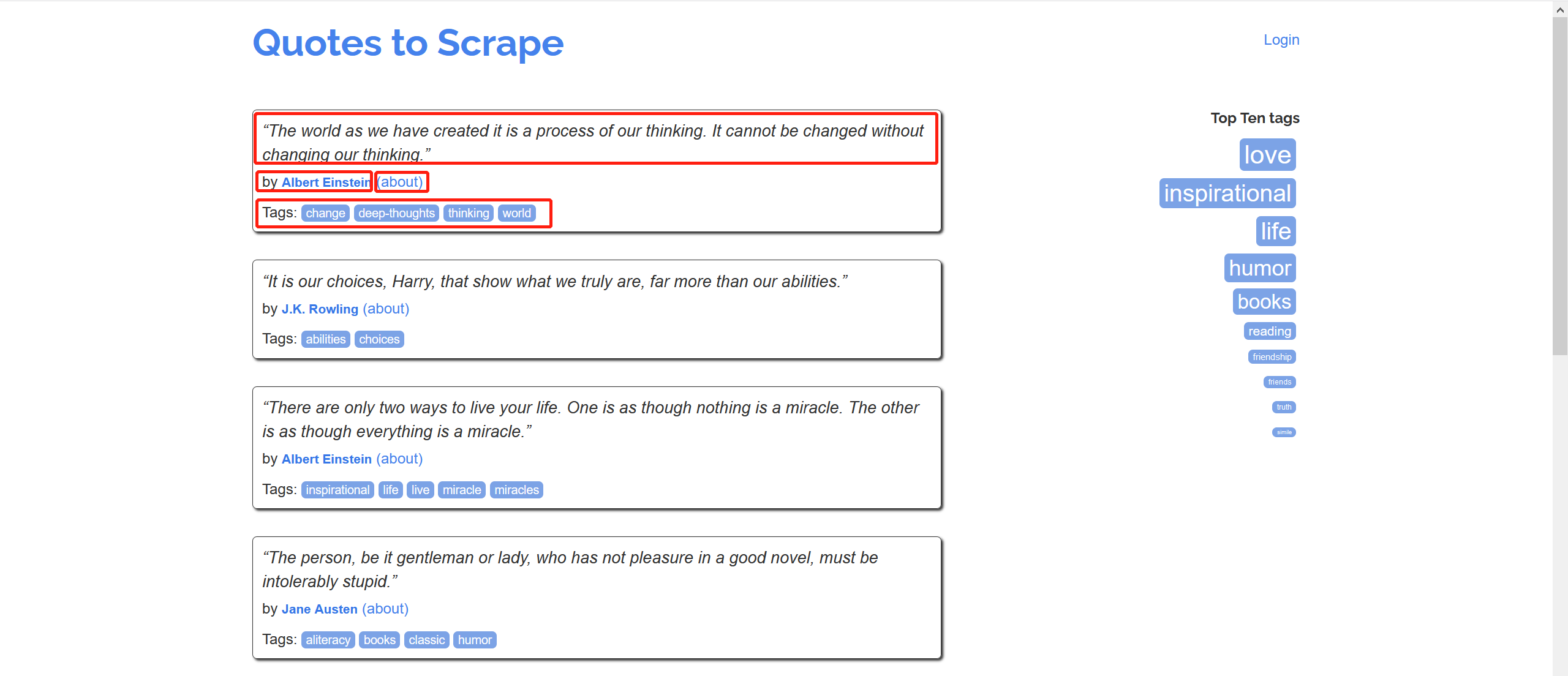
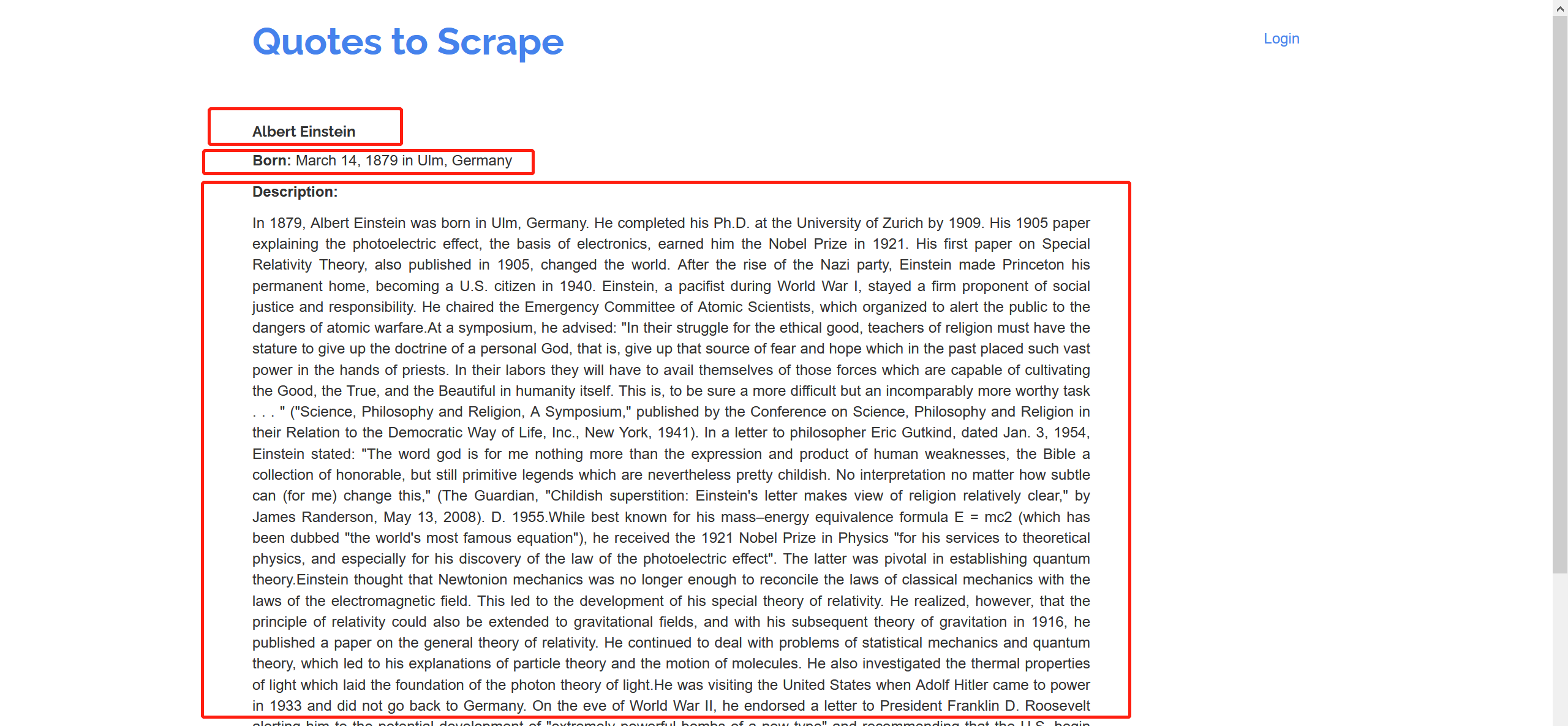
爬取该网站的名人名言、作者、作者信息(名字,生日、描述)以及名言标签,并保存
import scrapy

import re

class AuthorSpider(scrapy.Spider):

    name = "author"

    start_urls = ["http://quotes.toscrape.com/"]

    def parse(self, response):

        author_page_links = response.css('.author + a')

        yield from response.follow_all(author_page_links, self.parse_author)

        next_page_links = response.css('li.next a')

        yield from response.follow_all(next_page_links, self.parse)

    def parse_author(self, response):

        def extract_with_css(query):

            return response.css(query).get(default="").strip()

        yield {

            "name": extract_with_css("h3.author-title::text"),

            "birthdate": extract_with_css(".author-born-date::text"),

            "bio": extract_with_css(".author-description::text"),

        }
保存:
scrapy crawl spidername -o test.csv
项目练习:
Extracted data
This project extracts quotes, combined with the respective author names and tags. The extracted data looks like this sample:
{

    'author': 'Douglas Adams',

    'text': '“I may not have gone where I intended to go, but I think I ...”',

    'tags': ['life', 'navigation']

}
Spiders
This project contains two spiders and you can list them using the list command:
$ scrapy list

toscrape-css

toscrape-xpath
Both spiders extract the same data from the same website, but toscrape-css employs CSS selectors, while toscrape-xpath employs XPath expressions.
You can learn more about the spiders by going through the Scrapy Tutorial.
Running the spiders
You can run a spider using the scrapy crawl command, such as:
scrapy crawl toscrape-css
If you want to save the scraped data to a file, you can pass the -o option:
scrapy crawl toscrape-css -o quotes.json
项目代码:
class QuotesbotSpider(scrapy.Spider):

    name = "quotesbot"

    start_urls = ["http://quotes.toscrape.com"]

    def parse(self, response, **kwargs):

        for quote in response.css('div.quote'):

            yield {

                "author":quote.css(".author::text").get(),

                "text":quote.css(".text::text").get(),

                "tags":quote.css(".tags meta::attr(content)").get(),

            }

        next_page_link = response.css("li.next a")

        if next_page_link is not None:

            yield from response.follow_all(next_page_link, callbac
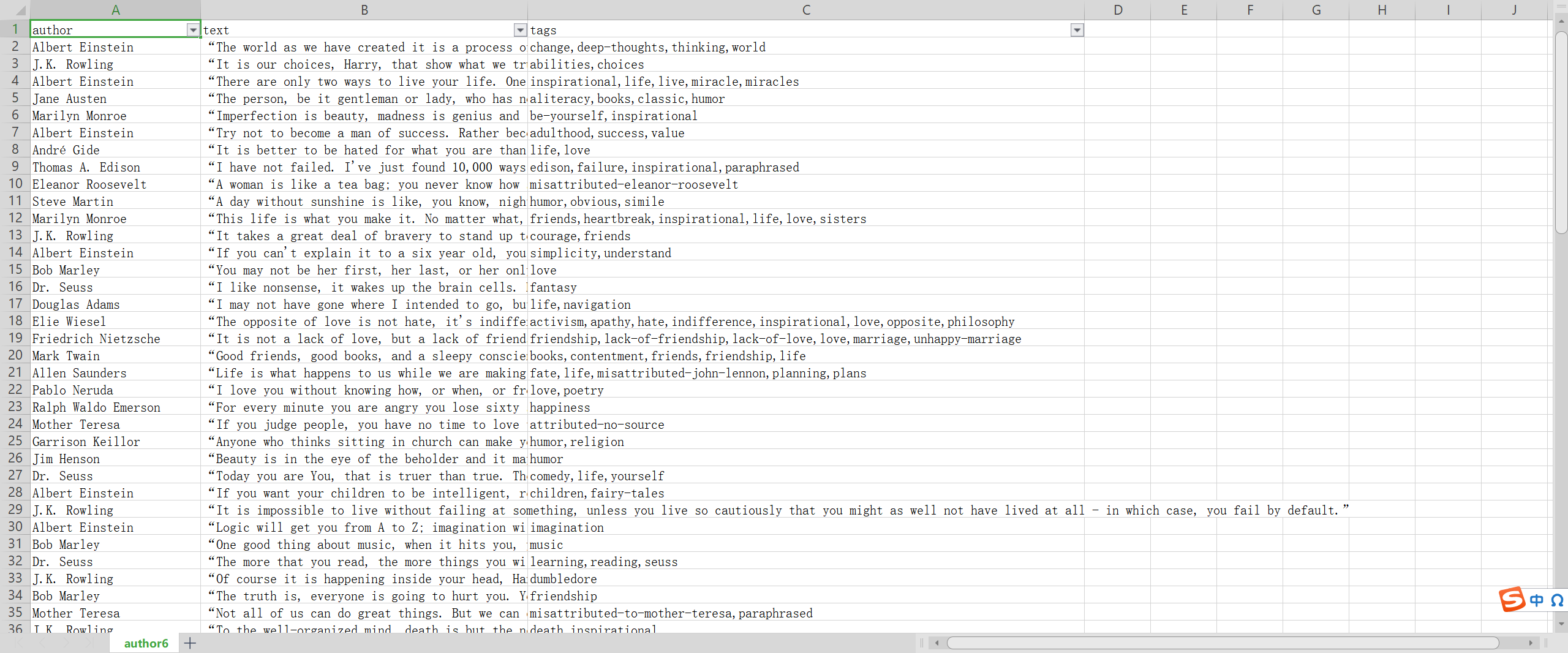
结果:
Scrapy 项目:QuotesBot的更多相关文章
- 亲测——pycharm下运行第一个scrapy项目 ©seven_clear
最近在学习scrapy,就想着用pycharm调试,但不知道怎么弄,从网上搜了很多方法,这里总结一个我试成功了的. 首先当然是安装scrapy,安装教程什么的网上一大堆,这里推荐一个详细的:http: ...
- scrapy(一)建立一个scrapy项目
本项目实现了获取stack overflow的问题,语言使用python,框架scrapy框架,选取mongoDB作为持久化数据库,redis做为数据缓存 项目源码可以参考我的github:https ...
- Python Scrapy项目创建(基础普及篇)
在使用Scrapy开发爬虫时,通常需要创建一个Scrapy项目.通过如下命令即可创建 Scrapy 项目: scrapy startproject ZhipinSpider 在上面命令中,scrapy ...
- pycharm创建scrapy项目教程及遇到的坑
最近学习scrapy爬虫框架,在使用pycharm安装scrapy类库及创建scrapy项目时花费了好长的时间,遇到各种坑,根据网上的各种教程,花费了一晚上的时间,终于成功,其中也踩了一些坑,现在整理 ...
- 【Python3爬虫】第一个Scrapy项目
Python版本:3.5 IDE:Pycharm 今天跟着网上的教程做了第一个Scrapy项目,遇到了很多问题,花了很多时间终于解决了== 一.Scrapy终端(scrapy shell) Sc ...
- eclipse创建scrapy项目
1. 您必须创建一个新的Scrapy项目. 进入您打算存储代码的目录中(比如否F:/demo),运行下列命令: scrapy startproject tutorial 2.在eclipse中创建一个 ...
- python爬虫scrapy项目详解(关注、持续更新)
python爬虫scrapy项目(一) 爬取目标:腾讯招聘网站(起始url:https://hr.tencent.com/position.php?keywords=&tid=0&st ...
- Scrapy项目创建以及目录详情
Scrapy项目创建已经目录详情 一.新建项目(scrapy startproject) 在开始爬取之前,必须创建一个新的Scrapy项目.进入自定义的项目目录中,运行下列命令: PS C:\scra ...
- Scrapy项目结构分析和工作流程
新建的空Scrapy项目: spiders目录: 负责存放继承自scrapy的爬虫类.里面主要是用于分析response并提取返回的item或者是下一个URL信息,每个Spider负责处理特定的网站或 ...
- 爬虫系列2:scrapy项目入门案例分析
本文从一个基础案例入手,较为详细的分析了scrapy项目的建设过程(在官方文档的基础上做了调整).主要内容如下: 0.准备工作 1.scrapy项目结构 2.编写spider 3.编写item.py ...
随机推荐
- MySql命令,吐血整理的Mysql,实话,真的吐血
MySql命令,吐血整理的Mysql,实话,真的吐血 1.基本操作 2.数据库操作 3.表的操作 4.数据操作 5.字符集编码 6.数据类型(列类型) 7.列属性(列约束) 8.建表规范 9.SELE ...
- linux yum rpm 和 apt-get dpkg 安装、卸载软件
一般来说著名的linux系统基本上分两大类: 1.RedHat系列:Redhat.Centos.Fedora等 2.Debian系列:Debian.Ubuntu等 RedHat 系列 ...
- 整理我的Git常见问题和命令
整理我的Git常见问题和命令 目录 整理我的Git常见问题和命令 提交注释规范 合并分支 clone & 切换分支 支持中文路径显示 账户及密码 基于远程分支创建本地分支 提交注释规范 举例: ...
- Pytest(18)pytest接口自动化完整框架思维导图
pytest接口自动化完整框架思维导图
- J - What Are You Talking About(map,字典树)
题意:上部分是单词表,下部分是句子,翻译句子.START开始,END结束. 思路:简单字典树. Ignatius is so lucky that he met a Martian yesterday ...
- hdu3938 Portal
Problem Description ZLGG found a magic theory that the bigger banana the bigger banana peel .This im ...
- hdu2196 Compute
Time Limit: 1000/1000 MS (Java/Others) Memory Limit: 32768/32768 K (Java/Others) Total Submission ...
- POJ1142 Smith Numbers 暴力+分解质因子
题意:题目定义了一个史密斯数,这个数的定义是:一个合数的各个位置上加起来的和等于它的素因数所有位置上的数字加起来的和.比如: 4937775=3∗5∗5∗658374+9+3+7+7+7+5=3+5+ ...
- 2.PowerShell概述
PowerShell PowerShell命令窗一般随系统带着,运行->输入:powershell,即可打开命令窗口. 命令 Powershell有诸多命令,兼容cmd命令 语法和命令 在此我推 ...
- ElasticSearch 搜索引擎概念简介
公号:码农充电站pro 主页:https://codeshellme.github.io 1,倒排索引 倒排索引是一种数据结构,经常用在搜索引擎的实现中,用于快速找到某个单词所在的文档. 倒排索引会记 ...