
kafka学习(五)Spring Boot 整合 Kafka
文章更新时间:2020/06/08
一、创建Spring boot 工程
创建过程不再描述,创建后的工程结构如下:

POM文件中要加入几个依赖:
<?xml version="1.0" encoding="UTF-8"?>

<project xmlns="http://maven.apache.org/POM/4.0.0" xmlns:xsi="http://www.w3.org/2001/XMLSchema-instance"

         xsi:schemaLocation="http://maven.apache.org/POM/4.0.0 https://maven.apache.org/xsd/maven-4.0.0.xsd">

    <modelVersion>4.0.0</modelVersion>

    <parent>

        <groupId>org.springframework.boot</groupId>

        <artifactId>spring-boot-starter-parent</artifactId>

        <version>2.1.9.RELEASE</version>

        <relativePath/> <!-- lookup parent from repository -->

    </parent>

    <groupId>com.zhbf</groupId>

    <artifactId>springboot</artifactId>

    <version>0.0.1-SNAPSHOT</version>

    <name>springboot</name>

    <description>Demo project for Spring Boot</description>

    <properties>

        <java.version>1.8</java.version>

    </properties>

    <dependencies>

        <dependency>

            <groupId>org.springframework.boot</groupId>

            <artifactId>spring-boot-starter-web</artifactId>

        </dependency>

        <dependency>

            <groupId>org.projectlombok</groupId>

            <artifactId>lombok</artifactId>

            <optional>true</optional>

        </dependency>

        <dependency>

            <groupId>org.springframework.boot</groupId>

            <artifactId>spring-boot-starter-test</artifactId>

            <scope>test</scope>

        </dependency>

        <!--引入kafka依赖-->

        <dependency>

            <groupId>org.springframework.kafka</groupId>

            <artifactId>spring-kafka</artifactId>

        </dependency>

        <!-- 添加 gson 依赖 -->

        <dependency>

            <groupId>com.google.code.gson</groupId>

            <artifactId>gson</artifactId>

            <version>2.8.5</version>

        </dependency>

    </dependencies>

    <build>

        <plugins>

            <plugin>

                <groupId>org.springframework.boot</groupId>

                <artifactId>spring-boot-maven-plugin</artifactId>

            </plugin>

        </plugins>

    </build>

</project>
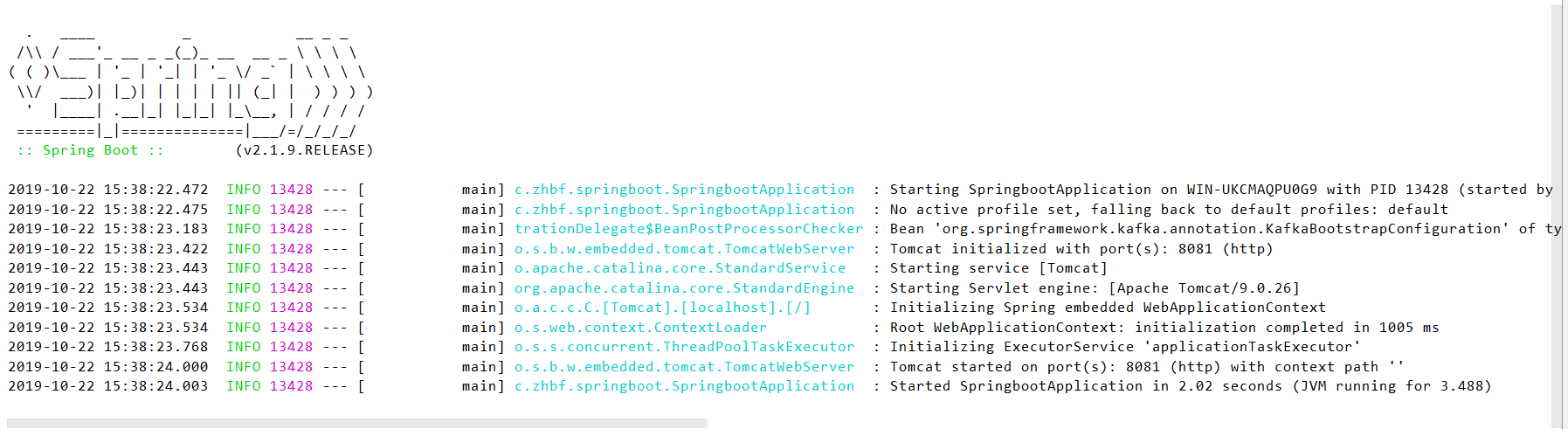
启动SpringbootApplication.java,出现下图界面则说明工程创建好了:
二、创建kafka生产者类,并通过控制器调用
kafka生产者类
/**

 * Kafka消息生产类

 */

@Log

@Component

public class KafkaProducer {

    @Resource

    private KafkaTemplate<String, String> kafkaTemplate;

    @Value("${kafka.topic.user}")

    private String topicUser;//topic名称

    /**

     * 发送用户消息

     *

     * @param user 用户信息

     */

    public void sendUserMessage(User user) {

        GsonBuilder builder = new GsonBuilder();

        builder.setPrettyPrinting();

        builder.setDateFormat("yyyy-MM-dd HH:mm:ss");

        String message = builder.create().toJson(user);

        kafkaTemplate.send(topicUser, message);

        log.info("\n生产消息至Kafka\n" + message);

    }

}
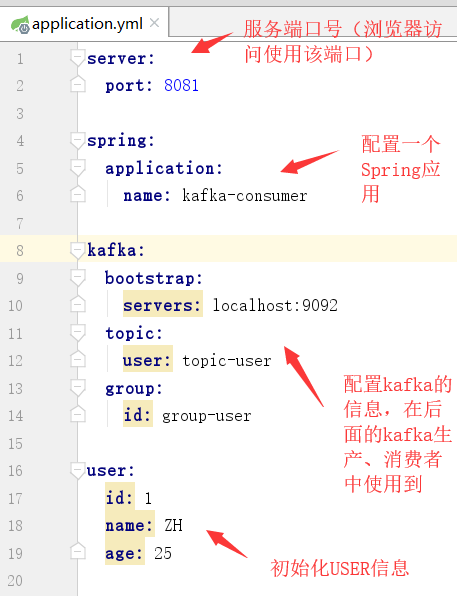
application.yml配置文件
启动ZK、kafka通讯的服务器broker,并启动消费者监听
启动方式参考上一篇文章,戳这里~
配置一个控制器,即调用kafka生成消息的入口
/**

 * 测试控制器

 * PS:@RestController 注解: 该注解是 @Controller 和 @ResponseBody 注解的合体版

 */

@RestController

@RequestMapping("/kafka")

public class KafkaController {

    @Autowired

    private User user;

    @Autowired

    private KafkaProducer kafkaProducer;

    @RequestMapping("/createMsg")

    public void createMsg() {

        kafkaProducer.sendUserMessage(user);

    }

}
启动SpringbootApplication,并通过浏览器访问控制器,生成消息


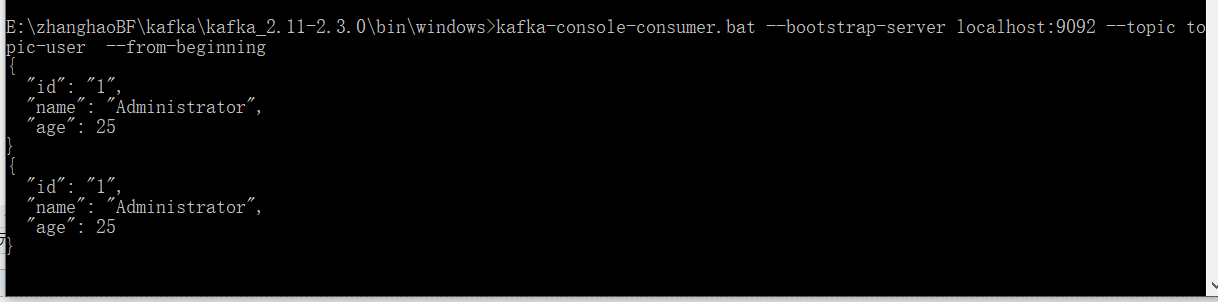
可以看到控制台和消费者窗口都打印了kafka生成的消息。
三、创建kafka消费者类,并通过控制器调用
kafka消费者类
public class KafkaConsumerDemo {

    @Value("${kafka.topic.user}")

    private String topicUser;//topic名称

    public void consume() {

        Properties props = new Properties();

        // 必须设置的属性

        props.put("bootstrap.servers", "127.0.0.1:9092");

        props.put("key.deserializer", "org.apache.kafka.common.serialization.StringDeserializer");

        props.put("value.deserializer", "org.apache.kafka.common.serialization.StringDeserializer");

        props.put("group.id", "group-user");

        // 可选设置属性

        //提交方式配置

        // 自动提交offset,每1s提交一次(提交后的消息不再消费,避免重复消费问题)

        props.put("enable.auto.commit", "true");//自动提交offset:true【PS:只有当消息提交后,此消息才不会被再次接受到】

        props.put("auto.commit.interval.ms", "1000");//自动提交的间隔

        //消费方式配置

        /**

         * earliest: 当各分区下有已提交的offset时,从提交的offset开始消费;无提交的offset时,从头开始消费

         * latest: 当各分区下有已提交的offset时,从提交的offset开始消费;无提交的offset时,消费新产生的该分区下的数据

         * none: topic各分区都存在已提交的offset时,从offset后开始消费;只要有一个分区不存在已提交的offset,则抛出异常

         */

        props.put("auto.offset.reset", "earliest ");//earliest:当各分区下有已提交的offset时,从提交的offset开始消费;无提交的offset时,从头开始消费

        //拉取消息设置

        props.put("max.poll.records", "100 ");//每次poll操作最多拉取多少条消息(一般不主动设置,取默认的就好)

        //根据上面的配置,新增消费者对象

        KafkaConsumer<String, String> consumer = new KafkaConsumer<>(props);

        // 订阅topic-user topic

        consumer.subscribe(Collections.singletonList(topicUser));

        while (true) {

            //  从服务器开始拉取数据

            ConsumerRecords<String, String> records = consumer.poll(Duration.ofMillis(100));

            records.forEach(record -> {

                System.out.printf("成功消费消息:topic = %s ,partition = %d,offset = %d, key = %s, value = %s%n", record.topic(), record.partition(), record.offset(), record.key(), record.value());

            });

        }

    }

}
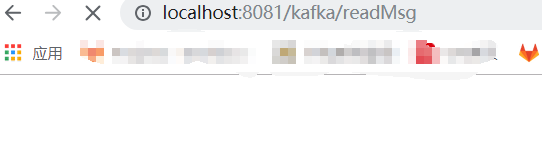
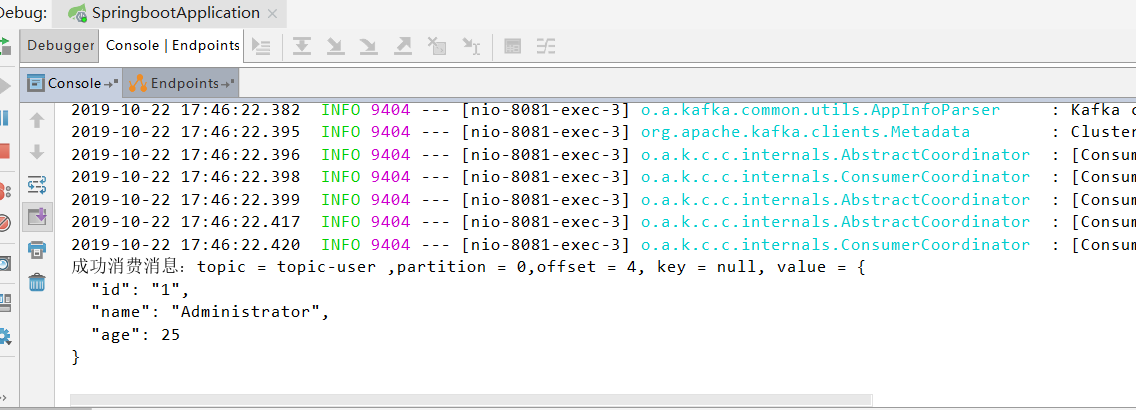
重启SpringbootApplication,并通过浏览器访问控制器,消费消息
kafka学习(五)Spring Boot 整合 Kafka的更多相关文章
- Spring Boot 项目学习 (四) Spring Boot整合Swagger2自动生成API文档
0 引言 在做服务端开发的时候,难免会涉及到API 接口文档的编写,可以经历过手写API 文档的过程,就会发现,一个自动生成API文档可以提高多少的效率. 以下列举几个手写API 文档的痛点: 文档需 ...
- spring boot整合kafka
最近项目需求用到了kafka信息中间件,在此做一次简单的记录,方便以后其它项目用到. 引入依赖 <dependency> <groupId>org.springframewor ...
- Elasticsearch学习(3) spring boot整合Elasticsearch的原生方式
前面我们已经介绍了spring boot整合Elasticsearch的jpa方式,这种方式虽然简便,但是依旧无法解决我们较为复杂的业务,所以原生的实现方式学习能够解决这些问题,而原生的学习方式也是E ...
- Spring Boot2 系列教程(二十五)Spring Boot 整合 Jpa 多数据源
本文是 Spring Boot 整合数据持久化方案的最后一篇,主要和大伙来聊聊 Spring Boot 整合 Jpa 多数据源问题.在 Spring Boot 整合JbdcTemplate 多数据源. ...
- spring boot 2.x 系列 —— spring boot 整合 kafka
文章目录 一.kafka的相关概念: 1.主题和分区 2.分区复制 3. 生产者 4. 消费者 5.broker和集群 二.项目说明 1.1 项目结构说明 1.2 主要依赖 二. 整合 kafka 2 ...
- Elasticsearch学习(1) Spring boot整合Elasticsearch
本文的Spring Boot版本为1.5.9,Elasticsearch版本为2.4.4,话不多说,直接上代码. 一.启动Elasticsearch 在官网上下载Elasticsearch后,打开bi ...
- Elasticsearch学习(4) spring boot整合Elasticsearch的聚合操作
之前已将spring boot原生方式介绍了,接下将结介绍的是Elasticsearch聚合操作.聚合操作一般来说是解决一下复杂的业务,比如mysql中的求和和分组,由于博主踩的坑比较多,所以博客可能 ...
- spring boot 整合kafka 报错 Exception thrown when sending a message with key='null' and payload=JSON to topic proccess_trading_end: TimeoutException: Failed to update metadata after 60000 ms.
org.springframework.kafka.support.LoggingProducerListener- Exception thrown when sending a message w ...
- Spring Boot 项目学习 (三) Spring Boot + Redis 搭建
0 引言 本文主要介绍 Spring Boot 中 Redis 的配置和基本使用. 1 配置 Redis 1. 修改pom.xml,添加Redis依赖 <!-- Spring Boot Redi ...
随机推荐
- 团队作业1:团队展示&选题(歪瑞古德小队)
目录 一.团队展示 1.1 队名:歪瑞古德小队 1.2 队员信息 1.3 项目描述 1.4 队员风采 1.5 团队分工 1.6 团队合照 1.7 团队特色 二.团队选题 2.1 Git仓库:https ...
- 从《三体》到“中美科技战”,3分钟理解“网络”D丝为什么要迎娶“算力”白富美
摘要:在多维的世界里,高维的文明对于低维文明具有碾压的优势,而网络也正在从二维走向三维!网络硬件的竞争主要是“芯片+算法”. 从三体到中美科技战,理解网络与算力深度融合助力高维度竞争 1:对抗封锁,需 ...
- java23种设计模式——七、桥接模式
原文地址:https://www.cnblogs.com/chenssy/p/3317866.html 源码在我的github和gitee中获取 目录 java23种设计模式-- 一.设计模式介绍 j ...
- 一个神奇的jq插件----zTree
最近在公司做项目中用到了一个树(ztree)的插件,使用起来非常顺手,便写下这篇博客,用来记录一下,以便后续使用 首先先放上ztree官方的地址:http://www.treejs.cn/v3/mai ...
- Python错误,pip安装包或更新时因超时而报错误
报错原因 想要使用pip,结果出下以下警告: 很多人学习python,不知道从何学起.很多人学习python,掌握了基本语法过后,不知道在哪里寻找案例上手.很多已经做案例的人,却不知道如何去学习更加高 ...
- 除了方文山,用TA你也能帮周杰伦写歌词了
周杰伦几乎陪伴了每个90后的青春,那如果AI写杰伦风格的歌词会写成怎样呢? 首先当然我们需要准备杰伦的歌词,这里一共收录了他的十几张专辑,近5000多行歌词. 原文档格式: 第一步数据预处理 def ...
- 【Android】Android开发实现进度条效果,SeekBar的简单使用。音量,音乐播放进度,视频播放进度等
作者:程序员小冰,GitHub主页:https://github.com/QQ986945193 新浪微博:http://weibo.com/mcxiaobing 首先给大家看一下我们今天这个最终实现 ...
- Spine学习六 - 碰撞检测
相信在使用Spine做游戏的时候,肯定会遇到这样的需求: 一个人物有一把大刀,要使用这把大刀去砍怪,伤害检测以这把大刀砍刀怪物为准,那么要怎么在一个看上去就是一体的Spine Object上绑定一个碰 ...
- google protocol buffer——protobuf的问题及改进一
这一系列文章主要是对protocol buffer这种编码格式的使用方式.特点.使用技巧进行说明,并在原生protobuf的基础上进行扩展和优化,使得它能更好地为我们服务. 在上一篇文章中,我们完整了 ...
- shell小技巧(7)shell运行调试
可以在sh内使用set -x,使用后,会打印每条命令的输出 在shell中设置 set -x 开启 set +x 关闭 也可以在执行脚本时加参数 sh -x *.sh