
abp(net core)+easyui+efcore实现仓储管理系统——ABP升级7.3下(五十九)
Abp(net core)+easyui+efcore实现仓储管理系统目录
承接上文abp(net core)+easyui+efcore实现仓储管理系统——ABP升级7.3上(五十八)继续来讲讲升级过程中碰到的问题。
第四个问题
升级过程中碰到的第四个问题:Value cannot be null. (Parameter 'unitOfWork')
在Visual Studio 2022 的解决方案资源管理器中,找到ABP.TPLMS.Application项目中的Modules文件夹中的ModuleAppService.cs文件,是这个文件中的GetAll()方法报了这个错误。错误信息如下图。具体代码如下。
   public List<Module> GetAll()

        {

            var modules= _moduleRepository.GetAllListAsync();

             return modules.Result;

    }
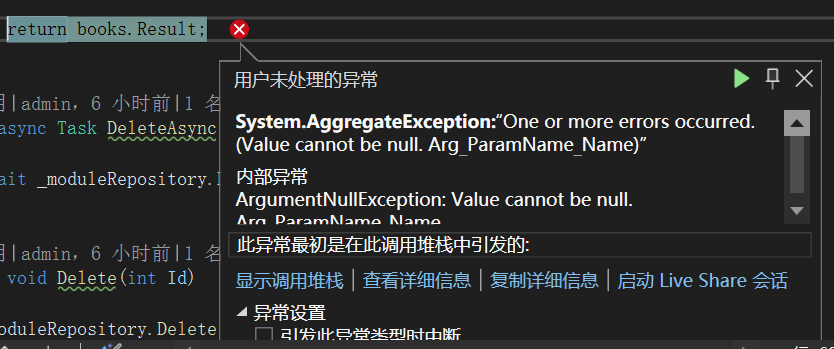
在“用户未处理的异常”信息弹出框中,使用鼠标左键点击“查看详细信息”,会弹出“快速监视”弹出框,如下图。我们看到具体的错误信息是Value cannot be null. (Parameter 'unitOfWork')
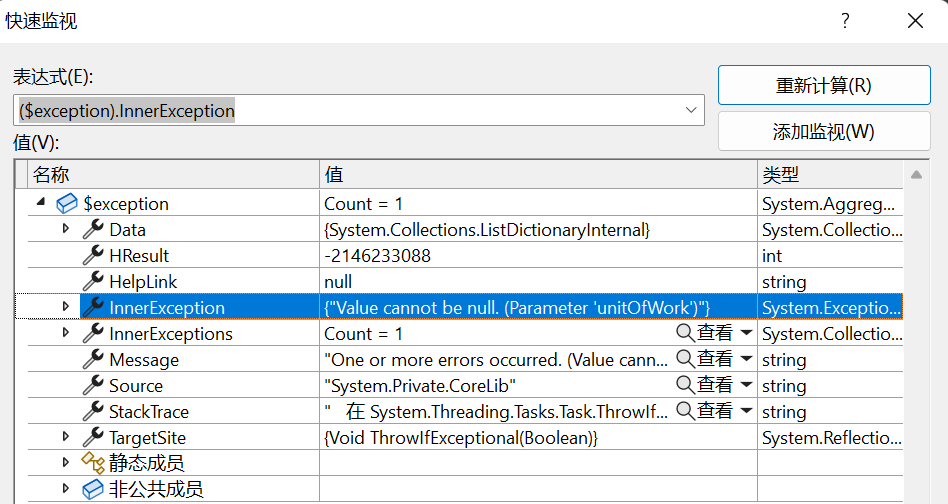
经过一番的资料搜集,最后在官网的文档(https://aspnetboilerplate.com/Pages/Documents/Unit-Of-Work#non-transactional-unit-of-work)中找到以下这段,说明了这个错误。解决方案也在文档中。
By its nature, a unit of work is transactional. ASP.NET Boilerplate starts, commits or rolls back an explicit database-level transaction. In some special cases, the transaction may cause problems since it may lock some rows or tables in the database. In these situations, you may want to disable the database-level transaction. The UnitOfWork attribute can get a boolean value in its constructor to work as non-transactional. Example usage:
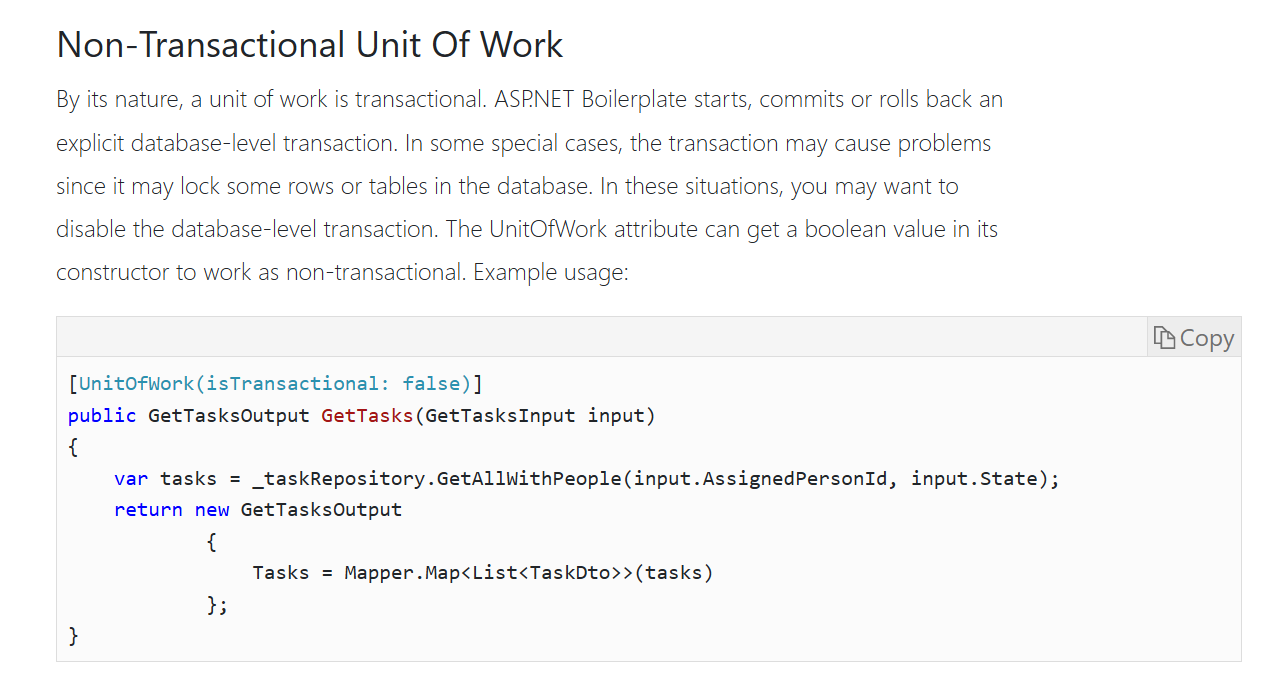
在Visual Studio 2022 的解决方案资源管理器中,找到ABP.TPLMS.Application项目中的Modules文件夹中的ModuleAppService.cs文件,是这个文件中的GetAll()上方添加禁用UnitOfWork事务的特性。具体代码如下:
[UnitOfWork(isTransactional:false)]

        public List<Module> GetAll()

        {

            var modules = _moduleRepository.GetAllListAsync();

            return modules.Result;

        }
第五个问题
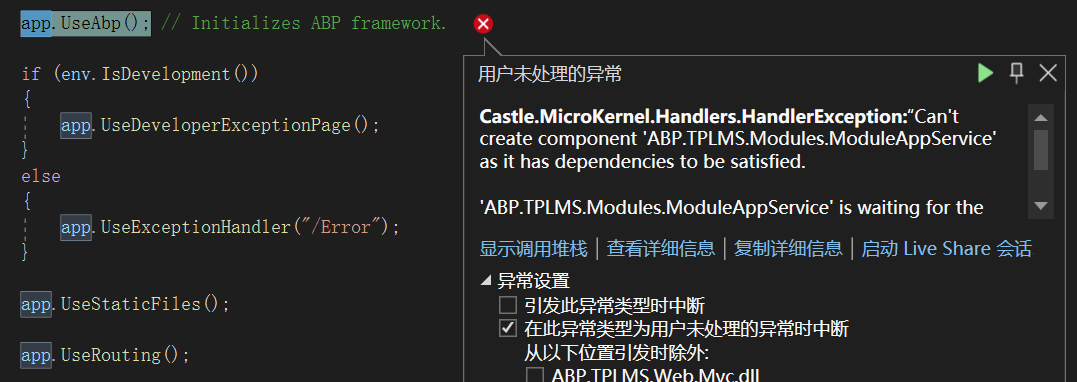
升级过程中碰到的第五个问题:Can't create component 'ABP.TPLMS.Modules.ModuleAppService' as it has dependencies to be satisfied.Service 'AutoMapper.IMapper' which was not registered.
在Visual Studio 2022 的解决方案资源管理器中,按F5运行,Visual Studio 2022又抛出一个新的错误。这个问题实际上是之前的第三个问题的后续,由于第三个问题没有解决好,才引发了这个问题。错误信息如下图。
public class ModuleAppService : ApplicationService, IModuleAppService

    {

        private readonly IRepository<Module> _moduleRepository;

        AutoMapper.IMapper m_map;

        public ModuleAppService(IRepository<Module> moduleRepository, IMapper map)

        {

            _moduleRepository = moduleRepository;

            m_map = map;

        }

}
在“用户未处理的异常”信息弹出框中,使用鼠标左键点击“查看详细信息”,会弹出“快速监视”弹出框,如下图。我们看到具体的错误信息是:
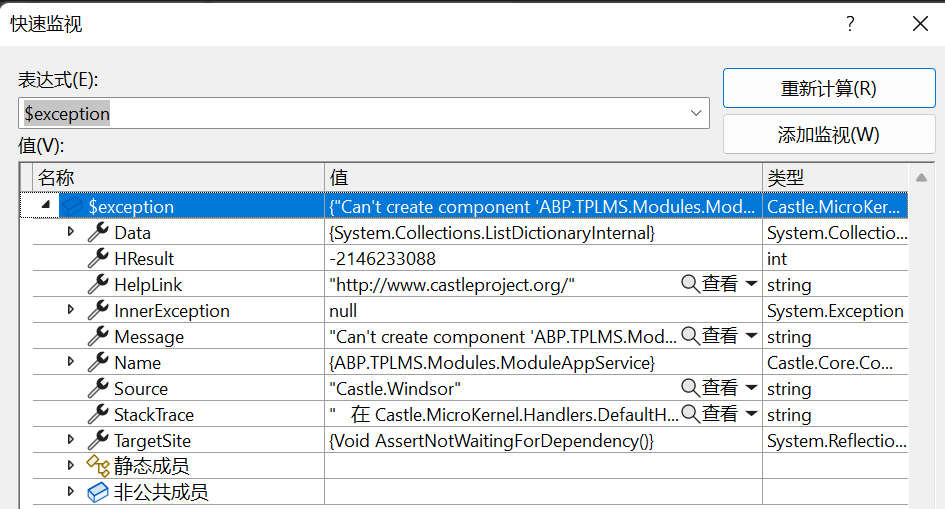
具体的错误信息如下:
      Can't create component 'ABP.TPLMS.Modules.ModuleAppService' as it has dependencies to be satisfied.

 'ABP.TPLMS.Modules.ModuleAppService' is waiting for the following dependencies:

- Service 'AutoMapper.IMapper' which was not registered.
这个错误,说明我们的注入方式错误,AutoMapper没有注册,但是我们这是ABP,不是单独使用AutoMapper,需要单独注册,有人会去从nuget上安装automapper包,然后进行注册。我认为,应该有一种方式能解决这个问题。我找到的方法是使用ObjectMapper.Map方法,具体代码如下。
using Abp.Application.Services;

using Abp.Application.Services.Dto;

using Abp.Domain.Repositories;

using Abp.Domain.Uow;

using ABP.TPLMS.Entitys;

using ABP.TPLMS.Modules.Dto;

using AutoMapper;

using System;

using System.Collections;

using System.Collections.Generic;

using System.Data.Common;

using System.Reflection.PortableExecutable;

using System.Text;

using System.Threading.Tasks;

namespace ABP.TPLMS.Modules

{

    public class ModuleAppService : ApplicationService, IModuleAppService

    {

        private readonly IRepository<Module> _moduleRepository;

      // AutoMapper.IMapper m_map;

        public ModuleAppService(IRepository<Module> moduleRepository)

        {

            _moduleRepository = moduleRepository;

           // m_map =map;

        }

        public Task CreateAsync(CreateUpdateModuleDto input)

        {

           var module= ObjectMapper.Map<Module>(input);

           // var module = Mapper.Map<Module>(input);

            return _moduleRepository.InsertAsync(module);

        }

        public Task UpdateAsync(CreateUpdateModuleDto input)

        {

            Logger.Info("更新操作-日记记录 - 模块类型的名称 为:" + input.DisplayName);

            var module = ObjectMapper.Map<Module>(input);

           // var module = m_map.Map<Module>(input);

            return _moduleRepository.UpdateAsync(module);

        }

        public async Task<ListResultDto<ModuleDto>> GetAllAsync()

        {

            var modules = await _moduleRepository.GetAllListAsync();

            return new ListResultDto<ModuleDto>(ObjectMapper.Map<List<ModuleDto>>(modules));

        }

        [UnitOfWork(isTransactional:false)]

        public List<Module> GetAll()

        {

            var modules = _moduleRepository.GetAllListAsync();

           return modules.Result;

        }

        public async Task DeleteAsync(int Id)

        {

             await _moduleRepository.DeleteAsync(Id);

         }

        public  void Delete(int Id)

        {

             _moduleRepository.Delete(Id);

        }

    }

}
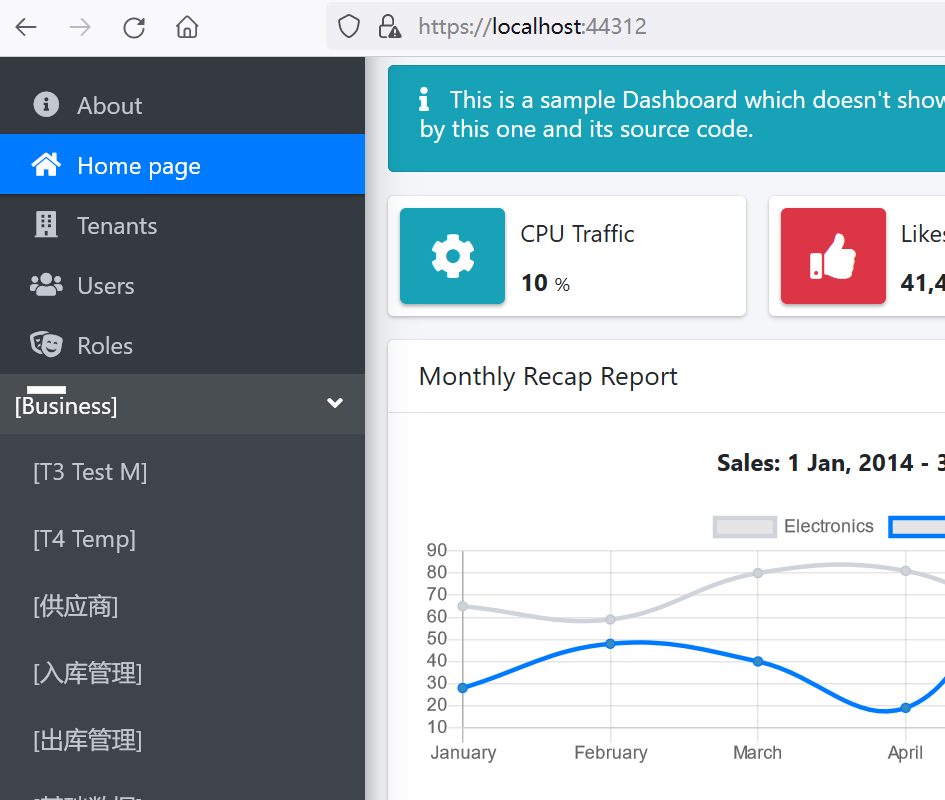
在修改完了代码之后,在Visual Studio 2022中按F5运行,终于看到了登录界面,在登录界面中的用户名中输入admin,在密码输入框中输入123qwe这个默认密码。浏览器自动跳转到了首页面。如下图。
第六个问题:
升级过程中碰到的第六个问题:Missing type map configuration or unsupported mapping.
在浏览器的左边的菜单栏中有一个Business菜单,使用鼠标左键点击,展开。在展开的菜单栏,使用鼠标左键点击“模块管理”,Visual Studio 2022将会弹出一个错误。如下图。
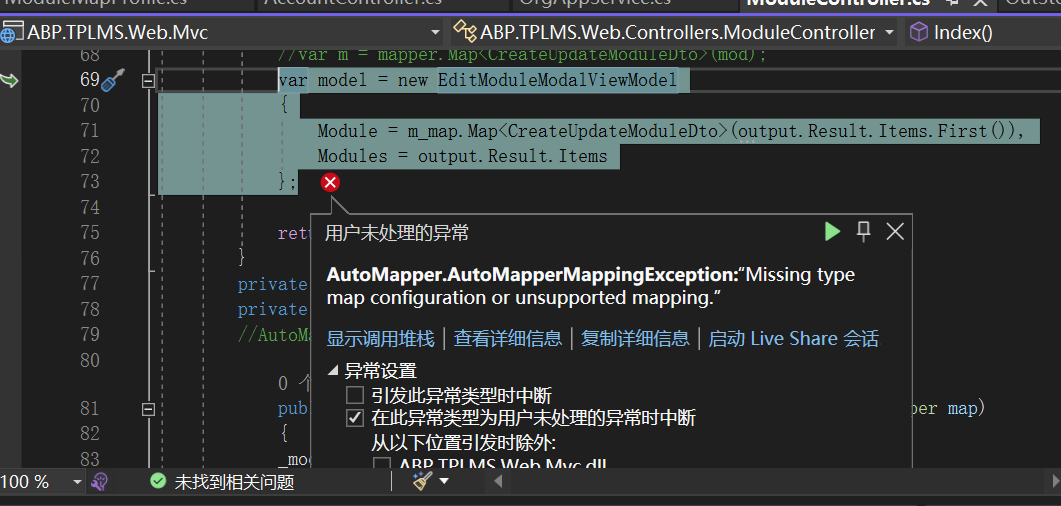
在“用户未处理的异常”信息弹出框中,使用鼠标左键点击“查看详细信息”,会弹出“快速监视”弹出框,如下图。我们看到具体的错误信息是:
Missing type map configuration or unsupported mapping.

      Mapping types:

      Object -> CreateUpdateModuleDto

       System.Object -> ABP.TPLMS.Modules.Dto.CreateUpdateModuleDto
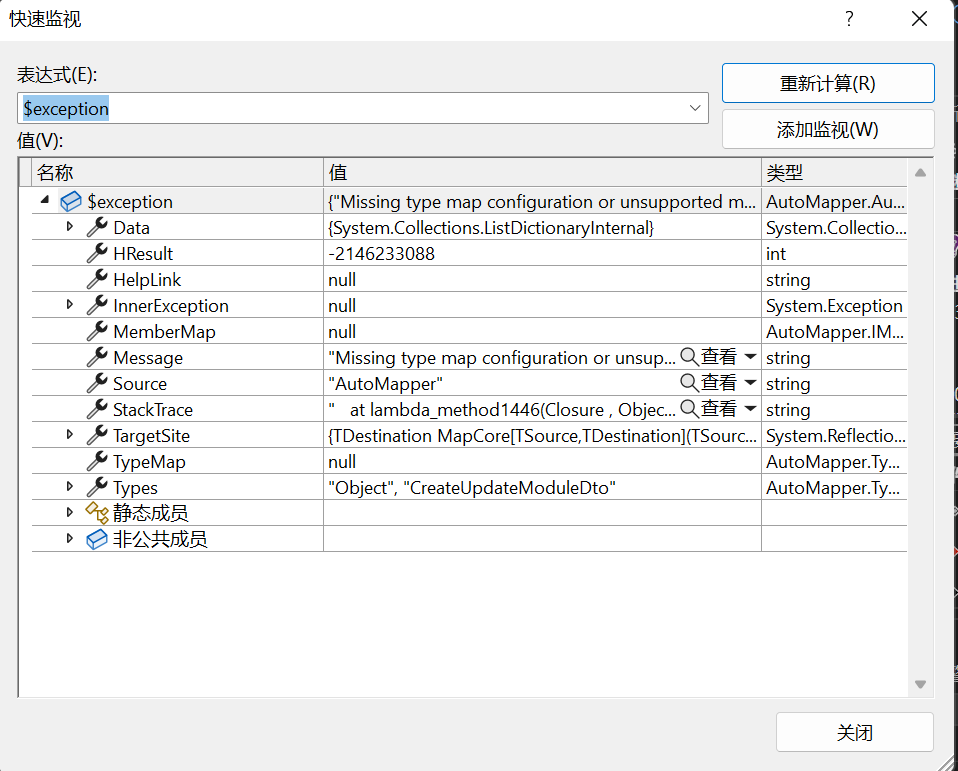
这个错误是由于我们没有定义autoMapper需要的配置信息。
1. 在Visual Studio 2022的“解决方案资源管理器”中,左键单击“ABP.TPLMS.Application”项目,进行展开,找到“Modules\Dto”文件夹。
2.右键单击“Dto”文件夹,然后选择“添加” > “类”。 将类命名为 ModuleMapProfile,然后选择“添加”。代码如下。
using ABP.TPLMS.Authorization.Users;

using ABP.TPLMS.Entitys;

using ABP.TPLMS.Users.Dto;

using AutoMapper;

using System;

using System.Collections.Generic;

using System.Linq;

using System.Text;

using System.Threading.Tasks;

namespace ABP.TPLMS.Modules.Dto

{

    public class ModuleMapProfile:Profile

    {

        public ModuleMapProfile()

        {

            CreateMap<ModuleDto, Module>();

            CreateMap<ModuleDto, CreateUpdateModuleDto>();

           CreateMap<CreateUpdateModuleDto, Module>();

        }

    }

}
3.在添加完ModuleMapProfile类的代码之后,在Visual Studio 2022中按F5运行,在登录界面中的用户名中输入admin,在密码输入框中输入123qwe这个默认密码。浏览器自动跳转到了首页面。
4.在浏览器的左边的菜单栏中有一个Business菜单,使用鼠标左键点击,展开。在展开的菜单栏,使用鼠标左键点击“模块管理”,然后我们看到了模块管理的页面,如下图。 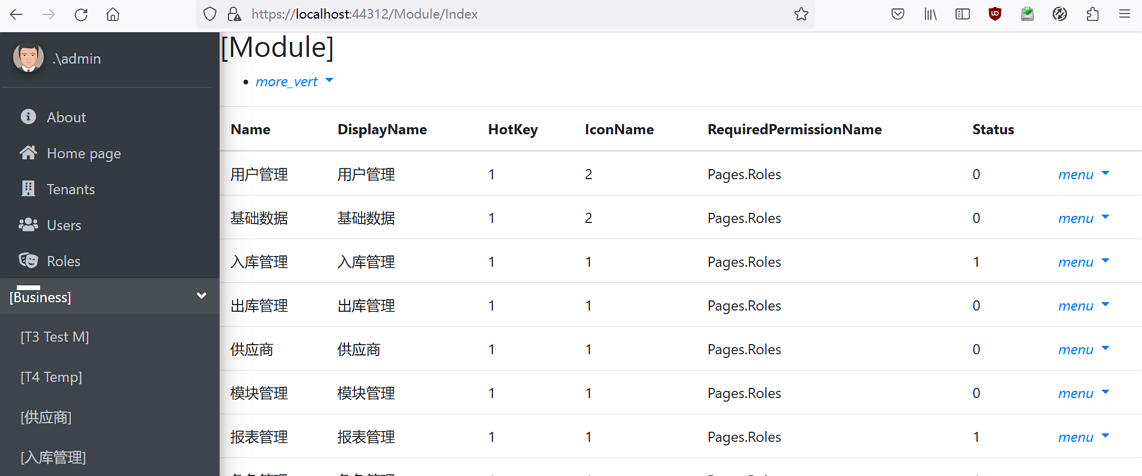
至此项目中的一些问题解决了,ABP.TPLMS能初步运行了,项目也初步升级到了ABP 7.3,不过,这只是第一步,在后续测试中,应该还会有一些问题。
abp(net core)+easyui+efcore实现仓储管理系统——ABP升级7.3下(五十九)的更多相关文章
- abp(net core)+easyui+efcore实现仓储管理系统——ABP WebAPI与EasyUI结合增删改查之一(二十七)
abp(net core)+easyui+efcore实现仓储管理系统目录 abp(net core)+easyui+efcore实现仓储管理系统——ABP总体介绍(一) abp(net core)+ ...
- abp(net core)+easyui+efcore实现仓储管理系统——展现层实现增删改查之列表视图(七)
abp(net core)+easyui+efcore实现仓储管理系统目录 abp(net core)+easyui+efcore实现仓储管理系统——ABP总体介绍(一) abp(net core)+ ...
- 2019年7月16日 abp(net core)+easyui+efcore实现仓储管理系统——多语言(十)
abp(net core)+easyui+efcore实现仓储管理系统目录 abp(net core)+easyui+efcore实现仓储管理系统——ABP总体介绍(一) abp(net core)+ ...
- abp(net core)+easyui+efcore实现仓储管理系统——使用 WEBAPI实现CURD (十一)
abp(net core)+easyui+efcore实现仓储管理系统目录 abp(net core)+easyui+efcore实现仓储管理系统——ABP总体介绍(一) abp(net core)+ ...
- abp(net core)+easyui+efcore实现仓储管理系统——使用 WEBAPI实现CURD (十二)
abp(net core)+easyui+efcore实现仓储管理系统目录 abp(net core)+easyui+efcore实现仓储管理系统——ABP总体介绍(一) abp(net core)+ ...
- abp(net core)+easyui+efcore实现仓储管理系统——使用 WEBAPI实现CURD (十三)
abp(net core)+easyui+efcore实现仓储管理系统目录 abp(net core)+easyui+efcore实现仓储管理系统——ABP总体介绍(一) abp(net core)+ ...
- abp(net core)+easyui+efcore实现仓储管理系统——使用 WEBAPI实现CURD (十四)
abp(net core)+easyui+efcore实现仓储管理系统目录 abp(net core)+easyui+efcore实现仓储管理系统——ABP总体介绍(一) abp(net core)+ ...
- abp(net core)+easyui+efcore实现仓储管理系统——使用 WEBAPI实现CURD (十五)
core)+easyui+efcore实现仓储管理系统目录 abp(net core)+easyui+efcore实现仓储管理系统——ABP总体介绍(一) abp(net core)+easyui+e ...
- abp(net core)+easyui+efcore实现仓储管理系统——菜单 (十六)
系统目录 abp(net core)+easyui+efcore实现仓储管理系统——ABP总体介绍(一) abp(net core)+easyui+efcore实现仓储管理系统——解决方案介绍(二) ...
- abp(net core)+easyui+efcore实现仓储管理系统——菜单-下(十七)
实现仓储管理系统目录 abp(net core)+easyui+efcore实现仓储管理系统——ABP总体介绍(一) abp(net core)+easyui+efcore实现仓储管理系统——解决方案 ...
随机推荐
- mysql 的小问题
首先按下win+R 执行 services.msc 进入服务,查找到MySQL,点击停止服务,然后在控制台cmd进入本地的MySQL文件夹,我的文件名是mysql-8.0.26-winx64,进入后执 ...
- UE4 联网RPC部分
有些人生来就是为了奔跑,而有些人,则拥有更高的目标> 笔者近期在进行UE C++网络的一些开发,发现RPC这个部分它看起来很简单,理解起来也算不上难.但真正应用起来,对netcode经验不多的人 ...
- Array of products
refer to: https://www.algoexpert.io/questions/Array%20Of%20Products Problem Statement Sample input A ...
- 3月2号Android开发学习
(2)视图基础 1.设置视图的高度 视图宽度通过属性Android:layout_width表达,视图高度通过属性android:layout_heigth表达,宽高的取值主要有以下三种 1.matc ...
- function | ECOS
用于优化线性或二阶锥的自对偶齐次嵌入内点方法. 不支持 SDP 锥体! [x,y,info,s,z] = ecos(c,G,h,dims,A,b) 求解一对原始和双锥程序 最小化 c'x 服从 Gx ...
- springboot项目记录3用户注册界面
九.注册-前端页面 1.在register页面中编写发送请求的方法,采用点击事件来完成.选中对应的按钮(JQuery下的)(( " 选 择 器 " ) ) , 选 中 某 一 个 ...
- java-------导出数据csv
outputStream = new FileOutoutStream(file); outputStreamWriter = new OutputStreamWriter (outputStream ...
- 库已安装但找不到ttkbootstrap库
cmd里装,弹提示Requirement already satisfied pip install --target=F:\Python37\lib ttkbootstrap https://blo ...
- POJ3723 Conscription 题解
start: 2021-08-04 16:56:50 题目链接: http://poj.org/problem?id=3723 题目内容: Description Windy has a countr ...
- STL练习-看病要排队
题目http://acm.hdu.edu.cn/showproblem.php?pid=1873 看病要排队这个是地球人都知道的常识. 不过经过细心的0068的观察,他发现了医院里排队还是有讲究的 ...