
VS Code插件Vue2 代码补全工具
一、简介
此扩展将Vue 2代码片段和语法突出显示添加到Visual Studio代码中。
这个插件基于最新的Vue官方语法高亮文件添加了语法高亮,并且依据Vue 2的API添加了代码片段。
支持语言
- VUE(.vue)
- HTML格式(.html)
- 使用Javascript(.js文件)
- 打字稿(.TS)
- 帕格(.pug)
官网地址:https://marketplace.visualstudio.com/items?itemName=sdras.vue-vscode-snippets
二、安装
- ext install vue-snippets
三、使用
注:安装之后不需要配置,但需要重启,安装之后就可以使用
js提示
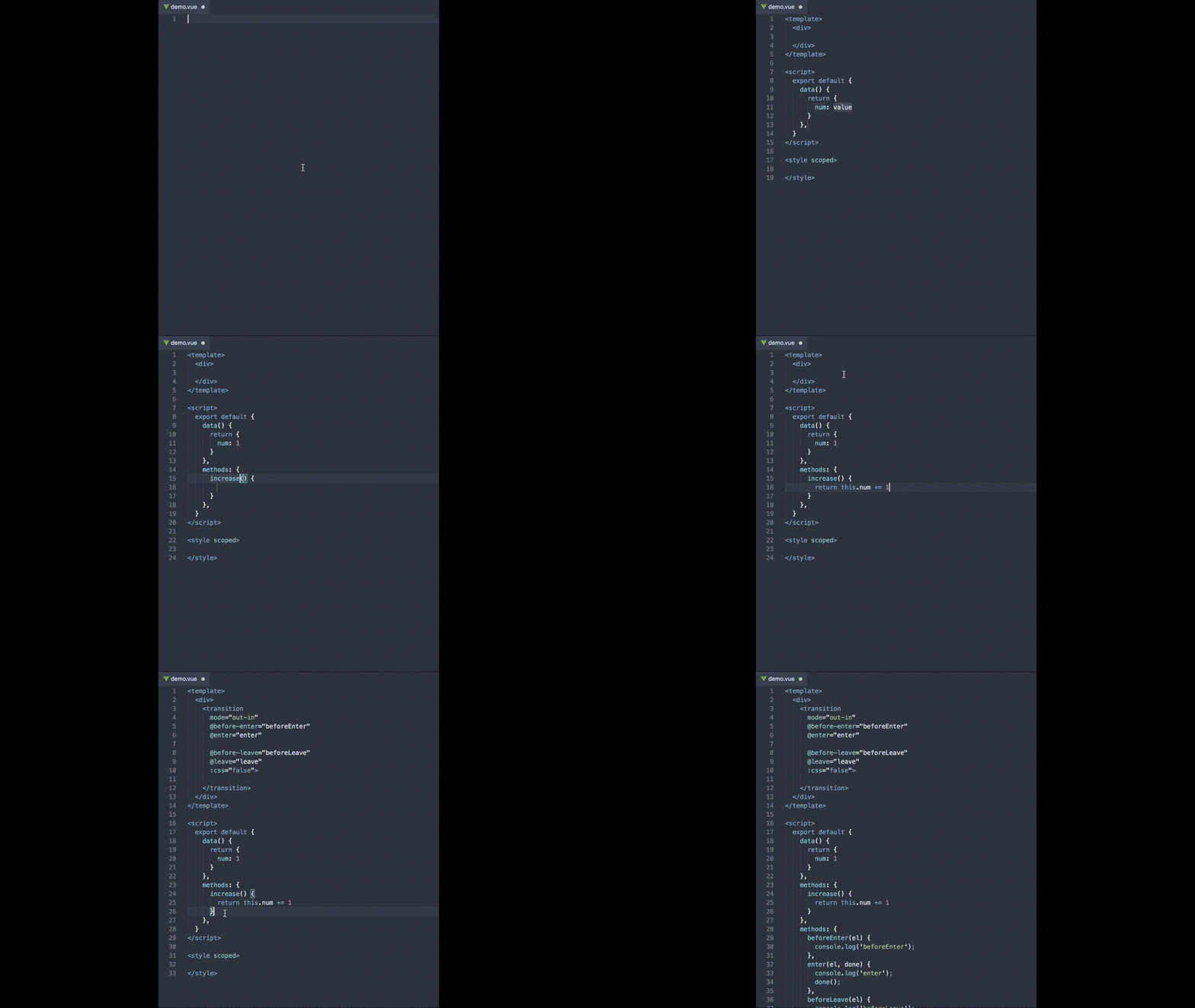

html中的提示和代码补全:
vif指令


vfor指令:

常用缩写列表:
Vue
| Snippet | Purpose |
|---|---|
vbase |
Single file component base |
Template
| Snippet | Purpose |
|---|---|
vfor |
v-for directive |
vmodel |
Semantic v-model directive |
vmodel-num |
Semantic v-model number directive |
von |
v-on click handler with arguments |
vel-props |
Component element with props |
vsrc |
Image src binding |
vstyle |
Inline style binding |
vstyle-obj |
Inline style binding with objects |
vclass |
Class binding |
vclass-obj |
Class binding with objects |
vclass-obj-mult |
Multiple conditional class bindings |
vanim |
Transition component with JS hooks |
Script
| Snippet | Purpose |
|---|---|
vdata |
Component data as a function |
vmethod |
Vue method |
vcomputed |
Vue computed property |
vwatcher |
Vue watcher with new and old value args |
vprops |
Props with type and default |
vimport |
Import one component into another |
vimport-c |
Import one component into another within the export statement |
vimport-export |
Import one component into another and use it within the export statement |
vfilter |
Vue filter |
vmixin |
Create a Vue Mixin |
vmixin-use |
Bring a mixin into a component to use |
vc-direct |
Vue create a custom directive |
vimport-lib |
Import a library |
vimport-gsap |
Import GreenSock with Timeline and Eases |
vanimhook-js |
Using the Transition component JS hooks in methods |
vinc |
incrementer |
vdec |
decrementer |
Vuex
| Snippet | Purpose |
|---|---|
vstore |
Base for Vuex store.js |
vgetter |
Vuex Getter |
vmutation |
Vuex Mutation |
vaction |
Vuex Action |
vstore-import |
Import vuex store into main.js |
Extra (plaintext)
| Snippet | Purpose |
|---|---|
gitignore |
.gitignore file presets |
VS Code插件Vue2 代码补全工具的更多相关文章
- vscode 代码补全工具之aiXcoder
突然发现了一个好用的代码补全工具,与人工智能相关,具有自学习能力,据说用的越久补全效果越好,可以帮助我们节省掉好多敲代码的时间,所以这么好的工具当然要分享给大家了.废话不多说,直接上vscode的安装 ...
- jupyter lab最强代码补全插件
1 简介 提起kite相信不少朋友都有印象,它是一个功能非常强大的代码补全工具,目前可用于Python与javascript,为许多知名的编辑器譬如Vs Code.Pycharm提供对应的插件. 图1 ...
- VS Code Java 3月更新|代码补全、Maven 以及 Java 插件预览版本新升级!
Nick Zhu Senior Program Manager, Developer Division at Microsoft 大家好,欢迎来到 Visual Studio Code Java 的 ...
- Windows 10环境安装VIM代码补全插件YouCompleteMe
Windows 10环境安装VIM代码补全插件YouCompleteMe 折腾一周也没搞定Windows下安装VIM代码补全插件YouCompleteMe,今天在家折腾一天总算搞定了.关键问题是在于P ...
- Sublime text代码补全插件(支持Javascript、JQuery、Bootstrap框架)
Sublime text代码补全插件(支持Javascript.JQuery.Bootstrap框架) 插件名称:javascript-API-Completions 支持Javascript.J ...
- MaxScript代码补全插件
MaxScript代码补全插件 作者Nik,原文发布于ScriptSpot 安装后max自带脚本编辑器会有自动补全,效果如下:
- Jupyter Notebook主题字体设置及自动代码补全
Jupyter Notebook用久了就离不开了,然而自带的主题真的不忍直视.为了视力着想,为了自己看起来舒服,于是折腾了一番..在github上发现了一个jupyter-themes工具,可以通过p ...
- PLSQL Develop PlugIn 之脚本自动匹配补全工具CnPlugin
插件位置:百度云 -- 开发工具空间 -- CnPlugin CnPlugin 支持PL/sql Developer 7.0以上版本,它可以根据 关键字+tab/space 来触发代码补全,而关键字. ...
- Notepad++强大的代码补全和代码提示功能的方法
最近写项目,经常要打开一些文件去修改一些代码段.那么我的项目都是使用ied大型编辑器去写的,每次修改文件,哪怕是一个标点都要用一分钟时间去打开软件.当然,后来我也考虑到使用记事本,但总感觉不是很爽. ...
随机推荐
- Linux之压缩与解压缩
一.解压缩: tar –xvf file.tar //解压 tar包 tar -xzvf file.tar.gz //解压tar.gz tar -xjvf file.tar.bz2 //解压 tar. ...
- 用python导出csv文件
# coding: utf-8 import csv csvfile = open('csv.csv', 'wb') #打开方式还可以使用file对象 writer = csv.writer(csvf ...
- spring+mybatis+atomikos 实现JTA事务
1. 选择哪种transaction manager? 在单数据源情况下,JDBC,Hibernate,ibatis等自带的 transaction manager已能用于处理事务. ...
- kafka和websocket实时数据推送
需求 已有Kafka服务,通过kafka服务数据(GPS)落地到本地磁盘(以文本文件存储).现要根据echarts实现一个实时车辆的地图. 分析 前端实时展现:使用websocket技术,实现服务 ...
- JavaScript Window Location 当前页面的地址
window.location 对象用于获得当前页面的地址 (URL),并把浏览器重定向到新的页面. Window Location window.location 对象在编写时可不使用 window ...
- nfs的优化
总结和测试了一下自己的经验: NFS中的rsize.wsize rsize.wsize对于NFS的效能有很大的影响.wsize和rsize设定了SERVER和CLIENT之间往来数据块的大小,这两个参 ...
- [bug]WCF 内存入口检查失败 Memory gates checking failed
bug描述 异常信息:内存入口检查失败,因为可用内存(xxx 字节)少于总内存的 xx%.因此,该服务不可用于传入的请求.若要解决此问题,请减少计算机上的负载,或调整 serviceHostingEn ...
- 【Android】如何获取本机号码、IMSI、EMSI
获取本机号码: 获取本机号码,需要在配置文件中加入权限: <uses-permission android:name="android.permission.READ_PHONE_ST ...
- Flume与Logstash比较
Flume与Logstash相比,个人的体会如下: Logstash比较偏重于字段的预处理:而Flume偏重数据的传输: Logstash有几十个插件,配置灵活:FLume则是强调用户的自定义开发(s ...
- ExpandoObject与DynamicObject的使用 RabbitMQ与.net core(一)安装 RabbitMQ与.net core(二)Producer与Exchange ASP.NET Core 2.1 : 十五.图解路由(2.1 or earler) .NET Core中的一个接口多种实现的依赖注入与动态选择看这篇就够了
ExpandoObject与DynamicObject的使用 using ImpromptuInterface; using System; using System.Dynamic; names ...