
【代码笔记】iOS-书架页面
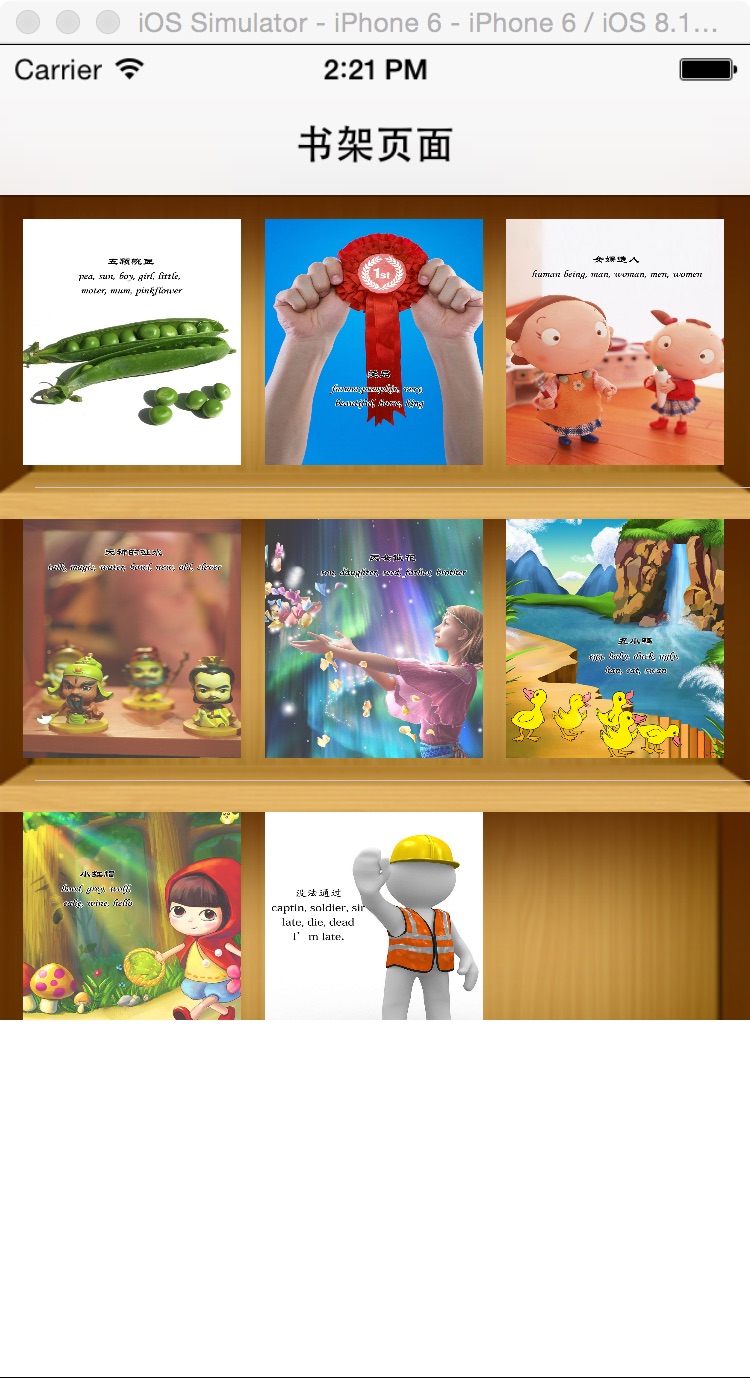
一,效果图。
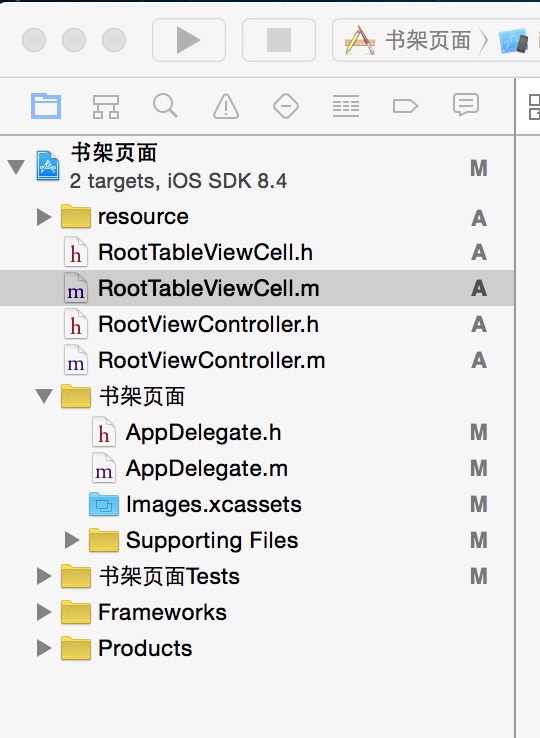
二,工程图。
三,代码。
RootViewController.h

#import <UIKit/UIKit.h>

@interface RootViewController : UIViewController

<UITableViewDataSource,UITableViewDelegate>

{

    NSMutableArray * dataArray;

    UITableView * myTableView;

}

@end
RootViewController.m
#import "RootViewController.h"

//cell

#import "RootTableViewCell.h"

@interface RootViewController ()

@end

@implementation RootViewController

- (id)initWithNibName:(NSString *)nibNameOrNil bundle:(NSBundle *)nibBundleOrNil

{

    self = [super initWithNibName:nibNameOrNil bundle:nibBundleOrNil];

    if (self) {

        // Custom initialization

    }

    return self;

}

- (void)viewDidLoad

{

    [super viewDidLoad];

    // Do any additional setup after loading the view.

    //初始化背景图

    [self initBackGroundView];

}

#pragma -mark -functions

-(void)initBackGroundView

{

    self.title=@"书架页面";

    dataArray=[[NSMutableArray alloc]initWithObjects:@"1",@"2",@"3",@"4",@"5",@"6",@"7",@"8",@"9", nil];

    myTableView = [[UITableView alloc]initWithFrame:CGRectMake(0, 0, 320, 416) style:UITableViewStylePlain];

    myTableView.delegate = self;

    myTableView.dataSource = self;

    [self.view addSubview:myTableView];

}

#pragma -mark -UITableViewDelegate

-(NSInteger)tableView:(UITableView *)tableView numberOfRowsInSection:(NSInteger)section

{

    return 3;

}

-(CGFloat)tableView:(UITableView *)tableView heightForRowAtIndexPath:(NSIndexPath *)indexPath

{

    return 376/3;

}

-(UITableViewCell*)tableView:(UITableView *)tableView cellForRowAtIndexPath:(NSIndexPath *)indexPath

{

    RootTableViewCell * cell = [tableView dequeueReusableCellWithIdentifier:@"ID"];

    if(cell == nil)

    {

        cell =[[RootTableViewCell alloc]initWithStyle:UITableViewCellStyleValue1 reuseIdentifier:@"ID"];

    }

    cell.tag = indexPath.row;

    [cell.bookLeft addTarget:self action:@selector(buttonClick:) forControlEvents:UIControlEventTouchUpInside];

    [cell.bookMiddle addTarget:self action:@selector(buttonClick:) forControlEvents:UIControlEventTouchUpInside];

    [cell.bookRight addTarget:self action:@selector(buttonClick:) forControlEvents:UIControlEventTouchUpInside];

    [cell.bookLeft setBackgroundImage:[UIImage imageNamed:[NSString stringWithFormat:@"%@.jpg",[dataArray objectAtIndex:indexPath.row*3]]] forState:UIControlStateNormal];

    [cell.bookMiddle setBackgroundImage:[UIImage imageNamed:[NSString stringWithFormat:@"%@.jpg",[dataArray objectAtIndex:indexPath.row*3+1]]] forState:UIControlStateNormal];

    [cell.bookRight setBackgroundImage:[UIImage imageNamed:[NSString stringWithFormat:@"%@.jpg",[dataArray objectAtIndex:indexPath.row*3+2]]] forState:UIControlStateNormal];

    NSLog(@"--celll.tag--%ld",cell.tag);

    return cell;

}

#pragma -mark -doClickActions

-(void)buttonClick:(UIButton*)btn

{

    RootTableViewCell * cell = (RootTableViewCell *)[[btn superview] superview];

    NSIndexPath * path = [myTableView indexPathForCell:cell];

    NSLog(@"--点击图片的时候,所在的坐标-(%ld,%ld)--",path.row,btn.tag);

}

- (void)didReceiveMemoryWarning

{

    [super didReceiveMemoryWarning];

    // Dispose of any resources that can be recreated.

}

@end
RootTableViewCell.h
#import <UIKit/UIKit.h>

@interface RootTableViewCell : UITableViewCell

@property(nonatomic,strong) UIButton * bookLeft;

@property(nonatomic,strong) UIButton * bookMiddle;

@property(nonatomic,strong) UIButton * bookRight;

@end
RootTableViewCell.m
#import "RootTableViewCell.h"

@implementation RootTableViewCell

@synthesize bookLeft;

@synthesize bookMiddle;

@synthesize bookRight;

- (id)initWithStyle:(UITableViewCellStyle)style reuseIdentifier:(NSString *)reuseIdentifier

{

    self = [super initWithStyle:style reuseIdentifier:reuseIdentifier];

    if (self) {

        // Initialization code

        UIImageView  * imageview= [[UIImageView alloc]initWithFrame:CGRectMake(0, 0, 320, 416/3)];

        imageview.image = [UIImage imageNamed:@"BookShelfCell.png"];

        [self addSubview:imageview];

        bookLeft = [UIButton buttonWithType:UIButtonTypeCustom];

        bookLeft.frame = CGRectMake(10, 10, 280/3, 376/3-20);

        bookLeft.tag = 1;

        bookMiddle = [UIButton buttonWithType:UIButtonTypeCustom];

        bookMiddle.frame = CGRectMake(20+280/3, 10, 280/3, 376/3-20);

        bookMiddle.tag = 2;

        bookRight = [UIButton buttonWithType:UIButtonTypeCustom];

        bookRight.frame = CGRectMake(30+280/3*2, 10, 280/3, 376/3-20);

        bookRight.tag = 3;

        [self addSubview:bookLeft];

        [self addSubview:bookMiddle];

        [self addSubview:bookRight];

    }

    return self;

}
【代码笔记】iOS-书架页面的更多相关文章
- 【swift学习笔记】二.页面转跳数据回传
上一篇我们介绍了页面转跳:[swift学习笔记]一.页面转跳的条件判断和传值 这一篇说一下如何把数据回传回父页面,如下图所示,这个例子很简单,只是把传过去的数据加上了"回传"两个字 ...
- 笔记-iOS 视图控制器转场详解(上)
这是一篇长文,详细讲解了视图控制器转场的方方面面,配有详细的示意图和代码,为了使得文章在微信公众号中易于阅读,seedante 辛苦将大量长篇代码用截图的方式呈现,另外作者也在 Github 上附上了 ...
- IOS开发笔记 IOS如何访问通讯录
IOS开发笔记 IOS如何访问通讯录 其实我是反对这类的需求,你说你读我的隐私,我肯定不愿意的. 幸好ios6.0 以后给了个权限控制.当打开app的时候你可以选择拒绝. 实现方法: [plain] ...
- 在uwp仿IOS的页面切换效果
有时候我们需要编写一些迎合IOS用户使用习惯的uwp应用,我在这里整理一下仿IOS页面切换效果的代码. 先分析IOS的页面切换.用户使用左右滑动方式进行前进和后退,播放类似于FlipView的切换动画 ...
- DW网页代码笔记
DW网页代码笔记 1.样式. class 插入类样式 标签技术(html)解决页面的内容样式技术(css)解决页面的外观脚本技术 解决页面动态交互问题<form> ...
- 【swift学习笔记】一.页面转跳的条件判断和传值
在转跳页面之前我们可能会判断一下是否有输入正确的数据,如下图所示,如果没有数据输入则弹出提示,不进行转跳. 一:页面转跳 1.第一个页面的上放上一个Label一个textfield和一个按钮 2.在第 ...
- 阻止iOS中页面弹性回滚,只允许div.phone_body的区块有弹性
使用说明:只要替换选择器:var selector = '.phone_body'; /** * 阻止iOS中页面弹性回滚,只允许div.scroller的区块有弹性 */ (function () ...
- 【hadoop代码笔记】Mapreduce shuffle过程之Map输出过程
一.概要描述 shuffle是MapReduce的一个核心过程,因此没有在前面的MapReduce作业提交的过程中描述,而是单独拿出来比较详细的描述. 根据官方的流程图示如下: 本篇文章中只是想尝试从 ...
- 【hadoop代码笔记】hadoop作业提交之汇总
一.概述 在本篇博文中,试图通过代码了解hadoop job执行的整个流程.即用户提交的mapreduce的jar文件.输入提交到hadoop的集群,并在集群中运行.重点在代码的角度描述整个流程,有些 ...
随机推荐
- 分享在winform下实现左右布局多窗口界面
在web页面上我们可以通过frameset,iframe嵌套框架很容易实现各种导航+内容的布局界面,而在winform.WPF中实现其实也很容易,我这里就分享一个:在winform下实现左右布局多窗口 ...
- 轻松实现localStorage本地存储
相信大家都知道HTML5提供了localStorage和sessionStorage两个新功能,基于这两个功能我们可以实现web资源的离线和会话存储,如果你现在还在用Cookie来临时存储网络资源的话 ...
- ES6模块的import和export用法总结
ES6之前以前出现了js模块加载的方案,最主要的是CommonJS和AMD规范.commonjs前者主要应用于服务器,实现同步加载,如nodejs.AMD规范应用于浏览器,如requirejs,为异步 ...
- 【原创】Kakfa message包源代码分析
笔者最近在研究Kafka的message包代码,有了一些心得,特此记录一下.其实研究的目的从来都不是只是看源代码,更多地是想借这个机会思考几个问题:为什么是这么实现的?你自己实现方式是什么?比起人家的 ...
- Jquery获取checkbox属性checked为undefined
说明:本文来自新浪博客,因为无法收藏,故直接copy过来备注,以后好查询 原网址:http://blog.sina.com.cn/s/blog_6810dfc20101jddq.html 使用jQue ...
- ASP.NET 缓存
(一)什么是缓存 缓存是指临时数据或者文件交换区.比方说CPU上的L1或是L2缓存,内存上被划分出来的缓冲区.我们知道CPU的速度是最快的,其次是内存,最后是硬盘,各个部件之间运算速度有很大的差距,但 ...
- css: 照片有如层叠效果
显示上面照片效果css <!DOCTYPE html> <!--headTrap<body></body><head></head>& ...
- 孙鑫MFC学习笔记2:C++回顾
1.通常可以把实例与对象等同起来 2.函数重载是发生在同一个类中的 3.函数的覆盖是发生在父类与子类之间的(函数被覆盖后可以使用父类的类名加作用域操作符::) 4.含有纯虚函数的类叫抽象类,抽象类无法 ...
- 实现Android包的批量删除
由于手机内存有限,有时需要一次删除很多个包,这时就需要一个实现Android包批量删除的应用. 首先是布局文件: <?xml version="1.0" encoding=& ...
- final static 深度解析
function test(){ var a = b = 10; } test( ); alert(b); 由上一篇博客说起,最后输出的是10.引起歧义的原因是全局变量和局部变量的关系.顺着这个话题, ...