
PS 滤镜— — 万花筒效果
    clc;

    clear all;

    close all;

    addpath('E:\PhotoShop Algortihm\Image Processing\PS Algorithm');

    I=imread('4.jpg');

    I=double(I);

    Image=I/255;

    sz=size(Image);

    % set the parameters

    radius = 150;

    angle = pi/4;

    angle2=pi/4;

    sides=10;

    centerX = 0.5;   % set the center of the circle, proportion of the image size

    centerY = 0.5;

    iWidth=sz(2);

    iHeight=sz(1);

    icenterX=iWidth*centerX;

    icenterY=iHeight*centerY;

    Image_new=Image;

    for i=1:sz(1)

        for j=1:sz(2)

            dx=j-icenterX;

            dy=i-icenterY;

            r=sqrt(dy*dy+dx*dx);

            theta=atan2(dy, dx)-angle-angle2;

            temp_theta=theta/pi*sides*0.5 ;

            theta=triangle(temp_theta);

            if (radius)

                c=cos(theta);

                radius_c=radius/c;

                r=radius_c * triangle(r/radius_c);

            end

            theta=theta+angle;

            x=r * cos(theta)+icenterX;

            y=r * sin(theta)+icenterY;

            if (x<=1)     x=1;  end

            if (x>=sz(2)) x=sz(2)-1; end;

            if (y>=sz(1)) y=sz(1)-1; end;

            if (y<1) y=1;     end;

    % % %         if (x<=1)     continue;  end

    % % %         if (x>=sz(2))   continue; end;

    % % %         if (y>=sz(1))  continue; end;

    % % %         if (y<1)  continue;     end;

            x1=floor(x);

            y1=floor(y);

            p=x-x1;

            q=y-y1;

            Image_new(i,j,:)=(1-p)*(1-q)*Image(y1,x1,:)+p*(1-q)*Image(y1,x1+1,:)...

                +q*(1-p)*Image(y1+1,x1,:)+p*q*Image(y1+1,x1+1,:);

        end

    end

    imshow(Image_new)

imwrite(Image_new, 'out.jpg');参考来源:http://www.jhlabs.com/index.html
原图:
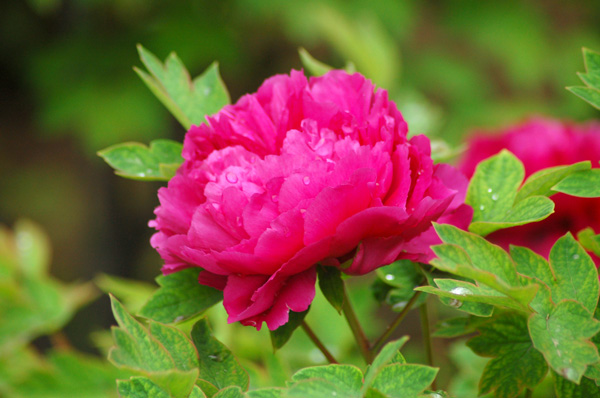
效果图:


PS 滤镜— — 万花筒效果的更多相关文章
- Python: PS 滤镜--万花筒效果
本文用 Python 实现 PS 的一种滤镜效果,称为万花筒.也是对图像做各种扭曲变换,最后图像呈现的效果就像从万花筒中看到的一样: 图像的效果可以参考之前的博客: http://blog.csdn. ...
- PS 滤镜— —挤压效果
clc; clear all; close all; addpath('E:\PhotoShop Algortihm\Image Processing\PS Algorithm'); I=imread ...
- PS 滤镜— —Marble 效果
clc; clear all; close all; addpath('E:\PhotoShop Algortihm\Image Processing\PS Algorithm'); I=imread ...
- PS 滤镜— —水波效果
clc; clear all; close all; addpath('E:\PhotoShop Algortihm\Image Processing\PS Algorithm'); I=imread ...
- PS 滤镜— — sparkle 效果
clc; clear all; close all; addpath('E:\PhotoShop Algortihm\Image Processing\PS Algorithm'); I=imread ...
- PS 滤镜— —球面化效果
clc; clear all; close all; addpath('E:\PhotoShop Algortihm\Image Processing\PS Algorithm'); I=imread ...
- PS滤镜— —波浪效果
clc; clear all; close all; addpath('E:\PhotoShop Algortihm\Image Processing\PS Algorithm'); I=imread ...
- OpenCV——PS滤镜 水波效果
// define head function #ifndef PS_ALGORITHM_H_INCLUDED #define PS_ALGORITHM_H_INCLUDED #include < ...
- Python: PS 滤镜--旋涡特效
本文用Python 实现 PS 滤镜的旋涡特效,具体的算法原理和效果可以参考之前的博客: http://blog.csdn.net/matrix_space/article/details/42215 ...
随机推荐
- win7 iis6怎么部署.net网站
win7 iis6怎么部署.net网站,把本机当成网站服务器来简单介绍. 方法/步骤 1 首先在本机有一个可以正常运行的网站.比如vs2010中有一个网站项目,网站项目运行后正常. 2 打开iis6, ...
- Javascript模式(一) 单例模式
function A(){ // 存储实例对象 var instance; // 重写构造函数,只返回闭包内的局部变量instance A = function(){ return instance; ...
- spring中的异步事件
这里讲解一下Spring对异步事件机制的支持,实现方式有两种: 1.全局异步 即只要是触发事件都是以异步执行,具体配置(spring-config-register.xml)如下: Java代码 ...
- S:33184777
https://github.com/wjlWork/Crawl/tree/da0b63bc43bd7c238963f834a11df2581cecfb9c https://github.com/wh ...
- GitHub使用问题(遇到一个记一个)
1.如何创建文件夹: 如图,Create new files,点击后,若需要创建文件,输入文件名即可,但如果创建的是文件夹,需要在文件夹名后 加一个 '/'斜杠,然后就变成文件夹了
- servletResponse 文件下载
package response; import java.io.FileInputStream;import java.io.FileOutputStream;import java.io.IOEx ...
- Proving Equivalences (hdu 2767 强联通缩点)
Proving Equivalences Time Limit: 4000/2000 MS (Java/Others) Memory Limit: 32768/32768 K (Java/Oth ...
- ThinkPHP3.1在多数据库连接下存储过程调用bug修正
最近使用ThinkPHP3.1进行一个项目的开发,由于该项目需要连接多台不同的数据库,所以使用如下配置方法: <?php return array( //'配置项'=>'配置值' //数据 ...
- Windows 驱动入门(二)代码结构
windows驱动程序基础.转载标明出处:http://blog.csdn.net/ikerpeng/article/details/38777641 windows驱动程序结构: 我想说的是wind ...
- EasyNVR无插件IPC摄像机直播方案前端构建之:区分页面是自跳转还是分享依据
区分分享还是跳转 对于前端一些页面的展示,通常有两种方式:通过入口链接一步步进入,或是通过分享链接直接进入:对于这两种方式的区别是什么?在进行前端书写时又应该如何处理? 以EasyNVR为例来进行说明 ...