
NX二次开发-UFUN工程图表格注释设置单元格首选项UF_TABNOT_set_cell_prefs
 NX9+VS2012

 #include <uf.h>

 #include <uf_tabnot.h>

 #include <NXOpen/Part.hxx>

 #include <NXOpen/PartCollection.hxx>

 #include <NXOpen/Session.hxx>

 #include <NXOpen/Annotations_TableSectionCollection.hxx>

 #include <NXOpen/Annotations_AnnotationManager.hxx>

 #include <NXOpen/FontCollection.hxx>

 UF_initialize();

 //创建表格注释

 Annotations::TableSection *nullAnnotations_TableSection(NULL);

 Annotations::TableSectionBuilder *tableSectionBuilder1;

 tableSectionBuilder1 = workPart->Annotations()->TableSections()->CreateTableSectionBuilder(nullAnnotations_TableSection);

 NXOpen::Point3d TablePoint(194.0, 17.0, 0.0);

 tableSectionBuilder1->Origin()->SetOriginPoint(TablePoint);

 tableSectionBuilder1->SetNumberOfColumns();

 tableSectionBuilder1->SetNumberOfRows();

 tableSectionBuilder1->SetRowHeight(20.0);

 tableSectionBuilder1->SetColumnWidth();

 tableSectionBuilder1->Commit();

 NXObject *nXObject1;

 nXObject1 = tableSectionBuilder1->Commit();

 tableSectionBuilder1->Destroy();

 //section转tag

 tag_t TabularNote = NULL_TAG;

 UF_TABNOT_ask_tabular_note_of_section(nXObject1->Tag(), &TabularNote);

 //获取第一行的Tag

 tag_t Row0Tag = NULL_TAG;

 UF_TABNOT_ask_nth_row(TabularNote, , &Row0Tag);

 //获取第二行的Tag

 tag_t Row1Tag = NULL_TAG;

 UF_TABNOT_ask_nth_row(TabularNote, , &Row1Tag);

 //获取第一列的Tag

 tag_t Column0Tag = NULL_TAG;

 UF_TABNOT_ask_nth_column(TabularNote, , &Column0Tag);

 //获取第二列的Tag

 tag_t Column1Tag = NULL_TAG;

 UF_TABNOT_ask_nth_column(TabularNote, , &Column1Tag);

 //得到第一行第一列单元格的Tag

 tag_t Cell0Tag = NULL_TAG;

 UF_TABNOT_ask_cell_at_row_col(Row0Tag, Column0Tag, &Cell0Tag);

 //得到第一行第二列单元格的Tag

 tag_t Cell1Tag = NULL_TAG;

 UF_TABNOT_ask_cell_at_row_col(Row0Tag, Column1Tag, &Cell1Tag);

 //得到第二行第一列单元格的Tag

 tag_t Cell2Tag = NULL_TAG;

 UF_TABNOT_ask_cell_at_row_col(Row1Tag, Column0Tag, &Cell2Tag);

 //得到第二行第二列单元格的Tag

 tag_t Cell3Tag = NULL_TAG;

 UF_TABNOT_ask_cell_at_row_col(Row1Tag, Column1Tag, &Cell3Tag);

 //写文本

 UF_TABNOT_set_cell_text(Cell0Tag, "设计者:");

 UF_TABNOT_set_cell_text(Cell1Tag, "卢尚宇");

 //合并最底下的单元格

 UF_TABNOT_merge_cells(Cell2Tag, Cell3Tag);

 //获取合并单元格的行Tag

 tag_t MergeRowTag = NULL_TAG;

 UF_TABNOT_ask_nth_row(TabularNote, , &MergeRowTag);

 //获取合并单元格的列Tag

 tag_t MergeColumnTag = NULL_TAG;

 UF_TABNOT_ask_nth_column(TabularNote, , &MergeColumnTag);

 tag_t MergeCellTag = NULL_TAG;

 UF_TABNOT_ask_cell_at_row_col(MergeRowTag, MergeColumnTag, &MergeCellTag);

 //写文本

 UF_TABNOT_set_cell_text(MergeCellTag, "版本号:xxxxxxxxxx");

 //检索默认单元格首选项

 UF_TABNOT_cell_prefs_t  cell_prefs;

 UF_TABNOT_ask_default_cell_prefs(&cell_prefs);

 //设置单元格首选项

 int fontIndex1 = workPart->Fonts()->AddFont("chinesef_fs", NXOpen::FontCollection::TypeNx);//更改字体

 cell_prefs.text_font = fontIndex1; //字体

 UF_TABNOT_set_cell_prefs(Cell0Tag, &cell_prefs);

 UF_TABNOT_set_cell_prefs(Cell1Tag, &cell_prefs);

 UF_TABNOT_set_cell_prefs(MergeCellTag, &cell_prefs);

 UF_terminate();
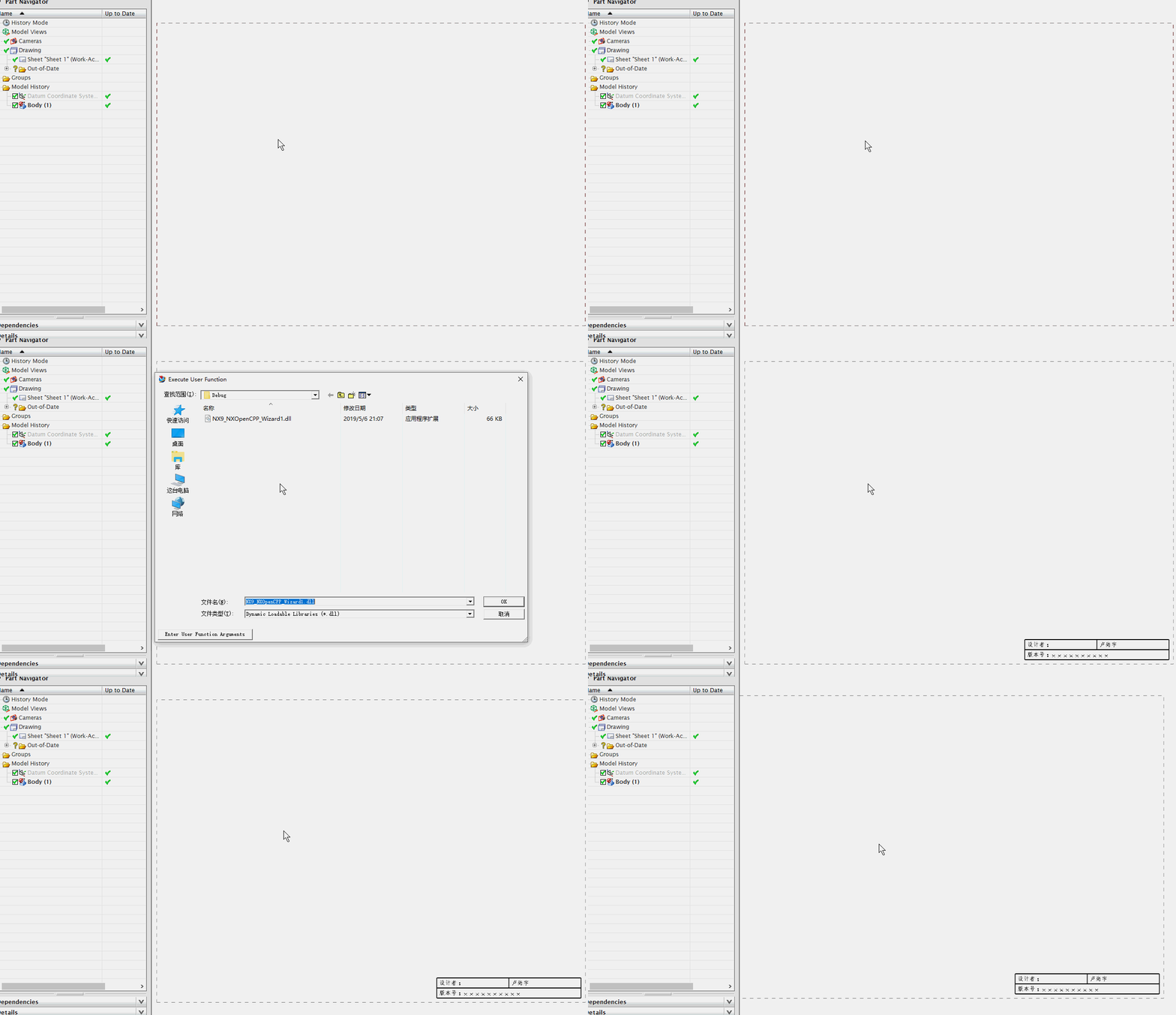
NX二次开发-UFUN工程图表格注释设置单元格首选项UF_TABNOT_set_cell_prefs的更多相关文章
- NX二次开发-UFUN工程图表格注释section转tag函数UF_TABNOT_ask_tabular_note_of_section
NX9+VS2012 #include <uf.h> #include <uf_tabnot.h> #include <NXOpen/Part.hxx> #incl ...
- NX二次开发-UFUN工程图表格注释获取某一行的tag函数UF_TABNOT_ask_nth_row
NX9+VS2012 #include <uf.h> #include <uf_tabnot.h> #include <NXOpen/Part.hxx> #incl ...
- NX二次开发-UFUN工程图表格注释获取某一列的tag函数UF_TABNOT_ask_nth_column
NX9+VS2012 #include <uf.h> #include <uf_tabnot.h> #include <NXOpen/Part.hxx> #incl ...
- NX二次开发-UFUN工程图表格注释获取某一行某一列的tag函数UF_TABNOT_ask_cell_at_row_col
NX9+VS2012 #include <uf.h> #include <uf_tabnot.h> #include <NXOpen/Part.hxx> #incl ...
- NX二次开发-UFUN工程图表格注释写入文本内容UF_TABNOT_set_cell_text
NX9+VS2012 #include <uf.h> #include <uf_tabnot.h> #include <NXOpen/Part.hxx> #incl ...
- NX二次开发-UFUN工程图表格注释检索默认单元格首选项UF_TABNOT_ask_default_cell_prefs
NX9+VS2012 #include <uf.h> #include <uf_tabnot.h> #include <NXOpen/Part.hxx> #incl ...
- NX二次开发-UFUN读取表格注释内容UF_TABNOT_ask_cell_text
NX11+VS2013 #include <uf.h> #include <uf_ui.h> #include <uf_tabnot.h> #include < ...
- NX二次开发-读取图纸表格注释与部件属性关联的名字
NX11+VS2013 #include <uf.h> #include <uf_ui.h> #include <uf_tabnot.h> #include < ...
- NX二次开发-UFUN工程图导入视图UF_DRAW_import_view
NX9+VS2012 #include <uf.h> #include <uf_draw.h> #include <uf_obj.h> #include <u ...
随机推荐
- nginx获取头部信息带下划线,获取不到解决方案
nginx获取头部信息带下划线,获取不到解决方案 解决方案: 修改配置文件,进行添加信息如下: underscores_in_headers on; 然后进行重新加载: [root@qa-web co ...
- 用JavaScript写一个JD放大镜
<!DOCTYPE html> <html lang="en"> <head> <meta charset="UTF-8&quo ...
- javascript null vs undefined
这个是很古老的问题了. 一直存在争议,有些人认为,很多语言没用 undefined 也活的好好,为啥要 undefined 呢. 那有了 undefined 是否还需要 null 呢 ? typesc ...
- 每天一个Linux命令:ls(1)
ls ls命令用于显示指定工作目录下之内容(列出目前工作目录所含之文件及子目录). 格式 ls [-alrtAFR] [name...] 参数选项 参数 备注 -a 列出目录下的所有文件,包括以 . ...
- spring--Springmvc中@Autowired注解与@Resource注解的区别
Spring不但支持自己定义的@Autowired注解,还支持几个由JSR-250规范定义的注解,它们分别是@Resource.@PostConstruct以及@PreDestroy. @Resour ...
- 22、继续javascript,左边选中的跳到右边
1. <!DOCTYPE html> <html> <head> <meta charset="UTF-8"> <title& ...
- python 生成json格式文件,并存储到手机上
上代码 #!/usr/bin/env python # -*- encoding: utf-8 -*- import json import os import random "" ...
- ES6_Demo,模拟后台json数据展示
最近在学习ES6,下面,模拟后台传过来json数据,并在页面展示的一个小Demo. 页面简单的不可描述,只有一个button按钮 <button>点击获取json数据</button ...
- js实现禁止页面拖拽图片
document.ondragstart = function() { return false;};
- PHPExcel导出工作蒲(多表合并)教程+详细代码解读
最近做了一个需求,导出统计数据,因为需要同时导出多个不同的统计数据,所以不能像以往导出数据列表一样去实现这个需求,刚好空下来就记录一下(PHPExcel导出Excel多sheet合并) 一.主要使用的 ...