
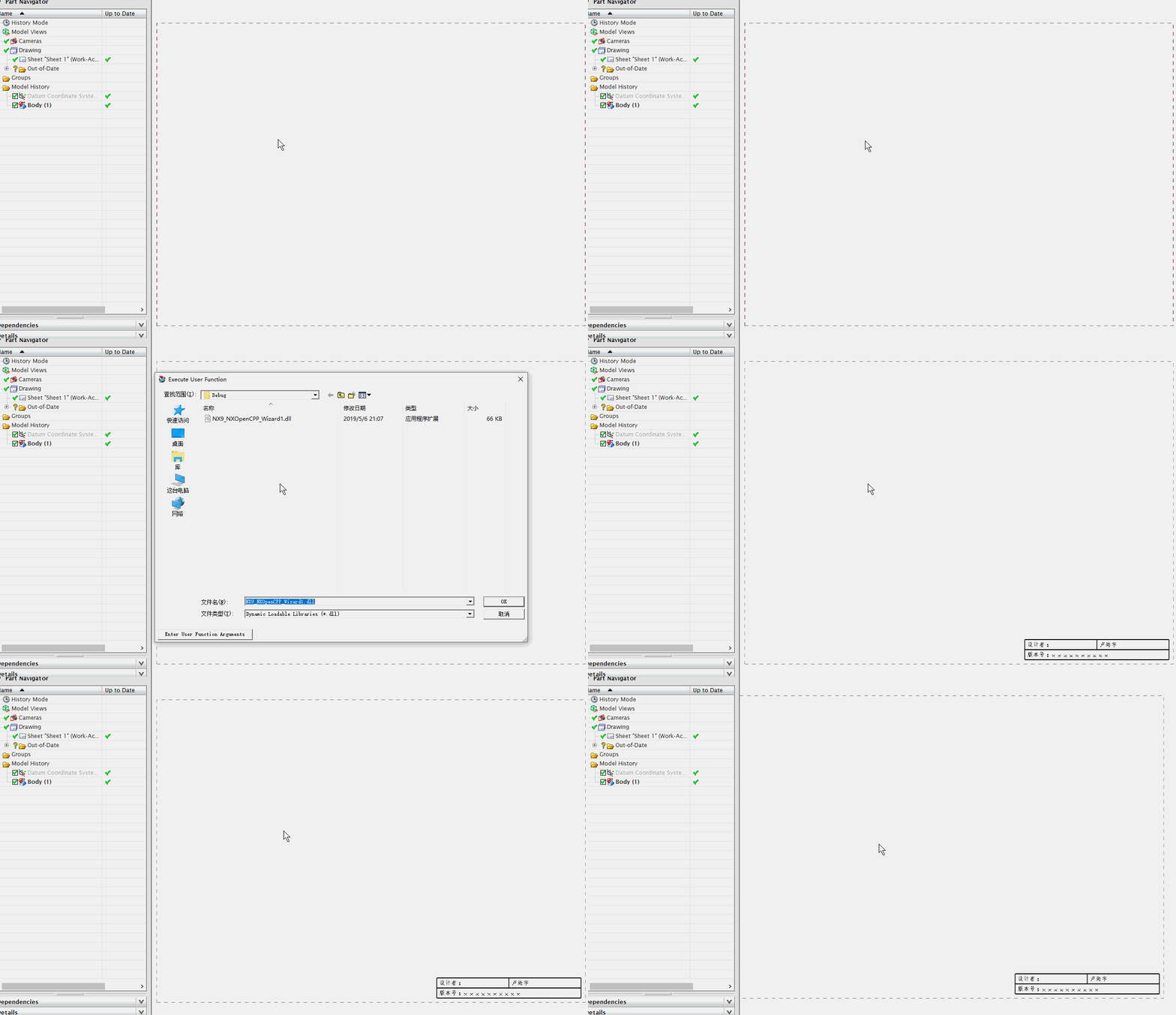
NX二次开发-UFUN工程图表格注释获取某一行某一列的tag函数UF_TABNOT_ask_cell_at_row_col
 NX9+VS2012

 #include <uf.h>

 #include <uf_tabnot.h>

 #include <NXOpen/Part.hxx>

 #include <NXOpen/PartCollection.hxx>

 #include <NXOpen/Session.hxx>

 #include <NXOpen/Annotations_TableSectionCollection.hxx>

 #include <NXOpen/Annotations_AnnotationManager.hxx>

 #include <NXOpen/FontCollection.hxx>

 UF_initialize();

 //创建表格注释

 Annotations::TableSection *nullAnnotations_TableSection(NULL);

 Annotations::TableSectionBuilder *tableSectionBuilder1;

 tableSectionBuilder1 = workPart->Annotations()->TableSections()->CreateTableSectionBuilder(nullAnnotations_TableSection);

 NXOpen::Point3d TablePoint(194.0, 17.0, 0.0);

 tableSectionBuilder1->Origin()->SetOriginPoint(TablePoint);

 tableSectionBuilder1->SetNumberOfColumns();

 tableSectionBuilder1->SetNumberOfRows();

 tableSectionBuilder1->SetRowHeight(20.0);

 tableSectionBuilder1->SetColumnWidth();

 tableSectionBuilder1->Commit();

 NXObject *nXObject1;

 nXObject1 = tableSectionBuilder1->Commit();

 tableSectionBuilder1->Destroy();

 //section转tag

 tag_t TabularNote = NULL_TAG;

 UF_TABNOT_ask_tabular_note_of_section(nXObject1->Tag(), &TabularNote);

 //获取第一行的Tag

 tag_t Row0Tag = NULL_TAG;

 UF_TABNOT_ask_nth_row(TabularNote, , &Row0Tag);

 //获取第二行的Tag

 tag_t Row1Tag = NULL_TAG;

 UF_TABNOT_ask_nth_row(TabularNote, , &Row1Tag);

 //获取第一列的Tag

 tag_t Column0Tag = NULL_TAG;

 UF_TABNOT_ask_nth_column(TabularNote, , &Column0Tag);

 //获取第二列的Tag

 tag_t Column1Tag = NULL_TAG;

 UF_TABNOT_ask_nth_column(TabularNote, , &Column1Tag);

 //得到第一行第一列单元格的Tag

 tag_t Cell0Tag = NULL_TAG;

 UF_TABNOT_ask_cell_at_row_col(Row0Tag, Column0Tag, &Cell0Tag);

 //得到第一行第二列单元格的Tag

 tag_t Cell1Tag = NULL_TAG;

 UF_TABNOT_ask_cell_at_row_col(Row0Tag, Column1Tag, &Cell1Tag);

 //得到第二行第一列单元格的Tag

 tag_t Cell2Tag = NULL_TAG;

 UF_TABNOT_ask_cell_at_row_col(Row1Tag, Column0Tag, &Cell2Tag);

 //得到第二行第二列单元格的Tag

 tag_t Cell3Tag = NULL_TAG;

 UF_TABNOT_ask_cell_at_row_col(Row1Tag, Column1Tag, &Cell3Tag);

 //写文本

 UF_TABNOT_set_cell_text(Cell0Tag, "设计者:");

 UF_TABNOT_set_cell_text(Cell1Tag, "卢尚宇");

 //合并最底下的单元格

 UF_TABNOT_merge_cells(Cell2Tag, Cell3Tag);

 //获取合并单元格的行Tag

 tag_t MergeRowTag = NULL_TAG;

 UF_TABNOT_ask_nth_row(TabularNote, , &MergeRowTag);

 //获取合并单元格的列Tag

 tag_t MergeColumnTag = NULL_TAG;

 UF_TABNOT_ask_nth_column(TabularNote, , &MergeColumnTag);

 tag_t MergeCellTag = NULL_TAG;

 UF_TABNOT_ask_cell_at_row_col(MergeRowTag, MergeColumnTag, &MergeCellTag);

 //写文本

 UF_TABNOT_set_cell_text(MergeCellTag, "版本号:xxxxxxxxxx");

 //检索默认单元格首选项

 UF_TABNOT_cell_prefs_t  cell_prefs;

 UF_TABNOT_ask_default_cell_prefs(&cell_prefs);

 //设置单元格首选项

 int fontIndex1 = workPart->Fonts()->AddFont("chinesef_fs", NXOpen::FontCollection::TypeNx);//更改字体

 cell_prefs.text_font = fontIndex1; //字体

 UF_TABNOT_set_cell_prefs(Cell0Tag, &cell_prefs);

 UF_TABNOT_set_cell_prefs(Cell1Tag, &cell_prefs);

 UF_TABNOT_set_cell_prefs(MergeCellTag, &cell_prefs);

 UF_terminate();
NX二次开发-UFUN工程图表格注释获取某一行某一列的tag函数UF_TABNOT_ask_cell_at_row_col的更多相关文章
- NX二次开发-UFUN工程图表格注释获取某一行的tag函数UF_TABNOT_ask_nth_row
NX9+VS2012 #include <uf.h> #include <uf_tabnot.h> #include <NXOpen/Part.hxx> #incl ...
- NX二次开发-UFUN工程图表格注释获取某一列的tag函数UF_TABNOT_ask_nth_column
NX9+VS2012 #include <uf.h> #include <uf_tabnot.h> #include <NXOpen/Part.hxx> #incl ...
- NX二次开发-UFUN工程图表格注释section转tag函数UF_TABNOT_ask_tabular_note_of_section
NX9+VS2012 #include <uf.h> #include <uf_tabnot.h> #include <NXOpen/Part.hxx> #incl ...
- NX二次开发-UFUN工程图表格注释写入文本内容UF_TABNOT_set_cell_text
NX9+VS2012 #include <uf.h> #include <uf_tabnot.h> #include <NXOpen/Part.hxx> #incl ...
- NX二次开发-UFUN工程图表格注释检索默认单元格首选项UF_TABNOT_ask_default_cell_prefs
NX9+VS2012 #include <uf.h> #include <uf_tabnot.h> #include <NXOpen/Part.hxx> #incl ...
- NX二次开发-UFUN工程图表格注释设置单元格首选项UF_TABNOT_set_cell_prefs
NX9+VS2012 #include <uf.h> #include <uf_tabnot.h> #include <NXOpen/Part.hxx> #incl ...
- NX二次开发-UFUN读取表格注释内容UF_TABNOT_ask_cell_text
NX11+VS2013 #include <uf.h> #include <uf_ui.h> #include <uf_tabnot.h> #include < ...
- NX二次开发-读取图纸表格注释与部件属性关联的名字
NX11+VS2013 #include <uf.h> #include <uf_ui.h> #include <uf_tabnot.h> #include < ...
- NX二次开发-UFUN工程图导入视图UF_DRAW_import_view
NX9+VS2012 #include <uf.h> #include <uf_draw.h> #include <uf_obj.h> #include <u ...
随机推荐
- Ubuntu图形界面和终端界面切换快捷键
Ctrl+Alt+F1可以从图形界面切换到终端界面. Ctrl+Alt+F7可以从终端界面退出来,重新回到图形界面
- FTP的PORT和PASV的连接方式以及数据连接端口号计算
FTP的PORT和PASV的连接方式以及数据连接端口号计算 PORT(自动)方法的连接途中是: 客户端向服务器的FTP端口(原始是21)发送连接请求,服务器领受连接,建立一条command链路. ...
- d3js 折线图+柱图
<!DOCTYPE html> <html> <body> <div id="vis"><svg></svg> ...
- Shiro学习(18)并发人数限制
在某些项目中可能会遇到如每个账户同时只能有一个人登录或几个人同时登录,如果同时有多人登录:要么不让后者登录:要么踢出前者登录(强制退出).比如spring security就直接提供了相应的功能:Sh ...
- Dubbo入门到精通学习笔记(一):Dubbo对传统工程进行改造、注册中心安装(Zookeeper-3.4.6)、工程结构优化
文章目录 改造思路 样例工程:传统的单工程项目(edu-demo) 模型结构 思路 改成dubbo调用方式后的工程结构 部署环境规划 改造 愚公移山 迁移包 迁移页面: 迁移配置相关 新项目的主要作用 ...
- Jeecg 切换默认首页方法
类名: org.jeecgframework.core.enums.SysThemesEnum
- HTML中margin和padding的区别
我们以DIV为一个盒子例子,既然和显示生活中的盒子一样,那我们想一下,生活中的盒子 内部是不是空的好用来存放东西,而里面存放东西的区域我们给他起个名字叫“content(内 容)”,而盒子的纸壁给他起 ...
- POJ 3805 Separate Points (判断凸包相交)
题目链接:POJ 3805 Problem Description Numbers of black and white points are placed on a plane. Let's ima ...
- 互联网大厂高频重点面试题 (第2季)JUC多线程及高并发
本期内容包括 JUC多线程并发.JVM和GC等目前大厂笔试中会考.面试中会问.工作中会用的高频难点知识.斩offer.拿高薪.跳槽神器,对标阿里P6的<尚硅谷_互联网大厂高频重点面试题(第2季) ...
- 20140604 word表格中打钩 循环右移
1.如在在word表格中打钩 符号->其他符号->字体(wingdings2) 2.循环右移 方法1: #include<stdio.h> void move(char *s) ...