
[Docker03] Deploy LNMP on Docker
Deploy MYSQL
docker pull mysql
挂载卷保存数据文件
mkdir -p /mysql/data

chmod -p 777 /mysql/data
MySQL使用过程中的环境变量
| Num | Env Variable | Description |
|---|---|---|
| 1 | MYSQL_ROOT_PASSWORD | root用户的密码 |
| 2 | MYSQL_DATABASE | 创建一个数据库 |
| 3 | MYSQL_USER,MYSQL_PASSWORD | 创建一个用户以及用户密码 |
| 4 | MYSQL_ALLOW_EMPTY_PASSWORD | 允许空密码 |
1、创建网络
docker network create --subnet 10.0.0.0/24 --gateway 10.0.0.1 marion

docker network ls

➜  ~ docker network ls | grep marion

6244609a83bb        marion              bridge              local
2、创建MYSQL container
➜  ~ docker run -v /mysql/data:/var/lib/mysql --name mysqldb --restart=always -p 3306:3306 -e MYSQL_DATABASE='wordpress' -e MYSQL_USER='marion' -e MYSQL_PASSWORD='marion' -e MYSQL_ALLOW_EMPTY_PASSWORD='yes' -e MYSQL_ROOT_PASSWORD='marion' --network=marion --ip=10.0.0.2 -d mysql

➜  ~ docker ps -a

➜  marion docker ps -a

CONTAINER ID        IMAGE               COMMAND                  CREATED             STATUS              PORTS                    NAMES

3013c407c74b        mysql               "docker-entrypoint..."   4 minutes ago       Up 4 minutes        0.0.0.0:3306->3306/tcp   mysqldb

➜  marion docker exec -it 3013c407c74b /bin/bash

root@3013c407c74b:/# ip addr

1: lo: <LOOPBACK,UP,LOWER_UP> mtu 65536 qdisc noqueue state UNKNOWN group default qlen 1000

    link/loopback 00:00:00:00:00:00 brd 00:00:00:00:00:00

    inet 127.0.0.1/8 scope host lo

       valid_lft forever preferred_lft forever

    inet6 ::1/128 scope host

       valid_lft forever preferred_lft forever

9: eth0@if10: <BROADCAST,MULTICAST,UP,LOWER_UP> mtu 1500 qdisc noqueue state UP group default

    link/ether 02:42:0a:00:00:02 brd ff:ff:ff:ff:ff:ff

    inet 10.0.0.2/24 scope global eth0

       valid_lft forever preferred_lft forever

    inet6 fe80::42:aff:fe00:2/64 scope link

       valid_lft forever preferred_lft forever

root@3013c407c74b:/# apt-get install net-tools -y

root@3013c407c74b:/# netstat -tunlp

Active Internet connections (only servers)

Proto Recv-Q Send-Q Local Address           Foreign Address         State       PID/Program name

tcp        0      0 127.0.0.11:45485        0.0.0.0:*               LISTEN      -

tcp6       0      0 :::3306                 :::*                    LISTEN      -

udp        0      0 127.0.0.11:48475        0.0.0.0:*                           -

root@3013c407c74b:/# mysql -u marion -p

Enter password:

Welcome to the MySQL monitor.  Commands end with ; or \g.

Your MySQL connection id is 3

Server version: 5.7.20 MySQL Community Server (GPL)

Copyright (c) 2000, 2017, Oracle and/or its affiliates. All rights reserved.

Oracle is a registered trademark of Oracle Corporation and/or its

affiliates. Other names may be trademarks of their respective

owners.

Type 'help;' or '\h' for help. Type '\c' to clear the current input statement.

mysql> show databases;

+--------------------+

| Database           |

+--------------------+

| information_schema |

| wordpress          |

+--------------------+

2 rows in set (0.01 sec)

mysql>
3、运行nginx-php
mkdir -p /var/www/html

docker run --name php7 -p 9000:9000 -p 80:80 -v /var/www/html:/usr/local/nginx/html --restart=always --network=marion --ip=10.0.0.3 -d skiychan/nginx-php7

docker ps

docker exec -it cfb9556b71b3 /bin/bash

cd /usr/local/php/etc

vim php.ini

date.timezone =Asia/Shanghai
编辑nginx配置文件/usr/local/nginx/conf/nginx.conf
user www www;  #modify

worker_processes auto;  #modify

#error_log  logs/error.log;

#error_log  logs/error.log  notice;

#error_log  logs/error.log  info;

error_log /var/log/nginx_error.log crit;  #add

#pid        logs/nginx.pid;

pid /var/run/nginx.pid;  #modify

worker_rlimit_nofile 51200;

events {

    use epoll;

    worker_connections 51200;

    multi_accept on;

}

http {

    include       mime.types;

    default_type  application/octet-stream;

    #log_format  main  '$remote_addr - $remote_user [$time_local] "$request" '

    #                  '$status $body_bytes_sent "$http_referer" '

    #                  '"$http_user_agent" "$http_x_forwarded_for"';

    #access_log  logs/access.log  main;

    client_max_body_size 100m;  #add

    sendfile        on;

    #tcp_nopush     on;

    #keepalive_timeout  0;

    keepalive_timeout  120; #65;

    #gzip  on;

    server {

        listen       80;

        server_name  localhost;

        #charset koi8-r;

        #access_log  logs/host.access.log  main;

        root   /usr/local/nginx/html;

        index  index.php index.html index.htm;

        location / {

            try_files $uri $uri/ /index.php?$args;

        }

        #error_page  404              /404.html;

        # redirect server error pages to the static page /50x.html

        #

        error_page   500 502 503 504  /50x.html;

        location = /50x.html {

            root   html;

        }

        location ~ \.php$ {

            root           /usr/local/nginx/html;

            fastcgi_pass   127.0.0.1:9000;

            fastcgi_index  index.php;

            fastcgi_param  SCRIPT_FILENAME  /$document_root$fastcgi_script_name;

            include        fastcgi_params;

        }

    }

    #add

    ##########################vhost#####################################

    include vhost/*.conf;

}

daemon off;
测试配置文件是否有问题
[root@cfb9556b71b3 sbin]# /usr/local/nginx/sbin/nginx -t

nginx: the configuration file /usr/local/nginx/conf/nginx.conf syntax is ok

nginx: configuration file /usr/local/nginx/conf/nginx.conf test is successful
重新加载配置文件
[root@cfb9556b71b3 sbin]# /usr/local/nginx/sbin/nginx -s reload

[root@cfb9556b71b3 sbin]#
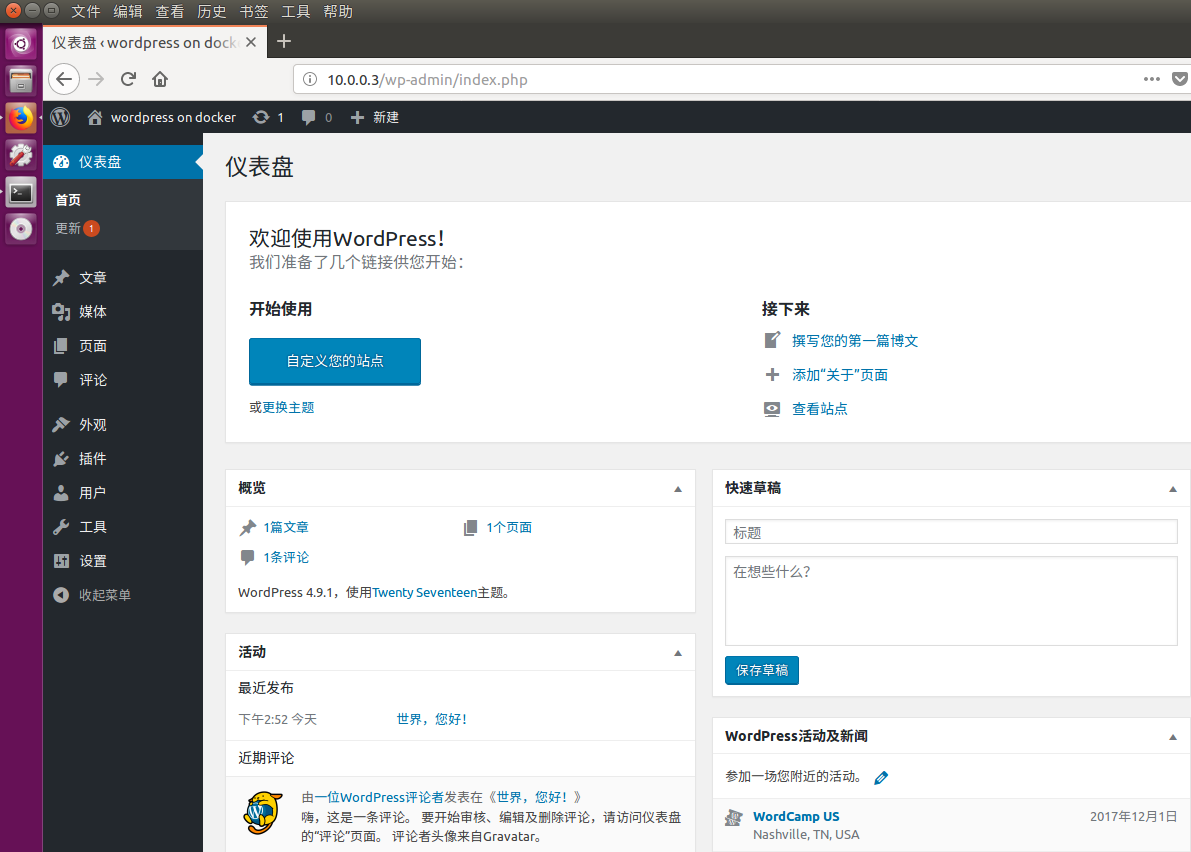
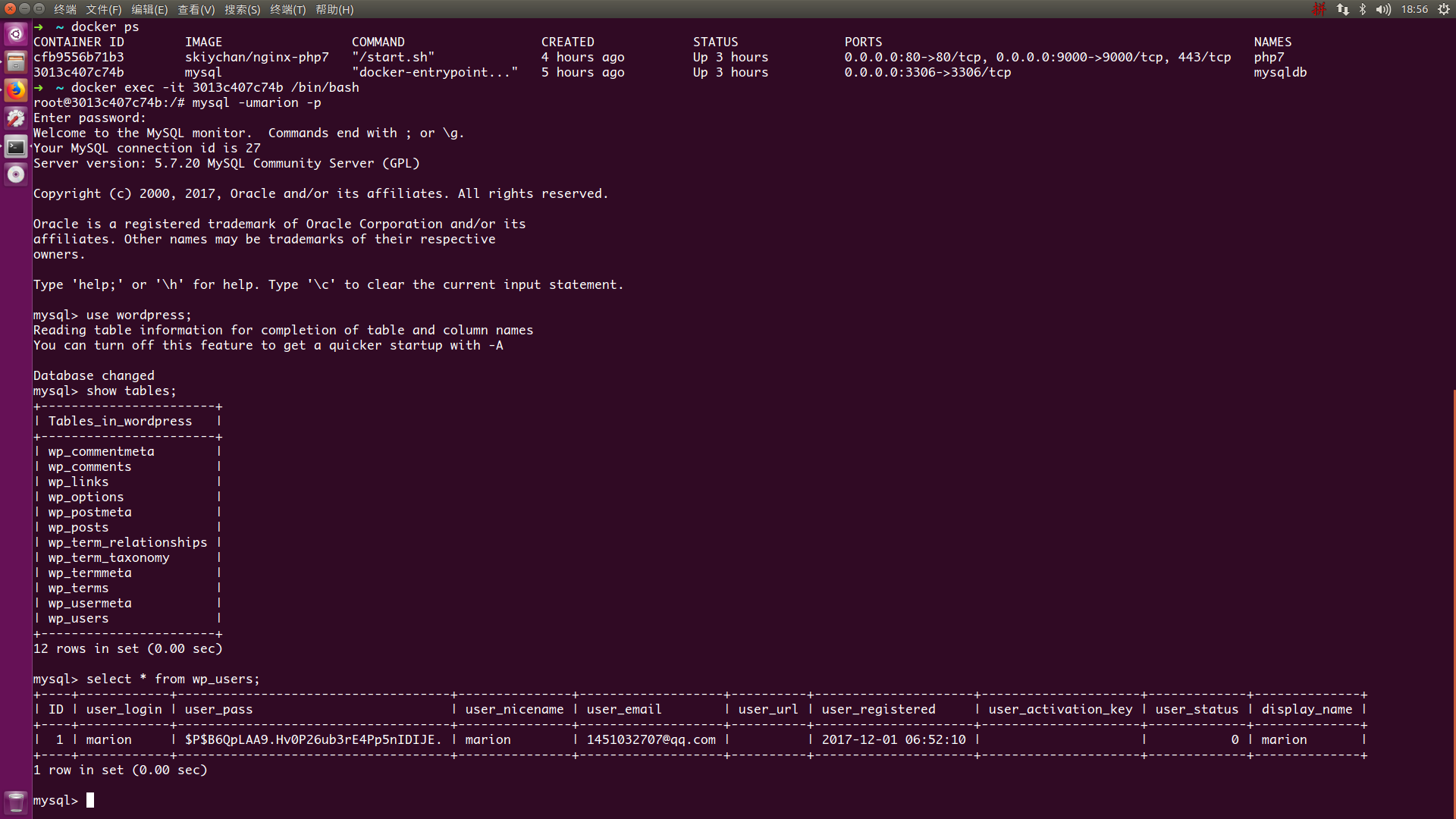
[Docker03] Deploy LNMP on Docker的更多相关文章
- 原lnmp环境服务器升级为mysql+nginx+php单个docker容器构建的lnmp环境
时间:2018年2月 一.项目背景 我单位现web服务架构为lnmp环境,服务器软件.硬件升级部署难:同时开源软件日新月异,考虑到技术升级,领导决定服务器架构整体升级为容器架构,维护性.移植性强. 二 ...
- centos7搭建docker并部署lnmp (转)
1.首先呢先更新yum源 yum -y update 2.1.安装docker存储库 yum install -y yum-utils \ device-mapper-persistent-dat ...
- Centos7搭建Docker部署LNMP
1.首先呢先更新yum源 yum update 2.1.安装docker存储库 yum install -y yum-utils \ device-mapper-persistent-data \ l ...
- Docker部署lnmp 实战 (多注意配置文件,不管访问试试换个浏览器)
Docker部署LNMP环境 关闭防火墙,设置自定义网络 systemctl stop firewalld systemctl disable firewalld setenforce 0 docke ...
- Docker之LNMP分布式容器部署
Docker之LNMP分布式容器部署 目录 Docker之LNMP分布式容器部署 一.项目模拟 1. 项目环境 2. 服务器环境 3. 任务需求 二.Linux系统基础镜像 三.Nginx 1. 建立 ...
- Docker三剑客之Docker Compose
一.什么是Docker Compose Compose 项目是Docker官方的开源项目,负责实现Docker容器集群的快速编排,开源代码在https://github.com/docker/comp ...
- Docker的镜像制作与整套项目一键打包部署
Dockerfile常用指令介绍 指令 描述 FROM 构建的新镜像是基于哪个镜像.例如:FROM centos:6 MAINTAINER 镜像维护者姓名或邮箱地址.例如:MAINTAINER Mr. ...
- Docker基础(下)
Docker基础(下) 链接:https://pan.baidu.com/s/1u8Tg5qB4ZZHEK6GqCJkjwg 提取码:u8hb 复制这段内容后打开百度网盘手机App,操作更方便哦 5. ...
- 生产环境中使用Docker Swarm的一些建议
译者按: 实践中会发现,生产环境中使用单个Docker节点是远远不够的,搭建Docker集群势在必行.然而,面对Kubernetes, Mesos以及Swarm等众多容器集群系统,我们该如何选择呢?它 ...
随机推荐
- 【译文】使用webpack提高网页性能优化
这篇文章原文来自https://developers.google.com/web/fundamentals/performance/webpack/. 说是译文其实更像是笔者做的笔记,如有错误之处请 ...
- 《Effective Java》笔记45-56:通用程序设计
将局部变量的作用域最小化,可以增强代码的可读性和可维护性,并降低出错的可能性. 要使用局部变量的作用域最小化,最有力的方法就是在第一次使用它的地方才声明,不要过早的声明. 局部变量的作用域从它被声明的 ...
- 达拉草201771010105《面向对象程序设计(java)》第十八周学习总结
达拉草201771010105<面向对象程序设计(java)>第十八周学习总结 实验十八 总复习 实验时间 2018-12-30 1.实验目的与要求 (1) 综合掌握java基本程序结构 ...
- 密码学习(一)——Base64
简介 Base64是一种非常常用的数据编码方式,标准Base64可以把所有的数据用"A~Z,a~z,0~9,+,/,="共65个字符(‘=’号仅是一个占位符,作为后缀)表示,当然在 ...
- 二叉堆的BuildHeap操作
优先队列(二叉堆)BuildHeap操作 \(BuildHeap(H)\)操作把\(N\)个关键字作为输入并把它们放入空堆中.显然,这可以使用\(N\)个相继的\(Insert\)操作来完成.由于每个 ...
- UVA - 10462 Is There A Second Way Left?
题意: 给你一张无向图,让你判断三种情况:1.不是连通图(无法形成生成树)2.只能生成唯一的生成树 3.能生成的生成树不唯一(有次小生成树),这种情况要求出次小生成树的边权值和. 思路: 比较常见的次 ...
- Hibernate入门之注解@Column详解
前言 上一节我们讲解了Hibernate的主键生成策略,本节我们继续来讲讲Hibernate中针对列的映射即@Column注解,文中若有错误之处,还望指正. @Column注解详解 我们看到如上针对列 ...
- js实现文字头像的生成
原文地址:https://www.phyer.cn/article/9277.欢迎大家访问我的博客(●ˇ∀ˇ●) 使用canvas画出文字就好啦 function gen_text_img(size, ...
- vmware企业虚拟化平台vSphere管理与配置
├─1-CCIE-DC课程介绍.avi ├─2-vSphere-简介.avi ├─3-vSphere-新功能介绍.avi ├─4-vSphere-授权介绍.avi ├─5-vSphere-课程拓扑介绍 ...
- 【01】openLayers 第一个地图
效果: 代码: <!DOCTYPE html> <html> <head> <meta charset="UTF-8"> <t ...