
(五十七)c#Winform自定义控件-传送带(工业)-HZHControls
官网
前提
入行已经7,8年了,一直想做一套漂亮点的自定义控件,于是就有了本系列文章。
GitHub:https://github.com/kwwwvagaa/NetWinformControl
码云:https://gitee.com/kwwwvagaa/net_winform_custom_control.git
如果觉得写的还行,请点个 star 支持一下吧
欢迎前来交流探讨: 企鹅群568015492 
麻烦博客下方点个【推荐】,谢谢
NuGet
Install-Package HZH_Controls
目录
https://www.cnblogs.com/bfyx/p/11364884.html
用处及效果
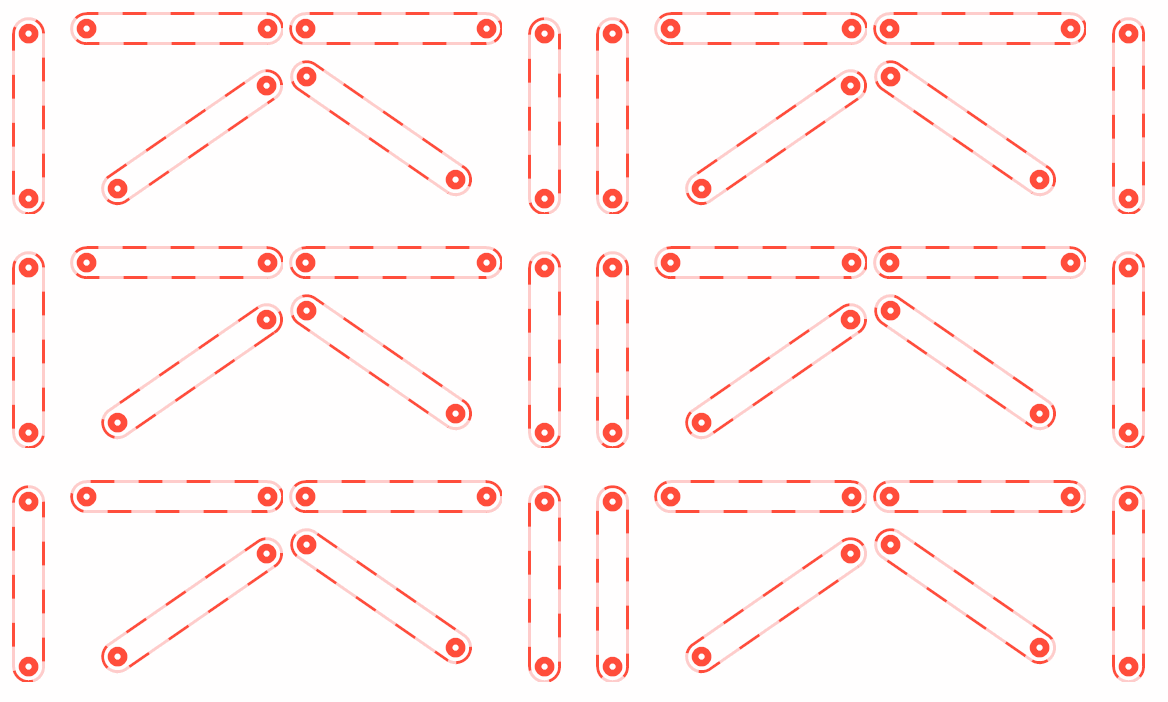
准备工作
依然gdi+和三角函数,不懂可以先百度下
一个控制转动方向的枚举
 public enum ConveyorDirection

     {

         /// <summary>

         /// The none

         /// </summary>

         None,

         /// <summary>

         /// The forward

         /// </summary>

         Forward,

         /// <summary>

         /// The backward

         /// </summary>

         Backward

     }
一些控制属性
 /// <summary>

         /// The conveyor color

         /// </summary>

         private Color conveyorColor = Color.FromArgb(, , );

         /// <summary>

         /// Gets or sets the color of the conveyor.

         /// </summary>

         /// <value>The color of the conveyor.</value>

         [Description("传送带颜色"), Category("自定义")]

         public Color ConveyorColor

         {

             get { return conveyorColor; }

             set

             {

                 conveyorColor = value;

                 Refresh();

             }

         }

         /// <summary>

         /// The inclination

         /// </summary>

         private double inclination = ;

         /// <summary>

         /// Gets or sets the inclination.

         /// </summary>

         /// <value>The inclination.</value>

         [Description("传送带角度(-90<=value<=90)"), Category("自定义")]

         public double Inclination

         {

             get { return inclination; }

             set

             {

                 if (value >  || value < -)

                     return;

                 inclination = value;

                 ResetWorkingRect();

                 Refresh();

             }

         }

         /// <summary>

         /// The conveyor height

         /// </summary>

         private int conveyorHeight = ;

         /// <summary>

         /// Gets or sets the height of the conveyor.

         /// </summary>

         /// <value>The height of the conveyor.</value>

         [Description("传送带高度"), Category("自定义")]

         public int ConveyorHeight

         {

             get { return conveyorHeight; }

             set

             {

                 conveyorHeight = value;

                 ResetWorkingRect();

                 Refresh();

             }

         }

         /// <summary>

         /// The conveyor direction

         /// </summary>

         private ConveyorDirection conveyorDirection = ConveyorDirection.Forward;

         /// <summary>

         /// Gets or sets the conveyor direction.

         /// </summary>

         /// <value>The conveyor direction.</value>

         [Description("传送带运行方向"), Category("自定义")]

         public ConveyorDirection ConveyorDirection

         {

             get { return conveyorDirection; }

             set

             {

                 conveyorDirection = value;

                 if (value == HZH_Controls.Controls.ConveyorDirection.None)

                 {

                     m_timer.Enabled = false;

                     Refresh();

                 }

                 else

                 {

                     m_timer.Enabled = true;

                 }

             }

         }

         /// <summary>

         /// The liquid speed

         /// </summary>

         private int conveyorSpeed = ;

         /// <summary>

         /// 传送带运行速度,越小,速度越快Gets or sets the ConveyorSpeed.

         /// </summary>

         /// <value>The liquid speed.</value>

         [Description("传送带运行速度,越小,速度越快"), Category("自定义")]

         public int ConveyorSpeed

         {

             get { return conveyorSpeed; }

             set

             {

                 if (value <= )

                     return;

                 conveyorSpeed = value;

                 m_timer.Interval = value;

             }

         }

         /// <summary>

         /// The m working rect

         /// </summary>

         Rectangle m_workingRect;

         /// <summary>

         /// The int line left

         /// </summary>

         int intLineLeft = ;

         /// <summary>

         /// The m timer

         /// </summary>

         Timer m_timer;
大小和角度改变时重算画图区域
  void UCConveyor_SizeChanged(object sender, EventArgs e)

         {

             ResetWorkingRect();

         }

         /// <summary>

         /// Resets the working rect.

         /// </summary>

         private void ResetWorkingRect()

         {

             if (inclination ==  || inclination == -)

             {

                 m_workingRect = new Rectangle((this.Width - conveyorHeight) / , , conveyorHeight, this.Height - );

             }

             else if (inclination == )

             {

                 m_workingRect = new Rectangle(, (this.Height - conveyorHeight) /  + , this.Width - , conveyorHeight);

             }

             else

             {

                 //根据角度计算需要的高度

                 int intHeight = (int)(Math.Tan(Math.PI * (Math.Abs(inclination) / 180.00000)) * (this.Width));

                 if (intHeight >= this.Height)

                     intHeight = this.Height;

                 int intWidth = (int)(intHeight / (Math.Tan(Math.PI * (Math.Abs(inclination) / 180.00000))));

                 intHeight += conveyorHeight;

                 if (intHeight >= this.Height)

                     intHeight = this.Height;

                 m_workingRect = new Rectangle((this.Width - intWidth) /  + , (this.Height - intHeight) /  + , intWidth - , intHeight - );

             }

         }
最重要的重绘
  /// <summary>

         /// 引发 <see cref="E:System.Windows.Forms.Control.Paint" /> 事件。

         /// </summary>

         /// <param name="e">包含事件数据的 <see cref="T:System.Windows.Forms.PaintEventArgs" />。</param>

         protected override void OnPaint(PaintEventArgs e)

         {

             base.OnPaint(e);

             var g = e.Graphics;

             g.SetGDIHigh();

             //g.FillRectangle(new SolidBrush(Color.FromArgb(100, conveyorColor)), m_workingRect);

             //轴

             //左端

             var rectLeft = new Rectangle(m_workingRect.Left + , (inclination >=  ? (m_workingRect.Bottom - conveyorHeight) : m_workingRect.Top) + , conveyorHeight - , conveyorHeight - );

             g.FillEllipse(new SolidBrush(conveyorColor), rectLeft);

             g.FillEllipse(new SolidBrush(Color.White), new Rectangle(rectLeft.Left + (rectLeft.Width - ) / , rectLeft.Top + (rectLeft.Height - ) / , , ));

             //右端

             var rectRight = new Rectangle(m_workingRect.Right - conveyorHeight + , (inclination >=  ? (m_workingRect.Top) : (m_workingRect.Bottom - conveyorHeight)) + , conveyorHeight - , conveyorHeight - );

             g.FillEllipse(new SolidBrush(conveyorColor), rectRight);

             g.FillEllipse(new SolidBrush(Color.White), new Rectangle(rectRight.Left + (rectRight.Width - ) / , rectRight.Top + (rectRight.Height - ) / , , ));

             //传送带

             //左端

             GraphicsPath path = new GraphicsPath();

             path.AddArc(new Rectangle(m_workingRect.Left, (inclination >=  ? (m_workingRect.Bottom - conveyorHeight) : m_workingRect.Top), conveyorHeight, conveyorHeight), 90F - (float)inclination, 180F);

             //右端

             path.AddArc(new Rectangle(m_workingRect.Right - conveyorHeight, (inclination >=  ? (m_workingRect.Top) : (m_workingRect.Bottom - conveyorHeight)), conveyorHeight, conveyorHeight),  - (float)inclination, 180F);

             path.CloseAllFigures();

             g.DrawPath(new Pen(new SolidBrush(conveyorColor), ), path);

             //液体流动

             if (ConveyorDirection != ConveyorDirection.None)

             {

                 Pen p = new Pen(new SolidBrush(Color.FromArgb(, this.BackColor)), );

                 p.DashPattern = new float[] { ,  };

                 p.DashOffset = intLineLeft * (ConveyorDirection == ConveyorDirection.Forward ? - : );

                 g.DrawPath(p, path);

             }

         }

     }
完整代码
 // ***********************************************************************

 // Assembly         : HZH_Controls

 // Created          : 2019-09-05

 //

 // ***********************************************************************

 // <copyright file="UCConveyor.cs">

 //     Copyright by Huang Zhenghui(黄正辉) All, QQ group:568015492 QQ:623128629 Email:623128629@qq.com

 // </copyright>

 //

 // Blog: https://www.cnblogs.com/bfyx

 // GitHub:https://github.com/kwwwvagaa/NetWinformControl

 // gitee:https://gitee.com/kwwwvagaa/net_winform_custom_control.git

 //

 // If you use this code, please keep this note.

 // ***********************************************************************

 using System;

 using System.Collections.Generic;

 using System.Linq;

 using System.Text;

 using System.Windows.Forms;

 using System.Drawing;

 using System.Drawing.Drawing2D;

 using System.ComponentModel;

 namespace HZH_Controls.Controls

 {

     /// <summary>

     /// Class UCConveyor.

     /// Implements the <see cref="System.Windows.Forms.UserControl" />

     /// </summary>

     /// <seealso cref="System.Windows.Forms.UserControl" />

     public class UCConveyor : UserControl

     {

         /// <summary>

         /// The conveyor color

         /// </summary>

         private Color conveyorColor = Color.FromArgb(, , );

         /// <summary>

         /// Gets or sets the color of the conveyor.

         /// </summary>

         /// <value>The color of the conveyor.</value>

         [Description("传送带颜色"), Category("自定义")]

         public Color ConveyorColor

         {

             get { return conveyorColor; }

             set

             {

                 conveyorColor = value;

                 Refresh();

             }

         }

         /// <summary>

         /// The inclination

         /// </summary>

         private double inclination = ;

         /// <summary>

         /// Gets or sets the inclination.

         /// </summary>

         /// <value>The inclination.</value>

         [Description("传送带角度(-90<=value<=90)"), Category("自定义")]

         public double Inclination

         {

             get { return inclination; }

             set

             {

                 if (value >  || value < -)

                     return;

                 inclination = value;

                 ResetWorkingRect();

                 Refresh();

             }

         }

         /// <summary>

         /// The conveyor height

         /// </summary>

         private int conveyorHeight = ;

         /// <summary>

         /// Gets or sets the height of the conveyor.

         /// </summary>

         /// <value>The height of the conveyor.</value>

         [Description("传送带高度"), Category("自定义")]

         public int ConveyorHeight

         {

             get { return conveyorHeight; }

             set

             {

                 conveyorHeight = value;

                 ResetWorkingRect();

                 Refresh();

             }

         }

         /// <summary>

         /// The conveyor direction

         /// </summary>

         private ConveyorDirection conveyorDirection = ConveyorDirection.Forward;

         /// <summary>

         /// Gets or sets the conveyor direction.

         /// </summary>

         /// <value>The conveyor direction.</value>

         [Description("传送带运行方向"), Category("自定义")]

         public ConveyorDirection ConveyorDirection

         {

             get { return conveyorDirection; }

             set

             {

                 conveyorDirection = value;

                 if (value == HZH_Controls.Controls.ConveyorDirection.None)

                 {

                     m_timer.Enabled = false;

                     Refresh();

                 }

                 else

                 {

                     m_timer.Enabled = true;

                 }

             }

         }

         /// <summary>

         /// The liquid speed

         /// </summary>

         private int conveyorSpeed = ;

         /// <summary>

         /// 传送带运行速度,越小,速度越快Gets or sets the ConveyorSpeed.

         /// </summary>

         /// <value>The liquid speed.</value>

         [Description("传送带运行速度,越小,速度越快"), Category("自定义")]

         public int ConveyorSpeed

         {

             get { return conveyorSpeed; }

             set

             {

                 if (value <= )

                     return;

                 conveyorSpeed = value;

                 m_timer.Interval = value;

             }

         }

         /// <summary>

         /// The m working rect

         /// </summary>

         Rectangle m_workingRect;

         /// <summary>

         /// The int line left

         /// </summary>

         int intLineLeft = ;

         /// <summary>

         /// The m timer

         /// </summary>

         Timer m_timer;

         /// <summary>

         /// Initializes a new instance of the <see cref="UCConveyor"/> class.

         /// </summary>

         public UCConveyor()

         {

             this.SetStyle(ControlStyles.AllPaintingInWmPaint, true);

             this.SetStyle(ControlStyles.DoubleBuffer, true);

             this.SetStyle(ControlStyles.ResizeRedraw, true);

             this.SetStyle(ControlStyles.Selectable, true);

             this.SetStyle(ControlStyles.SupportsTransparentBackColor, true);

             this.SetStyle(ControlStyles.UserPaint, true);

             this.SizeChanged += UCConveyor_SizeChanged;

             this.Size = new Size(, );

             m_timer = new Timer();

             m_timer.Interval = ;

             m_timer.Tick += timer_Tick;

             m_timer.Enabled = true;

         }

         /// <summary>

         /// Handles the Tick event of the timer control.

         /// </summary>

         /// <param name="sender">The source of the event.</param>

         /// <param name="e">The <see cref="EventArgs"/> instance containing the event data.</param>

         void timer_Tick(object sender, EventArgs e)

         {

             intLineLeft += ;

             if (intLineLeft > )

                 intLineLeft = ;

             Refresh();

         }

         /// <summary>

         /// Handles the SizeChanged event of the UCConveyor control.

         /// </summary>

         /// <param name="sender">The source of the event.</param>

         /// <param name="e">The <see cref="EventArgs"/> instance containing the event data.</param>

         void UCConveyor_SizeChanged(object sender, EventArgs e)

         {

             ResetWorkingRect();

         }

         /// <summary>

         /// Resets the working rect.

         /// </summary>

         private void ResetWorkingRect()

         {

             if (inclination ==  || inclination == -)

             {

                 m_workingRect = new Rectangle((this.Width - conveyorHeight) / , , conveyorHeight, this.Height - );

             }

             else if (inclination == )

             {

                 m_workingRect = new Rectangle(, (this.Height - conveyorHeight) /  + , this.Width - , conveyorHeight);

             }

             else

             {

                 //根据角度计算需要的高度

                 int intHeight = (int)(Math.Tan(Math.PI * (Math.Abs(inclination) / 180.00000)) * (this.Width));

                 if (intHeight >= this.Height)

                     intHeight = this.Height;

                 int intWidth = (int)(intHeight / (Math.Tan(Math.PI * (Math.Abs(inclination) / 180.00000))));

                 intHeight += conveyorHeight;

                 if (intHeight >= this.Height)

                     intHeight = this.Height;

                 m_workingRect = new Rectangle((this.Width - intWidth) /  + , (this.Height - intHeight) /  + , intWidth - , intHeight - );

             }

         }

         /// <summary>

         /// 引发 <see cref="E:System.Windows.Forms.Control.Paint" /> 事件。

         /// </summary>

         /// <param name="e">包含事件数据的 <see cref="T:System.Windows.Forms.PaintEventArgs" />。</param>

         protected override void OnPaint(PaintEventArgs e)

         {

             base.OnPaint(e);

             var g = e.Graphics;

             g.SetGDIHigh();

             //g.FillRectangle(new SolidBrush(Color.FromArgb(100, conveyorColor)), m_workingRect);

             //轴

             //左端

             var rectLeft = new Rectangle(m_workingRect.Left + , (inclination >=  ? (m_workingRect.Bottom - conveyorHeight) : m_workingRect.Top) + , conveyorHeight - , conveyorHeight - );

             g.FillEllipse(new SolidBrush(conveyorColor), rectLeft);

             g.FillEllipse(new SolidBrush(Color.White), new Rectangle(rectLeft.Left + (rectLeft.Width - ) / , rectLeft.Top + (rectLeft.Height - ) / , , ));

             //右端

             var rectRight = new Rectangle(m_workingRect.Right - conveyorHeight + , (inclination >=  ? (m_workingRect.Top) : (m_workingRect.Bottom - conveyorHeight)) + , conveyorHeight - , conveyorHeight - );

             g.FillEllipse(new SolidBrush(conveyorColor), rectRight);

             g.FillEllipse(new SolidBrush(Color.White), new Rectangle(rectRight.Left + (rectRight.Width - ) / , rectRight.Top + (rectRight.Height - ) / , , ));

             //传送带

             //左端

             GraphicsPath path = new GraphicsPath();

             path.AddArc(new Rectangle(m_workingRect.Left, (inclination >=  ? (m_workingRect.Bottom - conveyorHeight) : m_workingRect.Top), conveyorHeight, conveyorHeight), 90F - (float)inclination, 180F);

             //右端

             path.AddArc(new Rectangle(m_workingRect.Right - conveyorHeight, (inclination >=  ? (m_workingRect.Top) : (m_workingRect.Bottom - conveyorHeight)), conveyorHeight, conveyorHeight),  - (float)inclination, 180F);

             path.CloseAllFigures();

             g.DrawPath(new Pen(new SolidBrush(conveyorColor), ), path);

             //液体流动

             if (ConveyorDirection != ConveyorDirection.None)

             {

                 Pen p = new Pen(new SolidBrush(Color.FromArgb(, this.BackColor)), );

                 p.DashPattern = new float[] { ,  };

                 p.DashOffset = intLineLeft * (ConveyorDirection == ConveyorDirection.Forward ? - : );

                 g.DrawPath(p, path);

             }

         }

     }

     /// <summary>

     /// Enum ConveyorDirection

     /// </summary>

     public enum ConveyorDirection

     {

         /// <summary>

         /// The none

         /// </summary>

         None,

         /// <summary>

         /// The forward

         /// </summary>

         Forward,

         /// <summary>

         /// The backward

         /// </summary>

         Backward

     }

 }
开始
最后的话
如果你喜欢的话,请到 https://gitee.com/kwwwvagaa/net_winform_custom_control 点个星星吧
(五十七)c#Winform自定义控件-传送带(工业)-HZHControls的更多相关文章
- (二十五)c#Winform自定义控件-有确定取消的窗体(一)
前提 入行已经7,8年了,一直想做一套漂亮点的自定义控件,于是就有了本系列文章. 开源地址:https://gitee.com/kwwwvagaa/net_winform_custom_control ...
- (四十五)c#Winform自定义控件-水波图表
前提 入行已经7,8年了,一直想做一套漂亮点的自定义控件,于是就有了本系列文章. GitHub:https://github.com/kwwwvagaa/NetWinformControl 码云:ht ...
- (三十五)c#Winform自定义控件-下拉框
前提 入行已经7,8年了,一直想做一套漂亮点的自定义控件,于是就有了本系列文章. GitHub:https://github.com/kwwwvagaa/NetWinformControl 码云:ht ...
- (六十五)c#Winform自定义控件-思维导图/组织架构图(工业)
前提 入行已经7,8年了,一直想做一套漂亮点的自定义控件,于是就有了本系列文章. GitHub:https://github.com/kwwwvagaa/NetWinformControl 码云:ht ...
- (五十一)c#Winform自定义控件-文字提示-HZHControls
官网 http://www.hzhcontrols.com 前提 入行已经7,8年了,一直想做一套漂亮点的自定义控件,于是就有了本系列文章. GitHub:https://github.com/kww ...
- (五)c#Winform自定义控件-复选框
前提 入行已经7,8年了,一直想做一套漂亮点的自定义控件,于是就有了本系列文章. 开源地址:https://gitee.com/kwwwvagaa/net_winform_custom_control ...
- (十五)c#Winform自定义控件-键盘(二)
前提 入行已经7,8年了,一直想做一套漂亮点的自定义控件,于是就有了本系列文章. 开源地址:https://gitee.com/kwwwvagaa/net_winform_custom_control ...
- (三十五)c#Winform自定义控件-Tab页
前提 入行已经7,8年了,一直想做一套漂亮点的自定义控件,于是就有了本系列文章. 开源地址:https://gitee.com/kwwwvagaa/net_winform_custom_control ...
- (五十五)c#Winform自定义控件-管道
前提 入行已经7,8年了,一直想做一套漂亮点的自定义控件,于是就有了本系列文章. GitHub:https://github.com/kwwwvagaa/NetWinformControl 码云:ht ...
随机推荐
- SQLHelper.cs类 微软C#版
using System; using System.Data; using System.Xml; using System.Data.SqlClient; using System.Collect ...
- 重载和重写的区别?构造器 Contructor 构造器是否可被 override?
重载 发生在同一类,方法名必须相同,参数类型不同,顺序不同,类型不同,方法返回值和返回类型可以不同 重写 发生在子父类,方法名.参数名参数列表必须相同.返回值范围小于等于父类,抛出异常范围小于等于父类 ...
- bsoj5988 [Achen模拟赛]期望 题解
bsoj5988 Description [题目背景] NOI2018 已经过去了许久,2019 届的 BSOIer 们退役的退役,颓废的颓废,计数能力大不如前.曾经的数数之王 xxyj 坦言:&qu ...
- python——模块(Module)的概念、使用以及安装第三方模块
一.模块定义 python中,一个.py文件就是一个模块(Module). 使用模块的好处:1.提高了代码的可维护性.我们把函数进行分组,分别放在不同的模块中.2.编写代码不必要从0开始,当一个模块编 ...
- C#线程学习笔记三:线程池中的I/O线程
本笔记摘抄自:https://www.cnblogs.com/zhili/archive/2012/07/20/MultiThreads.html,记录一下学习过程以备后续查用. 一.I/O线 ...
- Python学习之while
count = 0while count <= 5: print('人生苦短,我用Python!', 'count = ', count) count += 1
- Python3-logging日志模块
日志模块 logging模块默认收集的日志是warning以上等级的 日志一共分为5个等级,从低到高分别是: 级别 说明 DEBUG 输出详细的运行情况,主要用于调试 INFO 确定一切按预期运行,一 ...
- 关于svn外网访问的问题-搭建成功
昨天聊到了svn外网问题.今天,无限查资料,虽然眼累了一些,不过最终实现.还是开心了一下! 背景:本机设置svn服务器,搭建代码库并开设外网 供不再同一地点的他人来访问 上图: 1.svn服务器端 搭 ...
- leetcode菜鸡斗智斗勇系列(4)--- 单一数字的乘积和总合的减法
1.原题: https://leetcode.com/problems/subtract-the-product-and-sum-of-digits-of-an-integer/ Given an i ...
- DataGridView重新加载数据后,选中上次选中的行。
public int SelecedRow;//记录当前鼠标点中的行索引(用于解决用户获取看板数据,刷新数据后,当前选中行回到默认行) private void dataGridView1_CellC ...