
照着官网来安装openstack pike之glance安装
镜像服务image service(glance)的安装还是在控制节点上进行:
# mysql -u root -p

MariaDB [(none)]> CREATE DATABASE glance;

MariaDB [(none)]> GRANT ALL PRIVILEGES ON glance.* TO 'glance'@'localhost' IDENTIFIED BY 'glance';

MariaDB [(none)]> GRANT ALL PRIVILEGES ON glance.* TO 'glance'@'%'IDENTIFIED BY 'glance';
2、在为glance在keystone上创建用户项目等时,需要先连接keystone,这里使用keystone的admin账号来登录
# source admin-openrc
然后在创建glance用户:
# openstack user create --domain default --password-prompt glance
输入密码:glance
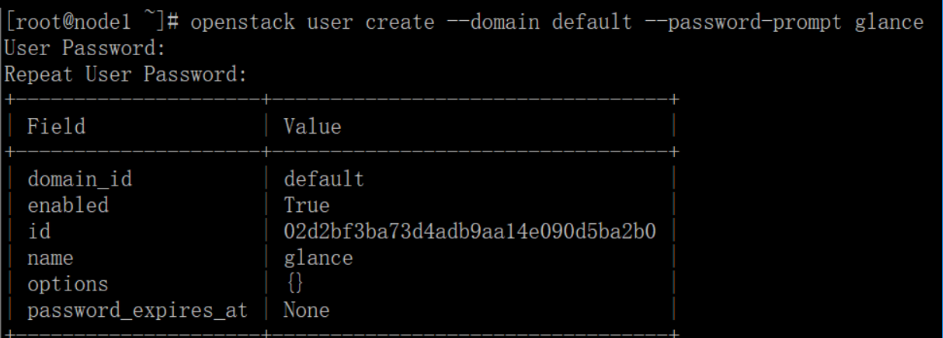
# openstack role add --project service --user glance admin
为glance创建服务实体:
# openstack service create --name glance --description "OpenStack Image" image
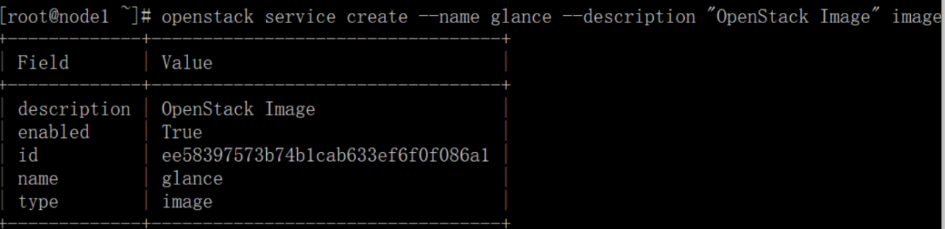
# openstack endpoint create --region RegionOne image public http://192.168.101.10:9292

# openstack endpoint create --region RegionOne image internal http://192.168.101.10:9292

# openstack endpoint create --region RegionOne image admin http://192.168.101.10:9292
安装和配置glance:
# yum install openstack-glance
修改配置文件:/etc/glance/glance-api.conf,在[database]部分:
connection = mysql+pymysql://glance:glance@192.168.101.10/glance
在[keystone_authtoken]和[paste_deploy]分别做如下设置:
[keystone_authtoken]

auth_uri = http://192.168.101.10:5000

auth_url = http://192.168.101.10:35357

memcached_servers = 192.168.101.10:11211

auth_type = password

project_domain_name = default

user_domain_name = default

project_name = service

username = glance

password = glance

[paste_deploy]

flavor = keystone
在[glance_store]部分设置一个本地文件系统用来存储本地镜像:
[glance_store]

stores = file,http

default_store = file

filesystem_store_datadir = /var/lib/glance/images/
修改配置文件:/etc/glance/glance-registry.conf,在[database]配置数据库的连接:
connection = mysql+pymysql://glance:glance@192.168.101.10/glance
在[keystone_authtoken]和[paste_deploy]配置如下内容:
[keystone_authtoken]

auth_uri = http://192.168.101.10:5000

auth_url = http://192.168.101.10:35357

memcached_servers = 192.168.101.10:11211

auth_type = password

project_domain_name = default

user_domain_name = default

project_name = service

username = glance

password = glance

[paste_deploy]

flavor = keystone
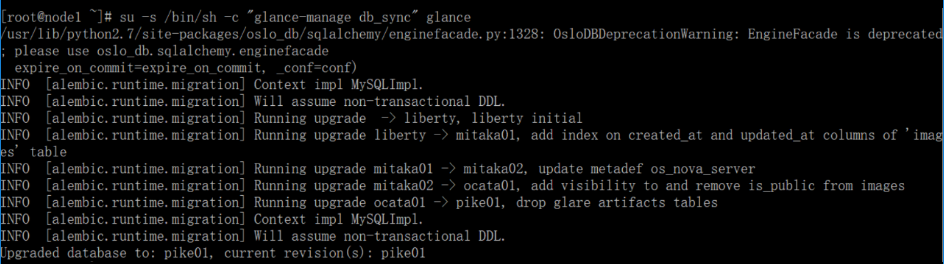
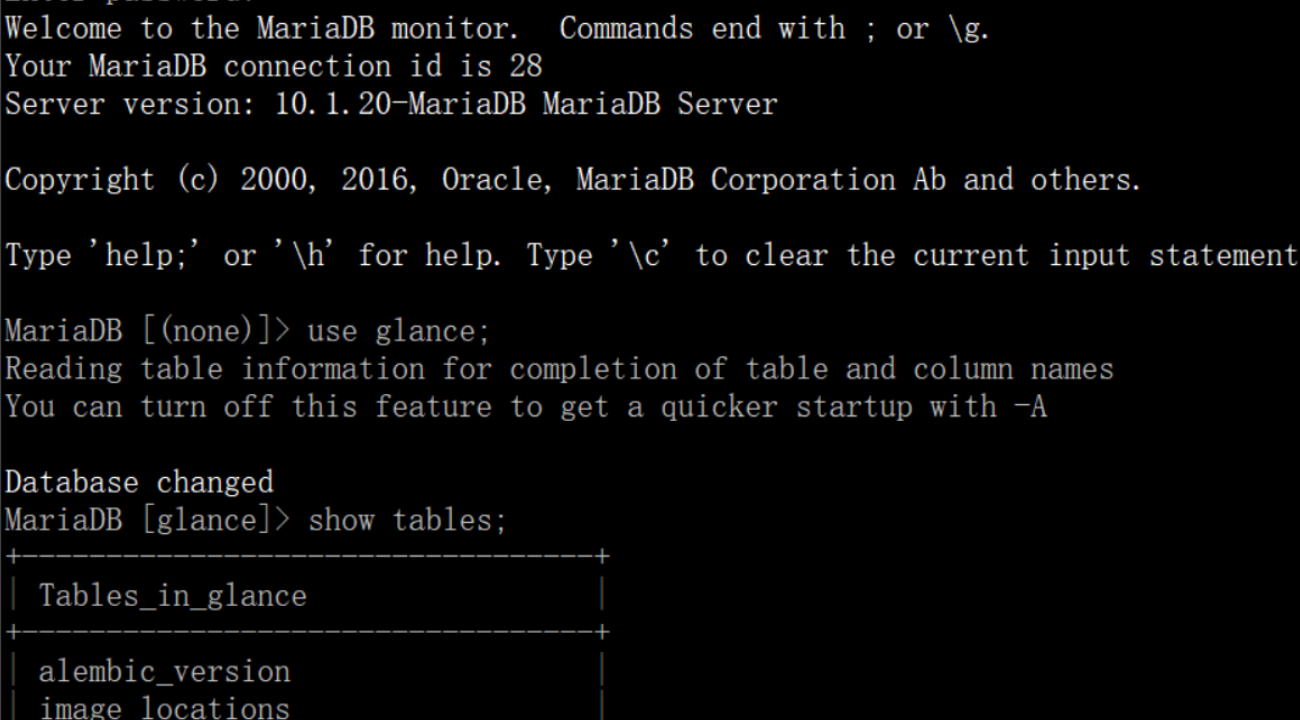
向glance库导入填充数据:
# su -s /bin/sh -c "glance-manage db_sync" glance
Ignore any deprecation messages in this output.
# systemctl enable openstack-glance-api.service openstack-glance-registry.service

# systemctl start openstack-glance-api.service openstack-glance-registry.service
校验glance:校验image service是否安装成功?
# source admin-openrc

# wget http://download.cirros-cloud.net/0.3.5/cirros-0.3.5-x86_64-disk.img

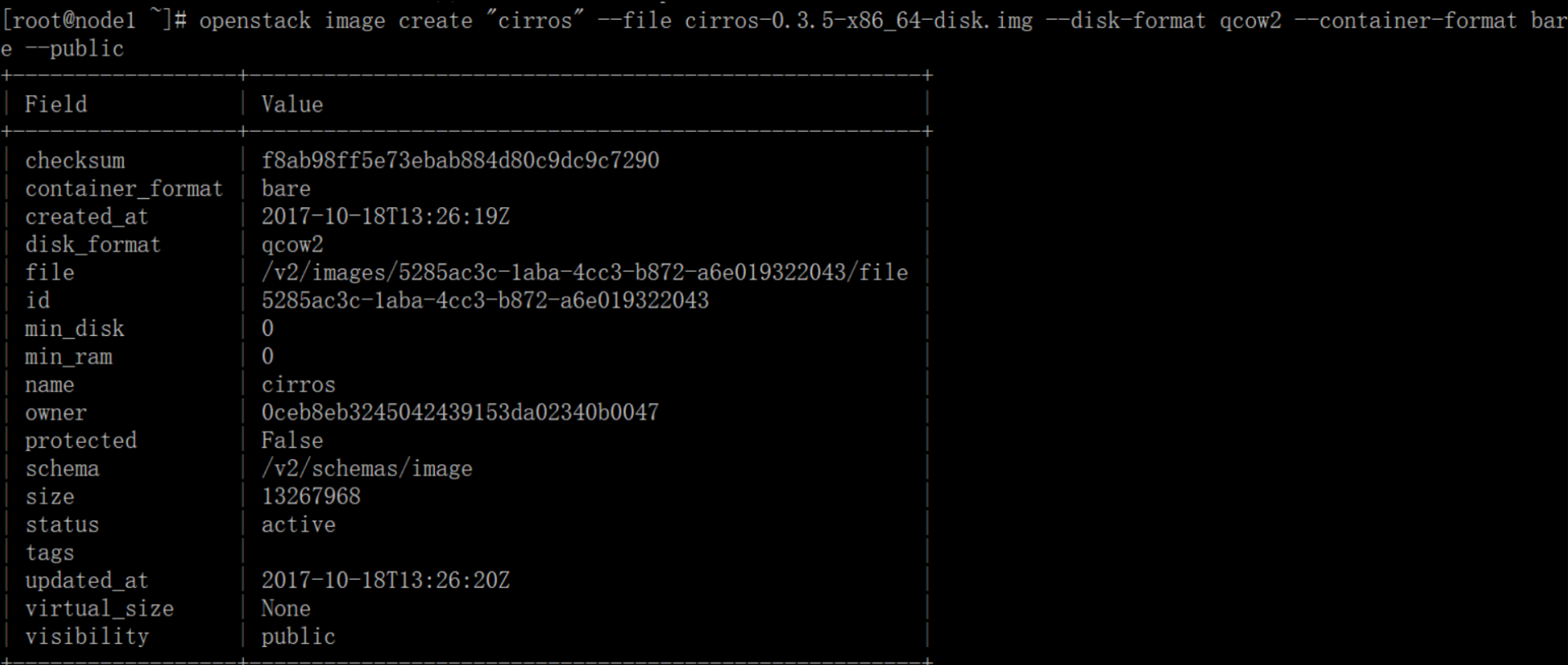
# openstack image create "cirros" --file cirros-0.3.5-x86_64-disk.img --disk-format qcow2 --container-format bare --public
上传镜像到镜像服务上,使用格式qcow2磁盘格式,权限为public,所有的项目都能访问它
# openstack image list 查看镜像列表
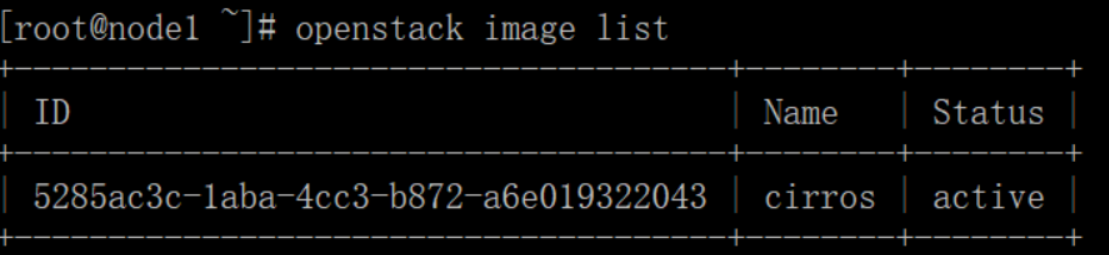
至此glance的image service组件安装成功
贴出glance两个配置文件的配置:
1、/etc/glance/glance-api.conf
[root@node1 ~]# egrep -v "^$|^#" /etc/glance/glance-api.conf

[DEFAULT]

[cors]

[database]

connection = mysql+pymysql://glance:glance@192.168.101.10/glance

[glance_store]

stores = file,http

default_store = file

filesystem_store_datadir = /var/lib/glance/images/

[image_format]

[keystone_authtoken]

auth_uri = http://192.168.101.10:5000

auth_url = http://192.168.101.10:35357

memcached_servers = 192.168.101.10:11211

auth_type = password

project_domain_name = default

user_domain_name = default

project_name = service

username = glance

password = glance

[matchmaker_redis]

[oslo_concurrency]

[oslo_messaging_amqp]

[oslo_messaging_kafka]

[oslo_messaging_notifications]

[oslo_messaging_rabbit]

[oslo_messaging_zmq]

[oslo_middleware]

[oslo_policy]

[paste_deploy]

flavor = keystone

[profiler]

[store_type_location_strategy]

[task]

[taskflow_executor]
2、配置文件/etc/glance/glance-registry.conf
[root@node1 ~]# egrep -v "^$|^#" /etc/glance/glance-registry.conf

[DEFAULT]

[database]

connection = mysql+pymysql://glance:glance@192.168.101.10/glance

[keystone_authtoken]

auth_uri = http://192.168.101.10:5000

auth_url = http://192.168.101.10:35357

memcached_servers = 192.168.101.10:11211

auth_type = password

project_domain_name = default

user_domain_name = default

project_name = service

username = glance

password = glance

[matchmaker_redis]

[oslo_messaging_amqp]

[oslo_messaging_kafka]

[oslo_messaging_notifications]

[oslo_messaging_rabbit]

[oslo_messaging_zmq]

[oslo_policy]

[paste_deploy]

flavor = keystone

[profiler]
照着官网来安装openstack pike之glance安装的更多相关文章
- 照着官网来安装openstack pike之nova安装
nova组件安装分为控制节点和计算节点,还是先从控制节点安装 1.前提条件,数据库为nova创建库和账户密码来连接数据库 # mysql -u root -p MariaDB [(none)]> ...
- 照着官网来安装openstack pike之keystone安装
openstack基础环境安装完成后,现在开启安装keystone服务(在控制节点上执行下面所有操作) 1.为keystone创建数据库 mysql -u root -p MariaDB [(none ...
- 照着官网来安装openstack pike之neutron安装
neutron组件安装分为控制节点和计算节点,还是先从控制节点安装 1.前提条件,数据库为nova创建库和账户密码来连接数据库 # mysql -u root -p MariaDB [(none)]& ...
- 照着官网来安装openstack pike之创建并启动instance
有了之前组件(keystone.glance.nova.neutron)的安装后,那么就可以在命令行创建并启动instance了 照着官网来安装openstack pike之environment设置 ...
- openstack pike 单机 一键安装 shell
#openstack pike 单机 centos 一键安装 shell #openstack pike 集群高可用 安装部署 汇总 http://www.cnblogs.com/elvi/p/7 ...
- 照着官网来安装openstack pike之environment设置
安装openstack前的准备环境: 两个centos7系统的环境:192.168.101.10 node1,192.168.101.11 node2 控制节点node1,计算节点node2 1.统一 ...
- 照着官网来安装openstack pike之安装dashboard
上文提到了利用命令行下使用openstack的命令来创建虚拟机,这里选择安装dashboard来安装基于web界面的openstack平台 利用dashboard界面来创建虚拟机 dashboard这 ...
- Devstack 安装OpenStack Pike版本(单机环境)
问题背景 最近在研究OpenStack的时候,需要对其源代码进行调试,公司服务器上部署的OpenStack环境又不能随意的进行折腾,为了研究的持续性和方便性,就决定再自己的虚拟机上面使用Devstac ...
- CentOS7安装OpenStack(Rocky版)-05.安装一个nova计算节点实例
上一篇文章分享了控制节点的nova计算服务的安装方法,在实际生产环境中,计算节点通常会安装一些单独的节点提供服务,本文分享单独的nova计算节点的安装方法 ---------------- 完美的分 ...
随机推荐
- GIF动画录制工具(写教程时用的比较小巧的gif工具)
1 软件小巧实用,只有1m 2 gif效果还可以 3 绿色,无需安装 很多地方能下载,百度就行. 下载地址: http://www.downxia.com/downinfo/41427.html
- 【BZOJ1005/1211】[HNOI2008]明明的烦恼/[HNOI2004]树的计数 Prufer序列+高精度
[BZOJ1005][HNOI2008]明明的烦恼 Description 自从明明学了树的结构,就对奇怪的树产生了兴趣......给出标号为1到N的点,以及某些点最终的度数,允许在任意两点间连线,可 ...
- spring could Windows打包构建docker镜像到linux
工程模拟参考:http://blog.csdn.net/forezp/article/details/70198649 一.工程结构 二.Pom配置 <build> <plugins ...
- Java/android 里ClassName.this和this的使用
如果在内部类里面用this就是指这个内部类的实例,而如果用OuterClassName.this就是它外面的那个类的实例 ClassName.this这个用法多用于在nested class(内部类) ...
- Centos7编译4.7.2内核
由于想要编译kvm-kmod,编译的时候提示内核版本太低,所以就不得不升级下linux内核,目前最新版内核是4.7.2,编译内核并不是一件很难的事,但是这么久没编译过,还是有必要记录下这一过程. 首先 ...
- (3.9)常用知识-标识值(identity)的不连续与强行插入、计算列
概念:标识值 identity(begin,add_number) 是一种特殊的值,依赖于列,由sql server自动维护,是自增的,而且一般是不会重复的.但是sql server并不维护标识(id ...
- Spark如何写入HBase/Redis/MySQL/Kafka
一些概念 一个partition 对应一个task,一个task 必定存在于一个Executor,一个Executor 对应一个JVM. Partition 是一个可迭代数据集合 Task 本质是作用 ...
- Java中二叉树存储结构实现
一.二叉树 二叉树指的是每个节点最多只能有两个子树的有序树.通常左边的子树被称为“左子树”(left subtree),右边的子树被称为右子树. 二叉树的每个节点最多只有2棵子树,二叉树的子树次序不能 ...
- TensorFlow学习笔记(七)TesnorFlow实现计算加速
目录: 一.TensorFlow使用GPU 二.深度学习训练与并行模式 三.多GPU并行 四.分布式TensorFlow 4.1分布式TensorFlow的原理 4.2分布式TensorFlow模型训 ...
- AngularJS 笔记系列(四)控制器和表达式
控制器:在 Angular 中控制器是一个函数,用来向作用域中添加额外的功能.我们用它来给作用域对象设置初始状态,并添加自定义行为. 使用方法: var app = angualr.module('a ...