
照着官网来安装openstack pike之创建并启动instance
有了之前组件(keystone、glance、nova、neutron)的安装后,那么就可以在命令行创建并启动instance了
照着官网来安装openstack pike之environment设置
照着官网来安装openstack pike之keystone安装
照着官网来安装openstack pike之glance安装
照着官网来安装openstack pike之neutron安装
创建并启动实例需要进行如下操作:
# source admin-openrc
# openstack network create --share --external --provider-physical-network provider --provider-network-type flat provider
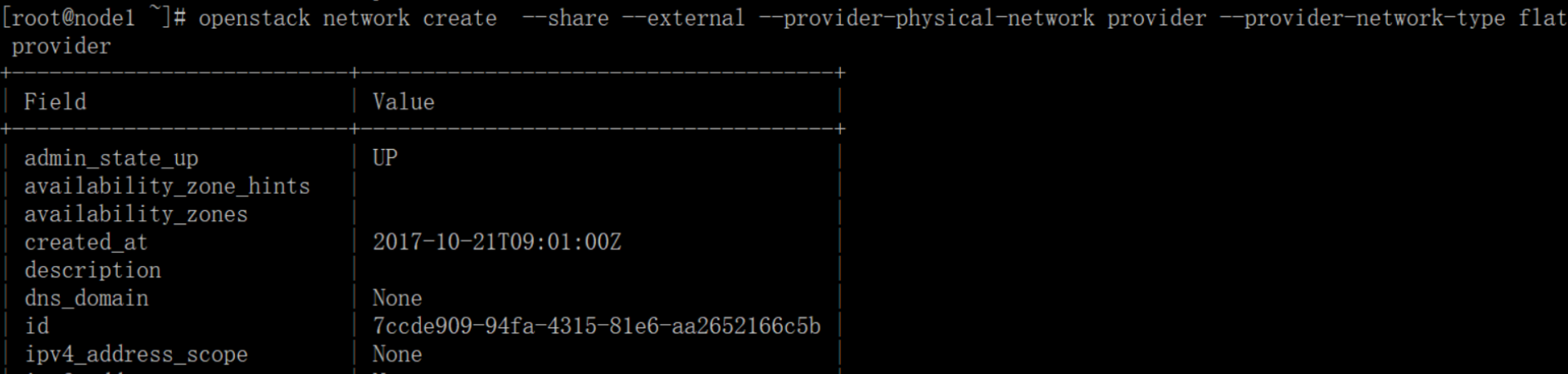
The --share option allows all projects to use the virtual network.
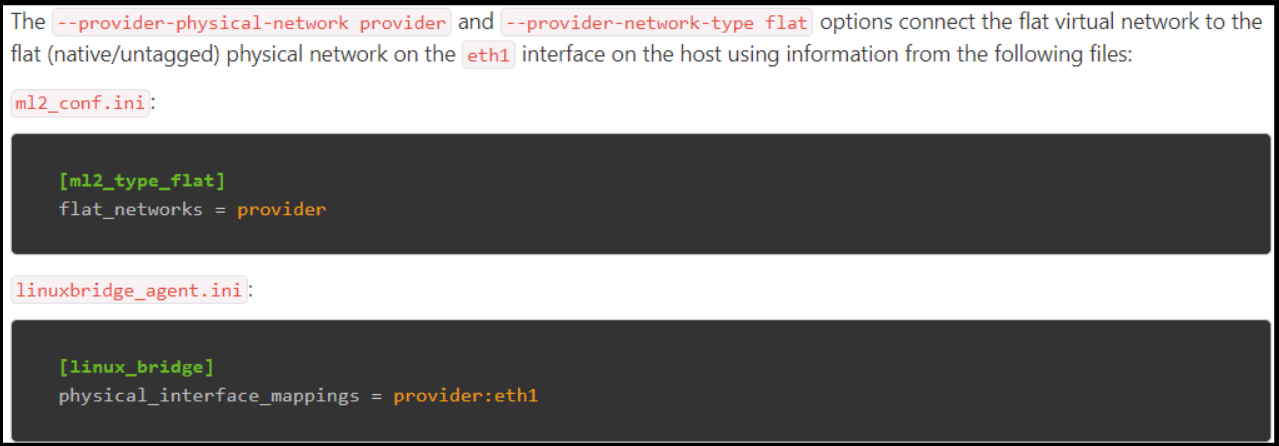
由于此次搭建的环境的本地网卡设备名
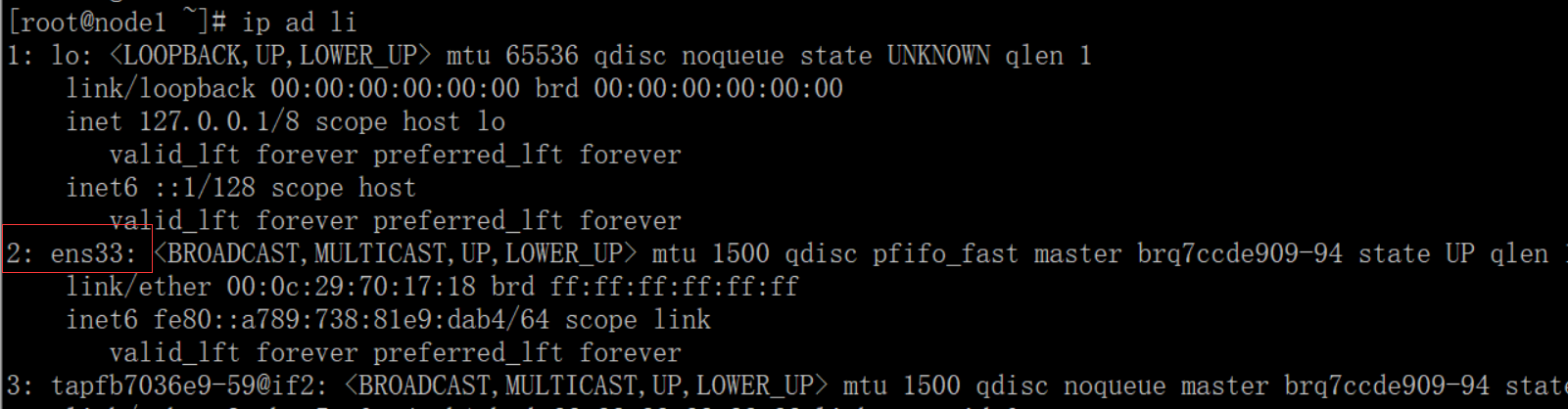
所以这里配置将eth1改为ens33
# openstack subnet create --network provider --allocation-pool start=192.168.101.100,end=192.168.101.200 --dns-nameserver 192.168.101.2 --gateway 192.168.101.2 --subnet-range 192.168.101.0/ provider

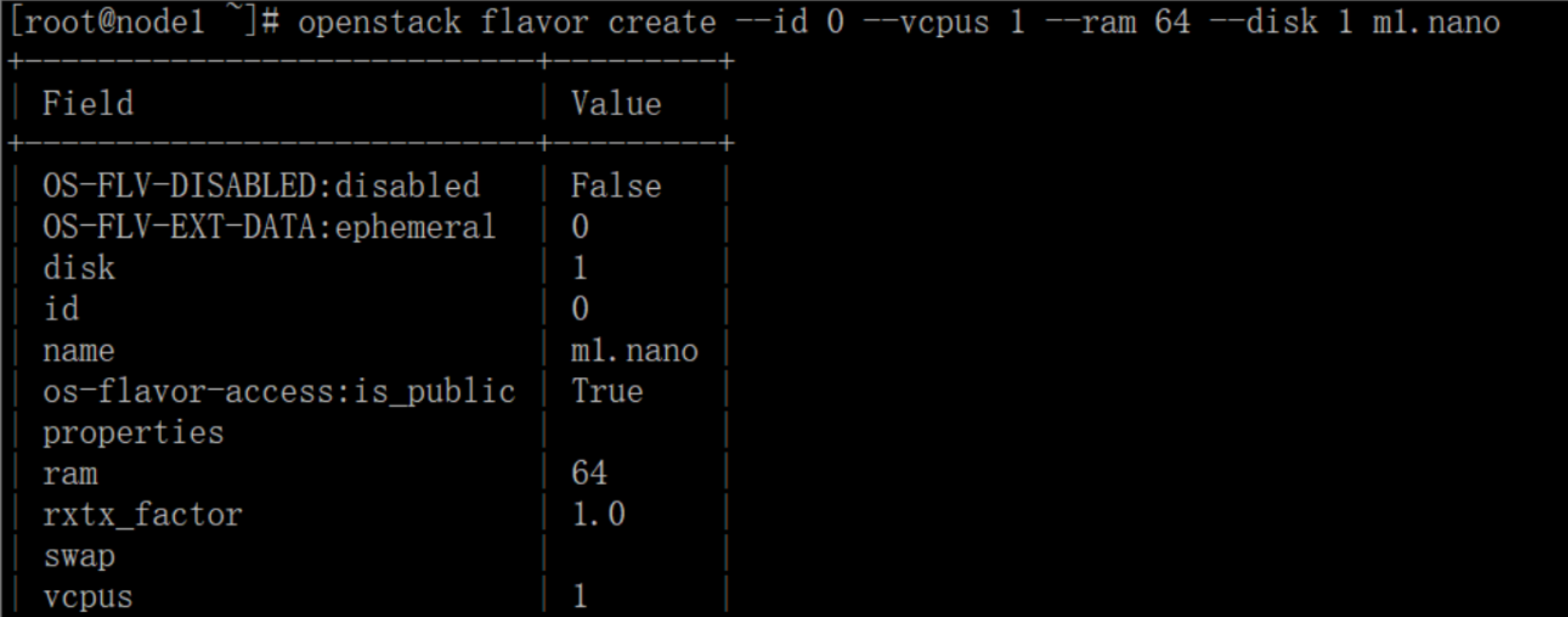
Create m1.nano flavor:
# openstack flavor create --id --vcpus --ram --disk m1.nano
# source demo-openrc
# ssh-keygen -q -N ""

# openstack keypair create --public-key ~/.ssh/id_rsa.pub mykey
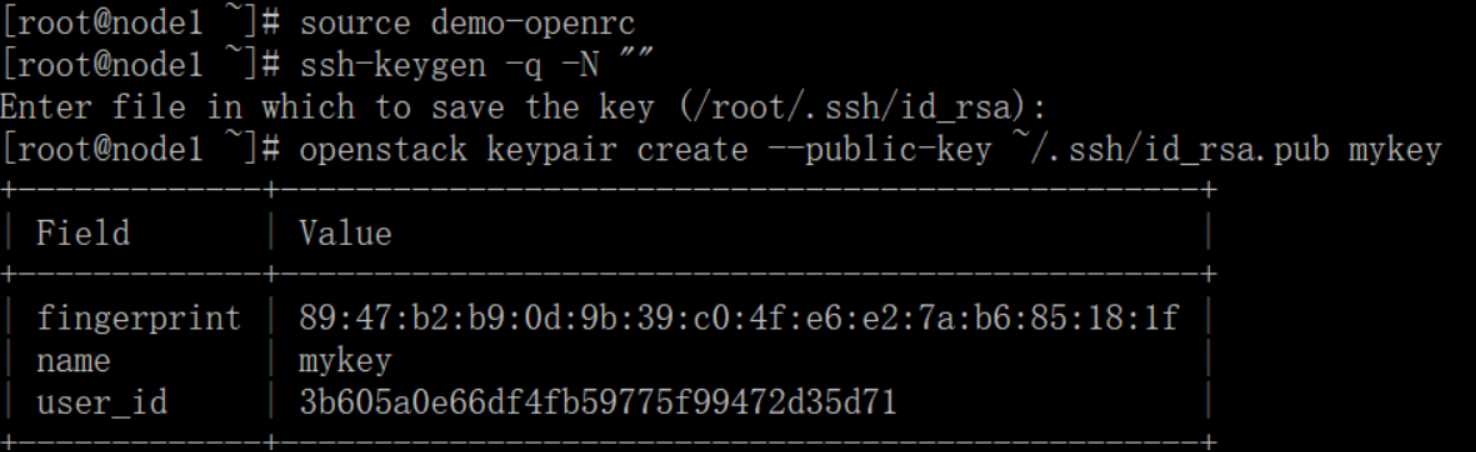
# openstack keypair list
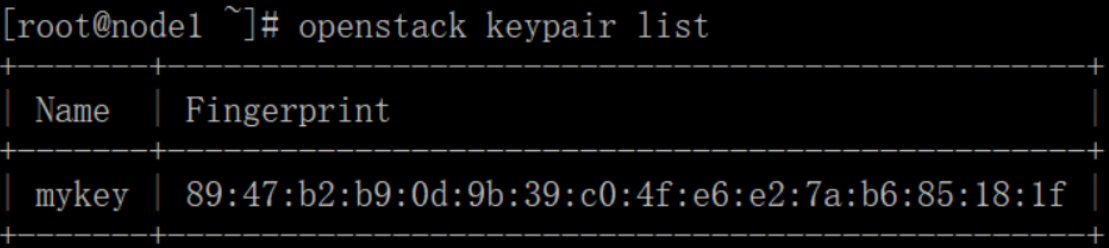
# openstack security group rule create --proto icmp default

# openstack security group rule create --proto tcp --dst-port default
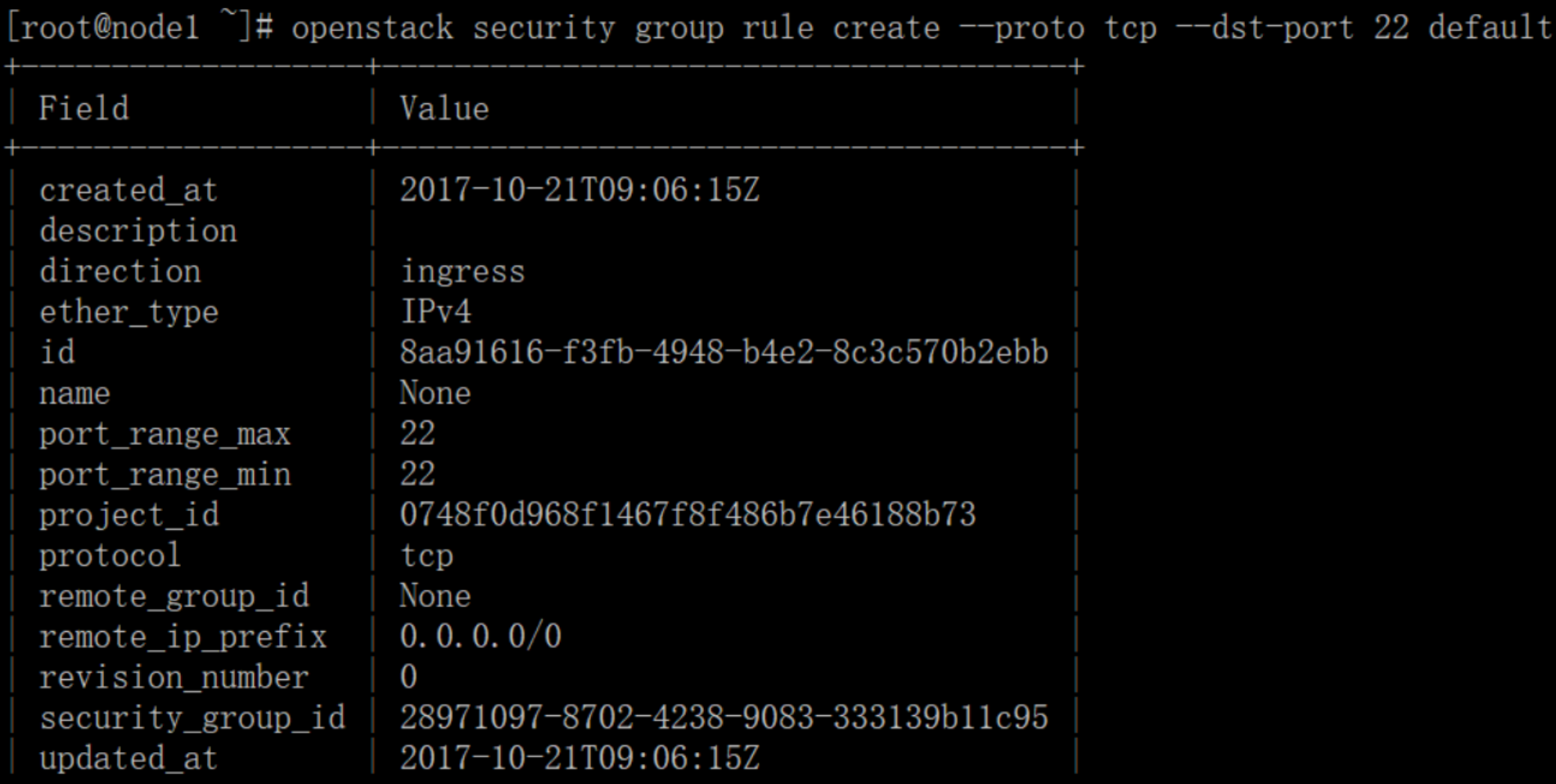
# source demo-openrc
# openstack flavor list

# openstack image list
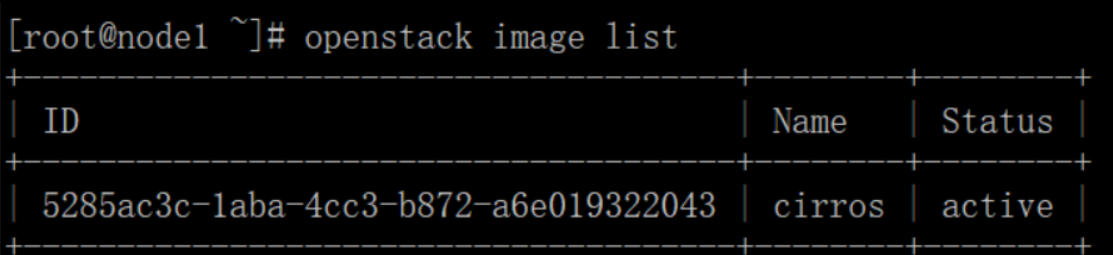
# openstack network list

由于选择的网络为provider networks所以这里显示为上面,如果选择的option 2则为:
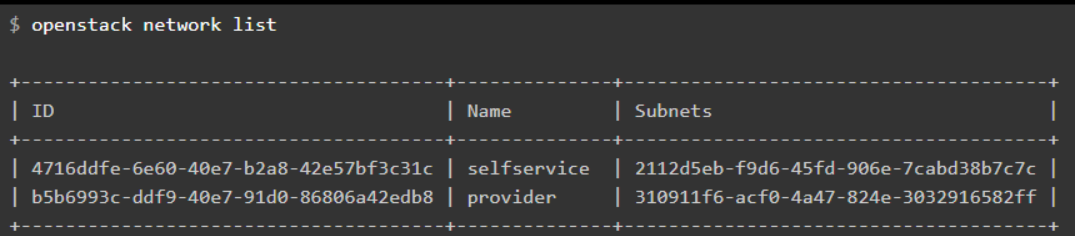
# openstack security group list

# openstack server create --flavor m1.nano --image cirros --nic net-id=PROVIDER_NET_ID --security-group default --key-name mykey provider-instance
# openstack server create --flavor m1.nano --image cirros --nic net-id=7ccde909-94fa--81e6-aa2652166c5b --security-group default --key-name mykey provider-instance
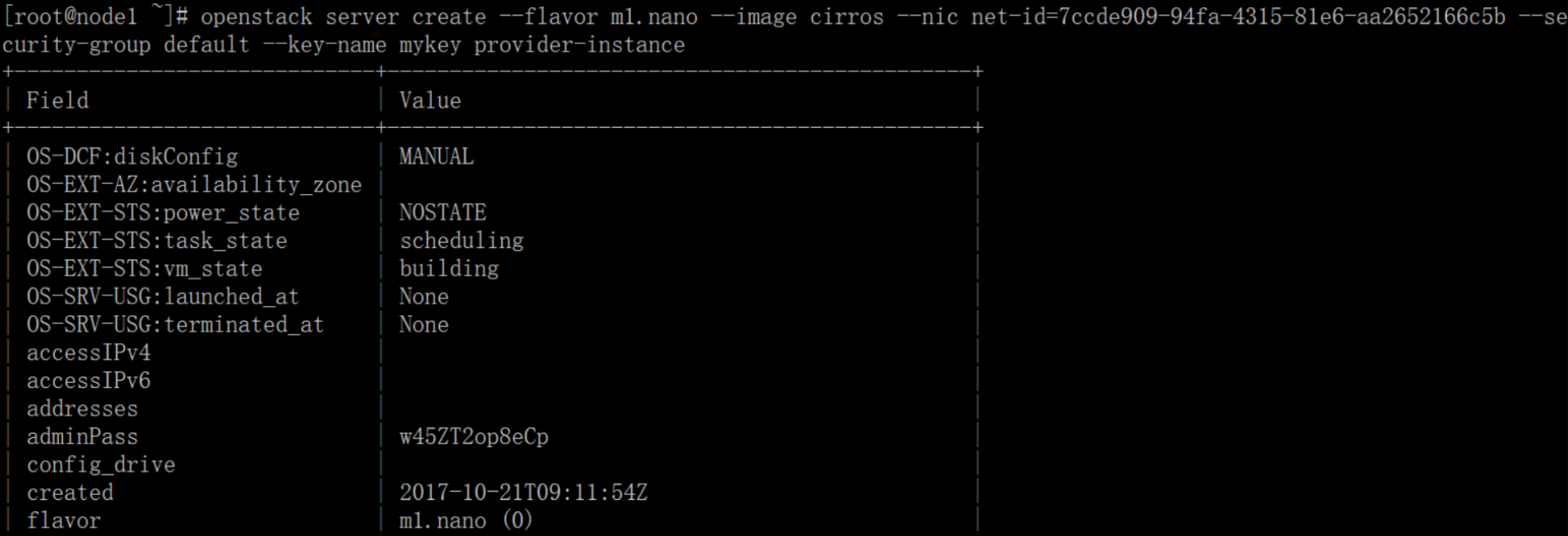
Check the status of your instance:
# openstack server list

# openstack console url show provider-instance(后面是实例名称)

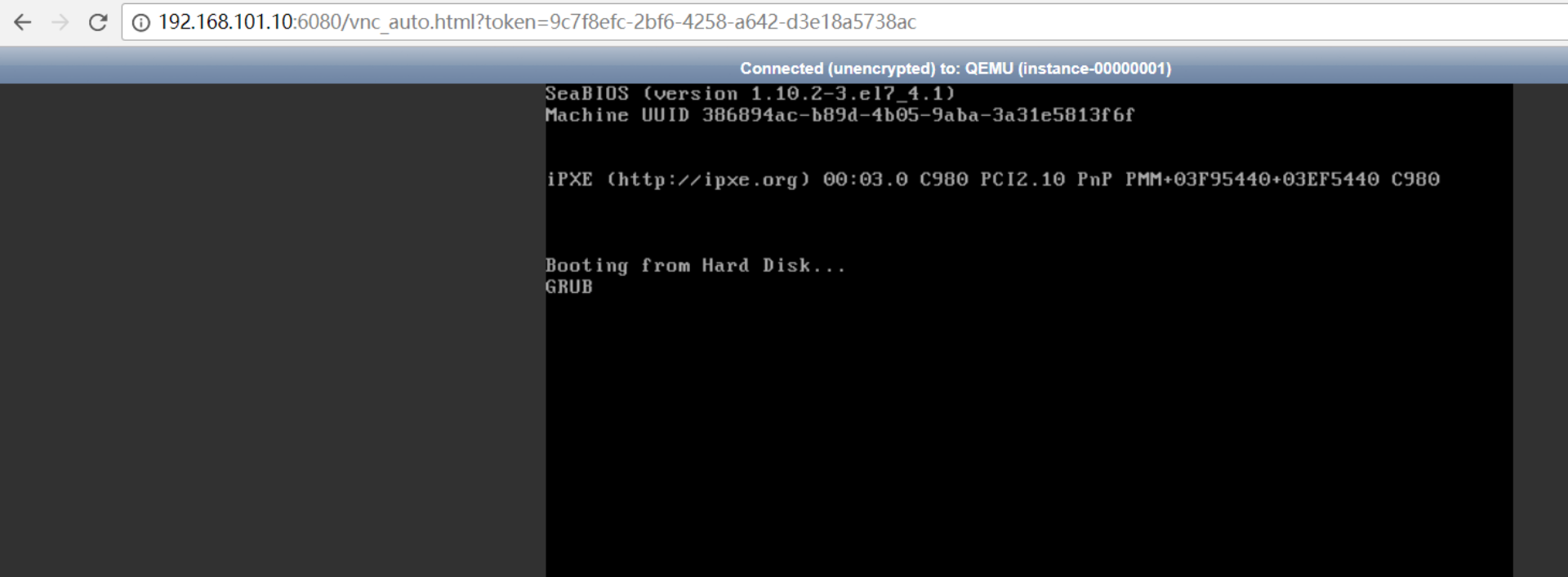
一直在grub这里卡住了,解决办法:
[libvirt]

virt_type = qemu

cpu_mode = none
# systemctl restart libvirtd.service openstack-nova-compute.service
# systemctl status openstack-nova-api.service openstack-nova-consoleauth.service openstack-nova-scheduler.service openstack-nova-conductor.service openstack-nova-novncproxy.service
# source demo-openrc

# openstack server create --flavor m1.nano --image cirros001 --nic net-id=7ccde909-94fa--81e6-aa2652166c5b --security-group default --key-name mykey instance002
# openstack server list

# openstack console url show instance002
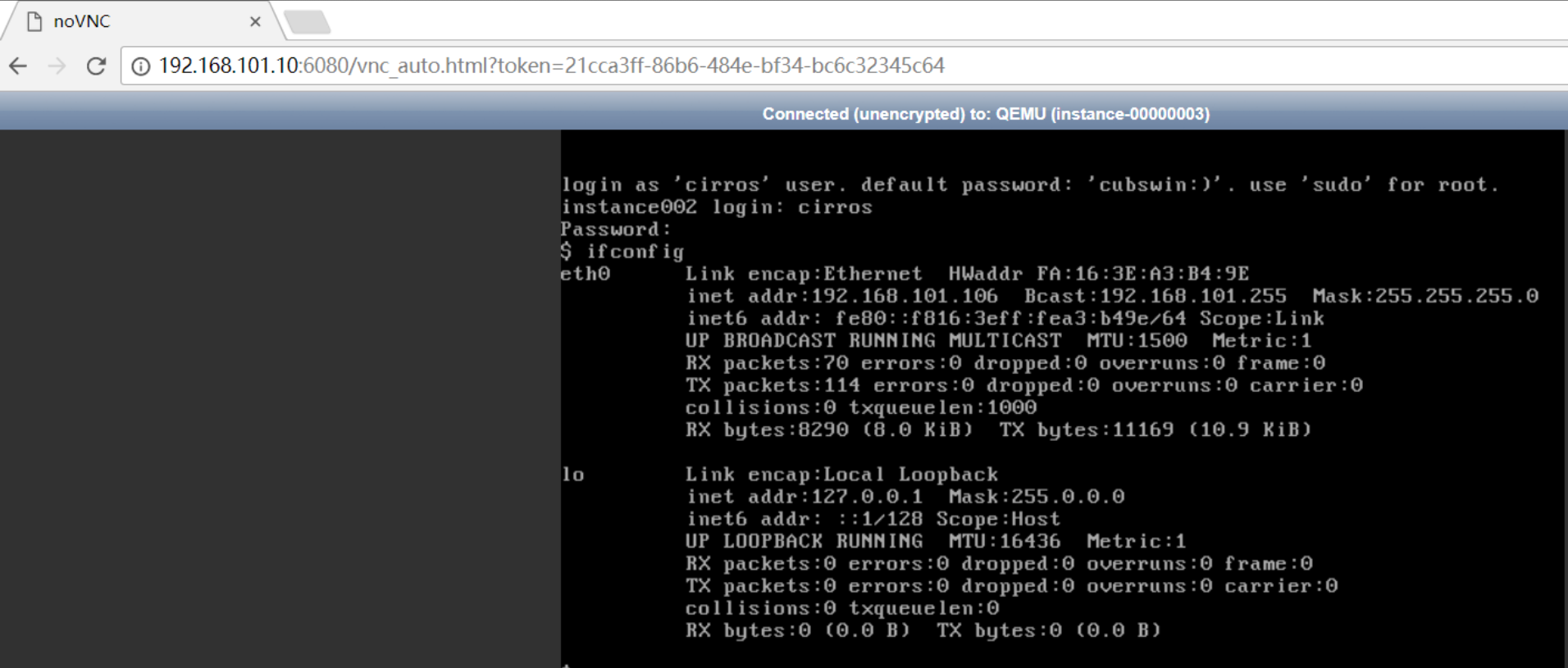
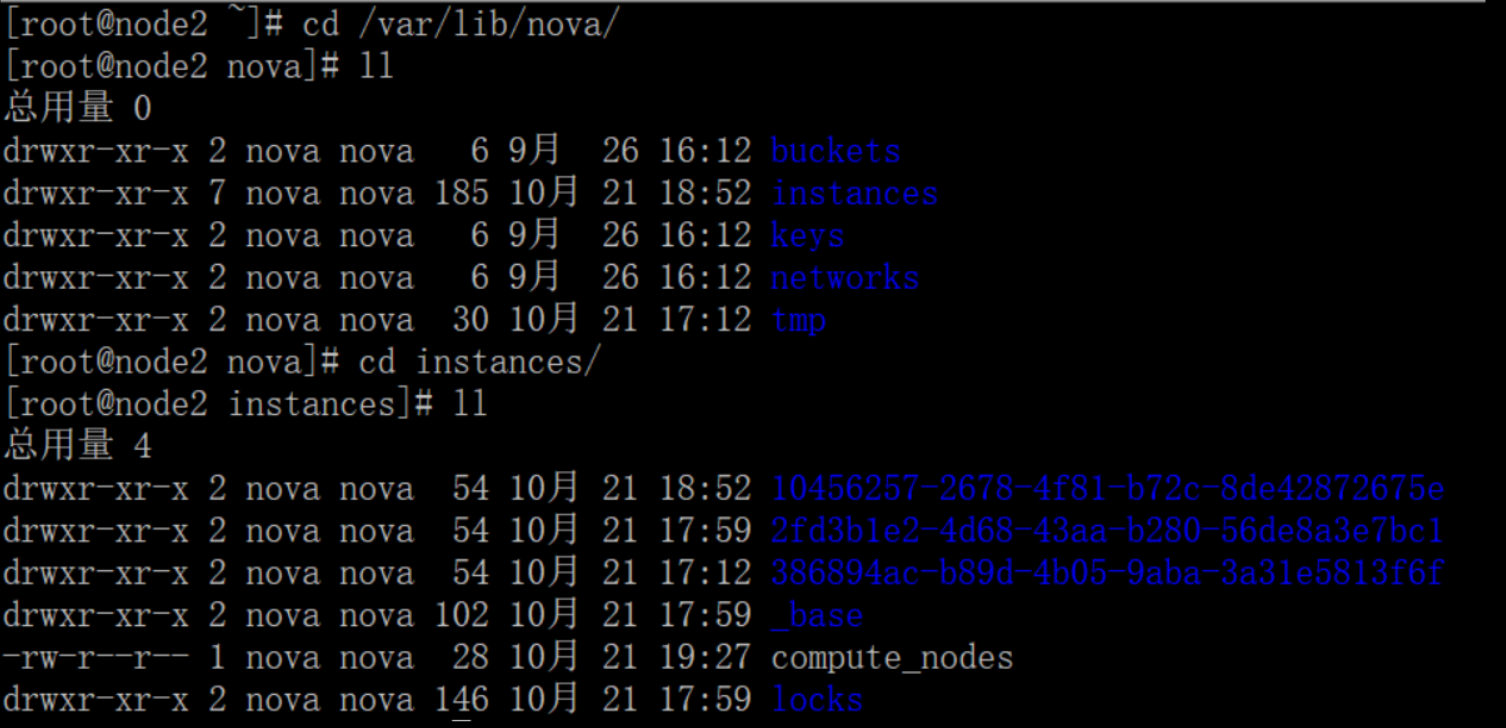
这里的虚拟机id和控制节点上面的openstack server list显示的虚拟机id一致
grep 'ERROR' /var/log/nova/*

grep 'ERROR' /var/log/neutron/*

grep 'ERROR' /var/log/glance/*

grep 'ERROR' /var/log/keystone/*
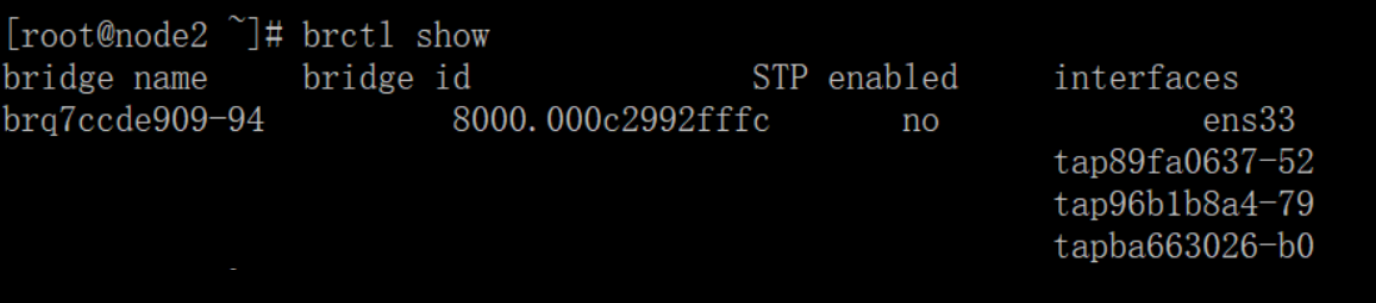
查看节点instance:后面又创建了虚拟机
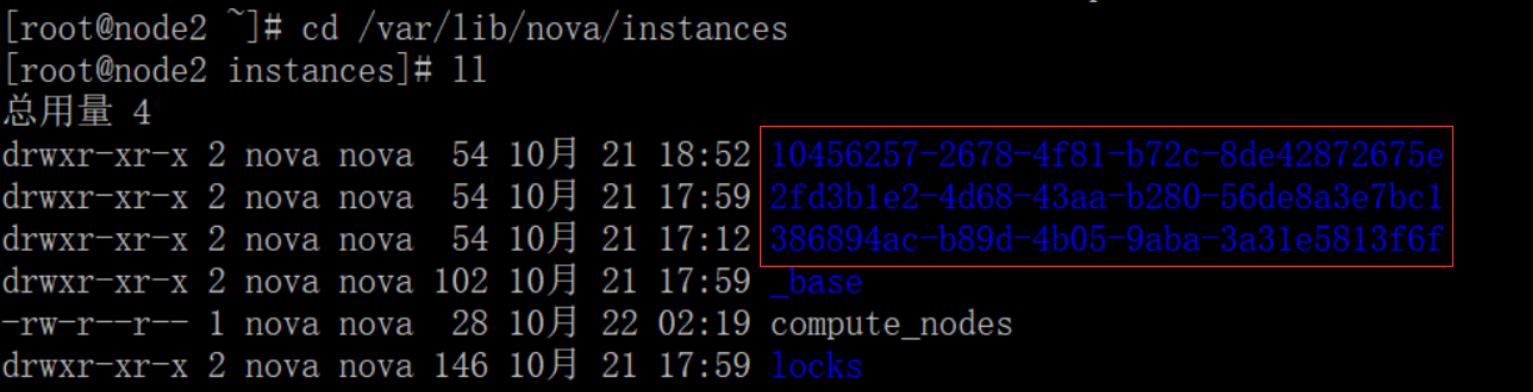
[root@node2 instances]# cd --4f81-b72c-8de42872675e/

[root@node2 --4f81-b72c-8de42872675e]# ll

总用量

-rw-------  root root    10月  : console.log

-rw-r--r--  qemu qemu  10月  : disk

-rw-r--r--  nova nova       10月  : disk.info
- console.log 控制台日志
- disk 虚拟磁盘
- disk.info 虚拟磁盘信息

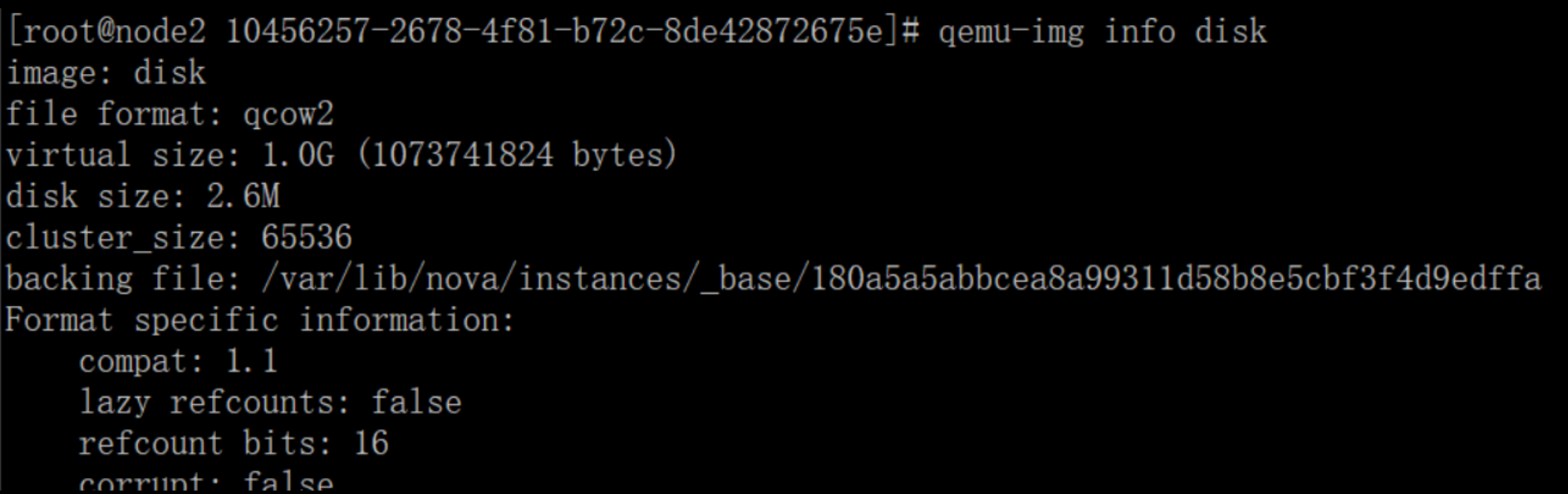
[root@node2 --4f81-b72c-8de42872675e]# ls -lh

总用量 2.7M

-rw-------  root root  38K 10月  : console.log

-rw-r--r--  qemu qemu 2.7M 10月  : disk

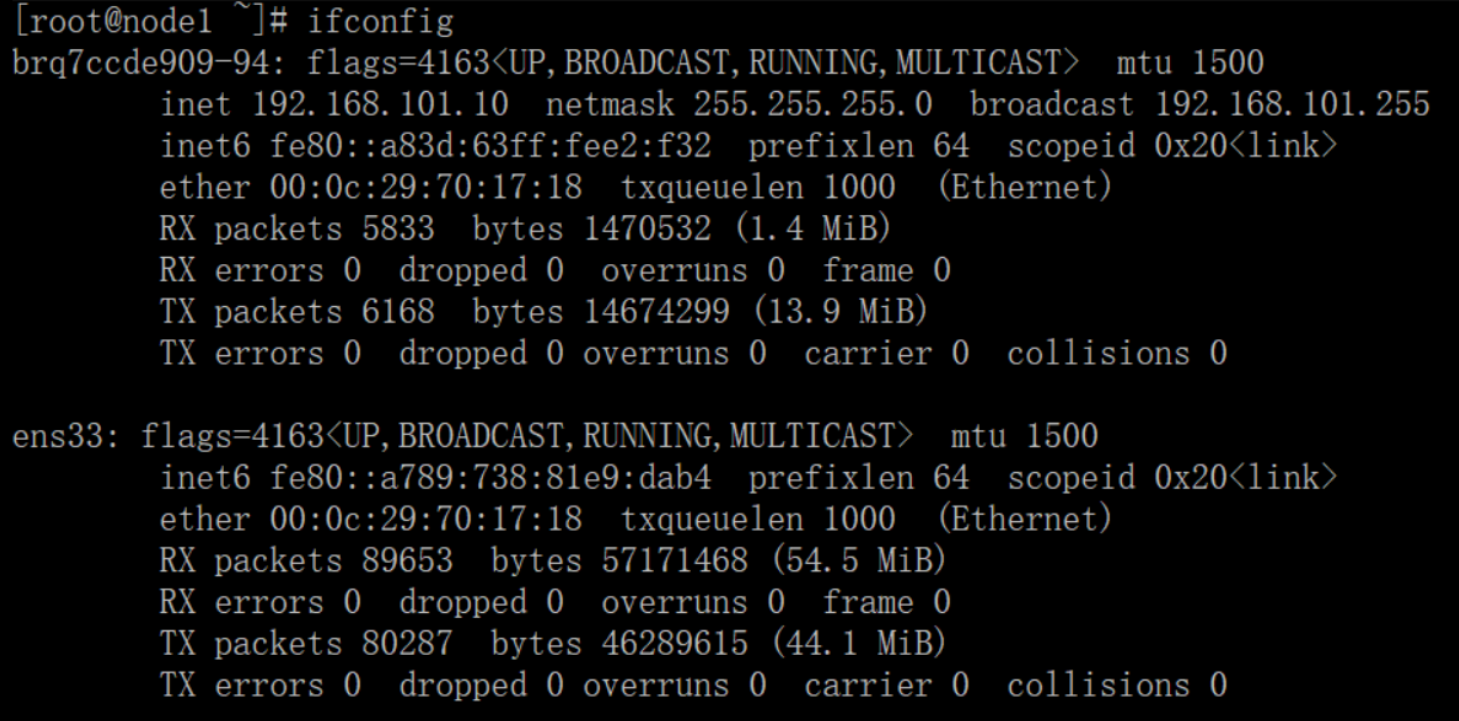
ip netns exec qdhcp-7ccde909-94fa--81e6-aa2652166c5b ip ad li
可以在域名空间执行一些命令

可以看出来多了几个ip
- 云主机如何从dhcp获取这些信息?

照着官网来安装openstack pike之创建并启动instance的更多相关文章
- 照着官网来安装openstack pike之environment设置
安装openstack前的准备环境: 两个centos7系统的环境:192.168.101.10 node1,192.168.101.11 node2 控制节点node1,计算节点node2 1.统一 ...
- 照着官网来安装openstack pike之neutron安装
neutron组件安装分为控制节点和计算节点,还是先从控制节点安装 1.前提条件,数据库为nova创建库和账户密码来连接数据库 # mysql -u root -p MariaDB [(none)]& ...
- 照着官网来安装openstack pike之keystone安装
openstack基础环境安装完成后,现在开启安装keystone服务(在控制节点上执行下面所有操作) 1.为keystone创建数据库 mysql -u root -p MariaDB [(none ...
- 照着官网来安装openstack pike之安装dashboard
上文提到了利用命令行下使用openstack的命令来创建虚拟机,这里选择安装dashboard来安装基于web界面的openstack平台 利用dashboard界面来创建虚拟机 dashboard这 ...
- 照着官网来安装openstack pike之nova安装
nova组件安装分为控制节点和计算节点,还是先从控制节点安装 1.前提条件,数据库为nova创建库和账户密码来连接数据库 # mysql -u root -p MariaDB [(none)]> ...
- 照着官网来安装openstack pike之glance安装
镜像服务image service(glance)的安装还是在控制节点上进行: 1.前提条件,数据库为glance创建库和账户密码来连接数据库 # mysql -u root -p MariaDB [ ...
- go语言,golang学习笔记1 官网下载安装,中文社区,开发工具LiteIDE
go语言,golang学习笔记1 官网下载安装,中文社区,开发工具LiteIDE Go语言是谷歌2009发布的专门针对多处理器系统应用程序的编程进行了优化,使用Go编译的程序可以媲美C或C++代码的速 ...
- PyCharm 2017 官网 下载 安装 设置 配置 (主题 字体 字号) 使用 入门 教程
一.安装 Python 3.6 首先,要安装好 Python 3.6.如果你还没有安装,可以参考咪博士之前的教程 Python 3.6.3 官网 下载 安装 测试 入门教程 (windows) 二.官 ...
- Centos 7 官网下载安装mysql server 5.6
Centos 7 官网下载安装 mysql server # wget http://dev.mysql.com/get/mysql-community-release-el7-5.noarch.rp ...
随机推荐
- Servlet------>mvc模式原理图
常用开发模式: 客户在客户端 访问,发送请求到servlet servlet调用service接口 service实现类调用dao接口 dao接口通过jdbc技术操作数据库,并存储到javabean, ...
- 修改NavigationBar的分根线颜色
[self.navigationController.navigationBar setShadowImage:[Static ColorToImage:[Static colorWithHexStr ...
- linux, sysrq,acpi,apci,uio,subsystem daemon
linux, sysrq,acpi,apci Linux设备模型 一.sysfs文件系统: sysfs文件系统是Linux2.6内核引入的,它被看成是与proc.devfs和devpty等同类别的文 ...
- 小程序 Expecting 'EOF','}',',',']', got INVALID
修改了app.json中的东西,做了注释操作,报如下错误: 修改了好一阵,一直报错,原来是json文件中无法使用注释惹的祸,具体查看:官方文档
- zzuli1783: 简单的求和---求因子和
1783: 简单的求和 Description 定义f(i)代表i的所有因子和(包括1和i),给定一个l,r.求f(l)+f(l+1)+...+f(r). Input 第一行输入一个t(t<10 ...
- python爬虫系列(1)——一个简单的爬虫实例
本文主要实现一个简单的爬虫,目的是从一个百度贴吧页面下载图片. 1. 概述 本文主要实现一个简单的爬虫,目的是从一个百度贴吧页面下载图片.下载图片的步骤如下: 获取网页html文本内容:分析html中 ...
- 你没见过的python语法
目录: 1.不一样的列表 2.改变type中的规则,创建类:类属性大写 3.%s字串格式化,不用元组用字典 4.没有参数抛出异常 5.字符串签名加f 格式化字符串 6.attr库 1.不一样的列表 l ...
- Java中的哈夫曼树
package com.ietree.basic.datastructure.tree; import java.util.ArrayDeque; import java.util.ArrayList ...
- 20165324 Java实验三 敏捷开发与XP实验
20165324 Java实验三 敏捷开发与XP实验 一.实验报告封面 课程:Java程序设计 班级:1653班 姓名:何春江 学号:20165324 指导教师:娄嘉鹏 实验日期:2018年4月16日 ...
- 360急速浏览器JS的调试
1.代码中添加debugger关键字 2.360急速浏览器中选择工具--开发人员选项,如下图所示,在sources面板中可以看到正在运行的JS代码,F10可以单步函数执行,在鼠标放在变量上可以跟踪变量 ...