
unity读取灰度图生成三维地形mesh
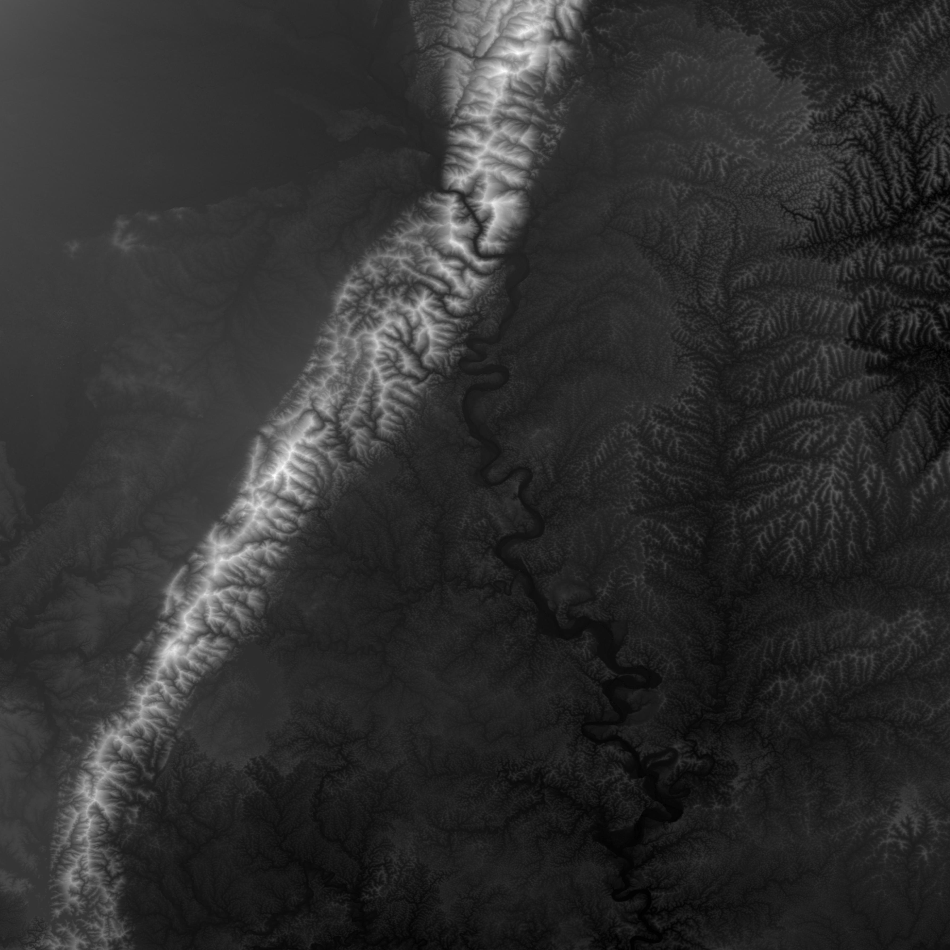
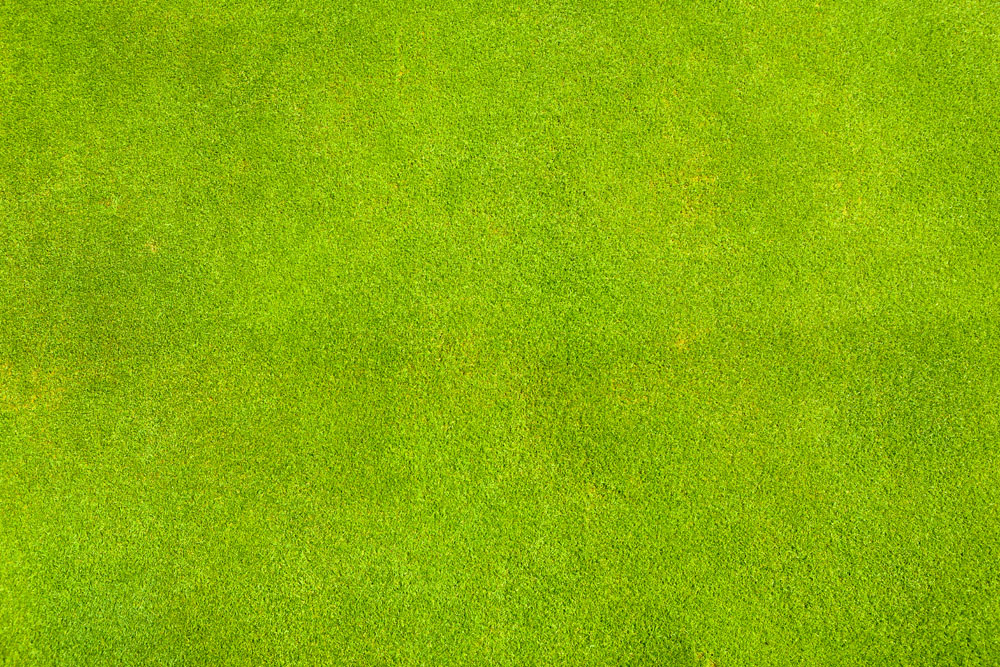
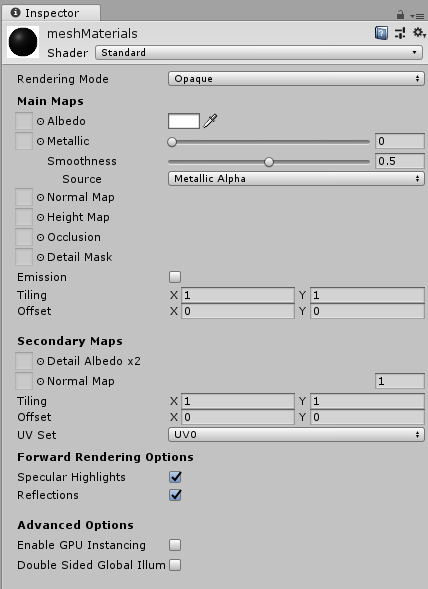
using System.Collections;

using System.Collections.Generic;

using UnityEngine;

//根据灰度图创建mesh地形

public class MeshTerrainCreate : MonoBehaviour

{

    private Texture textureGray;//灰度图

    private Texture textureGrass;//草地贴图

    private int tGrayWidth = 0, tGrayHeight = 0;//灰度图的宽和高

    private bool bCreate = false;//是否完成创建

    private List<GameObject> meshList;//mesh对象集合

    private Texture2D texture2dGray;

    public float zScale=100;//高度参数

    [Tooltip("传入mesh使用的材质")]

    public Material meshMaterial;

    void Start()

    {

        StartCoroutine(loadImage("IGray.png", (t) => textureGray = t));

        StartCoroutine(loadImage("IGrass.jpg", (t) => textureGrass = t));

        meshList = new List<GameObject>();

    }

    void Update()

    {

        if (textureGray != null && textureGrass != null)

        {

            if (bCreate == false)

            {

                tGrayWidth = textureGray.width;

                tGrayHeight = textureGray.height;

                meshMaterial.mainTexture = textureGrass;//设置材质贴图

                //mesh顶点数目最大65000,则取mesh顶点为250*250=62500

                int xNum = 1+tGrayWidth / 250;//x方向mesh个数

                int yNum = 1+tGrayHeight / 250; //y方向mesh个数

                texture2dGray = (Texture2D)textureGray;

                //根据灰度图创建mesh

                for (int i = 0; i <xNum; i++)

                {

                    for (int j = 0; j <yNum; j++)

                    {

                        if (i < xNum-1 && j < yNum-1)

                        {

                            meshList.Add(

                                createMesh("meshX" + i.ToString() + "Y" + j.ToString(),  251, 251,

                                i * new Vector3(2500, 0, 0) + j * new Vector3(0, 2500, 0),

                                (i + 1) * new Vector3(2500, 0, 0) + (j + 1) * new Vector3(0, 2500, 0)+new Vector3(10,10,0),

                                i * new Vector2(250, 0) + j * new Vector2(0, 250),

                                (i + 1) * new Vector2(250, 0) + (j + 1) * new Vector2(0, 250)+new Vector2(1,1)));

                        }

                        else if (i == xNum-1 && j < yNum-1)

                        {

                            meshList.Add(createMesh("meshX" + i.ToString() + "Y" + j.ToString(), tGrayWidth%250, 251,

                            i * new Vector3(2500, 0, 0) + j * new Vector3(0, 2500, 0),

                            i* new Vector3(2500, 0, 0)+new Vector3(10*(tGrayWidth % 250),10,0) + (j + 1) * new Vector3(0, 2500, 0),

                            i * new Vector2(250, 0) + j * new Vector2(0, 250),

                            i  * new Vector2(250, 0)+new Vector2(tGrayWidth % 250,1) + (j + 1) * new Vector2(0, 250)));

                        }

                        else if (i < xNum-1 && j == yNum-1)

                        {

                            meshList.Add(createMesh("meshX" + i.ToString() + "Y" + j.ToString(),251, tGrayHeight%250,

                              i * new Vector3(2500, 0, 0) + j * new Vector3(0, 2500, 0),

                             (i + 1) * new Vector3(2500, 0, 0) + j * new Vector3(0, 2500, 0)+new Vector3(10,10* (tGrayHeight % 250),0),

                              i * new Vector2(250, 0) + j * new Vector2(0, 250),

                             (i + 1) * new Vector2(250, 0) + j * new Vector2(0, 150)+new Vector2(1, tGrayHeight % 250) ) );

                        }

                        else if (i == xNum-1 && j == yNum-1)

                        {

                            meshList.Add(createMesh("meshX" + i.ToString() + "Y" + j.ToString(),tGrayWidth%250,tGrayHeight%250,

                             i * new Vector3(2500, 0, 0) + j * new Vector3(0, 2500, 0),

                             i  * new Vector3(2500, 0, 0) + j  * new Vector3(0, 2500, 0)+new Vector3(10 * (tGrayWidth % 250), 10 * (tGrayHeight % 250),0),

                             i * new Vector2(250, 0) + j * new Vector2(0, 250),

                             i  * new Vector2(250, 0) + j  * new Vector2(0, 250) +new Vector2(tGrayWidth % 250, tGrayHeight % 250)) );

                        }

                    }

                }

                bCreate = true;

            }

        }

    }

    //加载图片

    IEnumerator loadImage(string imagePath, System.Action<Texture> action)

    {

        WWW www = new WWW("file://" + Application.streamingAssetsPath + "/" + imagePath);

        yield return www;

        if (www.error == null)

        {

            action(www.texture);

        }

    }

    /// <summary>

    ///创建mesh

    /// </summary>

    /// <param name="meshName">mesh名称</param>

    /// <param name="row">行数</param>

    /// <param name="col">列数</param>

    /// <param name="minPoint">最小点位置</param>

    /// <param name="maxPoint">最大点位置</param>

    /// <param name="minImgPosition">最小点灰度图位置</param>

    /// <param name="maxImgPosition">最大点灰度图位置</param>

    /// <returns></returns>

    ///

    private GameObject createMesh(string meshName, int row, int col, Vector3 minPoint, Vector3 maxPoint, Vector2 minImgPosition, Vector2 maxImgPosition)

    {

        GameObject meshObject = new GameObject(meshName);

        int verticeNum = row * col;

        Vector3[] vertices = new Vector3[verticeNum];//顶点数组大小

        int[] triangles = new int[verticeNum * 3 * 2];//三角集合数组,保存顶点索引

                                                      // Vector3[] normals = new Vector3[verticeNum];//顶点法线数组大小

        Vector2[] uvs = new Vector2[verticeNum];

        float rowF = (float)row;

        float colF = (float)col;

        Vector3 xStep = new Vector3((maxPoint.x - minPoint.x) / rowF, 0, 0);

        Vector3 ySetp = new Vector3(0, (maxPoint.y - minPoint.y) / colF, 0);

        int k = 0;

        for (int i = 0; i < row; i++)

        {

            for (int j = 0; j < col; j++)

            {

                float tempZ = texture2dGray.GetPixel((int)minImgPosition.x + i, (int)minImgPosition.y + j).grayscale;

                vertices[i + j * row] = minPoint + xStep * i + ySetp * j+new Vector3(0,0,tempZ* zScale);

                uvs[i + j * row] = new Vector2((float)i / rowF, (float)j / colF);

                if (j < col - 1 && i < row - 1)

                {

                    triangles[k++] = j * row + i;

                    triangles[k++] = j * row + i + 1;

                    triangles[k++] = j * row + i + row;

                    triangles[k++] = j * row + i + row;

                    triangles[k++] = j * row + i + 1;

                    triangles[k++] = j * row + i + row + 1;

                }

            }

        }

        Mesh mesh = new Mesh();

        mesh.vertices = vertices;

        mesh.triangles = triangles;

        // mesh.normals = normals;

        mesh.uv = uvs;

        mesh.RecalculateBounds();

        mesh.RecalculateNormals();

        meshObject.AddComponent<MeshFilter>();

        meshObject.AddComponent<MeshRenderer>();

        meshObject.GetComponent<MeshFilter>().mesh = mesh;

        meshObject.GetComponent<MeshRenderer>().material = meshMaterial;

        return meshObject;

    }

}
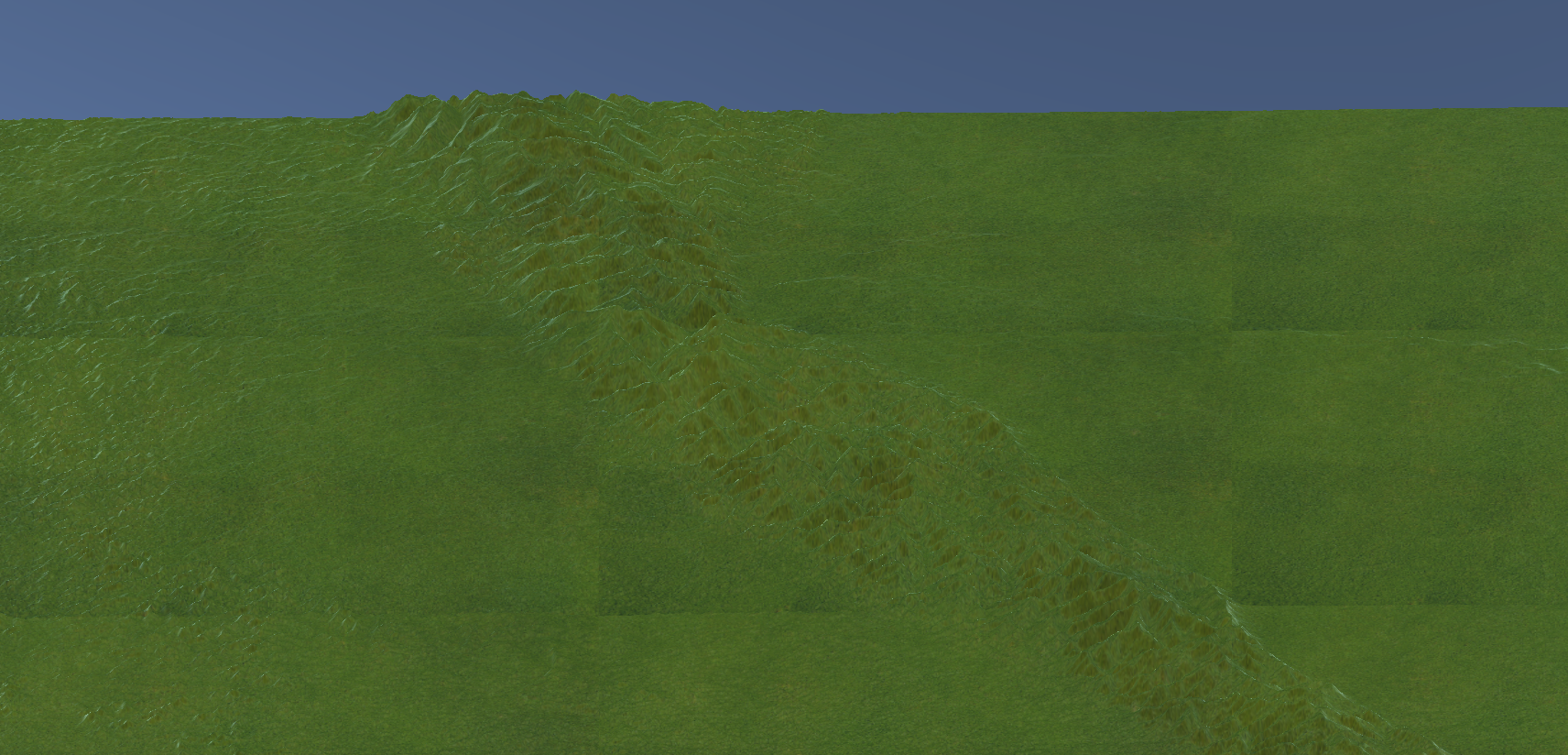
效果如下

unity读取灰度图生成三维地形mesh的更多相关文章
- ue4读取灰度图生成三维地形mesh
转自:https://www.cnblogs.com/gucheng/p/10116857.html 新建ue c++工程. 在Build.cs中添加"ProceduralMeshCompo ...
- unity 读取灰度图生成三维地形并贴图卫星影像
从 https://earthexplorer.usgs.gov/ 下载高程数据 从谷歌地球上保存对应地区卫星图像 从灰度图创建地形模型,并将卫星影像作为贴图 using System.Collect ...
- opengl读取灰度图生成三维地形并添加光照
转自:https://www.cnblogs.com/gucheng/p/10152889.html 准备第三方库 glew.freeglut.glm.opencv 准备一张灰度图 最终效果 代码如下 ...
- opengl读取灰度图生成三维地形
准备第三方库 glew.freeglut.glm.opencv 准备灰度图片和草地贴图 最终效果 代码包括主程序源文件mainApp.cpp.顶点着色器shader.vs.片元着色器shader.fs ...
- unity 读取灰度图生成按高程分层设色地形模型
准备灰度图 1.高程按比例对应hue色相(hsv)生成mesh效果 o.color = float4(hsv2rgb(float3(v.vertex.y/100.0, 0.5, 0.75)), 1.0 ...
- unity读取灰度图生成等值线图
准备灰度图 grayTest.png,放置于Assets下StreamingAssets文件夹中. 在场景中添加RawImage用于显示最后的等值线图. 生成等值线的过程,使用Marching ...
- blender导入灰度图生成地形模型
安装软件 在此处下载blender并安装. 添加平面 1.打开blender,右键删除初始的立方体. 2.shift+a选择平面添加进场景: 3.按下s键鼠标拖动调节平面大小确定后按下鼠标左键: 4. ...
- unity 读取excel表 生成asset资源文件
做unity 项目也有一段时间了,从unity项目开发和学习中也遇到了很多坑,并且也从中学习到了很多曾经未接触的领域.项目中的很多功能模块,从今天开始把自己的思路和代码奉上给学渣们作为一份学习的资料. ...
- (二)GameMaker:Studio ——使用等高图生成3D地形
上一篇,我们讲解了GM中导入模型的方法,这节我们来讲地形. 源文件地址:http://pan.baidu.com/share/link?shareid=685772423&uk=2466343 ...
随机推荐
- hbase实践之写流程拾遗
keyvalue KeyValue中包含了丰富的自我描述信息: KeyValue是支撑"稀疏矩阵"设计的一个关键点:一些Key相同的任意数量的独立KeyValue就可以构成一行数据 ...
- a标签中的javascript:void(0)和#的区别
#包含了一个位置信息 默认的锚是#top 也就是网页的上端 而javascript:void(0) 仅仅表示一个死链接 void(0)用于执行某些处理,但是不整体刷新页面 javascript:v ...
- Codeforces Round #539 (Div. 1) C. Sasha and a Patient Friend 动态开点线段树
题解看这里 liouzhou_101的博客园 更简洁的代码看这里: #include <bits/stdc++.h> using namespace std; typedef long l ...
- [Luogu P4145] 上帝造题的七分钟2 / 花神游历各国
题目链接 题目简要:我们需要一个能支持区间内每一个数开方以及区间求和的数据结构. 解题思路:说道区间修改区间查询,第一个想到的当然就是分块线段树.数据范围要用long long.本来我是看到区间这两个 ...
- 012_Linux驱动之_wait_event_interruptible
1. 首先这篇博客讲解得挺好的,推荐 wait_event_interruptible 使用方法 2 .函数原型: #define wait_event_interruptible(wq, condi ...
- 五十三.Docker概述、部署Docker、Docker镜像、Docker基本命令
1.安装Docker 准备两台虚拟机,IP为192.168.1.10和192.168.1.20 安装docker-engine 和 docker-engine-selinux 关闭防火墙 **** ...
- learning express step(十一)
learning express.Router() code: const express = require('express'); const app = express(); var route ...
- 集合家族——stack
一.概述 在 Java 中 Stack 类表示后进先出(LIFO)的对象堆栈.栈是一种非常常见的数据结构,它采用典型的先进后出的操作方式完成的 它通过五个操作对类 Vector 进行了扩展 ,允许将向 ...
- Beyond Compare4激活码(版本 4.2.8)
w4G-in5u3SH75RoB3VZIX8htiZgw4ELilwvPcHAIQWfwfXv5n0IHDp5hv 1BM3+H1XygMtiE0-JBgacjE9tz33sIh542EmsGs1yg ...
- Mybatis 返回值 返回Map的为空的值
第一种.springMVC和boot通用配置:(Mybatis.xml) <?xml version="1.0" encoding="UTF-8"?> ...