
Google Chrome 55 Released – Install on RHEL/CentOS 7/6 and Fedora 25-20
Google Chrome is a freeware web browser developed by Google Inc. Google Chrome team proudly announced the release of Google Chrome 55 on December 01, 2016.
The actual version is 55.0.2883.75 for Linux and Mac OS X/Windows operating system. This new version bundled with a number of exciting fixes, features, improvements and killing Flash contents in favor of latestHTML5.
If you would like to know more other cool features of this release, please visit at Google’s Chrome Features.
In this tutorial we will show you how we have practically installed Google Chrome 55 browser in one of ourCentOS 7.0 server using Google’s own repository with Yum tool and a third party script from Richard Lloyd, which installs latest chrome version on RHEL/CentOS and Fedora versions.
Important: Google Chrome support for all 32-bit Linux distributions is deprecated from March, 2016.
By using Google’s official repository you will keep your Chrome browser up-to-date. However, it should also work on RHEL 7.0/6.x, CentOS 7.0/6.x and Fedora 25-20 versions as well.
Step 1: Enable Google YUM repository
Create a file called /etc/yum.repos.d/google-chrome.repo and add the following lines of code to it.
[google-chrome]

name=google-chrome

baseurl=http://dl.google.com/linux/chrome/rpm/stable/$basearch

enabled=1

gpgcheck=1

gpgkey=https://dl-ssl.google.com/linux/linux_signing_key.pub
Step 2: Installing Chrome Web Browser
First, check whether the latest version available from the Google’s own repository using following yum command.
# yum info google-chrome-stable
Sample Output
Loaded plugins: fastestmirror, langpacks, product-id, search-disabled-repos, subscription-manager, versionlock

Loading mirror speeds from cached hostfile

* base: mirror.fibergrid.in

* epel: ftp.riken.jp

* extras: mirrors.viethosting.vn

* remi-safe: ftp.arnes.si

* rpmforge: mirror.team-cymru.org

* updates: mirror.fibergrid.in

Available Packages

Name        : google-chrome-stable

Arch        : x86_64

Version     : 55.0.2883.75

Release     : 1

Size        : 44 M

Repo        : google-chrome

Summary     : Google Chrome

URL         : https://chrome.google.com/

License     : Multiple, see https://chrome.google.com/

Description : The web browser from Google

:

: Google Chrome is a browser that combines a minimal design with sophisticated technology to make the web faster, safer, and easier.
Do you see the highlighted output in the above, that clearly telling that the latest version of chrome is available from repository. So, let’s install it using yum command as shown below, which will automatically install all needed dependencies.
# yum install google-chrome-stable
Sample Output
Loaded plugins: fastestmirror, langpacks, product-id, search-disabled-repos, subscription-manager, versionlock

Loading mirror speeds from cached hostfile

* base: mirror.fibergrid.in

* epel: ftp.riken.jp

* extras: mirrors.viethosting.vn

* remi-safe: ftp.arnes.si

* rpmforge: mirror.team-cymru.org

* updates: mirror.fibergrid.in

Resolving Dependencies

--> Running transaction check

---> Package google-chrome-stable.x86_64 0:55.0.2883.75-1 will be installed

--> Finished Dependency Resolution

Dependencies Resolved

======================================================================================================================================================================

Package                    Arch                     Version                 Repository                     Size

======================================================================================================================================================================

Installing:

google-chrome-stable      x86_64                   55.0.2883.75-1          google-chrome                    44 M

Transaction Summary

======================================================================================================================================================================

Install  1 Package

Total download size: 44 M

Installed size: 171 M

Is this ok [y/d/N]: y
Update : Sadly, the Google Chrome browser no longer supports the most famous commercial distributionRHEL 6.x and its free clones such as CentOS and Scientific Linux.
Yes, they’ve discontinued support for RHEL 6.X version as of Google Chrome and on other side, latestFirefox and Opera browsers run successfully on the same platforms.
Luckily, there is a script developed by Richard Lloyd, that automatically download and install latest Google Chrome browser by picking libraries from a more recent released distro and put those libraries in (/opt/google/chrome/lib) directory and then you can able to run Google Chrome on RHEL/CentOS 6.xversions.
# wget http://chrome.richardlloyd.org.uk/install_chrome.sh

# chmod u+x install_chrome.sh

# ./install_chrome.sh
Sample Output
Google Chrome Installer 7.50 on the x86_64 platform

(C) Richard K. Lloyd 2016 <rklloyd@gmail.com>

*** Creating temporary directory /tmp/chrome_install ...

*** Changing working directory to /tmp/chrome_install ...

*** Generating a list of out-of-date packages (please wait) ...

*** Checking for an update to install_chrome.sh ...

*** Downloading version.dat (please wait) ...

--2016-12-05 02:11:44--  https://chrome.richardlloyd.org.uk/version.dat

Resolving chrome.richardlloyd.org.uk (chrome.richardlloyd.org.uk)... 193.110.246.232

Connecting to chrome.richardlloyd.org.uk (chrome.richardlloyd.org.uk)|193.110.246.232|:443... connected.

HTTP request sent, awaiting response... 200 OK

Length: 5

Saving to: ‘version.dat’

100%[=====================================================================================================================================================>] 5           --.-K/s   in 0s

2016-12-05 02:11:44 (335 KB/s) - ‘version.dat’ saved [5/5]

*** install_chrome.sh is already the latest version (7.50) - continuing ...

*** Determining latest Google Chrome version number (please wait) ...

*** Downloading chrome_versions.csv (please wait) ...

--2016-12-05 02:11:46--  http://omahaproxy.appspot.com/all?os=linux&channel=stable

Resolving omahaproxy.appspot.com (omahaproxy.appspot.com)... 216.58.220.177, 2404:6800:4009:801::2011

Connecting to omahaproxy.appspot.com (omahaproxy.appspot.com)|216.58.220.177|:80... connected.

HTTP request sent, awaiting response... 200 OK

Length: 318 [text/plain]

Saving to: ‘chrome_versions.csv’

100%[=====================================================================================================================================================>] 318         --.-K/s   in 0s

2016-12-05 02:11:46 (39.1 MB/s) - ‘chrome_versions.csv’ saved [318/318]

*** Latest google-chrome-stable version number is 55.0.2883.50 ...

*** Downloading google-chrome-stable_current_x86_64.rpm (please wait) ...

--2016-12-05 02:11:46--  https://dl.google.com/linux/direct/google-chrome-stable_current_x86_64.rpm

Resolving dl.google.com (dl.google.com)... 216.58.199.142, 2404:6800:4009:806::200e

Connecting to dl.google.com (dl.google.com)|216.58.199.142|:443... connected.

HTTP request sent, awaiting response... 200 OK

Length: 43781619 (43M) [application/x-rpm]

Saving to: ‘google-chrome-stable_current_x86_64.rpm’

100%[=====================================================================================================================================================>] 4,37,81,619 3.40MB/s   in 14s

2016-12-05 02:12:00 (3.42 MB/s) - ‘google-chrome-stable_current_x86_64.rpm’ saved [43781619/43781619]

*** Google Chrome 55.0.2883.50 downloaded successfully ...

*** Installing Google Chrome 55.0.2883.50 RPM (please wait) ...

Preparing...                          ################################# [100%]

Updating / installing...

1:google-chrome-stable-55.0.2883.50################################# [100%]

Redirecting to /bin/systemctl start  atd.service

*** Google Chrome 55.0.2883.50 was installed successfully ...

*** /opt/google/chrome tree contains 87 files totalling 181 MB ...

*** /tmp/chrome_install tree contains 1 files totalling 47 MB ...

Google Chrome 55.0.2883.50 was installed successfully.

Please run the browser via the 'google-chrome' command as a non-root user.

To update Google Chrome, run "yum update google-chrome-stable" or

simply re-run this script with "./install_chrome.sh".

To uninstall Google Chrome,

run "yum remove google-chrome-stable " or "./install_chrome.sh -u".
Step 3: Starting Chrome Web Browser
Start browser with non-root user.
# google-chrome &
Welcome screen of Chrome web browser.
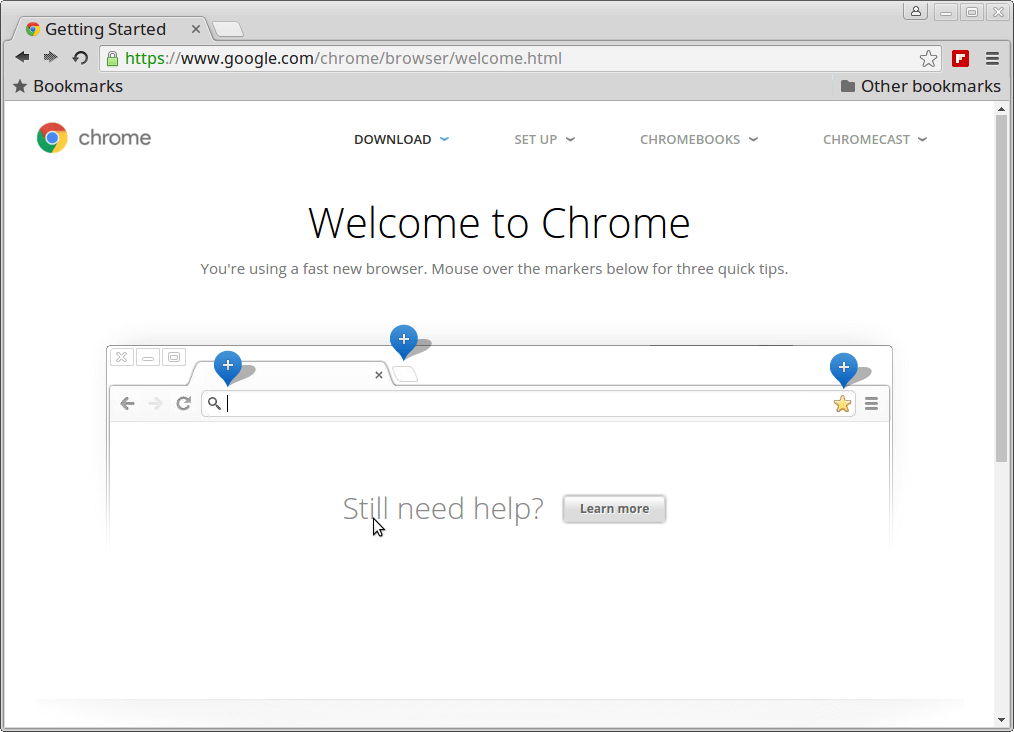
Welcome Google Chrome
Exploring www.tecmint.com with cool Chrome web browser.

Google Chrome Preview on CentOS 7
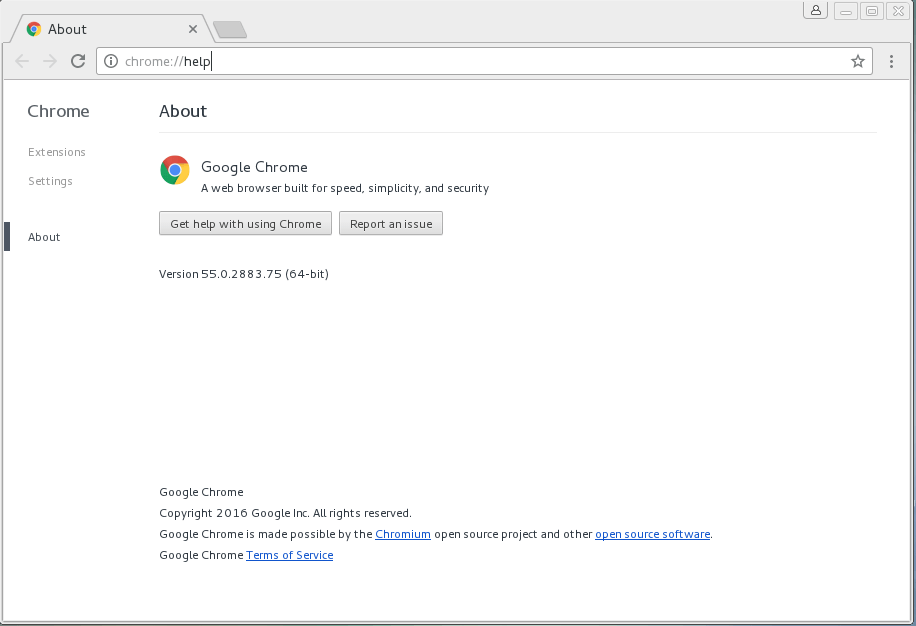
About Google Chrome
Download Two Free Google Chrome eBooks
Google Chrome Cheat Sheet: This free ebook contains dozens of other helpful keyboard shortcuts that will help you on how to use Google Chrome efficiently.
10 Essential Chrome Tips: This free ebook provides certain useful but overlooked Chrome tips that have the potential to significantly enhance a Chrome user’s everyday experience.

That’s it, enjoy browsing with Chrome and do let me know your browsing experience with Chrome via comments.
Google Chrome 55 Released – Install on RHEL/CentOS 7/6 and Fedora 25-20的更多相关文章
- Google Chrome 35 Released – Install on RHEL/CentOS 6 and Fedora 20-15
Google Chrome is a freeware web browser developed by Google Inc. Google Chrome team proudly announce ...
- How to install 64-bit Google Chrome 28+ on 64-bit RHEL/CentOS 6 or 7
How to install 64-bit Google Chrome 28+ on 64-bit RHEL/CentOS 6 or 7 The problem Google developers s ...
- [转载]How to Install Google Chrome 39 in CentOS/RHEL 6 and Fedora 19/18
FROM: http://tecadmin.net/install-google-chrome-in-centos-rhel-and-fedora/ Google Chrome is a freewa ...
- Install MySQL 5.7 on Fedora 25/24, CentOS/RHEL 7.3/6.8/5.11
MySQL is a relational database management system (RDBMS) that runs as a server providing multi-user ...
- Ubuntu 12.04 怎样安装 Google Chrome
方法一: http://www.360doc.com/content/14/0723/19/4338_396584130.shtml 方法2: How to Install Google Chrome ...
- Fedora 25/24/23 nVidia Drivers Install Guide
https://www.if-not-true-then-false.com/2015/fedora-nvidia-guide/ search Most Popular Featured Linux ...
- Install Google Chrome on Fedora 28/27, CentOS/RHEL 7.5 (在 fedora 28 等 上 安装 chrome)
今天在使用 fedora 安装 chrome 的时候遇到了问题,今天进行将安装过程进行记录下来.需要安装第三方软件仓库. 我们需要进行安装 fedora-workstation-repositorie ...
- Centos 7.6 安装selenium+firefox+google chrome(支持xshell运行)
1. 查看Linux 版本 [root@penguin selenium]# cat /etc/redhat-release CentOS Linux release 7.6.1810 (Core) ...
- Steps to Install Hadoop on CentOS/RHEL 6---reference
http://tecadmin.net/steps-to-install-hadoop-on-centosrhel-6/# The Apache Hadoop software library is ...
随机推荐
- web APi角色认证
http://www.cnblogs.com/youring2/archive/2013/03/09/2950992.html http://kb.cnblogs.com/page/107117/
- 1.单一职责原则(Single Responsibility Principle)
1.定义 就一个类而言,应该仅有一个引起它变化的原因. 2.定义解读 这是六大原则中最简单的一种,通俗点说,就是不存在多个原因使得一个类发生变化,也就是一个类只负责一种职责的工作. 3.优点 类的复杂 ...
- Spring 常用工具类
1) 请求工具类 org.springframework.web.bind.ServletRequestUtils //取请求参数的整数值: public static Integer getIntP ...
- Segger RTT : Real Time Terminal SRAM 调试解决方法
http://segger.com/jlink-real-time-terminal.html Real Time Terminal SEGGER's Real Time Terminal (RTT) ...
- asp.net架构基础知识--页面以及全局事件
1.asp.net的请求过程,以及对应的处理请求的dll客户的请求页面由aspnet_isapi.dll这个动态连接库来处理,把请求的aspx文件发送给CLR进行编译执行,然后把Html流返回给浏览器 ...
- [Unity3D]Unity3D游戏开发之使用EasyTouch虚拟摇杆控制人物移动
大家好,欢迎大家关注我的博客,我是秦元培,我的博客地址是blog.csdn.net/qinyuanpei.今天呢,我们来一起学习在Unity3D中使用EasyTouch虚拟摇杆来控制人物移动.虽然Un ...
- 视频流服务器配置[windows平台][转]
视频流服务器配置[windows平台] 搭建一个Flv视频播放服务器 作者:笨小孩 发布于:2013-9-1 20:18 分类:环境架设 IIS,Apache,Nginx环境都可以很好的支持视频的播放 ...
- TP常用函数
英文字符可用形如 {$vo.title|substr=0,5} 如果是中文字符thinkphp提供了msubstr如下 function msubstr($str, $start=0, $length ...
- xcode中没有autoSizing的设置
转自:http://blog.sina.com.cn/s/blog_954bb2f001016oyx.html 学习Xcode的iOS编程时,可能会发现Autosizing Control不见了,其原 ...
- IPC——消息队列
Linux进程间通信——使用消息队列 下面来说说如何用不用消息队列来进行进程间的通信,消息队列与命名管道有很多相似之处.有关命名管道的更多内容可以参阅我的另一篇文章:Linux进程间通信——使用命名管 ...