
AVAudioPlayer播放音乐
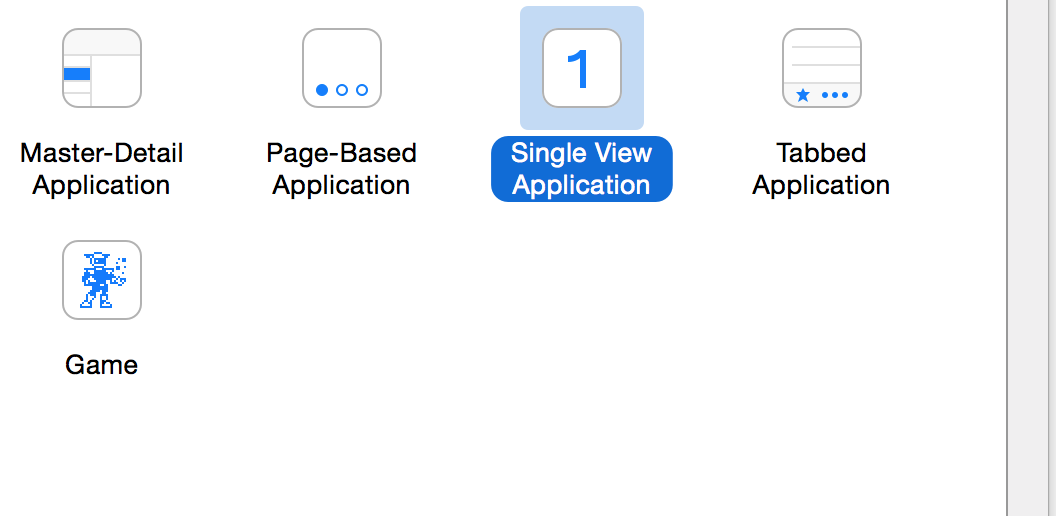
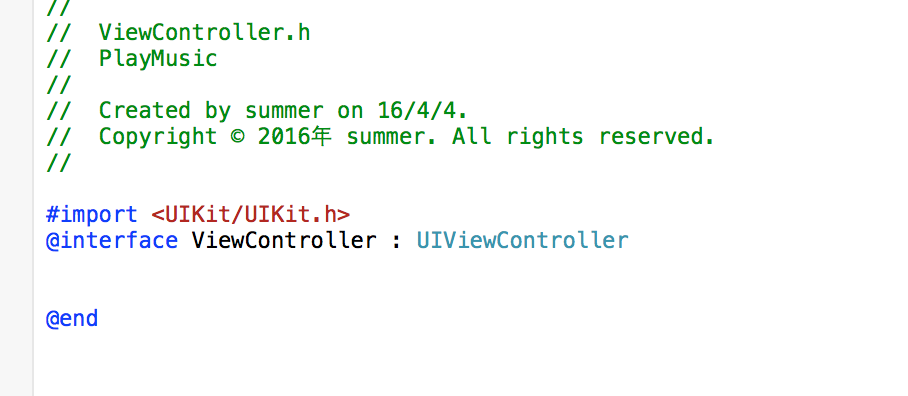
1:首先创建一个新的项目,继承自UIViewController
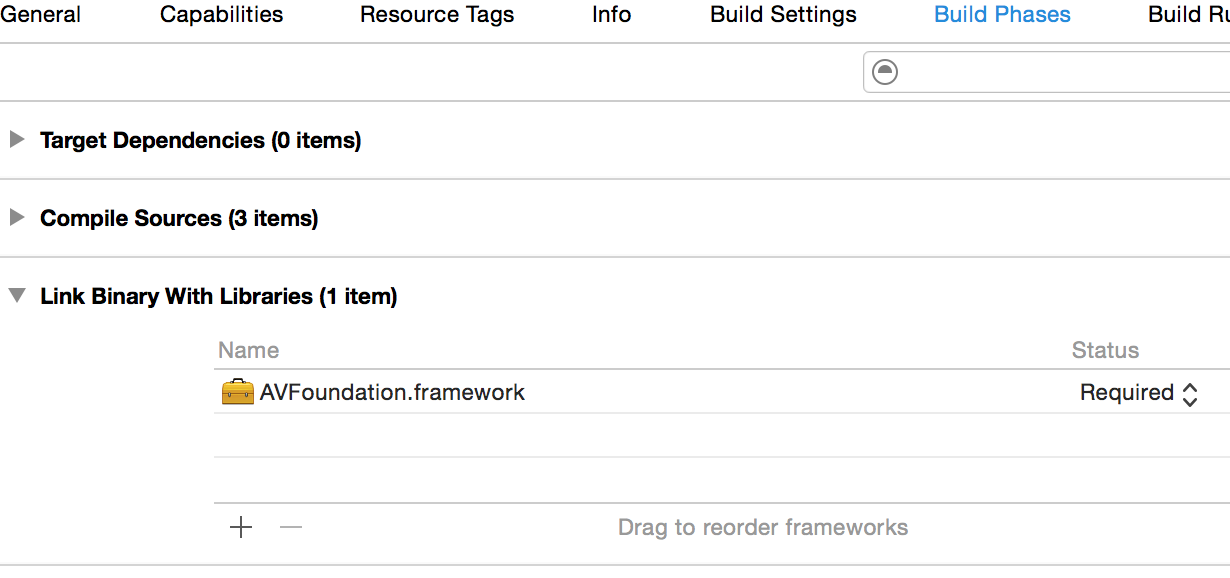
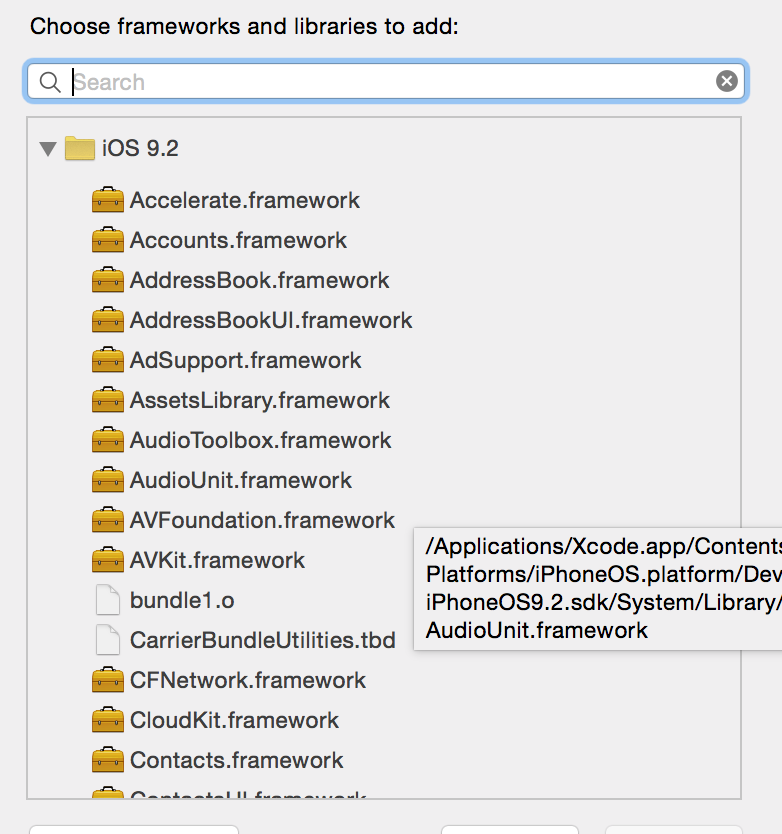
2:导入框架AVFoundation.framework
右键工程名,在Build Phases的Link Binary With Libraries中的+号,找到AVFoundation.framework添加即可

3,导入音乐
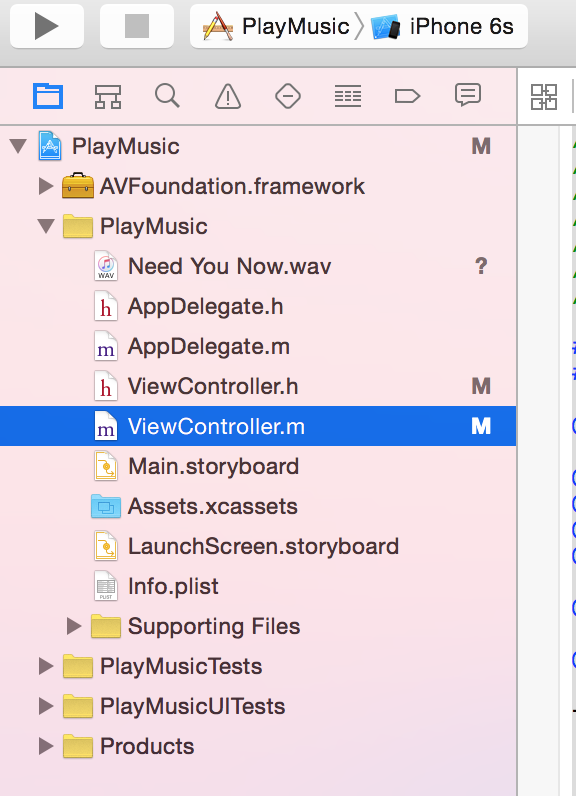
4:添加代理AVAudioPlayerDelegate
5代码如下
//
// ViewController.m
// PlayMusic
//
// Created by summer on 16/4/4.
// Copyright © 2016年 summer. All rights reserved.
//
#import "ViewController.h"
#import <AVFoundation/AVFoundation.h>
@interface ViewController ()<AVAudioPlayerDelegate>
@property(nonatomic,strong)AVAudioPlayer *player;
@property(nonatomic,strong)NSTimer *timer;
@property(nonatomic,strong) UISlider *slider;
@property(nonatomic,strong)UIProgressView *progress;
@end
@implementation ViewController
- (void)viewDidLoad {
[super viewDidLoad];
//添加音乐
NSURL *url=[[NSBundle mainBundle]URLForResource:@"Need You Now.wav" withExtension:Nil];
NSLog(@"%@",url);
self.player=[[AVAudioPlayer alloc]initWithContentsOfURL:url error:Nil];
[[AVAudioSession sharedInstance] setCategory:AVAudioSessionCategoryPlayback error:nil ];
//设置音量大小
self.player.volume=5;
//设置循环次数-1是无限循环,1就是1次
self.player.numberOfLoops=1;
//设置代理
self.player.delegate=self;
//准备播放
[self.player prepareToPlay];
//添加3个button,和响应事件
UIButton *btnPlay=[[UIButton alloc]initWithFrame:CGRectMake(100, 100, 120, 50)];
btnPlay.backgroundColor=[UIColor cyanColor];
[btnPlay.layer setMasksToBounds:YES];
[btnPlay.layer setCornerRadius:5];
[btnPlay setTitle:@"点击播放音乐" forState:UIControlStateNormal];
[btnPlay addTarget:self action:@selector(PlayMusic) forControlEvents:UIControlEventTouchUpInside];
UIButton *btnSuspend=[[UIButton alloc]initWithFrame:CGRectMake(100, 200, 120, 50)];
btnSuspend.backgroundColor=[UIColor cyanColor];
[btnSuspend.layer setMasksToBounds:YES];
[btnSuspend.layer setCornerRadius:5];
[btnSuspend setTitle:@"点击暂停音乐" forState:UIControlStateNormal];
[btnSuspend addTarget:self action:@selector(SuspendMusic) forControlEvents:UIControlEventTouchUpInside];
UIButton *btnStop=[[UIButton alloc]initWithFrame:CGRectMake(100, 300, 120, 50)];
btnStop.backgroundColor=[UIColor cyanColor];
[btnStop.layer setMasksToBounds:YES];
[btnStop.layer setCornerRadius:5];
[btnStop setTitle:@"点击停止音乐" forState:UIControlStateNormal];
[btnStop addTarget:self action:@selector(StopMusic) forControlEvents:UIControlEventTouchUpInside];
//设置一个switch,添加事件
UISwitch *swi=[[UISwitch alloc]initWithFrame:CGRectMake(100, 380, 100, 40)];
swi.on=YES;
[swi addTarget:self action:@selector(switchChange:) forControlEvents:UIControlEventValueChanged];
//设置一个进度条,用 NStimer来更新进度条
self.progress=[[UIProgressView alloc]initWithFrame:CGRectMake(100, 430, 200, 30)];
self.timer=[NSTimer scheduledTimerWithTimeInterval:0.1 target:self selector:@selector(playProgress) userInfo:nil repeats:YES];
//设置一个音量空的slider,并添加响应事件
self.slider=[[UISlider alloc]initWithFrame:CGRectMake(100, 480, 200, 20)];
[self.slider addTarget:self action:@selector(volumeChange) forControlEvents:UIControlEventValueChanged];
//设置声音的最小值
self.slider.minimumValue=0.0f;
//设置声音的最大值
self.slider.maximumValue=10.0f;
//设置声音的当前值
self.slider.value=5.0f;
//加入视图中显示
[self.view addSubview:self.slider];
[self.view addSubview:self.progress];
[self.view addSubview:swi];
[self.view addSubview:btnPlay];
[self.view addSubview:btnSuspend];
[self.view addSubview:btnStop];
//AudioServicesPlaySystemSound(sound);
// Do any additional setup after loading the view, typically from a nib.
}
-(void) PlayMusic{
//开始播放
[self.player play];
}
-(void)SuspendMusic{
//暂停音乐
[self.player pause];
}
-(void)StopMusic{
//停止播放,音乐播放时间置为0
self.player.currentTime=0;
[self.player stop];
}
-(void)playProgress{
//进度条的时间是当前时间/音乐的总时间
self.progress.progress=self.player.currentTime/self.player.duration;
}
-(void)switchChange:(UISwitch *)sender{
self.player.volume=sender.on;
}
-(void)volumeChange{
self.player.volume=self.slider.value;
}
-(void)audioPlayerDidFinishPlaying:(AVAudioPlayer *)player successfully:(BOOL)flag{
//音乐播放完时调用的事件,都清空
[self.timer invalidate];
}
- (void)didReceiveMemoryWarning {
[super didReceiveMemoryWarning];
// Dispose of any resources that can be recreated.
}
@end
AVAudioPlayer播放音乐的更多相关文章
- iOS-----使用AVAudioPlayer播放音乐
使用AVAudioPlayer播放音乐 AVAudioPlayer是一个属于AVFoundation.framework的类.它作用类似于一个功能强大的播放器.AVAudioPlayer支持广泛的音频 ...
- iOS音频与视频的开发(一)-使用AVAudioPlayer播放音乐、使用AVPlayerViewController播放视频
iOS的多媒体支持非常强大,它提供了多套支持多媒体的API,无论是音频.视频的播放,还是录制,iOS都提供了多种API支持.借助于这些API的支持,iOS应用既可以查看.播放手机相册中的照片.视频,也 ...
- iOS8 用AVAudioPlayer播放音乐(Swift)
AVAudioPlayer 类提供了播放音频文件的功能,在本次教程中,我们将对一个音乐文件进行播放暂停和停止操作,此外还会显示标题和播放时间.本次教程使用iOS8和Xcod6.3.1 打开Xcode创 ...
- iOS -- AVAudioPlayer播放音乐
一. AVAudioPlayer: 声明音乐控件AVAudioPlayer,必须声明为全局属性变量,否则可能不会播放,AVAudioPlayer只能播 ...
- ios学习:AVAudioPlayer播放音乐文件及读取ipod库中的音乐文件
首先要导入AVFoundation框架及 #import <AVFoundation/AVFoundation.h>头文件 注意:要在真机上调试 下面是ipad上的调试效果 下面是代码,代 ...
- iOS开发系列--扩展--播放音乐库中的音乐
众所周知音乐是iOS的重要组成播放,无论是iPod.iTouch.iPhone还是iPad都可以在iTunes购买音乐或添加本地音乐到音乐 库中同步到你的iOS设备.在MediaPlayer.fram ...
- iPhone播放音乐
来源:http://blog.csdn.net/htttw/article/details/7842295 iPhone播放音乐 今天我们简要介绍如何在iPhone中播放音乐: 强烈建议你参考官方文档 ...
- IOS播放音乐和音效
1.播放音效 1.1 首先获取到音效文件路径 NSString *path = [[NSBundle mainBundle] pathForResource:soundFileName ofType: ...
- IOS AVAUDIOPLAYER 播放器使用
1. 导入 AVFoundation.framework 2.导入头文件 #import <AVFoundation/AVFoundation.h> 3. player = [[AVAu ...
随机推荐
- Python调用time模块设置当前时间-指定时间
import datetimeimport time#新建元旦时间#将程序打包def A(): # 设定时间 newyear =datetime.datetime(2033,10,1) #调用当前时间 ...
- C语言顺序队列
顺序队列是一种只能在一头进和另一头出的数据结构,所以结构体里设2个指针分别指向头部和尾部,用数组来存储数据. #define MAXSIZE 1024 typedef int elemtype; ty ...
- python range,xrange区别
range: 直接生成一个列表对象 xrange: 生成一个xrange对象 xrange使用: 操作一个非常大的数据时,而且没存比较吃紧的时,可以使用xrange来节省内存 xrange一般在循环里 ...
- Linux入门第五天——shell脚本入门(上)基本概念
一.什么是shell脚本 Shell 脚本(shell script),是一种为 shell 编写的脚本程序. 二.shell入门 1.先导知识 变量知识补充:https://www.cnblogs. ...
- 20155213 实验三《敏捷开发与XP实践》实验报告
20155213 实验三<敏捷开发与XP实践>实验报告 实验内容 XP基础 XP核心实践 相关工具 实验要求 1.没有Linux基础的同学建议先学习<Linux基础入门(新版)> ...
- 20155304 2016-2017-2 《Java程序设计》实验二 Java面向对象程序设计
实验二 Java面向对象程序设计 实验内容 初步掌握单元测试和TDD 理解并掌握面向对象三要素:封装.继承.多态 初步掌握UML建模 熟悉S.O.L.I.D原则 了解设计模式 实验要求 没有Linux ...
- U盘装系统流程_U启动
步骤 (已有装机U盘的前提下,没有则参考U启动制作U盘启动盘详细教程) (这里默认已设置了相关开机设置,若没设置则参考怎么用u盘装win7系统(推荐看)中步骤11-13) 按开机键后,不断按F12(有 ...
- 关于Linux_shell中的管道命令pipe “|”的简单学习和使用
什么是 "|"? |其实是linux shell 中的一个命令:管道命令(pipe) 管道命令操作符是:"|",它仅能处理经由前面一个指令传出的正确输出信息,也 ...
- 请求头(request headers)和响应头(response headers)解析
*****************请求头(request headers)***************** POST /user/signin HTTP/1.1 --请求方式 文件名 http ...
- 【BZOJ2004】[HNOI2010]Bus 公交线路
[BZOJ2004][HNOI2010]Bus 公交线路 题面 bzoj 洛谷 题解 $N$特别大$P,K$特别小,一看就是矩阵快速幂+状压 设$f[S]$表示公交车状态为$S$的方案数 这是什么意思 ...