
Nginx 核心配置-location的匹配案例实战篇
Nginx核心配置-location的匹配案例实战篇
作者:尹正杰
版权声明:原创作品,谢绝转载!否则将追究法律责任。
一.location语法规则介绍
  在没有使用正则表达式的时候,nginx会先在server中的多个location选取匹配度最高的一个uri,uri是用户请求的字符串,即域名后面的web文件路径,然后使用location模块中的正则url和字符串,如果匹配成功就结束搜索,并使用此location处理此请求。

  语法规则: location [=|~|~*|^~] /uri/ { … }

    =:

      用于标准uri前,需要请求字串与uri精确匹配,如果匹配成功就停止向下匹配并立即处理请求。

    ~:

      用于标准uri前,表示包含正则表达式并且区分大小写

    ~*:

      用于标准uri前,表示包含正则表达式并且不区分大写

    !~:

      用于标准uri前,表示包含正则表达式并且区分大小写不匹配

    !~*:

      用于标准uri前,表示包含正则表达式并且不区分大小写不匹配

    ^~:

      用于标准uri前,表示包含正则表达式并且匹配以什么开头

    $:

      用于标准uri前,表示包含正则表达式并且匹配以什么结尾

    \:

      用于标准uri前,表示包含正则表达式并且转义字符。可以转. * ?等

    *:

      用于标准uri前,表示包含正则表达式并且代表任意长度的任意字符
二.匹配案例-精确匹配
1>.编辑主配置文件(本篇博客试验过程并不修改主配置文件内容哟)
[root@node101.yinzhengjie.org.cn ~]# cat /yinzhengjie/softwares/nginx/conf/nginx.conf

worker_processes  4;

worker_cpu_affinity 00000001 00000010 00000100 00001000;

events {

    worker_connections  100000;

    use epoll;

    accept_mutex on;

    multi_accept on;

}

http {

    include       mime.types;

    default_type  application/octet-stream;

    sendfile        on;

    gzip  on;

    charset utf-8;

    keepalive_timeout  65 65;

    #导入其他路径的配置文件

    include /yinzhengjie/softwares/nginx/conf.d/*.conf;

}

[root@node101.yinzhengjie.org.cn ~]#

[root@node101.yinzhengjie.org.cn ~]# nginx -t

nginx: the configuration file /yinzhengjie/softwares/nginx/conf/nginx.conf syntax is ok

nginx: configuration file /yinzhengjie/softwares/nginx/conf/nginx.conf test is successful

[root@node101.yinzhengjie.org.cn ~]#
2>.编辑子配置文件
[root@node101.yinzhengjie.org.cn ~]# cat /yinzhengjie/softwares/nginx/conf.d/location.conf

server {

    listen 80;

    server_name node101.yinzhengjie.org.cn;

    location / {

        root /yinzhengjie/data/web/nginx/html/image;

        index index.html;

    }

    location /01.jpg {

        root /yinzhengjie/data/web/nginx/html;

        index index.html;

    }

}

[root@node101.yinzhengjie.org.cn ~]#

[root@node101.yinzhengjie.org.cn ~]# nginx -t

nginx: the configuration file /yinzhengjie/softwares/nginx/conf/nginx.conf syntax is ok

nginx: configuration file /yinzhengjie/softwares/nginx/conf/nginx.conf test is successful

[root@node101.yinzhengjie.org.cn ~]#
3>.创建测试数据
[root@node101.yinzhengjie.org.cn ~]# ll

total 364

-rw-r--r-- 1 root root 248743 Dec 15 22:38 01人柱力.jpg

-rw-r--r-- 1 root root 122026 Dec 16  2019 02.迪丽热巴.jfif

[root@node101.yinzhengjie.org.cn ~]#

[root@node101.yinzhengjie.org.cn ~]# cp 01人柱力.jpg /yinzhengjie/data/web/nginx/html/image/01.jpg

[root@node101.yinzhengjie.org.cn ~]#

[root@node101.yinzhengjie.org.cn ~]# cp 02.迪丽热巴.jfif /yinzhengjie/data/web/nginx/html/01.jpg

[root@node101.yinzhengjie.org.cn ~]#

[root@node101.yinzhengjie.org.cn ~]#

[root@node101.yinzhengjie.org.cn ~]# ll -R /yinzhengjie/data/web/nginx/html/

/yinzhengjie/data/web/nginx/html/:

total 124

-rw-r--r-- 1 root root 122026 Dec 16 19:35 01.jpg

drwxr-xr-x 2 root root     38 Dec 16 19:35 image

-rw-r--r-- 1 root root     88 Dec 15 23:13 index.html

/yinzhengjie/data/web/nginx/html/image:

total 248

-rw-r--r-- 1 root root 248743 Dec 16 19:35 01.jpg

-rw-r--r-- 1 root root     49 Dec 15 23:07 index.html

[root@node101.yinzhengjie.org.cn ~]#

[root@node101.yinzhengjie.org.cn ~]#
4>.启动nginx服务
[root@node101.yinzhengjie.org.cn ~]# ss -ntl

State      Recv-Q Send-Q                                         Local Address:Port                                                        Peer Address:Port

LISTEN     0      128                                                        *:22                                                                     *:*

LISTEN     0      128                                                       :::22                                                                    :::*

[root@node101.yinzhengjie.org.cn ~]#

[root@node101.yinzhengjie.org.cn ~]# nginx

[root@node101.yinzhengjie.org.cn ~]#

[root@node101.yinzhengjie.org.cn ~]# ss -ntl

State      Recv-Q Send-Q                                         Local Address:Port                                                        Peer Address:Port

LISTEN     0      128                                                        *:80                                                                     *:*

LISTEN     0      128                                                        *:22                                                                     *:*

LISTEN     0      128                                                       :::22                                                                    :::*

[root@node101.yinzhengjie.org.cn ~]#

[root@node101.yinzhengjie.org.cn ~]#
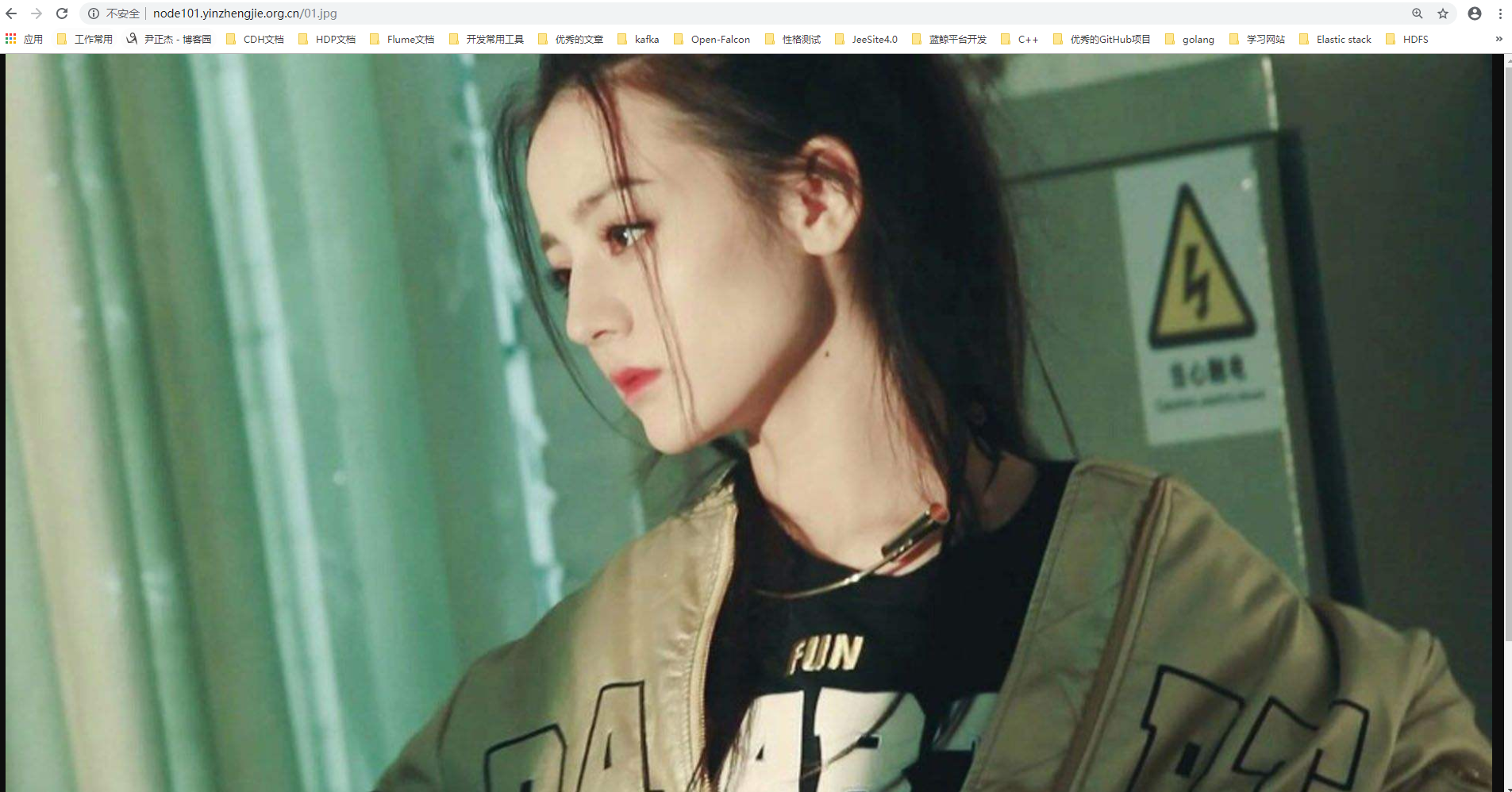
5>.浏览器访问"http://node101.yinzhengjie.org.cn/01.jpg",如下图所示,它并没有显示火影忍者关于人柱力的图片,而是显示了精确匹配的图片,因此我们得出精确匹配优先级高的结论。
三.匹配案例-区分大小写
1>.编写子配置文件
[root@node101.yinzhengjie.org.cn ~]# cat /yinzhengjie/softwares/nginx/conf.d/location.conf

server {

    listen 80;

    server_name node101.yinzhengjie.org.cn;

    location / {

        root /yinzhengjie/data/web/nginx/html/image;

        index index.html;

    }

    location ~ /F.?\.JPG {

        root /yinzhengjie/data/web/nginx/html;

        index index.html;

    }

}

[root@node101.yinzhengjie.org.cn ~]#

[root@node101.yinzhengjie.org.cn ~]# nginx -t

nginx: the configuration file /yinzhengjie/softwares/nginx/conf/nginx.conf syntax is ok

nginx: configuration file /yinzhengjie/softwares/nginx/conf/nginx.conf test is successful

[root@node101.yinzhengjie.org.cn ~]#

[root@node101.yinzhengjie.org.cn ~]#
2>.创建测试数据
[root@node101.yinzhengjie.org.cn ~]# cd /yinzhengjie/data/web/nginx/html/

[root@node101.yinzhengjie.org.cn /yinzhengjie/data/web/nginx/html]#

[root@node101.yinzhengjie.org.cn /yinzhengjie/data/web/nginx/html]# ll

total 124

-rw-r--r-- 1 root root 122026 Dec 16 19:35 01.jpg

drwxr-xr-x 2 root root     38 Dec 16 19:35 image

-rw-r--r-- 1 root root     88 Dec 15 23:13 index.html

[root@node101.yinzhengjie.org.cn /yinzhengjie/data/web/nginx/html]#

[root@node101.yinzhengjie.org.cn /yinzhengjie/data/web/nginx/html]# cp 01.jpg Fg.JPG

[root@node101.yinzhengjie.org.cn /yinzhengjie/data/web/nginx/html]#

[root@node101.yinzhengjie.org.cn /yinzhengjie/data/web/nginx/html]# cp 01.jpg Fg.jpg

[root@node101.yinzhengjie.org.cn /yinzhengjie/data/web/nginx/html]#

[root@node101.yinzhengjie.org.cn /yinzhengjie/data/web/nginx/html]# ll

total 364

-rw-r--r-- 1 root root 122026 Dec 16 19:35 01.jpg

-rw-r--r-- 1 root root 122026 Dec 16 20:10 Fg.jpg

-rw-r--r-- 1 root root 122026 Dec 16 20:03 Fg.JPG

drwxr-xr-x 2 root root     38 Dec 16 19:35 image

-rw-r--r-- 1 root root     88 Dec 15 23:13 index.html

[root@node101.yinzhengjie.org.cn /yinzhengjie/data/web/nginx/html]#
3>.重新加载配置文件
[root@node101.yinzhengjie.org.cn ~]# nginx -t

nginx: the configuration file /yinzhengjie/softwares/nginx/conf/nginx.conf syntax is ok

nginx: configuration file /yinzhengjie/softwares/nginx/conf/nginx.conf test is successful

[root@node101.yinzhengjie.org.cn ~]#

[root@node101.yinzhengjie.org.cn ~]# ps -ef | grep nginx | grep -v grep

root      4785     1  0 19:36 ?        00:00:00 nginx: master process nginx

nginx     4953  4785  0 20:05 ?        00:00:00 nginx: worker process

nginx     4954  4785  0 20:05 ?        00:00:00 nginx: worker process

nginx     4955  4785  0 20:05 ?        00:00:00 nginx: worker process

nginx     4956  4785  0 20:05 ?        00:00:00 nginx: worker process

[root@node101.yinzhengjie.org.cn ~]#

[root@node101.yinzhengjie.org.cn ~]# nginx -s reload

[root@node101.yinzhengjie.org.cn ~]#

[root@node101.yinzhengjie.org.cn ~]# ps -ef | grep nginx | grep -v grep

root      4785     1  0 19:36 ?        00:00:00 nginx: master process nginx

nginx     4953  4785  0 20:05 ?        00:00:00 nginx: worker process is shutting down

nginx     4966  4785  3 20:05 ?        00:00:00 nginx: worker process

nginx     4967  4785  2 20:05 ?        00:00:00 nginx: worker process

nginx     4968  4785  3 20:05 ?        00:00:00 nginx: worker process

nginx     4969  4785  2 20:05 ?        00:00:00 nginx: worker process

[root@node101.yinzhengjie.org.cn ~]#

[root@node101.yinzhengjie.org.cn ~]#
4>.浏览器输入"http://node101.yinzhengjie.org.cn/Fg.jpg"访问小写字母的url,访问不到,因为"jpg"是小写字母,和咱们配置的nginx规则符合,尽管服务器路径下的确存在该文件依旧是无法访问。

5>.浏览器可以成功访问"http://node101.yinzhengjie.org.cn/Fg.JPG",因为我们写的"JPG"是大写字母,和咱们配置的nginx规则符合

四.匹配案例-不区分大小写
1>.编辑子配置文件
[root@node101.yinzhengjie.org.cn ~]# cat /yinzhengjie/softwares/nginx/conf.d/location.conf

server {

    listen 80;

    server_name node101.yinzhengjie.org.cn;

    location / {

        root /yinzhengjie/data/web/nginx/html/image;

        index index.html;

    }

    #区分大小写

    #location ~ /F.?\.JPG {

    #    root /yinzhengjie/data/web/nginx/html;

    #    index index.html;

    #}

    #不区分大小写

    location ~* /F.?\.JPG {

        root /yinzhengjie/data/web/nginx/html;

        index index.html;

    }

}

[root@node101.yinzhengjie.org.cn ~]#

[root@node101.yinzhengjie.org.cn ~]# nginx -t

nginx: the configuration file /yinzhengjie/softwares/nginx/conf/nginx.conf syntax is ok

nginx: configuration file /yinzhengjie/softwares/nginx/conf/nginx.conf test is successful

[root@node101.yinzhengjie.org.cn ~]#
2>.重新加载nginx服务
[root@node101.yinzhengjie.org.cn ~]# ps -ef | grep nginx | grep -v grep

root              : ?        :: nginx: master process nginx

nginx          : ?        :: nginx: worker process

nginx          : ?        :: nginx: worker process

nginx          : ?        :: nginx: worker process

nginx          : ?        :: nginx: worker process

[root@node101.yinzhengjie.org.cn ~]#

[root@node101.yinzhengjie.org.cn ~]# nginx -t

nginx: the configuration file /yinzhengjie/softwares/nginx/conf/nginx.conf syntax is ok

nginx: configuration file /yinzhengjie/softwares/nginx/conf/nginx.conf test is successful

[root@node101.yinzhengjie.org.cn ~]#

[root@node101.yinzhengjie.org.cn ~]#

[root@node101.yinzhengjie.org.cn ~]# nginx -s reload

[root@node101.yinzhengjie.org.cn ~]#

[root@node101.yinzhengjie.org.cn ~]# ps -ef | grep nginx | grep -v grep

root              : ?        :: nginx: master process nginx

nginx          : ?        :: nginx: worker process

nginx          : ?        :: nginx: worker process

nginx          : ?        :: nginx: worker process

nginx          : ?        :: nginx: worker process

[root@node101.yinzhengjie.org.cn ~]#

[root@node101.yinzhengjie.org.cn ~]#
3>.浏览器输入"http://node101.yinzhengjie.org.cn/Fg.jpg"访问小写字母的url,如下图所示,可以访问到了,因为咱们没有区分URI的大小写

4>.浏览器可以成功访问"http://node101.yinzhengjie.org.cn/Fg.JPG",照样是可以正常访问的
五.匹配案例-URI开始
1>.编辑子配置文件
[root@node101.yinzhengjie.org.cn ~]# cat /yinzhengjie/softwares/nginx/conf.d/location.conf

server {

    listen ;

    server_name node101.yinzhengjie.org.cn;

    location / {

        root /yinzhengjie/data/web/nginx/html;

        index index.html;

    }

    location ^~ /static {

        root /yinzhengjie/data/web/nginx/html;

        index index.html;

    }

}

[root@node101.yinzhengjie.org.cn ~]#

[root@node101.yinzhengjie.org.cn ~]# nginx -t

nginx: the configuration file /yinzhengjie/softwares/nginx/conf/nginx.conf syntax is ok

nginx: configuration file /yinzhengjie/softwares/nginx/conf/nginx.conf test is successful

[root@node101.yinzhengjie.org.cn ~]#
2>.创建测试数据
[root@node101.yinzhengjie.org.cn ~]# ll

total

-rw-r--r--  root root  Dec  : 01人柱力.jpg

-rw-r--r--  root root  Dec  : .迪丽热巴.jfif

[root@node101.yinzhengjie.org.cn ~]#

[root@node101.yinzhengjie.org.cn ~]#

[root@node101.yinzhengjie.org.cn ~]# mkdir /yinzhengjie/data/web/nginx/html/static

[root@node101.yinzhengjie.org.cn ~]#

[root@node101.yinzhengjie.org.cn ~]# cp 01人柱力.jpg /yinzhengjie/data/web/nginx/html/static/.jpg

[root@node101.yinzhengjie.org.cn ~]#

[root@node101.yinzhengjie.org.cn ~]# cp .迪丽热巴.jfif /yinzhengjie/data/web/nginx/html/static/.jpg

[root@node101.yinzhengjie.org.cn ~]#

[root@node101.yinzhengjie.org.cn ~]#

[root@node101.yinzhengjie.org.cn ~]# ll /yinzhengjie/data/web/nginx/html/static/

total

-rw-r--r--  root root  Dec  : .jpg

-rw-r--r--  root root  Dec  : .jpg

[root@node101.yinzhengjie.org.cn ~]#

[root@node101.yinzhengjie.org.cn ~]#
3>.重新加载nginx配置文件
[root@node101.yinzhengjie.org.cn ~]# ps -ef | grep nginx | grep -v grep

root              : ?        :: nginx: master process nginx

nginx          : ?        :: nginx: worker process

nginx          : ?        :: nginx: worker process

nginx          : ?        :: nginx: worker process

nginx          : ?        :: nginx: worker process

[root@node101.yinzhengjie.org.cn ~]#

[root@node101.yinzhengjie.org.cn ~]# nginx -s reload

[root@node101.yinzhengjie.org.cn ~]#

[root@node101.yinzhengjie.org.cn ~]# ps -ef | grep nginx | grep -v grep

root              : ?        :: nginx: master process nginx

nginx          : ?        :: nginx: worker process

nginx          : ?        :: nginx: worker process

nginx          : ?        :: nginx: worker process

nginx          : ?        :: nginx: worker process

[root@node101.yinzhengjie.org.cn ~]#

[root@node101.yinzhengjie.org.cn ~]#
4>.如下图所示,浏览器访问“http://node101.yinzhengjie.org.cn/static/01.jpg”,可以访问成功

5>.如下图所示,浏览器访问“http://node101.yinzhengjie.org.cn/static/02.jpg”,可以访问成功

六.匹配案例-文件名后缀
1>.编辑子配置文件
[root@node101.yinzhengjie.org.cn ~]# cat /yinzhengjie/softwares/nginx/conf.d/location.conf

server {

    listen ;

    server_name node101.yinzhengjie.org.cn;

    location / {

        root /yinzhengjie/data/web/nginx/html;

        index index.html;

    }

    location ~* \.(gif|jpg|jpeg|bmp|png|tiff|tif|ico|wmf|js)$ {

        root /yinzhengjie/data/web/nginx/static;

        index index.html;

    }

}

[root@node101.yinzhengjie.org.cn ~]#

[root@node101.yinzhengjie.org.cn ~]# nginx -t

nginx: the configuration file /yinzhengjie/softwares/nginx/conf/nginx.conf syntax is ok

nginx: configuration file /yinzhengjie/softwares/nginx/conf/nginx.conf test is successful

[root@node101.yinzhengjie.org.cn ~]#
2>.创建测试数据
[root@node101.yinzhengjie.org.cn ~]# mkdir /yinzhengjie/data/web/nginx/static

[root@node101.yinzhengjie.org.cn ~]#

[root@node101.yinzhengjie.org.cn ~]# cp /etc/passwd /yinzhengjie/data/web/nginx/static/passwd.js

[root@node101.yinzhengjie.org.cn ~]#

[root@node101.yinzhengjie.org.cn ~]# ll

total

-rw-r--r--  root root  Dec  : 01人柱力.jpg

-rw-r--r--  root root  Dec  : .迪丽热巴.jfif

[root@node101.yinzhengjie.org.cn ~]#

[root@node101.yinzhengjie.org.cn ~]# cp 01人柱力.jpg /yinzhengjie/data/web/nginx/static/.jpg

[root@node101.yinzhengjie.org.cn ~]#

[root@node101.yinzhengjie.org.cn ~]# cp .迪丽热巴.jfif  /yinzhengjie/data/web/nginx/static/.jpeg

[root@node101.yinzhengjie.org.cn ~]#

[root@node101.yinzhengjie.org.cn ~]# ll /yinzhengjie/data/web/nginx/static/

total

-rw-r--r--  root root  Dec  : .jpg

-rw-r--r--  root root  Dec  : .jpeg

-rw-r--r--  root root    Dec  : passwd.js

[root@node101.yinzhengjie.org.cn ~]#
3>.重新加载配置文件
[root@node101.yinzhengjie.org.cn ~]# ps -ef | grep nginx | grep -v grep

root              : ?        :: nginx: master process nginx

nginx          : ?        :: nginx: worker process

nginx          : ?        :: nginx: worker process

nginx          : ?        :: nginx: worker process

nginx          : ?        :: nginx: worker process

[root@node101.yinzhengjie.org.cn ~]#

[root@node101.yinzhengjie.org.cn ~]# nginx -s reload

[root@node101.yinzhengjie.org.cn ~]#

[root@node101.yinzhengjie.org.cn ~]# ps -ef | grep nginx | grep -v grep

root              : ?        :: nginx: master process nginx

nginx         : ?        :: nginx: worker process

nginx         : ?        :: nginx: worker process

nginx         : ?        :: nginx: worker process

nginx         : ?        :: nginx: worker process

[root@node101.yinzhengjie.org.cn ~]#

[root@node101.yinzhengjie.org.cn ~]#
4>.客户端测试访问资源
浏览器访问:http://node101.yinzhengjie.org.cn/01.jpg,如下图所示,访问成功啦

浏览器访问:http://node101.yinzhengjie.org.cn/02.jpeg,如下图所示,范围成功啦

浏览器访问:http://node101.yinzhengjie.org.cn/passwd.js,如下图所示,访问成功啦。

七.匹配案例-优先级
匹配优先级:
  =, ^~, ~/~*,/


location优先级:
  (location =) > (location 完整路径) > (location ^~ 路径) > (location~,~* 正则顺序) > (location 部分起始路径) > (/)
八.生产使用案例
#直接匹配网站根会加速Nginx访问处理:

location = / {

  ......;

}

location / {

  ......;

}

#静态资源配置:

location ^~ /static/ {

  ......;

}

# 或者

location ~* \.(gif|jpg|jpeg|png|css|js|ico)$ {

  ......;

}

#多应用配置

location ~* /app1 {

  ......;

}

location ~* /app2 {

  ......;

}
Nginx 核心配置-location的匹配案例实战篇的更多相关文章
- Nginx 核心配置-location的登录账户认证实战篇
Nginx 核心配置-location的登录账户认证实战篇 作者:尹正杰 版权声明:原创作品,谢绝转载!否则将追究法律责任. 一.使用ab命令模拟网站攻击 1>.安装httpd-tools工具 ...
- Nginx 核心配置-根目录root指令与别名alias指令实战案例
Nginx 核心配置-根目录root指令与别名alias指令实战案例 作者:尹正杰 版权声明:原创作品,谢绝转载!否则将追究法律责任. 一.试验环境说明 1>.虚拟机环境说明 [root@nod ...
- Nginx 核心配置-新建一个web站点
Nginx 核心配置-新建一个web站点 作者:尹正杰 版权声明:原创作品,谢绝转载!否则将追究法律责任. 一.Nginx基础配置常用参数说明 [root@node101.yinzhengjie.or ...
- Nginx 核心配置-检测文件是否存在
Nginx 核心配置-检测文件是否存在 作者:尹正杰 版权声明:原创作品,谢绝转载!否则将追究法律责任. try_files会按顺序检查文件是否存在,返回第一个找到的文件或文件夹(结尾加斜线表示为文件 ...
- Nginx 核心配置-作为上传服务器配置
Nginx 核心配置-作为上传服务器配置 作者:尹正杰 版权声明:原创作品,谢绝转载!否则将追究法律责任. 一.关键参数说明 client_max_body_size 1m: 设置允许客户端上传单 ...
- Nginx 核心配置-自定义错误页面
Nginx 核心配置-自定义错误页面 作者:尹正杰 版权声明:原创作品,谢绝转载!否则将追究法律责任. 生产环境中错误页面一般都是UI或开发工程师提供的,他们已经在软件中定义好了,我们这里就简单写个h ...
- Nginx 核心配置-可优化配置参数
Nginx 核心配置-可优化配置参数 作者:尹正杰 版权声明:原创作品,谢绝转载!否则将追究法律责任. 一.nginx的官网查看指令帮助信息方法 1>.打开nginx的官网(https://ng ...
- Nginx 核心配置-作为下载服务器配置
Nginx 核心配置-作为下载服务器配置 作者:尹正杰 版权声明:原创作品,谢绝转载!否则将追究法律责任. 一.无限速版本的下载服务器 1>.查看主配置文件 [root@node101.yinz ...
- Nginx 核心配置-长连接配置
Nginx 核心配置-长连接配置 作者:尹正杰 版权声明:原创作品,谢绝转载!否则将追究法律责任. 一.长连接配置参数说明 keepalive_timeout number; 设定保持连接超时时长,0 ...
随机推荐
- 图论问题(1) : hdu 1198
题目转自hdu 1198,题目传送门 题目大意: 给你11种单位水管摆放位置,若上下或左右有水管连接则视为这两点相连. 最后让你求这些张图中有几个连通块. 解题思路: 本来觉得这道题很简单,不就一个建 ...
- java ssh免密登录
package com.meituan.stabletest.sshtest; import java.io.InputStream; import com.jcraft.jsch.Channel; ...
- 2019年上-C语言程序设计课程内容
第一节课 序言 为何学习C语言 打印hello world程序 编译步骤,认识编译器 冯诺依曼体系结构 hello world程序如何在计算机上运行的 第二节课 基本数据类型与表达式 求华氏温度对应的 ...
- 【08月01日】A股滚动市净率PB历史新低排名
2010年01月01日 到 2019年08月01日 之间,滚动市净率历史新低排名. 上市三年以上的公司,2019年08月01日市净率在30以下的公司. 来源:A股滚动市净率(PB)历史新低排名. 1 ...
- 如何定时查询某线程的CPU执行时间
#!/bin/bash pid=$(ps -T -p $(pgrep xxx) | grep xxx | gawk -F" " '{print $2}') if [ -z $pid ...
- linux kernel debug
1. sysrq http://www.chinaunix.net/old_jh/4/902287.html 常用的SysRq命令(序列) 重启机器的SysRq命令序列是 k(SAK) s(sync ...
- 解决 警告: [SetPropertiesRule]{Server/Service/Engine/Host/Context} Setting property 'source' to 'org.eclipse.jst.jee.server:reyo' did not find a matching property.
解决办法是:关闭tomcat,双击eclipse下tomcat服务器,在出来的Tomcat server at localhost页面中找到server options选项,选中其中的选项”Publi ...
- springBoot获取@NotBlank,@NotNull注解的message信息
概述 springBoot后台验证接收的参数是否不合法时,会抛出一个BlndException异常,获取message的自定义信息并返回 验证 UserEntity类 @Data @Entity @T ...
- SSL证书格式转换
crt格式转pem openssl x509 -in www.x.com.crt -out www.x.com.pem openssl x509 -in mycert.crt -out mycert. ...
- instr函数的用法
1.定义 instr函数返回要截取的字符串在源字符串中的位置 语法如下: instr( string1, string2 [, start_position [, nth_appearance ] ...