
selenium爬取煎蛋网
selenium爬取煎蛋网
直接上代码
from selenium import webdriver

from selenium.webdriver.support.ui import WebDriverWait

from selenium.webdriver.common.by import By

from selenium.webdriver.support import expected_conditions  as ES

import requests

import urllib.request

import os

from lxml import etree

t = 0

class Custer(object):

    driver_path = r"D:\Program Files (x86)\Google\Chrome\Application\chromedriver.exe"

    def __init__(self):

        self.driver = webdriver.Chrome(executable_path=self.driver_path)

        self.url = "http://jandan.net/ooxx"

    def run(self):

        self.driver.get(self.url)

        while True:

            all_source = self.driver.page_source

            html = etree.HTML(all_source)

            self.xqy(html)

            WebDriverWait(self.driver,10).until(

                ES.presence_of_element_located((By.XPATH,"//div[@class='cp-pagenavi']/a[last()]"))

            )

            try:

                Btn = self.driver.find_element_by_xpath("//div[@class='cp-pagenavi']/a[last()]")

                if "Older Comments" in Btn.get_attribute("title"):

                    Btn.click()

                else:

                    break

            except:

                print("出现异常")

    def xqy(self,html):

        all_content = html.xpath("//div[@class='row']//div")

        all_author = all_content[0].xpath("//div[@class='author']/strong/text()")           #作者列表

        #*****************给自己的重点**********************

        #给列表重复元素加工  如果不加工进入字典会少很多元素

        for index,item in enumerate(all_author):

            global t

            if item in all_author[0:index]:                     #判断当前元素是否与之前元素重复  如果重复,则重命名

                t=t+1

                all_author[index] = item+str(t)                 #如多个重命名使作者加上字符1  依次类推

        #***************************************************

        WebDriverWait(self.driver, 10).until(

            ES.presence_of_element_located((By.XPATH, "//div[@class='text']//img"))

        )

        all_img = all_content[1].xpath("//div[@class='text']//img//@src")           #图片列表

        #解决有个张图片没有http:协议

        for index,item in enumerate(all_img):

            if 'http:' not in item:

                all_img[index] = 'http:'+item

        dic = dict(zip(all_author,all_img))         #多个列表生产字典

        #遍历字典保存图片

        for key in dic:

            hz = os.path.splitext(dic[key])[1]          #取出后缀名.jpg/.png

            filename = key+hz                           #文件名(标题+后缀名)

            urllib.request.urlretrieve(dic[key],'images/'+filename)

def main():

    rea = Custer()

    rea.run()

if __name__ == '__main__':

    main()
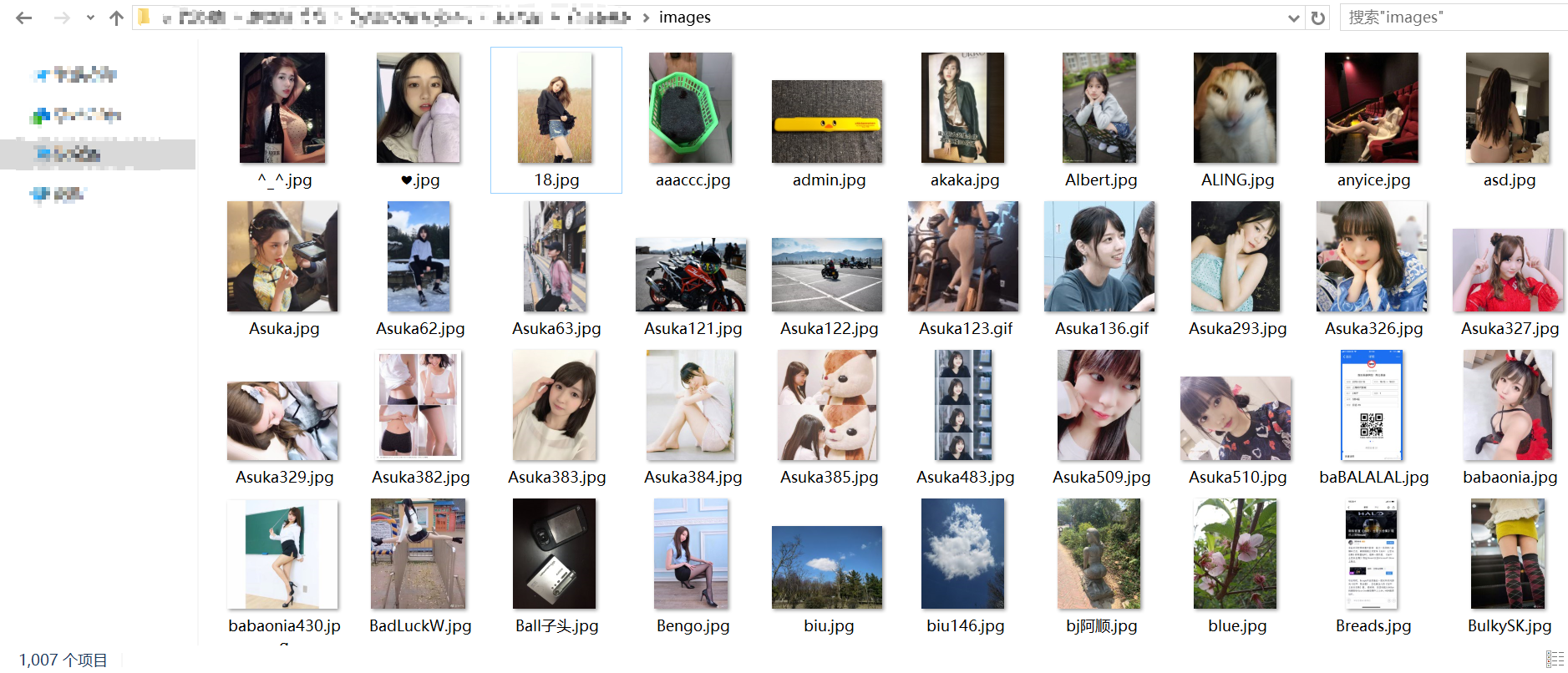
爬取的图片
进阶
个人用了个多线程 但不知道是不是多线程爬取 感觉爬取速度快多了
from selenium import webdriver

from selenium.webdriver.support.ui import WebDriverWait

from selenium.webdriver.common.by import By

from selenium.webdriver.support import expected_conditions  as ES

import requests

import threading

import urllib.request

import os

from lxml import etree

t = 0

gCondition = threading.Condition()

class Custer(threading.Thread):

    driver_path = r"D:\Program Files (x86)\Google\Chrome\Application\chromedriver.exe"

    driver = webdriver.Chrome(executable_path=driver_path)

    url = "http://jandan.net/ooxx"

    def run(self):

        self.driver.get(self.url)

        while True:

            all_source = self.driver.page_source

            html = etree.HTML(all_source)

            self.xqy(html)

            WebDriverWait(self.driver,10).until(

                ES.presence_of_element_located((By.XPATH,"//div[@class='cp-pagenavi']/a[last()]"))

            )

            gCondition.acquire()        #加上锁(如果不加锁那么多个线程可能同时请求一个或多个图片)

            try:

                Btn = self.driver.find_element_by_xpath("//div[@class='cp-pagenavi']/a[last()]")

                if "Older Comments" in Btn.get_attribute("title"):

                    gCondition.release()            #解锁

                    Btn.click()

                else:

                    break

            except:

                print("出现异常")

    def xqy(self,html):

        all_content = html.xpath("//div[@class='row']//div")

        all_author = all_content[0].xpath("//div[@class='author']/strong/text()")           #作者列表

        #*****************给自己的重点**********************

        #给列表重复元素加工  如果不加工进入字典会少很多元素

        for index,item in enumerate(all_author):

            global t

            if item in all_author[0:index]:                     #判断当前元素是否与之前元素重复  如果重复,则重命名

                t=t+1

                all_author[index] = item+str(t)                 #如多个重命名使作者加上字符 依次类推

        #***************************************************

        WebDriverWait(self.driver, 10).until(

            ES.presence_of_element_located((By.XPATH, "//div[@class='text']//img"))

        )

        all_img = all_content[1].xpath("//div[@class='text']//img//@src")           #图片列表

        #解决有个张图片没有http:协议

        for index,item in enumerate(all_img):

            if 'http:' not in item:

                all_img[index] = 'http:'+item

        dic = dict(zip(all_author,all_img))         #多个列表生产字典

        #遍历字典保存图片

        for key in dic:

            hz = os.path.splitext(dic[key])[1]          #取出后缀名.jpg/.png

            filename = key+hz                           #文件名(标题+后缀名)

            urllib.request.urlretrieve(dic[key],'images/'+filename)

def main():

    for i in range(9):

        rea = Custer()

        rea.start()

if __name__ == '__main__':

    main()
selenium爬取煎蛋网的更多相关文章
- Python Scrapy 爬取煎蛋网妹子图实例(一)
前面介绍了爬虫框架的一个实例,那个比较简单,这里在介绍一个实例 爬取 煎蛋网 妹子图,遗憾的是 上周煎蛋网还有妹子图了,但是这周妹子图变成了 随手拍, 不过没关系,我们爬图的目的是为了加强实战应用,管 ...
- python3爬虫爬取煎蛋网妹纸图片(上篇)
其实之前实现过这个功能,是使用selenium模拟浏览器页面点击来完成的,但是效率实际上相对来说较低.本次以解密参数来完成爬取的过程. 首先打开煎蛋网http://jandan.net/ooxx,查看 ...
- 爬虫实例——爬取煎蛋网OOXX频道(反反爬虫——伪装成浏览器)
煎蛋网在反爬虫方面做了不少工作,无法通过正常的方式爬取,比如用下面这段代码爬取无法得到我们想要的源代码. import requests url = 'http://jandan.net/ooxx' ...
- Python 爬虫 爬取 煎蛋网 图片
今天, 试着爬取了煎蛋网的图片. 用到的包: urllib.request os 分别使用几个函数,来控制下载的图片的页数,获取图片的网页,获取网页页数以及保存图片到本地.过程简单清晰明了 直接上源代 ...
- python爬虫–爬取煎蛋网妹子图片
前几天刚学了python网络编程,书里没什么实践项目,只好到网上找点东西做. 一直对爬虫很好奇,所以不妨从爬虫先入手吧. Python版本:3.6 这是我看的教程:Python - Jack -Cui ...
- scrapy从安装到爬取煎蛋网图片
下载地址:https://www.lfd.uci.edu/~gohlke/pythonlibs/pip install wheelpip install lxmlpip install pyopens ...
- python3爬虫爬取煎蛋网妹纸图片(下篇)2018.6.25有效
分析完了真实图片链接地址,下面要做的就是写代码去实现了.想直接看源代码的可以点击这里 大致思路是:获取一个页面的的html---->使用正则表达式提取出图片hash值并进行base64解码--- ...
- Python Scrapy 爬取煎蛋网妹子图实例(二)
上篇已经介绍了 图片的爬取,后来觉得不太好,每次爬取的图片 都在一个文件下,不方便区分,且数据库中没有爬取的时间标识,不方便后续查看 数据时何时爬取的,所以这里进行了局部修改 修改一:修改爬虫执行方式 ...
- Python 爬取煎蛋网妹子图片
#!/usr/bin/env python # -*- coding: utf-8 -*- # @Date : 2017-08-24 10:17:28 # @Author : EnderZhou (z ...
随机推荐
- 在centos 7 下安装 nginx
在Linux下安装 nginx 1下载对应当前系统版本的nginx包(package) wget http://nginx.org/packages/centos/7/noarch/RPMS/ngi ...
- macbook配置xdebug+vscode
1.从xdebug官网下载xdebug 地址:https://xdebug.org/index.php,如果你不知道你要下载哪个版本的话可以下载它建议的版本.使用方法是在 https://xdebug ...
- 转---Google Python编程风格指南
为帮助读者能够将代码准确格式化,我们提供了针对 Vim的配置文件 .对于Emacs用户,保持默认设置即可. 背景 Python 是 Google主要的脚本语言.这本风格指南主要包含的是针对python ...
- java 导出
按钮 <a href="###" class="eui-btn eui-btn-small" onclick="Export()"&g ...
- 视频显著性检测-----Predicting Video Saliency using Object-to-Motion CNN and Two-layer Convolutional LSTM
帧内显著性检测: 将卷积网络的多层特征进行组合通过unsampling 得到粗显著性预测: 帧间显著性检测: (粗检测结果+新卷积网络的特征图,最后+之前卷积网络的卷积特征输入到LSTM中)进行预测. ...
- SW:HTML DOM
1:节点:nodeType,nodeValue,nodeName getAttributeNode() 方法从当前元素中通过名称获取属性节点. 元素节点nodeValue是null,属性节点nodeV ...
- Laravel框架中打印sql
在使用Laravel框架的时候,调试的时候,需要将查询的SQL输出校验,这是需要将SQL打印出来. 一.方法 DB::connection()->enableQueryLog(); // 开 ...
- mysql基础学习
二.操作表 1.自行创建测试数据: -- 创建数据库create database practice charset utf8;-- 1.自行创建测试数据:---- 创建班级表:classcreate ...
- maven配置及IDEA配置maven环境
一. maven的下载及配置 1. maven下载地址 可以在网址:https://maven.apache.org/download.cgi下载最新版本的maven 2. maven文件解压缩 解压 ...
- 推荐.Net、C# 逆向反编译四大工具利器
转自:https://blog.csdn.net/kongwei521/article/details/54927689 在项目开发过程中,估计也有人和我遇到过同样的经历:运行环境出现了重大Bug亟需 ...