
SpringCloud学习笔记(7):使用Spring Cloud Config配置中心
简介
Spring Cloud Config为分布式系统中的外部化配置提供了服务器端和客户端支持,服务器端统一管理所有配置文件,客户端在启动时从服务端获取配置信息。服务器端有多种配置方式,如将配置文件存储在本地或者存储在远程Git仓库等等,并且在配置文件被更改时,可以通过多种途径如actuator的/refresh端点或者Spring Cloud Bus来动态刷新客户端的配置,而无需重新启动客户端。
项目介绍
- sc-parent,父模块(请参照SpringCloud学习笔记(1):Eureka注册中心)
- sc-eureka,注册中心(请参照SpringCloud学习笔记(1):Eureka注册中心)
- sc-config-client,访问配置中心的客户端
- sc-config-server,本地配置中心
- sc-config-server-git,远程配置中心
创建访问配置中心的客户端
1.在父模块下创建子模块项目sc-config-client,pom.xml:
<project xmlns="http://maven.apache.org/POM/4.0.0" xmlns:xsi="http://www.w3.org/2001/XMLSchema-instance" xsi:schemaLocation="http://maven.apache.org/POM/4.0.0 http://maven.apache.org/xsd/maven-4.0.0.xsd">

  <modelVersion>4.0.0</modelVersion>

  <parent>

    <groupId>com.cf</groupId>

    <artifactId>sc-parent</artifactId>

    <version>0.0.1-SNAPSHOT</version>

  </parent>

  <artifactId>sc-config-client</artifactId>

  <dependencies>

  	<dependency>

		<groupId>org.springframework.cloud</groupId>

		<artifactId>spring-cloud-starter-config</artifactId>

	</dependency>

  </dependencies>

</project>
2.创建启动类configclient.ConfigClientApplication:
package configclient;

import org.springframework.boot.SpringApplication;

import org.springframework.boot.autoconfigure.SpringBootApplication;

@SpringBootApplication

public class ConfigClientApplication {

	public static void main(String[] args) {

		SpringApplication.run(ConfigClientApplication.class, args);

	}

}
3.创建configclient.controller.ConfigClientController:
package configclient.controller;

import org.springframework.beans.factory.annotation.Value;

import org.springframework.web.bind.annotation.GetMapping;

import org.springframework.web.bind.annotation.RequestMapping;

import org.springframework.web.bind.annotation.RestController;

@RestController

@RequestMapping("/client")

public class ConfigClientController {

	@Value("${nickName}")

	private String nickName;

	@GetMapping("/hello")

	public String hello(){

		return "hello," + nickName;

	}

}
4.创建bootstrap.yml:
spring:

  application:

    name: sc-config-client

  profiles:

    active: dev

  cloud:

    config:

      uri:  http://localhost:9003

      fail-fast: true

server:

  port: 9002
spring.cloud.config.uri:指定配置中心地址
spring.cloud.config.fail-fase:当连接不上配置中心服务器时,是否使当前客户端异常停止,而不是以默认配置启动。
使用本地配置中心
1.在父模块下创建子模块项目sc-config-server,pom.xml:
<project xmlns="http://maven.apache.org/POM/4.0.0" xmlns:xsi="http://www.w3.org/2001/XMLSchema-instance" xsi:schemaLocation="http://maven.apache.org/POM/4.0.0 http://maven.apache.org/xsd/maven-4.0.0.xsd">

  <modelVersion>4.0.0</modelVersion>

  <parent>

    <groupId>com.cf</groupId>

    <artifactId>sc-parent</artifactId>

    <version>0.0.1-SNAPSHOT</version>

  </parent>

  <artifactId>sc-config-server</artifactId>

  <dependencies>

  	<dependency>

		<groupId>org.springframework.cloud</groupId>

		<artifactId>spring-cloud-config-server</artifactId>

	</dependency>

  </dependencies>

</project>
2.创建启动类configserver.ConfigServerApplication:
package configserver;

import org.springframework.boot.SpringApplication;

import org.springframework.boot.autoconfigure.SpringBootApplication;

import org.springframework.cloud.config.server.EnableConfigServer;

@SpringBootApplication

@EnableConfigServer

public class ConfigServerApplication {

	public static void main(String[] args) {

		SpringApplication.run(ConfigServerApplication.class, args);

	}

}
3.创建application.yml:
server:

  port: 9003

spring:

  application:

    name: sc-config-server

  profiles:

    active: native

  cloud:

    config:

      server:

        native:

          searchLocations: classpath:/conf
spring.profiles.active:配置文件的获取方式
spring.cloud.config.server.native.search-locations:本地配置文件的存放路径
4.创建/src/main/resources/conf/sc-config-client-dev.yml文件:
nickName: Luke
该文件内容为客户端需要从服务端获取的配置信息,文件名称和客户端配置是相对应的,如sc-config-client-dev.yml=【spring.application.name】-【 spring.profiles.active】.yml
5.测试
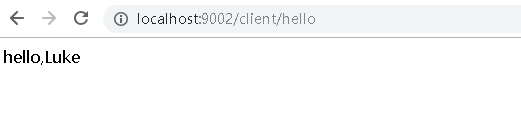
启动本地配置中心sc-config-server成功后再启动客户端sc-config-client,访问http://localhost:9002/client/hello,客户端成功从配置中心获取nickName的配置:
使用远程配置中心
1.在父模块下创建子模块项目sc-config-server-git,pom.xml:
<project xmlns="http://maven.apache.org/POM/4.0.0" xmlns:xsi="http://www.w3.org/2001/XMLSchema-instance" xsi:schemaLocation="http://maven.apache.org/POM/4.0.0 http://maven.apache.org/xsd/maven-4.0.0.xsd">

  <modelVersion>4.0.0</modelVersion>

  <parent>

    <groupId>com.cf</groupId>

    <artifactId>sc-parent</artifactId>

    <version>0.0.1-SNAPSHOT</version>

  </parent>

  <artifactId>sc-config-server-git</artifactId>

  <dependencies>

  	<dependency>

		<groupId>org.springframework.cloud</groupId>

		<artifactId>spring-cloud-config-server</artifactId>

	</dependency>

	<dependency>

	    <groupId>org.springframework.cloud</groupId>

	    <artifactId>spring-cloud-starter-netflix-eureka-client</artifactId>

	</dependency>

  </dependencies>

</project>
2.创建启动类configserver.GitConfigServerApplication:
package configserver;

import org.springframework.boot.SpringApplication;

import org.springframework.boot.autoconfigure.SpringBootApplication;

import org.springframework.cloud.config.server.EnableConfigServer;

@SpringBootApplication

@EnableConfigServer

public class GitConfigServerApplication {

	public static void main(String[] args) {

		SpringApplication.run(GitConfigServerApplication.class, args);

	}

}
3.创建application.yml:
server:

  port: 9005

eureka:

  client:

    serviceUrl:

      defaultZone: http://localhost:8080/eureka/

spring:

  application:

    name: sc-config-server-git

  cloud:

    config:

      server:

        git:

          uri: https://github.com/yinchao3577/test777.git

          username: xxxxx

          password: xxxxx

      label: master

      fail-fast: true
spring.cloud.config.server.git.uri:git存储库地址
spring.cloud.config.server.git.username:用户名
spring.cloud.config.server.git.password:密码
spring.cloud.config.server.git.searchPaths:配置文件所在目录,若在根目录则无需配置
spring.cloud.config.label:Git Repository的分支,默认为master
4.更改客户端配置
pom.xml添加Eureka依赖:
	<dependency>

	    <groupId>org.springframework.cloud</groupId>

	    <artifactId>spring-cloud-starter-netflix-eureka-client</artifactId>

	</dependency>
bootstrap.yml改为:
spring:

  application:

    name: sc-config-client

  cloud:

    config:

      name: myconfig2

      label: master

      discovery:

        enabled: true

        service-id: sc-config-server-git #使用Eureka注册中心来发现Config配置中心服务

server:

  port: 9002

eureka:

  client:

    serviceUrl:

      defaultZone: http://localhost:8080/eureka/
spring.cloud.config.name:远程仓库中配置文件的名称
spring.cloud.config.discovery.enabled:是否开启配置中心服务发现
spring.cloud.config.discovery.service-id:配置中心服务名称
5.测试
远程仓库myconfig2.yml值为:
nickName: Grace
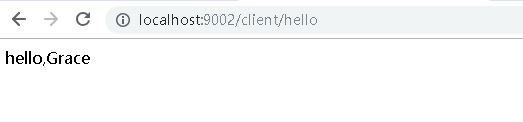
依次启动注册中心sc-eureka、远程配置中心sc-config-server-git,sc-config-server-git启动成功后再启动客户端sc-config-client,访问http://localhost:9002/client/hello,客户端成功从配置中心获取nickName的配置:
手动刷新配置
actuator中包含一个/refresh的端点,用于配置的刷新。对该端点的调用实质是对RefreshScope类的调用,RefreshScope是上下文中的一个bean,它包含一个公共refreshAll()方法和refresh(String)方法,分别用来刷新范围内的所有bean或者指定的单个bean。
1.更改客户端配置
pom.xml添加actuator依赖:
	<dependency>

        <groupId>org.springframework.boot</groupId>

        <artifactId>spring-boot-starter-actuator</artifactId>

    </dependency>
bootstrap.yml添加开启refresh节点的配置:
management:

  endpoints:

    web:

      exposure:

        include: 'refresh'
2.在ConfigClientController类上添加@RefreshScope注解,表示该类可以在运行时刷新配置,当调用完/actuator/refresh端点后,在下一次访问该Controller时,该Controller会重新初始化以及注入到容器中,初始化时会重新加载配置,所以在访问时将会访问到最新配置的值。
3.按之前测试的步骤进行启动和访问,修改github中配置的值后,重新访问客户端后值并没有更改,通过Postman工具发送POST请求到http://localhost:9002/actuator/refresh后,再重新访问客户端,值已经被更新成最新配置的值。
SpringCloud学习笔记(7):使用Spring Cloud Config配置中心的更多相关文章
- 跟我学SpringCloud | 第七篇:Spring Cloud Config 配置中心高可用和refresh
SpringCloud系列教程 | 第七篇:Spring Cloud Config 配置中心高可用和refresh Springboot: 2.1.6.RELEASE SpringCloud: Gre ...
- 微服务SpringCloud之Spring Cloud Config配置中心Git
微服务以单个接口为颗粒度,一个接口可能就是一个项目,如果每个项目都包含一个配置文件,一个系统可能有几十或上百个小项目组成,那配置文件也会有好多,对后续修改维护也是比较麻烦,就和前面的服务注册一样,服务 ...
- 微服务SpringCloud之Spring Cloud Config配置中心服务化
在前面两篇Spring Cloud Config配置中心的博客中都是需要指定配置服务的地址url:spring.cloud.config.uri,客户端都是直接调用配置中心的server端来获取配置文 ...
- spring cloud --- config 配置中心 [本地、git获取配置文件]
spring boot 1.5.9.RELEASE spring cloud Dalston.SR1 1.前言 spring cloud config 配置中心是什么? 为了统一管理配 ...
- 微服务SpringCloud之Spring Cloud Config配置中心SVN
在回来的路上看到一个个的都抱着花,吃了一路的狗粮,原本想着去旁边的工业园里跑跑步呢,想想还是算了,人家过七夕,俺们过巴西.上一博客学习了Spring Cloud Config使用git作为配置中心,本 ...
- Spring Cloud Config 配置中心实践过程中,你需要了解这些细节!
本文导读: Spring Cloud Config 基本概念 Spring Cloud Config 客户端加载流程 Spring Cloud Config 基于消息总线配置 Spring Cloud ...
- Spring Cloud Config 配置中心 自动加解密功能 jasypt方式
使用此种方式会存在一种问题:如果我配置了自动配置刷新,则刷新过后,加密过后的密文无法被解密.具体原因分析,看 SpringCloud 详解配置刷新的原理 使用 jasypt-spring-boot- ...
- Spring Cloud Config 配置中心高可用
详细参见 <Spring Cloud 与 Docker微服务架构实战> p163-9.10 Spring Cloud Config 与 Eureka 配合使用 p163-9.12 Conf ...
- Spring Cloud Config 配置中心
请将远程配置文件的格式写对: 比如使用 *.yml 或者 *.properties yml: testconfig: testvalue properties: testconfig=testvalu ...
随机推荐
- JSP引擎、JSP容器、Web服务器
JSP引擎与JSP容器指的都是同一样的东西,他们都是用来同一管理和运行Web引用程序的“软件”.常见的JSP引擎有Tomcat.JRun.Resin 广义上来说,JSP引擎是用来管理和运行Web应用程 ...
- Java 集合源码分析(一)HashMap
目录 Java 集合源码分析(一)HashMap 1. 概要 2. JDK 7 的 HashMap 3. JDK 1.8 的 HashMap 4. Hashtable 5. JDK 1.7 的 Con ...
- CentOS搭建php + nginx环境
更新Centos的yum源 yum update 安装EPEL源和REMI源 yum install epel-release yum install http://rpms.remirepo.net ...
- CF EDU 1101D GCD Counting 树形DP + 质因子分解
CF EDU 1101D GCD Counting 题意 有一颗树,每个节点有一个值,问树上最长链的长度,要求链上的每个节点的GCD值大于1. 思路 由于每个数的质因子很少,题目的数据200000&l ...
- Codeforces Round #379 (Div. 2) E. Anton and Tree 缩点 树的直径
传送门 题意: 这道题说的是在一颗有两种颜色的树上,每操作一个节点,可以改变这个节点颜色和相邻同色节点的颜色.问最少操作次数,使得树上颜色相同. 思路: 先缩点,把相同的颜色的相邻节点缩在一起.再求出 ...
- HDU 2561 二小整数
第二小整数 Time Limit: 3000/1000 MS (Java/Others) Memory Limit: 32768/32768 K (Java/Others) Total Subm ...
- B. Tea Queue codeforces Round.37.div2 队列
B. Tea Queue time limit per test 1 second memory limit per test 256 megabytes input standard input o ...
- MicroPython TPYBoard v102 无线红外遥控舵机(基于红外解/编码模块)
转载请注明文章来源,更多教程可自助参考docs.tpyboard.com,QQ技术交流群:157816561,公众号:MicroPython玩家汇 红外解码/编码模块介绍 模块上搭载了红外接收头.红外 ...
- std::move的原理与实现,右值引用的深入理解
这次我真的懂了.... 首先C++11引入了右值引用 && ‘&&’这个要连起来看,是一个整体,C++多了一个关键字而已. 不是引用的引用.是船新的一种语法.那有什么用 ...
- List集合的排序
最近在写需求时,将某张表中的短信信息拿出,sql写完后,取出来后的结构是List<Map>,在进行到某一步时需要将这个List<Map>进行逆序排序, 当时第一想法便是写一个f ...