
Unity3d Shader开发(三)Pass(Texturing )
纹理在基本的顶点光照被计算后被应用。在着色器中通过SetTexture 命令来完成。
SetTexture 命令在片面程序被使用时不会生效;这种模式下像素操作被完全描述在着色器中。

材质贴图可以用来做老风格的混合器效果。你能在一个通道中使用多个SetTexture 命令 - 所有纹理被顺序的应用,如同绘画程序中的层一样。SetTexture 命令必须放置在通道的末尾。
Syntax 语法
- SetTexture [TexturePropertyName] { Texture Block }
- 分配一个纹理,TextureName必须定义为一个纹理属性。如何应用纹理被定义在TextrueBlock中
纹理块控制纹理如何被应用。在纹理块中能执行3种命令:合并,矩阵和不变色。
Texture block combine command 纹理块合并命令
- combine src1 * src2
- 将源1和源2的元素相乘。结果会比单独输出任何一个都要暗
- combine src1 + src2
- 将将源1和源2的元素相加。结果会比单独输出任何一个都要亮
- combine src1 - src2
- 源1 减去 源2
- combine src1 +- src2
- 先相加,然后减去0.5(添加了一个符号)
- combine src1 lerp (src2) src3
- 使用源2的透明度通道值在源3和源1中进行差值,注意差值是反向的:当透明度值是1是使用源1,透明度为0时使用源3
- combine src1 * src2 + src3
- 源1和源2的透明度相乘,然后加上源3
- combine src1 * src2 +- src3
- 源1和源2的透明度相乘,然后和源3做符号加
- combine src1 * src2 - src3
- 源1和源2的透明度相乘,然后和源3相减
所有源属性都可以是previous, constant, primary or texture其中的一个。
- Previous is the the result of the previous SetTexture.
上一次SetTexture的结果 - Primary is the color from the lighting calculation or the vertex color if it is bound.
来自光照计算的颜色或是当它绑定时的顶点颜色 - Texture is the color of the texture specified by [_TextureName] in the SetTexture (see above).
在SetTexture中被定义的纹理的颜色 - Constant is the color specified in ConstantColor.
被ConstantColor定义的颜色
Modifiers 解释:
- 上述的公式都均能通过关键字 Double 或是 Quad 将最终颜色调高亮度2倍或4倍。
- 所有的src属性,除了差值参数都能被标记一个-符号来使最终颜色反相。
- 所有src属性能通过跟随 alpha 标签来表示只取用alpha通道。
Texture block constantColor command (纹理块constantColor 命令)
- ConstantColor color
- 定义在combine命令中能被使用的不变颜色
Texture block matrix command (纹理块matrix命令)
- matrix [MatrixPropertyName]
- 使用给定矩阵变换纹理坐标
Details 细节
较老的显卡对纹理使用分层的方案。纹理在每一层后被应用一次颜色的修改。对每一个纹理,一般来说纹理都是和上一次操作的结果混合。

注意,在“真正的固定功能”设备(OpenGL, OpenGL ES 1.1, Wii),每个SetTexture阶段的值被限制为0..1范围。其他地方(Direct3D, OpenGL ES 2.0)该范围可能或不可能更高。这可能会影响SetTexture阶段,可能产生的值高于1.0。
Separate Alpha & Color computation 分离的透明度和颜色混合
缺省情况下,混合公式被同时用于计算纹理的RGB通道和透明度。同时,你也能指定只针对透明度进行计算,如下:
SetTexture[_MainTex]{ combine previous * texture, previous + texture }如上所述,我们对RGB的颜色做乘然后对透明度相加
Specular highlights 反射高光
默认情况下primary颜色是漫反射,阴影色和高光颜色(在光线计算中定义)的加和。如果你将通道设置中的SeparateSpecular 打开,高光色会在混合计算后被加入,而不是之前。这是内置顶点着色器的默认行为。
Graphics hardware support 图形硬件支持
一些旧的显示卡不能支持某些纹理混合模式,不同的卡有不同数目的SetTexture阶段可用。着色器作者应该为他们想支持的卡分开写SubShaders 。
支持像素着色器1.1版本的图形卡(...)支持所有的混合器模式并且可以拥有至少4级渲染阶段。下表简述了硬件支持。
| Card | Stage count | Combiner modes not supported |
| NVIDIA GeForce 3/4Ti and up | 4 | In OpenGL on Windows, src1*src2-src3 is not supported |
| NVIDIA TNT2, GeForce 256, GeForce 2, GeForce 4MX | 2 | In OpenGL on Windows, src1*src2-src3 is not supported |
| ATI Radeon 9500 and up | 4-8 | 8 in OpenGL, 4 in D3D9 |
| ATI Radeon 8500-9250 | 4-6 | 6 in OpenGL, 4 in D3D9 |
| ATI Radeon 7500 | 3 | |
| ATI Rage | 2 | src1*src2+src3 src1*src2+-src3 src1*src2-src3 |
示例
这个小例子使用了两张纹理。首先设置第一个混合器只使用_MainTex,然后使用_BlendTex的Alpha通道来淡入_BlendTex的RGB颜色。
Shader "Examples/2 Alpha Blended Textures" {

    Properties {

        _MainTex ("Base (RGB)", 2D) = "white" {}

        _BlendTex ("Alpha Blended (RGBA) ", 2D) = "white" {}

    }

    SubShader {

        Pass {

            // Apply base texture

            // 应用主纹理

            SetTexture [_MainTex] {

                combine texture

            }

            // Blend in the alpha texture using the lerp operator

            // 使用差值操作混合Alpha纹理

            SetTexture [_BlendTex] {

                combine texture lerp (texture) previous

            }

        }

    }

}
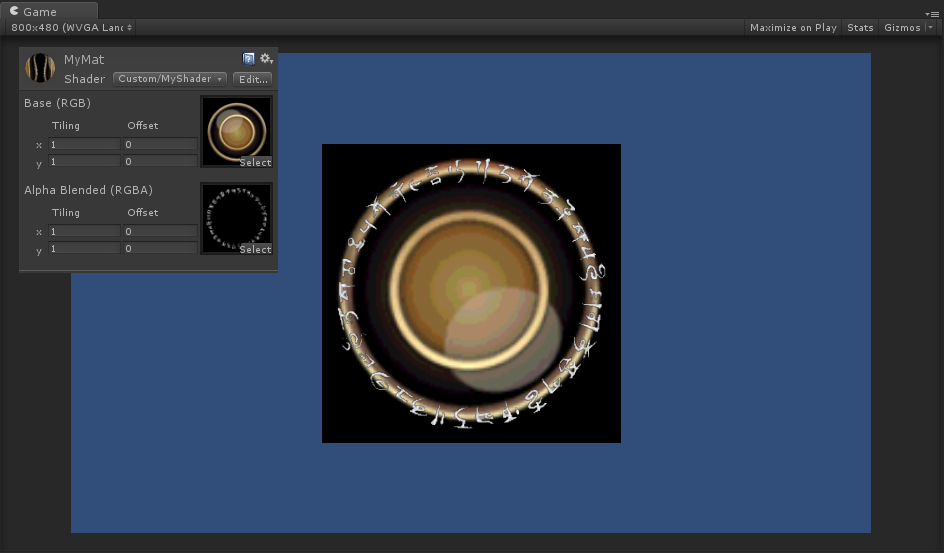
Alpha控制自发光
Shader "Examples/Self-Illumination" {

    Properties {

        _MainTex ("Base (RGB) Self-Illumination (A)", 2D) = "white" {}

    }

    SubShader {

        Pass {

            // Set up basic white vertex lighting

            //设置白色顶点光照

            Material {

                Diffuse (,,,)

                Ambient (,,,)

            }

            Lighting On

            // Use texture alpha to blend up to white (= full illumination)

            // 使用纹理Alpha来混合白色(完全发光)

            SetTexture [_MainTex] {

                constantColor (,,,)

                combine constant lerp(texture) previous

            }

            // Multiply in texture

            // 和纹理相乘

            SetTexture [_MainTex] {

                combine previous * texture

            }

        }

    }

}
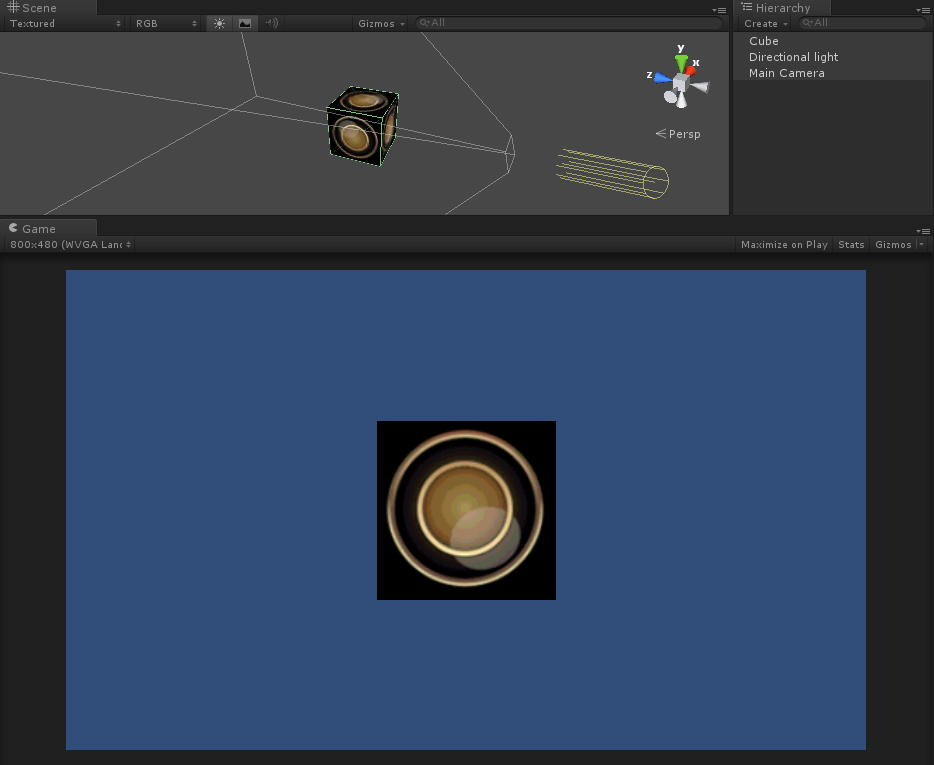
把顶点光照着色器的所有的光照属性放入:
Shader "Examples/Self-Illumination 3" {

    Properties {

        _IlluminCol ("Self-Illumination color (RGB)", Color) = (,,,)

        _Color ("Main Color", Color) = (,,,)

        _SpecColor ("Spec Color", Color) = (,,,)

        _Emission ("Emmisive Color", Color) = (,,,)

        _Shininess ("Shininess", Range (0.01, )) = 0.7

        _MainTex ("Base (RGB)", 2D) = "white" {}

    }

    SubShader {

        Pass {

            // Set up basic vertex lighting

            Material {

                Diffuse [_Color]

                Ambient [_Color]

                Shininess [_Shininess]

                Specular [_SpecColor]

                Emission [_Emission]

            }

            Lighting On

            // Use texture alpha to blend up to white (= full illumination)

            SetTexture [_MainTex] {

                constantColor [_IlluminCol]

                combine constant lerp(texture) previous

            }

            // Multiply in texture

            SetTexture [_MainTex] {

                combine previous * texture

            }

        }

    }

}
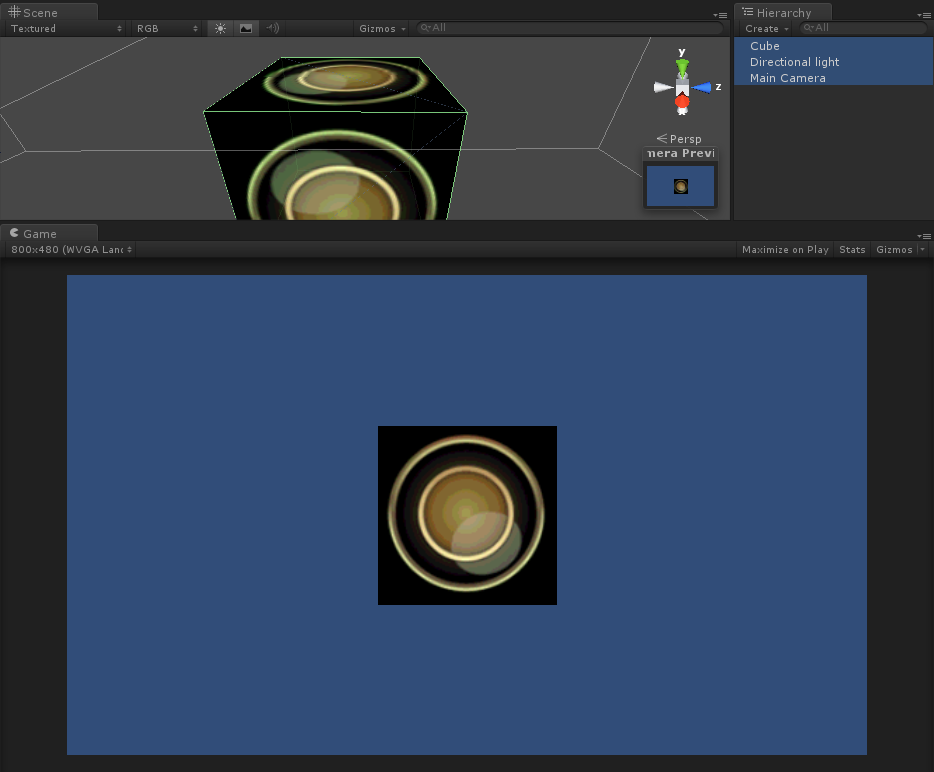
Unity3d Shader开发(三)Pass(Texturing )的更多相关文章
- Unity3d Shader开发(三)Pass(Pass Tags,Name,BindChannels )
Pass Tags 通过使用tags来告诉渲染引擎在什么时候该如何渲染他们所期望的效果. Syntax 语法 Tags { "TagName1" = "Value1&qu ...
- Unity3d Shader开发(三)Pass(Blending )
混合被用于制作透明物体. 当图像被渲染时,所有着色器被执行以后,所有贴图被应用后,像素将被写到屏幕.他们是如何通过Blend命令的控制和已有的图像合并呢? Syntax 语法 Blend Off Tu ...
- Unity3d Shader开发(三)Pass(Alpha testing )
透明度测试是阻止像素被写到屏幕的最后机会. 在最终渲染出的颜色被计算出来之后,可选择通过将颜色的透明度值和一个固定值比较.如果比较的结果失败,像素将不会被写到显示输出中. Syntax 语法 Alph ...
- Unity3d Shader开发(三)Pass(Culling & Depth Testing)
剔除是一种通过避免渲染背对观察者的几何体面来提高性能的优化措施.所有几何体都包含正面和反面.剔除基于大多数对象都是封闭的事实:如果你有一个立方体,你不会看到背离你的那一面(总是只有一面在你的前方),因 ...
- Unity3d Shader开发(三)Pass(Color, Material, Lighting )
材质和灯光参数被用于控制内置顶点光照.顶点光照是Direct3D/OpenGL标准的按每顶点计算的光照模型.光照打开时,光照受材质块,颜色材质和平行高光命令的影响. 每像素光照常被实现为自定义顶点/片 ...
- Unity3d Shader开发(三)Pass(Fog )
雾参数用于雾命令控制. 雾化是通过混合已生成的像素的颜色和基于到镜头的距离来确定的一个不变色来完成.雾化不会改变已经混合的像素的透明度值,只是改变RGB值. Syntax 语法 Fog { Fog C ...
- Unity3d Shader开发(四)UsePass ,GrabPass ,SubShader Tags
(一)UsePass 命令 使用 来自另一个着色器的命名通道. Syntax 语法 UsePass "Shader/Name" 插入所有来自给定着色器中的给定名字的通道.Shade ...
- Unity3d Shader开发(五)Fallback ,Category
Fallback定义在所有子着色器后.简单来说,它表示"如果没有任何子着色器能被运行在当前硬件上,请尝试使用降级着色器". Syntax 语法 Fallback "nam ...
- Unity3d Shader开发(二)SubShader
(1)SubShader Unity中的每一个着色器都包含一个subshader的列表,当Unity需要显示一个网格时,它能发现使用的着色器,并提取第一个能运行在当前用户的显示卡上的子着色器. 当Un ...
随机推荐
- Dubbo架构设计详解--转载
原文地址:http://shiyanjun.cn/archives/325.html Dubbo是Alibaba开源的分布式服务框架,它最大的特点是按照分层的方式来架构,使用这种方式可以使各个层之间解 ...
- Android ADB启动失败 ADB server out of date
调试Android程序时总提示ADB未运行,转到命令行方式下启动ADB, adb kille-server停止ADB, 然后再运行adb start-server 随后提示: adb server i ...
- 在 iOS 8 中使用模糊效果
在 iOS 7 出來一個背景模糊的效果, Apple 官方的 sample code 則有提供怎麼使用 vImage, Quartz 來實作這個效果.接著在 iOS 8 出來之後,則提供了 UIVi ...
- URL格式编码与解码
char* urlencode(const void* buf, size_t size) { _assert_(buf && size <= MEMMAXSIZ); const ...
- [转]Unable to build: the file dx.jar was not loaded from the SDK folder!
本文转自:http://www.developerbits.com/tag/unable-to-build-the-file-dx-jar-was-not-loaded-from-the-sdk-fo ...
- videojs 动态加载视频
VideoJS dynamic source change via RESTful API 'Undefined' issue with changing RTMP source on compres ...
- 巧用selectKey
在Ibatis中,insert()的返回值为一个Object的主键,其实这个Object的主键是这样的来的:如果在bean的xml文件中设置了插入的keyProperty,则insert()方法返回的 ...
- 一点关于this的理解
关于this,是很多前端面试必考的题目,有时候在网上看到这些题目,自己试了一下,额,还真的错了!在实际开发中,也会遇到 this 的问题(虽然一些类库会帮我们处理),例如在使用一些框架的时候,例如:k ...
- css扁平化博客学习总结(二)css样式重置
css样式重置 方法一:不推荐使用,这么写会让网页解析速度变慢. *{ margin: 0; padding: 0;} 方法二:大家常用的写法,比较流行. body, html, div, block ...
- 无责任比较thrift vs protocol buffers
http://blog.csdn.net/socoolfj/article/details/3855007 最新版本的Hadoop代码中已经默认了Protocol buffer作为RPC的默认实现,原 ...