
Android作业0930
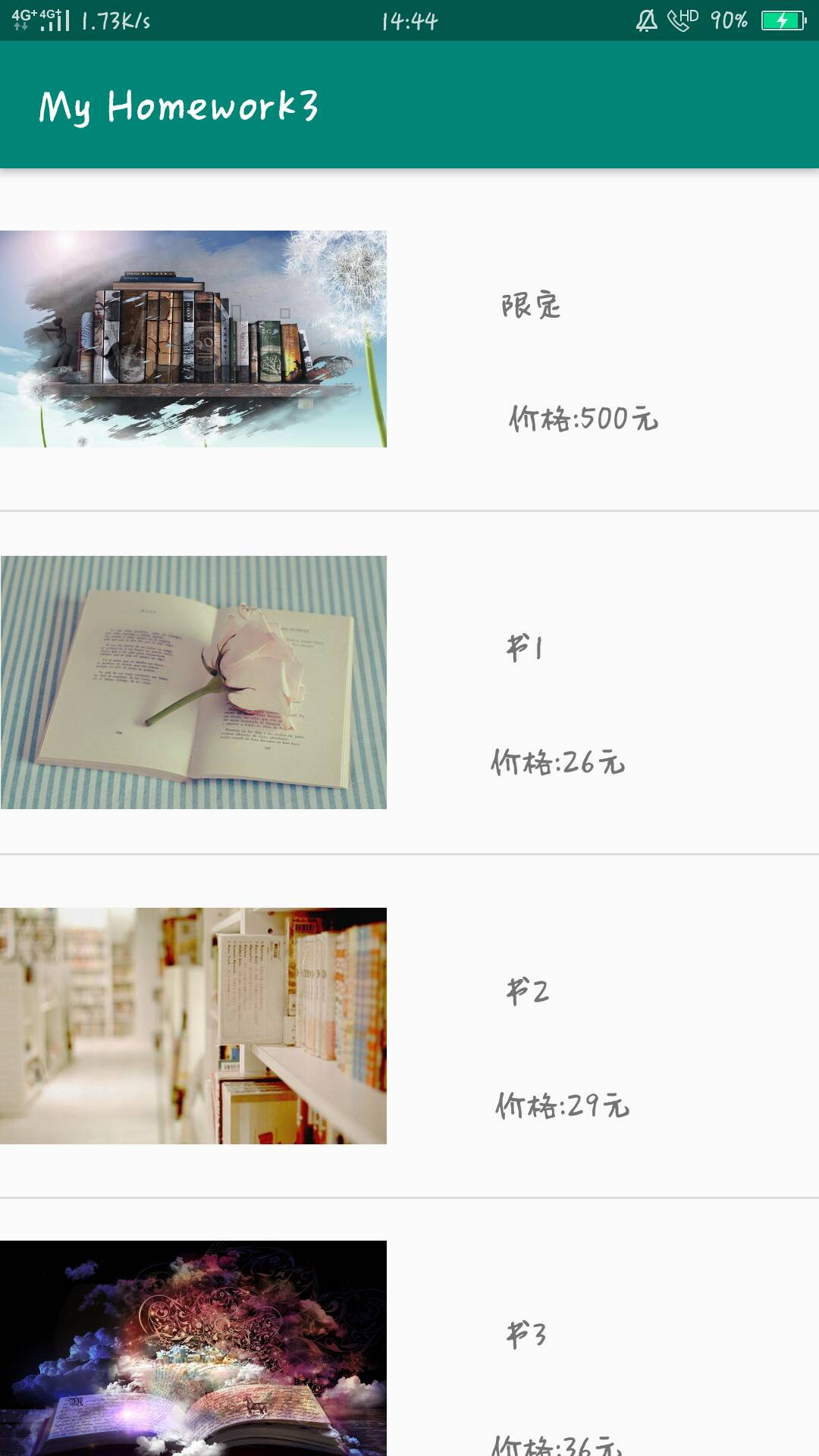
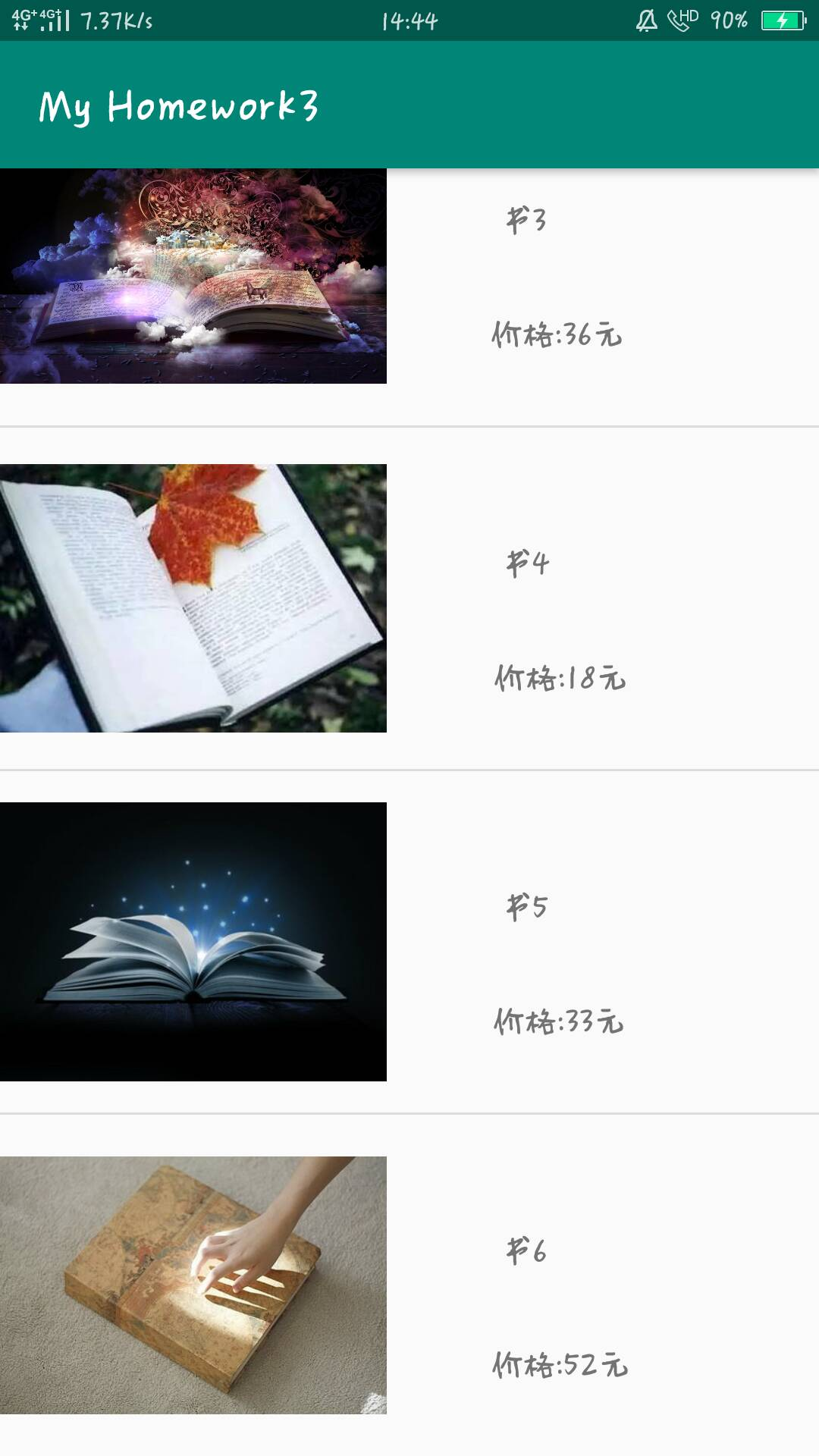
1.使用ListView和Adapter实现购物商城
Android 布局文件
<?xml version="1.0" encoding="utf-8"?>

<androidx.constraintlayout.widget.ConstraintLayout xmlns:android="http://schemas.android.com/apk/res/android"

    xmlns:app="http://schemas.android.com/apk/res-auto"

    xmlns:tools="http://schemas.android.com/tools"

    android:layout_width="match_parent"

    android:layout_height="match_parent"

    tools:context=".MainActivity">

<LinearLayout

    android:layout_width="match_parent"

    android:layout_height="match_parent">

    <ListView

        android:id="@+id/lv1"

        android:layout_width="wrap_content"

        android:layout_height="wrap_content">

    </ListView>

</LinearLayout>

</androidx.constraintlayout.widget.ConstraintLayout>
<?xml version="1.0" encoding="utf-8"?>

<LinearLayout xmlns:android="http://schemas.android.com/apk/res/android"

    android:orientation="horizontal" android:layout_width="match_parent"

    android:layout_height="match_parent">

    <ImageView

        android:id="@+id/iv"

        android:layout_width="170dp"

        android:layout_height="150dp"

        >

    </ImageView>

    <TextView

        android:id="@+id/tv1"

        android:layout_width="wrap_content"

        android:layout_height="wrap_content"

        android:layout_margin="50dp"

        android:text="111">

    </TextView>

    <TextView

        android:id="@+id/tv2"

        android:layout_width="wrap_content"

        android:layout_height="wrap_content"

        android:layout_marginTop="100dp"

        android:layout_marginLeft="-75dp"

        android:text="222">

    </TextView>

</LinearLayout>
java类(三个)
package com.example.myhomework3;

import androidx.appcompat.app.AppCompatActivity;

import android.os.Bundle;

import android.widget.ListView;

import java.util.ArrayList;

import java.util.List;

public class MainActivity extends AppCompatActivity {

    private List<shopping> shoppingList = new ArrayList<shopping>();

    @Override

    protected void onCreate(Bundle savedInstanceState) {

        super.onCreate(savedInstanceState);

        setContentView(R.layout.activity_main);

        initShopping();

        shoppingAdapter shoppingAdapter = new shoppingAdapter(MainActivity.this,R.layout.item,shoppingList);

        ListView listView = findViewById(R.id.lv1);

        listView.setAdapter(shoppingAdapter);

    }

    private void initShopping(){

        shopping book  = new shopping("限定","价格:500元",R.drawable.book);

        shoppingList.add(book);

        shopping book1  = new shopping("书1","价格:26元",R.drawable.book1);

        shoppingList.add(book1);

        shopping book2  = new shopping("书2","价格:29元",R.drawable.book2);

        shoppingList.add(book2);

        shopping book3  = new shopping("书3","价格:36元",R.drawable.book3);

        shoppingList.add(book3);

        shopping book4  = new shopping("书4","价格:18元",R.drawable.book4);

        shoppingList.add(book4);

        shopping book5  = new shopping("书5","价格:33元",R.drawable.book5);

        shoppingList.add(book5);

        shopping book6  = new shopping("书6","价格:52元",R.drawable.book6);

        shoppingList.add(book6);

    }

}
package com.example.myhomework3;

import android.content.Context;

import android.view.LayoutInflater;

import android.view.View;

import android.view.ViewGroup;

import android.widget.ArrayAdapter;

import android.widget.ImageView;

import android.widget.TextView;

import java.util.List;

public class shoppingAdapter extends ArrayAdapter {

    private final int resourceId;

    public shoppingAdapter(Context context, int textViewResourceId, List<shopping> objects){

        super(context,textViewResourceId,objects);

        resourceId = textViewResourceId;

    }

    @Override

    public View getView(int position, View convertView, ViewGroup viewGroup){

        shopping shopping = (com.example.myhomework3.shopping)getItem(position);

        View view = LayoutInflater.from(getContext()).inflate(resourceId,null);

        ImageView imageView = view.findViewById(R.id.iv);

        TextView textView1 = view.findViewById(R.id.tv1);

        TextView textView2 = view.findViewById(R.id.tv2);

        imageView.setImageResource(shopping.getImageId());

        textView1.setText(shopping.getName());

        textView2.setText(shopping.getPrice());

        return view;

    }
package com.example.myhomework3;

public class shopping {

    private String name;

    private String price;

    private int imageId;

    public shopping(String name, String price, int imageId) {

        this.name = name;

        this.price = price;

        this.imageId = imageId;

    }

    public String getName() {

        return name;

    }

    public void setName(String name) {

        this.name = name;

    }

    public String getPrice() {

        return price;

    }

    public void setPrice(String price) {

        this.price = price;

    }

    public int getImageId() {

        return imageId;

    }

    public void setImageId(int imageId) {

        this.imageId = imageId;

    }

}
Android作业0930的更多相关文章
- Android作业分组与选题
期末大作业 序号 题目 组员分工 完成度 1 基于安卓系统的游戏开发 2 设计一个安卓手机小游戏 3 Android平台应用——音乐播放器设计 4 基于Android技术的个人博客 5 电子阅读器 6 ...
- 简单计算器 安卓 Android 作业
Android老师布置的课程作业——简单计算器 功能要求实现四则运算,参考界面见下图: 首先给各位老铁提供apk安装包以及项目压缩包,略表诚意~ github地址:https://github.com ...
- Android作业list
作业1. 请在自己的电脑上完成Android的安装与配置,并完成Hello Android项目.上交自己与项目的合照,将照片传至QQ群中. ------------------------------ ...
- Android作业
一.设置跑马灯功能 使用滚动字幕显示标题“请选择你喜欢哪种花” <?xml version="1.0" encoding="utf-8"?>&l ...
- Android作业 0923
计算器小应用 package com.example.myhomework2; import androidx.appcompat.app.AppCompatActivity; import andr ...
- Android作业10/07
1.多个Activity界面实现数据的传递 <?xml version="1.0" encoding="utf-8"?> <androidx. ...
- 错误提示”void is an invalid type for the variable“
今晚做android作业,出现错误提示:void is an invalid type for the variable, invalid:无效的 variable:变量,在网上找了一下后知道是 方 ...
- Android——手机内部文件存储(作业)
作业:把用户的注册信息存储到文件里,登录成功后读出并显示出来 activity_practice2的layout文件: <?xml version="1.0" encodin ...
- Android——SharedPreferences存储(作业)
作业:制作一个登录界面,以SP方式存储用户名.用户下次登录时自动显示上次填写的用户名 layout文件: <?xml version="1.0" encoding=" ...
随机推荐
- 详细分析栈和队列的数据结构的实现过程(Java 实现)
目录 栈和队列的数据结构的实现过程(Java 实现) 栈的数据结构的实现 栈的基础知识回顾 栈的常见应用 基于数组的栈的实现 具体代码设计 基于数组的栈简单的时间复杂度分析 关于栈的一个算法应用:括号 ...
- Labview学习之路(十)文本文件再次写入不覆盖
- Weights and Measures (贪心+dp)
I know, up on top you are seeing great sights, But down at the bottom, we, too, should have rights. ...
- vue 0点定时网络请求
export default { data() { return { timer: null, currentTime: '', zeroTime: '00:00:05', // zeroTime: ...
- 8svg 自定义全局组件
0.https://www.npmjs.com/package/vue2-svg-icon 直接使用vue2-svg-icon插件 .如果不使用,就使用下面用法 注意:用阿里图标时候,最好都选择#ff ...
- 写给.NET开发者的Python教程(三):运算符、条件判断和循环语句
本节会介绍Python中运算符的用法,以及条件判断和循环语句的使用方法. 运算符 运算符包括算术运算符.赋值运算符.比较运算符.逻辑运算符等内容,大部分用法和C#基本一致,下面我们来看一下: 算数运算 ...
- leetcode题目,个人见解1
给定一个由整数组成的非空数组所表示的非负整数,在该数的基础上加一. 最高位数字存放在数组的首位, 数组中每个元素只存储单个数字. 你可以假设除了整数 0 之外,这个整数不会以零开头. 示例 1: 输入 ...
- 深入理解xLua热更新原理
热更新简介 热更新是指在不需要重新编译打包游戏的情况下,在线更新游戏中的一些非核心代码和资源,比如活动运营和打补丁.热更新分为资源热更新和代码热更新两种,代码热更新实际上也是把代码当成资源的一种热更新 ...
- [LeetCode]Sql系列
题目1 Employee 表包含所有员工信息,每个员工有其对应的 Id, salary 和 department Id. +----+-------+--------+--------------+ ...
- git远程仓库创建及代码提交
git仓库创建:1. mkdir project-repertory2. cd project-repertory3. git init --bare 此时,git仓库已成功创建. 本地要提交的代码在 ...