
Entity Framework Tutorial Basics(4):Setup Entity Framework Environment
Setup Entity Framework Environment:
Entity Framework 5.0 API was distributed in two places, in NuGet package and in .NET framework. The .NET framework 4.0/4.5 included EF core API, whereas EntityFramework.dll via NuGet package included EF 5.0 specific features.
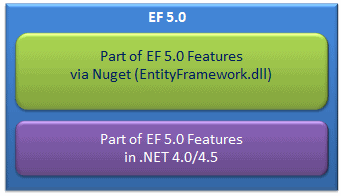
This has been changed with EF 6.0 which is included in EntityFramework.dll only and is not dependent on .NET framework.
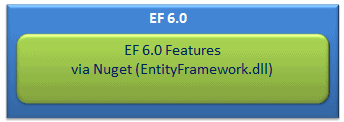
For the basic tutorials, we will use EF 6.0, the latest version of entity framework as of this writing.
Install the following tools to work with entity framework:
- .NET Framework 4.5
- Visual Studio 2012
- MS SQL Server 2005/2008/2012 Express
Install EF via Nuget:
You can install entity framework into your project via nuget. Here, we will install EF (EntityFramework.dll) via nuget in the console application in VS 2012. You can install EF via NuGet the same way in any version of Visual Studio.
Right click on project in the solution explorer and select Manage NuGet Packages..
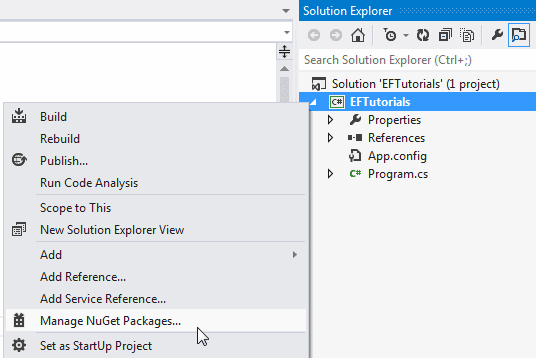
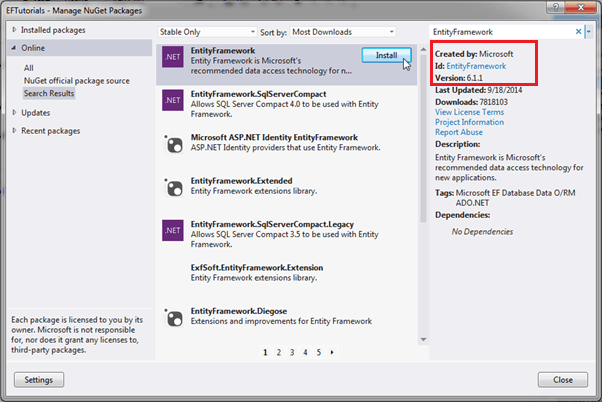
This will open Manage NuGet packages dialogue box. Now, select Online in left bar and search for EntityFramework as shown below.
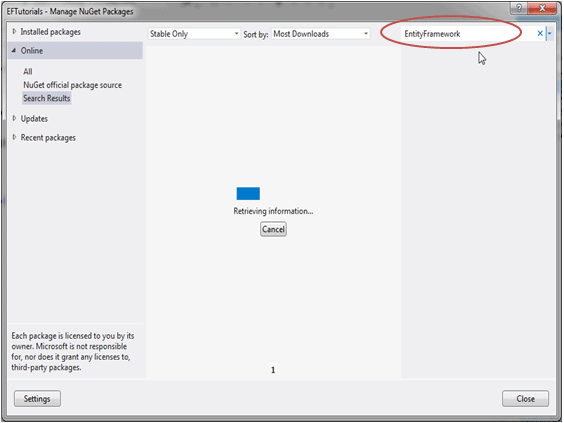
This will search for all the packages related to Entity Framework. Select EntityFramework and click on Install.
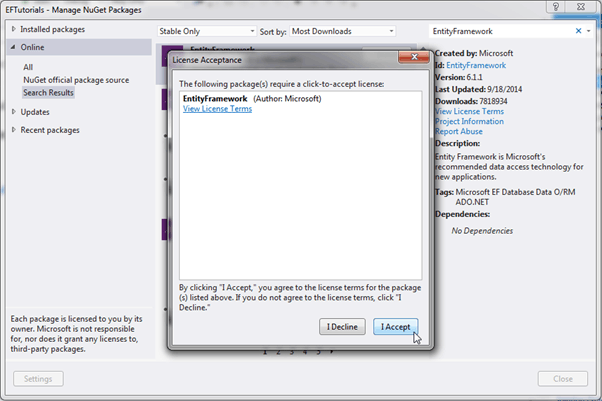
Click on the I Accept button in License Acceptance dialogue box. This will start the installation.
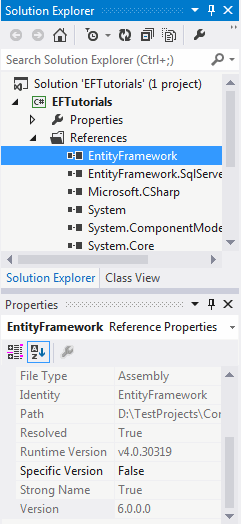
After installation, make sure that the appropriate version of EntityFramework.dll is included in the project.
Now, you are ready to use Entity Framework in your project.
Setting up the database:
This tutorial will use sample SchoolDB which has different tables, stored procedures and views. The SchoolDB database design is shown below:
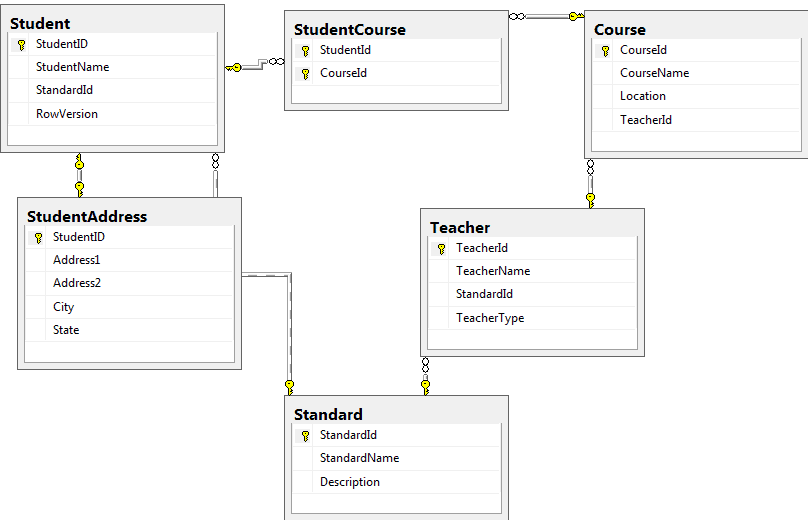
You can see in the above diagram that the sample SchoolDB database includes tables with the following relationships, for demo purpose.
- One-to-One: Student and StudentAddress have a one-to-one relationship eg. Student has zero or one StudentAddress.
- One-to-Many: Standard and Teacher have a one-to-many relationship eg. many Teachers can be associate with one Standard.
- Many-to-Many: Student and Course have a many-to-many relationship using StudentCourse table where StudentCourse table includes StudentId and CourseId. So one student can join many courses and one course also can have many students.
Download Sample Project for all the tutorials on entity framework.
Let's create first simple Entity Data Model for sample School database in the next section.
Entity Framework Tutorial Basics(4):Setup Entity Framework Environment的更多相关文章
- Entity Framework Tutorial Basics(27):Update Entity Graph
Update Entity Graph using DbContext: Updating an entity graph in disconnected scenario is a complex ...
- Entity Framework Tutorial Basics(26):Add Entity Graph
Add Entity Graph using DbContext: Adding entity graph with all new entities is a simple task. We can ...
- Entity Framework Tutorial Basics(42):Colored Entity
Colored Entity in Entity Framework 5.0 You can change the color of an entity in the designer so that ...
- Entity Framework Tutorial Basics(5):Create Entity Data Model
Create Entity Data Model: Here, we are going to create an Entity Data Model (EDM) for SchoolDB datab ...
- Entity Framework Tutorial Basics(40):Validate Entity
Validate Entity You can write custom server side validation for any entity. To accomplish this, over ...
- Entity Framework Tutorial Basics(1):Introduction
以下系列文章为Entity Framework Turial Basics系列 http://www.entityframeworktutorial.net/EntityFramework5/enti ...
- Entity Framework Tutorial Basics(32):Enum Support
Enum in Entity Framework: You can now have an Enum in Entity Framework 5.0 onwards. EF 5 should targ ...
- Entity Framework Tutorial Basics(31):Migration from EF 4.X
Migration from Entity Framework 4.1/4.3 to Entity Framework 5.0/6.0 To migrate your existing Entity ...
- Entity Framework Tutorial Basics(22):Disconnected Entities
Disconnected Entities: Before we see how to perform CRUD operation on disconnected entity graph, let ...
随机推荐
- HihoCoder1465 重复旋律8(后缀自动机)
描述 小Hi平时的一大兴趣爱好就是演奏钢琴.我们知道一段音乐旋律可以被表示为一段数构成的数列. 小Hi发现旋律可以循环,每次把一段旋律里面最前面一个音换到最后面就成为了原旋律的“循环相似旋律”,还可以 ...
- web.xml & web-fragment.xml (Servlet 2.3, 2.4, 2.5 + 3.0)模板
转自:http://jlcon.iteye.com/blog/890964 web.xml v2.3 <?xml version="1.0" encoding="I ...
- LeetCode Continuous Subarray Sum
原题链接在这里:https://leetcode.com/problems/continuous-subarray-sum/description/ 题目: Given a list of non-n ...
- redis设置为null问题
查看源码后发现,redis没有删除方法,本想给他设置为null,但是redis报错,所有仔细想了一下,发现redis提供了一个时间限制方法,所有可以让redis的时间限制为1s,就想当于删除redis ...
- 【转】JVM虚拟性能分析
JDK自带的JAVA性能分析工具.它已经在你的JDK bin目录里了,只要你使用的是JDK1.6 Update7之后的版本.点击一下jvisualvm.exe图标它就可以运行了. 这里是VisualV ...
- FastAdmin 中的 formatter flag 分析
FastAdmin 中的 formatter flag 分析 效果 首先看看效果,这里的文字和颜色可以根据数据改变. 这是系统自带的分类管理. 代码 功能在 \public\assets\js\bac ...
- c++11之二: 类成员变量初始化
在C++11中, 1.允许非静态成员变量的初始化有多种形式:初始化列表; 使用等号=或花括号{}进行就地的初始化. 可以为同一成员变量既声明就地的列表初始化,又在初始化列表中进行初始化,只不过初始化列 ...
- git ssh登录
.ssh下创建config文件 其内容: Host ipIdentityFile ~/.ssh/私钥文件名Port 22User git服务器的账号,不是git账号名(私钥文件名才是git账号名) 注 ...
- 用PHP编写登陆界面
网页的编写用PHP最方便.用php做了最简单的用户登录.创建的程序. 一. MySQL的设计 MySQL设计了两个表:members和sex.两张表的创建语句分别是: create table mem ...
- Azure SLB + httpd + ILB + HAProxy + Atlas + MySQL
为了测试一个环境,需要在Azure上搭建高可用的LAMP架构.但要求MySQL的中间件Atlas采用主备的模式.在数据中心一般采用Keepalive+VIP的模式,通过浮动地址对外提供服务. 但在云环 ...