
React Native商城项目实战01 - 初始化设置
1.创建项目
$ react-native init BuyDemo
2.导入图片资源
安卓:把文件夹放到/android/app/src/main/res/目录下,如图:

iOS: Xcode打开工程,把图片拖动到Images.xcassets里
3.根据实际需求,组织项目结构,目的是更加清晰
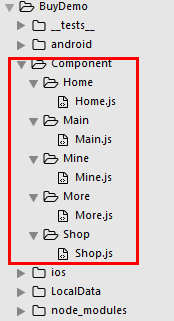
4.Main.js
/**

 * 主页面

 */

import React, { Component } from 'react';

import {

    AppRegistry,

    StyleSheet,

    Text,

    View

} from 'react-native';

// ES5

var Main = React.createClass({

    render() {

        return (

            <View style={styles.container}>

                <Text style={styles.welcome}>

                    Main

                </Text>

            </View>

        );

    }

});

const styles = StyleSheet.create({

    container: {

        flex: 1,

        justifyContent: 'center',

        alignItems: 'center',

        backgroundColor: '#F5FCFF',

    },

    welcome: {

        fontSize: 20,

        textAlign: 'center',

        margin: 10,

    },

});

// 输出

module.exports = Main;
5.index.android.js 引入Main.js并使用这个组件
/**

 * android

 */

import React, { Component } from 'react';

import {

  AppRegistry,

  StyleSheet,

  Text,

  View

} from 'react-native';

/*==============导入外部组件================*/

var Main = require('./Component/Main/Main');

class BuyDemo extends Component {

    render() {

        return (

            <Main />

        );

    }

}

const styles = StyleSheet.create({

});

AppRegistry.registerComponent('BuyDemo', () => BuyDemo);
6.效果图
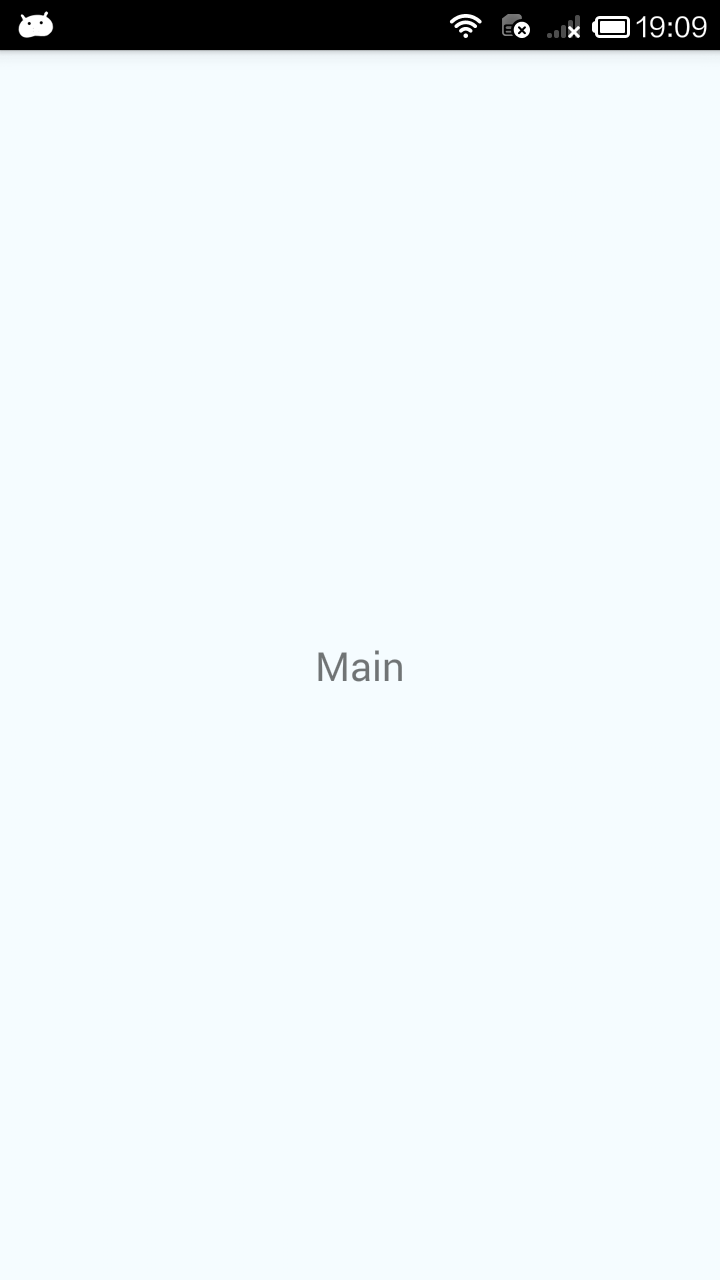
.
React Native商城项目实战01 - 初始化设置的更多相关文章
- React Native商城项目实战10 - 个人中心中间内容设置
1.新建一个MineMiddleView.js,专门用于构建中间的内容 /** * 个人中心中间内容设置 */ import React, { Component } from 'react'; im ...
- React Native商城项目实战07 - 设置“More”界面导航条
1.More/More.js /** * 更多 */ import React, { Component } from 'react'; import { AppRegistry, StyleShee ...
- React Native商城项目实战05 - 设置首页的导航条
1.Home.js /** * 首页 */ import React, { Component } from 'react'; import { AppRegistry, StyleSheet, Te ...
- React Native商城项目实战06 - 设置安卓中的启动页
1.Main 目录下新建LaunchImage.js: /** * 启动页 */ import React, { Component } from 'react'; import { AppRegis ...
- React Native商城项目实战08 - 设置“More”界面cell
1.自定义可复用的cell More/CommonCell.js: /** * 自定义可复用的cell */ import React, { Component } from 'react'; imp ...
- React Native商城项目实战04 - 封装TabNavigator.Item的创建
1.Main.js /** * 主页面 */ import React, { Component } from 'react'; import { StyleSheet, Text, View, Im ...
- React Native商城项目实战03 - 包装Navigator
1.在Home目录下新建首页详细页HomeDetail.js /** * 首页详情页 */ import React, { Component } from 'react'; import { App ...
- React Native商城项目实战02 - 主要框架部分(tabBar)
1.安装插件,cd到项目根目录下执行: $ npm i react-native-tab-navigator --save 2.主框架文件Main.js /** * 主页面 */ import Rea ...
- React Native商城项目实战12 - 首页头部内容
1.HomeTopView为首页头部内容,HomeTopListView为HomeTopView子视图. 2.HomeTopView.js /** * 首页头部内容 */ import React, ...
随机推荐
- 08、beta-actin和GAPDH的3'/5'比值
一.大部分的基因都有beta-action基因和GAPDH基因,很多Affymetrix芯片都将它们设为一组观察RNA降解程度的内参基因.mRNA是按照5’至3’的顺序来降解的,通过比较它们3’相对于 ...
- python接口、抽象类与抽象方法
接口: -url -数据类型,python不存在 class 类名 1.类中的方法可以写任意多个 2.如果想要对类中的方法做约束,就需要写接口 接口中定义一个方法f1,可以约束继承他的子类 class ...
- Vue进行路由跳转的几种方式
1.<router-link to="需要跳转到页面的路径"> 2.this.$router.push()跳转到指定的url,并在history中添加记录,点击回退返回 ...
- ShareSdk等等(三方登录与支付冲突问题)
1.必须实现前两个方法,第三个方法照成支付回调有问题. //必须实现的方法 - (BOOL)application:(UIApplication *)application handleOpenURL ...
- Redis【4】Java Jedis 操作 Redis~
package redis.redis; import redis.clients.jedis.Jedis; import redis.clients.jedis.JedisPool; /** * 描 ...
- 2019-11-29-VisualStudio-使用新项目格式快速打出-Nuget-包
title author date CreateTime categories VisualStudio 使用新项目格式快速打出 Nuget 包 lindexi 2019-11-29 10:15:25 ...
- 一个显示 OpenCV Mat 图像的自定义 Qt 控件
今天学习 Qt 的时候顺手写了一个,包含一个头文件 qcvdisplay.h 和一个源文件 qcvdisplay.cpp,因为这是 qt 默认的文件命名方式,在 Qt Designer 中提升控件时会 ...
- 架构师必备,带你弄清混乱的JAVA日志体系!
作者:孤独烟 出处:http://rjzheng.cnblogs.com/ 本文版权归作者和博客园共有,欢迎转载,但未经作者同意必须保留此段声明,且在文章页面明显位置给出原文连接,否则保留追究法律责任 ...
- 我所了解的https
http大家多少都有些了解,毕竟要上网的话是肯定会接触到它的.http有个很明显的缺点,就是传输是明文的,很不安全.针对这个情况,就推出了https,也就是http+ssl/tls. 对于明文不安全的 ...
- C#任务Task
完整调用 TaskCreationOptions tcOptions = TaskCreationOptions.PreferFairness | TaskCreationOptions.LongRu ...