
React Native商城项目实战05 - 设置首页的导航条
1.Home.js
/**

 * 首页

 */

import React, { Component } from 'react';

import {

    AppRegistry,

    StyleSheet,

    Text,

    View,

    TouchableOpacity,

    TextInput,

    Image,

    Platform

} from 'react-native';

var Dimensions = require('Dimensions');

var screenW = Dimensions.get('window').width;

var screenH = Dimensions.get('window').height;

/*======导入外部组件类======*/

var HomeDetail = require('./HomeDetail');

// ES5

var Home = React.createClass({

    render() {

        return (

            <View style={styles.container}>

                {/*首页的导航条*/}

                {this.renderNavBar()}

                <TouchableOpacity onPress={()=>{this.pushToDetail()}} >

                    <Text style={styles.welcome}>

                        Home

                    </Text>

                </TouchableOpacity>

            </View>

        );

    },

    // 首页的导航条

    renderNavBar(){

        return(

            <View style={styles.navBarStyle}>

                <TouchableOpacity onPress={()=>{this.pushToDetail()}} >

                    <Text style={styles.leftTitleStyle}>宁波</Text>

                </TouchableOpacity>

                <TextInput placeholder="输入商家,品类,商圈" style={styles.topInputStyle} />

                <View style={styles.rightNavViewStyle}>

                    <TouchableOpacity onPress={()=>{alert('点击了')}} >

                        <Image source={{uri:'icon_homepage_message'}} style={styles.navRightImgStyle} />

                    </TouchableOpacity>

                    <TouchableOpacity onPress={()=>{alert('点击了')}} >

                        <Image source={{uri:'icon_homepage_scan'}} style={styles.navRightImgStyle} />

                    </TouchableOpacity>

                </View>

            </View>

        )

    },

    // 跳转到首页详细页

    pushToDetail(){

        this.props.navigator.push({

            component:HomeDetail,   // 要跳转过去的组件

            title:'首页详细页'

        });

    }

});

const styles = StyleSheet.create({

    // 导航栏

    navBarStyle:{

        height:Platform.OS === 'ios' ? 64 : 44,

        backgroundColor:'rgba(255,96,0,1)',

        // 主轴方向

        flexDirection:'row',

        // 侧轴对齐方式 垂直居中

        alignItems:'center',

        // 主轴对齐方式

        justifyContent:'space-around', // 平均分布

    },

    // 导航条左侧文字

    leftTitleStyle:{

        color:'white',

    },

    // 导航栏输入框

    topInputStyle:{

        width:screenW * 0.71,

        height:Platform.OS === 'ios' ? 35 : 30,

        backgroundColor:'white',

        marginTop:Platform.OS === 'ios' ? 18 : 0,

        // 圆角

        borderRadius:18,

        paddingLeft:10,

    },

    // 导航条右侧视图

    rightNavViewStyle:{

        flexDirection:'row',

        height:64,

        // 侧轴对齐方式

        alignItems:'center',

        // backgroundColor:'blue',

    },

    // 导航栏右侧图片

    navRightImgStyle:{

        width:Platform.OS === 'ios' ? 28 : 24,

        height:Platform.OS === 'ios' ? 28 : 24,

    },

    container: {

        flex: 1,

        backgroundColor: '#e8e8e8',

    },

    welcome: {

        fontSize: 20,

        textAlign: 'center',

        margin: 10,

    },

});

// 输出

module.exports = Home;
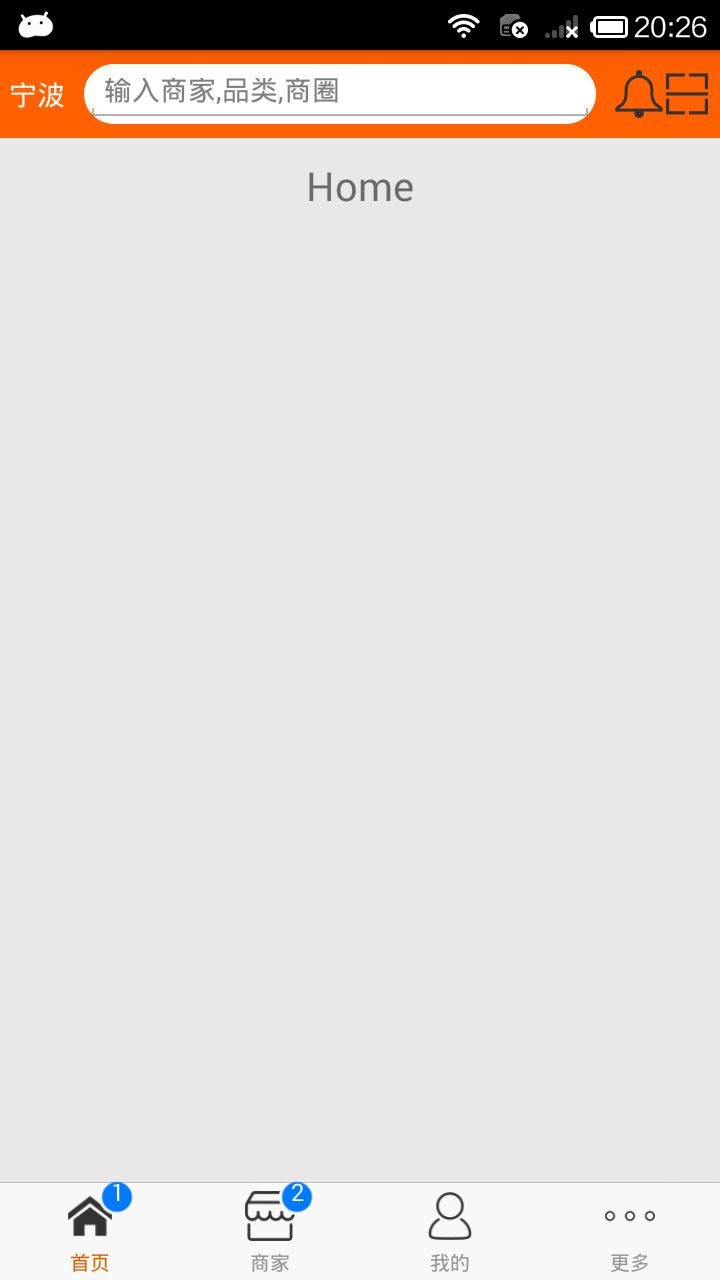
2.效果图
React Native商城项目实战05 - 设置首页的导航条的更多相关文章
- React Native商城项目实战07 - 设置“More”界面导航条
1.More/More.js /** * 更多 */ import React, { Component } from 'react'; import { AppRegistry, StyleShee ...
- React Native商城项目实战08 - 设置“More”界面cell
1.自定义可复用的cell More/CommonCell.js: /** * 自定义可复用的cell */ import React, { Component } from 'react'; imp ...
- React Native商城项目实战06 - 设置安卓中的启动页
1.Main 目录下新建LaunchImage.js: /** * 启动页 */ import React, { Component } from 'react'; import { AppRegis ...
- React Native商城项目实战12 - 首页头部内容
1.HomeTopView为首页头部内容,HomeTopListView为HomeTopView子视图. 2.HomeTopView.js /** * 首页头部内容 */ import React, ...
- React Native商城项目实战15 - 首页购物中心
1.公共的标题栏组件TitleCommonCell.js /** * 首页购物中心 */ import React, { Component } from 'react'; import { AppR ...
- React Native商城项目实战14 - 首页中间下部分
1.MiddleBottomView.js /** * 首页中间下部分 */ import React, { Component } from 'react'; import { AppRegistr ...
- React Native商城项目实战13 - 首页中间上部分内容
1.HomeMiddleView.js /** * 首页中间上部分内容 */ import React, { Component } from 'react'; import { AppRegistr ...
- React Native商城项目实战16 - 购物中心详细页
逻辑分析: 首页(Home)加载的购物中心组件(ShopCenter),传递url数据: ShopCenter里根据url加载购物中心详细页组件(ShopCenterDetail), ShopCent ...
- React Native商城项目实战04 - 封装TabNavigator.Item的创建
1.Main.js /** * 主页面 */ import React, { Component } from 'react'; import { StyleSheet, Text, View, Im ...
随机推荐
- 1.基础CRUD
在ef中,CUD都使用Datacontext.SaveChange()进行保存. SavaChange方法在保存之前会自动调用DetectChanges方法检查DataContext中做了什么更改,以 ...
- django Paginator 让分页变得完美
参考大佬地址:https://www.zmrenwu.com/courses/django-blog-tutorial/materials/21/ 类视图 from django.contrib.au ...
- git 版本回退方法
ORIG_HEAD 某些操作,例如 merage / reset 会把 merge 之前的 HEAD 保存到 ORIG_HEAD 中,以便在 merge 之后可以使用 ORIG_HEAD 来回滚到合并 ...
- Redis【1】Linux下安装~
先去Redis官网下载tar.gz文件.点击中间的[Check the downloads page.].再点击中间Stable 模块的[Download]下载 这把我做演示的文件是 redis-5. ...
- MySQL8连接数据库
spring.datasource.driver-class-name=com.mysql.cj.jdbc.Driver spring.datasource.url=jdbc:mysql://127. ...
- 裸机开发体验之led快速体验
[root@promote led]# arm-linux-gcc -g -c led.S[root@promote led]# lsled.lds led.o led.S Makefile[root ...
- chrome 开发者工具 - local overrides
使用chrome 作为本地网络服务 chrome 65+ 新功能, 使用我们自己的本地资源覆盖网页所使用的资源,可以使用本地css文件覆盖网页的css文件,修改样式. 类似的,使用DevTools的工 ...
- Flask【第11篇】:整合Flask中的目录结构
整合Flask中的目录结构 一.SQLAlchemy-Utils 由于sqlalchemy中没有提供choice方法,所以借助SQLAlchemy-Utils组件提供的choice方法 import ...
- Codeforces 1272D
题意:给定一个长度为n的数组a,你至多可以删去其中的一个元素,找出最长的连续(严格)上升子序列的长度. 分析:读完题之后可以发现这道题和模板:连续上升子序列很相像,首先可以确定方向是dp:状态是当前的 ...
- LeetCode - LRU怎么将书架上的旧书完美淘汰呢
你有一排书架,有空时会拿些书来看,经常性会买些新书.无奈书架容量有限,当新买的书放不下时,需要一个策略将旧书淘汰. LRU(最近最少使用)缓存淘汰机制正合适. 1)新买的书放在最左侧. 2)最近常看的 ...