
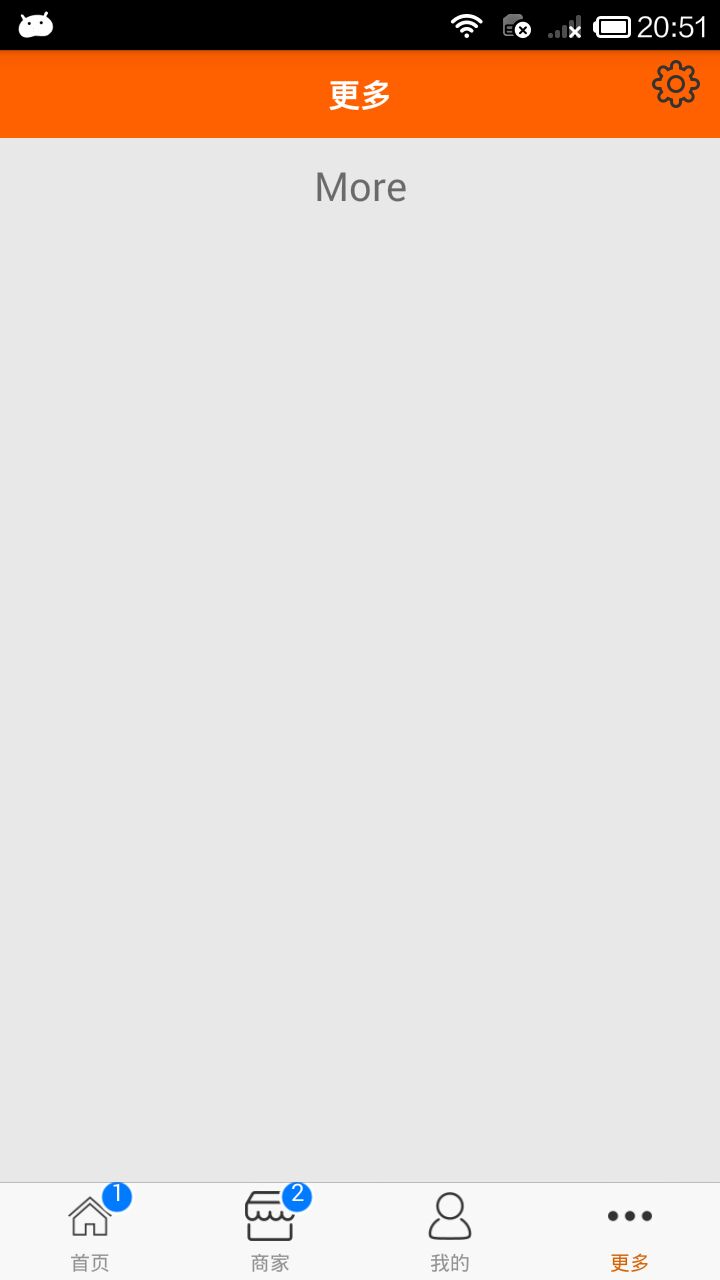
React Native商城项目实战07 - 设置“More”界面导航条
1.More/More.js
/**

 * 更多

 */

import React, { Component } from 'react';

import {

    AppRegistry,

    StyleSheet,

    Text,

    View,

    Image,

    TouchableOpacity,

    Platform

} from 'react-native';

// ES5

var More = React.createClass({

    render() {

        return (

            <View style={styles.container}>

                {/*导航条*/}

                {this.renderNavBar()}

                <Text style={styles.welcome}>

                    More

                </Text>

            </View>

        );

    },

    // 导航条

    renderNavBar(){

        return(

            <View style={styles.navOutViewStyle}>

                <Text style={{color:'white',fontSize:16,fontWeight:'bold'}}>更多</Text>

                    <TouchableOpacity onPress={()=>{alert('点击了')}} style={styles.rightViewStyle}>

                        <Image source={{uri:'icon_mine_setting'}} style={styles.navImgStyle} />

                    </TouchableOpacity>

            </View>

        )

    }

});

const styles = StyleSheet.create({

    // 导航条视图

    navOutViewStyle:{

        height:Platform.OS === 'ios' ? 64 : 44,

        backgroundColor:'rgba(255,96,0,1)',

        // 主轴方向

        flexDirection:'row',

        // 侧轴对齐方式 垂直居中

        alignItems:'center',

        // 主轴方向居中

        justifyContent:'center',

    },

    // 导航栏右侧

    rightViewStyle:{

        // 绝对定位

        position:'absolute',

        right:10,

        bottom:15,

    },

    // 导航条上图片

    navImgStyle:{

        width:Platform.OS === 'ios' ? 28 : 24,

        height:Platform.OS === 'ios' ? 28 : 24,

    },

    container: {

        flex: 1,

        backgroundColor: '#e8e8e8',

    },

    welcome: {

        fontSize: 20,

        textAlign: 'center',

        margin: 10,

    },

});

// 输出

module.exports = More;
2.效果图
React Native商城项目实战07 - 设置“More”界面导航条的更多相关文章
- React Native商城项目实战05 - 设置首页的导航条
1.Home.js /** * 首页 */ import React, { Component } from 'react'; import { AppRegistry, StyleSheet, Te ...
- React Native商城项目实战08 - 设置“More”界面cell
1.自定义可复用的cell More/CommonCell.js: /** * 自定义可复用的cell */ import React, { Component } from 'react'; imp ...
- React Native商城项目实战06 - 设置安卓中的启动页
1.Main 目录下新建LaunchImage.js: /** * 启动页 */ import React, { Component } from 'react'; import { AppRegis ...
- React Native商城项目实战04 - 封装TabNavigator.Item的创建
1.Main.js /** * 主页面 */ import React, { Component } from 'react'; import { StyleSheet, Text, View, Im ...
- React Native商城项目实战12 - 首页头部内容
1.HomeTopView为首页头部内容,HomeTopListView为HomeTopView子视图. 2.HomeTopView.js /** * 首页头部内容 */ import React, ...
- React Native商城项目实战16 - 购物中心详细页
逻辑分析: 首页(Home)加载的购物中心组件(ShopCenter),传递url数据: ShopCenter里根据url加载购物中心详细页组件(ShopCenterDetail), ShopCent ...
- React Native商城项目实战15 - 首页购物中心
1.公共的标题栏组件TitleCommonCell.js /** * 首页购物中心 */ import React, { Component } from 'react'; import { AppR ...
- React Native商城项目实战14 - 首页中间下部分
1.MiddleBottomView.js /** * 首页中间下部分 */ import React, { Component } from 'react'; import { AppRegistr ...
- React Native商城项目实战13 - 首页中间上部分内容
1.HomeMiddleView.js /** * 首页中间上部分内容 */ import React, { Component } from 'react'; import { AppRegistr ...
随机推荐
- Solution for automatic update of Chinese word segmentation full-text index in NEO4J
Solution for automatic update of Chinese word segmentation full-text index in NEO4J 1. Sample data 2 ...
- Elasticsearch入门教程(一):Elasticsearch及插件安装
原文:Elasticsearch入门教程(一):Elasticsearch及插件安装 版权声明:本文为博主原创文章,遵循CC 4.0 BY-SA版权协议,转载请附上原文出处链接和本声明. 本文链接:h ...
- .net core 2.2.0 SOAP踩坑
首先确认下面几个程序集是最新版本: <PackageReference Include="System.ServiceModel.Http" Version="4. ...
- homebrew学习(三)之homebrew命令
安装homebrew: /usr/bin/ruby -e "$(curl -fsSL https://raw.githubusercontent.com/Homebrew/install/m ...
- 在docker下运行mysql
docker pull mysql 从镜像仓库中拉取mysql镜像. 运行镜像 到此mysql在docker容器下运行成功. 使用Navicat连接工具连接到mysql 经过以上步骤就完成了在dock ...
- Vue常用修饰符
Vue提供了事件修饰符用于DOM的事件处理,常用的事件修饰符有以下几个: (1). stop:阻止冒泡(通俗讲就是阻止事件向上级DOM元素传递) 点击内层div的结果: 点击外层div的结果: 修改代 ...
- MYSQL安装相关知识
将mysql安装为winsow服务 1.执行命令: mysqld-nt.exe --install (安装到windows的服务) 或者是mysqld -install 2.执行命令: net sta ...
- ubuntu 配置smb后无法访问
配置如下 [/gscloud] path = /gscloud browseable = yes writable = yes guest ok = yes read only = no create ...
- 微信小程序中的自定义组件(components)
其实小程序开发很像vue和react的结合,数据绑定和setData 重新渲染页面的数据,最近发现连写组件都是很像,也是醉了,自我认为哈, 因为小程序可以将页面内的功能模块抽象成自定义组件,以便在 ...
- java数据结构3--List
List 1.1 list接口的简介 1.2 list实现子类 ArrayList:线程不安全,查询速度快,底层用的是数组,增删慢LinkedList:线程不安全,链表结构,增删速度快,查询慢Vect ...