
mysqld_exporter监控mysql信息
mysqld_exporter监控mysql信息
一、背景
使用 mysqld_exporter 来抓取 mysql的一些指标信息。
二、prometheus接入mysqld_exporter
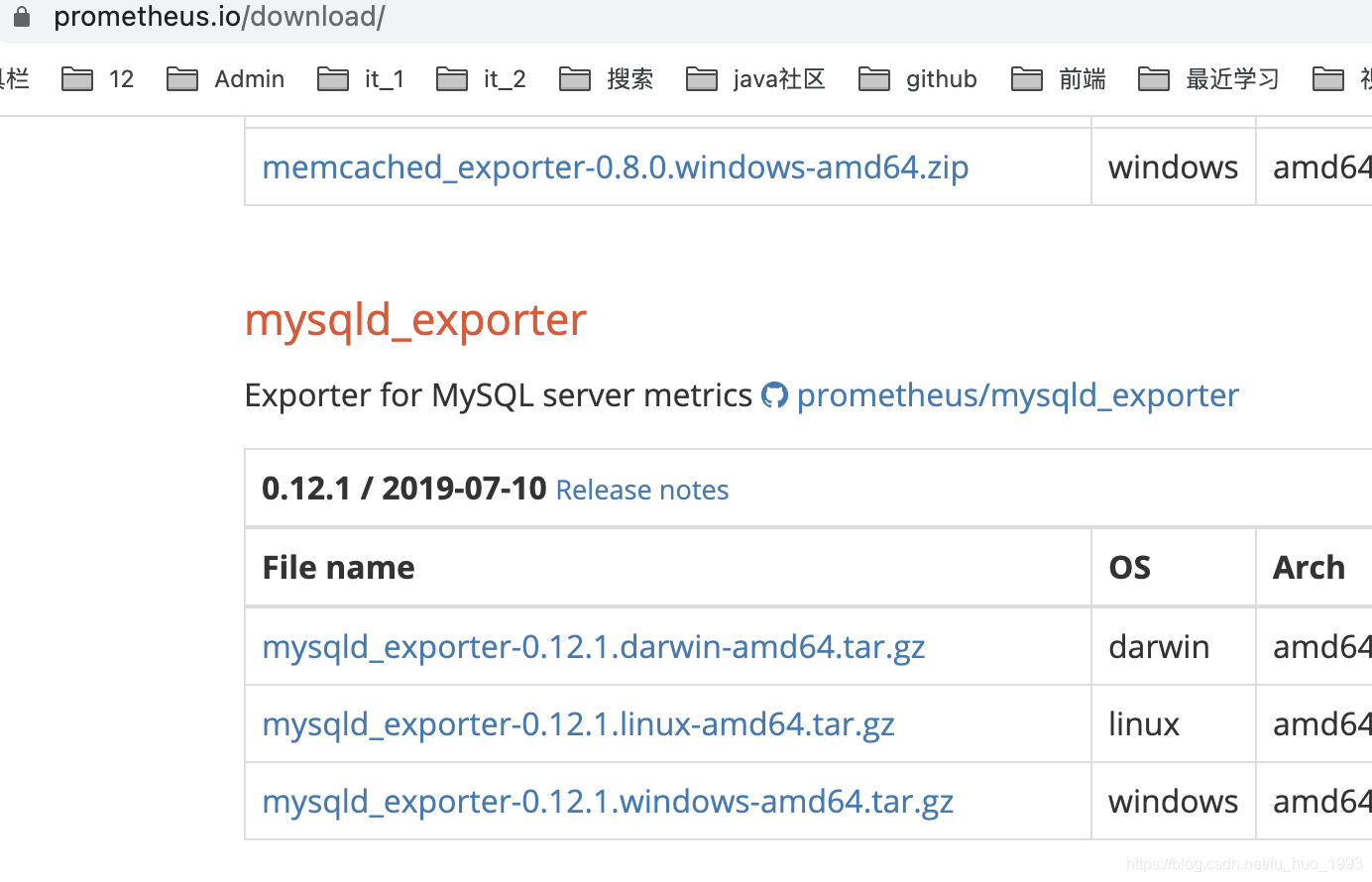
1、安装mysqld_exporter
# 下载 mysqld_exporter

wget https://github.com/prometheus/mysqld_exporter/releases/download/v0.12.1/mysqld_exporter-0.12.1.darwin-amd64.tar.gz

# 解压 并 重命名

tar -zxvf mysqld_exporter-0.12.1.darwin-amd64.tar.gz

mv mysqld_exporter-0.12.1.darwin-amd64 mysqld_exporter
2、创建mysqld_exporter用户并授权
CREATE USER 'mysqld_exporter'@'localhost' IDENTIFIED BY 'mysqldExporter1993' WITH MAX_USER_CONNECTIONS 3;

GRANT PROCESS, REPLICATION CLIENT, SELECT ON *.* TO 'mysqld_exporter'@'localhost';
注意:
在创建用户的时候,推荐执行 MAX_USER_CONNECTIONS参数,避免我们监控使用过多的数据库连接数,导致数据库压力过大。
3、创建 my.cnf 配置文件
在和mysqld_exporter文件同级的文件夹中创建my.cnf文件,文件内容如下。
[client]

user=mysqld_exporter

password=mysqldExporter1993

host=localhost

port=3306
4、启动mysqld_exporter
nohup /Users/huan/soft/prometheus/mysqld_exporter/mysqld_exporter \

--config.my-cnf="/Users/huan/soft/prometheus/mysqld_exporter/my.cnf" \

--web.listen-address="0.0.0.0:9088" \

--log.level=debug \

> logs/mysqld_exporter.out 2>&1 &
参数解释:
| 参数 | 解释 |
|---|---|
| –config.config.my-cnf | 指定配置文件的路径 |
| –web.listen-address | 指定监听的地址,端口 |
| –log.level | 指定日志级别 |
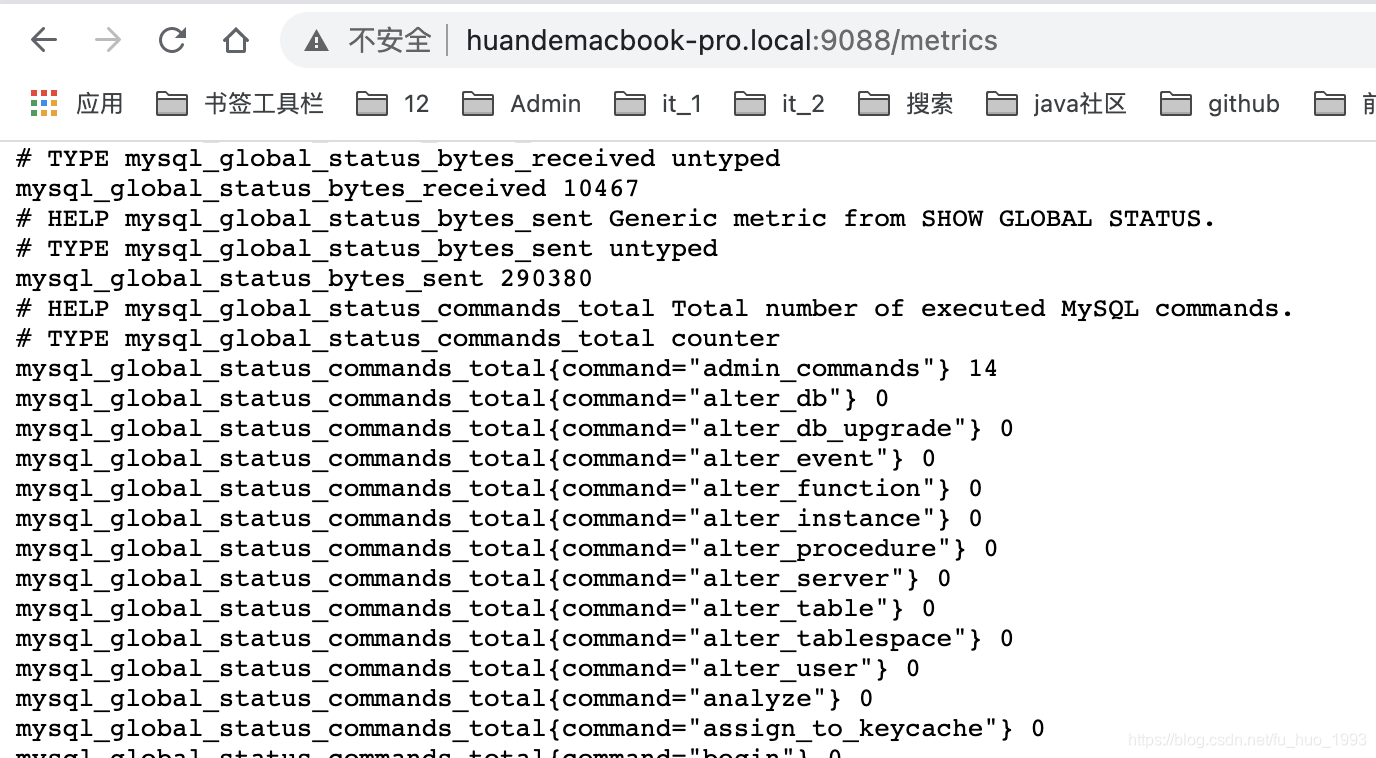
5、查看抓取的mysql指标信息
http://localhost:9088/metrics
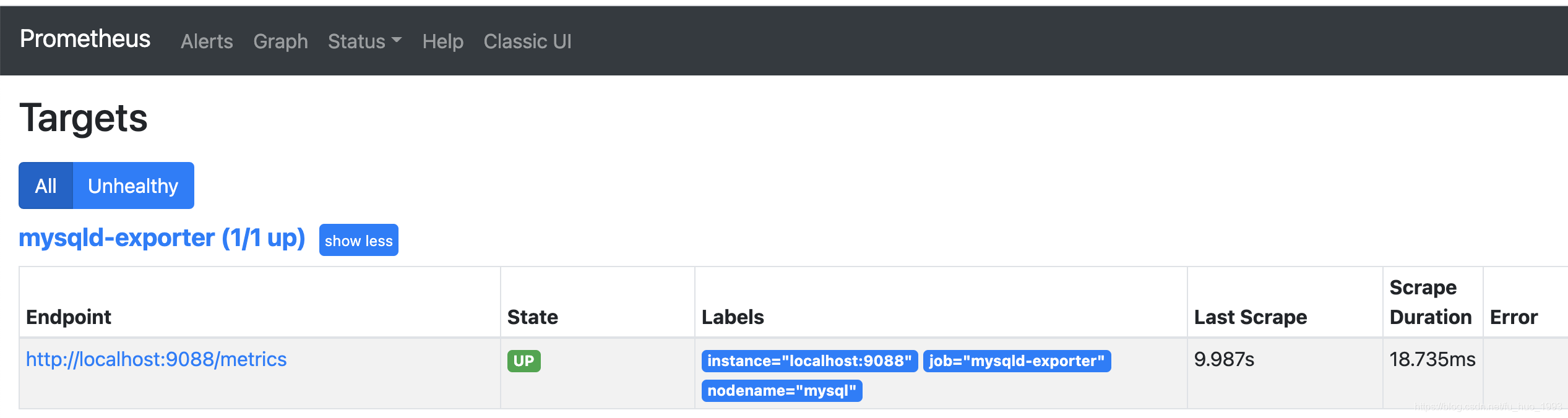
6、接入到prometheus中
scrape_configs:

  - job_name: 'mysqld-exporter'

    static_configs:

    - targets: ['localhost:9088']

      labels:

        nodename: 'mysql'
三、部分告警指标
groups:

- name: GaleraAlerts

  rules:

  - alert: MySQLGaleraNotReady

    expr: mysql_global_status_wsrep_ready != 1

    for: 5m

    labels:

      severity: warning

    annotations:

      description: '{{$labels.job}} on {{$labels.instance}} is not ready.'

      summary: Galera cluster node not ready

  - alert: MySQLGaleraOutOfSync

    expr: (mysql_global_status_wsrep_local_state != 4 and mysql_global_variables_wsrep_desync

      == 0)

    for: 5m

    labels:

      severity: warning

    annotations:

      description: '{{$labels.job}} on {{$labels.instance}} is not in sync ({{$value}}

        != 4).'

      summary: Galera cluster node out of sync

  - alert: MySQLGaleraDonorFallingBehind

    expr: (mysql_global_status_wsrep_local_state == 2 and mysql_global_status_wsrep_local_recv_queue

      > 100)

    for: 5m

    labels:

      severity: warning

    annotations:

      description: '{{$labels.job}} on {{$labels.instance}} is a donor (hotbackup)

        and is falling behind (queue size {{$value}}).'

      summary: xtradb cluster donor node falling behind

  - alert: MySQLReplicationNotRunning

    expr: mysql_slave_status_slave_io_running == 0 or mysql_slave_status_slave_sql_running

      == 0

    for: 2m

    labels:

      severity: critical

    annotations:

      description: Slave replication (IO or SQL) has been down for more than 2 minutes.

      summary: Slave replication is not running

  - alert: MySQLReplicationLag

    expr: (instance:mysql_slave_lag_seconds > 30) and on(instance) (predict_linear(instance:mysql_slave_lag_seconds[5m],

      60 * 2) > 0)

    for: 1m

    labels:

      severity: critical

    annotations:

      description: The mysql slave replication has fallen behind and is not recovering

      summary: MySQL slave replication is lagging

  - alert: MySQLReplicationLag

    expr: (instance:mysql_heartbeat_lag_seconds > 30) and on(instance) (predict_linear(instance:mysql_heartbeat_lag_seconds[5m],

      60 * 2) > 0)

    for: 1m

    labels:

      severity: critical

    annotations:

      description: The mysql slave replication has fallen behind and is not recovering

      summary: MySQL slave replication is lagging

  - alert: MySQLInnoDBLogWaits

    expr: rate(mysql_global_status_innodb_log_waits[15m]) > 10

    labels:

      severity: warning

    annotations:

      description: The innodb logs are waiting for disk at a rate of {{$value}} /

        second

      summary: MySQL innodb log writes stalling
参考连接:https://github.com/prometheus/mysqld_exporter/blob/master/mysqld-mixin/alerts/galera.yaml
四、参考链接
1、mysqld_exporter的github地址
2、mysql的部分告警编写
mysqld_exporter监控mysql信息的更多相关文章
- Grafan+Prometheus 监控 MySQL
架构图 环境 IP 环境 需装软件 192.168.0.237 mysql-5.7.20 node_exporter-0.15.2.linux-amd64.tar.gz mysqld_exporter ...
- 使用Prometheus+Grafana监控MySQL实践
一.介绍Prometheus Prometheus(普罗米修斯)是一套开源的监控&报警&时间序列数据库的组合,起始是由SoundCloud公司开发的.随着发展,越来越多公司和组织接受采 ...
- 采用prometheus 监控mysql
1. prometheus 是什么 开源的系统监控和报警工具,监控项目的流量.内存量.负载量等实时数据. 它通过直接或短时jobs中介收集监控数据,在本地存储所有收集到的数据,并且通过定义好的rule ...
- Grafana+Prometheus 监控 MySQL
转自:Grafana+Prometheus 监控 MySQL 架构图 环境 IP 环境 需装软件 192.168.0.237 mysql-5.7.20 node_exporter-0.15.2.lin ...
- Prometheus 监控Mysql服务器及Grafana可视化
Prometheus 监控Mysql服务器及Grafana可视化. mysql_exporter:用于收集MySQL性能信息. 使用版本 mysqld_exporter 0.11.0 官方地址 使用文 ...
- Prometheus 监控MySQL
目录 0.简介 1.mysql_exporter部署 2.mysql报警规则 0.简介 文中主要监控MySQL/MySQL主从信息 版本:mysql-5.7,mysql_exporter-0.12.1 ...
- mysqld_exporter的源码分析和定制化(单个mysqld_exporter监控多个数据库实例)
mysqld_exporter是prometheus官方提供的用于监控mysql运行状态的exporter.其相关信息可以参考:https://github.com/prometheus/mysqld ...
- 【DB宝41】监控利器PMM的使用--监控MySQL、PG、MongoDB、ProxySQL等
目录 一.PMM简介 二.安装使用 三.监控MySQL数据库 MySQL慢查询分析 四.监控PG数据库 五.监控MongoDB数据库 六.监控ProxySQL中间件 一.PMM简介 之前发布过一篇Pr ...
- 【Prometheus+Grafana系列】监控MySQL服务
前言 前面的一篇文章已经介绍了 docker-compose 搭建 Prometheus + Grafana 服务.当时实现了监控服务器指标数据,是通过 node_exporter.Prometheu ...
随机推荐
- Docker(24)- docker login 命令详解
如果你还想从头学起 Docker,可以看看这个系列的文章哦! https://www.cnblogs.com/poloyy/category/1870863.html 作用 登录 Docker 镜像仓 ...
- Jest中Mock网络请求
Jest中Mock网络请求 最近需要将一个比较老的库修改为TS并进行单元测试,修改为TS还能会一点,单元测试纯粹是现学现卖了,初学Jest框架,觉得在单元测试中比较麻烦的就是测试网络请求,所以记录一下 ...
- TreeListLookUpEdit控件使用
绑定数据 treeListLookUpEdit1.Properties.DataSource=list;增加列treeListLookUpEdit1.Properties.TreeList.Colum ...
- VSCode一些设置
//每次保存后自动格式化 "editor.formatOnSave": true, // #每次保存的时候将代码按eslint格式进行修复 "editor.codeAct ...
- Spring Boot 2.x 之 Logging
[源起] 最近在看Apollo的源码,发现其all-in-one项目的脚本demo.sh在执行的时候,竟然没有向控制台输出Spring Boot的日志. 我们修改后构建的Fat Jar,在启动时却打印 ...
- 一文搞懂如何使用Node.js进行TCP网络通信
摘要: 网络是通信互联的基础,Node.js提供了net.http.dgram等模块,分别用来实现TCP.HTTP.UDP的通信,本文主要对使用Node.js的TCP通信部份进行实践记录. 本文分享自 ...
- 快乐中秋,SQL小白入门指南
目录 创建表 最基本的创建 怎么查看一个已经建好的表的信息呢 修改字段 插入数据 修改和删除数据 修改 删除 第一个查询 条件语句 使用age的大小比较,查看大于16岁的学生: 使用多个条件并联,大于 ...
- PHP中的MySQLi扩展学习(六)MySQLI_result对象操作
在之前的文章中,我们就已经接触过 MYSQLI_result 相关的内容.它的作用其实就是一个查询的结果集.不过在 PDO 中,一般直接通过 query() 或者 PDOStatement 对象进行查 ...
- 安装 MongoDb
下面具体说下MongoDB安装之后的一些配置操作 [声明]我的安装路径是:C:\Program Files\MongoDB\Server\3.4 1. 创建数据库路径(data目录).日志路径(log ...
- Linux系列(11) - PATH环境变量
前言 在Liunx当中要想执行"执行脚本"."执行文件"或者"执行命令",需要用绝对路径:因此环境变量就出来了,将路径放到环境变量中,环境变 ...