
[Python爬虫] 之十七:Selenium +phantomjs 利用 pyquery抓取梅花网数据
一、介绍
本例子用Selenium +phantomjs爬取梅花网(http://www.meihua.info/a/list/today)的资讯信息,输入给定关键字抓取资讯信息。
给定关键字:数字;融合;电视
抓取信息内如下:
1、资讯标题
2、资讯链接
3、资讯时间
4、资讯来源
二、网站信息


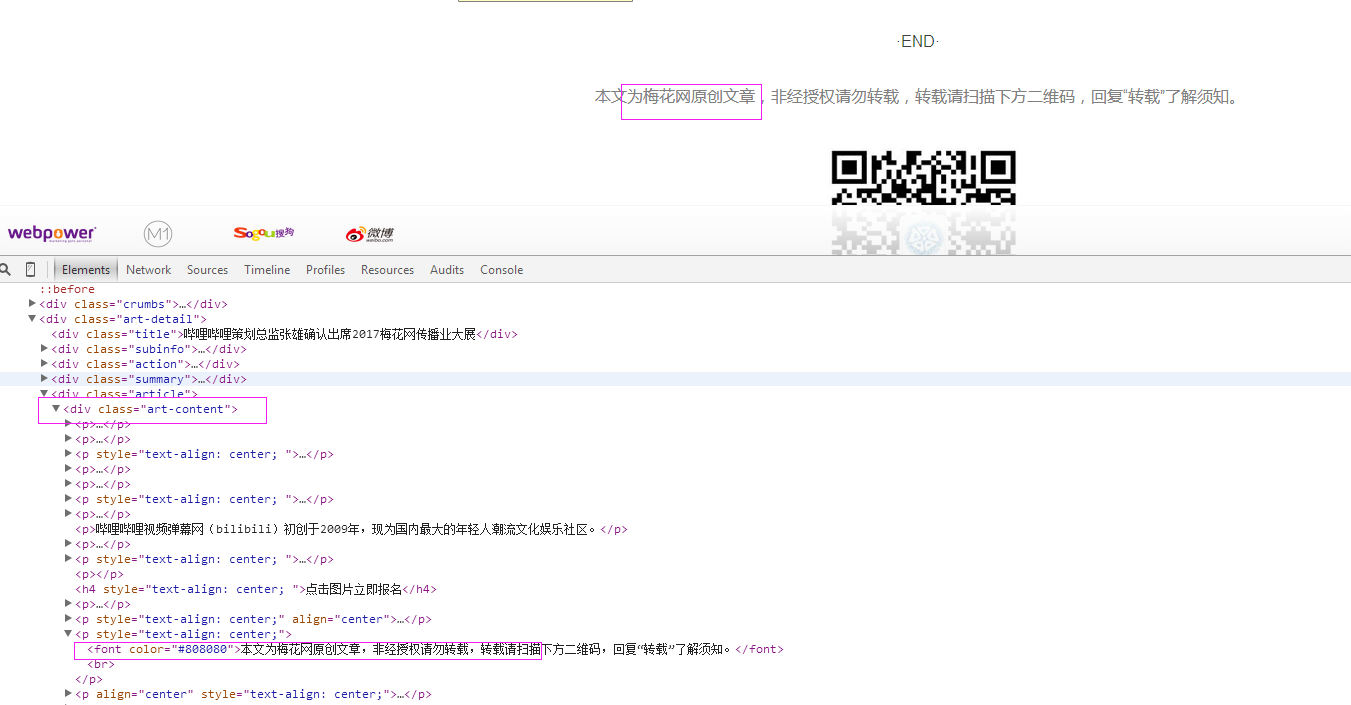

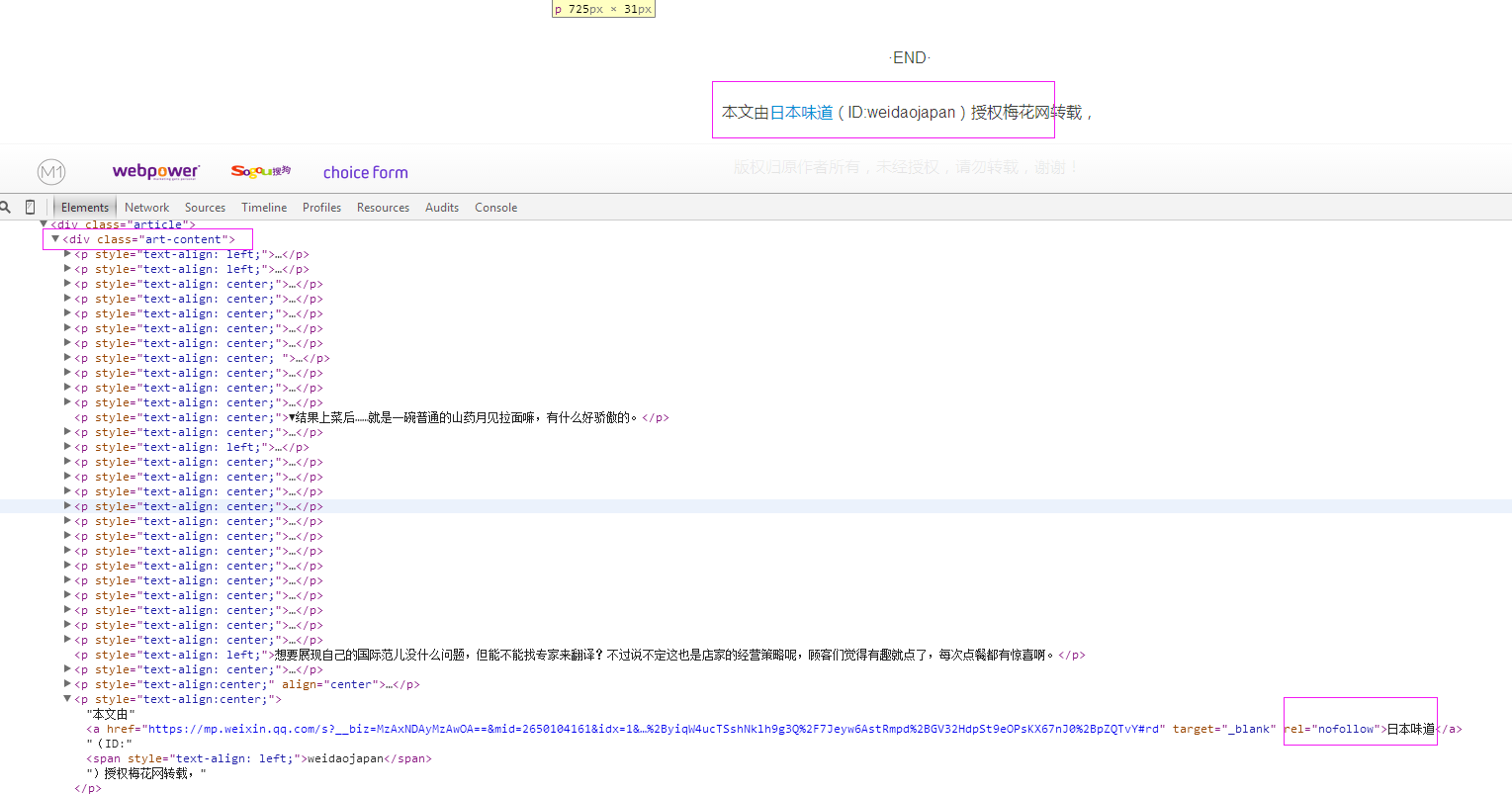

三、数据抓取
针对上面的网站信息,来进行抓取
1、首先抓取信息列表
抓取代码:Elements = doc('li[class="item"]')
2、抓取标题
抓取代码:title = element('a[class="list-title-color no-link"]').text().encode('utf8').strip()
3、抓取链接
抓取代码:url = 'http://www.meihua.info' + element('a[class="list-title-color no-link"]').attr('href')
4、抓取日期
抓取代码:date = element('span[class="desc-font date"]').text().encode('utf8').strip()
5、抓取来源
抓取代码:strSource = dochtml('div[class="art-content"]').eq(0).find('font').eq(0).text().encode('utf8').strip()
四、完整代码
# coding=utf-8

import os

import re

from selenium import webdriver

import selenium.webdriver.support.ui as ui

import time

from datetime import datetime

from selenium.webdriver.common.action_chains import ActionChains

import IniFile

from threading import Thread

from pyquery import PyQuery as pq

import LogFile

import mongoDB

class meihuaSpider(object):

    def __init__(self):

        logfile = os.path.join(os.path.dirname(os.getcwd()), time.strftime('%Y-%m-%d') + '.txt')

        self.log = LogFile.LogFile(logfile)

        configfile = os.path.join(os.path.dirname(os.getcwd()), 'setting.conf')

        cf = IniFile.ConfigFile(configfile)

        self.webSearchUrl_list = cf.GetValue("meihua", "webSearchUrl").split(';')

        self.keyword_list = cf.GetValue("section", "information_keywords").split(';')

        self.db = mongoDB.mongoDbBase()

        self.start_urls = []

        for url in self.webSearchUrl_list:

            self.start_urls.append(url)

        self.driver = webdriver.PhantomJS()

        self.wait = ui.WebDriverWait(self.driver, 2)

        self.driver.maximize_window()

    def Comapre_to_days(self,leftdate, rightdate):

        '''

        比较连个字符串日期,左边日期大于右边日期多少天

        :param leftdate: 格式:2017-04-15

        :param rightdate: 格式:2017-04-15

        :return: 天数

        '''

        l_time = time.mktime(time.strptime(leftdate, '%Y-%m-%d'))

        r_time = time.mktime(time.strptime(rightdate, '%Y-%m-%d'))

        result = int(l_time - r_time) / 86400

        return result

    def date_isValid(self, strDateText):

        '''

        判断日期时间字符串是否合法:如果给定时间大于当前时间是合法,或者说当前时间给定的范围内

        :param strDateText: 四种格式 '今天'; '前天' ; '昨天' ;'06月12日 '

        :return: True:合法;False:不合法

        '''

        currentDate = time.strftime('%Y-%m-%d')

        if strDateText.find('今天') > -1 :

            return True, currentDate

        return False, ''

    def log_print(self, msg):

        '''

        #         日志函数

        #         :param msg: 日志信息

        #         :return:

        #         '''

        print '%s: %s' % (time.strftime('%Y-%m-%d %H-%M-%S'), msg)

    def scrapy_date(self):

        strsplit = '------------------------------------------------------------------------------------'

        for link in self.start_urls:

            self.driver.get(link)

            selenium_html = self.driver.execute_script("return document.documentElement.outerHTML")

            doc = pq(selenium_html)

            infoList = []

            self.log.WriteLog(strsplit)

            self.log_print(strsplit)

            Elements = doc('li[class="item"]')  # class属性内容以item doc style-开始的元素

            for element in Elements.items():

                date = element('span[class="desc-font date"]').text().encode('utf8').strip()

                flag, strDate = self.date_isValid(date)

                if flag:

                    title = element('a[class="list-title-color no-link"]').text().encode('utf8').strip()

                    for keyword in self.keyword_list:

                        if title.find(keyword) > -1:

                            url = 'http://www.meihua.info' + element('a[class="list-title-color no-link"]').attr('href')

                            dictM = {'title': title, 'date': strDate,

                             'url': url, 'keyword': keyword, 'introduction': title, 'source': ''}

                            infoList.append(dictM)

                            break

            if len(infoList)>0:

                for item in infoList:

                    url =item['url']

                    self.driver.get(url)

                    htext = self.driver.execute_script("return document.documentElement.outerHTML")

                    dochtml = pq(htext)

                    slen =len('来源:')

                    strSource = dochtml('div[class="art-content"]').eq(0).find('font').eq(0).text().encode('utf8').strip()

                    if strSource.find('来源') > -1:

                        strSource = strSource[strSource.find('来源') + slen:]

                        if strSource.find('(') > -1:

                            strSource = strSource[0:strSource.find('('):]

                        item['source'] = strSource

                    elif strSource.find('梅花网原创')>-1:

                        item['source'] = " 梅花网"

                    else:

                        strSource = dochtml('div[class="art-content"]').text().encode('utf8').strip()

                        if strSource.find('梅花网原创')>-1 or strSource.find('消息源:梅花网')>-1:

                            item['source'] = '梅花网'

                        else:

                            strSource = dochtml('a[rel="nofollow"]').text().encode('utf8').strip()

                            item['source'] = strSource

                    self.log_print('title:%s' % item['title'])

                    self.log_print('url:%s' % item['url'])

                    self.log_print('date:%s' % item['date'])

                    self.log_print('source:%s' % item['source'])

                    self.log_print('kword:%s' % item['keyword'])

                    self.log_print(strsplit)

                self.db.SaveInformations(infoList)

        self.driver.close()

        self.driver.quit()

obj = meihuaSpider()

obj.scrapy_date()
[Python爬虫] 之十七:Selenium +phantomjs 利用 pyquery抓取梅花网数据的更多相关文章
- [Python爬虫] 之十六:Selenium +phantomjs 利用 pyquery抓取一点咨询数据
本篇主要是利用 pyquery来定位抓取数据,而不用xpath,通过和xpath比较,pyquery效率要高. 主要代码: # coding=utf-8 import os import re fro ...
- [Python爬虫] 之二十二:Selenium +phantomjs 利用 pyquery抓取界面网站数据
一.介绍 本例子用Selenium +phantomjs爬取界面(https://a.jiemian.com/index.php?m=search&a=index&type=news& ...
- [Python爬虫] 之二十三:Selenium +phantomjs 利用 pyquery抓取智能电视网数据
一.介绍 本例子用Selenium +phantomjs爬取智能电视网(http://news.znds.com/article/news/)的资讯信息,输入给定关键字抓取资讯信息. 给定关键字:数字 ...
- [Python爬虫] 之二十八:Selenium +phantomjs 利用 pyquery抓取网站排名信息
一.介绍 本例子用Selenium +phantomjs爬取中文网站总排名(http://top.chinaz.com/all/index.html,http://top.chinaz.com/han ...
- [Python爬虫] 之二十七:Selenium +phantomjs 利用 pyquery抓取今日头条视频
一.介绍 本例子用Selenium +phantomjs爬取今天头条视频(http://www.tvhome.com/news/)的信息,输入给定关键字抓取图片信息. 给定关键字:视频:融合:电视 二 ...
- [Python爬虫] 之三十一:Selenium +phantomjs 利用 pyquery抓取消费主张信息
一.介绍 本例子用Selenium +phantomjs爬取央视栏目(http://search.cctv.com/search.php?qtext=消费主张&type=video)的信息(标 ...
- [Python爬虫] 之二十五:Selenium +phantomjs 利用 pyquery抓取今日头条网数据
一.介绍 本例子用Selenium +phantomjs爬取今日头条(http://www.toutiao.com/search/?keyword=电视)的资讯信息,输入给定关键字抓取资讯信息. 给定 ...
- [Python爬虫] 之二十一:Selenium +phantomjs 利用 pyquery抓取36氪网站数据
一.介绍 本例子用Selenium +phantomjs爬取36氪网站(http://36kr.com/search/articles/电视?page=1)的资讯信息,输入给定关键字抓取资讯信息. 给 ...
- [Python爬虫] 之三十:Selenium +phantomjs 利用 pyquery抓取栏目
一.介绍 本例子用Selenium +phantomjs爬取栏目(http://tv.cctv.com/lm/)的信息 二.网站信息 三.数据抓取 首先抓取所有要抓取网页链接,共39页,保存到数据库里 ...
随机推荐
- 常见协议基础知识总结--FTP协议
FTP协议是一种基于客户端和服务器的文件传输协议,属于应用层协议,基于传输层的TCP协议: FTP主要分成主动模式和被动模式两种传输方式, 方式是相对服务器而言的,服务器主动发起数据连接即主动方式,使 ...
- Codeforces 219D Choosing Capital for Treeland 2次DP
//选择一个根使得变换最少边的方向使得能够到达所有点#include <map> #include <set> #include <list> #include & ...
- linux awk学习笔记
awk学习笔记 awk语法格式 awk '{pattern + action}' {filenames} awk作用 awk的最基本功能是在文件或者字符串中基于指定规则浏览和抽取信息,awk抽取信息后 ...
- Android6.0获取运行时权限
照着<第一行代码>打代码,然并卵,感叹技术进步的神速.最后提醒一点:IT类的书籍一定要注意出版时间!出版时间!出版时间!重要的事情说三遍 问题出在android6.0的权限获取问题上,以前 ...
- Django之模型ORM
ORM介绍 ORM概念 对象关系映射(Object Relational Mapping,简称ORM)模式是一种为了解决面向对象与关系数据库存在的互不匹配的现象的技术. 简单的说,ORM是通过使用描述 ...
- maven基本知识
maven的文件夹: projectName src -main -java -package -test -java -package -resource maven的命令: mvn - ...
- nginx部署vue工程和反向代理nodejs工程
前端是vue,后端是nodejs 前端打包成dist目录,后端接口是localhost:4000/api server { listen 80; #listen [::]:80; server_nam ...
- 在WINDOWS2008 Server 中创建NFS服务器,使用LINUX的MOUNT命令去加载网络盘
1.在WINDOWS服务器中创建NFS SERVER 首先,打开服务管理器,选择添加角色: 选中文件服务,下一步: 出现一个提示,不管它,继续下一步: 在接下来的页面中选中“网 ...
- ModelMap和ModelAndView区别
首先介绍ModelMap和ModelAndView的作用 ModelMap ModelMap对象主要用于传递控制方法处理数据到结果页面,也就是说我们把结果页面上需要的数据放到ModelMap对象中即可 ...
- Go嵌入类型及内部提升样例
这个有点新鲜哟... package main import ( "fmt" ) type notifier interface { notify() } type user st ...