
吴裕雄 python 神经网络——TensorFlow图片预处理调整图片
import numpy as np

import tensorflow as tf

import matplotlib.pyplot as plt

def distort_color(image, color_ordering=0):

    '''

    随机调整图片的色彩,定义两种处理顺序。

    '''

    if color_ordering == 0:

        image = tf.image.random_brightness(image, max_delta=32./255.)

        image = tf.image.random_saturation(image, lower=0.5, upper=1.5)

        image = tf.image.random_hue(image, max_delta=0.2)

        image = tf.image.random_contrast(image, lower=0.5, upper=1.5)

    else:

        image = tf.image.random_saturation(image, lower=0.5, upper=1.5)

        image = tf.image.random_brightness(image, max_delta=32./255.)

        image = tf.image.random_contrast(image, lower=0.5, upper=1.5)

        image = tf.image.random_hue(image, max_delta=0.2)

    return tf.clip_by_value(image, 0.0, 1.0)

def preprocess_for_train(image, height, width, bbox):

    # 查看是否存在标注框。

    if image.dtype != tf.float32:

        image = tf.image.convert_image_dtype(image, dtype=tf.float32)

    # 随机的截取图片中一个块。

    bbox_begin, bbox_size, _ = tf.image.sample_distorted_bounding_box(

        tf.shape(image), bounding_boxes=bbox)

    bbox_begin, bbox_size, _ = tf.image.sample_distorted_bounding_box(

        tf.shape(image), bounding_boxes=bbox)

    distorted_image = tf.slice(image, bbox_begin, bbox_size)

    # 将随机截取的图片调整为神经网络输入层的大小。

    distorted_image = tf.image.resize_images(distorted_image, [height, width], method=np.random.randint(4))

    distorted_image = tf.image.random_flip_left_right(distorted_image)

    distorted_image = distort_color(distorted_image, np.random.randint(2))

    return distorted_image

def pre_main(img,bbox=None):

    if bbox is None:

        bbox = tf.constant([0.0, 0.0, 1.0, 1.0], dtype=tf.float32, shape=[1, 1, 4])

    with tf.gfile.FastGFile(img, "rb") as f:

        image_raw_data = f.read()

    with tf.Session() as sess:

        img_data = tf.image.decode_jpeg(image_raw_data)

        for i in range(9):

            result = preprocess_for_train(img_data, 299, 299, bbox)

            plt.imshow(result.eval())

            plt.axis('off')

            plt.savefig("E:\\myresource\\代号{}".format(i))

pre_main("E:\\myresource\\moutance.jpg",bbox=None)

exit()
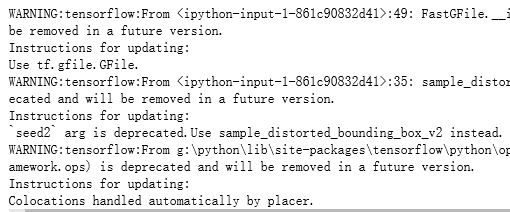

吴裕雄 python 神经网络——TensorFlow图片预处理调整图片的更多相关文章
- 吴裕雄 python 神经网络——TensorFlow 图像预处理完整样例
import numpy as np import tensorflow as tf import matplotlib.pyplot as plt def distort_color(image, ...
- 吴裕雄 python 神经网络——TensorFlow 花瓣分类与迁移学习(2)
import glob import os.path import numpy as np import tensorflow as tf from tensorflow.python.platfor ...
- 吴裕雄 python 神经网络——TensorFlow 图像处理函数
import numpy as np import tensorflow as tf import matplotlib.pyplot as plt image_raw_data = tf.gfile ...
- 吴裕雄 python 神经网络——TensorFlow 花瓣分类与迁移学习(1)
import glob import os.path import numpy as np import tensorflow as tf from tensorflow.python.platfor ...
- 吴裕雄 python 神经网络——TensorFlow训练神经网络:花瓣识别
import os import glob import os.path import numpy as np import tensorflow as tf from tensorflow.pyth ...
- 吴裕雄 python 神经网络——TensorFlow图片预处理
import numpy as np import tensorflow as tf import matplotlib.pyplot as plt # 使用'r'会出错,无法解码,只能以2进制形式读 ...
- 吴裕雄 python 神经网络——TensorFlow 卷积神经网络水果图片识别
#-*- coding:utf- -*- import time import keras import skimage import numpy as np import tensorflow as ...
- 吴裕雄 python 神经网络——TensorFlow 卷积神经网络手写数字图片识别
import os import tensorflow as tf from tensorflow.examples.tutorials.mnist import input_data INPUT_N ...
- 吴裕雄 python 神经网络——TensorFlow 数据集高层操作
import tempfile import tensorflow as tf train_files = tf.train.match_filenames_once("E:\\output ...
随机推荐
- php设计模式之策略模式实例代码
html <html> <head> <meta charset="UTF-8"> <title>简单计算器</title&g ...
- itext操作表单域导出PDF,俗称扣模板
/** * templateUrl 模板文件路径,包含文件名 * targetUrl 目标路径 * dateMap 填充数据 */public class CreatePdfUtil { public ...
- 【Python】字符串操作符
- linux环境jacoco接入
我们通常会将测试覆盖率分为两个部分,即“需求覆盖率”和“代码覆盖率”. 需求覆盖:指的是测试人员对需求的了解程度,根据需求的可测试性来拆分成各个子需求点,来编写相应的测试用例,最终建立一个需求和用例的 ...
- 通过django搭建一个简易的web页面(实现数据的查询、添加、修改、删除)
一.创建django项目 通过命令创建: django-admin startproject 项目名称 创建app应用 python3 manage.py startapp 应用名 #这里manage ...
- python call perl
import subprocess subprocess.call("csv_gen.pl -by overall", shell=True)
- MySQL学习(八)删除表数据
表空洞的产生 删除某个行数据 或删除某个页 如下图所示,这个删除过程只是标记了某行的位置为删除,假如此时在300与600之间插入了一行数据,那么 同理,当删除某个页时,该页就会被复用.所以当删 ...
- C语言究竟是一门怎样的语言?
对于大部分程序员,C语言是学习编程的第一门语言,很少有不了解C的程序员. C语言除了能让你了解编程的相关概念,带你走进编程的大门,还能让你明白程序的运行原理,比如,计算机的各个部件是如何交互的,程序在 ...
- P2141珠心算测验题解
先来看一下题目:某学校的珠心算老师采用一种快速考察珠心算加法能力的测验方法.他随机生成一个正整数集合,集合中的数各不相同,然后要求学生回答:其中有多少个数,恰好等于集合中另外两个(不同的)数之和? 这 ...
- form表单提交且接口回调显示提交成功
前端: <form method="post" enctype="multipart/form-data" id="formSubmit&quo ...