
吴裕雄 python 神经网络——TensorFlow图片预处理调整图片
import numpy as np

import tensorflow as tf

import matplotlib.pyplot as plt

def distort_color(image, color_ordering=0):

    '''

    随机调整图片的色彩,定义两种处理顺序。

    '''

    if color_ordering == 0:

        image = tf.image.random_brightness(image, max_delta=32./255.)

        image = tf.image.random_saturation(image, lower=0.5, upper=1.5)

        image = tf.image.random_hue(image, max_delta=0.2)

        image = tf.image.random_contrast(image, lower=0.5, upper=1.5)

    else:

        image = tf.image.random_saturation(image, lower=0.5, upper=1.5)

        image = tf.image.random_brightness(image, max_delta=32./255.)

        image = tf.image.random_contrast(image, lower=0.5, upper=1.5)

        image = tf.image.random_hue(image, max_delta=0.2)

    return tf.clip_by_value(image, 0.0, 1.0)

def preprocess_for_train(image, height, width, bbox):

    # 查看是否存在标注框。

    if image.dtype != tf.float32:

        image = tf.image.convert_image_dtype(image, dtype=tf.float32)

    # 随机的截取图片中一个块。

    bbox_begin, bbox_size, _ = tf.image.sample_distorted_bounding_box(

        tf.shape(image), bounding_boxes=bbox)

    bbox_begin, bbox_size, _ = tf.image.sample_distorted_bounding_box(

        tf.shape(image), bounding_boxes=bbox)

    distorted_image = tf.slice(image, bbox_begin, bbox_size)

    # 将随机截取的图片调整为神经网络输入层的大小。

    distorted_image = tf.image.resize_images(distorted_image, [height, width], method=np.random.randint(4))

    distorted_image = tf.image.random_flip_left_right(distorted_image)

    distorted_image = distort_color(distorted_image, np.random.randint(2))

    return distorted_image

def pre_main(img,bbox=None):

    if bbox is None:

        bbox = tf.constant([0.0, 0.0, 1.0, 1.0], dtype=tf.float32, shape=[1, 1, 4])

    with tf.gfile.FastGFile(img, "rb") as f:

        image_raw_data = f.read()

    with tf.Session() as sess:

        img_data = tf.image.decode_jpeg(image_raw_data)

        for i in range(9):

            result = preprocess_for_train(img_data, 299, 299, bbox)

            plt.imshow(result.eval())

            plt.axis('off')

            plt.savefig("E:\\myresource\\代号{}".format(i))

pre_main("E:\\myresource\\moutance.jpg",bbox=None)

exit()
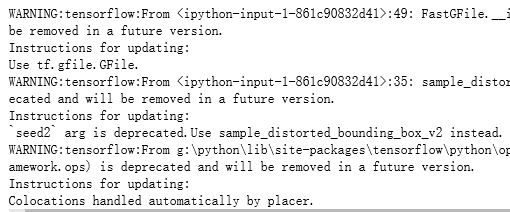

吴裕雄 python 神经网络——TensorFlow图片预处理调整图片的更多相关文章
- 吴裕雄 python 神经网络——TensorFlow 图像预处理完整样例
import numpy as np import tensorflow as tf import matplotlib.pyplot as plt def distort_color(image, ...
- 吴裕雄 python 神经网络——TensorFlow 花瓣分类与迁移学习(2)
import glob import os.path import numpy as np import tensorflow as tf from tensorflow.python.platfor ...
- 吴裕雄 python 神经网络——TensorFlow 图像处理函数
import numpy as np import tensorflow as tf import matplotlib.pyplot as plt image_raw_data = tf.gfile ...
- 吴裕雄 python 神经网络——TensorFlow 花瓣分类与迁移学习(1)
import glob import os.path import numpy as np import tensorflow as tf from tensorflow.python.platfor ...
- 吴裕雄 python 神经网络——TensorFlow训练神经网络:花瓣识别
import os import glob import os.path import numpy as np import tensorflow as tf from tensorflow.pyth ...
- 吴裕雄 python 神经网络——TensorFlow图片预处理
import numpy as np import tensorflow as tf import matplotlib.pyplot as plt # 使用'r'会出错,无法解码,只能以2进制形式读 ...
- 吴裕雄 python 神经网络——TensorFlow 卷积神经网络水果图片识别
#-*- coding:utf- -*- import time import keras import skimage import numpy as np import tensorflow as ...
- 吴裕雄 python 神经网络——TensorFlow 卷积神经网络手写数字图片识别
import os import tensorflow as tf from tensorflow.examples.tutorials.mnist import input_data INPUT_N ...
- 吴裕雄 python 神经网络——TensorFlow 数据集高层操作
import tempfile import tensorflow as tf train_files = tf.train.match_filenames_once("E:\\output ...
随机推荐
- jQuery添加/删除元素
jQuery append() 方法 jQuery append() 方法在被选元素的结尾插入内容(仍然该元素的内部). 追加前:<p>这是一个文本段落</p> $(" ...
- [HEOI2016] 字符串 - 后缀数组,主席树,ST表,二分
[HEOI2016] 字符串 Description 给定一个字符串 \(S\), 有 \(m\) 个询问,每个询问给定参数 \((a,b,c,d)\) ,求 \(s[a..b]\) 的子串与 \(s ...
- QT离线安装包
各个版本下载链接http://mirrors.ustc.edu.cn/qtproject/archive/qt http://www.qtcn.org/bbs/i.php
- CentOS7安装配置Apache、PHP和MySQL
一.安装Apache sudo yum install httpd 安装成功后,Apache操作命令: systemctl start httpd //启动apache systemctl stop ...
- js -- 操作sqlite数据库
最近看到一个使用js来操作sqlite数据库的,测试了一下,具体使用的是 js操作类: https://github.com/kripken/sql.js/(sqlite js 驱动) 异步请求:ht ...
- 格式化输出_python
一.直接使用 +a='chen'b='xiao'c='zan'print(a+b+c) 二.利用占位符 %%s:占位符:%d:整数:%x:十六进制:%f:浮点数(默认6位小数)特别注意浮点数: 指定长 ...
- mysql 父子表 注意事项
今天遇到一个问题,父子表关联查询时总是多出几条数据,后来排查是父子关系的字段 类型不一致导致的
- nodejs npm安装教程
一.使用之前,我们先来掌握3个东西是用来干什么的. npm: Nodejs下的包管理器. webpack: 它主要的用途是通过CommonJS的语法把所有浏览器端需要发布的静态资源做相应的准备,比如资 ...
- Android Studio 初级控件笔记
Android支持的像素单位 Android支持的像素单位有:px(像素).in(英寸).mm(毫米).pt(磅,1/72英寸).dp(与设备无关的显示单位).dip(就是dp).sp(用于设置字体大 ...
- sublime 最常用的快捷键.gif
Ctrl+D 把光标放在文本上,按下⌘+ D将选择这个文本.多次按下⌘+ D则会增加匹配项 Alt+F3 会选中光标所在文本的所有匹配项 Ctrl+Shift+' 这是一个法宝,也许你希望所有的属性保 ...