
吴裕雄 python神经网络 花朵图片识别(10)
import os
import numpy as np
import matplotlib.pyplot as plt
from PIL import Image, ImageChops
from skimage import color,data,transform,io
#获取所有数据文件夹名称
fileList = os.listdir("F:\\data\\flowers")
trainDataList = []
trianLabel = []
testDataList = []
testLabel = []
for j in range(len(fileList)):
data = os.listdir("F:\\data\\flowers\\"+fileList[j])
testNum = int(len(data)*0.25)
while(testNum>0):
np.random.shuffle(data)
testNum -= 1
trainData = np.array(data[:-(int(len(data)*0.25))])
testData = np.array(data[-(int(len(data)*0.25)):])
for i in range(len(trainData)):
if(trainData[i][-3:]=="jpg"):
image = io.imread("F:\\data\\flowers\\"+fileList[j]+"\\"+trainData[i])
image=transform.resize(image,(64,64))
trainDataList.append(image)
trianLabel.append(int(j))
for i in range(len(testData)):
if(testData[i][-3:]=="jpg"):
image = io.imread("F:\\data\\flowers\\"+fileList[j]+"\\"+testData[i])
image=transform.resize(image,(64,64))
testDataList.append(image)
testLabel.append(int(j))
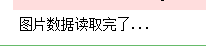
print("图片数据读取完了...")
print(np.shape(trainDataList))
print(np.shape(trianLabel))
print(np.shape(testDataList))
print(np.shape(testLabel))
print("正在写磁盘...")
np.save("G:\\trainDataList",trainDataList)
np.save("G:\\trianLabel",trianLabel)
np.save("G:\\testDataList",testDataList)
np.save("G:\\testLabel",testLabel)
print("数据处理完了...")

import numpy as np
from keras.utils import to_categorical
trainLabel = np.load("G:\\trianLabel.npy")
testLabel = np.load("G:\\testLabel.npy")
trainLabel_encoded = to_categorical(trainLabel)
testLabel_encoded = to_categorical(testLabel)
np.save("G:\\trianLabel",trainLabel_encoded)
np.save("G:\\testLabel",testLabel_encoded)
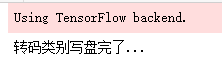
print("转码类别写盘完了...")
import random
import numpy as np
trainDataList = np.load("G:\\trainDataList.npy")
trianLabel = np.load("G:\\trianLabel.npy")
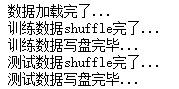
print("数据加载完了...")
trainIndex = [i for i in range(len(trianLabel))]
random.shuffle(trainIndex)
trainData = []
trainClass = []
for i in range(len(trainIndex)):
trainData.append(trainDataList[trainIndex[i]])
trainClass.append(trianLabel[trainIndex[i]])
print("训练数据shuffle完了...")
np.save("G:\\trainDataList",trainData)
np.save("G:\\trianLabel",trainClass)
print("训练数据写盘完毕...")
testDataList = np.load("G:\\testDataList.npy")
testLabel = np.load("G:\\testLabel.npy")
testIndex = [i for i in range(len(testLabel))]
random.shuffle(testIndex)
testData = []
testClass = []
for i in range(len(testIndex)):
testData.append(testDataList[testIndex[i]])
testClass.append(testLabel[testIndex[i]])
print("测试数据shuffle完了...")
np.save("G:\\testDataList",testData)
np.save("G:\\testLabel",testClass)
print("测试数据写盘完毕...")
# coding: utf-8
import tensorflow as tf
from random import shuffle
INPUT_NODE = 64*64
OUT_NODE = 5
IMAGE_SIZE = 64
NUM_CHANNELS = 3
NUM_LABELS = 5
#第一层卷积层的尺寸和深度
CONV1_DEEP = 16
CONV1_SIZE = 5
#第二层卷积层的尺寸和深度
CONV2_DEEP = 32
CONV2_SIZE = 5
#全连接层的节点数
FC_SIZE = 512
def inference(input_tensor, train, regularizer):
#卷积
with tf.variable_scope('layer1-conv1'):
conv1_weights = tf.Variable(tf.random_normal([CONV1_SIZE,CONV1_SIZE,NUM_CHANNELS,CONV1_DEEP],stddev=0.1),name='weight')
tf.summary.histogram('convLayer1/weights1', conv1_weights)
conv1_biases = tf.Variable(tf.Variable(tf.random_normal([CONV1_DEEP])),name="bias")
tf.summary.histogram('convLayer1/bias1', conv1_biases)
conv1 = tf.nn.conv2d(input_tensor,conv1_weights,strides=[1,1,1,1],padding='SAME')
tf.summary.histogram('convLayer1/conv1', conv1)
relu1 = tf.nn.relu(tf.nn.bias_add(conv1,conv1_biases))
tf.summary.histogram('ConvLayer1/relu1', relu1)
#池化
with tf.variable_scope('layer2-pool1'):
pool1 = tf.nn.max_pool(relu1,ksize=[1,2,2,1],strides=[1,2,2,1],padding='SAME')
tf.summary.histogram('ConvLayer1/pool1', pool1)
#卷积
with tf.variable_scope('layer3-conv2'):
conv2_weights = tf.Variable(tf.random_normal([CONV2_SIZE,CONV2_SIZE,CONV1_DEEP,CONV2_DEEP],stddev=0.1),name='weight')
tf.summary.histogram('convLayer2/weights2', conv2_weights)
conv2_biases = tf.Variable(tf.random_normal([CONV2_DEEP]),name="bias")
tf.summary.histogram('convLayer2/bias2', conv2_biases)
#卷积向前学习
conv2 = tf.nn.conv2d(pool1,conv2_weights,strides=[1,1,1,1],padding='SAME')
tf.summary.histogram('convLayer2/conv2', conv2)
relu2 = tf.nn.relu(tf.nn.bias_add(conv2,conv2_biases))
tf.summary.histogram('ConvLayer2/relu2', relu2)
#池化
with tf.variable_scope('layer4-pool2'):
pool2 = tf.nn.max_pool(relu2,ksize=[1,2,2,1],strides=[1,2,2,1],padding='SAME')
tf.summary.histogram('ConvLayer2/pool2', pool2)
#变型
pool_shape = pool2.get_shape().as_list()
#计算最后一次池化后对象的体积(数据个数\节点数\像素个数)
nodes = pool_shape[1]*pool_shape[2]*pool_shape[3]
#根据上面的nodes再次把最后池化的结果pool2变为batch行nodes列的数据
reshaped = tf.reshape(pool2,[-1,nodes])
#全连接层
with tf.variable_scope('layer5-fc1'):
fc1_weights = tf.Variable(tf.random_normal([nodes,FC_SIZE],stddev=0.1),name='weight')
if(regularizer != None):
tf.add_to_collection('losses',tf.contrib.layers.l2_regularizer(0.03)(fc1_weights))
fc1_biases = tf.Variable(tf.random_normal([FC_SIZE]),name="bias")
#预测
fc1 = tf.nn.relu(tf.matmul(reshaped,fc1_weights)+fc1_biases)
if(train):
fc1 = tf.nn.dropout(fc1,0.5)
#全连接层
with tf.variable_scope('layer6-fc2'):
fc2_weights = tf.Variable(tf.random_normal([FC_SIZE,64],stddev=0.1),name="weight")
if(regularizer != None):
tf.add_to_collection('losses',tf.contrib.layers.l2_regularizer(0.03)(fc2_weights))
fc2_biases = tf.Variable(tf.random_normal([64]),name="bias")
#预测
fc2 = tf.nn.relu(tf.matmul(fc1,fc2_weights)+fc2_biases)
if(train):
fc2 = tf.nn.dropout(fc2,0.5)
#全连接层
with tf.variable_scope('layer7-fc3'):
fc3_weights = tf.Variable(tf.random_normal([64,NUM_LABELS],stddev=0.1),name="weight")
if(regularizer != None):
tf.add_to_collection('losses',tf.contrib.layers.l2_regularizer(0.03)(fc3_weights))
fc3_biases = tf.Variable(tf.random_normal([NUM_LABELS]),name="bias")
#预测
logit = tf.matmul(fc2,fc3_weights)+fc3_biases
return logit
import time
import keras
import numpy as np
from keras.utils import np_utils
X = np.load("G:\\trainDataList.npy")
Y = np.load("G:\\trianLabel.npy")
print(np.shape(X))
print(np.shape(Y))
print(np.shape(testData))
print(np.shape(testLabel))
batch_size = 10
n_classes=5
epochs=16#循环次数
learning_rate=1e-4
batch_num=int(np.shape(X)[0]/batch_size)
dropout=0.75
x=tf.placeholder(tf.float32,[None,64,64,3])
y=tf.placeholder(tf.float32,[None,n_classes])
# keep_prob = tf.placeholder(tf.float32)
#加载测试数据集
test_X = np.load("G:\\testDataList.npy")
test_Y = np.load("G:\\testLabel.npy")
back = 64
ro = int(len(test_X)/back)
#调用神经网络方法
pred=inference(x,1,"regularizer")
cost=tf.reduce_mean(tf.nn.softmax_cross_entropy_with_logits(logits=pred,labels=y))
# 三种优化方法选择一个就可以
optimizer=tf.train.AdamOptimizer(1e-4).minimize(cost)
# train_step = tf.train.GradientDescentOptimizer(0.001).minimize(cost)
# train_step = tf.train.MomentumOptimizer(0.001,0.9).minimize(cost)
#将预测label与真实比较
correct_pred=tf.equal(tf.argmax(pred,1),tf.argmax(y,1))
#计算准确率
accuracy=tf.reduce_mean(tf.cast(correct_pred,tf.float32))
merged=tf.summary.merge_all()
#将tensorflow变量实例化
init=tf.global_variables_initializer()
start_time = time.time()
with tf.Session() as sess:
sess.run(init)
#保存tensorflow参数可视化文件
writer=tf.summary.FileWriter('F:/Flower_graph', sess.graph)
for i in range(epochs):
for j in range(batch_num):
offset = (j * batch_size) % (Y.shape[0] - batch_size)
# 准备数据
batch_data = X[offset:(offset + batch_size), :]
batch_labels = Y[offset:(offset + batch_size), :]
sess.run(optimizer, feed_dict={x:batch_data,y:batch_labels})
result=sess.run(merged, feed_dict={x:batch_data,y:batch_labels})
writer.add_summary(result, i)
loss,acc = sess.run([cost,accuracy],feed_dict={x:batch_data,y:batch_labels})
print("Epoch:", '%04d' % (i+1),"cost=", "{:.9f}".format(loss),"Training accuracy","{:.5f}".format(acc*100))
writer.close()
print("########################训练结束,下面开始测试###################")
for i in range(ro):
s = i*back
e = s+back
test_accuracy = sess.run(accuracy,feed_dict={x:test_X[s:e],y:test_Y[s:e]})
print("step:%d test accuracy = %.4f%%" % (i,test_accuracy*100))
print("Final test accuracy = %.4f%%" % (test_accuracy*100))
end_time = time.time()
print('Times:',(end_time-start_time))
print('Optimization Completed')

...................................

吴裕雄 python神经网络 花朵图片识别(10)的更多相关文章
- 吴裕雄 python神经网络 花朵图片识别(9)
import osimport numpy as npimport matplotlib.pyplot as pltfrom PIL import Image, ImageChopsfrom skim ...
- 吴裕雄 python神经网络 水果图片识别(4)
# coding: utf-8 # In[1]:import osimport numpy as npfrom skimage import color, data, transform, io # ...
- 吴裕雄 python神经网络 水果图片识别(2)
import osimport numpy as npimport matplotlib.pyplot as pltfrom skimage import color,data,transform,i ...
- 吴裕雄 python神经网络 水果图片识别(5)
#-*- coding:utf-8 -*-### required libaraiedimport osimport matplotlib.image as imgimport matplotlib. ...
- 吴裕雄 python神经网络 水果图片识别(3)
import osimport kerasimport timeimport numpy as npimport tensorflow as tffrom random import shufflef ...
- 吴裕雄 python神经网络 水果图片识别(1)
import osimport numpy as npimport matplotlib.pyplot as pltfrom skimage import color,data,transform,i ...
- 吴裕雄 python 神经网络——TensorFlow图片预处理调整图片
import numpy as np import tensorflow as tf import matplotlib.pyplot as plt def distort_color(image, ...
- 吴裕雄 python 神经网络——TensorFlow 花瓣识别2
import glob import os.path import numpy as np import tensorflow as tf from tensorflow.python.platfor ...
- 吴裕雄 python 神经网络——TensorFlow图片预处理
import numpy as np import tensorflow as tf import matplotlib.pyplot as plt # 使用'r'会出错,无法解码,只能以2进制形式读 ...
随机推荐
- python文件相关
文件操作基本流程初探 f = open('chenli.txt') #打开文件 first_line = f.readline() print('first line:',first_line) #读 ...
- WebView加载失败或网络异常时,替换WebView的错误界面;
WebView在加载失败时会显示一个失败原因的界面,各个手机显示的界面还都不一样,部分手机还会把Url显示出来:我们要做的就是统一加载失败的界面: 大概思路:在WebView这个控件上面再覆盖一个Vi ...
- js保留两位小数点
var temp = 2.222222222; temp.toFixed(2); //得出结果2.22
- 将16进制的颜色转为rgb颜色
在前端面试过程中,常常会遇到这样一种类型的题目: 使用js将16进制的颜色值转为rgb颜色! 反而在项目中,不怎么遇到这种问题,也很少有这种需求的项目. 但毕竟面试中常常遇到,我自己在之前的面试的时候 ...
- IntelliJ IDEA 添加junit插件
一.使用idea做junit测试需要添加junit插件 1.安装插件 File-->settings-->Plguins-->Browse repositories-->输入J ...
- 《GPU高性能编程CUDA实战》第五章 线程并行
▶ 本章介绍了线程并行,并给出四个例子.长向量加法.波纹效果.点积和显示位图. ● 长向量加法(线程块并行 + 线程并行) #include <stdio.h> #include &quo ...
- 将Oracle中的表结构导出到word
语句如下: SELECT t1.Table_Name AS "表名称",t3.comments AS "表说明", t1.Column_Name AS &quo ...
- oracle数据库创建并导入dmp文件
导出:exp userid=xcgwjxuser/xcgwjxuser@orcl file=D:\xcgwjx2014.dmp 导入:imp userid=xcgwjxuser/xcgwjxuser@ ...
- leetcode994
public class Solution { ; ; ; ; ; Queue<int[]> Q = new Queue<int[]>(); int[,] TagGrid; p ...
- JS 相等判断 / 类型判断
相等判断 JavaScript提供三种不同的值比较操作: 严格相等 ("triple equals" 或 "identity"),使用 === , 宽松相等 ( ...