
吴裕雄--天生自然 python数据分析:葡萄酒分析
# import pandas

import pandas as pd

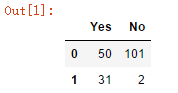
# creating a DataFrame

pd.DataFrame({'Yes': [50, 31], 'No': [101, 2]})
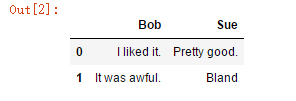
# another example of creating a dataframe

pd.DataFrame({'Bob': ['I liked it.', 'It was awful.'], 'Sue': ['Pretty good.', 'Bland']})
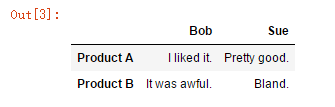
pd.DataFrame({'Bob': ['I liked it.', 'It was awful.'],

              'Sue': ['Pretty good.', 'Bland.']},

              index = ['Product A', 'Product B'])
# creating a pandas series

pd.Series([1, 2, 3, 4, 5])
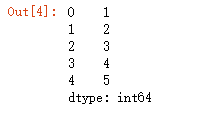
# we can think of a Series as a column of a DataFrame.

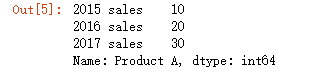
# we can assign index values to Series in same way as pandas DataFrame

pd.Series([10, 20, 30], index=['2015 sales', '2016 sales', '2017 sales'], name='Product A')
# reading a csv file and storing it in a variable

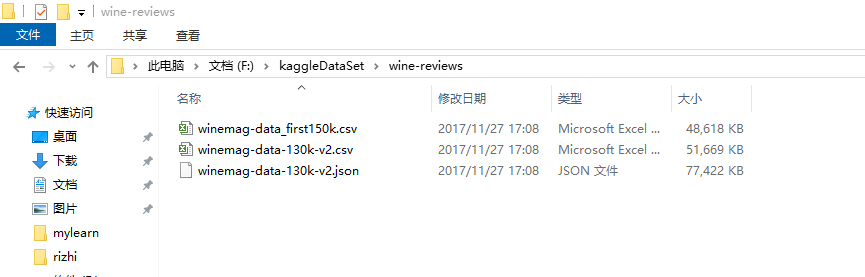
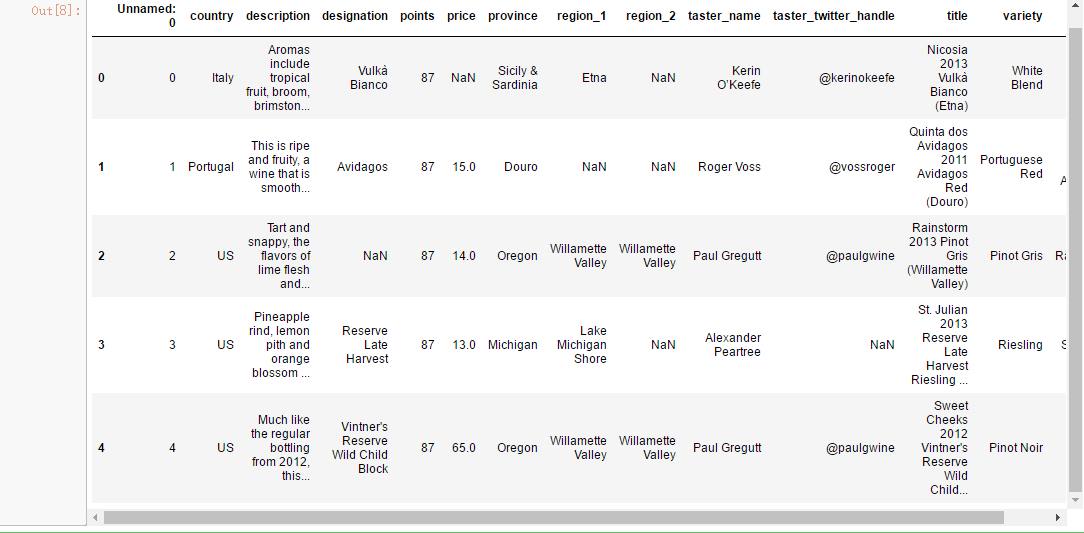
wine_reviews = pd.read_csv("F:\\kaggleDataSet\\wine-reviews\\winemag-data-130k-v2.csv")
# we can use the 'shape' attribute to check size of dataset

wine_reviews.shape

# To show first five rows of data, use 'head()' method

wine_reviews.head()
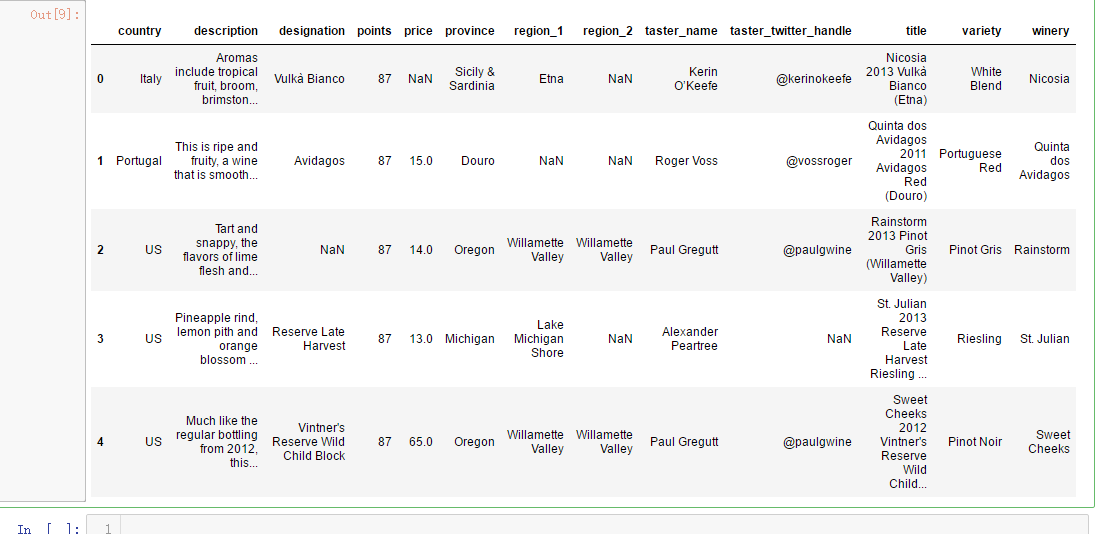
wine_reviews = pd.read_csv("F:\\kaggleDataSet\\wine-reviews\\winemag-data-130k-v2.csv", index_col=0)

wine_reviews.head()
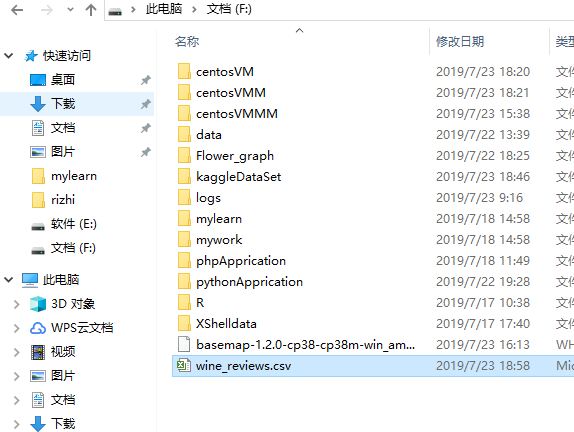
wine_reviews.head().to_csv("F:\\wine_reviews.csv")
import pandas as pd

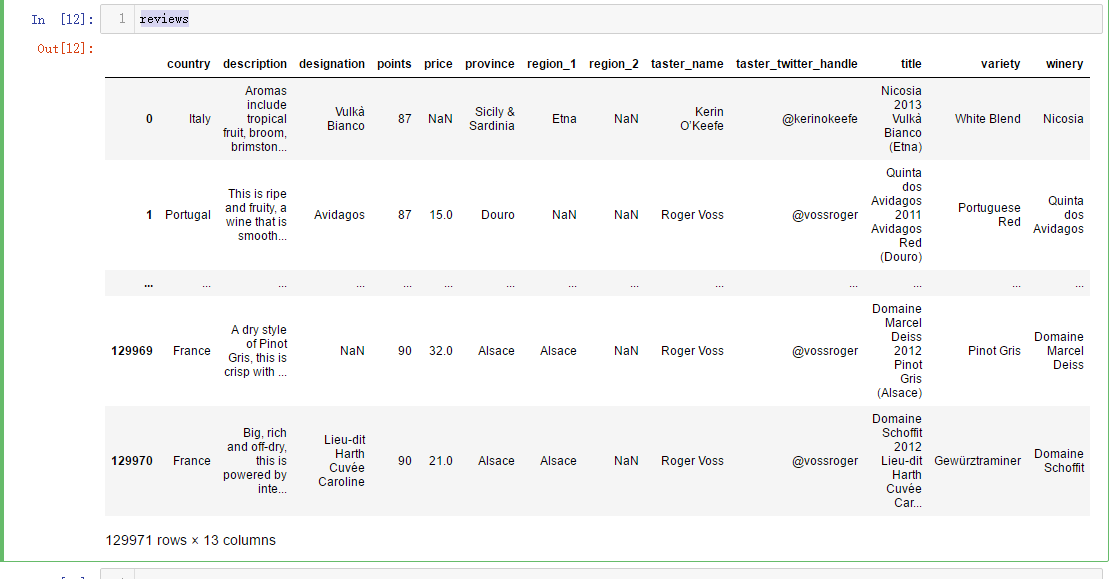
reviews = pd.read_csv("F:\\kaggleDataSet\\wine-reviews\\winemag-data-130k-v2.csv", index_col=0)

pd.set_option("display.max_rows", 5)
reviews
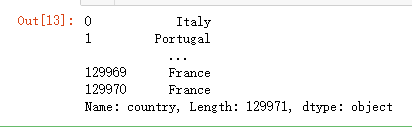
# access 'country' property (or column) of 'reviews'

reviews.country
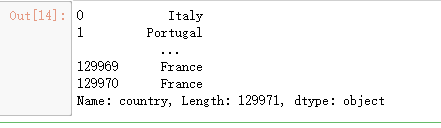
# Another way to do above operation

# when a column name contains space, we have to use this method

reviews['country']
# To access first row of country column

reviews['country'][0]

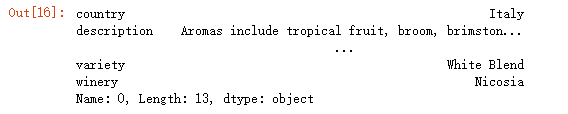
# returns first row

reviews.iloc[0]
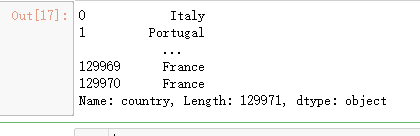
# returns first column (country) (all rows due to ':')

reviews.iloc[:, 0]
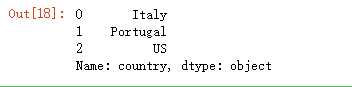
# retruns first 3 rows of first column

reviews.iloc[:3, 0]
# we can pass a list of indices of rows/columns to select

reviews.iloc[[0, 1, 2, 3], 0]

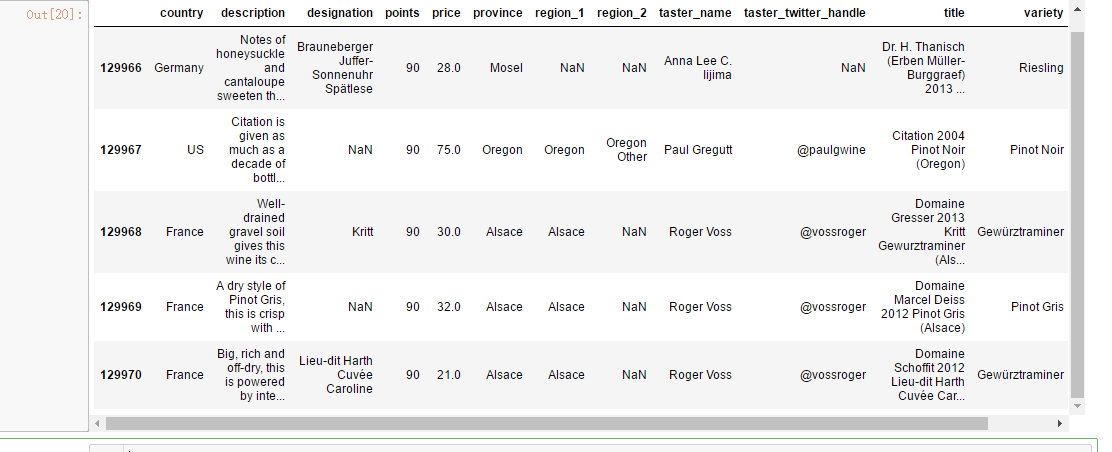
# We can also pass negative numbers as we do in Python

reviews.iloc[-5:]
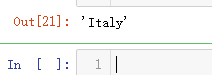
# To select first entry in country column

reviews.loc[0, 'country']
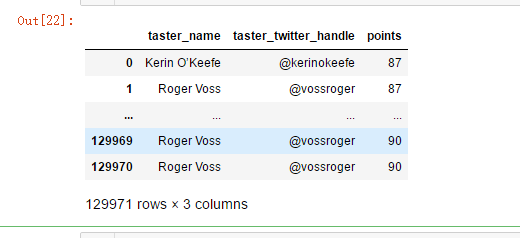
# select columns by name using 'loc'

reviews.loc[:, ['taster_name', 'taster_twitter_handle', 'points']]
# 'set_index' to the 'title' field

reviews.set_index('title')

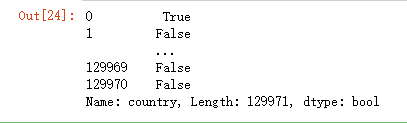
# 1. Find out whether wine is produced in Italy

reviews.country == 'Italy'
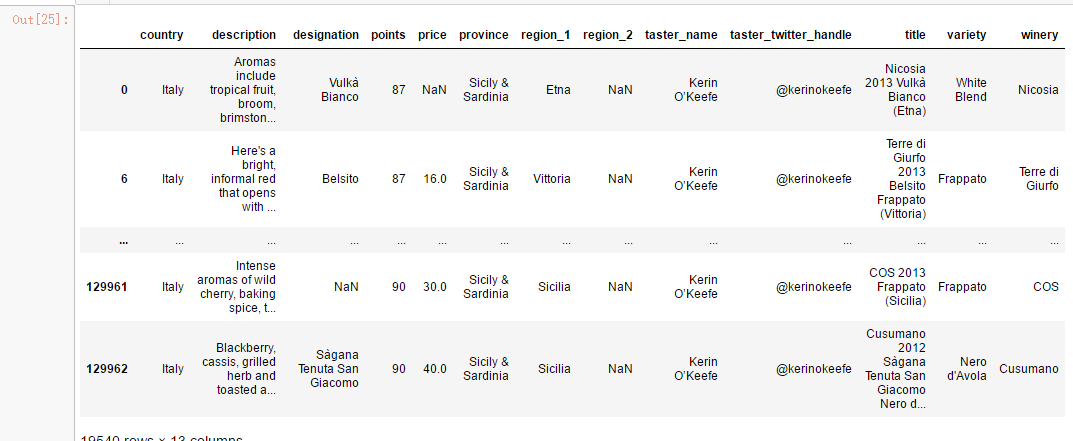
# 2. Now select all wines produced in Italy

reviews.loc[reviews.country == 'Italy'] #reviews[reviews.country == 'Italy']
# Add one more condition for points to find better than average wines produced in Italy

reviews.loc[(reviews.country == 'Italy') & (reviews.points >= 90)]  # use | for 'OR' condition
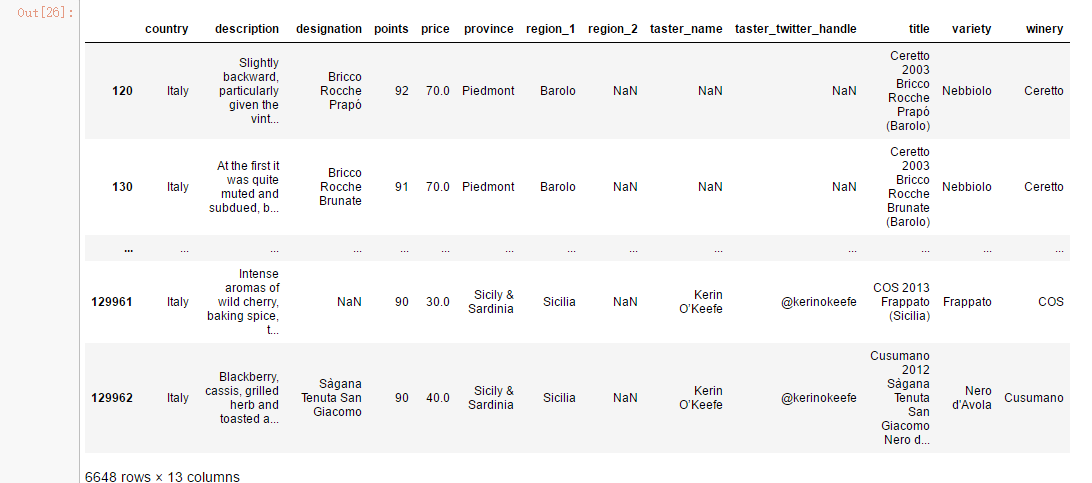
reviews.loc[reviews.country.isin(['Italy', 'France'])]
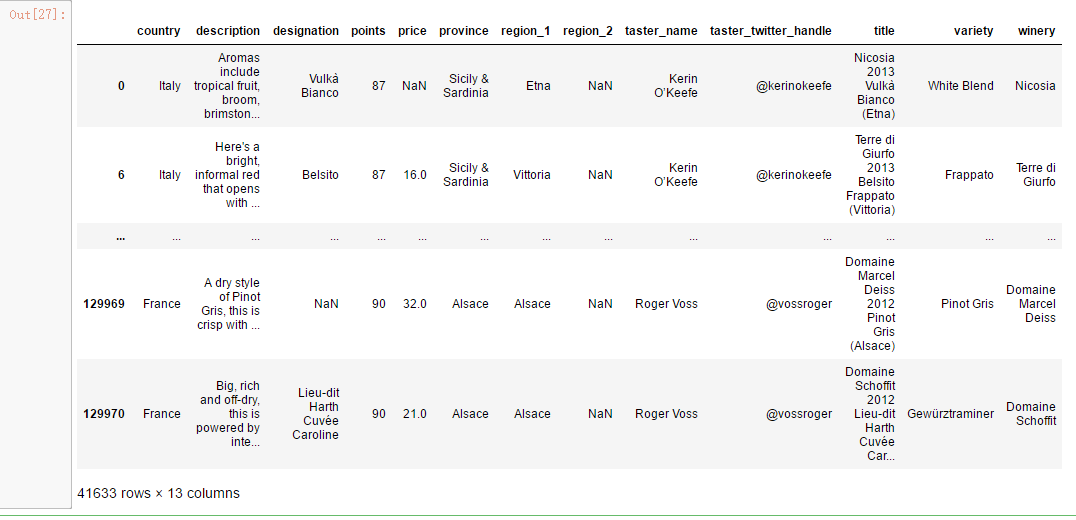
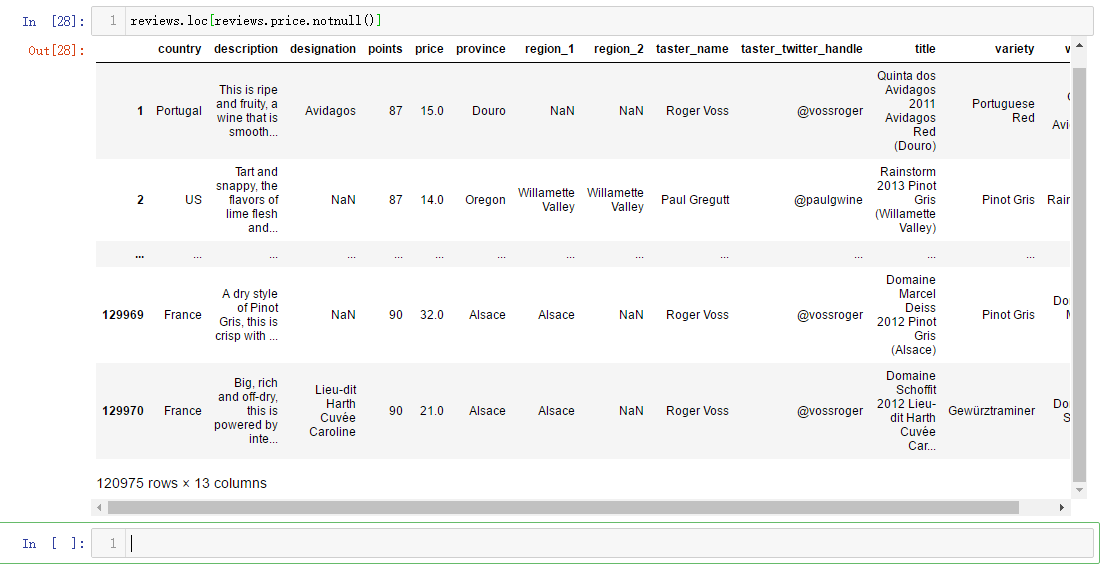
reviews.loc[reviews.price.notnull()]
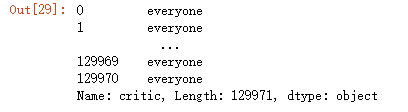
reviews['critic'] = 'everyone'

reviews.critic
# using iterable for assigning

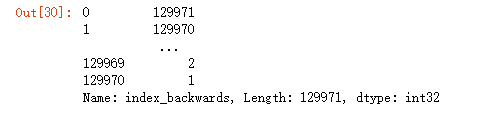
reviews['index_backwards'] = range(len(reviews), 0, -1)

reviews['index_backwards']
吴裕雄--天生自然 python数据分析:葡萄酒分析的更多相关文章
- 吴裕雄--天生自然 PYTHON数据分析:所有美国股票和etf的历史日价格和成交量分析
# This Python 3 environment comes with many helpful analytics libraries installed # It is defined by ...
- 吴裕雄--天生自然 python数据分析:健康指标聚集分析(健康分析)
# This Python 3 environment comes with many helpful analytics libraries installed # It is defined by ...
- 吴裕雄--天生自然 PYTHON数据分析:基于Keras的CNN分析太空深处寻找系外行星数据
#We import libraries for linear algebra, graphs, and evaluation of results import numpy as np import ...
- 吴裕雄--天生自然 PYTHON数据分析:钦奈水资源管理分析
df = pd.read_csv("F:\\kaggleDataSet\\chennai-water\\chennai_reservoir_levels.csv") df[&quo ...
- 吴裕雄--天生自然 PYTHON数据分析:糖尿病视网膜病变数据分析(完整版)
# This Python 3 environment comes with many helpful analytics libraries installed # It is defined by ...
- 吴裕雄--天生自然 PYTHON数据分析:人类发展报告——HDI, GDI,健康,全球人口数据数据分析
import pandas as pd # Data analysis import numpy as np #Data analysis import seaborn as sns # Data v ...
- 吴裕雄--天生自然 python数据分析:医疗费数据分析
import numpy as np import pandas as pd import os import matplotlib.pyplot as pl import seaborn as sn ...
- 吴裕雄--天生自然 python数据分析:基于Keras使用CNN神经网络处理手写数据集
import pandas as pd import numpy as np import matplotlib.pyplot as plt import matplotlib.image as mp ...
- 吴裕雄--天生自然 PYTHON数据分析:医疗数据分析
import numpy as np # linear algebra import pandas as pd # data processing, CSV file I/O (e.g. pd.rea ...
随机推荐
- Java虚拟机(JVM) - 学习总结(全)
深入理解java虚拟机---学习总结: 1.Java内存区域 1.1 java运行时数据区 Java 虚拟机所管理的内存如下图所示,基于JDK1.6. 基于jdk1.8画的JVM的内存模型 (1) 程 ...
- spark mllib lda 中文分词、主题聚合基本样例
github https://github.com/cclient/spark-lda-example spark mllib lda example 官方示例较为精简 在官方lda示例的基础上,给合 ...
- Adobe Photoshop、Adobe Illustrator、Bohemian的Sketch、Figma比较
整体来说: Adobe Photoshop:位图图像编辑处理,更适合图片编辑和数码绘画处理: Adobe Illustrator:矢量设计,更适合图标设计和图形设计处理: Sketch:矢量设计,更适 ...
- 【转】nginx如何设置防盗链
转自博客园作者:howhy,文章地址:nginx如何设置防盗链.大佬写的甚好,在此备份一下 关于nginx防盗链的方法网上有很多教程,都可以用,但是我发现很多教程并不完整,所做的防盗链并不是真正的彻底 ...
- iOS 10 新增plist文件属性
大概统计了一下需要加的一些字段列在下面: NSContactsUsageDescription -> 通讯录 NSMicrophoneUsageDescription -> 麦克风 NSP ...
- Gre封装
在防火墙上连 云时,可以用g0/0/0 在防火墙上不连 云时,一定不用0/0/0 !!!!!!!!! 交换机什么都不配置. FW2: interface GigabitEthernet0/0/0 u ...
- 二十六、linux邮件服务器
1.安装: yum install -y sendmail 因为是最小安装,需要包没有安装 yum install -y mailx 2.日志:/var/log/maillog 3.启动:/etc ...
- Hibernate学习之hql 与sql
Hibernate中查询: createQuery( String qlString)使用的是HQL语句: createNativeQuery (String sqlString)使用的是SQL语句: ...
- 1、简述在java网络编程中,服务端程序与客户端程序的具体开发步骤?
网络编程分为UDP通信和TCP通信 UDP协议: 发送端:1.创建DatagramSocket对象.2.创建DatagramPacket对象,并封装数据.3.发送数据.4.释放 资源. 接收端:1.创 ...
- [LC] 96. Unique Binary Search Trees
Given n, how many structurally unique BST's (binary search trees) that store values 1 ... n? Example ...