
《DSP using MATLAB》Problem 2.6
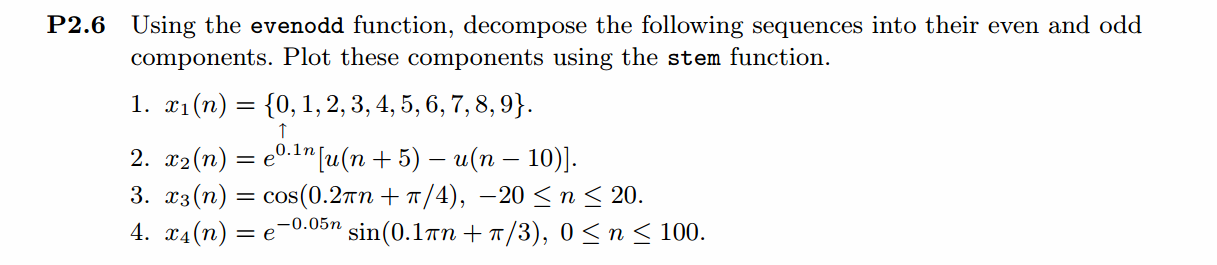
1、代码
%% ------------------------------------------------------------------------

%%            Output Info about this m-file

fprintf('\n***********************************************************\n');

fprintf('        <DSP using MATLAB> Problem 2.6.1 \n\n');

[v, d] = version;

fprintf('    MATLAB Version: %20s\n\n', v);

fprintf('     Released Date: %17s\n\n', d);

time_stamp = datestr(now, 31);

[wkd1, wkd2] = weekday(today, 'long');

fprintf('      Today is %7s, and Now is %20s   \n\n', wkd2, time_stamp);

%% ------------------------------------------------------------------------

n = [0:9];

%x = stepseq(0,0,10) - stepseq(10,0,10);

x = [0, 1, 2, 3, 4, 5, 6, 7, 8, 9];

[xe,xo,m] = evenodd(x,n);

figure('NumberTitle', 'off', 'Name', 'Problem 2.6')

set(gcf,'Color',[1,1,1])                  % 改变坐标外围背景颜色

stem(n,x); title('x sequence ');

xlabel('n'); ylabel('x(n)') ;

% axis([-10,10,0,1.2])

grid on

figure('NumberTitle', 'off', 'Name', 'Problem 2.6')

set(gcf,'Color',[1,1,1])

stem(m,xe); title('Even Part');

xlabel('n'); ylabel('xe(n)');

%axis([-10,10,0,1.2])

grid on

figure('NumberTitle', 'off', 'Name', 'Problem 2.6')

set(gcf,'Color','white')

stem(m,xo); title('Odd Part');

xlabel('n'); ylabel('xo(n)');

%axis([-10,10,-0.6,0.6])

grid on
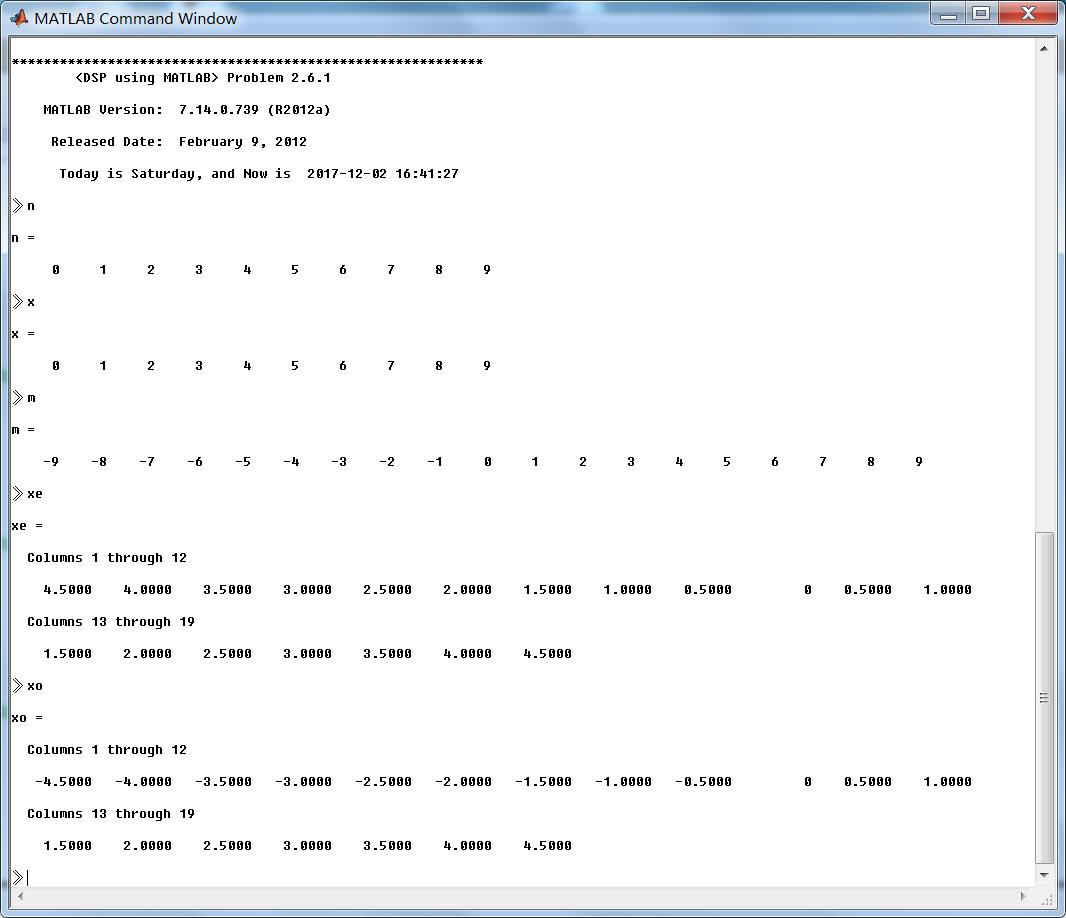
运行结果:


2、代码
%% ------------------------------------------------------------------------

%%            Output Info about this m-file

fprintf('\n***********************************************************\n');

fprintf('        <DSP using MATLAB> Problem 2.6.2 \n\n');

[v, d] = version;

fprintf('    MATLAB Version: %20s\n\n', v);

fprintf('     Released Date: %17s\n\n', d);

time_stamp = datestr(now, 31);

[wkd1, wkd2] = weekday(today, 'long');

fprintf('      Today is %7s, and Now is %20s   \n\n', wkd2, time_stamp);

%% ------------------------------------------------------------------------

n = [-5:10];

x = exp(0.1 * n) .* (stepseq(-5,-5,10) - stepseq(10,-5,10));

[xe,xo,m] = evenodd(x,n);

figure('NumberTitle', 'off', 'Name', 'Problem 2.6')

set(gcf,'Color',[1,1,1])                  % 改变坐标外围背景颜色

stem(n,x); title('x sequence ');

xlabel('n'); ylabel('x(n)') ;

% axis([-10,10,0,1.2])

grid on

figure('NumberTitle', 'off', 'Name', 'Problem 2.6')

set(gcf,'Color',[1,1,1])

stem(m,xe); title('Even Part');

xlabel('n'); ylabel('xe(n)');

%axis([-10,10,0,1.2])

grid on

figure('NumberTitle', 'off', 'Name', 'Problem 2.6')

set(gcf,'Color','white')

stem(m,xo); title('Odd Part');

xlabel('n'); ylabel('xo(n)');

%axis([-10,10,-0.6,0.6])

grid on
运行结果:


3、代码
%% ------------------------------------------------------------------------

%%            Output Info about this m-file

fprintf('\n***********************************************************\n');

fprintf('        <DSP using MATLAB> Problem 2.6.3 \n\n');

[v, d] = version;

fprintf('    MATLAB Version: %20s\n\n', v);

fprintf('     Released Date: %17s\n\n', d);

time_stamp = datestr(now, 31);

[wkd1, wkd2] = weekday(today, 'long');

fprintf('      Today is %7s, and Now is %20s   \n\n', wkd2, time_stamp);

%% ------------------------------------------------------------------------

n = [-20:20];

x = cos(0.2 * pi * n + pi/4);

[xe,xo,m] = evenodd(x,n);

figure('NumberTitle', 'off', 'Name', 'Problem 2.6')

set(gcf,'Color',[1,1,1])                  % 改变坐标外围背景颜色

stem(n,x); title('x sequence ');

xlabel('n'); ylabel('x(n)') ;

% axis([-10,10,0,1.2])

grid on

figure('NumberTitle', 'off', 'Name', 'Problem 2.6')

set(gcf,'Color',[1,1,1])

stem(m,xe); title('Even Part');

xlabel('n'); ylabel('xe(n)');

%axis([-10,10,0,1.2])

grid on

figure('NumberTitle', 'off', 'Name', 'Problem 2.6')

set(gcf,'Color','white')

stem(m,xo); title('Odd Part');

xlabel('n'); ylabel('xo(n)');

%axis([-10,10,-0.6,0.6])

grid on
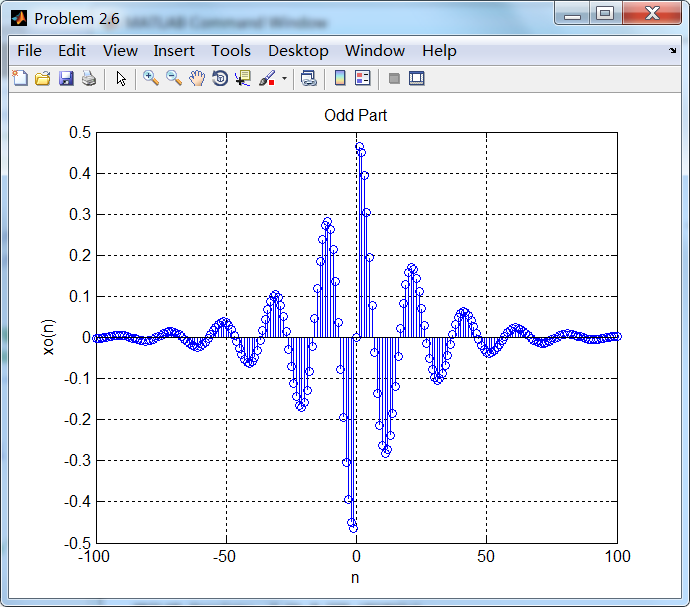
运行结果:


4、代码
%% ------------------------------------------------------------------------

%%            Output Info about this m-file

fprintf('\n***********************************************************\n');

fprintf('        <DSP using MATLAB> Problem 2.6.4 \n\n');

[v, d] = version;

fprintf('    MATLAB Version: %20s\n\n', v);

fprintf('     Released Date: %17s\n\n', d);

time_stamp = datestr(now, 31);

[wkd1, wkd2] = weekday(today, 'long');

fprintf('      Today is %7s, and Now is %20s   \n\n', wkd2, time_stamp);

%% ------------------------------------------------------------------------

n = [0:100];

x = exp(-0.05 * n) .* sin(0.1 * pi * n + pi/3);

[xe,xo,m] = evenodd(x,n);

figure('NumberTitle', 'off', 'Name', 'Problem 2.6')

set(gcf,'Color',[1,1,1])                  % 改变坐标外围背景颜色

stem(n,x); title('x sequence ');

xlabel('n'); ylabel('x(n)') ;

% axis([-10,10,0,1.2])

grid on

figure('NumberTitle', 'off', 'Name', 'Problem 2.6')

set(gcf,'Color',[1,1,1])

stem(m,xe); title('Even Part');

xlabel('n'); ylabel('xe(n)');

%axis([-10,10,0,1.2])

grid on

figure('NumberTitle', 'off', 'Name', 'Problem 2.6')

set(gcf,'Color','white')

stem(m,xo); title('Odd Part');

xlabel('n'); ylabel('xo(n)');

%axis([-10,10,-0.6,0.6])

grid on
运行结果:


《DSP using MATLAB》Problem 2.6的更多相关文章
- 《DSP using MATLAB》Problem 7.27
代码: %% ++++++++++++++++++++++++++++++++++++++++++++++++++++++++++++++++++++++++++++++++ %% Output In ...
- 《DSP using MATLAB》Problem 7.26
注意:高通的线性相位FIR滤波器,不能是第2类,所以其长度必须为奇数.这里取M=31,过渡带里采样值抄书上的. 代码: %% +++++++++++++++++++++++++++++++++++++ ...
- 《DSP using MATLAB》Problem 7.25
代码: %% ++++++++++++++++++++++++++++++++++++++++++++++++++++++++++++++++++++++++++++++++ %% Output In ...
- 《DSP using MATLAB》Problem 7.24
又到清明时节,…… 注意:带阻滤波器不能用第2类线性相位滤波器实现,我们采用第1类,长度为基数,选M=61 代码: %% +++++++++++++++++++++++++++++++++++++++ ...
- 《DSP using MATLAB》Problem 7.23
%% ++++++++++++++++++++++++++++++++++++++++++++++++++++++++++++++++++++++++++++++++ %% Output Info a ...
- 《DSP using MATLAB》Problem 7.16
使用一种固定窗函数法设计带通滤波器. 代码: %% ++++++++++++++++++++++++++++++++++++++++++++++++++++++++++++++++++++++++++ ...
- 《DSP using MATLAB》Problem 7.15
用Kaiser窗方法设计一个台阶状滤波器. 代码: %% +++++++++++++++++++++++++++++++++++++++++++++++++++++++++++++++++++++++ ...
- 《DSP using MATLAB》Problem 7.14
代码: %% ++++++++++++++++++++++++++++++++++++++++++++++++++++++++++++++++++++++++++++++++ %% Output In ...
- 《DSP using MATLAB》Problem 7.13
代码: %% ++++++++++++++++++++++++++++++++++++++++++++++++++++++++++++++++++++++++++++++++ %% Output In ...
- 《DSP using MATLAB》Problem 7.12
阻带衰减50dB,我们选Hamming窗 代码: %% ++++++++++++++++++++++++++++++++++++++++++++++++++++++++++++++++++++++++ ...
随机推荐
- 2.JVM运行机制 -- JVM序列
上一次写了1.初步认识JVM -- JVM序列,今天接着记录写JVM的运行机制. 一.JVM启动流程 Java平台包括JVM以及Java语言,其中JVM也是运行在操作系统中的一个应用程序进程,那么也应 ...
- Smarty小结提纲
Smarty:模板技术 实现功能:前后分离. 原理:主要通过Smarty核心类实现,调用display方法,将模板文件读取,用正则进行替换,替换完保存到临时文件,将临时文件加载到当前页面. 配置文件( ...
- Linux centos7 redis安装教程
1.下载解压 #下载至/home/install(或windows系统下载后上传) mkdir /home/install cd /home/install wget http://124.205.6 ...
- Python3:sqlalchemy对sybase数据库操作,非sql语句
Python3:sqlalchemy对sybase数据库操作,非sql语句 # python3 # author lizm # datetime 2018-02-01 10:00:00 # -*- c ...
- curl使用介绍
linux curl是通过url语法在命令行下上传或下载文件的工具软件,它支持http,https,ftp,ftps,telnet等多种协议,常被用来抓取网页和监控Web服务器状态. 一.Linux ...
- POJ 1780 Code(欧拉回路+非递归dfs)
http://poj.org/problem?id=1780 题意:有个保险箱子是n位数字编码,当正确输入最后一位编码后就会打开(即输入任意多的数字只有最后n位数字有效)……要选择一个好的数字序列,最 ...
- CentOS 6.5安装和配置ngix
一.安装配置ngix 这里用wget直接拉取并安装资源文件 首先安装必要的库(nginx 中gzip模块需要 zlib 库,rewrite模块需要 pcre 库,ssl 功能需要openssl库). ...
- EPANET头文件解读系列7——MEMPOOL.H
//EPANET应用程序使用了大量的节点与管段数据,而且每个对象数据又有不同时段的数据,这些数据占用了大量内存,而mempool.h就是一个简单快速的内存分配相关的头文件/*** mempool.h ...
- ansible入门01
1.批量操作 1.操作系统选型与安装: 1.安装在实体机上: 批量安装: PXE(预引导执行环境):需要网卡上有DHCP客户端去加载bootloadder cobbler: kickstack: 2. ...
- L206
There are so many new books about dying that there are now special shelves set aside forthem in book ...